macOS - VoiceOver / Chrome announcing visually hidden text out of order #12
Comments

|
Doing some additional testing on this and I've identified that it's the negative margin that is specifically to blame for the incorrect reading order. If you either delete the negative margin or set the margin to zero, the correct reading order is reinstated with no additional change to the rule set needed. Awesome find @joe-watkins |

|
🥇 bug report @joe-watkins Thanks for bringing this to our attention. Changes to this class will require a ton of testing (which you've already started 👍) to make sure there are no regressions in other situations. I'd also really like to understand the underlying issue. |

|
@scottaohara Aww interesting -- I'm sure that negative margin is there for a reason... can anyone remember? @roblarsen tnx! :) Glad to help. Reading order is being affected by visual presentation some how. Very odd. It sure would be less heavy handed to look at the But, I'm wondering if it may be advantageous to have less absolutely positioned elements in the DOM? That a perf thing? It feels silly to attack an Apple bug from this angle but we know how bug submissions and updates go with that camp. |
|
@joe-watkins it's an OLD commit relating to issue #194, where there is a LOT of discussion of the original code. I'll dive in a bit later to check it out myself, but there's got to be some reasoning in there. |
|
I assumed the negative margin was for legacy browsers (since the linked commit/issue reference ie7), as I have yet to find a situation where it's been useful/needed at all in ie9+ projects. doing a quick check in ie7/8/9, i'm still trying to find exactly what that margin did... possibly a fall back to negate a stray pixel if the visuallyhidden content had a background color? |
|
@scottaohara Yes, after poking around a bit it looks like it is to combat single pixel appearing. I wonder if this dark art would be considered: .visuallyhidden {
...
margin: -1px/9; /* ie8 and below */
...
} |
|
while i am a fan of the occasional practicing of dark arts, @joe-watkins, the README states it supports ie9+ I haven't seen the pixel in ie9 plus, have you with your testing? |
|
@scottaohara Nor have I seen any issues in IE9... even by giving it a huge width/height and background color. Removal of the negative margin sounds like the fix. Thoughts? |
|
We don't need to worry about old IE anymore, so if we can clean this up with the removal of the negative margin, then that's great. I'd love to see a PR for this. One last bug fix before I ship 6.0. |


This PR solves [issue 1985: macOS - VoiceOver / Chrome announcing visually hidden text out of order](https://github.com/h5bp/html5-boilerplate/issues/1985)

By removing the negative margin, and setting it to `margin: 0;`, the issue is resolved.
|
Closed via #1986 |
|
Noticed issue persists when a |
|
BUMMER. The good news is, removing old IE code is still a valid thing to do these days. |
|
Hey all, so after some fiddling around with the help of @scottaohara in h5bp/html5-boilerplate#1986 we have landed on a solution a bit more like what I originally was thinking with a twist..bringing back the negative margin which helps with visually oddities with focus ring, removing the absolute positioning, and introducing I've introduced this snippet into existing projects and things hold up well in all browser/at combinations I can test (mentioned in original post). Reading order in Safari/Chrome/VoiceOver is correct. It would be great if some others could run this through the ringer: .visuallyhidden {
border: 0;
clip: rect(0 0 0 0);
clip-path: inset(50%);
display: inline-block;
height: 1px;
margin: -1px;
overflow: hidden;
padding: 0;
width: 1px;
white-space: nowrap; /* 1 */
} |
|
As pointed out by @tomasz1986 in h5bp/html5-boilerplate#1986 (comment) the absolute positioning was structural for the .visuallyhidden {
border: 0;
clip-path: inset(50%);
display: inline-block;
height: 1px;
margin: -1px;
overflow: hidden;
padding: 0;
width: 1px;
white-space: nowrap;
}https://codepen.io/joe-watkins/pen/vJWMLp With a green light I could submit a PR for this :) |
|
What testing has been done? Is there any missing coverage? I'd like to put together a laundry list of what we've tested in. |
|
Hi @roblarsen below you will find the browsers/AT I've tested the latest CSS with and all is well. SR/AT Tested (works as expected in)Win IE11,IE10,FF,Chrome with JAWS 18/17 Browsers tested (works - visually hides text in)Win Edge, IE11, IE10, IE9, IE8, IE6, FF 53, Chrome 60 |
|
Thanks @joe-watkins, that's perfect. Let's PR this. |
|
closed via #1989 |

|
Bad news: without |
|
(╯°□°)╯︵ ┻━┻ back to work then! |
|
I mean, you could apply a work-around to the extra space by specifying a container |
|
@svinkle Ahh nuts! Looks like a code/whitespace thing: https://codepen.io/joe-watkins/pen/yovRzJ (hmmmff!) |
|
This issue is like a see-saw. |
|
@joe-watkins Interesting… @roblarsen I might suggest a roll-back on the latest merge until this is sorted. Having extra, visual space is worse than the read order bug, imo. |
|
@svinkle .visuallyhidden {
border: 0;
clip: rect(0 0 0 0);
height: 1rem; /* new - was 1px */
margin: .25rem -.25rem; /* new - was -1px */
overflow: hidden;
padding: 0;
position: absolute;
width: 1px;
white-space: nowrap; /* 1 */
} |

|
Having faced this issue in various projects, I'd tend to think the root cause is that Safari + VoiceOver tend to read content "by line", or based on what they consider lines of text. For some reason, CSS positioning comes into play when they decide what a "line of text" is. I've personally used the same CSS fix in some cases, with good results. Giving the visually hidden element the same approximate height of the line of text it's placed onto certainly helps. In a way, the previous text and the visually hidden text will be considered "on the same line". However, this fix won't cover all the cases. For example, buttons or other elements containing text might have a height that depends on other CSS properties (explicitly set height, padding, whatever). n my experience, in these cases (see for example the screenshot below) using the 1em/rem fix wouldn't help so much:
It would be very interesting if anyone could test the scenario above, when they have a chance 🙂 |

|
@afercia In my experience/testing, the reading order isn't affected when So I've created another demo with an assortment of link/buttons that rely on different heights and such. I noticed the little visual offset creep back in w/Safari's focus ring and tweaked the margin to 0 and that helped. I'm not able to get it to break with these examples.. is there another scenario you are referencing? Can you create a demo of it? tnx! updated w/zero margin .visuallyhidden {
border: 0;
clip: rect(0 0 0 0);
height: 1rem; /* new - was 1px */
margin: 0; /* new - was -1px */
overflow: hidden;
padding: 0;
position: absolute;
width: 1px;
white-space: nowrap; /* 1 */
} |
|
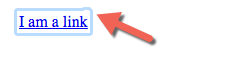
In Safari, with the current CSS there is funkiness with the focus ring. It falls out of bounds a bit.
With the new/fix using
By using
But here's the deal, it can be different depending on stuff like resets, Normalize, Bootstrap. The focus funkiness position can be different if using those and I've noticed the So with |


|
@joe-watkins well anything that alters the height of a line of text (meaning the line-height) will probably make it fail. For example, see https://codepen.io/afercia/full/YvzPyB/
|


|
Can someone look through the list of all open WebKit accessibility bugs: To see if it is described there or not. If not, please add an issue with: Thanks. |
|
Also, does someone want to get 100 open source friendship points and document this issue? |
|
This seems related: https://bugs.webkit.org/show_bug.cgi?id=173914 |
|
@afercia Thanks for putting that demo together.. yes that line height weakness is one that sure makes it fail. I think I've found an approach for that which appears to be holding up... of course I think I've said that 10 times in this thread :) ha! I love a good challenge though.
Initial testing of a clone of your CodePen seems to be doing well. Take a peek. .visuallyhidden {
border: 0;
clip: rect(0 0 0 0);
height: auto; /* new - was 1px */
margin: 0; /* new - was -1px */
overflow: hidden;
padding: 0;
position: absolute;
width: 1px;
white-space: nowrap; /* 1 */
} |
|
@joe-watkins interesting. Based on a quick initial testing seems to work :) Was curious to understand why 8.3. The height of absolute or fixed positioned, non-replaced elements
8.5. Auto heights for block formatting context roots
Aside: unrelated, but was thinking that any method that uses absolute positioning won't work when the container is a flex container. Absolutely-positioned flex children behave in a different way and VoiceOver will read out the hidden text first. The only way to fix that I can think of would be not using absolute positioning at all, for example using |
|
@afercia Ha nice finds and makes sense -- especially 8.3 as I was fiddling around with transforms at one point and adding backgrounds to the element and was surprised to see it span the height of the box. Thanks for surfacing those! Yes, I've been thinking about flex and grid and wonder if we should be attacking from the parent since we can't drive up the tree with CSS really. One could almost write a visually hidden framework - ha! I've battled the Flex parent issue with View the CodePen demo battling a Flex parent In related good news, I've learned that in flex/grid scenarios, visually hidden elements that are grandchildren of Flex parents and Grid parents announce in order w/VO+Safari when using the my latest chunk of Flexbox demo with grandchildren |

Noticed that the words were being read out of order in VoiceOver
and updated the CSS to the current recommendation in a similar
github issue.

Specifically, this comment:
https://github.com/h5bp/html5-boilerplate/issues/1985#issuecomment-394096182

For completeness, here is the updated class.

```
.visuallyhidden {
    border: 0;
    clip: rect(0 0 0 0);
    height: auto; /* new - was 1px */
    margin: 0; /* new - was -1px */
    overflow: hidden;
    padding: 0;
    position: absolute;
    width: 1px;
    white-space: nowrap; /* 1 */
}
```
Noticed that the words were being read out of order in VoiceOver
and updated the CSS to the current recommendation in a similar
github issue.

Specifically, this comment:
https://github.com/h5bp/html5-boilerplate/issues/1985#issuecomment-394096182

For completeness, here is the updated class.

```
.visuallyhidden {
    border: 0;
    clip: rect(0 0 0 0);
    height: auto; /* new - was 1px */
    margin: 0; /* new - was -1px */
    overflow: hidden;
    padding: 0;
    position: absolute;
    width: 1px;
    white-space: nowrap; /* 1 */
}
```
Noticed that the words were being read out of order in VoiceOver
and updated the CSS to the current recommendation in a similar
github issue.

Specifically, this comment:
https://github.com/h5bp/html5-boilerplate/issues/1985#issuecomment-394096182

For completeness, here is the updated class.

```
.visuallyhidden {
    border: 0;
    clip: rect(0 0 0 0);
    height: auto; /* new - was 1px */
    margin: 0; /* new - was -1px */
    overflow: hidden;
    padding: 0;
    position: absolute;
    width: 1px;
    white-space: nowrap; /* 1 */
}
```

|
Hey everyone, I've been doing some investigation into this since we ran into the same issue on the GOV.UK Design System. I have written up the results of an audit I've done here: https://gist.github.com/nickcolley/19b80ed24d0364cfd3afd3b1b49c4014
The funkiness with the outline ring which seems to a blocker here is only seen in OSX Safari when you are using the user-agent outline styles. Since we set an outline style this is not an issue for us. I think we could make the assumption that most people will style their outlines instead of using the default. So we could update the class here to have the improved announcement for screen readers with the rendering issue and add some guidance that explains the need to style your own outlines (which is good practice regardless). .visually-hidden {
position: absolute;
width: 1px;
height: 1px;
margin: 0;
padding: 0;
overflow: hidden;
clip: rect(0 0 0 0);
-webkit-clip-path: inset(50%);
clip-path: inset(50%);
border: 0;
white-space: nowrap;
}Hope this is helpful, thanks for your help! Nick |
|
We're facing an issue with flex items, where:
For more details: WordPress/gutenberg#13221 (comment). In the past, there have been several inconsistencies across browsers regarding absolutely positioned flex items. I'd greatly appreciate feedback from all the experts here 🙂 can this issue be considered a Chrome bug? |

|
I got this similar issue on my current team project. It seems to work for styling for latest chrome, safari, firefox, IE edge. However, not sure how backwards compatable is that. |

|
Related bug: |


|
... |


|
Is this still an issue? We are unable to replicate on the latest versions of FF, Chrome and Safari using VoiceOver on MacOS 13.2.1. The original codepen reads out in the correct order as does the markup in our internal testing. We are using the following CSS: border: 0; |
|
@singhpaul I hadn't checked in on this is a while, so I'm not sure. I would love to close this issue. It's only been open for 6 years 😂 |


I'm submitting a ...
Steps to reproduce
Expected Results
The visually hidden text using HTML5 boilerplate's
.visuallyhidden {}will be announced in the order that it is within the markup.Actual Results
The order of the text is not announced does not match the markup order. Visually hidden text is announced before visible text copy.
Potential fix
After some testing, I've found that using
position: relative;anddisplay: inline-block;appears to solve this. e.g.SR Tested (works in)
Browsers tested (works - hides text in)
Video screencast of experience
I'd love to get some thoughts on this and I'd be happy to create a PR if everyone is into it :)
The text was updated successfully, but these errors were encountered: