
Hugo Blog Awesome | Demo link
| Dark mode | Light mode |
|---|---|
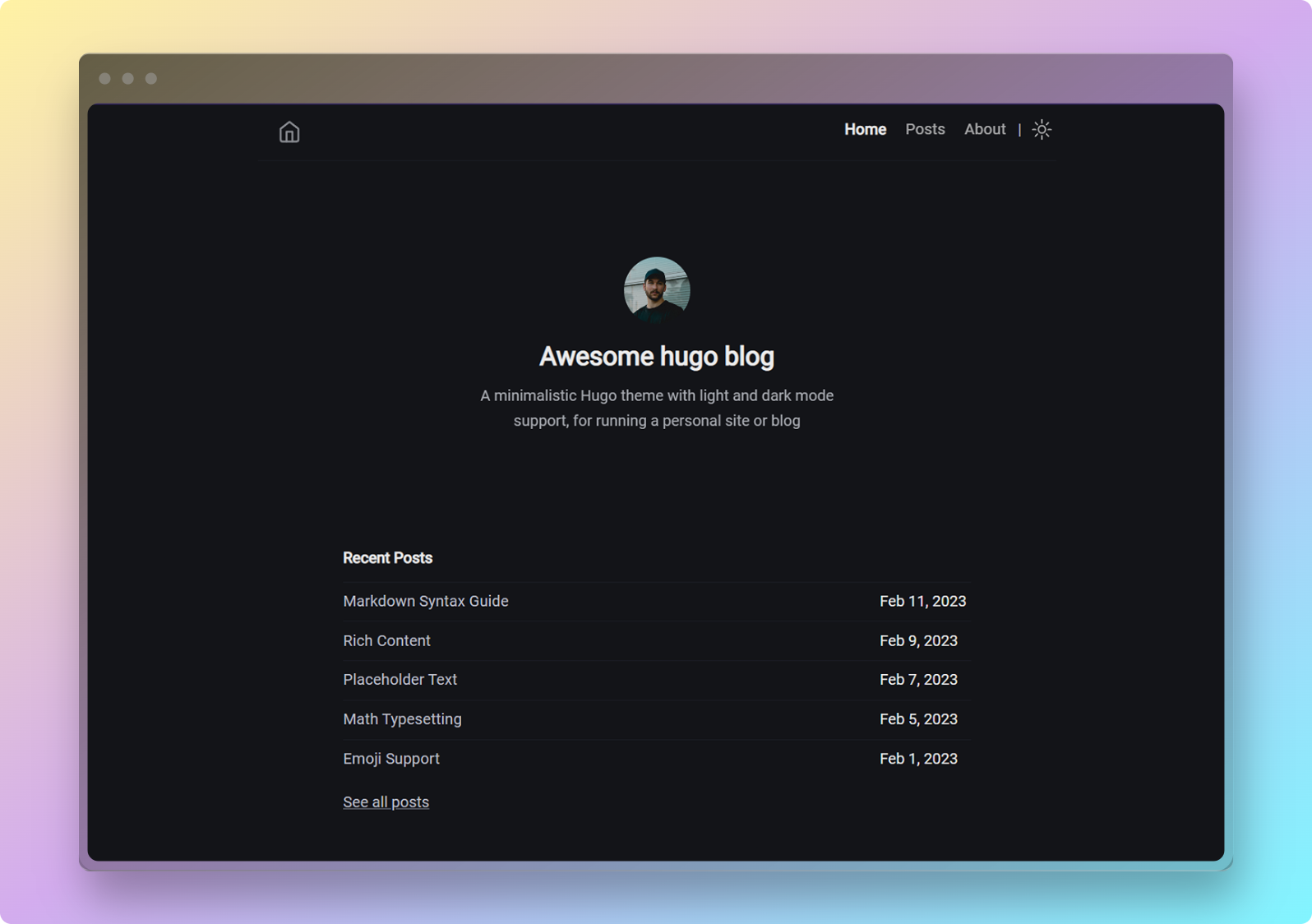 |
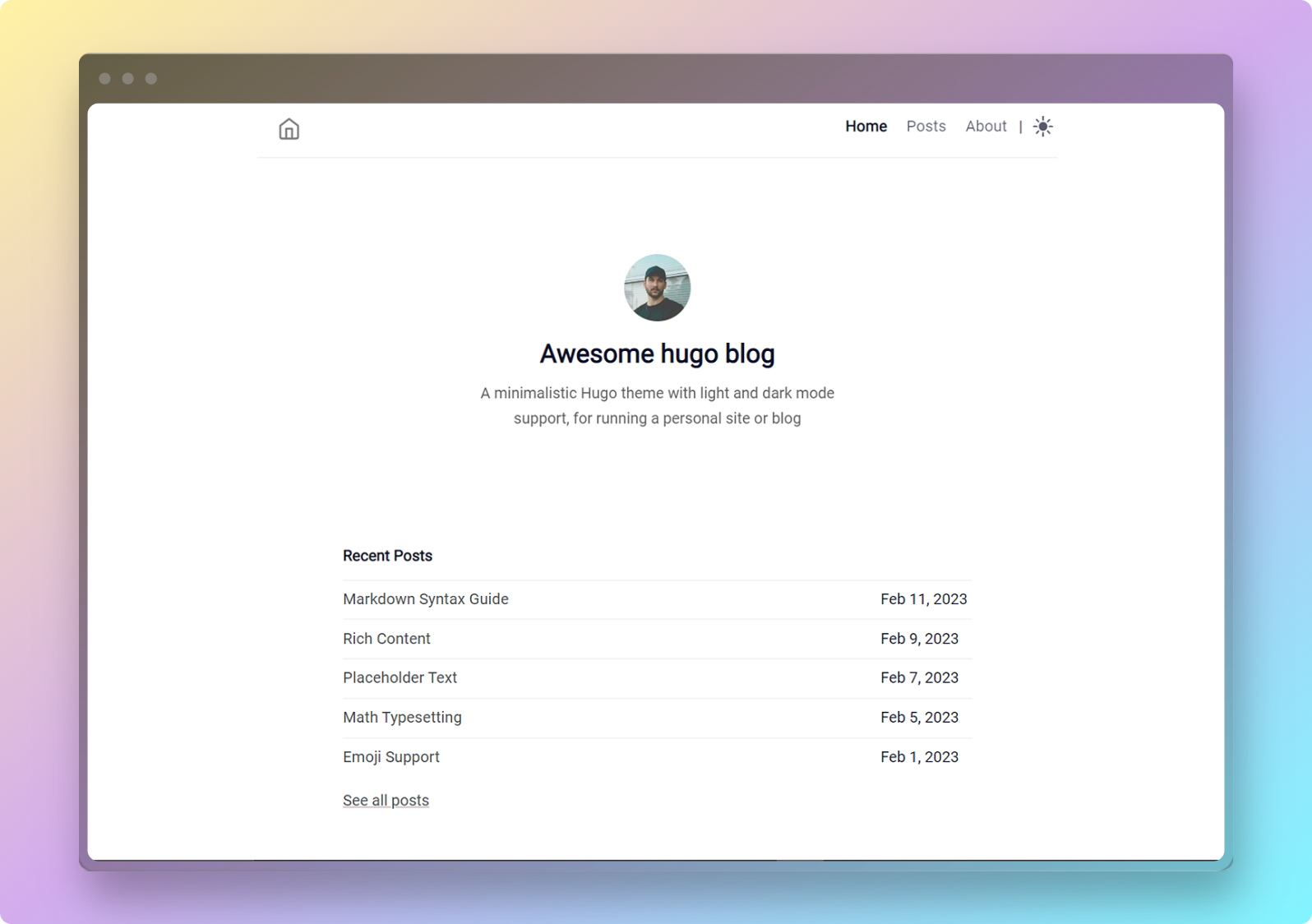 |
Page speed score (click to expand)
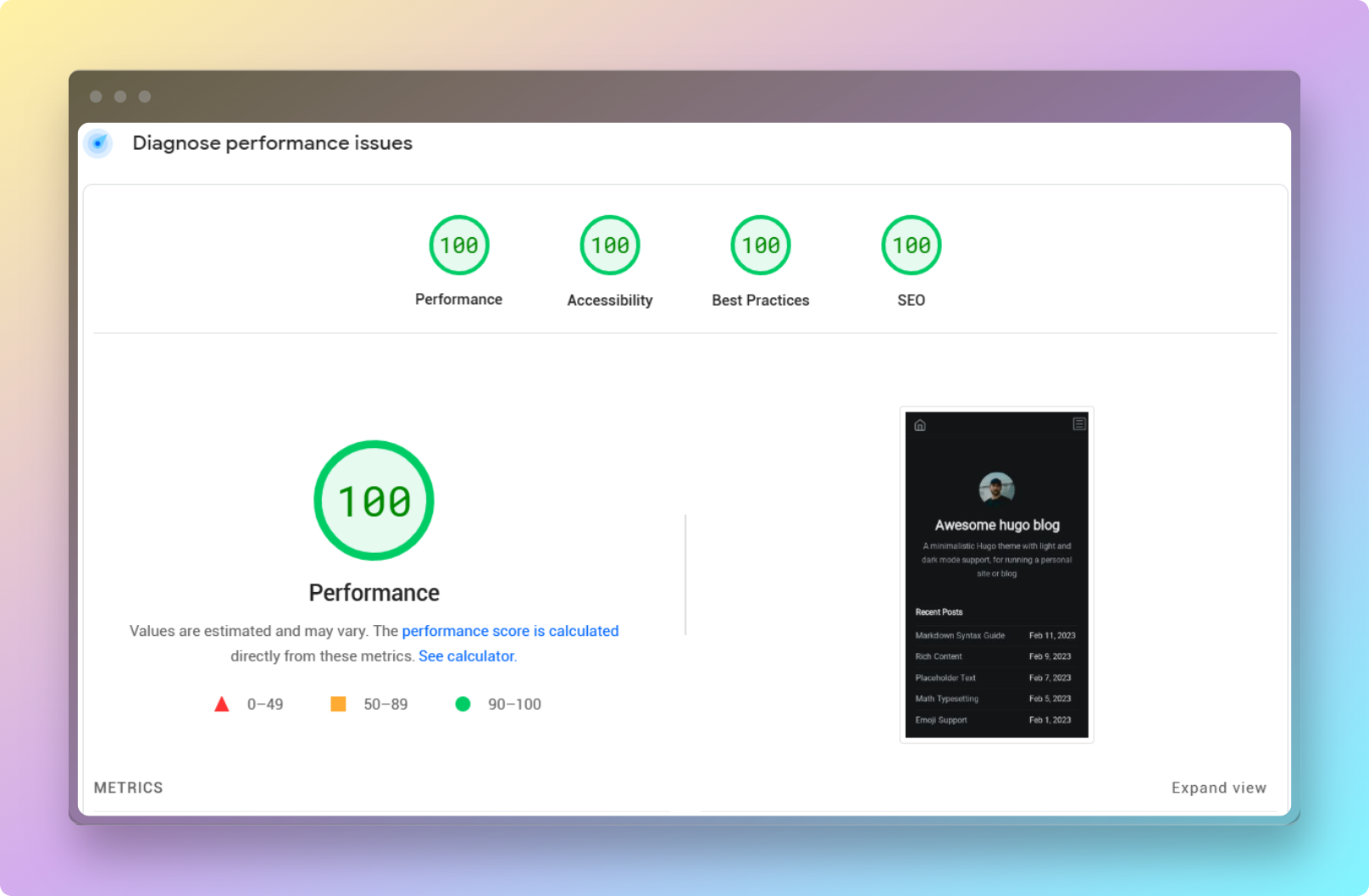
The result shown above was last confirmed on September 23, 2023. You can check the details of the PageSpeed test at this link: Link to the analysis. You can also do a live PageSpeed test of the demo website now.
- Minimal design
- Light and dark mode
- Syntax highlighting
- RSS feed
- No jQuery, no Bootstrap
- 100/100 Google PageSpeed Insights score on all 4 metrics
Hugo Blog Awesome (HBA) is a theme crafted to capture your readers' attention.
Additionally, it's fast, privacy-conscious, and comes with no external dependencies. That's right. There are no Google fonts, icon packs, or JavaScript frameworks. No trackers or ads to bloat your website.
Its focus on minimalism and clean UI ensures that your content takes the spotlight. This, coupled with the support for dark mode, provides a stress-free (on the eyes) reading experience for your audience.
Built with Hugo, SCSS, and vanilla JavaScript.
Note You must have the Hugo extended version installed in order to use this theme. This theme uses Sass for styling. With the Hugo extended version, Sass can be transpiled to CSS without any additional tools.
First create a new Hugo site by running the following command:
hugo new site myblog
Initialize your new Hugo site as hugo module by running the following command:
hugo mod init github.com/USER/REPO
Afterwards, run this command to add hugo-blog-awesome as module to your site:
hugo mod get github.com/hugo-sid/hugo-blog-awesome
To make use of the theme, add this module configuration to your site's hugo.toml:
[module]
  [[module.imports]]
    path = "github.com/hugo-sid/hugo-blog-awesome"
To preview the theme with example content, run the following command from the exampleSite directory:
hugo server
To create a new Hugo site with this theme as Git submodule, run the following command:
hugo new site myblog
Then, clone this repository into the themes directory of your new site:
cd myblog
git clone https://github.com/hugo-sid/hugo-blog-awesome.git themes/hugo-blog-awesome
To preview the theme with example content, run the following command from the exampleSite directory:
hugo server --themesDir ../..
To use this theme, set the theme variable in your site's hugo.toml to hugo-blog-awesome:
theme = "hugo-blog-awesome"
You can take a look at the hugo.toml file in the exampleSite directory for an example configuration.
It is recommended that you copy the hugo.toml file from the exampleSite directory to the root directory of your Hugo site. You can then edit the hugo.toml file to suit your needs.
I used realfavicongenerator.net to generate the favicons. You can place the resulting files in the assets\icons folder. That should get your favicon working.
If you want to customize anything further, you can modify layouts\partials\head.html.
Social icons can be added by configuring hugo.toml file in the following manner.
[[params.socialIcons]]
name = "github"
url = "https://github.com/hugo-sid"

[[params.socialIcons]]
name = "twitter"
url = "https://twitter.com"

[[params.socialIcons]]
name = "Rss"
url = "index.xml"
List of available icons (click to expand)
| Name | Platform |
|---|---|
123rf |
123rf.com |
adobestock |
stock.adobe.com |
applemusic |
music.apple.com |
behance |
behance.net |
bilibili |
bilibili.com |
bitcoin |
- |
bluesky |
bsky.app |
buymeacoffee |
buymeacoffee.com |
codepen |
codepen.io |
cryptohack |
cryptohack.org |
ctftime |
ctftime.org |
cv |
- |
deezer |
deezer.com |
dev |
dev.to |
discogs |
discogs.com |
discord |
discord.com |
dreamstime |
dreamstime.com |
dribbble |
dribbble.com |
email |
- |
facebook |
facebook.com |
flickr |
flickr.com |
freepik |
freepik.com |
gitea |
gitea.io |
github |
github.com |
gitlab |
gitlab.com |
goodreads |
goodreads.com |
googlescholar |
scholar.google.com |
guruShots |
gurushots.com |
hackerone |
hackerone.com |
hackerrank |
hackerrank.com |
hackthebox |
hackthebox.eu |
instagram |
instagram.com |
itchio |
itch.io |
kaggle |
- |
kakaotalk |
kakaocorp.com/service/KakaoTalk |
key |
- |
keybase |
keybase.io |
kofi |
ko-fi.com |
komoot |
- |
lastfm |
last.fm |
letterboxd |
- |
liberapay |
liberapay.com |
linkedin |
linkedin.com |
mastodon |
mastodon.social |
matrix |
matrix.org |
medium |
medium.com |
monero |
- |
mixcloud |
mixcloud.com |
nuget |
nuget.org |
paypal |
paypal.com |
peertube |
- |
pgp |
- |
phone |
- |
ploywork |
ploywork.com |
qq |
qq.com |
reddit |
reddit.com |
researchgate |
researchgate.net |
rss |
- |
serverfault |
serverfault.com |
soundcloud |
soundcloud.com |
shutterstock |
shutterstock.com |
signal |
signal.org |
slack |
slack.com |
snapchat |
snapchat.com/add |
spotify |
spotify.com |
stackoverflow |
stackoverflow.com |
stackshare |
stackshare.io |
steam |
steampowered.com |
strava |
strava.com |
telegram |
telegram.org |
tiktok |
tiktok.com |
twitch |
twitch.tv |
twitter (the blue bird logo) |
twitter.com |
unsplash |
unsplash.com |
x (formerly Twitter) |
x.com |
xda |
xda-developers.com |
xing |
xing.com |
ycombinator |
ycombinator.com |
youtube |
youtube.com |
other |
- |
If you are trying to add an icon that is not listed above, you can modify layouts\partials\svgs\svgs.html to include your icon (SVG). You are encouraged to submit your icon by creating a pull request, so that others can benefit.
To enable go to top button on blog posts, set goToTop to true in hugo.toml file.
[params]
goToTop = trueTo create a new post, run the following command:
hugo new posts/my-first-post.md
Then, edit the my-first-post.md file to suit your needs.
To enable Disqus comments, set services.disqus.shortname in your site's hugo.toml.
To use another comments system, provide your own comments.html partial in layouts\partials\comments.html.
Please read CONTRIBUTING.md.
Thanks to these wonderful people for contributing to Hugo blog awesome:
If you are using this theme for any website, feel free to list the website here. You can submit a pull request (PR) to include your website.
- https://krisnova.net/
- https://paddy-exe.github.io/
- https://www.siggijons.net/
- https://debanwita27.github.io/
- https://mrizkimaulidan.vercel.app/
- https://www.yukizr.com/
- http://liamdalg.co.uk/
- https://chriscodes.net/
- https://ruiper.es/
- https://www.magicplace.de/
- https://bskdany.com/
- https://josephscottcampbell.com/
- https://heckintosh.github.io/
- https://dieter.plaetinck.be/
- https://jmbhughes.com/
- https://www.boniface.me/
- https://meanii.dev/
- https://unixsec.io/
Don't forget to ⭐️ the repo if you liked this theme!

The social icons are made possible thanks to Aditya Telange's hugo-PaperMod theme.
Thanks to piharpi for creating the Jekyll klise theme. It served as an inspiration to create this Hugo theme.
This theme is released under the MIT license. For more information read the License.


![@renovate[bot]](https://avatars.githubusercontent.com/in/2740?s=64&v=4)


