xcode-select: error: tool 'xcodebuild' requires Xcode, but active developer directory '/Library/Developer/CommandLineTools' is a command line tools instance #569
Comments

|
I'm looking for the same answer. |

|
@alejandroiglesias, try this: download Xcode from the app store, open it and accept the license/terms agreement, and try whatever you were doing again. EDIT(gibfahn): Command line tools is fine, you don't need the full Xcode. Just ignore the warning. See here and here for more info. |

|
This fixed it for me:
See this explanation on SO. EDIT(gibfahn): Command line tools is fine, you don't need the full Xcode. Just ignore the warning. See here and here for more info. |

|
Same answer as @jfmercer . But if you installed XCode beta, use this command instead: |


|
@nitinnain if i use your command i get |

|
@tibicenas @nitinnain - same here: |
|
@tibicenas @dbranchini did either of you try my suggestion? |
|
@davis finally i uninstalled Xcode and re-install and then doing the xcode-select -switch works.. anyway its a weird issue that should be fixed in the next patch |

|
@davis I tried your suggestion, it worked. thanks! |


|
Agreed with @wmertens |


|
im having this problem what is the password when you do sudo xcode-select -s /Applications/Xcode.app/Contents/Developer |
|
@jesstomo12 your sudo password |

|
I have the same error: "xcode-select: error: invalid developer directory '/Applications/Xcode.app/Contents/Developer'" |
|
@dharmanibc |
|
Thanks! The problem is solved now. Actually, this was an map-error on OS X 10.10, as somehow it checks for some module to be available for 10.11 and which is not available for 10.10. So, simply, I ignored the error msg. The fink seems properly installed. Thanks again! |

|
EDIT(gibfahn): Command line tools is fine, you don't need the full Xcode. Just ignore the warning. See here and here for more info. This problem happens when xcode-select developer directory was pointing to /Library/Developer/CommandLineTools, when a full regular XCode was required (happens when CLT are installed after XCode) Solution: Note: Make sure your Xcode app directory is the same as in the address above; most notably, it'll be probably /Applications/Xcode-Beta.app/Contents/Developeror /Applications/Xcode-beta.app/Contents/Developer if you installed beta XCode release instead. The Source: http://stackoverflow.com/questions/17980759/xcode-select-active-developer-directory-error/17980786#17980786 |


|
I don't think we have any control over the message this prints, it comes out of OSX. The best resource I've seen on this whole mess is actually from a rails documentation project: http://railsapps.github.io/xcode-command-line-tools.html, it's pretty complete and we'd do well to either link to it or borrow large chunks of it for our own documentation. EDIT(gibfahn): Command line tools is fine, you don't need the full Xcode. Just ignore the warning. See here and here for more info. |

|
Yeah, that's whats really strange |
|
no, this is not correct, the commandline tools should be just fine, it's just a matter of wiring up EDIT(gibfahn): Command line tools is fine, you don't need the full Xcode. Just ignore the warning. See here and here for more info. |


|
@davis @gibfahn @bergerjac Thank you so much! |

|
OS: version 10.14.5 (18F132) |

Changing Xcode-Beta.app to Xcode.app in the path should remove this error. |

|
for anyone who were not able to resolve by reinstalling the xcode-select, you might want to check node version, I know for sure, that with v9 didn't work for me, had to downgrade to v8, didn't try to bump it up to v10 or v12 though. After changing node version just reinstall again and should be good ✌️ |

vuepress 1.3.0 webpack-dev-middleware 削除 node-gyp buildエラー解消 nodejs/node-gyp#569 (comment)


|
Same experience: v8 works while v12 did not. |

|
This is INCORRECT. I am running the latest MacOS Catalina, and the full XCode is required: What is the bloody point of having command line tools that require the full blown near 10GB GUI?? |


|
used nvm to install and switch to node version 8.9.3 |

Just upgraded MacOS today, together with an xcode update. I guess somehow that upgrade broke xcode command line tools.. |

|
I'm using the latest MAC OS Catalina v10.15.4 and none of the solutions above worked. For me, I have to download Xcode from the appstore and switch to appropriate node version my site is using and |


|
I know it looks like silly answer but you may run once XCode app after install by clicking on it (not on terminal). |

|
I think |

It worked on 10.15.4 installing |

|
|

Version 11.4 (11E146) |

|
This stack overflow answer pointed me in the right direction. Hope it helps |

|
Uninstall the CLT: This will reinstall:
|
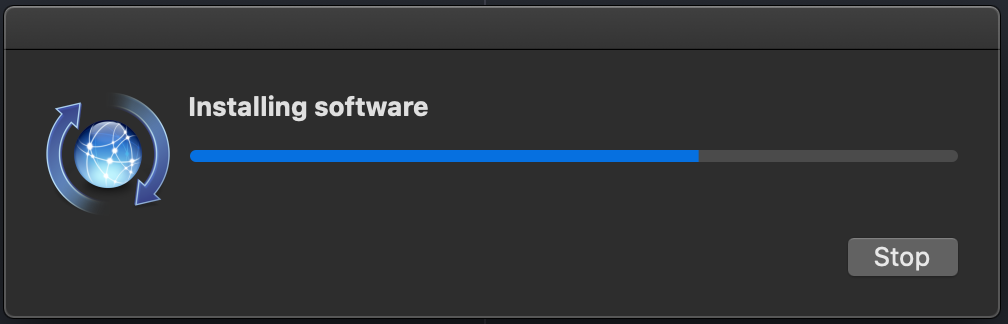


|
Thanks for that! Finally compiling on my computer! |

Biiiiiig thanks !!! I have solved this problem by upgrading npm from 3.x to 6.x (before I grab all of my hair.) But one thing weired, I have no BTW, my system version is macOS Catalina 10.15.4. Thanks agin. |
|
It is not essential to have the XCode App as discussed in solutions 2. and 3. |


|
I switched from |


This one worked for me on a brand new install of Catalina |

|
Tried to do what @robzor did, but I couldn't reinstall via
If you have issues with that, try downloading the installer for Command Line Tools for Xcode from: |


 and others
EDITED FOR PEOPLE JUST GETTING HERE
See #569 (comment) and #569 (comment), the warning can just be ignored. Command Line Tools works fine, you do not need the full Xcode.
See https://github.com/nodejs/node-gyp/blob/master/macOS_Catalina.md, here and here for more info.
Fix:
then just ignore the warning.
Alternatively if you want you can use the full Xcode.app (if you have it installed) with:
# Change the path if you installed Xcode somewhere else.
sudo xcode-select -s /Applications/Xcode.app/Contents/Developer
If your install is failing
There will be other errors nearer the end, almost certainly issues with the module you're trying to install or a dependency. Please report the error to that project.
If that doesn't work
Are you seeing this when you run
node-gyp rebuildornpm install? If not then it's nothing to do withnode-gyp, raise a bug with the project you're using.The text was updated successfully, but these errors were encountered: