
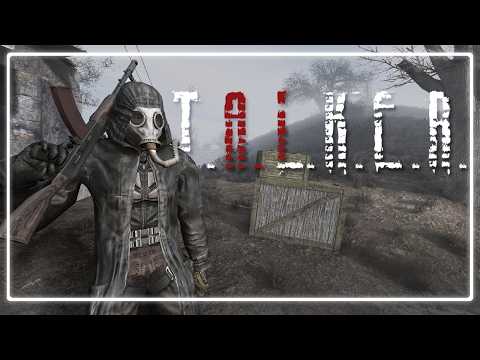
A LLM powered dialogue generator for STALKER Anomaly

You no longer require openAI api credits to be able to use this mod! Changing the LLM model is possible, I left a door open for it at least in the code if anyone wants to give it a shot.
This mod is provided free of charge with open code, practice your own due diligence and set spending limits on your account. I have tested for bugs that could cause large amounts of requests but that does not mean it's impossible!
TALKER is more than a simple random phrase generator. It is a sophisticated, event-driven system that creates contextually relevant dialogue.
- Contextual Awareness: The mod constantly monitors in-game events. When something noteworthy happens—a firefight erupts, a player reloads their weapon, an anomaly is triggered, or you simply speak to someone—TALKER registers it. This stream of recent events provides the context for the AI's dialogue generation.
- Unique Personalities: Every NPC is treated as a unique character with a distinct profile, including their name, faction, experience level, and equipped weapon. Crucially, each character is assigned a personality, which dictates their tone, vocabulary, and general demeanor. This information is fed to the LLM, ensuring that a grizzled Duty veteran speaks differently from a rookie Loner.
- Intelligent Dialogue Triggers: The mod uses a configurable system to determine when an NPC should speak, preventing a constant cacophony of chatter. This ensures that dialogue feels natural and impactful, occurring at moments of interest or in direct response to the player.
This guide will walk you through installing TALKER. For the best experience (especially with free API providers), using the recommended API key proxy is advised.
To get started, you'll need to download a few separate components.
What to Download:
- The Mod Itself (Latest Source Code): For the latest features and fixes, download the source code directly from the
mainbranch. - Voice Utility Archive: From the TALKER Releases Page, find the latest MAIN release and download the
TALKER-Mic-*.ziparchive if you plan to use voice chat. - API Proxy: Download the
LLM-API-Key-Proxyrelease from its own releases page. This is highly recommended for connecting to AI services.
Installation Steps:
- It is recommended to use a mod manager like Mod Organizer 2.
- Install the TALKER source code zip you downloaded like any other Anomaly mod.
- If you plan to use voice chat, open the
TALKER-Mic-*.ziparchive you downloaded. Extract its contents (talker_mic.exeandlaunch_mic.bat) into the mod's root folder (e.g.,E:\GAMMA\mods\TALKER).
You need to connect TALKER to an AI service. This is a one-time setup.
You have two options for connecting to an AI service:
Option A: Use the Recommended API Proxy (For Stability & Flexibility)
The LLM-API-Key-Proxy is the best way to connect to AI services. It helps avoid rate-limits by rotating keys and natively supports many different providers (like Gemini, Anthropic, etc.), allowing you to switch between them easily. This is highly recommended, especially if you are using free services.
- Download the Proxy: Get the latest release from the proxy's GitHub Releases page.
- Unzip It: Extract the downloaded file to its own folder.
IMPORTANT (Mod Organizer 2 Users): You must place the proxy folder outside of your MO2 mods directory (e.g., do not put it in
E:\GAMMA\mods). MO2's virtual file system will prevent the proxy from finding its configuration files. A safe location would be something likeC:\TALKER_Proxyor a folder on your Desktop. - Add API Keys: Run
setup_env.bat. A window will pop up to help you add your API keys. - Start the Proxy: Double-click
proxy_app.exe. A terminal window will appear, indicating the proxy is running. Keep this window open while you play.
Option B: Direct API Key (Simpler, but less stable and limited)
If you are using a paid service (OpenAI and Openrouter support only) and prefer a simpler setup, you can use your API key directly.
- Get your API key from your provider (e.g., OpenAI).
- Create a file named
openai_api_key.txtin the mod's root folder. - Paste your API key into this file and save it.
- If you are using the API Proxy (Option A), make sure
proxy_app.exeis running. - If you plan to use voice chat, run
launch_mic.batand select your preferred transcription service. - Launch S.T.A.L.K.E.R. Anomaly.
Once in-game, you need to configure TALKER in the Mod Configuration Menu (MCM) before you can start talking to NPCs.
-
Open the MCM: Open the MCM from the main menu.
-
Select AI Model Method: Find the "AI Model Method" setting and select the option that matches your setup:
- proxy: If you are using the recommended API Proxy.
- open-ai or open-router-ai: If you are using a direct API key.
-
Set Your Custom Models (Proxy Users): If you are using the proxy, you can specify which models to use.
- Custom AI Model: Enter the full name of your primary model.
- Example:
gemini/gemini-2.5-flashfor Gemini,chutes/deepseek-ai/DeepSeek-V3for Chutes, ornvidia_nim/deepseek-ai/deepseek-r1for Nvidia.
- Example:
- Custom AI Model Fast: Enter the name of a smaller, faster, secondary model for less complex tasks.
- Example:
gemini/gemini-2.5-flash-lite-preview-06-17.
- Example:
Important Note on Model Names (Provider Prefixes) When using the proxy, you must include a provider prefix in the model name. This tells the proxy which service to send the request to. Think of it like an address for your AI model.
The format is always
provider_name/model_name.Here are the prefixes for some of the supported providers:
- Gemini:
gemini/(e.g.,gemini/gemini-2.5-flash) - Chutes:
chutes/(e.g.,chutes/deepseek-ai/DeepSeek-V3) - Nvidia:
nvidia_nim/(e.g.,nvidia_nim/deepseek-ai/deepseek-r1)
You must use the full, correct name for the model to work. You can find a list of some of the available models and their full names in the Free Models Guide. Refer to the LLM API Proxy documentation for more information.
- Custom AI Model: Enter the full name of your primary model.
-
Configure Reasoning Level: This setting controls how much "thinking" a model does.
- Auto: The model decides the appropriate level of reasoning. This is the recommended setting.
- None: Disables reasoning entirely.
- Low, Medium, High: Manually sets the reasoning level. Higher levels can result in more detailed responses but will be slower.
-
Set Voice Provider (Proxy Users): To use the proxy for voice transcription, set the "Voice Provider" to "gemini-proxy". (NOT IMPLEMENTED YET)
Now you're ready to play! You can talk to NPCs using two methods:
- Voice Chat: Hold
Left Altto speak. - Text Chat: Press
Enterto open a chat box and type.
Note on API Keys & launch_mic.bat: If you chose the Direct API Key and don't want to create the .key file manually, you can run launch_mic.bat once. It will ask for your key and save it for you. After this one-time setup, you only need to run the launcher when you want to use voice chat.
This mod is designed to be accessible to everyone, which is why it supports a variety of free AI models. This guide will help you get set up with free services so you can enjoy TALKER without any cost.
The LLM-API-Key-Proxy is the key to using free models effectively. Free services often have strict usage limits. The proxy helps you stay under these limits by rotating between multiple API keys. It also supports many different AI providers, giving you the flexibility to experiment and find the model that works best for you.
Note: Remember to run the proxy from its own folder, outside of any mod manager directories (like MO2), to ensure it works correctly.
To use the recommended Gemini via API Proxy option in the launcher, you will need at least one Gemini API key. Here’s how to get one:
- Google AI Studio: Visit Google AI Studio to create a free API key.
- Follow the Instructions: The site will guide you through the process. It's quick and straightforward.
- Add to Proxy: Once you have your key, use the
setup_env.batscript from the proxy to add it.
For a more detailed walkthrough and a list of other free providers, please refer to the full Free Models Guide.
- install ollama
- ollama pull llama3.2
- ollama pull llama3.2:1b
- ollama serve
- run game and pick local models
Many thanks to
- balls of pure diamond, for making cool youtube videos and helping me brainstorm, playtest and stay hyped
- ThorsDecree for helping playtest
- Cheeki Breeki
- the many extremely helpful modders in the Anomaly discord
- Tosox
- RavenAscendant
- NLTP_ASHES
- Thial
- Lucy
- xcvb
- momopate
- Darkasleif
- Mirrowel
- Encrypterr
- lethrington
- Dunc
- Demonized
- Majorowsky
- beemanbp03
- abbihors, for boldly going where no stalker mod has gone before
- (Buckwheat in Russian) helping investigate pollnet
- many more who I rudely forgot