Releases: blakeblackshear/frigate
0.13.2 Release

What's Changed
- Update Makefile for 0.13.2 by @NickM-27 in #9687
- Nms optimize for stationary cars by @NickM-27 in #9684
- More robust onvif handling by @hawkeye217 in #9635
- Don't fail if message is received before websocket start by @NickM-27 in #9634
- Birdseye enhancements by @NickM-27 in #9778
- Add detailed errors for unsupported label uploading to frigate+ by @Maximo-Guk in #9775
- Onvif: skip non-video profiles in setup by @hawkeye217 in #9708
- Mention that AMD CPUs work just fine with OpenVINO by @svenstaro in #9740
- Revise VSCode hostname info in docs by @printplaatreparatie in #9709
- Docs: Fix and clarify which /dev/video devices to use with Raspberry Pi by @m-d-brown in #9509
- remove reference to the term credit by @blakeblackshear in #9799
- Added documentation for time-lapse export (master) by @mike2307 in #9804
- docs: fix links to full configuration reference by @lawm in #9808
- Fix builds by @blakeblackshear in #9852
- Use zoom space id in Onvif RelativeMove setup by @hawkeye217 in #9859
- Fix birdseye camera comparison by @NickM-27 in #9887
- Format by @NickM-27 in #9889
New Contributors
- @Maximo-Guk made their first contribution in #9775
- @svenstaro made their first contribution in #9740
- @printplaatreparatie made their first contribution in #9709
- @m-d-brown made their first contribution in #9509
- @mike2307 made their first contribution in #9804
- @lawm made their first contribution in #9808
Full Changelog: v0.13.1...v0.13.2
Contributors


Assets 2
0.13.1 Release
What's Changed
- Quick fix docs by @NickM-27 in #9506
- Increase hash map size by @blakeblackshear in #9515
Full Changelog: v0.13.0...v0.13.1
Contributors
Assets 2
0.13.0 Release
Major Changes For 0.13.0
Security Advisories
The Github Security Lab team reached out to report the following security vulnerabilities.
- Cross-site request forgery in
config_saveandconfig_setrequest handlers (GHSL-2023-198) - Reflected XSS through
/<camera_name>API endpoints (GHSL-2023-195) - Unsafe deserialization in
load_config_with_no_duplicatesoffrigate/util/builtin.py(GHSL-2023-190)
Exploiting these vulnerabilities requires the attacker to both know very specific information about a user's Frigate server and requires an authenticated user to be tricked into clicking a specially crafted link to their Frigate instance.
This vulnerability could exploited by an attacker under the following circumstances:
- Frigate publicly exposed to the internet (even with some authentication methods implemented)
- Attacker knows the public address of a user's Frigate instance
- Attacker crafts a specialized page which links to the user's Frigate instance
- Attacker finds a way to get an authenticated user to visit their specialized page and click the button/link
If you haven't click any links to your Frigate server from unknown sources, there is no reason to believe that you have been compromised.
I have enabled the private vulnerability disclosure features inside Github for the project as well as the automated CodeQL scanning features to identify future issues.
Breaking Changes
- ARM 32-bit support has officially been removed. If you are running on a Raspberry Pi with a 32-bit OS, you will need to switch to 64-bit.
- You will likely experience some additional CPU usage because motion detection is now more sensitive and
improve_contrastis now enabled by default. If you have specific values set in your config, it is recommended to remove them and re-calibrate as necessary. - If no detect resolution is defined then frigate will now run detect at the native camera resolution. This means if you did not explicitly set the detect width / height AND your sub stream is not 1280x720, then your masks and zones will be configured incorrectly.
- Stationary object validation is now required, anyone who manually set
interval: 0will need to delete this field from the config or increase the value - Changes have been made to the DB schema, downgrading to 0.12 will require restoring from a backup or deleting the DB and existing recordings / snapshots.
NOTE: Some users have reported migrations taking a while and frigate frontend is not available until the migrations are complete. - New location for
frigate.db: Due to the support for network shares in HA OS and the popularity of storing recordings on a NAS in general, the database has a new default location of/config/frigate.db. This change is going to be done for existing users too, so frigate will automatically move the db for you.-
For Frigate Addon Users:
The migration is handled automatically and no action is required from the user. -
For Docker Container Users:
The migration is handled for you, but you must make sure that the docker CLI or docker-compose binds the entire/configdirectory and not just the/config/config.ymlfile.For example, if your current volume mapping is
- /host/path/config_folder/config.yml:/config/config.ymlit should now be- /host/path/config_folder/:/config/
-
- The previously deprecated
record -> retain_daysconfig has been removed, this should be migrated torecord -> retain -> daysif you have not already. - HomeAssistant Integration 5.0 is required for the new features introduced in this release.
- TensorRT has been updated and the model generation has been refactored. New models will need to be generated for 0.13 and have a new path, check the detector docs for more info.
- TensorRT now requires Nvidia Driver Version 530+
- The cameras in
/statshave been moved to their owncamerasblock. This only affects users that were directly reading from the/statsdata via the API or MQTT. - Removed direct access to the go2rtc http API to mitigate potential remote code execution via the exec source, you will need to map port 1984 and access directly if using go2rtc http api outside of frigate
Frigate+
Frigate+ Model Launch
Frigate+ models are now rolling out by invitation. If you would like to be invited for early access to purchase a subscription, please send an email to blake@frigate.video from the email address on your Frigate+ account. For more information, see this discussion.
False positive submissions
You can now submit false positive detections to Frigate+ for training feedback. Note that you will still need to login to your Frigate+ account and verify the images to ensure all relevant objects are labeled before the image will be used during training. Confirming the object is a true positive will also upload the image.

Models
This release has support for Frigate+ models. The model and related information are stored at /config/model_cache. Once Frigate+ models are launched, you will be able to use the model id in your config.
model:
  path: plus://your_model_id
Community Supported Boards
In version 0.12 Frigate gained support for Intel iGPUs via OpenVINO and for Nvidia GPUs, this was a great step forward for compatibility and for more users being able to use Frigate effectively. There are many other devices, including dedicated SBCs (Small Board Computers), that Frigate could support but the maintainers do not have the time or hardware to support.
The community supported boards framework will allow community members who want to contribute to create and manage support for a particular board. This will allow Frigate to support more devices while allowing the maintainers to focus on improving the core of Frigate.
Nvidia Jetson Support
@madsciencetist has contributed a community supported board build by adding support for Jetson 4.6 and Jetson 5 devices!
More information can be found in the detector docs on how to set this up.
https://docs.frigate.video/configuration/object_detectors#nvidia-tensorrt-detector
@MarcA711 has contributed a community supported board build by adding support for devices with RockChip SoCs:
RK3566/RK3568
RK3588/RK3588S
RV1103/RV1106
RK3562
https://docs.frigate.video/configuration/object_detectors#rockchip-rknn-toolkit-lite2
Object Tracking & Motion Detection
There have been many improvements to object tracking and motion detection which make Frigate more efficient and can reduce false positives.
New Object Tracker
Frigate now uses Norfair for object tracking, this means that object attributes like size, width/height ratio, and position are used to intelligently track objects. ID swapping between tracked objects is greatly reduced in situations where a car in the driveway was confused with a car passing in the street.
Improved Motion Detection
Frigate's motion detection is now more efficient. Motion detection will also re-calibrate for flashes like lightning or when the camera switches from color to IR mode or it is moved via PTZ. This reduces CPU usage during these changes and reduces false positives caused by excessive motion.
Historical Data
Frigate now uses the recordings timeline data to generate an 8x8 grid for each camera. This grid holds the range of expected regions (portions of the image sent to detection) for that area of the camera frame. This helps to improve accuracy of detection after motion has occurred and can reduce false positives in some cases.
The grid is updated on each startup and every day at 2 AM for each camera that is enabled.
Minimum Time For Zone Presence
Frigate now has a configurable field for the minimum amount of time an object needs to be in a zone before it is considered in a zone. For example, currently in Frigate if you have a front_yard zone and someone is walking by and briefly steps into the front yard Frigate would create an event for this. However, you may prefer for events to only be created if a person is in the front yard for multiple frames before creating an event.
zones:
  my_zone:
    inertia: 3  # <- 3 consecutive frames needed to consider object in zone
    coordinates: ...
Recordings Improvements
There have been a number of improvements to the management of recordings
Recordings Exporting
Frigate now supports exporting recordings in standard format or as a time-lapse. Exported recordings are stored in /media/frigate/exports and are downloadable from the UI.

Recordings Timeline Metadata
Frigate now saves metadata for key moments in an event such as when the tracked object is detected, enters or exits zone, becomes active / stationary, and leaves. This metadata is used to overlay on top of the recordings so it is easy to see what was detected and where. Note that the timing of the bounding boxes will likely be slightly off because it is based on the detect stream, but overlayed on the record stream. The annotation_offset value in the config can be used to adjust for any differences.


Assets 2
0.13.0 Release Candidate 1
Draft docs for this release: https://deploy-preview-6262--frigate-docs.netlify.app
Major Changes For 0.13.0
Security Advisories
The Github Security Lab team reached out to report the following security vulnerabilities.
- Cross-site request forgery in
config_saveandconfig_setrequest handlers (GHSL-2023-198) - Reflected XSS through
/<camera_name>API endpoints (GHSL-2023-195) - Unsafe deserialization in
load_config_with_no_duplicatesoffrigate/util/builtin.py(GHSL-2023-190)
Exploiting these vulnerabilities requires the attacker to both know very specific information about a user's Frigate server and requires an authenticated user to be tricked into clicking a specially crafted link to their Frigate instance.
This vulnerability could exploited by an attacker under the following circumstances:
- Frigate publicly exposed to the internet (even with some authentication methods implemented)
- Attacker knows the public address of a user's Frigate instance
- Attacker crafts a specialized page which links to the user's Frigate instance
- Attacker finds a way to get an authenticated user to visit their specialized page and click the button/link
If you haven't click any links to your Frigate server from unknown sources, there is no reason to believe that you have been compromised.
I have enabled the private vulnerability disclosure features inside Github for the project as well as the automated CodeQL scanning features to identify future issues.
Changes since Beta 7
- Compatibility for Jetpack 5.1.2 Jetson devices
Breaking Changes
- If no detect resolution is defined then frigate will now run detect at the native camera resolution. This means if you did not explicitly set the detect width / height AND your sub stream is not 1280x720, then your masks and zones will be configured incorrectly.
- Default values have been changed for motion detection and
improve_contrastis now enabled by default. If you have specific values set in your config, it is recommended to remove them and re-calibrate as necessary. - Stationary object validation is now required, anyone who manually set
interval: 0will need to delete this field from the config or increase the value - Changes have been made to the DB schema, downgrading to 0.12 will require restoring from a backup or deleting the DB and existing recordings / snapshots.
NOTE: Some users have reported migrations taking a while and frigate frontend is not available until the migrations are complete. - New location for
frigate.db: Due to the support for network shares in HA OS and the popularity of storing recordings on a NAS in general, the database has a new default location of/config/frigate.db. This change is going to be done for existing users too, so frigate will automatically move the db for you.-
For Frigate Addon Users:
The migration is handled automatically and no action is required from the user. -
For Docker Container Users:
The migration is handled for you, but you must make sure that the docker CLI or docker-compose binds the entire/configdirectory and not just the/config/config.ymlfile.For example, if your current volume mapping is
- /host/path/config_folder/config.yml:/config/config.ymlit should now be- /host/path/config_folder/:/config/
-
- The previously deprecated
record -> retain_daysconfig has been removed, this should be migrated torecord -> retain -> daysif you have not already. - HomeAssistant Integration 5.0 beta is required for the new features introduced in this release.
- TensorRT has been updated and the model generation has been refactored. New models will need to be generated for 0.13 and have a new path, check the detector docs for more info.
- TensorRT now requires Nvidia Driver Version 530+
- The cameras in
/statshave been moved to their owncamerasblock. This only affects users that were directly reading from the/statsdata via the API or MQTT.
Frigate+
Frigate+ Model Launch
Frigate+ models are now rolling out by invitation. If you would like to be invited for early access to purchase a subscription, please send an email to blake@frigate.video from the email address on your Frigate+ account. For more information, see this discussion.
False positive submissions
You can now submit false positive detections to Frigate+ for training feedback. Note that you will still need to login to your Frigate+ account and verify the images to ensure all relevant objects are labeled before the image will be used during training. Confirming the object is a true positive will also upload the image.
Models
This release has support for Frigate+ models. The model and related information are stored at /config/model_cache. Once Frigate+ models are launched, you will be able to use the model id in your config.
model:
  path: plus://your_model_id
Community Supported Boards
In version 0.12 Frigate gained support for Intel iGPUs via OpenVINO and for Nvidia GPUs, this was a great step forward for compatibility and for more users being able to use Frigate effectively. There are many other devices, including dedicated SBCs (Small Board Computers), that Frigate could support but the maintainers do not have the time or hardware to support.
The community supported boards framework will allow community members who want to contribute to create and manage support for a particular board. This will allow Frigate to support more devices while allowing the maintainers to focus on improving the core of Frigate.
Nvidia Jetson Support
@madsciencetist has contributed a community supported board build by adding support for Jetson 4.6 and Jetson 5 devices!
More information can be found in the detector docs on how to set this up.
@MarcA711 has contributed a community supported board build by adding support for devices with RockChip SoCs:
RK3566/RK3568
RK3588/RK3588S
RV1103/RV1106
RK3562
Object Tracking & Motion Detection
There have been many improvements to object tracking and motion detection which make Frigate more efficient and can reduce false positives.
New Object Tracker
Frigate now uses Norfair for object tracking, this means that object attributes like size, width/height ratio, and position are used to intelligently track objects. ID swapping between tracked objects is greatly reduced in situations where a car in the driveway was confused with a car passing in the street.
Improved Motion Detection
Frigate's motion detection is now more efficient. Motion detection will also re-calibrate for flashes like lightning or when the camera switches from color to IR mode or it is moved via PTZ. This reduces CPU usage during these changes and reduces false positives caused by excessive motion.
Historical Data
Frigate now uses the recordings timeline data to generate an 8x8 grid for each camera. This grid holds the range of expected regions (portions of the image sent to detection) for that area of the camera frame. This helps to improve accuracy of detection after motion has occurred and can reduce false positives in some cases.
The grid is updated on each startup and every day at 2 AM for each camera that is enabled.
Minimum Time For Zone Presence
Frigate now has a configurable field for the minimum amount of time an object needs to be in a zone before it is considered in a zone. For example, currently in Frigate if you have a front_yard zone and someone is walking by and briefly steps into the front yard Frigate would create an event for this. However, you may prefer for events to only be created if a person is in the front yard for multiple frames before creating an event.
zones:
  my_zone:
    inertia: 3  # <- 3 consecutive frames needed to consider object in zone
    coordinates: ...
Recordings Improvements
There have been a number of improvements to the management of recordings
Recordings Exporting
Frigate now supports exporting recordings in standard format or as a time-lapse. Exported recordings are stored in /media/frigate/exports and are downloadable from the UI.
Recordings Timeline Metadata
Frigate now saves metadata for key moments in an event such as when the tracked object is detected, enters or exits zone, becomes active / stationary, and leaves. This metadata is used to overlay on top of the recordings so it is easy to see what was detected and where. Note that the timing of the bounding boxes will likely be slightly off because it is based on the detect stream, but overlayed on the record stream. The annotation_offset value in the config can be used to adjust for any differences.

Internal Processing...
Contributors
Assets 2
0.13.0 Beta 7
Beta docs for this release: https://deploy-preview-6262--frigate-docs.netlify.app
Major Changes For 0.13.0
Security Advisories
The Github Security Lab team reached out to report the following security vulnerabilities.
- Cross-site request forgery in
config_saveandconfig_setrequest handlers (GHSL-2023-198) - Reflected XSS through
/<camera_name>API endpoints (GHSL-2023-195) - Unsafe deserialization in
load_config_with_no_duplicatesoffrigate/util/builtin.py(GHSL-2023-190)
Exploiting these vulnerabilities requires the attacker to both know very specific information about a user's Frigate server and requires an authenticated user to be tricked into clicking a specially crafted link to their Frigate instance.
This vulnerability could exploited by an attacker under the following circumstances:
- Frigate publicly exposed to the internet (even with some authentication methods implemented)
- Attacker knows the public address of a user's Frigate instance
- Attacker crafts a specialized page which links to the user's Frigate instance
- Attacker finds a way to get an authenticated user to visit their specialized page and click the button/link
If you haven't click any links to your Frigate server from unknown sources, there is no reason to believe that you have been compromised.
I have enabled the private vulnerability disclosure features inside Github for the project as well as the automated CodeQL scanning features to identify future issues.
Changes since Beta 6
- Remove direct access to the go2rtc API to mitigate potential remote code execution via the exec source
- Other small fixes and improvements
Breaking Changes
- If no detect resolution is defined then frigate will now run detect at the native camera resolution. This means if you did not explicitly set the detect width / height AND your sub stream is not 1280x720, then your masks and zones will be configured incorrectly.
- Default values have been changed for motion detection and
improve_contrastis now enabled by default. If you have specific values set in your config, it is recommended to remove them and re-calibrate as necessary. - Stationary object validation is now required, anyone who manually set
interval: 0will need to delete this field from the config or increase the value - Changes have been made to the DB schema, downgrading to 0.12 will require restoring from a backup or deleting the DB and existing recordings / snapshots.
NOTE: Some users have reported migrations taking a while and frigate frontend is not available until the migrations are complete. - New location for
frigate.db: Due to the support for network shares in HA OS and the popularity of storing recordings on a NAS in general, the database has a new default location of/config/frigate.db. This change is going to be done for existing users too, so frigate will automatically move the db for you.-
For Frigate Addon Users:
The migration is handled automatically and no action is required from the user. -
For Docker Container Users:
The migration is handled for you, but you must make sure that the docker CLI or docker-compose binds the entire/configdirectory and not just the/config/config.ymlfile.For example, if your current volume mapping is
- /host/path/config_folder/config.yml:/config/config.ymlit should now be- /host/path/config_folder/:/config/
-
- The previously deprecated
record -> retain_daysconfig has been removed, this should be migrated torecord -> retain -> daysif you have not already. - HomeAssistant Integration 5.0 beta is required for the new features introduced in this release.
- TensorRT has been updated and the model generation has been refactored. New models will need to be generated for 0.13 and have a new path, check the detector docs for more info.
- TensorRT now requires Nvidia Driver Version 530+
- The cameras in
/statshave been moved to their owncamerasblock. This only affects users that were directly reading from the/statsdata via the API or MQTT.
Frigate+
Frigate+ Model Launch
Frigate+ models are now rolling out by invitation. If you would like to be invited for early access to purchase a subscription, please send an email to blake@frigate.video from the email address on your Frigate+ account. For more information, see this discussion.
False positive submissions
You can now submit false positive detections to Frigate+ for training feedback. Note that you will still need to login to your Frigate+ account and verify the images to ensure all relevant objects are labeled before the image will be used during training. Confirming the object is a true positive will also upload the image.
Models
Frigate+ models are almost ready for launch, and this release has support for automatically downloading from Frigate+. The model and related information are stored at /config/model_cache. Once Frigate+ models are launched, you will be able to use the model id in your config.
model:
  path: plus://e63b7345cc83a84ed79dedfc99c16616
Community Supported Boards
In version 0.12 Frigate gained support for Intel iGPUs via OpenVINO and for Nvidia GPUs, this was a great step forward for compatibility and for more users being able to use Frigate effectively. There are many other devices, including dedicated SBCs (Small Board Computers), that Frigate could support but the maintainers do not have the time or hardware to support.
The community supported boards framework will allow community members who want to contribute to create and manage support for a particular board. This will allow Frigate to support more devices while allowing the maintainers to focus on improving the core of Frigate.
Nvidia Jetson Support
@madsciencetist has contributed a community supported board build by adding support for Jetson 4.6 and Jetson 5 devices!
More information can be found in the detector docs on how to set this up.
@MarcA711 has contributed a community supported board build by adding support for devices with RockChip SoCs:
RK3566/RK3568
RK3588/RK3588S
RV1103/RV1106
RK3562
Object Tracking & Motion Detection
There have been many improvements to object tracking and motion detection which make Frigate more efficient and can reduce false positives.
New Object Tracker
Frigate now uses Norfair for object tracking, this means that object attributes like size, width/height ratio, and position are used to intelligently track objects. ID swapping between tracked objects is greatly reduced in situations where a car in the driveway was confused with a car passing in the street.
Improved Motion Detection
Frigate's motion detection is now more efficient. Motion detection will also re-calibrate for flashes like lightning or when the camera switches from color to IR mode or it is moved via PTZ. This reduces CPU usage during these changes and reduces false positives caused by excessive motion.
Historical Data
Frigate now uses the recordings timeline data to generate an 8x8 grid for each camera. This grid holds the range of expected regions (portions of the image sent to detection) for that area of the camera frame. This helps to improve accuracy of detection after motion has occurred and can reduce false positives in some cases.
The grid is updated on each startup and every day at 2 AM for each camera that is enabled.
Minimum Time For Zone Presence
Frigate now has a configurable field for the minimum amount of time an object needs to be in a zone before it is considered in a zone. For example, currently in Frigate if you have a front_yard zone and someone is walking by and briefly steps into the front yard Frigate would create an event for this. However, you may prefer for events to only be created if a person is in the front yard for multiple frames before creating an event.
zones:
  my_zone:
    inertia: 3  # <- 3 consecutive frames needed to consider object in zone
    coordinates: ...
Recordings Improvements
There have been a number of improvements to the management of recordings
Recordings Exporting
Frigate now supports exporting recordings in standard format or as a time-lapse. Exported recordings are stored in /media/frigate/exports and are downloadable from the UI.
Recordings Timeline Metadata
Frigate now saves metadata for key moments in an event such as when the tracked object is detected, enters or exits zone, becomes active / stationary, and leaves. This metadata is used to overlay on top of the recordings so it is easy to see what was detected and where. Note that the timing of the bounding boxes will likely be slightly off because it is based on the detect stream, but overlayed on the record stream. The annotation_offset value in the config can be used to adjust for...
Contributors
Assets 2
0.13.0 Beta 6
Beta docs for this release: https://deploy-preview-6262--frigate-docs.netlify.app
Major Changes For 0.13.0
Security Advisories
The Github Security Lab team reached out to report the following security vulnerabilities.
- Cross-site request forgery in
config_saveandconfig_setrequest handlers (GHSL-2023-198) - Reflected XSS through
/<camera_name>API endpoints (GHSL-2023-195) - Unsafe deserialization in
load_config_with_no_duplicatesoffrigate/util/builtin.py(GHSL-2023-190)
Exploiting these vulnerabilities requires the attacker to both know very specific information about a user's Frigate server and requires an authenticated user to be tricked into clicking a specially crafted link to their Frigate instance.
This vulnerability could exploited by an attacker under the following circumstances:
- Frigate publicly exposed to the internet (even with some authentication methods implemented)
- Attacker knows the public address of a user's Frigate instance
- Attacker crafts a specialized page which links to the user's Frigate instance
- Attacker finds a way to get an authenticated user to visit their specialized page and click the button/link
If you haven't click any links to your Frigate server from unknown sources, there is no reason to believe that you have been compromised.
I have enabled the private vulnerability disclosure features inside Github for the project as well as the automated CodeQL scanning features to identify future issues.
Changes since Beta 5
- The option
record -> sync_on_startuphas been renamedrecord -> sync_recordingswhich controls startup and periodic recordings. This is a breaking change only for beta users who have enabled this option. - community supported build added for certain rockchip SOCs
- Go2rtc updated to 1.8.4
Breaking Changes
- If no detect resolution is defined then frigate will now run detect at the native camera resolution. This means if you did not explicitly set the detect width / height AND your sub stream is not 1280x720, then your masks and zones will be configured incorrectly.
- Default values have been changed for motion detection and
improve_contrastis now enabled by default. If you have specific values set in your config, it is recommended to remove them and re-calibrate as necessary. - Stationary object validation is now required, anyone who manually set
interval: 0will need to delete this field from the config or increase the value - Changes have been made to the DB schema, downgrading to 0.12 will require restoring from a backup or deleting the DB and existing recordings / snapshots.
NOTE: Some users have reported migrations taking a while and frigate frontend is not available until the migrations are complete. - New location for
frigate.db: Due to the support for network shares in HA OS and the popularity of storing recordings on a NAS in general, the database has a new default location of/config/frigate.db. This change is going to be done for existing users too, so frigate will automatically move the db for you.-
For Frigate Addon Users:
The migration is handled automatically and no action is required from the user. -
For Docker Container Users:
The migration is handled for you, but you must make sure that the docker CLI or docker-compose binds the entire/configdirectory and not just the/config/config.ymlfile.For example, if your current volume mapping is
- /host/path/config_folder/config.yml:/config/config.ymlit should now be- /host/path/config_folder/:/config/
-
- The previously deprecated
record -> retain_daysconfig has been removed, this should be migrated torecord -> retain -> daysif you have not already. - HomeAssistant Integration 5.0 beta is required for the new features introduced in this release.
- TensorRT has been updated and the model generation has been refactored. New models will need to be generated for 0.13 and have a new path, check the detector docs for more info.
- TensorRT now requires Nvidia Driver Version 530+
- The cameras in
/statshave been moved to their owncamerasblock. This only affects users that were directly reading from the/statsdata via the API or MQTT.
Frigate+
Frigate+ Model Launch
Frigate+ models are now rolling out by invitation. If you would like to be invited for early access to purchase a subscription, please send an email to blake@frigate.video from the email address on your Frigate+ account. For more information, see this discussion.
False positive submissions
You can now submit false positive detections to Frigate+ for training feedback. Note that you will still need to login to your Frigate+ account and verify the images to ensure all relevant objects are labeled before the image will be used during training. Confirming the object is a true positive will also upload the image.
Models
Frigate+ models are almost ready for launch, and this release has support for automatically downloading from Frigate+. The model and related information are stored at /config/model_cache. Once Frigate+ models are launched, you will be able to use the model id in your config.
model:
  path: plus://e63b7345cc83a84ed79dedfc99c16616
Community Supported Boards
In version 0.12 Frigate gained support for Intel iGPUs via OpenVINO and for Nvidia GPUs, this was a great step forward for compatibility and for more users being able to use Frigate effectively. There are many other devices, including dedicated SBCs (Small Board Computers), that Frigate could support but the maintainers do not have the time or hardware to support.
The community supported boards framework will allow community members who want to contribute to create and manage support for a particular board. This will allow Frigate to support more devices while allowing the maintainers to focus on improving the core of Frigate.
Nvidia Jetson Support
@madsciencetist has contributed a community supported board build by adding support for Jetson 4.6 and Jetson 5 devices!
More information can be found in the detector docs on how to set this up.
@MarcA711 has contributed a community supported board build by adding support for devices with RockChip SoCs:
RK3566/RK3568
RK3588/RK3588S
RV1103/RV1106
RK3562
Object Tracking & Motion Detection
There have been many improvements to object tracking and motion detection which make Frigate more efficient and can reduce false positives.
New Object Tracker
Frigate now uses Norfair for object tracking, this means that object attributes like size, width/height ratio, and position are used to intelligently track objects. ID swapping between tracked objects is greatly reduced in situations where a car in the driveway was confused with a car passing in the street.
Improved Motion Detection
Frigate's motion detection is now more efficient. Motion detection will also re-calibrate for flashes like lightning or when the camera switches from color to IR mode or it is moved via PTZ. This reduces CPU usage during these changes and reduces false positives caused by excessive motion.
Historical Data
Frigate now uses the recordings timeline data to generate an 8x8 grid for each camera. This grid holds the range of expected regions (portions of the image sent to detection) for that area of the camera frame. This helps to improve accuracy of detection after motion has occurred and can reduce false positives in some cases.
The grid is updated on each startup and every day at 2 AM for each camera that is enabled.
Minimum Time For Zone Presence
Frigate now has a configurable field for the minimum amount of time an object needs to be in a zone before it is considered in a zone. For example, currently in Frigate if you have a front_yard zone and someone is walking by and briefly steps into the front yard Frigate would create an event for this. However, you may prefer for events to only be created if a person is in the front yard for multiple frames before creating an event.
zones:
  my_zone:
    inertia: 3  # <- 3 consecutive frames needed to consider object in zone
    coordinates: ...
Recordings Improvements
There have been a number of improvements to the management of recordings
Recordings Exporting
Frigate now supports exporting recordings in standard format or as a time-lapse. Exported recordings are stored in /media/frigate/exports and are downloadable from the UI.
Recordings Timeline Metadata
Frigate now saves metadata for key moments in an event such as when the tracked object is detected, enters or exits zone, becomes active / stationary, and leaves. This metadata is used to overlay on top of the recordings so it is easy to see what was detected and where. Note that the timing of the bounding boxes will likely be sligh...
Contributors
Assets 2
0.13.0 Beta 5
Beta docs for this release: https://deploy-preview-6262--frigate-docs.netlify.app
Major Changes For 0.13.0
Security Advisories
The Github Security Lab team reached out to report the following security vulnerabilities.
- Cross-site request forgery in
config_saveandconfig_setrequest handlers (GHSL-2023-198) - Reflected XSS through
/<camera_name>API endpoints (GHSL-2023-195) - Unsafe deserialization in
load_config_with_no_duplicatesoffrigate/util/builtin.py(GHSL-2023-190)
Exploiting these vulnerabilities requires the attacker to both know very specific information about a user's Frigate server and requires an authenticated user to be tricked into clicking a specially crafted link to their Frigate instance.
This vulnerability could exploited by an attacker under the following circumstances:
- Frigate publicly exposed to the internet (even with some authentication methods implemented)
- Attacker knows the public address of a user's Frigate instance
- Attacker crafts a specialized page which links to the user's Frigate instance
- Attacker finds a way to get an authenticated user to visit their specialized page and click the button/link
If you haven't click any links to your Frigate server from unknown sources, there is no reason to believe that you have been compromised.
I have enabled the private vulnerability disclosure features inside Github for the project as well as the automated CodeQL scanning features to identify future issues.
Changes since Beta 4
- NOTE: An issue was discovered where timeline entries were saved in the DB without a corresponding event. This has been fixed and the DB will be retroactively cleaned up upon first starting beta5. Please note that frigate may be slow to start the first time but this will also reduce the DB size considerably.
- Improve recordings database and fix writing recordings without timezone info (important for DST)
- Update go2rtc to 1.8.2 and fix go2rtc default webrtc config
- Autotracking improvements
- Improve handling of output so stuck websockets don't cause frame processing to backup
- Only cache json requests with nginx
Breaking Changes
- If no detect resolution is defined then frigate will now run detect at the native camera resolution. This means if you did not explicitly set the detect width / height AND your sub stream is not 1280x720, then your masks and zones will be configured incorrectly.
- Default values have been changed for motion detection. If you have specific values set in your config, it is recommended to remove them and re-calibrate as necessary.
- Stationary object validation is now required, anyone who manually set
interval: 0will need to delete this field from the config or increase the value - Changes have been made to the DB schema, downgrading to 0.12 will require restoring from a backup or deleting the DB and existing recordings / snapshots.
NOTE: Some users have reported migrations taking a while and frigate frontend is not available until the migrations are complete. - New location for
frigate.db: Due to the support for network shares in HA OS and the popularity of storing recordings on a NAS in general, the database has a new default location of/config/frigate.db. This change is going to be done for existing users too, so frigate will automatically move the db for you.-
For Frigate Addon Users:
The migration is handled automatically and no action is required from the user. -
For Docker Container Users:
The migration is handled for you, but you must make sure that the docker CLI or docker-compose binds the entire/configdirectory and not just the/config/config.ymlfile.For example, if your current volume mapping is
- /host/path/config_folder/config.yml:/config/config.ymlit should now be- /host/path/config_folder/:/config/
-
- The previously deprecated
record -> retain_daysconfig has been removed, this should be migrated torecord -> retain -> daysif you have not already. - HomeAssistant Integration 5.0 beta is required for the new features introduced in this release.
- TensorRT has been updated and the model generation has been refactored. New models will need to be generated for 0.13 and have a new path, check the detector docs for more info.
- TensorRT now requires Nvidia Driver Version 530+
- The cameras in
/statshave been moved to their owncamerasblock. This only affects users that were directly reading from the/statsdata via the API or MQTT.
Frigate+
Frigate+ Model Launch
Frigate+ models are now rolling out by invitation. If you would like to be invited for early access to purchase a subscription, please send an email to blake@frigate.video from the email address on your Frigate+ account. For more information, see this discussion.
False positive submissions
You can now submit false positive detections to Frigate+ for training feedback. Note that you will still need to login to your Frigate+ account and verify the images to ensure all relevant objects are labeled before the image will be used during training. Confirming the object is a true positive will also upload the image.
Models
Frigate+ models are almost ready for launch, and this release has support for automatically downloading from Frigate+. The model and related information are stored at /config/model_cache. Once Frigate+ models are launched, you will be able to use the model id in your config.
model:
  path: plus://e63b7345cc83a84ed79dedfc99c16616
Community Supported Boards
In version 0.12 Frigate gained support for Intel iGPUs via OpenVINO and for Nvidia GPUs, this was a great step forward for compatibility and for more users being able to use Frigate effectively. There are many other devices, including dedicated SBCs (Small Board Computers), that Frigate could support but the maintainers do not have the time or hardware to support.
The community supported boards framework will allow community members who want to contribute to create and manage support for a particular board. This will allow Frigate to support more devices while allowing the maintainers to focus on improving the core of Frigate.
Nvidia Jetson Support
@madsciencetist has contributed a community supported board build by adding support for Jetson 4.6 and Jetson 5 devices!
More information can be found in the detector docs on how to set this up.
@MarcA711 has contributed a community supported board build by adding support for devices with RockChip SoCs:
RK3566/RK3568
RK3588/RK3588S
RV1103/RV1106
RK3562
Object Tracking & Motion Detection
There have been many improvements to object tracking and motion detection which make Frigate more efficient and can reduce false positives.
New Object Tracker
Frigate now uses Norfair for object tracking, this means that object attributes like size, width/height ratio, and position are used to intelligently track objects. ID swapping between tracked objects is greatly reduced in situations where a car in the driveway was confused with a car passing in the street.
Improved Motion Detection
Frigate's motion detection is now more efficient. Motion detection will also re-calibrate for flashes like lightning or when the camera switches from color to IR mode or it is moved via PTZ. This reduces CPU usage during these changes and reduces false positives caused by excessive motion.
Historical Data
Frigate now uses the recordings timeline data to generate an 8x8 grid for each camera. This grid holds the range of expected regions (portions of the image sent to detection) for that area of the camera frame. This helps to improve accuracy of detection after motion has occurred and can reduce false positives in some cases.
The grid is updated on each startup and every day at 2 AM for each camera that is enabled.
Minimum Time For Zone Presence
Frigate now has a configurable field for the minimum amount of time an object needs to be in a zone before it is considered in a zone. For example, currently in Frigate if you have a front_yard zone and someone is walking by and briefly steps into the front yard Frigate would create an event for this. However, you may prefer for events to only be created if a person is in the front yard for multiple frames before creating an event.
zones:
  my_zone:
    inertia: 3  # <- 3 consecutive frames needed to consider object in zone
    coordinates: ...
Recordings Improvements
There have been a number of improvements to the management of recordings
Recordings Exporting
Frigate now supports exporting recordings in standard format or as a time-lapse. Exported recordings are stored in /media/frigate/exports and are downloadable from the UI.
Recordings Timeline Metadata
Frigate now saves metadata for key moments in ...
Contributors
Assets 2
0.13.0 Beta 4
Beta docs for this release: https://deploy-preview-6262--frigate-docs.netlify.app
Major Changes For 0.13.0
Security Advisories
The Github Security Lab team reached out to report the following security vulnerabilities.
- Cross-site request forgery in
config_saveandconfig_setrequest handlers (GHSL-2023-198) - Reflected XSS through
/<camera_name>API endpoints (GHSL-2023-195) - Unsafe deserialization in
load_config_with_no_duplicatesoffrigate/util/builtin.py(GHSL-2023-190)
Exploiting these vulnerabilities requires the attacker to both know very specific information about a user's Frigate server and requires an authenticated user to be tricked into clicking a specially crafted link to their Frigate instance.
This vulnerability could exploited by an attacker under the following circumstances:
- Frigate publicly exposed to the internet (even with some authentication methods implemented)
- Attacker knows the public address of a user's Frigate instance
- Attacker crafts a specialized page which links to the user's Frigate instance
- Attacker finds a way to get an authenticated user to visit their specialized page and click the button/link
If you haven't click any links to your Frigate server from unknown sources, there is no reason to believe that you have been compromised.
I have enabled the private vulnerability disclosure features inside Github for the project as well as the automated CodeQL scanning features to identify future issues.
Changes since Beta 3
- Nginx caching to better handle rapid fire API requests from third party requests
- Fix daylight savings time issue with recordings validation
- More improvements to birdseye logic
- Devices with RockChip SoC are now supported as a community build. See docs for more info.
Breaking Changes
- If no detect resolution is defined then frigate will now run detect at the native camera resolution. This means if you did not explicitly set the detect width / height AND your sub stream is not 1280x720, then your masks and zones will be configured incorrectly.
- Default values have been changed for motion detection. If you have specific values set in your config, it is recommended to remove them and re-calibrate as necessary.
- Stationary object validation is now required, anyone who manually set
interval: 0will need to delete this field from the config or increase the value - Changes have been made to the DB schema, downgrading to 0.12 will require restoring from a backup or deleting the DB and existing recordings / snapshots.
NOTE: Some users have reported migrations taking a while and frigate frontend is not available until the migrations are complete. - New location for
frigate.db: Due to the support for network shares in HA OS and the popularity of storing recordings on a NAS in general, the database has a new default location of/config/frigate.db. This change is going to be done for existing users too, so frigate will automatically move the db for you.-
For Frigate Addon Users:
The migration is handled automatically and no action is required from the user. -
For Docker Container Users:
The migration is handled for you, but you must make sure that the docker CLI or docker-compose binds the entire/configdirectory and not just the/config/config.ymlfile.For example, if your current volume mapping is
- /host/path/config_folder/config.yml:/config/config.ymlit should now be- /host/path/config_folder/:/config/
-
- The previously deprecated
record -> retain_daysconfig has been removed, this should be migrated torecord -> retain -> daysif you have not already. - HomeAssistant Integration 5.0 beta is required for the new features introduced in this release.
- TensorRT has been updated and the model generation has been refactored. New models will need to be generated for 0.13 and have a new path, check the detector docs for more info.
- TensorRT now requires Nvidia Driver Version 530+
- The cameras in
/statshave been moved to their owncamerasblock. This only affects users that were directly reading from the/statsdata via the API or MQTT.
Frigate+
Frigate+ Model Launch
Frigate+ models are now rolling out by invitation. If you would like to be invited for early access to purchase a subscription, please send an email to blake@frigate.video from the email address on your Frigate+ account. For more information, see this discussion.
False positive submissions
You can now submit false positive detections to Frigate+ for training feedback. Note that you will still need to login to your Frigate+ account and verify the images to ensure all relevant objects are labeled before the image will be used during training. Confirming the object is a true positive will also upload the image.
Models
Frigate+ models are almost ready for launch, and this release has support for automatically downloading from Frigate+. The model and related information are stored at /config/model_cache. Once Frigate+ models are launched, you will be able to use the model id in your config.
model:
  path: plus://e63b7345cc83a84ed79dedfc99c16616
Community Supported Boards
In version 0.12 Frigate gained support for Intel iGPUs via OpenVINO and for Nvidia GPUs, this was a great step forward for compatibility and for more users being able to use Frigate effectively. There are many other devices, including dedicated SBCs (Small Board Computers), that Frigate could support but the maintainers do not have the time or hardware to support.
The community supported boards framework will allow community members who want to contribute to create and manage support for a particular board. This will allow Frigate to support more devices while allowing the maintainers to focus on improving the core of Frigate.
Nvidia Jetson Support
@madsciencetist has contributed a community supported board build by adding support for Jetson 4.6 and Jetson 5 devices!
More information can be found in the detector docs on how to set this up.
@MarcA711 has contributed a community supported board build by adding support for devices with RockChip SoCs:
RK3566/RK3568
RK3588/RK3588S
RV1103/RV1106
RK3562
Object Tracking & Motion Detection
There have been many improvements to object tracking and motion detection which make Frigate more efficient and can reduce false positives.
New Object Tracker
Frigate now uses Norfair for object tracking, this means that object attributes like size, width/height ratio, and position are used to intelligently track objects. ID swapping between tracked objects is greatly reduced in situations where a car in the driveway was confused with a car passing in the street.
Improved Motion Detection
Frigate's motion detection is now more efficient. Motion detection will also re-calibrate for flashes like lightning or when the camera switches from color to IR mode or it is moved via PTZ. This reduces CPU usage during these changes and reduces false positives caused by excessive motion.
Historical Data
Frigate now uses the recordings timeline data to generate an 8x8 grid for each camera. This grid holds the range of expected regions (portions of the image sent to detection) for that area of the camera frame. This helps to improve accuracy of detection after motion has occurred and can reduce false positives in some cases.
The grid is updated on each startup and every day at 2 AM for each camera that is enabled.
Minimum Time For Zone Presence
Frigate now has a configurable field for the minimum amount of time an object needs to be in a zone before it is considered in a zone. For example, currently in Frigate if you have a front_yard zone and someone is walking by and briefly steps into the front yard Frigate would create an event for this. However, you may prefer for events to only be created if a person is in the front yard for multiple frames before creating an event.
zones:
  my_zone:
    inertia: 3  # <- 3 consecutive frames needed to consider object in zone
    coordinates: ...
Recordings Improvements
There have been a number of improvements to the management of recordings
Recordings Exporting
Frigate now supports exporting recordings in standard format or as a time-lapse. Exported recordings are stored in /media/frigate/exports and are downloadable from the UI.
Recordings Timeline Metadata
Frigate now saves metadata for key moments in an event such as when the tracked object is detected, enters or exits zone, becomes active / stationary, and leaves. This metadata is used to overlay on top of the recordings so it is easy to see what was detected and where. Note that the timing of the bounding boxes will likely be slightly off because it is based on the detect stream, but overlayed on the record stream. The annotation_offset value in the config can be used to adjust for an...
Contributors
Assets 2
0.13.0 Beta 3
Beta docs for this release: https://deploy-preview-6262--frigate-docs.netlify.app
Major Changes For 0.13.0
Security Advisories
The Github Security Lab team reached out to report the following security vulnerabilities.
- Cross-site request forgery in
config_saveandconfig_setrequest handlers (GHSL-2023-198) - Reflected XSS through
/<camera_name>API endpoints (GHSL-2023-195) - Unsafe deserialization in
load_config_with_no_duplicatesoffrigate/util/builtin.py(GHSL-2023-190)
Exploiting these vulnerabilities requires the attacker to both know very specific information about a user's Frigate server and requires an authenticated user to be tricked into clicking a specially crafted link to their Frigate instance.
This vulnerability could exploited by an attacker under the following circumstances:
- Frigate publicly exposed to the internet (even with some authentication methods implemented)
- Attacker knows the public address of a user's Frigate instance
- Attacker crafts a specialized page which links to the user's Frigate instance
- Attacker finds a way to get an authenticated user to visit their specialized page and click the button/link
If you haven't click any links to your Frigate server from unknown sources, there is no reason to believe that you have been compromised.
I have enabled the private vulnerability disclosure features inside Github for the project as well as the automated CodeQL scanning features to identify future issues.
Changes since Beta 2
- A breaking change to the integration was introduced. You will need to update to the beta version of the integration.
- Frigate will now use the historical entries in the recordings timeline to create a grid of the expected size of objects, this will improve the accuracy of detection when motion is first detected. Motion is also optimized to reduce cases where a persons legs or arms were detected separately which led to multiple events for the same object.
- Many optimizations around stationary objects to optimize frequency and improve accuracy of checks for stationary objects.
- Motion detection calibration has been revamped to be dynamic, this is important for cases where motion was occurring after a large change; for example when someone is walking in the frame after moving a ptz camera.
- New recording timeline entries for Frigate+ attributes that show the moment an attribute (amazon, face, fedex, license_plate, ups) were first detected.
- Many camera auto tracking improvements including optimizations to movement, zoom, and camera calibration.
- Ongoing and past events are now separated in the events list
- Many UI fixes and optimizations
Breaking Changes
- Default values have been changed for motion detection. If you have specific values set in your config, it is recommended to remove them and re-calibrate as necessary.
- Stationary object validation is now required, anyone who manually set
interval: 0will need to delete this field from the config or increase the value - Changes have been made to the DB schema, downgrading to 0.12 will require restoring from a backup or deleting the DB and existing recordings / snapshots.
NOTE: Some users have reported migrations taking a while and frigate frontend is not available until the migrations are complete. - New location for
frigate.db: Due to the support for network shares in HA OS and the popularity of storing recordings on a NAS in general, the database has a new default location of/config/frigate.db. This change is going to be done for existing users too, so frigate will automatically move the db for you.-
For Frigate Addon Users:
The migration is handled automatically and no action is required from the user. -
For Docker Container Users:
The migration is handled for you, but you must make sure that the docker CLI or docker-compose binds the entire/configdirectory and not just the/config/config.ymlfile.For example, if your current volume mapping is
- /host/path/config_folder/config.yml:/config/config.ymlit should now be- /host/path/config_folder/:/config/
-
- The previously deprecated
record -> retain_daysconfig has been removed, this should be migrated torecord -> retain -> daysif you have not already. - HomeAssistant Integration 5.0 beta is required for the new features introduced in this release.
- TensorRT has been updated and the model generation has been refactored. New models will need to be generated for 0.13 and have a new path, check the detector docs for more info.
- TensorRT now requires Nvidia Driver Version 530+
- The cameras in
/statshave been moved to their owncamerasblock. This only affects users that were directly reading from the/statsdata via the API or MQTT.
Frigate+
Frigate+ Model Launch
Frigate+ models are now rolling out by invitation. If you would like to be invited for early access to purchase a subscription, please send an email to blake@frigate.video from the email address on your Frigate+ account. For more information, see this discussion.
False positive submissions
You can now submit false positive detections to Frigate+ for training feedback. Note that you will still need to login to your Frigate+ account and verify the images to ensure all relevant objects are labeled before the image will be used during training. Confirming the object is a true positive will also upload the image.
Models
Frigate+ models are almost ready for launch, and this release has support for automatically downloading from Frigate+. The model and related information are stored at /config/model_cache. Once Frigate+ models are launched, you will be able to use the model id in your config.
model:
  path: plus://e63b7345cc83a84ed79dedfc99c16616
Community Supported Boards
In version 0.12 Frigate gained support for Intel iGPUs via OpenVINO and for Nvidia GPUs, this was a great step forward for compatibility and for more users being able to use Frigate effectively. There are many other devices, including dedicated SBCs (Small Board Computers), that Frigate could support but the maintainers do not have the time or hardware to support.
The community supported boards framework will allow community members who want to contribute to create and manage support for a particular board. This will allow Frigate to support more devices while allowing the maintainers to focus on improving the core of Frigate.
Nvidia Jetson Support
@madsciencetist is the first to contribute a community supported board build by adding support for Jetson 4.6 and Jetson 5 devices!
More information can be found in the detector docs on how to set this up.
Object Tracking & Motion Detection
There have been many improvements to object tracking and motion detection which make Frigate more efficient and can reduce false positives.
New Object Tracker
Frigate now uses Norfair for object tracking, this means that object attributes like size, width/height ratio, and position are used to intelligently track objects. ID swapping between tracked objects is greatly reduced in situations where a car in the driveway was confused with a car passing in the street.
Improved Motion Detection
Frigate's motion detection is now more efficient. Motion detection will also re-calibrate for flashes like lightning or when the camera switches from color to IR mode or it is moved via PTZ. This reduces CPU usage during these changes and reduces false positives caused by excessive motion.
Historical Data
Frigate now uses the recordings timeline data to generate an 8x8 grid for each camera. This grid holds the range of expected regions (portions of the image sent to detection) for that area of the camera frame. This helps to improve accuracy of detection after motion has occurred and can reduce false positives in some cases.
The grid is updated on each startup and every day at 2 AM for each camera that is enabled.
Minimum Time For Zone Presence
Frigate now has a configurable field for the minimum amount of time an object needs to be in a zone before it is considered in a zone. For example, currently in Frigate if you have a front_yard zone and someone is walking by and briefly steps into the front yard Frigate would create an event for this. However, you may prefer for events to only be created if a person is in the front yard for multiple frames before creating an event.
zones:
  my_zone:
    inertia: 3  # <- 3 consecutive frames needed to consider object in zone
    coordinates: ...
Recordings Improvements
There have been a number of improvements to the management of recordings
Recordings Exporting
Frigate now supports exporting recordings in standard format or as a time-lapse. Exported recordings are stored in /media/frigate/exports and are downloadable from the UI.
Recordings Timeline Metadata
Frigate now saves metadata for key moments in an event such as when the tracked object is detected, enters or exits zone, becomes active / stationary,...
Contributors
Assets 2
0.13.0 Beta 2
Beta docs for this release: https://deploy-preview-6262--frigate-docs.netlify.app
Major Changes For 0.13.0
Changes since Beta 1
- Revert min_region_size that resulted in new false positives for some users
- Improve object tracking behavior to fix disjointed events in some cases
- Exports page now supports playback and deleting exports
- Reduce CPU usage for exports and add configuration option for time-lapse video filter output args
- Support selecting which Nvidia GPU is used to build TensorRT model in case multiple are present
- Update go2rtc to 1.7.1
Breaking Changes
- Default values have been changed for motion detection. If you have specific values set in your config, it is recommended to remove them and re-calibrate as necessary.
- Stationary object validation is now required, anyone who manually set
interval: 0will need to delete this field from the config or increase the value - Changes have been made to the DB schema, downgrading to 0.12 will require restoring from a backup or deleting the DB and existing recordings / snapshots.
NOTE: Some users have reported migrations taking a while and frigate frontend is not available until the migrations are complete. - New location for
frigate.db: Due to the support for network shares in HA OS and the popularity of storing recordings on a NAS in general, the database has a new default location of/config/frigate.db. This change is going to be done for existing users too, so frigate will automatically move the db for you.-
For Frigate Addon Users:
The migration is handled automatically and no action is required from the user. -
For Docker Container Users:
The migration is handled for you, but you must make sure that the docker CLI or docker-compose binds the entire/configdirectory and not just the/config/config.ymlfile.For example, if your current volume mapping is
- /host/path/config_folder/config.yml:/config/config.ymlit should now be- /host/path/config_folder/:/config/
-
- The previously deprecated
record -> retain_daysconfig has been removed, this should be migrated torecord -> retain -> daysif you have not already. - HomeAssistant Integration 5.0 beta is required for the new features introduced in this release.
- TensorRT has been updated and the model generation has been refactored. New models will need to be generated for 0.13 and have a new path, check the detector docs for more info.
- TensorRT now requires Nvidia Driver Version 530+
Frigate+
Frigate+ Model Launch
Frigate+ models are now rolling out by invitation. If you would like to be invited for early access to purchase a subscription, please send an email to blake@frigate.video from the email address on your Frigate+ account. For more information, see this discussion.
False positive submissions
You can now submit false positive detections to Frigate+ for training feedback. Note that you will still need to login to your Frigate+ account and verify the images to ensure all relevant objects are labeled before the image will be used during training. Confirming the object is a true positive will also upload the image.
Models
Frigate+ models are almost ready for launch, and this release has support for automatically downloading from Frigate+. The model and related information are stored at /config/model_cache. Once Frigate+ models are launched, you will be able to use the model id in your config.
model:
  path: plus://e63b7345cc83a84ed79dedfc99c16616
Community Supported Boards
In version 0.12 Frigate gained support for Intel iGPUs via OpenVINO and for Nvidia GPUs, this was a great step forward for compatibility and for more users being able to use Frigate effectively. There are many other devices, including dedicated SBCs (Small Board Computers), that Frigate could support but the maintainers do not have the time or hardware to support.
The community supported boards framework will allow community members who want to contribute to create and manage support for a particular board. This will allow Frigate to support more devices while allowing the maintainers to focus on improving the core of Frigate.
Nvidia Jetson Support
@madsciencetist is the first to contribute a community supported board build by adding support for Jetson 4.6 and Jetson 5 devices!
More information can be found in the detector docs on how to set this up.
Object Tracking & Motion Detection
There have been many improvements to object tracking and motion detection which make Frigate more efficient and can reduce false positives.
New Object Tracker
Frigate now uses Norfair for object tracking, this means that object attributes like size, width/height ratio, and position are used to intelligently track objects. ID swapping between tracked objects is greatly reduced in situations where a car in the driveway was confused with a car passing in the street.
Improved Motion Detection
Frigate's motion detection is now more efficient. Motion detection will also re-calibrate for flashes like lightning or when the camera switches from color to IR mode or it is moved via PTZ. This reduces CPU usage during these changes and reduces false positives caused by excessive motion.
Minimum Time For Zone Presence
Frigate now has a configurable field for the minimum amount of time an object needs to be in a zone before it is considered in a zone. For example, currently in Frigate if you have a front_yard zone and someone is walking by and briefly steps into the front yard Frigate would create an event for this. However, you may prefer for events to only be created if a person is in the front yard for multiple frames before creating an event.
zones:
  my_zone:
    inertia: 3  # <- 3 consecutive frames needed to consider object in zone
    coordinates: ...
Recordings Improvements
There have been a number of improvements to the management of recordings
Recordings Exporting
Frigate now supports exporting recordings in standard format or as a time-lapse. Exported recordings are stored in /media/frigate/exports and are downloadable from the UI.
Recordings Timeline Metadata
Frigate now saves metadata for key moments in an event such as when the tracked object is detected, enters or exits zone, becomes active / stationary, and leaves. This metadata is used to overlay on top of the recordings so it is easy to see what was detected and where. Note that the timing of the bounding boxes will likely be slightly off because it is based on the detect stream, but overlayed on the record stream. The annotation_offset value in the config can be used to adjust for any differences.
Internal Processing Improvements
There have been many improvements to the recordings management process to make it faster and more efficient:
- Recordings maintainer now lives in a dedicated process
- Recordings maintenance is now fully asynchronous
- Database writes are now much more efficient
- Record config can now have
sync_on_startupenabled which will check for recordings in the db that are not on the disk and delete them
Audio Events
Frigate now supports audio events via YamNet. Over 600 labels are included so there are too many to list here, but Frigate can listen to a cameras audio feed to create events and update MQTT when speech, yell, fire alarm, dog bark, etc. are heard. Version 5.0 of the HomeAssistant integration also supports sensors for these audio detections so automations can be fired when certain types of audio are detected.

Manual Events API
Frigate now supports creating events manually via the API. This means that custom events can be created, for example an event when the doorbell is pressed or a sensor is tripped. The API allows full control of event length, if recordings should be saved, and much more. The request and response can be seen in the documentation.
Curl Example:
curl -X POST "http://<frigate_ip>:5000/api/events/front_doorbell_cam/doorbell/create" -H Content-Type:\ application/jsonPTZ Control
Frigate now supports PTZ cameras.
Basic PTZ Autotracking
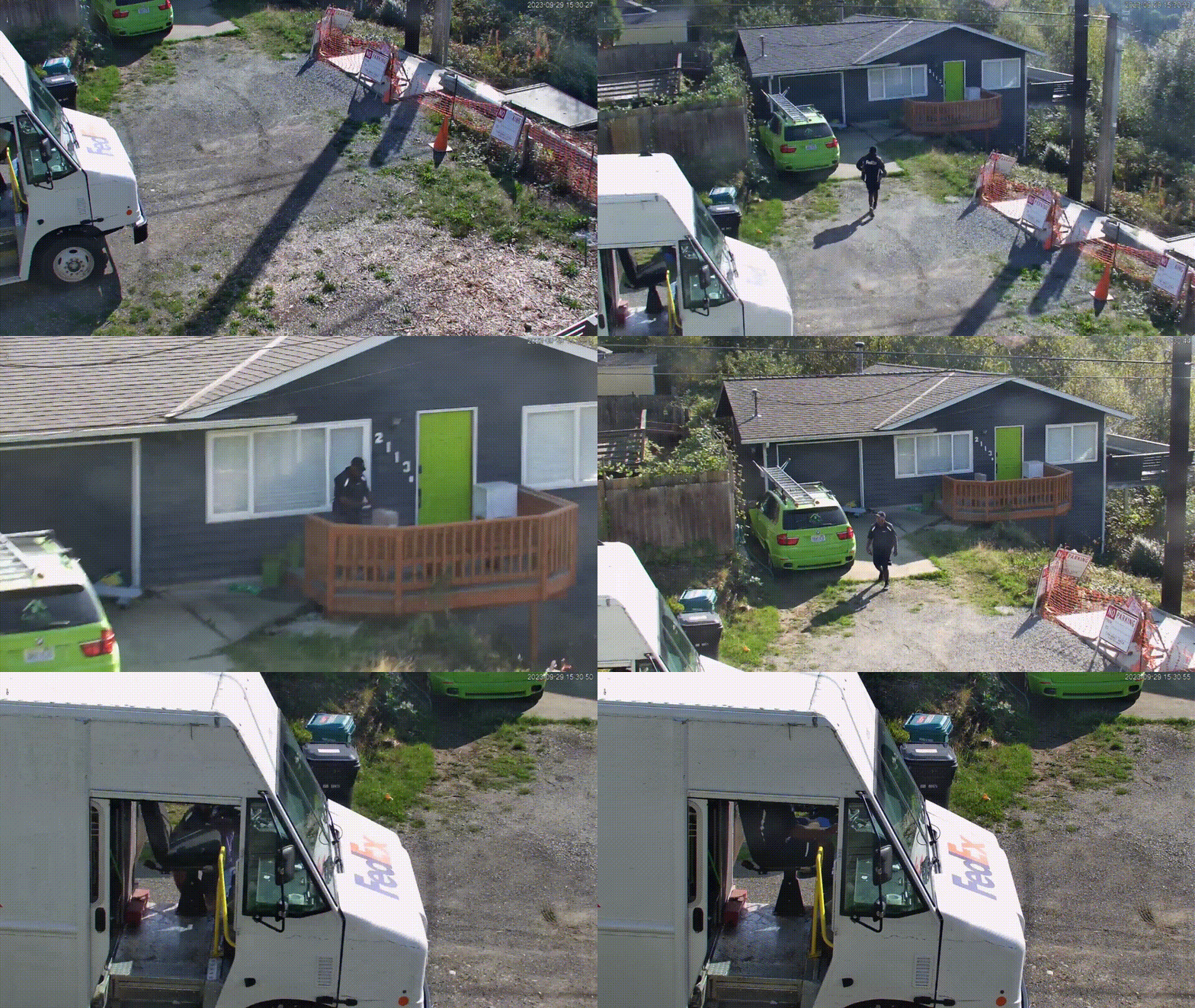
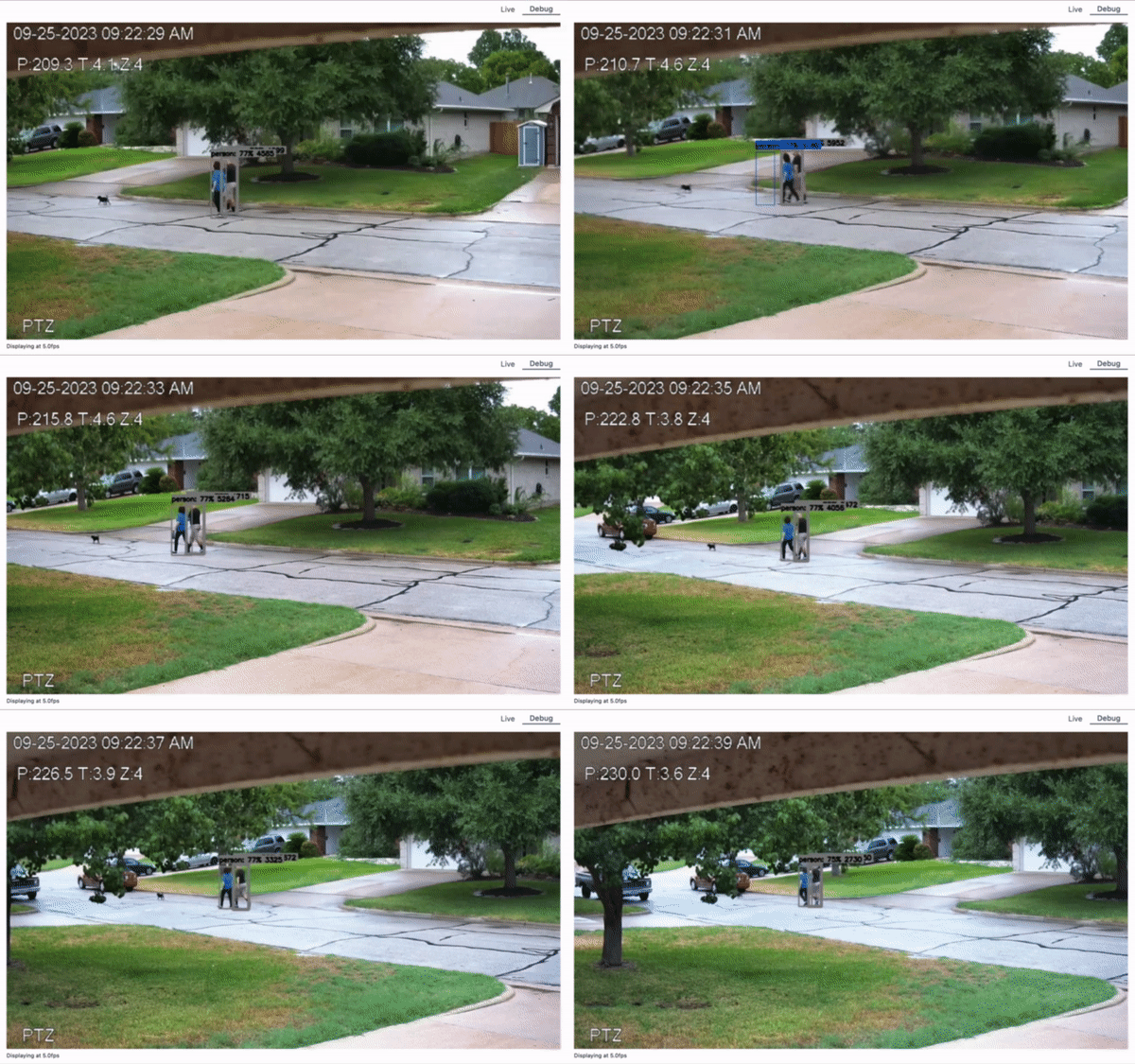
https://deploy-preview-6262--frigate-docs.netlify.app/configuration/autotracking
Along with Frigate's improved tracking algorithm, basic autotracking is now supported. Not all PTZ cameras will support this as relative movement is required (see the docs for more details).
PTZ Controls In The WebUI
Frigate also supports controlling PTZ cameras in the WebUI and via the Home Assistant Integration.
![Screen Shot 2023-02-08 at 07 06 21 AM](https://user...