Blender minimum version required : v2.83
Note : Since 2022, the OpenTopography web service requires an API key. Please register to opentopography.org and request a key. This service is still free.
Wiki - FAQ - Quick start guide - Flowchart
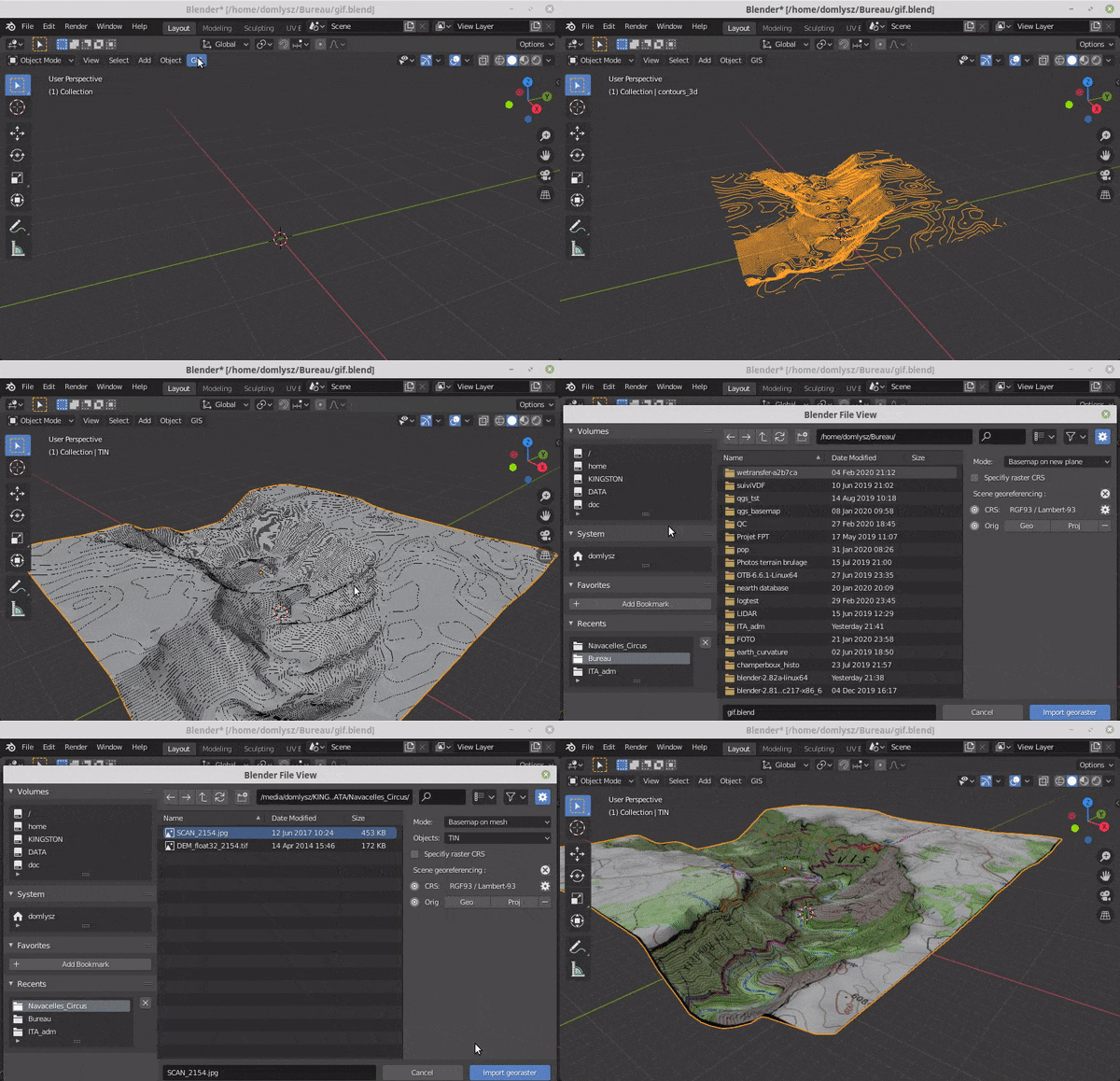
GIS datafile import : Import in Blender most commons GIS data format : Shapefile vector, raster image, geotiff DEM, OpenStreetMap xml.
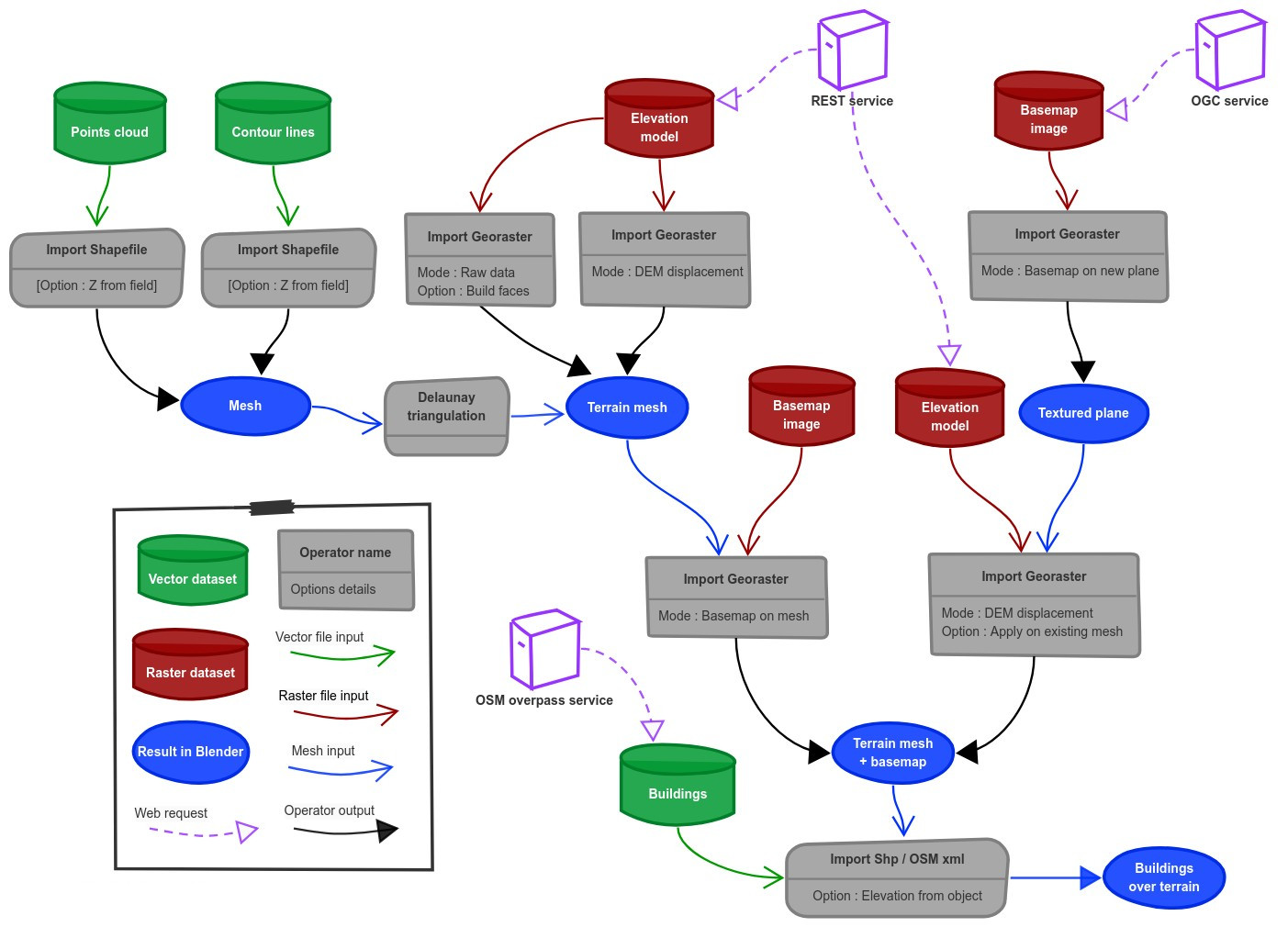
There are a lot of possibilities to create a 3D terrain from geographic data with BlenderGIS, check the Flowchart to have an overview.
Exemple : import vector contour lines, create faces by triangulation and put a topographic raster texture.
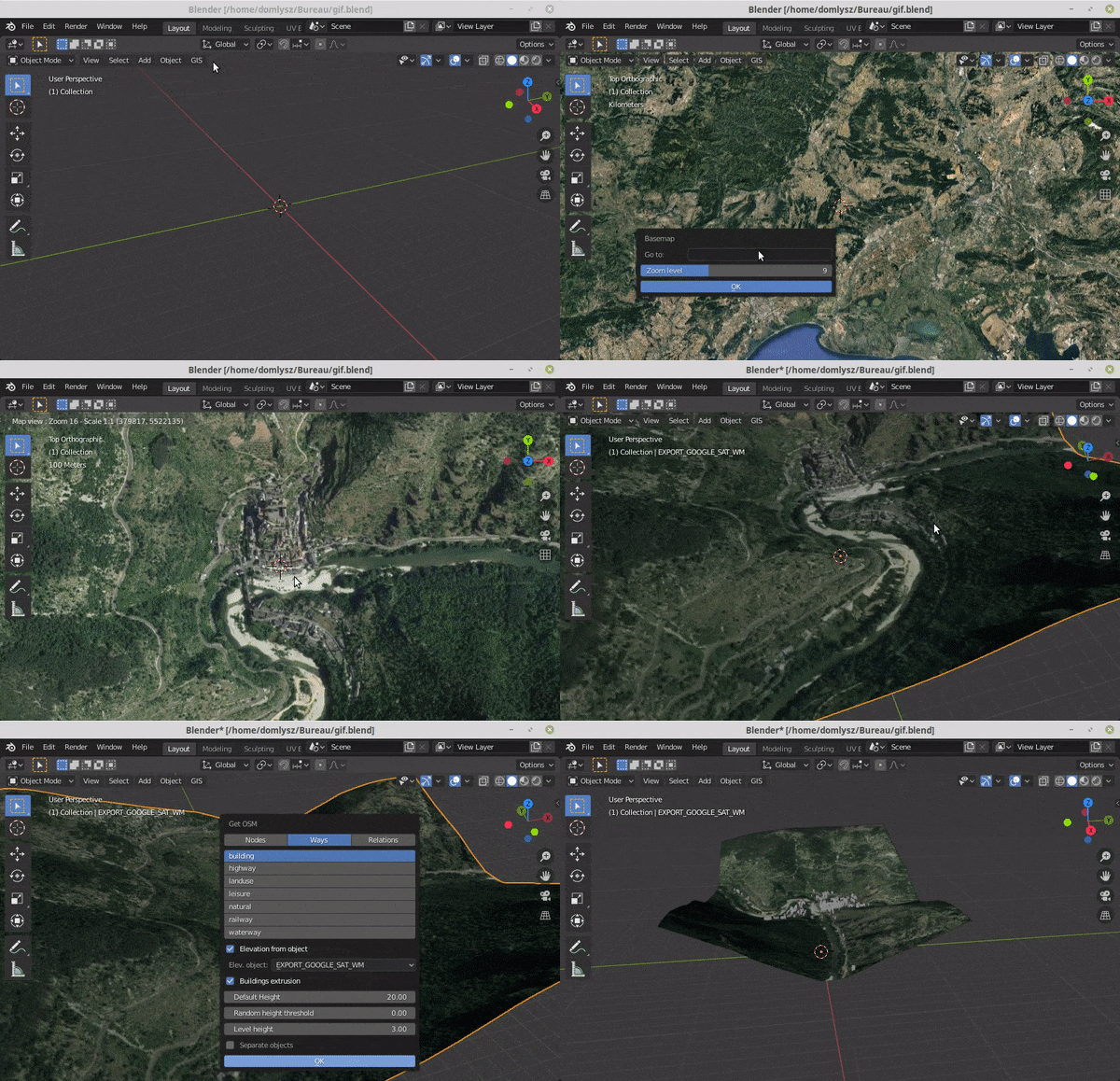
Grab geodata directly from the web : display dynamics web maps inside Blender 3d view, requests for OpenStreetMap data (buildings, roads ...), get true elevation data from the NASA SRTM mission.
And more : Manage georeferencing informations of a scene, compute a terrain mesh by Delaunay triangulation, drop objects on a terrain mesh, make terrain analysis using shader nodes, setup new cameras from geotagged photos, setup a camera to render with Blender a new georeferenced raster.