




The Eclipse Tomcat Plugin provides simple integration of a Tomcat servlet container for the development of Java web applications.
This project is an actively maintained fork of the original Sysdeo Tomcat Plugin.
- Start and Stop toolbar icons
- Debugging support
- Easy setup
This plugin is available at the Eclipse Marketplace
Alternatively you can use the update site at https://devtools.his.de/tomcatplugin/updatesite
After the plugin was installed, please go to Window | Preferences | Tomcat and configure the path of your Tomcat installation.
- Have a Tomcat distribution on your local machine
- Define the classpath variable TOMCAT_HOME in your Eclipse workspace settings (Java -> Build Path -> Classpath Variables)
- Clone the git repository
- Import the Eclipse projects from the git clone into your Eclipse workspace
- Create an Eclipse Application run configuration to run the Tomcatplugin (hint: the default settings activate all plugins in the workspace in the running Eclipse Application)
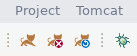
Start, stop and restart Tomcat quickly from the toolbar.
- Version 9.1.6
- Feature: New icons
- Version 9.1.5
- Bugfix: Unable to open "JVM Settings" in Preferences in Eclipse 2020-09
- Version 9.1.4
- Bugfix: Persisting root and work directory works now for "Tomcat projects"
- Bugfix: When a project is added to Tomcat's system classpath, add Tomcat's libraries to the system classpath, too.
- Version 9.1.3
- Feature: Signed jars
- Version 9.1.2
- Bugfix: webClassPathEntries can't be cleared
- Version 9.1.1
- Bugfix: Debug View shows "Tomcat 7.x" for Tomcat 8.x and 9.x
- Bugfix: DevLoader does not work on Tomcat 8.5.4
- Bugfix: Update Context fails with error if optional work dir is not specified
- Version 9.1.0
- Bugfix: fix Eclipse Neon compatibility issue
- Feature: Support for Maven classpath management added
- Version 9.0.1
- Bugfix: fix compatibility issue with Eclipse Neon
- Version 9.0.0
- Feature: Add support for Tomcat 9
- Change: The version number will now reflect the highest supported Tomcat version.