Repository navigation
Home
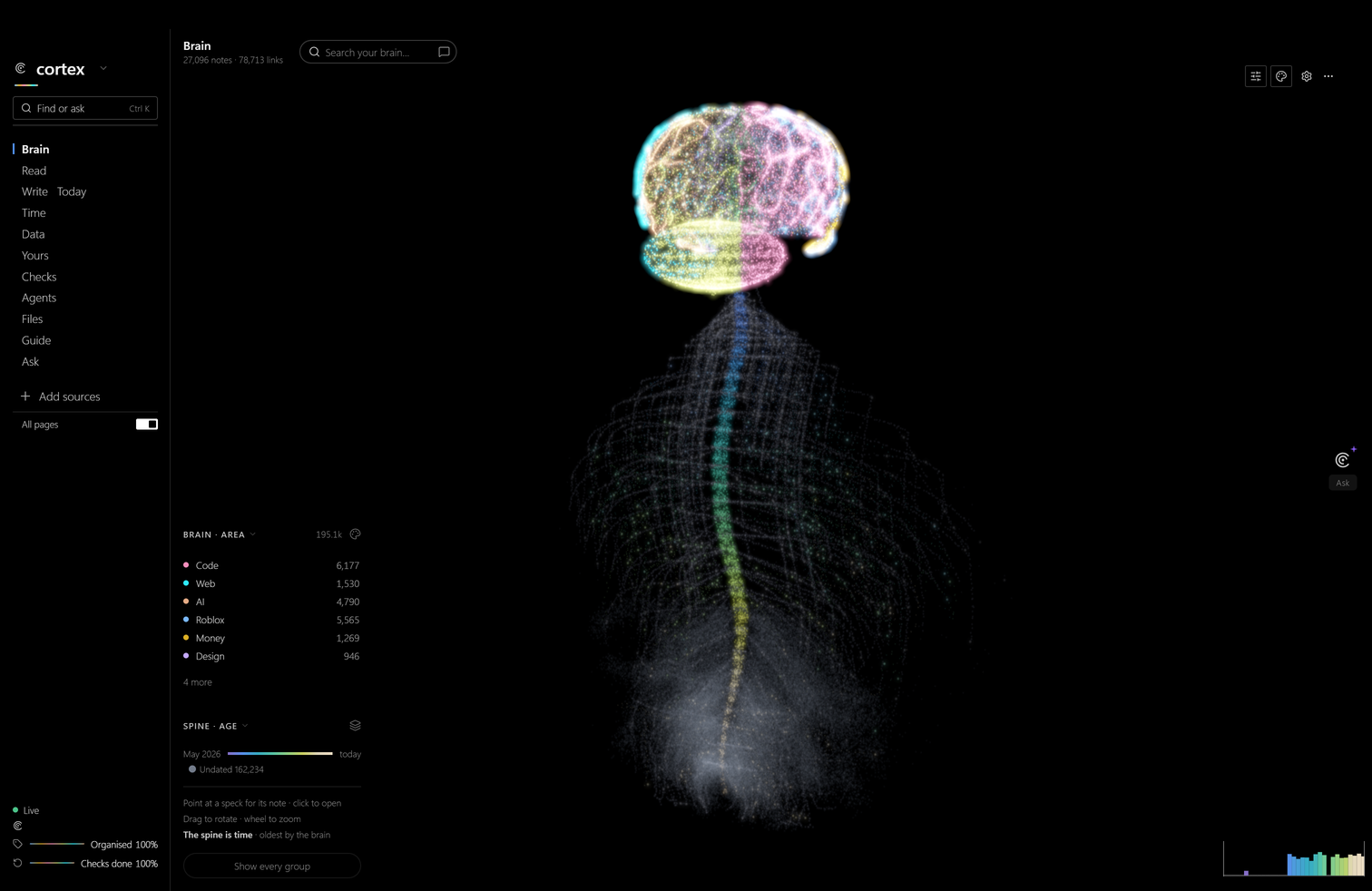
Cortex draws everything you've written as one living 3D figure: a brain, a spinal cord and nerves made of particles. Every particle is one real thing: a note in your Obsidian vault, a document, or a message from a Claude Code session or a chat export.
- The brain holds your notes, grouped by area (the top folders of your vault's area map).
- The spinal cord is time. The oldest entries sit by the brain and the newest at the bottom tip.
- Each conversation grows a nerve (a frond) off the spine where it started.
In the background, agents running through Claude Code (or a model on your own computer) label conversations, write summaries and build maps of your projects and topics. Your own words are never edited. Anything a model wrote is stored separately, looks different, and links back to the passage it came from.
Cortex runs as an Obsidian plugin, or as Cortex Desktop, a standalone Windows app built on the same code.
- Installing: the plugin or Cortex Desktop, and what the agents need.
- Using Cortex: the figure, groups, charts, pages, Find and Ask.
- Importing sources: what Cortex can read and how to add it.
- Agents: what they do, what they cost, and how to check their work.
- Privacy and safety: what is read, what is sent, and what never leaves your computer.
- FAQ