Repository navigation
Feature Change for Classic Mode - Use Windows 10 Live-Tile like layout for Start Menu. #470

Replies: 4 comments 4 replies

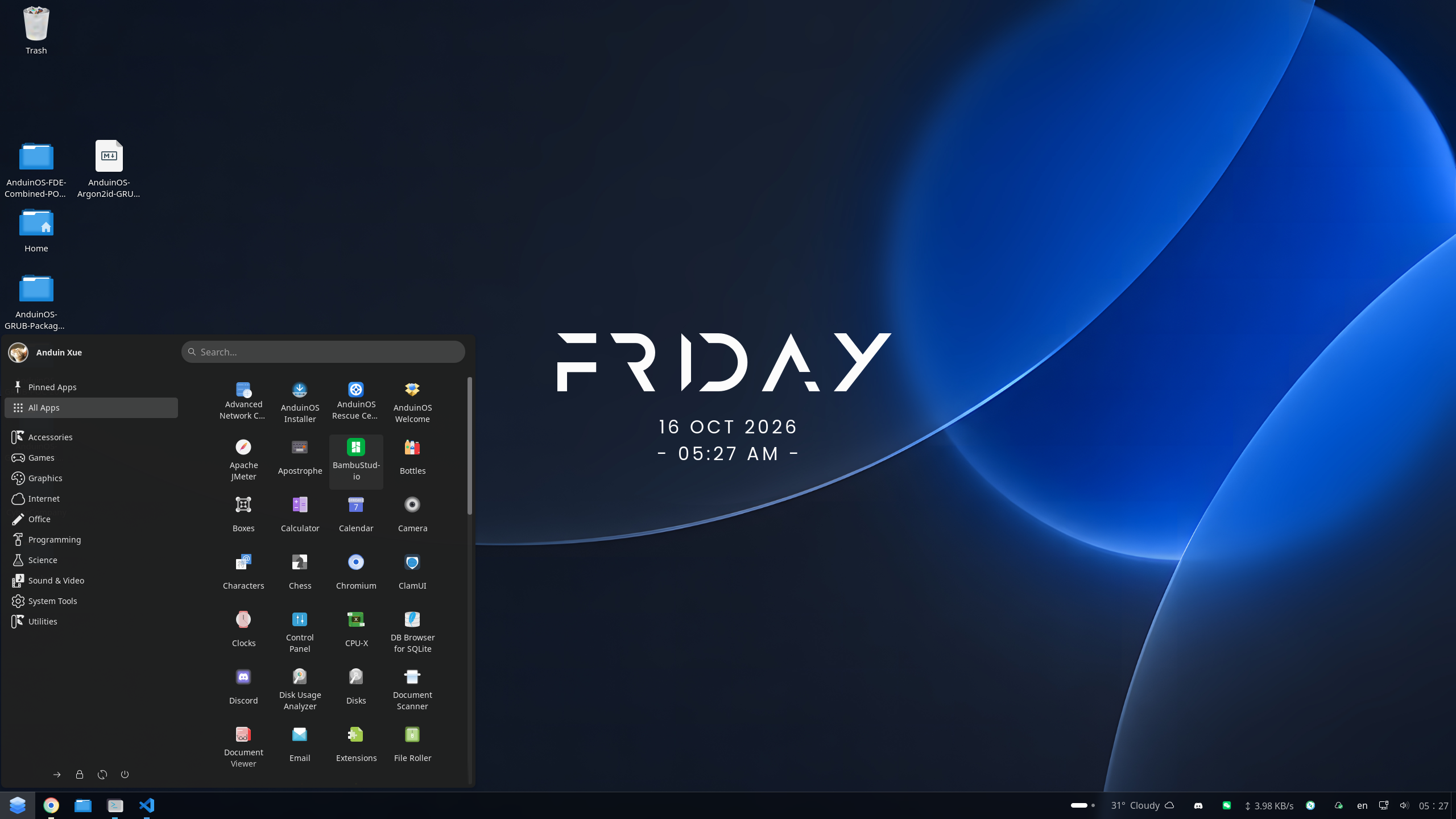
Like this? |

|
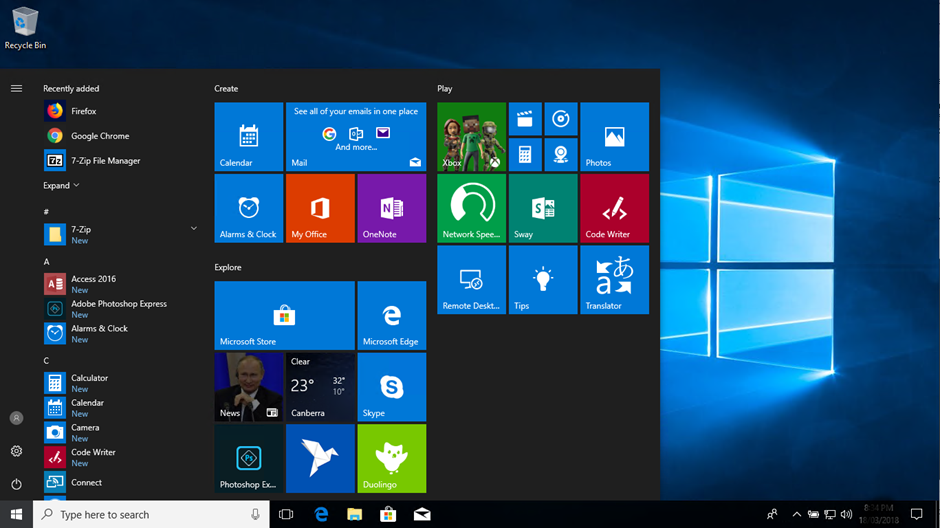
Not really... Arranged in categories with larger icons... |

|
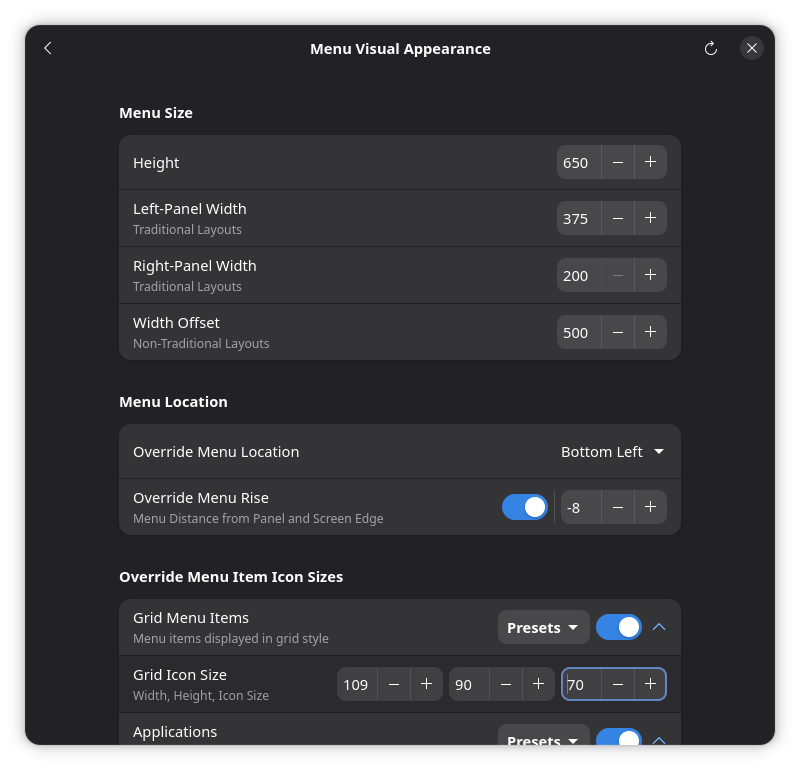
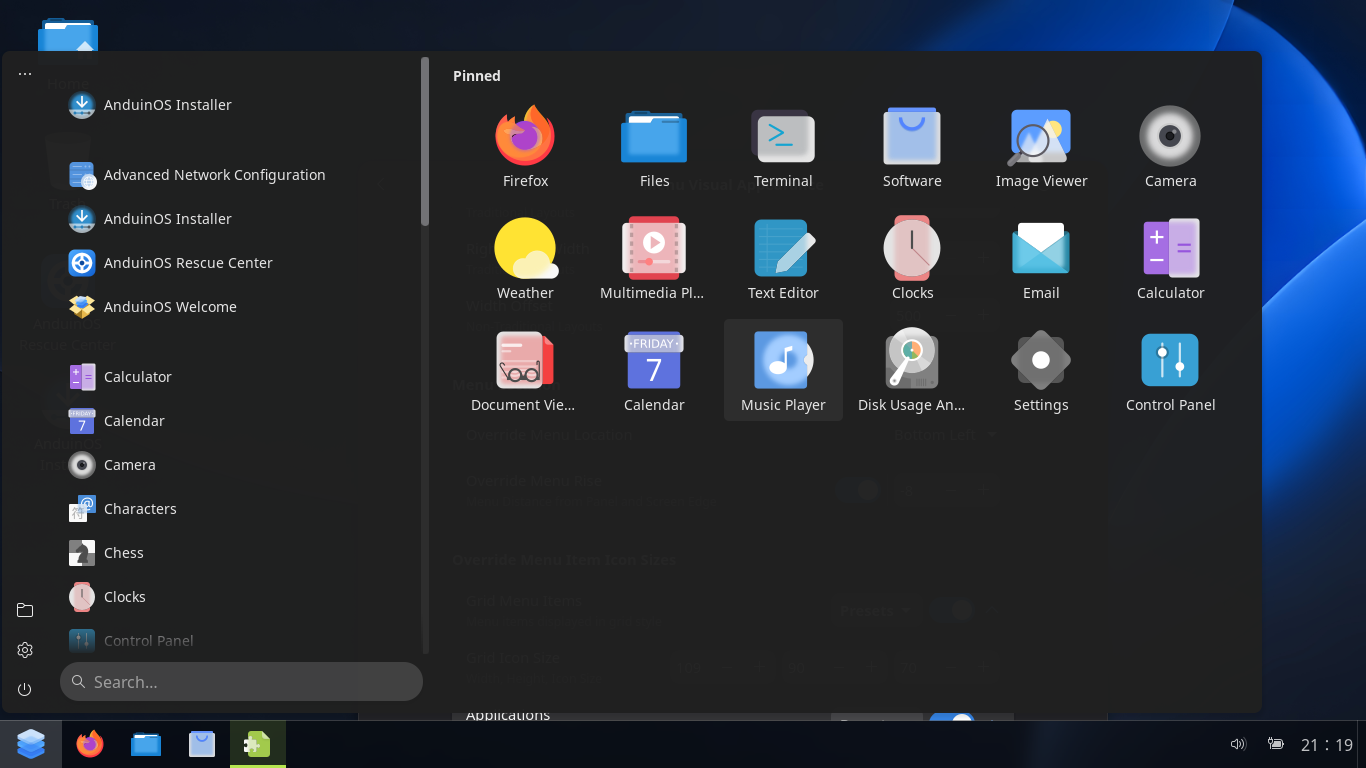
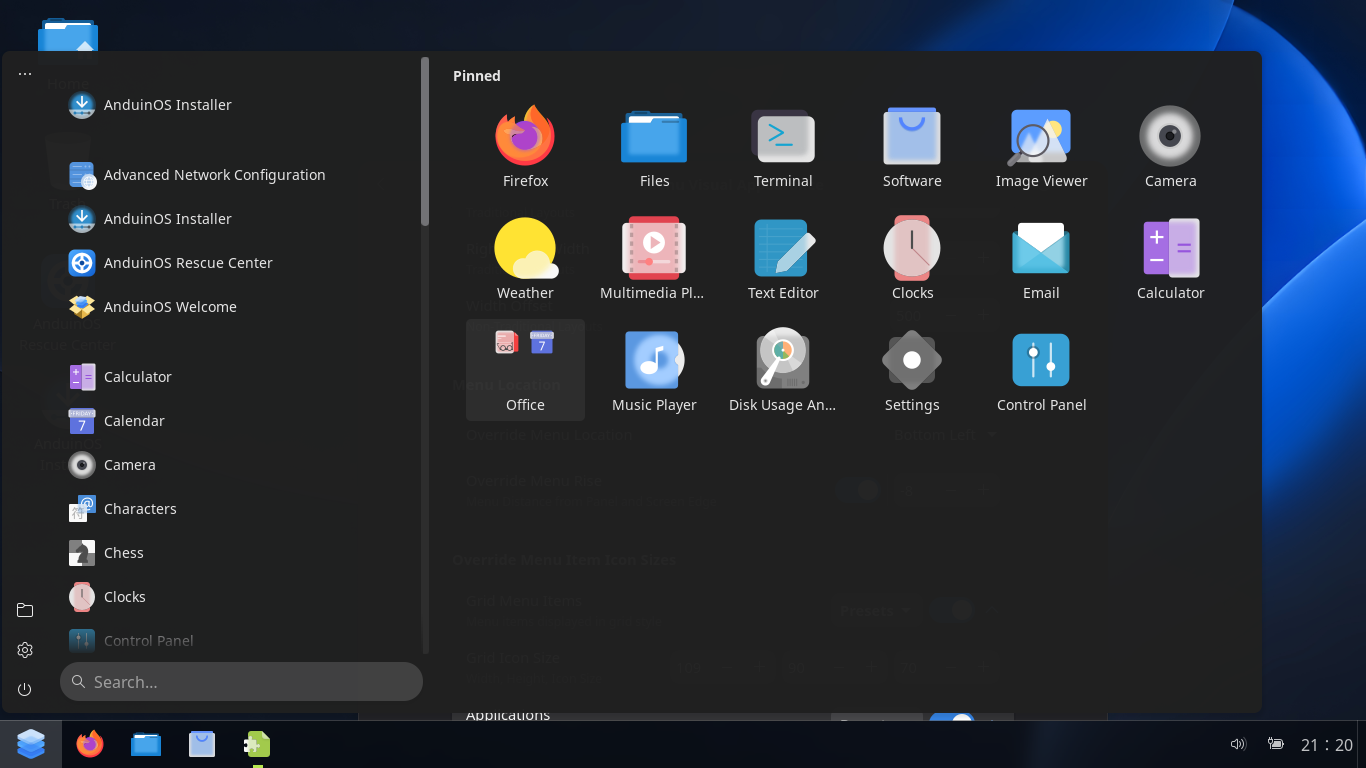
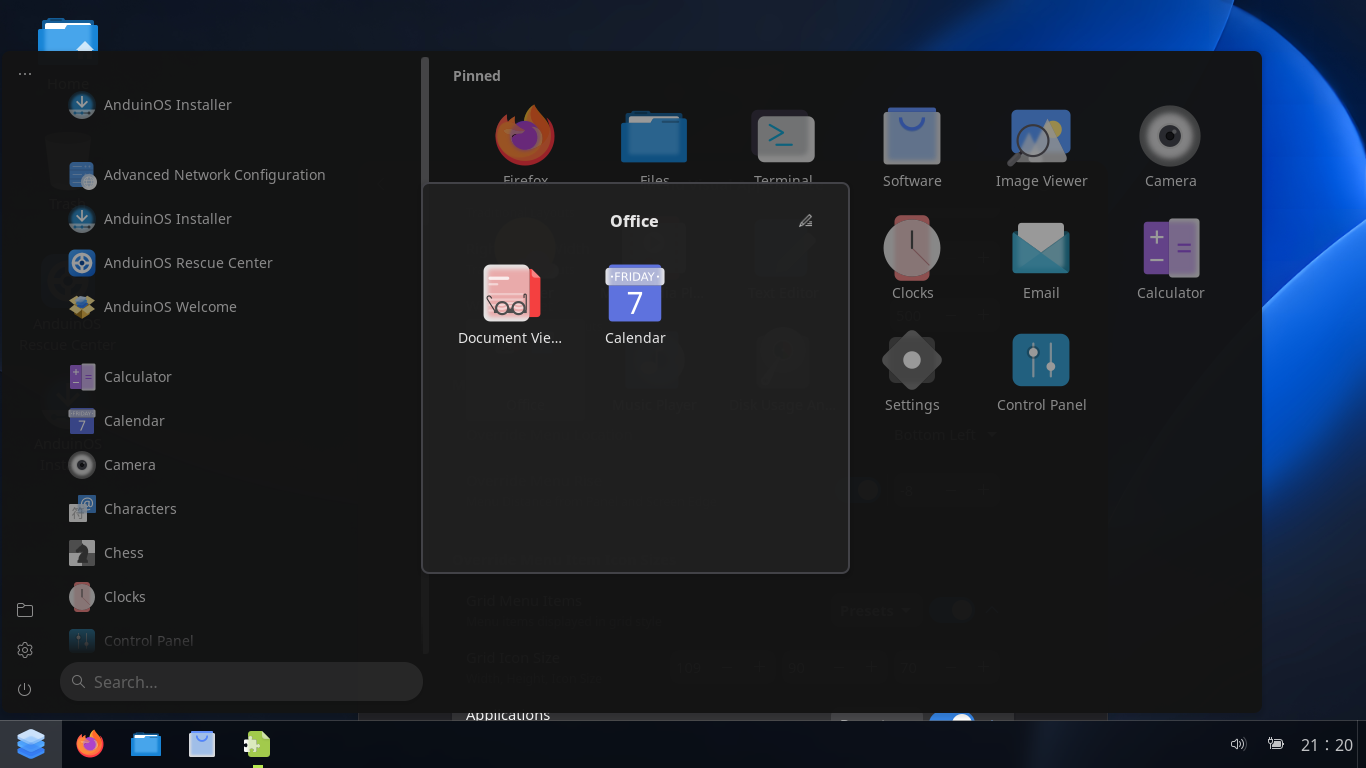
Refer to the setup method provided in another discussion thread. Based on current testing, the closest Menu Layout provided by ArcMenu is However, I guess ArcMenu doesn't provide the effect that you want for the rightmost column. The relevant operation screenshots are as follows: 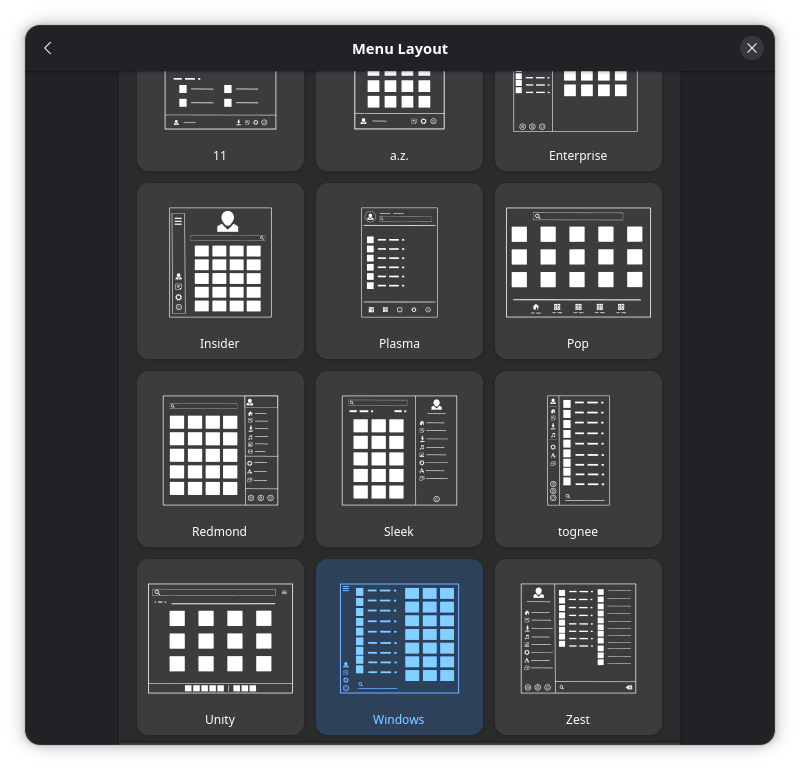
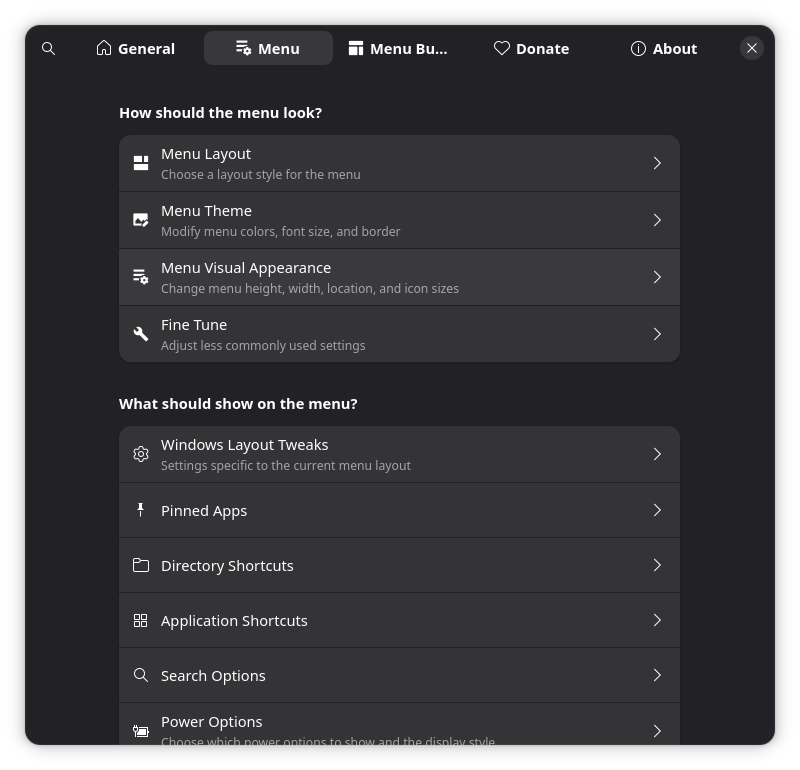
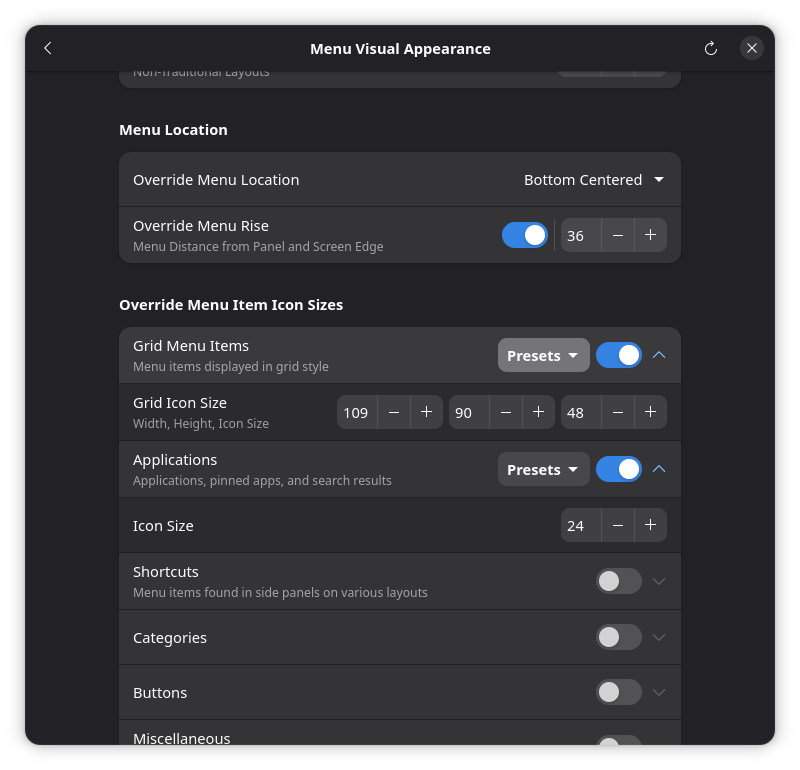
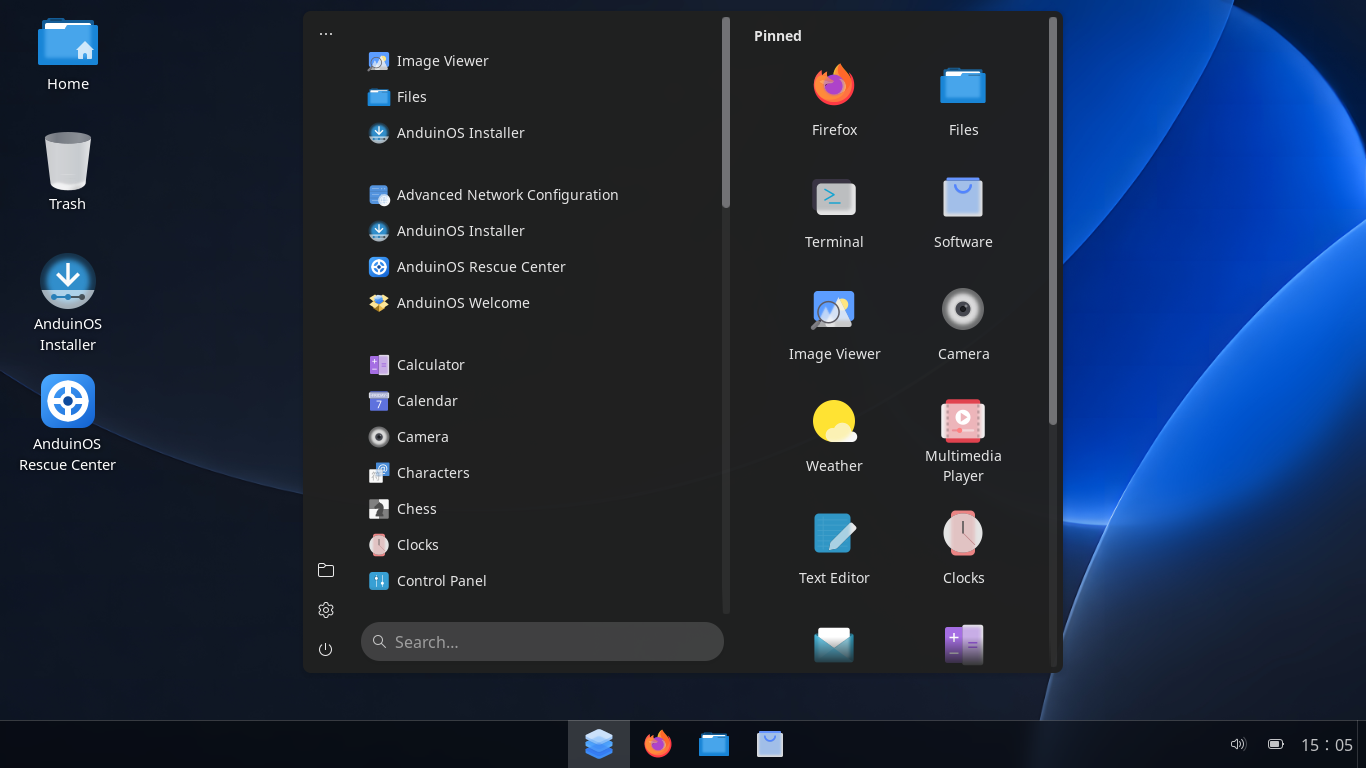
Related discussions |

|
Unfortunately none of those allows what I would like. Also I found a bug in the ArcMenu. If you drag an icon over top of a grouped set to add a new item to that group, sometimes it deletes the complete group including all of its icons. :-( Quite frustrating. |
|
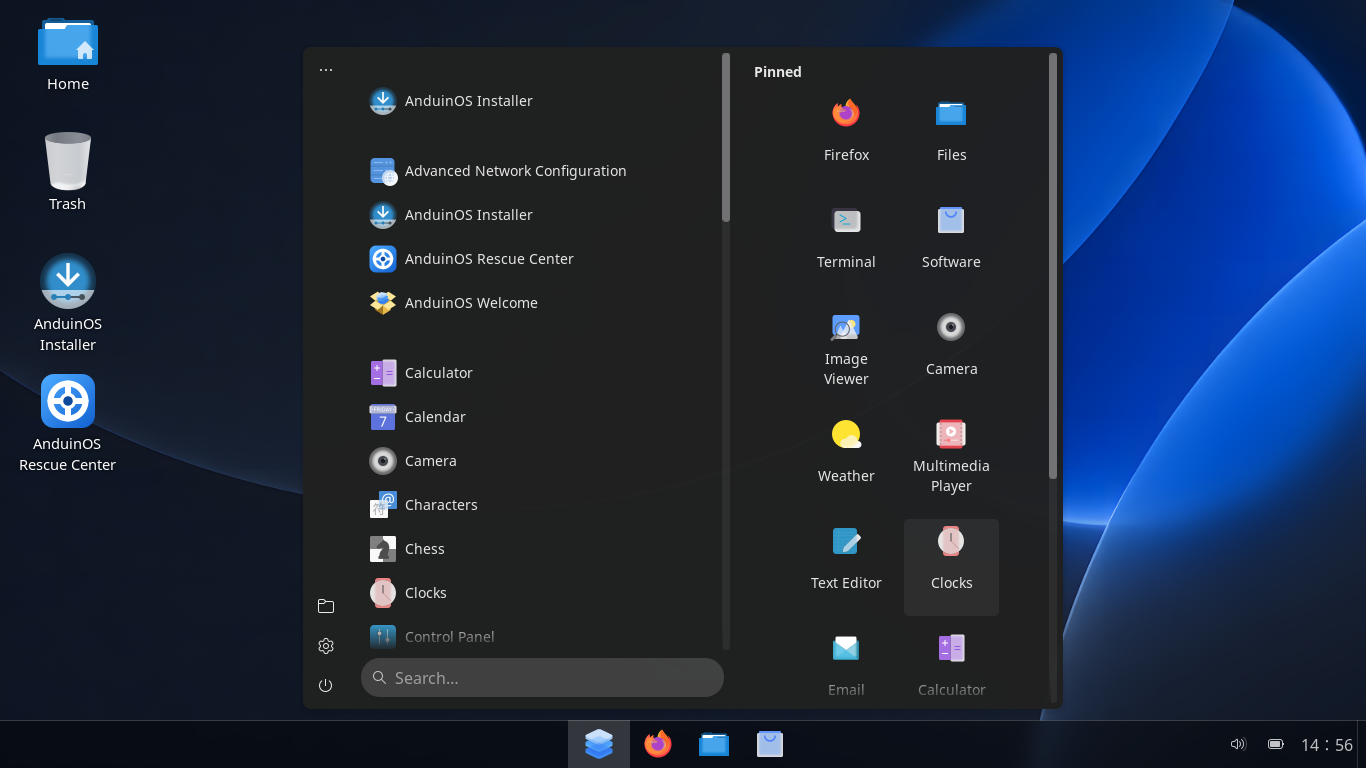
I just did some more exploration, and the screenshots are below. I have referred to the Screenshot (Explanation 1) and (Explanation 2) that you originally mentioned. Currently, I can only adjust it to be as close as possible to the functionality you originally wanted. This is just for your reference. I guess it may not meet your original needs. 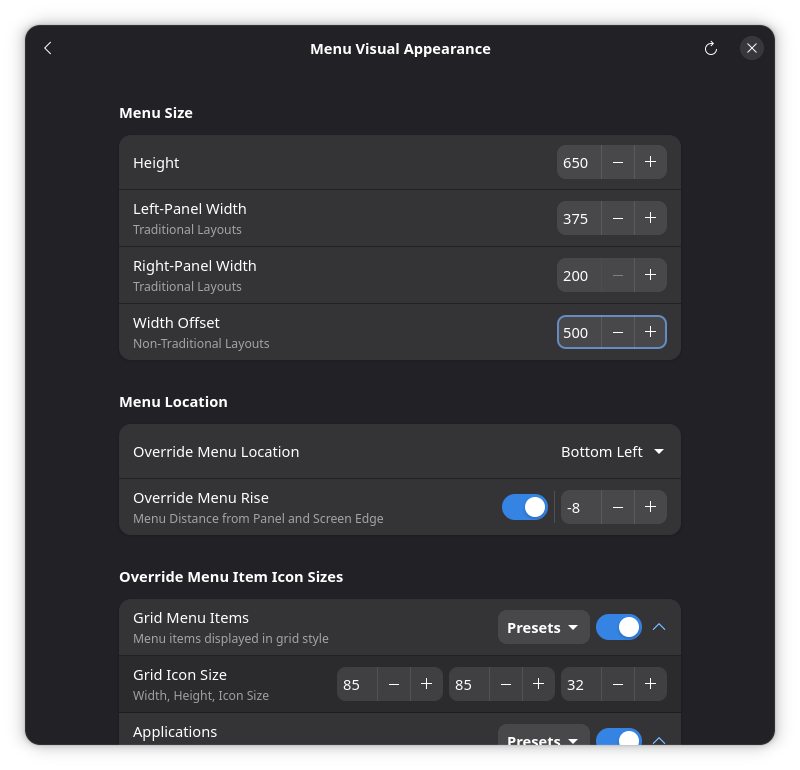
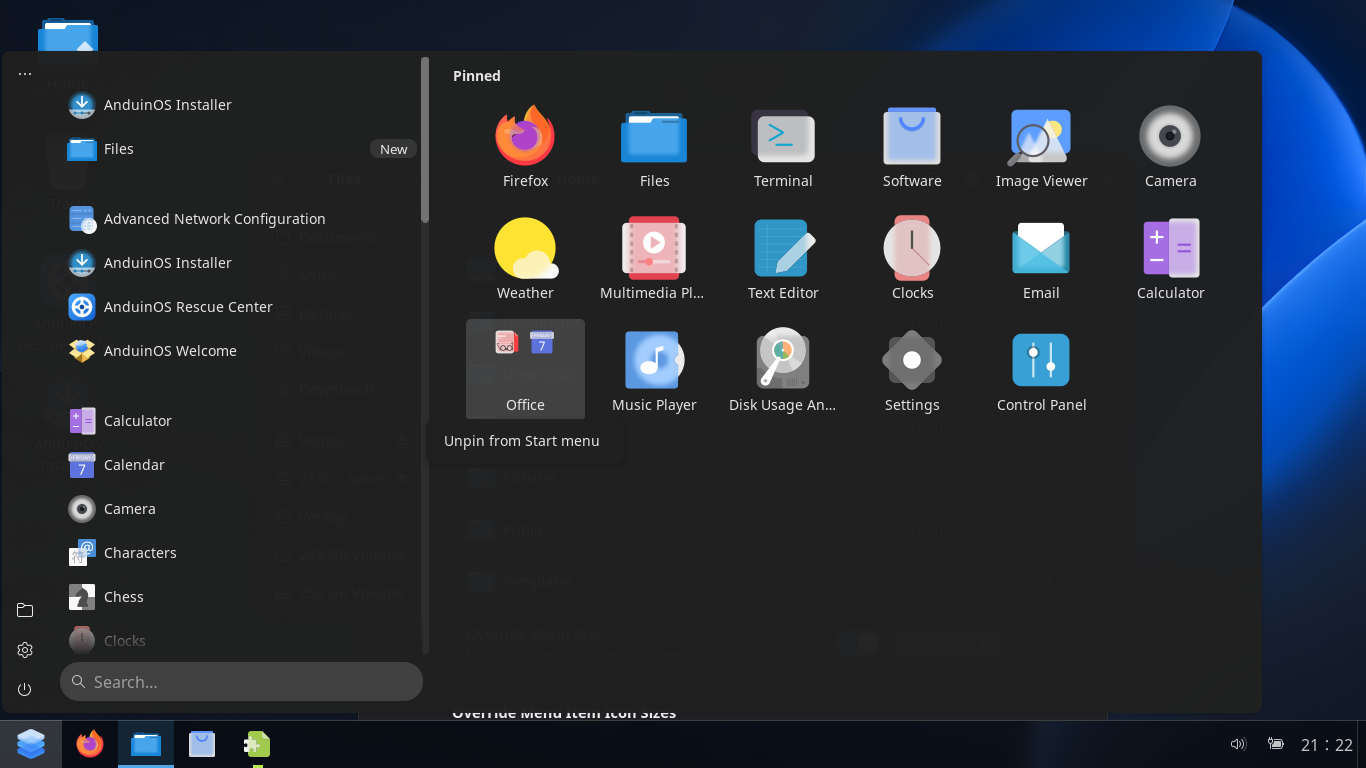
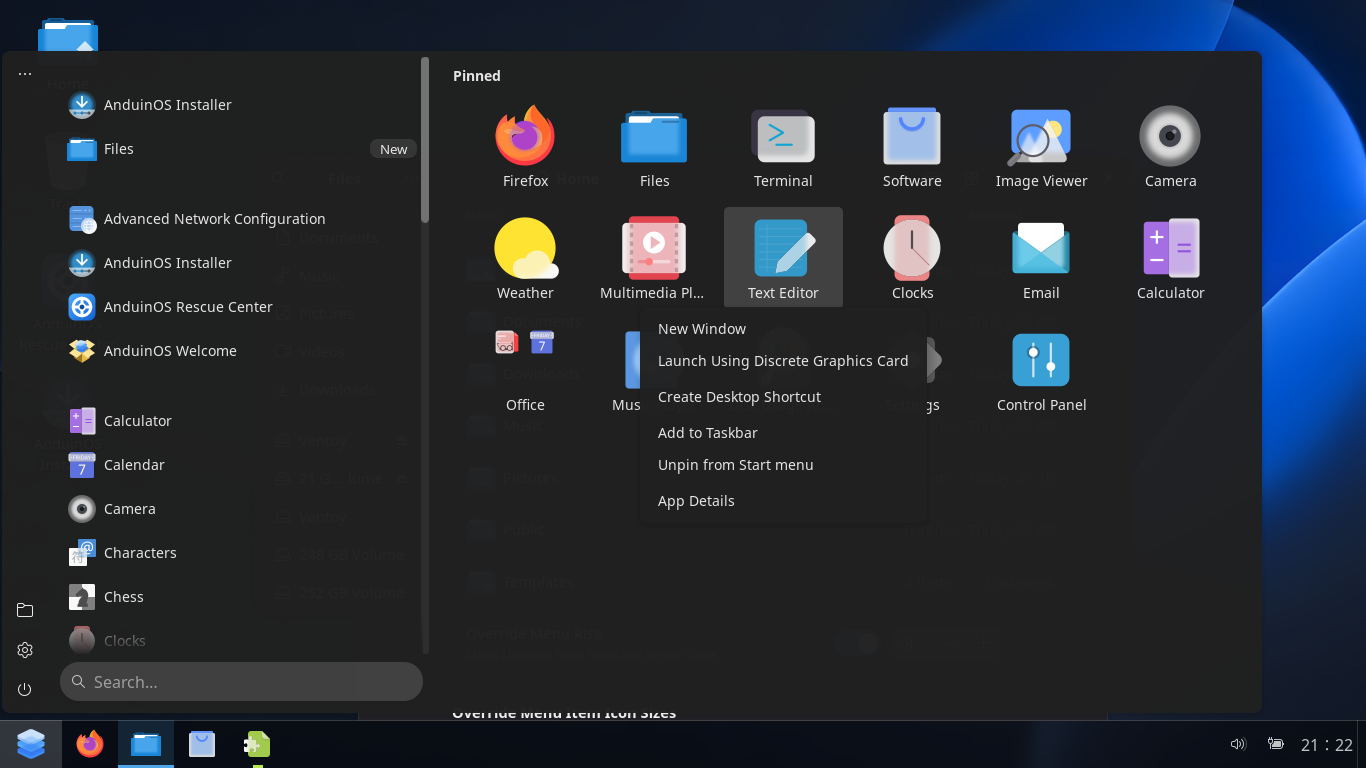
|
|
Larger Icons for us with aging vision :-) I liked the customizable categorization and the ability to see everything at once. Because workflows sometimes over lap categories. For example, if I have a section for "Video Editing", I often want to use stuff in "Photo Editing", or if making scripts in "Word Processing". To see them all on the screen at once but categorized I found more convenient. |

|
My initial thought was, besides So I just searched using "gnome shell extension windows 10 style start menu" as the keyword, and found a discussion with the same requirements as yours. I think one of the images in that discussion better illustrates your original requirements. Currently, I haven't found any I'm just making a record of this.
|
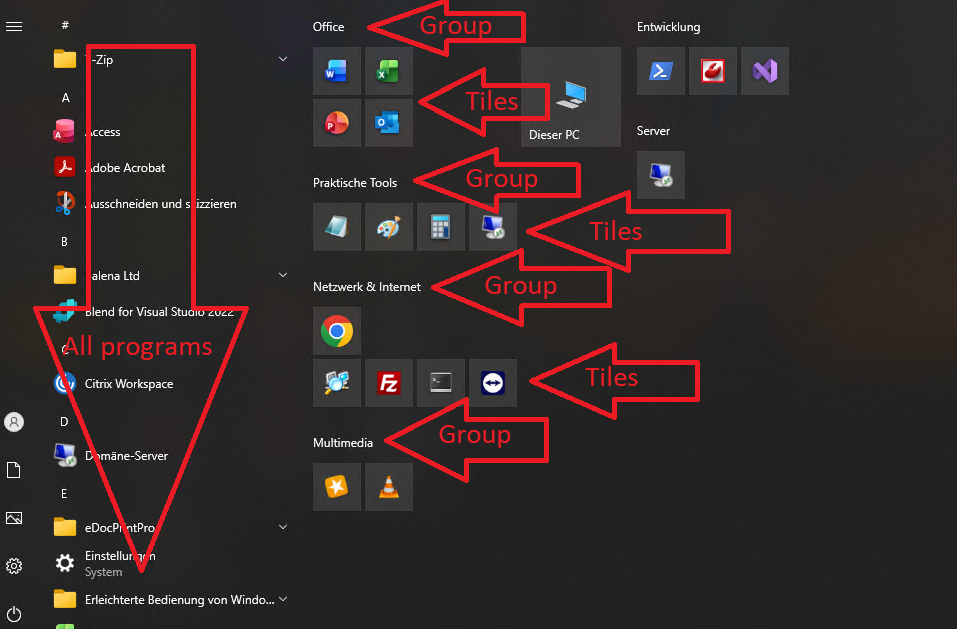


Uh oh!
There was an error while loading. Please reload this page.
When selecting the "classic" mode for the task bar layout, can you make the start menu like the Windows 10 Live Tile menu? I found the Windows 10 Live Tile menu much easier to use for quick access to my programs, and easier to see. You don't need to make actual animated tiles, it was just great having the extra large icons in a segmentable and organizeable layout. This is probably one of the (many) reasons why so many people did not want to leave Windows 10.
All reactions