Repository navigation
Releases: F-e-n-y-x/CarLink
Release list
CarLink 1.0.7

- Wireless CarPlay: a stuck start or an iPhone that left is noticed in seconds, and a slow first
join is no longer cut off early. - Turning on Location, Bluetooth or Wi-Fi from quick settings retries a blocked start right away.
- Smoother CarPlay on slow head units (wired picture path runs ahead of other work).
- Stereos with an external Bluetooth/Wi-Fi module: Home says "plug in your phone" up front.
- iPads and iPods are no longer treated as iPhones (iPadOS has no CarPlay).
- Android Auto engine fixes from open-headunit: steadier USB and wireless handshakes, fewer
broken frames after a stride change or GL context loss, and better 5 GHz fallback. - CarPlay engine updated to the latest DiPlay.
- "Report a problem" now names the phone and session, shows a timeline and settings, hides
serials and MAC addresses, and can copy the full log.
CarLink 1.0.6
- Faster connections: USB Android Auto in about 1.3 s (was 3.2 s), wireless Android Auto in about 3 s.
- Fixed an Android Auto video glitch where the map and app bar broke up for a moment.
- A phone that was already plugged in, or still in an old Android Auto session, now connects
without unplugging it. - The USB permission prompt no longer comes back on every plug once "Always" was ticked.
- Setup: "Allow all" goes through every permission, asks for everything up front, shows the real
problem with a one-tap fix, and has "Use another phone". - Home asks for a missing Wi-Fi password right there, and offers hotspot settings or Wi-Fi Direct
when the car hotspot is off. - The car hotspot name and password are filled in from the stereo and can be changed in Settings.
- Tapping CarLink's tile in Android Auto or CarPlay opens CarLink's Settings; the phone stays
connected and Return goes back. - A plugged-in phone stays on the cable; CarLink no longer starts wireless for it.
- Slow head units get Direct video output and a lighter CarPlay picture automatically.
- CarPlay shows CarLink's icon instead of BYD's on other car brands.
- Root mode for rooted stereos (Settings › Connection, Show advanced): no permission popups, and
Wi-Fi low-latency mode while a phone is connected.
CarLink 1.0.5
- USB Android Auto opens its screen again without "display over other apps" (broken since 1.0.3).
- A phone that was already plugged in when CarLink opened now connects, for CarPlay and Android Auto.
- Unplugging a phone clears its "Allow" or error screen, and plugging it in again after Disconnect
connects it. - The VPN "Allow" button for wired CarPlay works.
- Wireless Android Auto 17.8: CarLink completes the hands-free Bluetooth link the phone now
requires before it starts. - Steering-wheel buttons: Settings › Car › Steering-wheel buttons lets you press a button and use
it for the voice assistant, answering or ending a call, play/pause, next or previous, in both
CarPlay and Android Auto. - Android Auto keeps its full layout with media controls on short screens when the screen density
is automatic, and offers a widescreen layout option for ultrawide screens. - After a CarPlay call ends, music and navigation sound come back reliably.
- If Android loses a phone's pairing, Home says so and opens Bluetooth settings to pair again.
- A warning when the stereo's own phone link may take the microphone during a call.
Screenshots
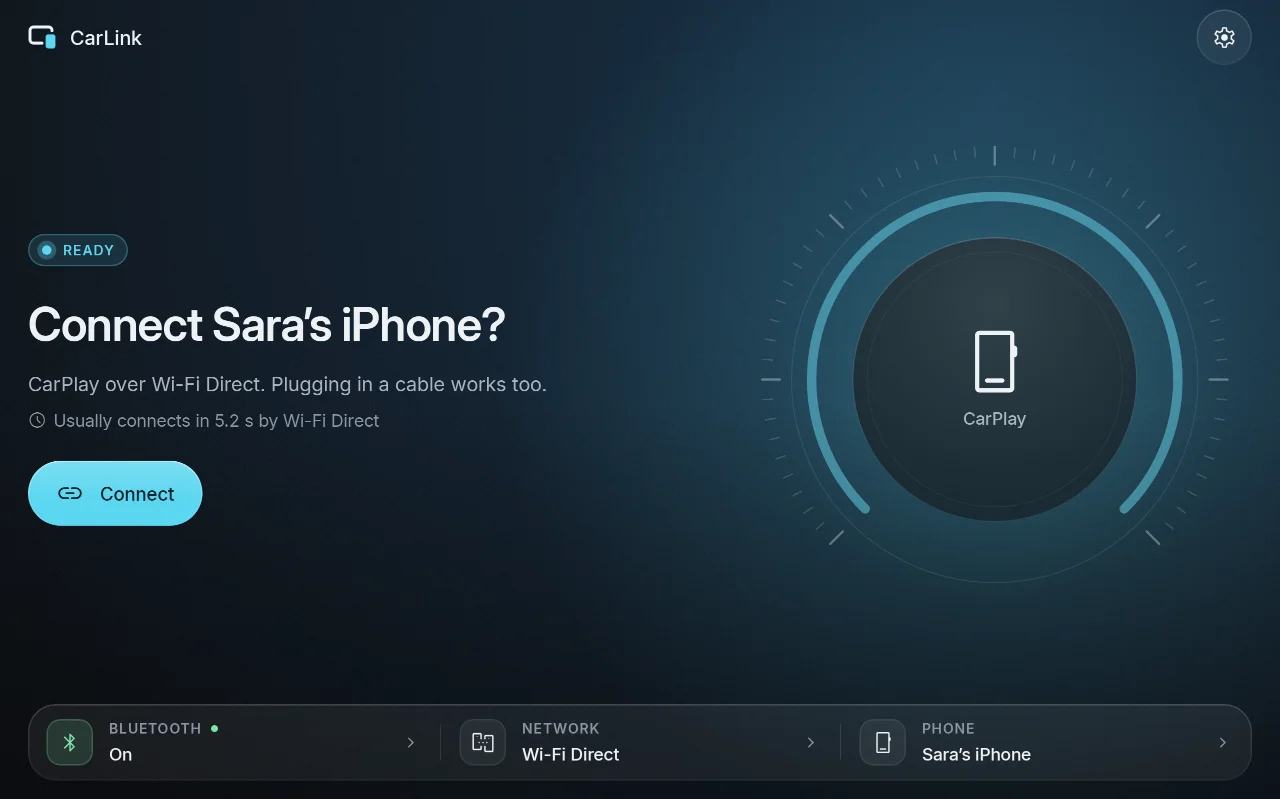
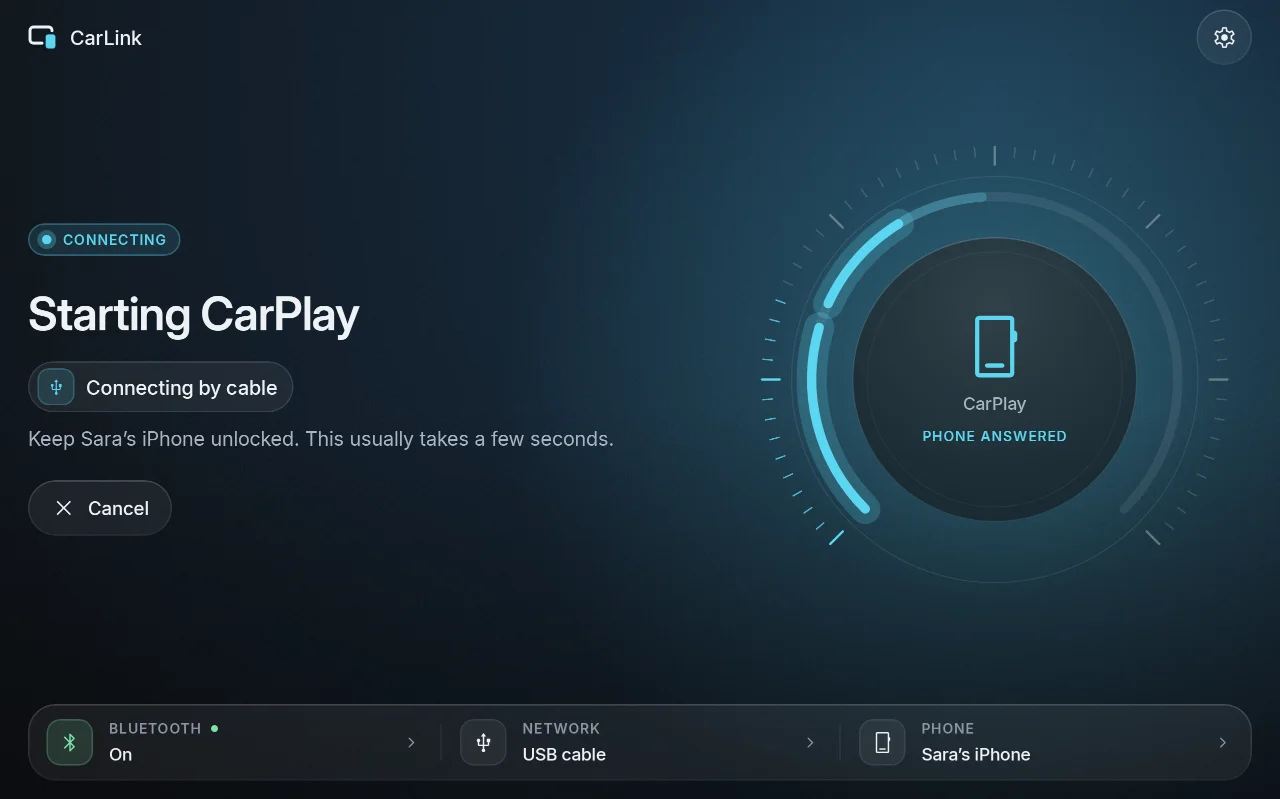
| Ready | Connecting | Car brand |
|---|---|---|
 |
 |
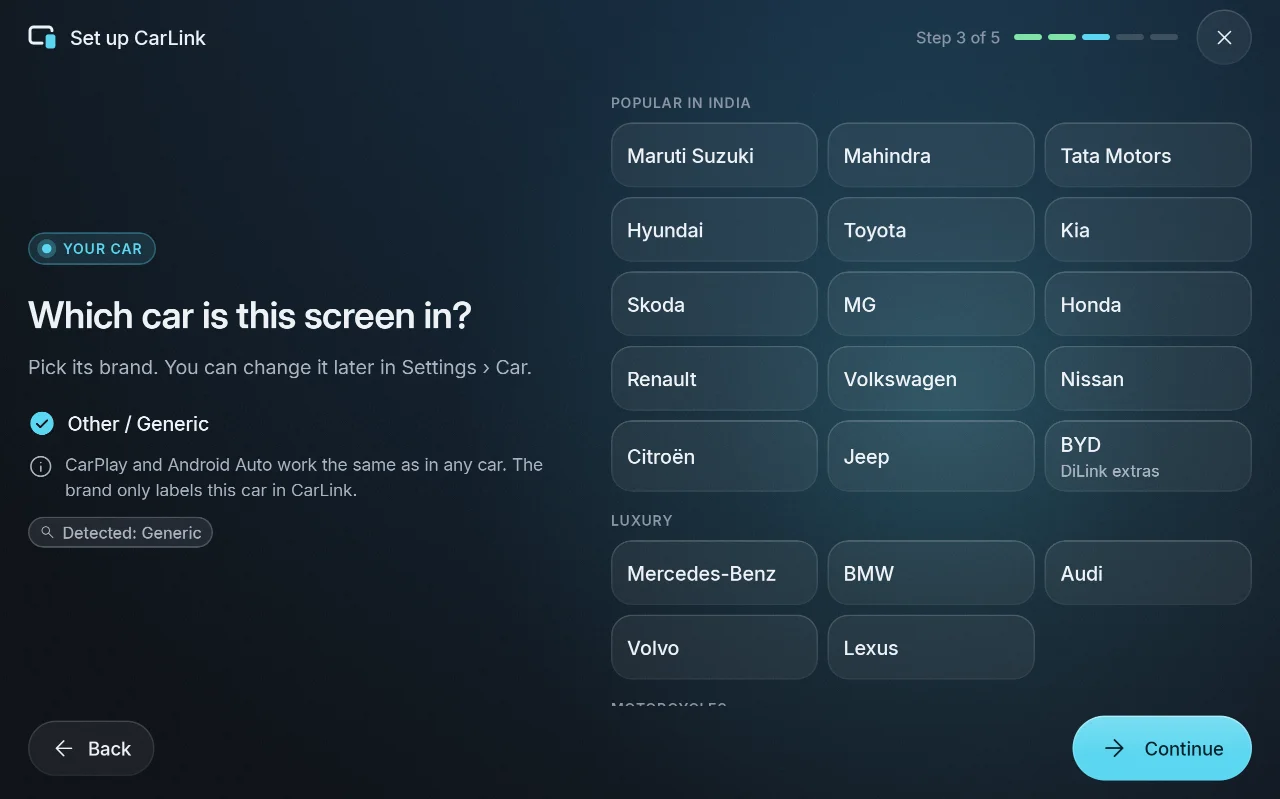 |
More in the screenshot gallery.
Download and install
- On the car stereo or tablet, download CarLink-1.0.5.apk (16 MB) from the assets below.
- Open it and allow installing apps from your browser or file manager when Android asks.
- Open CarLink and follow the first-time setup. Then plug in your phone, or pair it once over
Bluetooth for wireless.
After that, CarLink finds new releases itself and asks before installing them (Settings ›
About › Check for updates).
Needs: Android 7.1 or newer (ARM) on the stereo or tablet. An iPhone gets CarPlay, an Android
phone gets Android Auto. Wireless needs Bluetooth and Wi-Fi on both sides; USB needs only the cable.
Verify the download
- SHA-256 of CarLink-1.0.5.apk:
01fa8c92bb7ea6d0367e82c8430c201bc63ea26a4f947a12a7dcefb8bcec7cd2(also inCarLink-1.0.5.apk.sha256) - Signing certificate SHA-256:
03:74:68:CA:5B:EB:70:EA:5F:68:54:33:29:B0:33:68:24:7D:FB:39:3D:3F:62:6A:6B:47:2D:10:E5:65:7D:21
Every CarLink release is signed with this certificate, and the in-app updater installs only APKs
signed with it. Check with sha256sum CarLink-1.0.5.apk and apksigner verify --print-certs CarLink-1.0.5.apk.
CarPlay notice
CarLink is not an Apple-certified product. As in DiPlay's releases, the release APK bundles an
experimental accessory identity recovered from public Carlinkit firmware, not a newly provisioned
MFi identity for CarLink. A bundled private key is extractable. Acceptance after future iOS
updates, reliability across head units and suitability of that identity for general distribution
are unresolved: there is no guarantee that CarPlay keeps working after an iOS update. Android
Auto does not depend on it.
Source and license
Source for this release: v1.0.5.
CarLink is AGPL-3.0. It is built on DiPlay (CarPlay,
GPL-3.0) and DiAuto (Android Auto, AGPL-3.0).
CarLink is not affiliated with Apple or Google; CarPlay is a trademark of Apple Inc. and Android
Auto a trademark of Google LLC.
Found a problem? See troubleshooting,
or tap Report on GitHub in CarLink (Home or Diagnostics) to open an issue with the log and the error filled in.
CarLink 1.0.4
- CarPlay on iOS 27 with sound but a black screen: CarLink now offers "Direct video output" (also in
Settings › Display › Advanced) and can turn it on and reconnect in one tap. - Wireless Android Auto on stereos whose Bluetooth is a separate module (FYT, ZLink and similar),
as an experimental option under Settings › Connection › Show advanced. - CarLink opens when the car's ignition wakes the stereo, not only after a full reboot.
- Android 17: Android Auto keeps its sound and microphone when it starts while another app is open.
- Both engines updated (CarPlay engine DiPlay 0.2.21, Android Auto engine DiAuto 0.3.12): wired
CarPlay retries by itself, music controls respond on time again, steadier Wi-Fi Direct, and
exiting Android Auto on the phone no longer reconnects it.
Screenshots
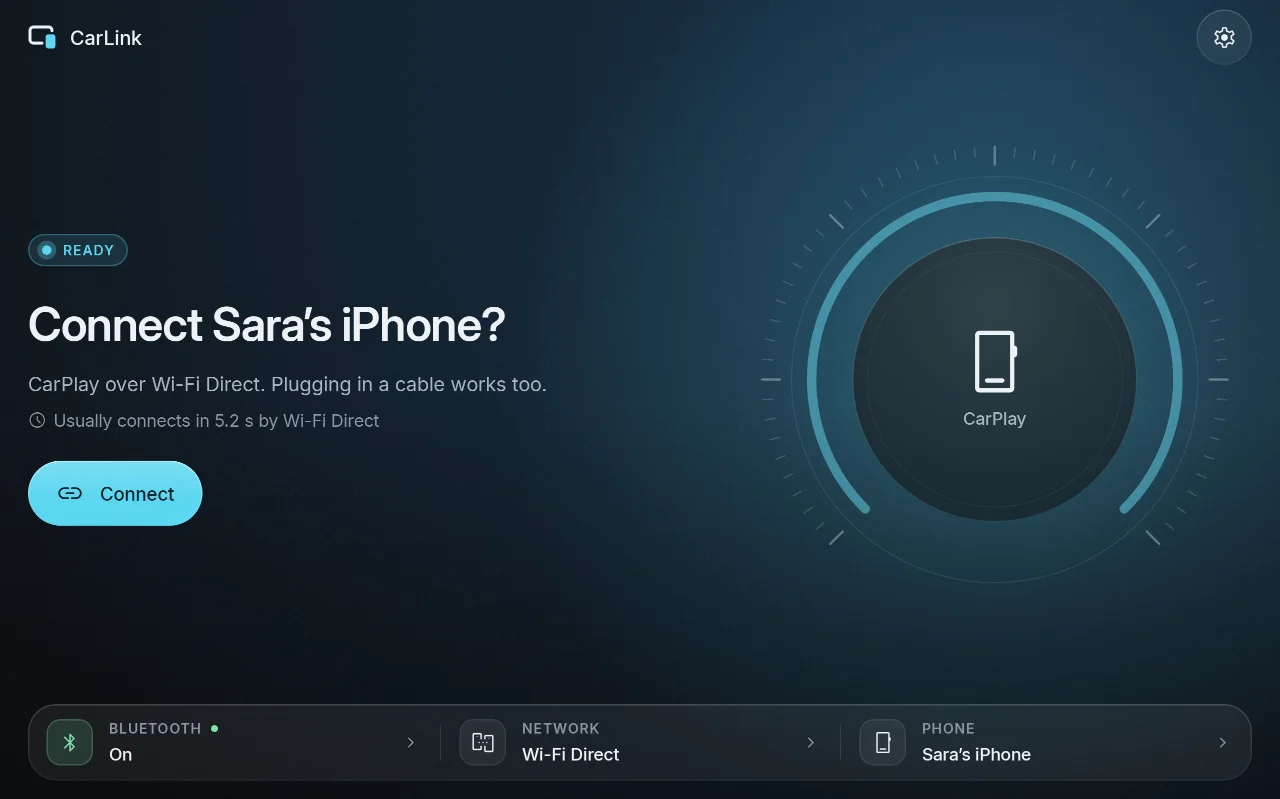
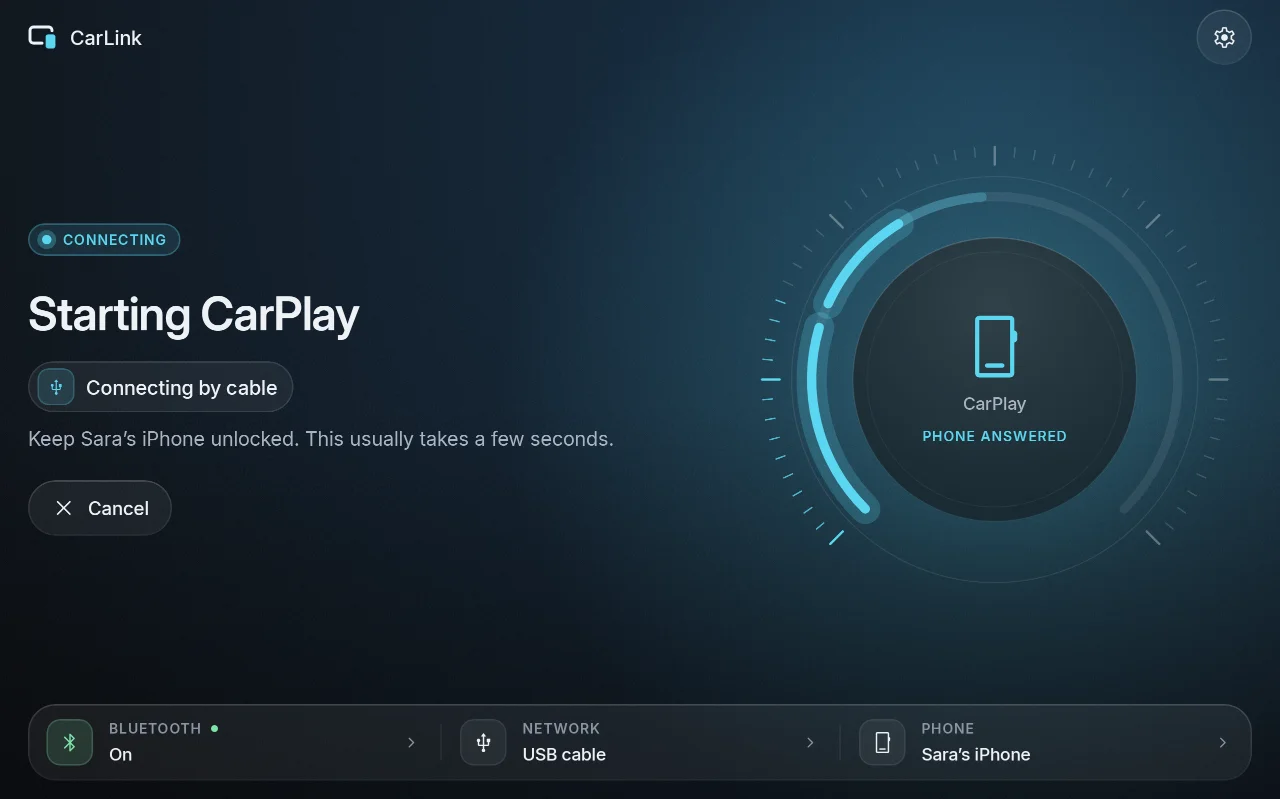
| Ready | Connecting | Car brand |
|---|---|---|
 |
 |
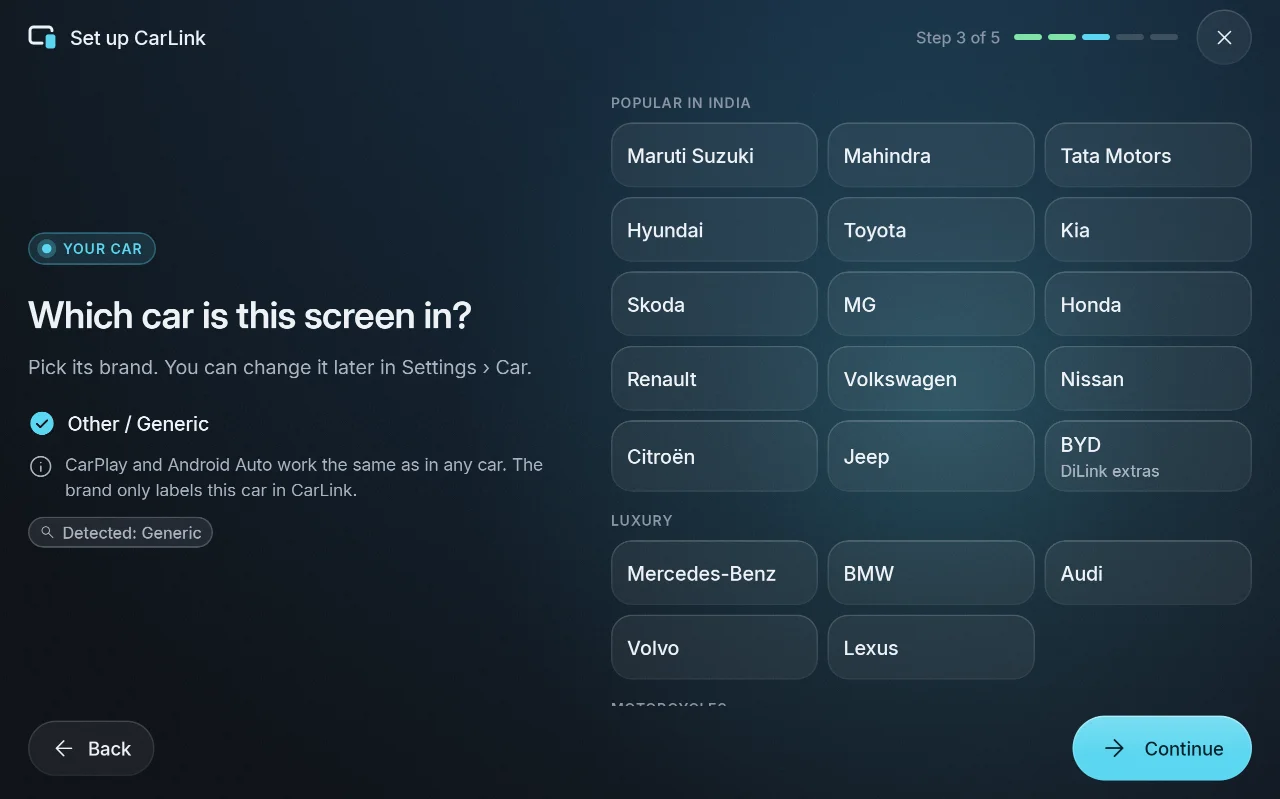 |
More in the screenshot gallery.
Download and install
- On the car stereo or tablet, download CarLink-1.0.4.apk (16 MB) from the assets below.
- Open it and allow installing apps from your browser or file manager when Android asks.
- Open CarLink and follow the first-time setup. Then plug in your phone, or pair it once over
Bluetooth for wireless.
After that, CarLink finds new releases itself and asks before installing them (Settings ›
About › Check for updates).
Needs: Android 7.1 or newer (ARM) on the stereo or tablet. An iPhone gets CarPlay, an Android
phone gets Android Auto. Wireless needs Bluetooth and Wi-Fi on both sides; USB needs only the cable.
Verify the download
- SHA-256 of CarLink-1.0.4.apk:
6047618f2ee771790ed1f59787145b931d24da0cd4d4fd9ea1c359b6f3bc8a25(also inCarLink-1.0.4.apk.sha256) - Signing certificate SHA-256:
03:74:68:CA:5B:EB:70:EA:5F:68:54:33:29:B0:33:68:24:7D:FB:39:3D:3F:62:6A:6B:47:2D:10:E5:65:7D:21
Every CarLink release is signed with this certificate, and the in-app updater installs only APKs
signed with it. Check with sha256sum CarLink-1.0.4.apk and apksigner verify --print-certs CarLink-1.0.4.apk.
CarPlay notice
CarLink is not an Apple-certified product. As in DiPlay's releases, the release APK bundles an
experimental accessory identity recovered from public Carlinkit firmware, not a newly provisioned
MFi identity for CarLink. A bundled private key is extractable. Acceptance after future iOS
updates, reliability across head units and suitability of that identity for general distribution
are unresolved: there is no guarantee that CarPlay keeps working after an iOS update. Android
Auto does not depend on it.
Source and license
Source for this release: v1.0.4.
CarLink is AGPL-3.0. It is built on DiPlay (CarPlay,
GPL-3.0) and DiAuto (Android Auto, AGPL-3.0).
CarLink is not affiliated with Apple or Google; CarPlay is a trademark of Apple Inc. and Android
Auto a trademark of Google LLC.
Found a problem? See troubleshooting,
or tap Report on GitHub in CarLink (Home or Diagnostics) to open an issue with the log and the error filled in.
CarLink 1.0.3
- CarLink no longer refuses to connect when "Display over other apps" isn't allowed. That
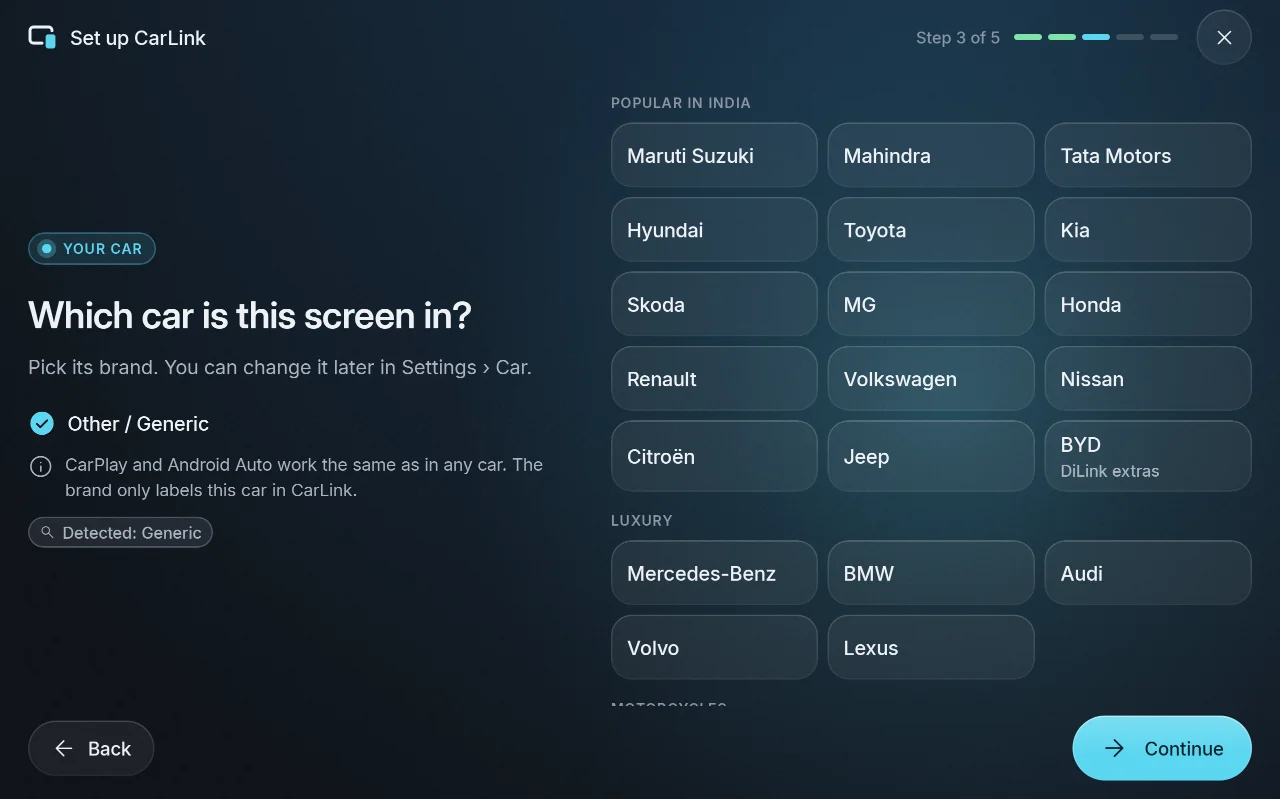
permission is only needed for the floating switcher, which falls back to an in-app prompt. - Motorcycles: Indian two-wheeler makes (Hero, Honda, TVS, Bajaj, Royal Enfield and more) in the
brand picker. - Shared logs and GitHub reports leave out routine screen switches, so the useful lines fit.
Screenshots
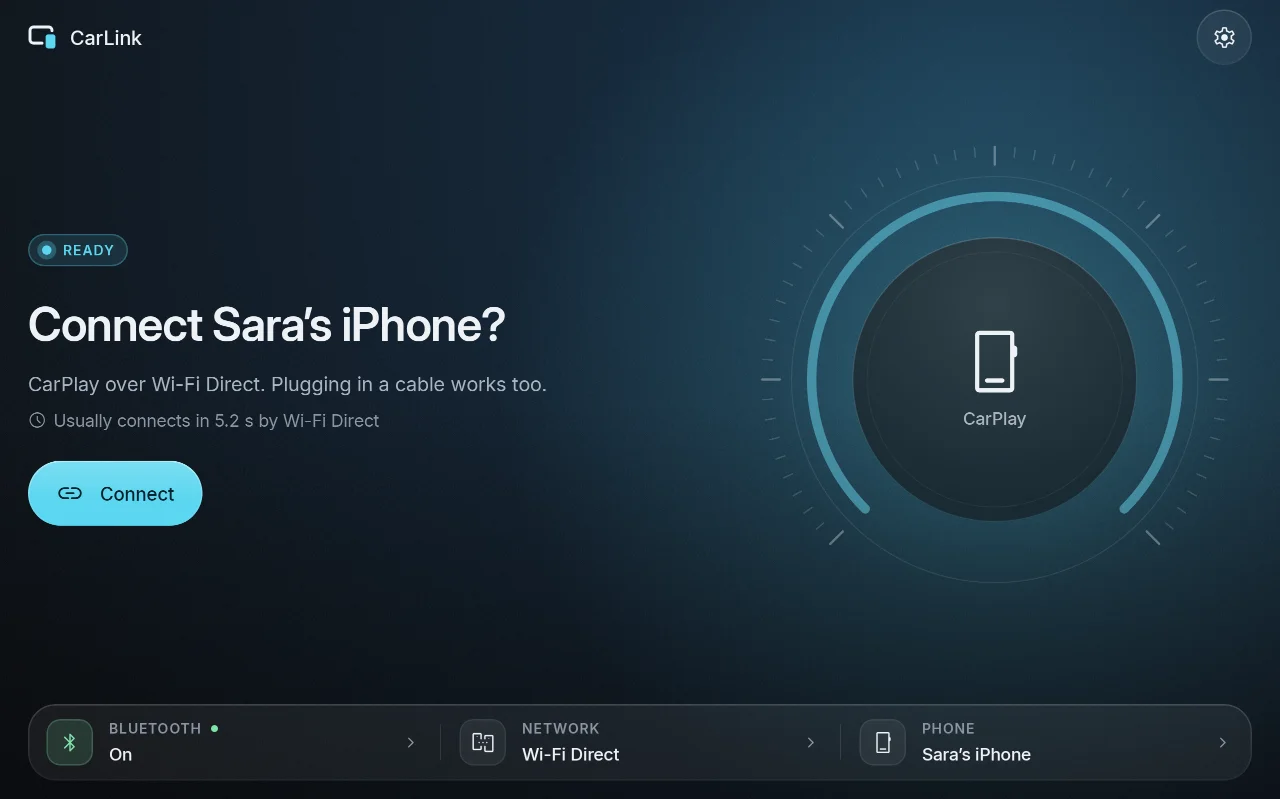
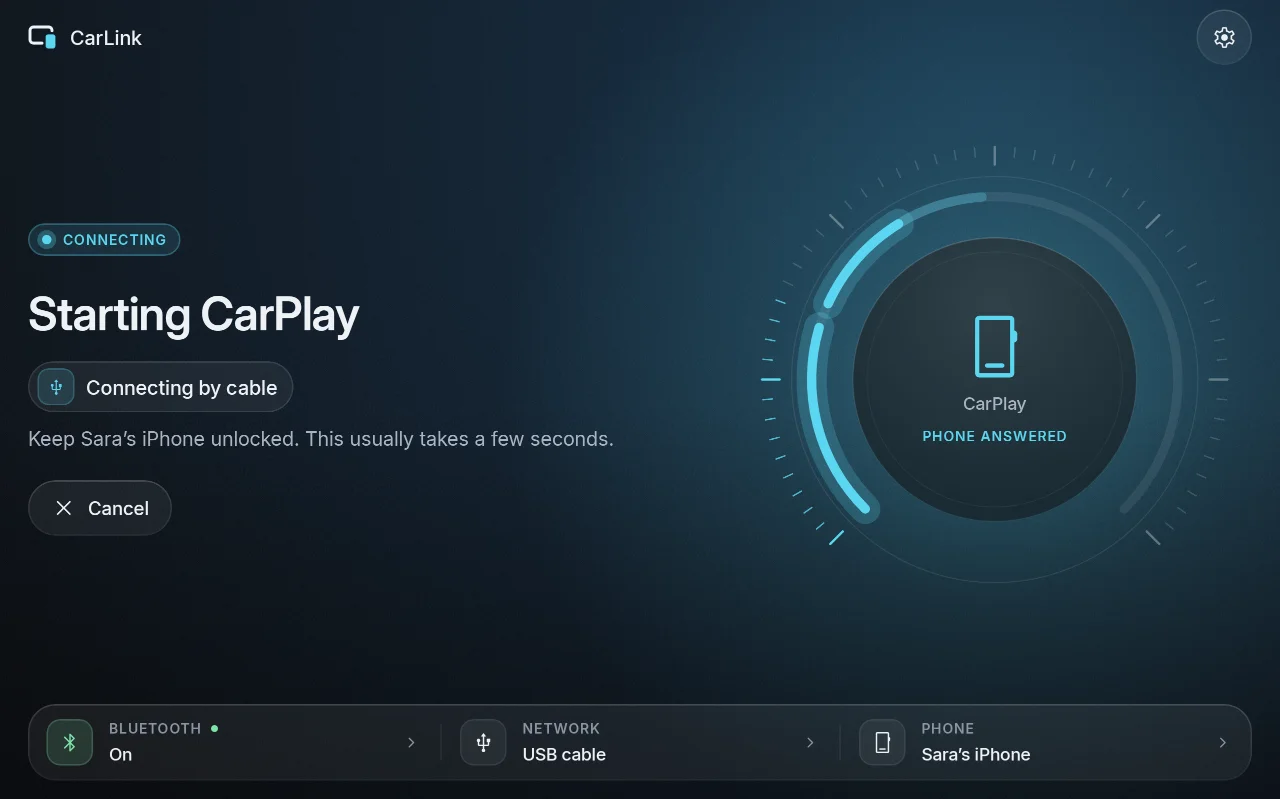
| Ready | Connecting | Car brand |
|---|---|---|
 |
 |
 |
More in the screenshot gallery.
Download and install
- On the car stereo or tablet, download CarLink-1.0.3.apk (16 MB) from the assets below.
- Open it and allow installing apps from your browser or file manager when Android asks.
- Open CarLink and follow the first-time setup. Then plug in your phone, or pair it once over
Bluetooth for wireless.
After that, CarLink finds new releases itself and asks before installing them (Settings ›
About › Check for updates).
Needs: Android 7.1 or newer (ARM) on the stereo or tablet. An iPhone gets CarPlay, an Android
phone gets Android Auto. Wireless needs Bluetooth and Wi-Fi on both sides; USB needs only the cable.
Verify the download
- SHA-256 of CarLink-1.0.3.apk:
7abec8dd30ae8e2db1ef954a5aa16f8c3bf3c7b6a8019bb9f6c0b06fa0e7009c(also inCarLink-1.0.3.apk.sha256) - Signing certificate SHA-256:
03:74:68:CA:5B:EB:70:EA:5F:68:54:33:29:B0:33:68:24:7D:FB:39:3D:3F:62:6A:6B:47:2D:10:E5:65:7D:21
Every CarLink release is signed with this certificate, and the in-app updater installs only APKs
signed with it. Check with sha256sum CarLink-1.0.3.apk and apksigner verify --print-certs CarLink-1.0.3.apk.
CarPlay notice
CarLink is not an Apple-certified product. As in DiPlay's releases, the release APK bundles an
experimental accessory identity recovered from public Carlinkit firmware, not a newly provisioned
MFi identity for CarLink. A bundled private key is extractable. Acceptance after future iOS
updates, reliability across head units and suitability of that identity for general distribution
are unresolved: there is no guarantee that CarPlay keeps working after an iOS update. Android
Auto does not depend on it.
Source and license
Source for this release: v1.0.3.
CarLink is AGPL-3.0. It is built on DiPlay (CarPlay,
GPL-3.0) and DiAuto (Android Auto, AGPL-3.0).
CarLink is not affiliated with Apple or Google; CarPlay is a trademark of Apple Inc. and Android
Auto a trademark of Google LLC.
Found a problem? See troubleshooting,
or tap Report on GitHub in CarLink (Home or Diagnostics) to open an issue with the log and the error filled in.
CarLink 1.0.2
- Faster and smoother on low-end stereos: CarLink now also checks the graphics chip and CPU speed,
so stereos with a weak GPU get the lighter look automatically (cold start about 35% faster on a
test setup like a Unisoc UIS8581A stereo). - Pre-compiled start-up code for a quicker first launch.
- The connecting animations redraw without rebuilding the screen.
- On stereos with little memory and no Android phone set up, the Android Auto engine is no longer
started in advance, saving memory.
Screenshots
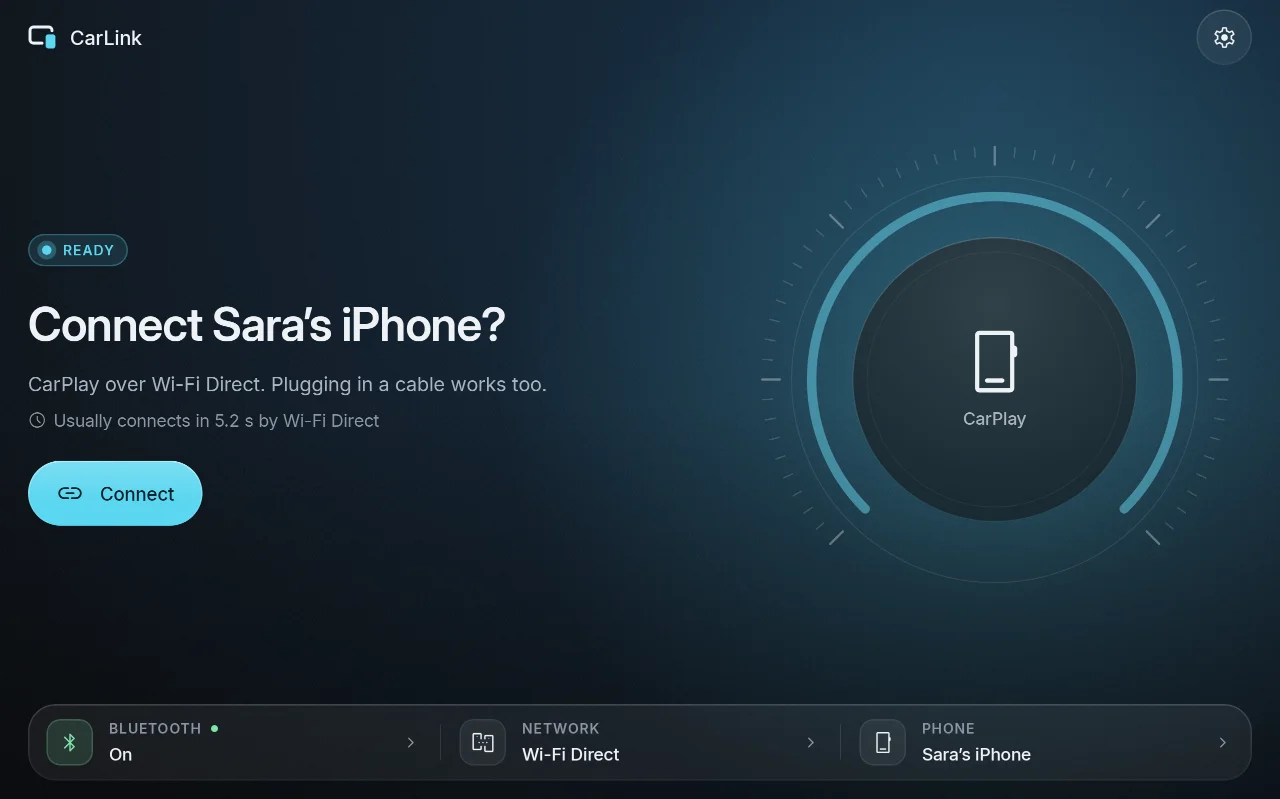
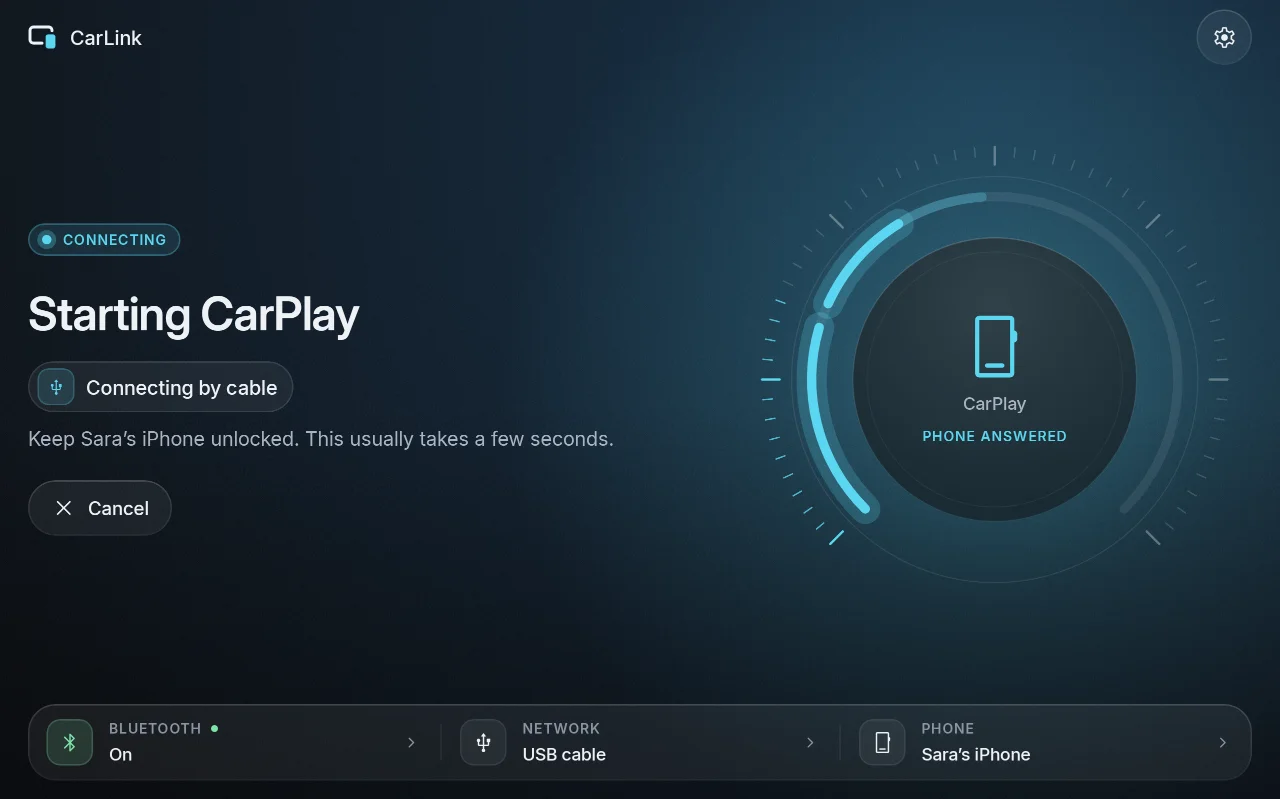
| Ready | Connecting | Car brand |
|---|---|---|
 |
 |
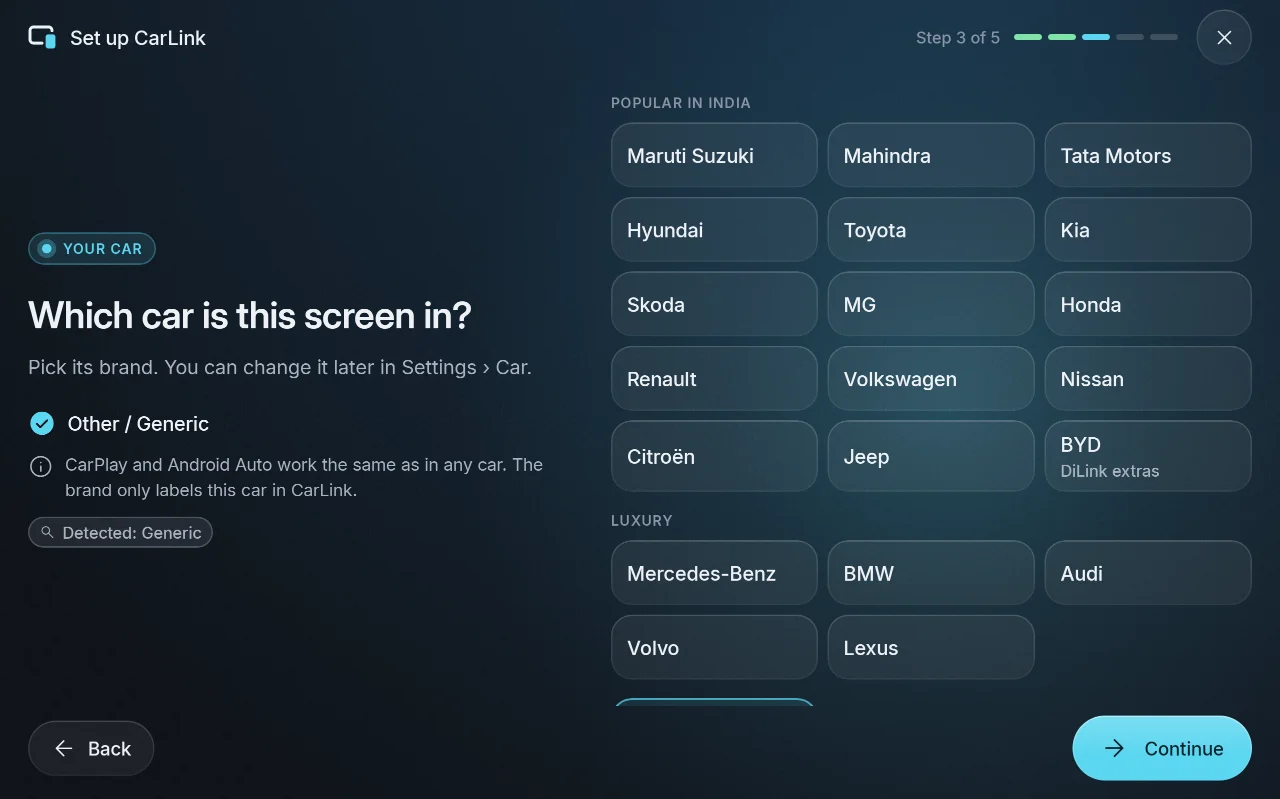 |
More in the screenshot gallery.
Download and install
- On the car stereo or tablet, download CarLink-1.0.2.apk (16 MB) from the assets below.
- Open it and allow installing apps from your browser or file manager when Android asks.
- Open CarLink and follow the first-time setup. Then plug in your phone, or pair it once over
Bluetooth for wireless.
After that, CarLink finds new releases itself and asks before installing them (Settings ›
About › Check for updates).
Needs: Android 7.1 or newer (ARM) on the stereo or tablet. An iPhone gets CarPlay, an Android
phone gets Android Auto. Wireless needs Bluetooth and Wi-Fi on both sides; USB needs only the cable.
Verify the download
- SHA-256 of CarLink-1.0.2.apk:
25b9cc8241b4e800bd76d4215586ed844fa1c274e1587c7b3858f7699faf3a38(also inCarLink-1.0.2.apk.sha256) - Signing certificate SHA-256:
03:74:68:CA:5B:EB:70:EA:5F:68:54:33:29:B0:33:68:24:7D:FB:39:3D:3F:62:6A:6B:47:2D:10:E5:65:7D:21
Every CarLink release is signed with this certificate, and the in-app updater installs only APKs
signed with it. Check with sha256sum CarLink-1.0.2.apk and apksigner verify --print-certs CarLink-1.0.2.apk.
CarPlay notice
CarLink is not an Apple-certified product. As in DiPlay's releases, the release APK bundles an
experimental accessory identity recovered from public Carlinkit firmware, not a newly provisioned
MFi identity for CarLink. A bundled private key is extractable. Acceptance after future iOS
updates, reliability across head units and suitability of that identity for general distribution
are unresolved: there is no guarantee that CarPlay keeps working after an iOS update. Android
Auto does not depend on it.
Source and license
Source for this release: v1.0.2.
CarLink is AGPL-3.0. It is built on DiPlay (CarPlay,
GPL-3.0) and DiAuto (Android Auto, AGPL-3.0).
CarLink is not affiliated with Apple or Google; CarPlay is a trademark of Apple Inc. and Android
Auto a trademark of Google LLC.
Found a problem? See troubleshooting,
or tap Report on GitHub in CarLink (Home or Diagnostics) to open an issue with the log and the error filled in.
CarLink 1.0.1
- Stereos whose Bluetooth is a separate module (common on FYT and similar units) are now
recognised. CarLink says plainly that wireless isn't available there yet and to use a USB
cable, instead of asking you to re-pair, and Diagnostics shows what it found. - Report on GitHub: one tap in Diagnostics, or on a failed connection, opens a new issue with
the error, device details and the relevant log lines already filled in. - CarPlay engine updated (DiPlay 0.2.19): H.264 video on stereos without a hardware HEVC
decoder, steadier music, clearer Bluetooth errors. - The CarPlay menu matches CarLink's light or dark theme, has larger buttons and no longer shows
settings CarLink manages for you. - Passwords are now removed from shared logs as well as addresses.
Screenshots
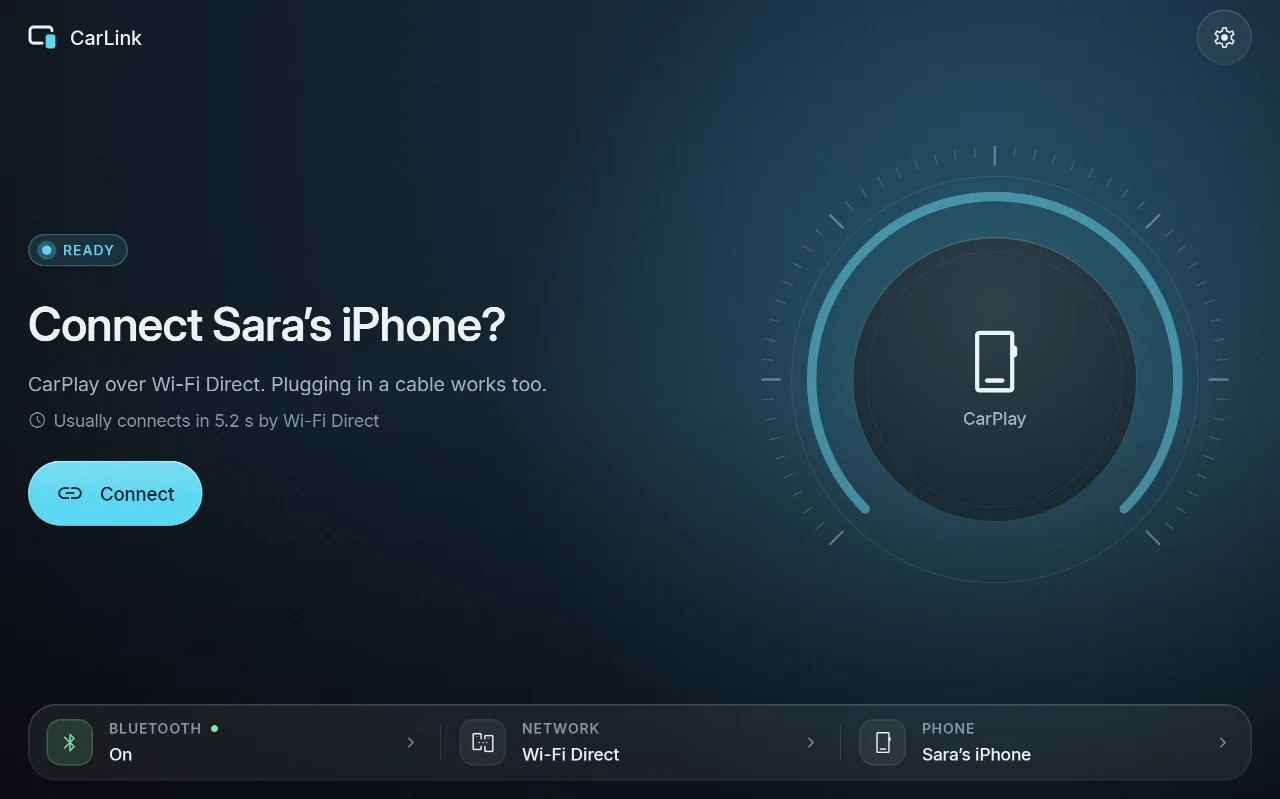
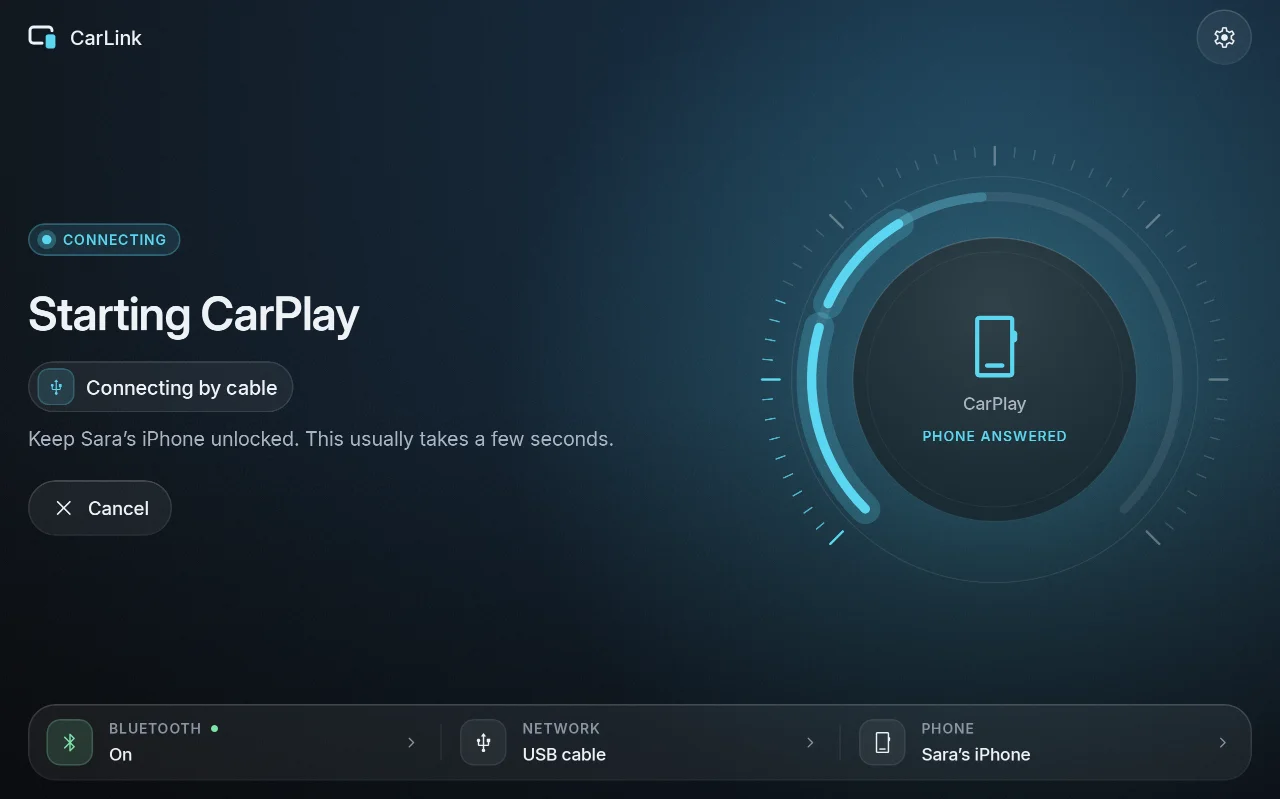
| Ready | Connecting | Car brand |
|---|---|---|
 |
 |
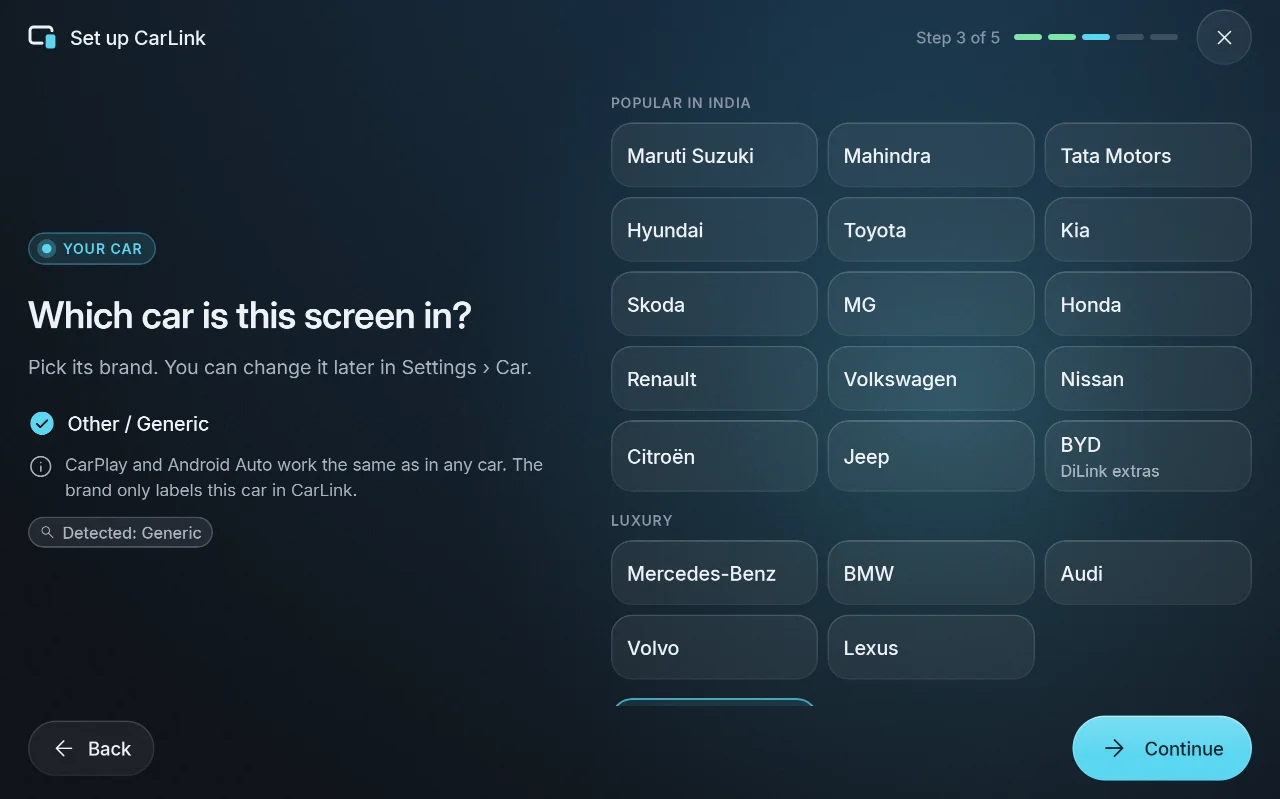 |
More in the screenshot gallery.
Download and install
- On the car stereo or tablet, download CarLink-1.0.1.apk (16 MB) from the assets below.
- Open it and allow installing apps from your browser or file manager when Android asks.
- Open CarLink and follow the first-time setup. Then plug in your phone, or pair it once over
Bluetooth for wireless.
After that, CarLink finds new releases itself and asks before installing them (Settings ›
About › Check for updates).
Needs: Android 7.1 or newer (ARM) on the stereo or tablet. An iPhone gets CarPlay, an Android
phone gets Android Auto. Wireless needs Bluetooth and Wi-Fi on both sides; USB needs only the cable.
Verify the download
- SHA-256 of CarLink-1.0.1.apk:
bf26c460d55b395d52ab1ff00426564ecf226832e862de52358907307a585dc6(also inCarLink-1.0.1.apk.sha256) - Signing certificate SHA-256:
03:74:68:CA:5B:EB:70:EA:5F:68:54:33:29:B0:33:68:24:7D:FB:39:3D:3F:62:6A:6B:47:2D:10:E5:65:7D:21
Every CarLink release is signed with this certificate, and the in-app updater installs only APKs
signed with it. Check with sha256sum CarLink-1.0.1.apk and apksigner verify --print-certs CarLink-1.0.1.apk.
CarPlay notice
CarLink is not an Apple-certified product. As in DiPlay's releases, the release APK bundles an
experimental accessory identity recovered from public Carlinkit firmware, not a newly provisioned
MFi identity for CarLink. A bundled private key is extractable. Acceptance after future iOS
updates, reliability across head units and suitability of that identity for general distribution
are unresolved: there is no guarantee that CarPlay keeps working after an iOS update. Android
Auto does not depend on it.
Source and license
Source for this release: v1.0.1.
CarLink is AGPL-3.0. It is built on DiPlay (CarPlay,
GPL-3.0) and DiAuto (Android Auto, AGPL-3.0).
CarLink is not affiliated with Apple or Google; CarPlay is a trademark of Apple Inc. and Android
Auto a trademark of Google LLC.
Found a problem? See troubleshooting,
or tap Report on GitHub in CarLink (Home or Diagnostics) to open an issue with the log and the error filled in.
CarLink 1.0.0
The first public release of CarLink: CarPlay and Android Auto in one app for Android car
stereos, tablets and phones used as the car's display.
- Plug in or connect your phone: an iPhone gets CarPlay, an Android phone gets Android Auto.
CarLink tells them apart by itself. - Works over USB and wirelessly. Wireless connections use Wi-Fi Direct by default, with no router
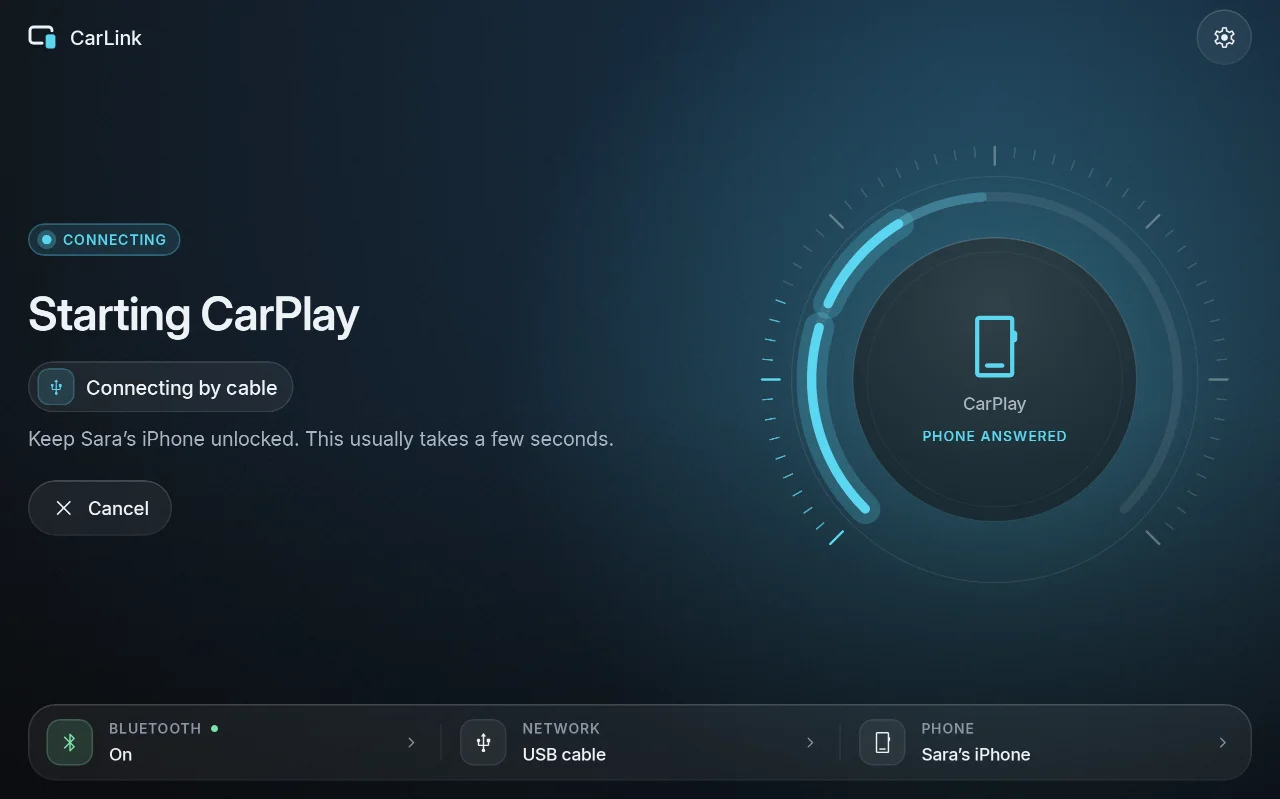
or hotspot needed; the car's own hotspot and the same Wi-Fi network are options. - One Home screen with one status and one action, a step-by-step view while connecting, and a
plain-language explanation with a one-tap fix when something is wrong. - Settings shared by both engines (picture, interface size, day and night, driving side, sound,
connection method), plus every engine option under Show advanced. - A floating switcher over CarPlay and Android Auto to change phones or return to CarLink.
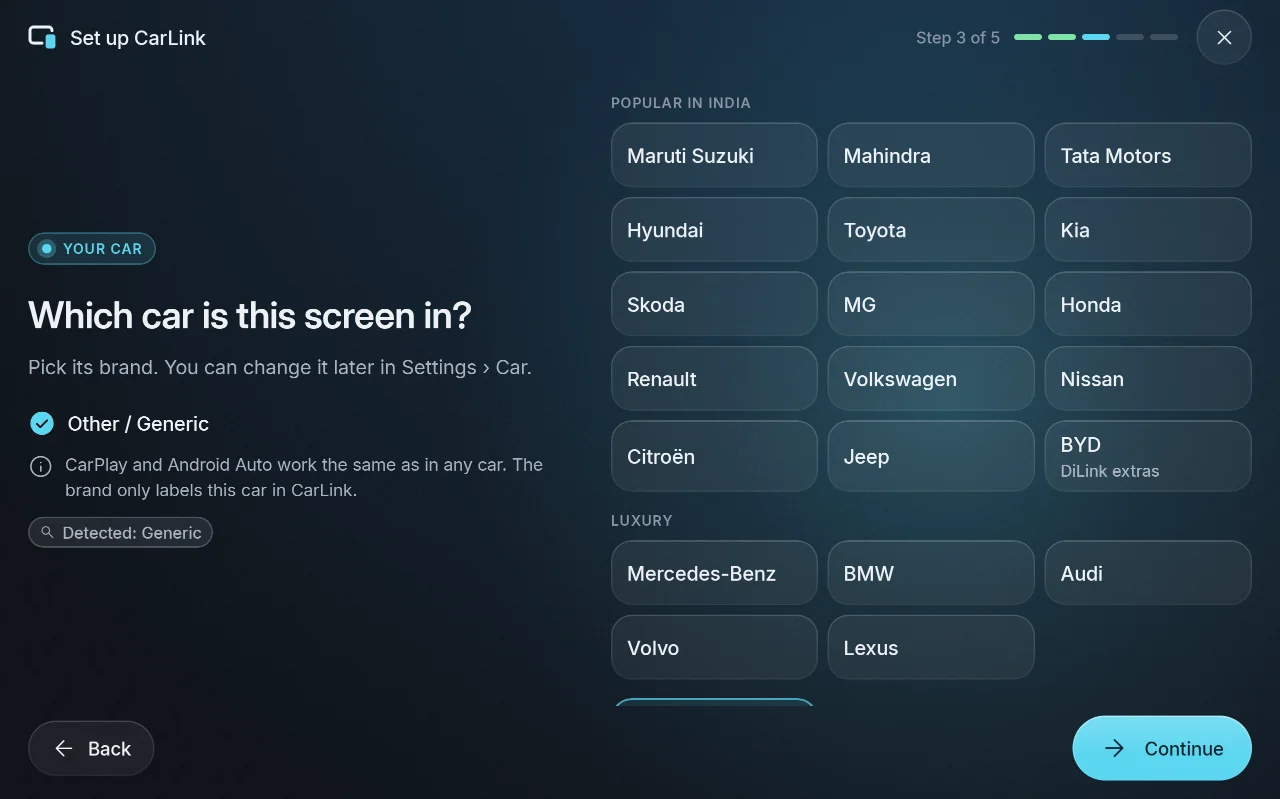
- First-time setup that walks through permissions, your car's brand (popular makes sold in India,
and more; BYD adds its DiLink extras) and pairing your phone. - Diagnostics with device checks and a shareable connection log.
- Large, glanceable controls on car screens; phone and tablet sizes elsewhere; dark and light.
A lighter look for slow head units. - A 16 MB download that starts quickly on low-end stereos.
- Updates itself from GitHub Releases: it asks before downloading and checks every download
before installing it.
CarPlay is experimental and not Apple-certified: it may stop working after an iOS update.
Screenshots
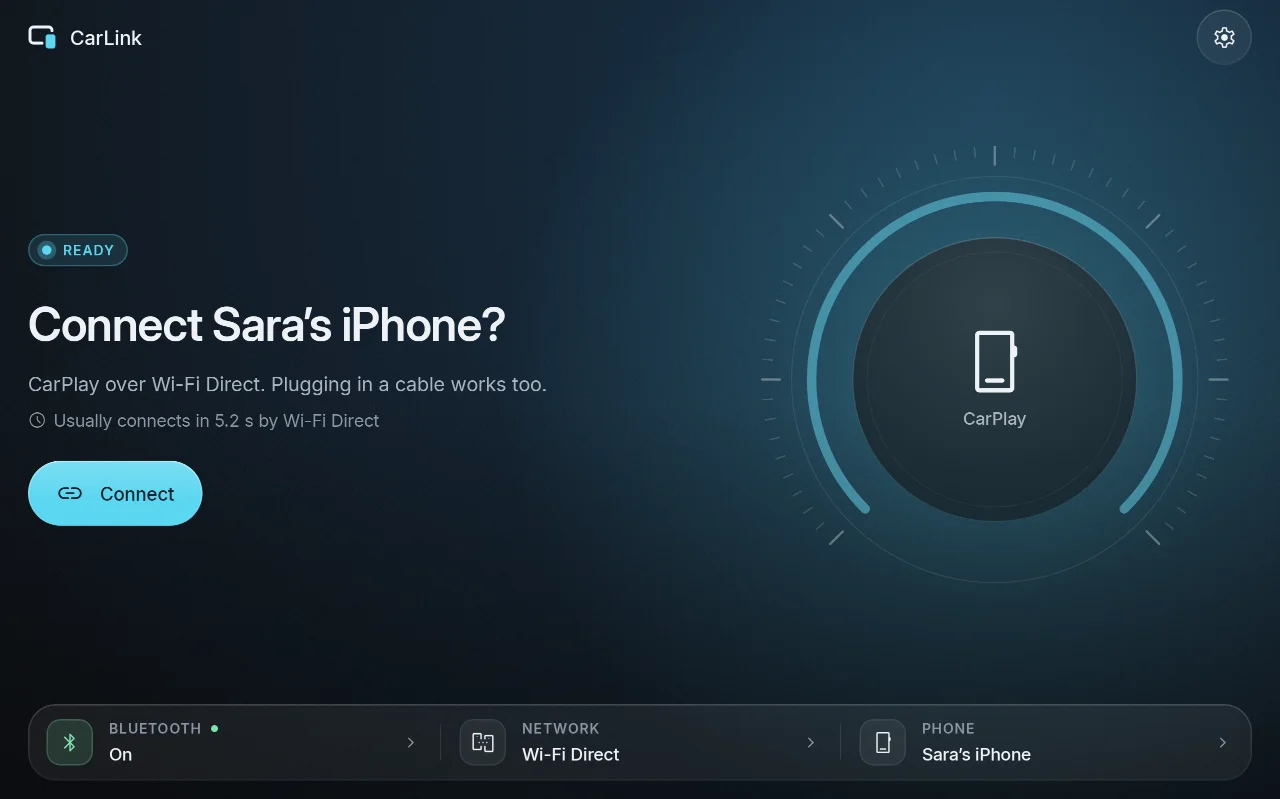
| Ready | Connecting | Car brand |
|---|---|---|
 |
 |
 |
More in the screenshot gallery.
Download and install
- On the car stereo or tablet, download CarLink-1.0.0.apk (16 MB) from the assets below.
- Open it and allow installing apps from your browser or file manager when Android asks.
- Open CarLink and follow the first-time setup. Then plug in your phone, or pair it once over
Bluetooth for wireless.
After that, CarLink finds new releases itself and asks before installing them (Settings ›
About › Check for updates).
Needs: Android 7.1 or newer (ARM) on the stereo or tablet. An iPhone gets CarPlay, an Android
phone gets Android Auto. Wireless needs Bluetooth and Wi-Fi on both sides; USB needs only the cable.
Verify the download
- SHA-256 of CarLink-1.0.0.apk:
161e94c40224d30c2f575442476dcafc1c331949822d653da06cd35082a7ce4a(also inCarLink-1.0.0.apk.sha256) - Signing certificate SHA-256:
03:74:68:CA:5B:EB:70:EA:5F:68:54:33:29:B0:33:68:24:7D:FB:39:3D:3F:62:6A:6B:47:2D:10:E5:65:7D:21
Every CarLink release is signed with this certificate, and the in-app updater installs only APKs
signed with it. Check with sha256sum CarLink-1.0.0.apk and apksigner verify --print-certs CarLink-1.0.0.apk.
CarPlay notice
CarLink is not an Apple-certified product. As in DiPlay's releases, the release APK bundles an
experimental accessory identity recovered from public Carlinkit firmware, not a newly provisioned
MFi identity for CarLink. A bundled private key is extractable. Acceptance after future iOS
updates, reliability across head units and suitability of that identity for general distribution
are unresolved: there is no guarantee that CarPlay keeps working after an iOS update. Android
Auto does not depend on it.
Source and license
Source for this release: v1.0.0.
CarLink is AGPL-3.0. It is built on DiPlay (CarPlay,
GPL-3.0) and DiAuto (Android Auto, AGPL-3.0).
CarLink is not affiliated with Apple or Google; CarPlay is a trademark of Apple Inc. and Android
Auto a trademark of Google LLC.
Found a problem? See troubleshooting,
or open an issue and attach the log from
Settings › General › Diagnostics › Share log.