Repository navigation
Releases: Garanas/faf-workshop
Release list
1.0.0

FAF workshop 1.0.0
The first release of the FAF map editor, together with Vault of FAForever as it runs at
https://vault.jipwijnia.nl on the day of this release.
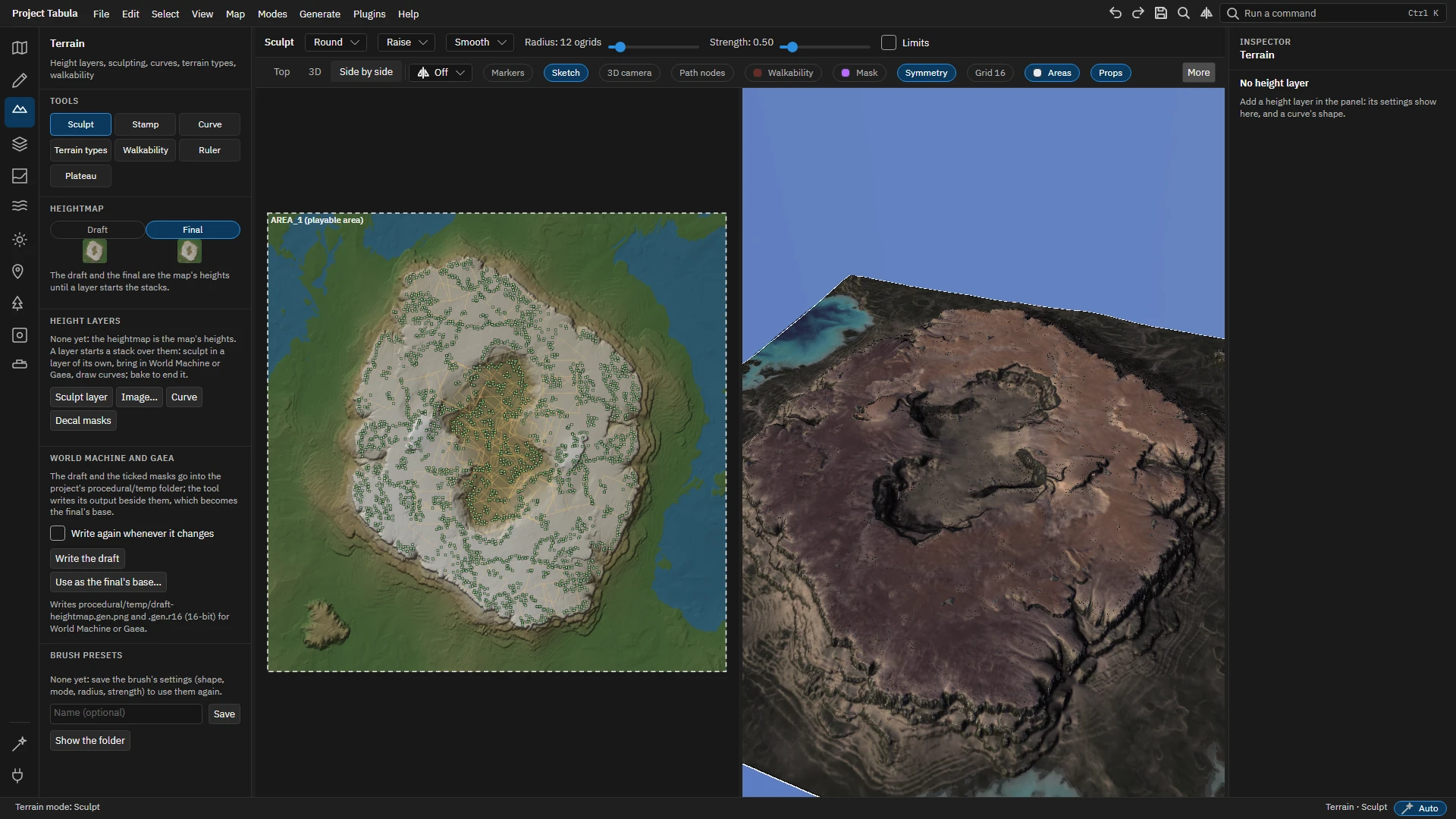
The map editor
A desktop application to make maps for Supreme Commander: Forged Alliance Forever, from a first sketch
to an upload to the vault. A map is a project of JSON and PNG files, so terrain tools, image editors and
git can work on it too; the editor writes the game's files when you export or upload.
- Sketch a layout: pencil strokes, symbols, labels and a picture to trace, on sheets that never
reach the game. - Terrain in layers you can change later: sculpting with brushes and stamps, curves for roads,
rivers, ridges and cliffs, and a draft and final heightmap to round trip through World Machine or Gaea. - Paint the strata by brush, by masks and by rules; set up the water, the lighting and the sky.
- Place markers, props, decals and units. Every edit follows the map's symmetry when you ask it to;
presets, palettes and units in lines, rectangles and rings save the repetitive work. - Generate what a map needs: walkability, path networks for the AI, the preview, normal and shadow
decals. Results go out of date when what they are made from changes, and can regenerate on their own. - Share: export into the game's maps folder, upload to the FAForever vault (with your FAF login),
or commit, push and pull with git from the editor. - Extend it with Lua plugins, and drive it from scripts or agents through its automation server.
- Learn it with the guided tours in Help, Tours, or read the guide.
Download
| System | File |
|---|---|
| Windows (x64) | the .exe: run it |
| Linux (x64) | the linux-x64 .tar.gz: unpack it and run the executable |
| macOS (Apple silicon) | the osx-arm64 .tar.gz |
Each is a single executable with everything it needs; no .NET to install. The first start takes a
moment longer while it unpacks its native libraries.
Before you start
- The editor needs Supreme Commander: Forged Alliance and the FAF client's data on the same
computer. The setup page finds both where the FAF client keeps them and asks for a workspace folder. - On the first start it converts the game's assets (textures, models, decals, cube maps) into the
workspace, which takes a few minutes and a few gigabytes of disk space. A new FAF release asks to
convert again. - Linux works, with OpenGL 3.3 or newer for the 3D view. Without a graphics driver, set
FAF_MAP_EDITOR_SOFTWARE_GL=1to draw it in software. - macOS is built but has never been started: its file dialogs, OpenGL and default folders are
unchecked. Reports are welcome.
Known limits
- The 3D view draws no team colours, normal maps or specular light on models yet.
- Uploading chooses no licence: the vault's default applies.
- Hydraulic erosion and merging height layers are not built yet.
Problems can be reported from Help, Report a problem, which writes a zip with the logs to attach to an
issue. Nothing is sent by itself.
Vault of FAForever
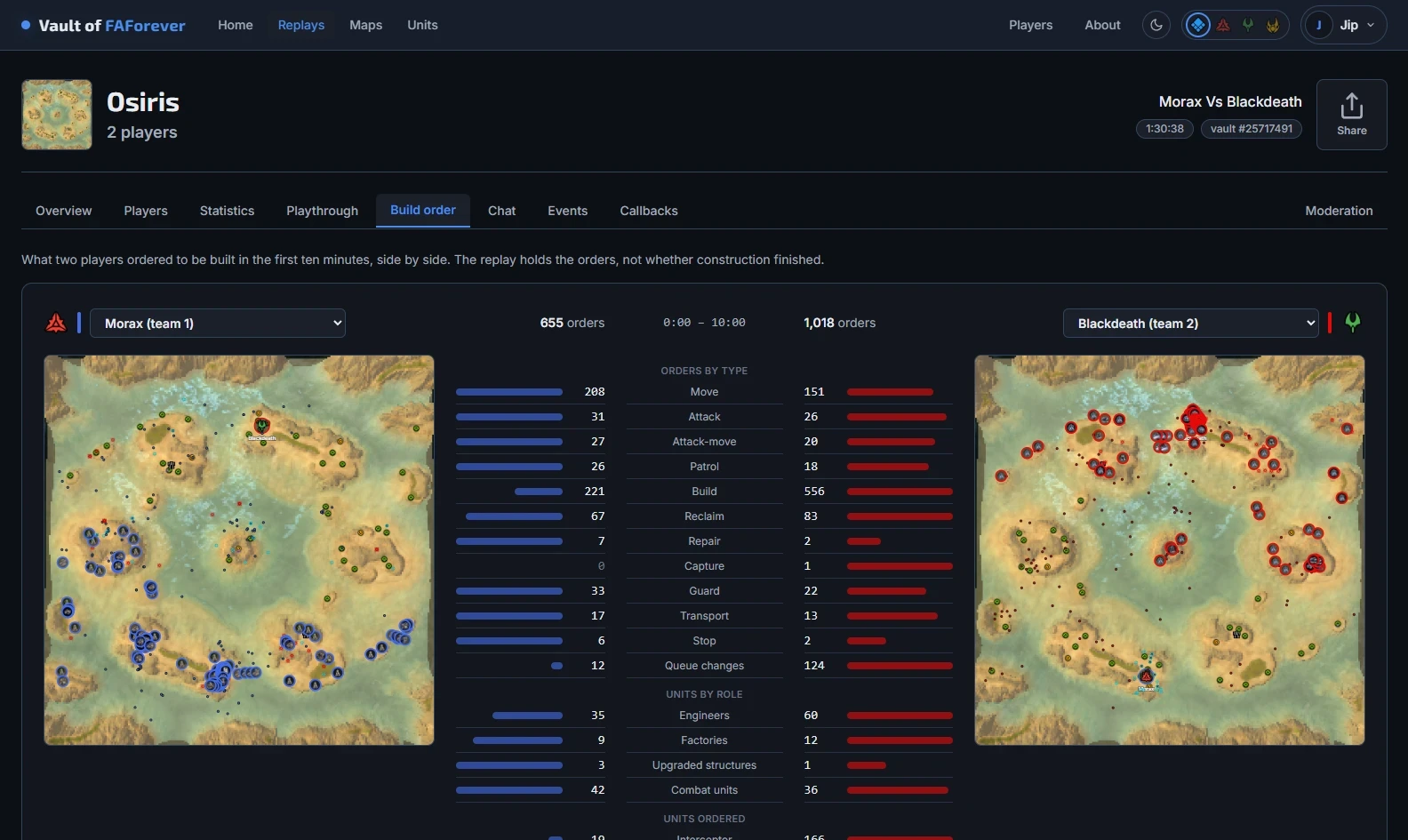
Open it at https://vault.jipwijnia.nl; it installs as an app from the browser.
- Replays: search the vault, open your computer's replay folder in the installed app, or open a single
file. Players, statistics, a playthrough of every order, build orders side by side, chat, events, sim
callbacks and a moderation log. Every view is a link to share. - Maps: featured maps, the matchmaker's pools, a search of the whole vault, and a page per map with its
terrain, resources, pathing, reclaim, replays and reviews. - Units: the base game and every FAF release since 3603, compared side by side and followed across
releases. - Players: profiles, rating history, matches, achievements, leaderboards, leagues and comparisons.
Libraries
The .NET libraries that both are built on read and write replays, maps, blueprints, meshes and the
game's Lua data: see the README.