Repository navigation
Releases: HiAriesZhou/Howler
Release list
Howler v0.1.11

What's Changed
- feat: Send Feedback opens a prefilled GitHub issue form by @HiAriesZhou in #26
Full Changelog: v0.1.10...v0.1.11
Contributors

Assets 5
Howler v0.1.10
What's Changed
- fix: shortcuts, ⌘C copy, ⌘V images, quicker burn (0.1.10) by @HiAriesZhou in #25
Full Changelog: v0.1.9...v0.1.10
Contributors
Assets 5
Howler v0.1.9
What's Changed
- feat: one switch for updates, version in small print by @HiAriesZhou in #24
Full Changelog: v0.1.8...v0.1.9
Contributors
Assets 5
Howler v0.1.8
What's Changed
- docs: AGENTS.md with the release flow by @HiAriesZhou in #21
- feat: quill menu bar mark, quieter menu, default ⌥, (0.1.8) by @HiAriesZhou in #22
- feat: a quicker burn by @HiAriesZhou in #23
Full Changelog: v0.1.7...v0.1.8
Contributors
Assets 5
Howler v0.1.7
What's Changed
- feat: in-app updates with Sparkle (0.1.7) by @HiAriesZhou in #20
Full Changelog: v0.1.6...v0.1.7
Contributors
Assets 5
Howler v0.1.6

What's Changed
- Ignore the local Vercel link; upload only the site on CLI deploys by @HiAriesZhou in #13
- Stable releases; download links go straight to the latest DMG by @HiAriesZhou in #14
- Deploy the site on every push by @HiAriesZhou in #15
- docs: link the website from both READMEs by @HiAriesZhou in #16
- Site: quill, the app's burn, and ash on the floor by @HiAriesZhou in #17
- Site: smoother, and a star invitation as a wax seal by @HiAriesZhou in #18
- feat: system prompt with the UTC date, Settings tabs (0.1.6) by @HiAriesZhou in #19
Full Changelog: v0.1.5...v0.1.6
Contributors
Assets 4
Howler v0.1.5
Burn after reading.
What's new
- New default shortcut: ⌥H (H for Howler). ⌥Space is free again for other launchers, such as Codex's.
- If you never changed the shortcut, or once pressed Reset, Howler now opens with ⌥H.
- If you recorded your own shortcut, it stays as it is. That includes ⌥Space if you record it again after upgrading.
- Settings › Keyboard shortcut › ↺ now resets to ⌥H.
- Website: Howler has a home at howler.arieszhou.com. The page has a live letter that writes its answer and then burns.
Install
Download Howler.dmg below, open it, and drag Howler onto Applications. Howler.zip holds the same app. Howler is signed with a Developer ID and notarized by Apple, so it opens like any other app. Upgrading from v0.1.4 keeps your Keychain and privacy permissions.
Requires macOS 14 or later, on Apple silicon or Intel.
Known limitation
The shortcut is tied to the physical H key. On keyboard layouts where that key types another letter, such as Dvorak, press the key in the H position, or record a shortcut of your own in Settings.
Howler v0.1.4
Burn after reading.
Howler is now signed with a Developer ID and notarized by Apple.
What's new
- Opens like any other app. There is no Gatekeeper warning and no right-click › Open. You no longer need to run
xattr. - Permissions stay put across updates. Earlier builds had a new ad-hoc signature every time. macOS saw each update as a different app, so it asked for your login password to read the API key and wanted screen recording granted again. The signature is now the same from one release to the next, so those grants carry over to every future update.
Install
Download Howler.dmg below, open it, and drag Howler onto Applications. Howler.zip holds the same app.
Requires macOS 14 or later, on Apple silicon or Intel.
Upgrading from v0.1.3 or earlier
Your model setup and API key carry over. The first launch of this signed build is the last time macOS asks about them: when it asks to use "Howler API key", choose Always Allow. If you use screen capture, allow Howler once more under System Settings › Privacy & Security › Screen & System Audio Recording.
Howler v0.1.3
Burn after reading.
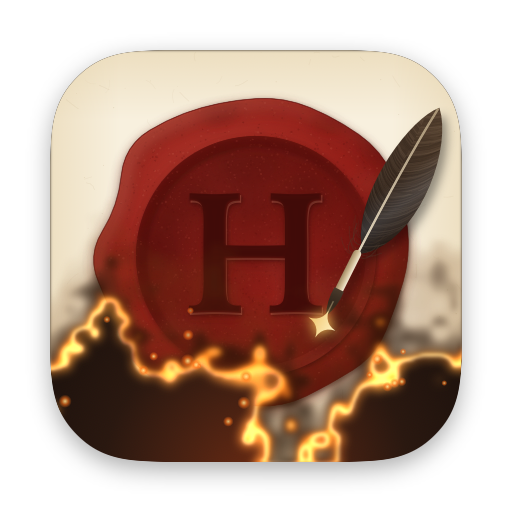
Howler now has a face of its own. A matte crimson seal is cut with an H. Beside it rests the raven quill that just wrote it, with a spark at the nib. The parchment burns up from below onto charred ground.
What's new
- App icon. Finder, the Dock and the disk image show Howler's seal and quill instead of a blank icon. It is drawn in code with the same paper, wax and fire as the letter, and made for macOS 26 so it isn't placed on a gray plate.
- Menu bar mark. The envelope is replaced by a small wax seal with the H cut through. It takes the menu bar's color, and the same seal sits beside Open Howler in the menu.
- Disk image. Every release now ships
Howler.dmgalongsideHowler.zip. Open it and drag Howler onto Applications. - One Howler in the app list. Local builds no longer leave a second copy for Spotlight to find.
Install
Download Howler.dmg below, open it, and drag Howler onto Applications. Howler.zip holds the same app. The app is ad-hoc signed and not notarized, so the first time, right-click it and choose Open. On macOS 15 or later, use System Settings › Privacy & Security › Open Anyway. You can also run:
xattr -dr com.apple.quarantine /Applications/Howler.appRequires macOS 14 or later, on Apple silicon or Intel. Upgrading from v0.1.2 keeps your model setup and API key.
Known limitations
- Because the app is ad-hoc signed, macOS may ask for Keychain access again after an update, and screen-capture permission has to be granted again.
Howler v0.1.2

Burn after reading.
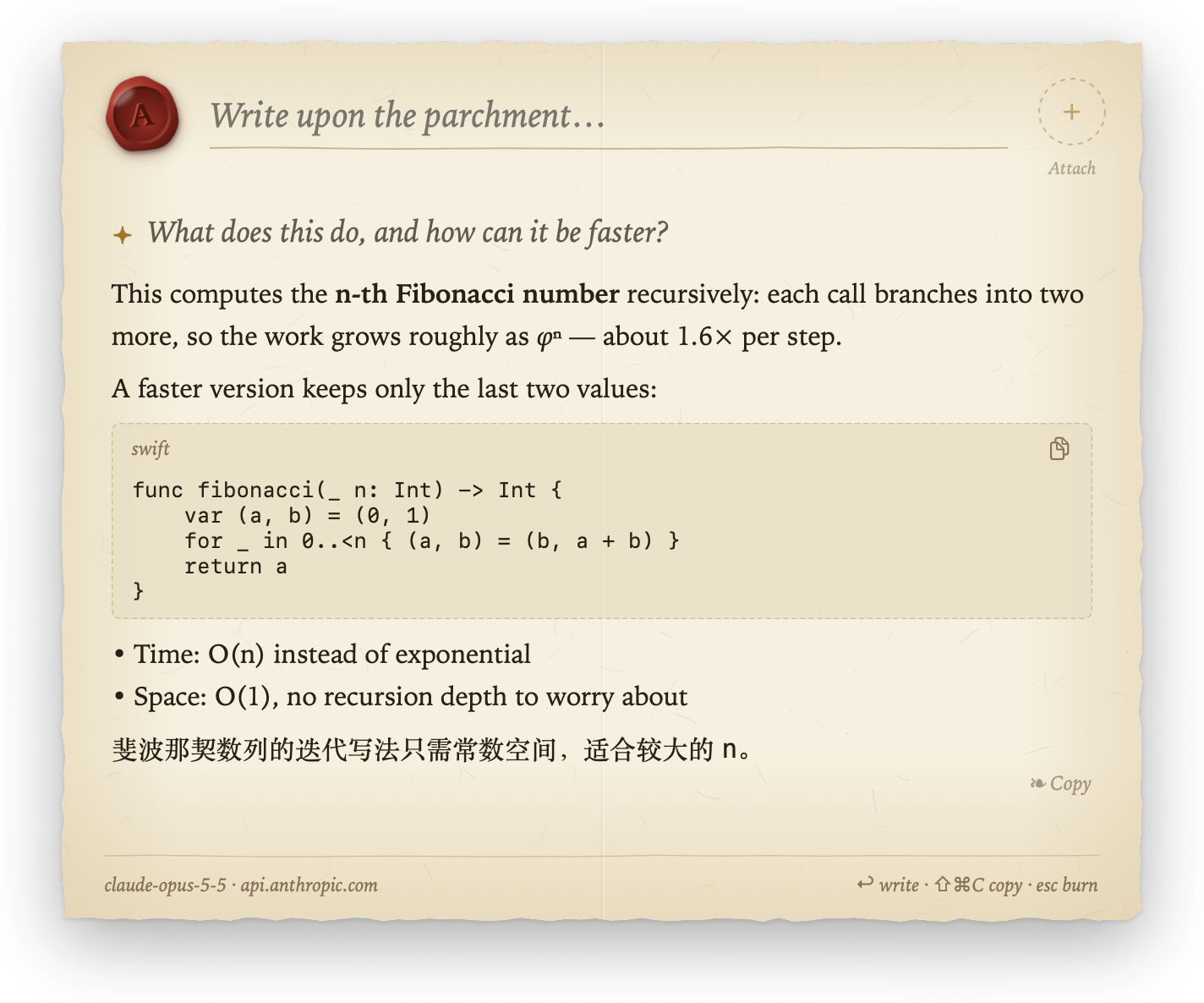
The first release under the name Howler (formerly Napkin). A quick question now arrives as a sealed letter: you write on parchment, a quill writes the answer back, and the letter burns when you're done.
What's new
- The letter. Deckled parchment with a crimson wax seal for the model. Answers stream in at a hand's pace, with gold ink and a quill. The page grows up to A4, then scrolls.
- Burn after reading. Esc or a click outside sets the letter alight, and the conversation goes with it. Reduce Motion skips the fire.
- Wax-sealed attachments. Paste long text or a picture, or capture a screen region. The clipboard is read only when you paste.
- One model service, set up by your AI assistant. Settings shows the model, its host and status, a Check button and Copy Setup Prompt. Hand the prompt to Claude Code, Codex or another assistant. It drives Howler's built-in command line (
config set …,check) and saves your key to the Keychain withpbpaste | Howler config set api-key --stdin, so the key never enters the chat. - Any compatible API. Formats: Chat Completions (including local Ollama / LM Studio), Anthropic Messages and Gemini. Presets for OpenAI, Anthropic, Gemini, xAI, DeepSeek and OpenRouter.
bodytakes extra request fields, for example to turn thinking off. - Recordable global shortcut (default ⌥Space) and launch at login.
Install
Download Howler.dmg below, open it, and drag Howler onto Applications. Howler.zip holds the same app. The app is ad-hoc signed and not notarized. Right-click it and choose Open the first time (on macOS 15+, use System Settings › Privacy & Security › Open Anyway), or run:
xattr -dr com.apple.quarantine /Applications/Howler.appRequires macOS 14 or later, on Apple silicon or Intel.
Upgrading from Napkin
Howler uses a new bundle ID, com.hiarieszhou.howler, so set up the model again. Delete Napkin.app, because both apps would compete for ⌥Space.
Known limitations
- Ad-hoc signing means macOS may ask for Keychain access again after an update. Screen-capture permission also has to be granted again.
- Whether a model reads images depends on the service. If it can't, the service's own error is shown.