Repository navigation
TwinDesk v2.2.0 : Multi-device (Mesh mode beta), many computers and phones at once

TwinDesk 2.2: Multi-device (Mesh mode, beta), many computers and phones at once
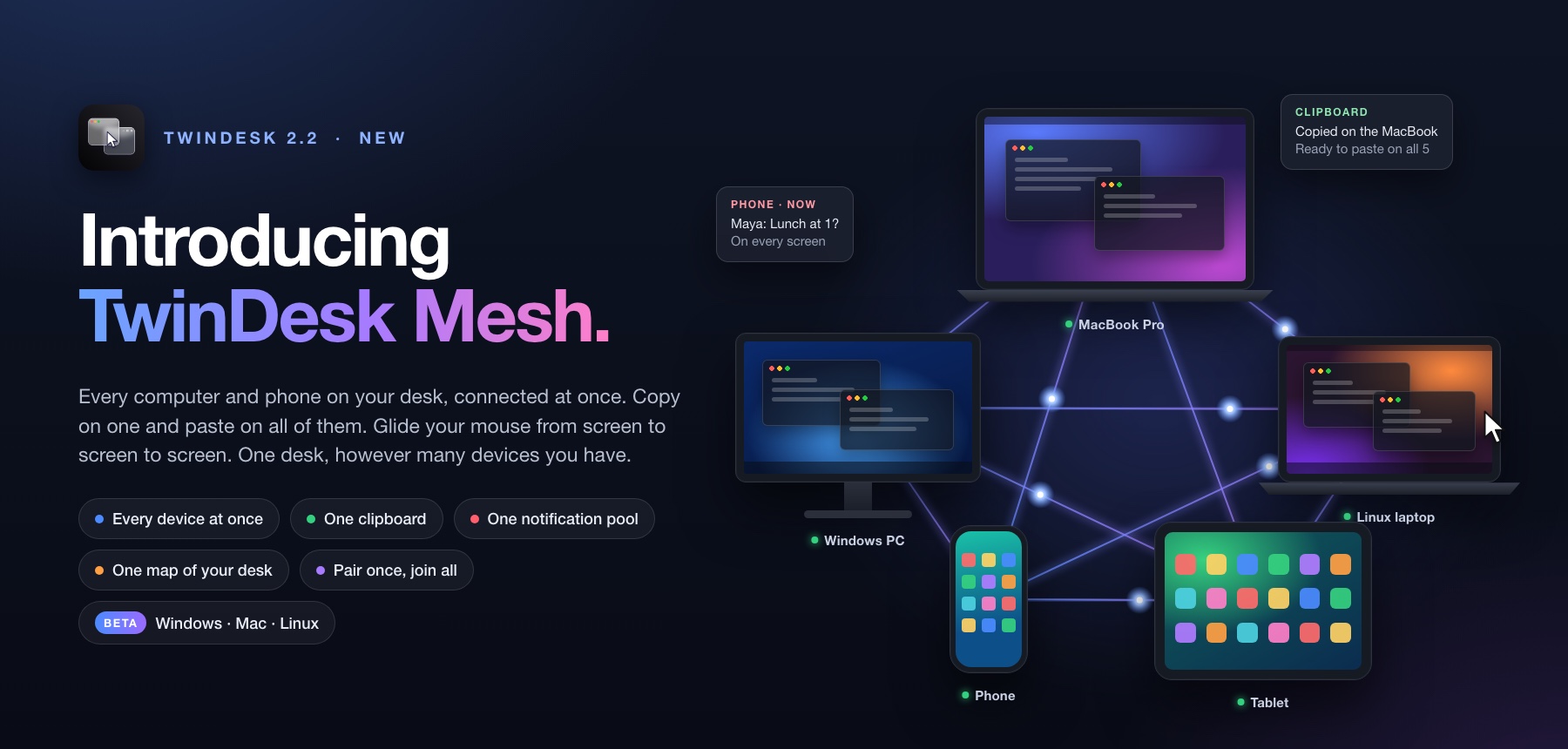
🕸️ Introducing TwinDesk Mesh: every device at once (beta)
Until now TwinDesk was one-to-one: a computer with another computer, or with a phone. With Multi-device on, all of them connect at the same time.
This idea is here because of the incredible effort and work done by @erdodo (Erdoğan Yeşil). Today I'm releasing multi devie support in beta.
This runs and pairs everything in seperate codebase. twindesk 1-1 as is is untouched and performance is not at all reduced by this addition at all.
- Many devices at once: several computers and phones connected together, each one linked directly to the others, no server in between.
- A phone and a computer at the same time: the phone no longer pushes the other computer away, and several phones can be connected at once.
- One clipboard for all: copy on any device and paste on every other. The latest copy always wins, even when two copies happen a moment apart on different devices.
- One notification pool: a notification on any device shows on the others.
- One screen layout: place your devices on a grid in the Multi-device tab. Each screen edge can lead to a different device, and the mouse and keyboard go on from one device to the next (a Windows PC, a Mac and a Linux box in a row, driven from any keyboard). Every device shows the same map.
- Pair once, join everyone: Join every device automatically (on by default) introduces a newly paired device to the rest, with no extra pairing codes.
- See where the pointer stops: the layout marks in red a device that isn't connected to this one and greys the ones past it, and says why under the grid.
- Safe to try: it's off by default, and with it off TwinDesk connects exactly as before. Turning it on or off restarts TwinDesk. Your pairings and the settings both modes share are kept, and turning it off gives back exactly what was there.
Works on Windows, Mac and Linux. Older TwinDesk versions, and devices with Multi-device off, still connect as one-to-one devices. If you only connect two devices, keep it off.
Multi-device is built on the mesh by Erdoğan Yeşil (@erdodo) in #29. Thank you for this huge piece of work! 🙌
✨ Better everyday use
- Every feature introduces itself: each tab (Cursor sharing, Clipboard sync, Second screen, Phone calls, Text messages and the rest) shows an animated picture and what it does until you turn it on. Press Dismiss to go straight to its settings.
- Clearer when nothing is connected: switches that need a connected device are greyed out until one is.
🛠️ Fixes
- Android: Play Protect no longer blocks the downloaded app (#20, thanks @hensamuel). Mouse and keyboard through Accessibility moved to the full APK, which your computer installs for you.
- Multi-device: copies are no longer lost after a device restarts, a phone on a USB cable is found again, and the layout no longer leaves empty gaps between devices.
🙏 Thanks
Thank you to everyone who tried TwinDesk, reported a problem or shared an idea:
- @erdodo (Erdoğan Yeşil): the multi-device mesh behind this release (#29), and earlier code (#8, #9)
- @benzntech: the ideas for a phone and a computer at once and a screen edge for every device (#26, #27, #28)
Which Android APK?
TwinDesk-2.2.0.apk: install this one on your phone.TwinDesk-2.2.0-full.apk: the same app plus notification access, text messages and mouse and keyboard through Accessibility, which Play Protect blocks in downloaded apps. You don't need to install it yourself. Your computer puts it on the phone for you over wireless debugging, and your settings and pairing stay.
Known Issues
Multi-device is a beta. In this release:
- Dragging files across a screen edge goes to one device only (and across one edge on Windows and Linux).
- The mouse only reaches devices this computer is connected to (Join every device automatically takes care of that).
- The phone app connects to one computer at a time.
- On Linux, other computers connect over the same network only (phones as before, Bluetooth included), and screen sharing goes to the selected device.


