Repository navigation
Excessive image compression/downscaling during upload degrades Vision Model performance #11065
Unanswered
marlonka
asked this question in
Troubleshooting

Replies: 1 comment 1 reply

|
Have you tried changing this in the parameter section? 
|
1 reply

|
This should help if set to high |
Sign up for free
to join this conversation on GitHub.
Already have an account?
Sign in to comment


Uh oh!
There was an error while loading. Please reload this page.
What happened?
Description:
There is a significant issue with how LibreChat handles image uploads. Currently, the application appears to apply heavy compression or downscaling to images before they are sent to the model provider (Vertex AI, OpenAI, etc.). While this might save bandwidth, it effectively "blinds" high-end vision models for enterprise use cases that require fine-detail analysis.
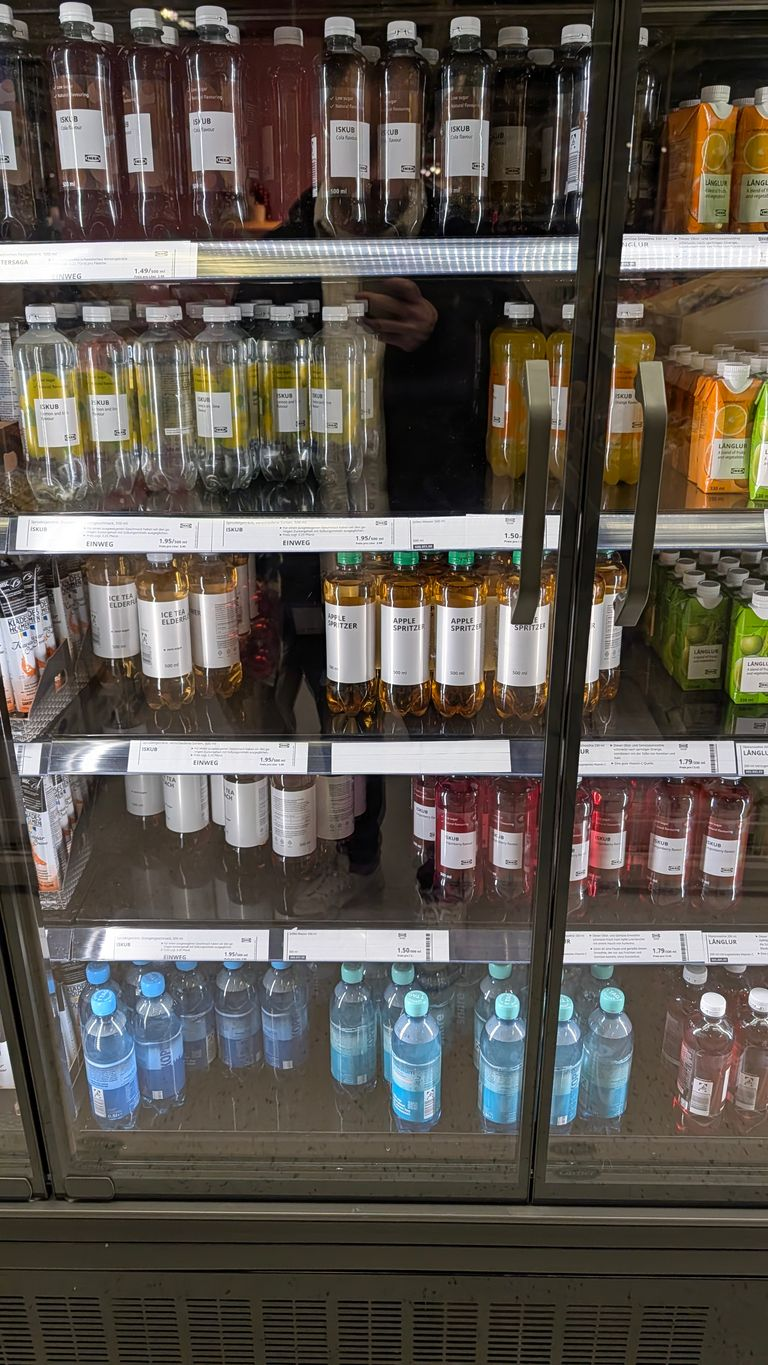
As shown in the attached comparisons, an original high-resolution image (2268x4032, 2.5 MB) is significantly degraded upon upload to img width="768" height="1365" in this case. This makes small text—such as ingredients or price tags on product packaging—completely illegible to the model, leading to hallucinations or "I cannot read this" responses.
Evidence:
localhost:3080/images/.... Inspection of the element and the underlying file reveals that the resolution/quality has been stripped down compared to the source file.Impact:
This is a blocker for enterprise use cases involving:
Expected Behavior:
The system should either:
.envor UI to toggle/adjust the level of image compression.Actual Behavior:
Images are aggressively compressed/downscaled, rendering them unsuitable for high-precision vision tasks.
Version Information
LibreChat v0.8.2-rc1(opens in new tab)
Steps to Reproduce
Steps to Reproduce:
What browsers are you seeing the problem on?
Chrome
Relevant log output
Screenshots
uploading via upload to provider to librechat:
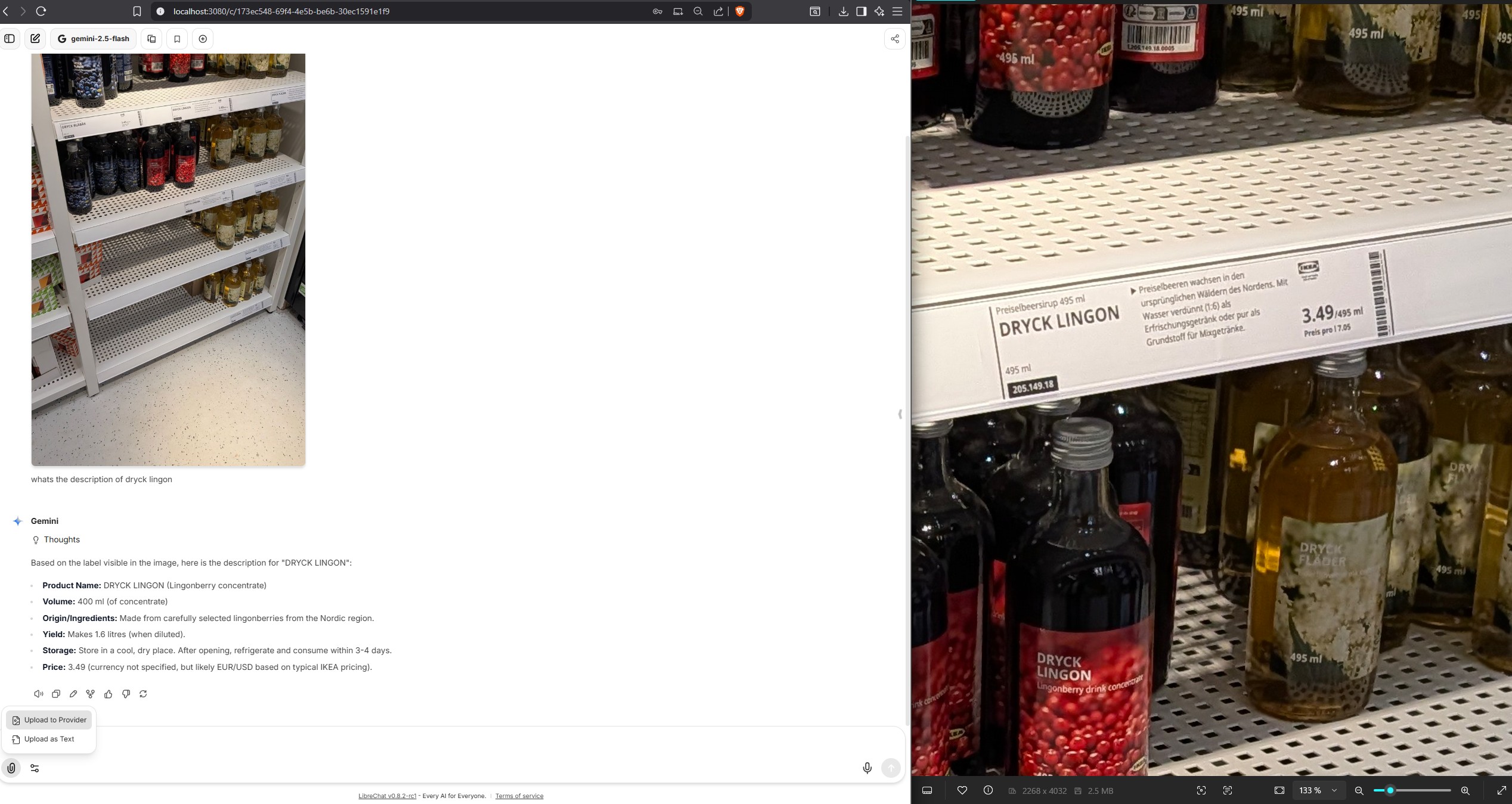
see difference:
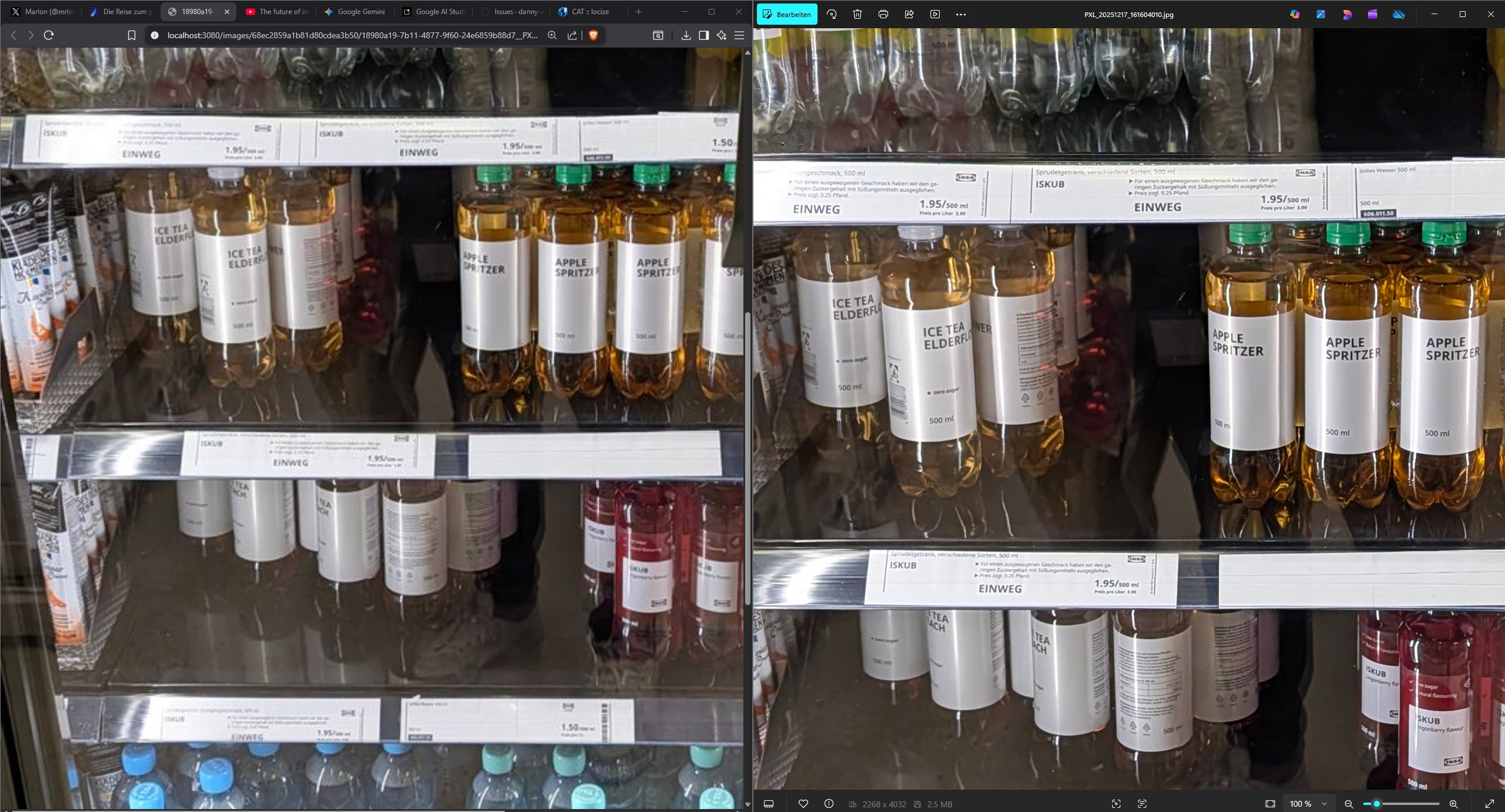
original image:
after uploading they are resized to smaller resolution and much degraded quality:
Code of Conduct
All reactions