Repository navigation
Releases: Lirunhua/dsh-model-meter
Release list
Usage Panel 0.6.1 · ChatGPT quotas, DeepSeek wallets, cleaner cards

Usage Panel · 用量面板 0.6.1
更简洁的顶栏,新增 ChatGPT 订阅与 DeepSeek 登录账号用量来源。
- ChatGPT 订阅:显示已激活账号的套餐、积分、服务商返回的额度窗口和重置时间,保留额外功能窗口。
- DeepSeek 登录账号:显示充值及赠送钱包余额,与 DeepSeek API Key 余额分别处理。
- 简洁展示:顶栏使用服务商标志,金额统一显示两位小数;GLM/Kimi Coding Plan 继续支持。
- 完善切换账号的缓存隔离、授权来源检查及缺失数据处理。
安装 / 更新
正常退出 Harness Desktop 后运行:
dsh plugin --profile desktop add github:Lirunhua/dsh-model-meter#v0.6.1也可下载附件后本地安装:
dsh plugin --profile desktop add ./dsh-model-meter-0.6.1.tgz重新打开 Harness,在右侧栏 + 中添加 用量 / Usage。技术包名和内部标识保持兼容。
ChatGPT 需要兼容的 dsh-codex-subscription 登录;DeepSeek 账号使用 Harness 内置登录。两种账号适配依赖宿主凭据格式及服务商内部响应,并非稳定公开的额度 API。详细支持范围与限制见 README。
Validation
48 tests passed in UTC and Asia/Shanghai, with no skipped tests. Tests use fake credentials and mocked provider responses; no real account usage or model inference is queried. The prebuilt package is checked against its source, and the offline demo uses fictional values only.
Unofficial community plugin, independently maintained; not affiliated with or endorsed by DeepSeek, OpenAI, Z.ai, or Moonshot/Kimi.
Usage Panel 0.5.3 · New name, same compact usage view
Usage Panel 0.5.3
Unofficial DeepSeek Harness community plugin. Formerly Model Meter.
This naming-only patch updates the public name, bilingual guides, package description, preview and offline demo to Usage Panel · 用量面板. Runtime behavior is unchanged from 0.5.2. The sidebar remains Usage / 用量.
The repository address, technical package name and internal identifiers remain dsh-model-meter, so existing installations can upgrade normally.
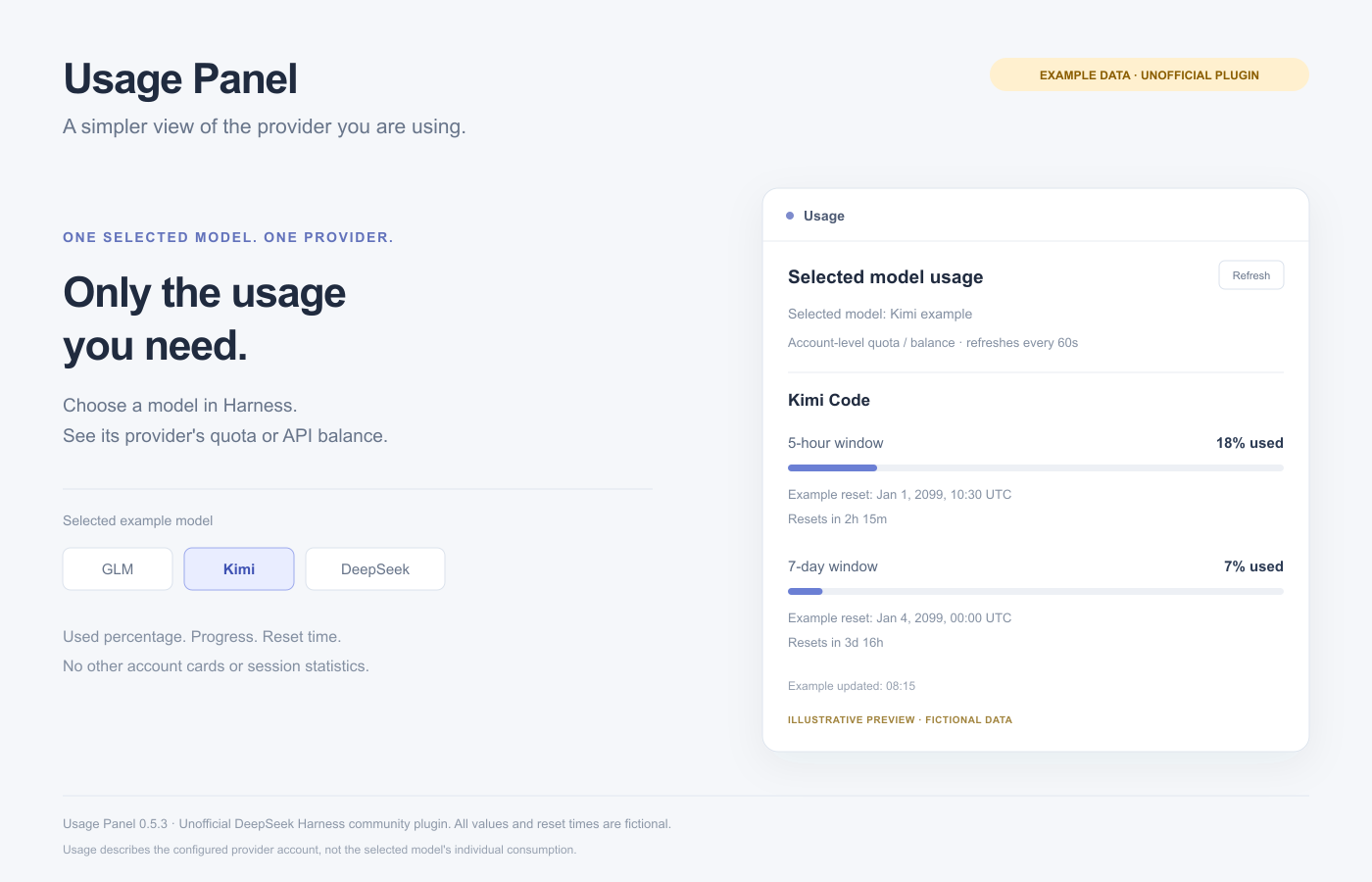
Install or update
Quit Harness, then run:
dsh plugin --profile desktop add github:Lirunhua/dsh-model-meter#v0.5.3Or install the attached archive:
dsh plugin --profile desktop add ./dsh-model-meter-0.5.3.tgzReopen Harness and add Usage / 用量 from the right sidebar +. Requires the Harness 0.2.1-rc.3 plugin API. All preview values are fictional. This project is not affiliated with or endorsed by DeepSeek, Z.ai or Moonshot/Kimi.
Model Meter 0.5.2 · Simpler selected-model usage
Model Meter 0.5.2
Unofficial DeepSeek Harness community plugin.
A simpler sidebar that follows the selected model. Only its provider's account quota or API balance is shown.
Changes
- Quota windows keep used percentage, progress, reset time and countdown.
- Remove repeated remaining percentages, raw counts, session tokens, context and timing sections.
- Sidebar entry is now Usage / 用量; package name remains Model Meter.
- Reset dates follow the interface language and local time zone.
- Prevent stale usage from another provider after switching models.
- Recognize DeepSeek API-key models correctly; account-login allowances stay separate and are explicitly unsupported.
- Updated bilingual guides and a fictional offline demo.
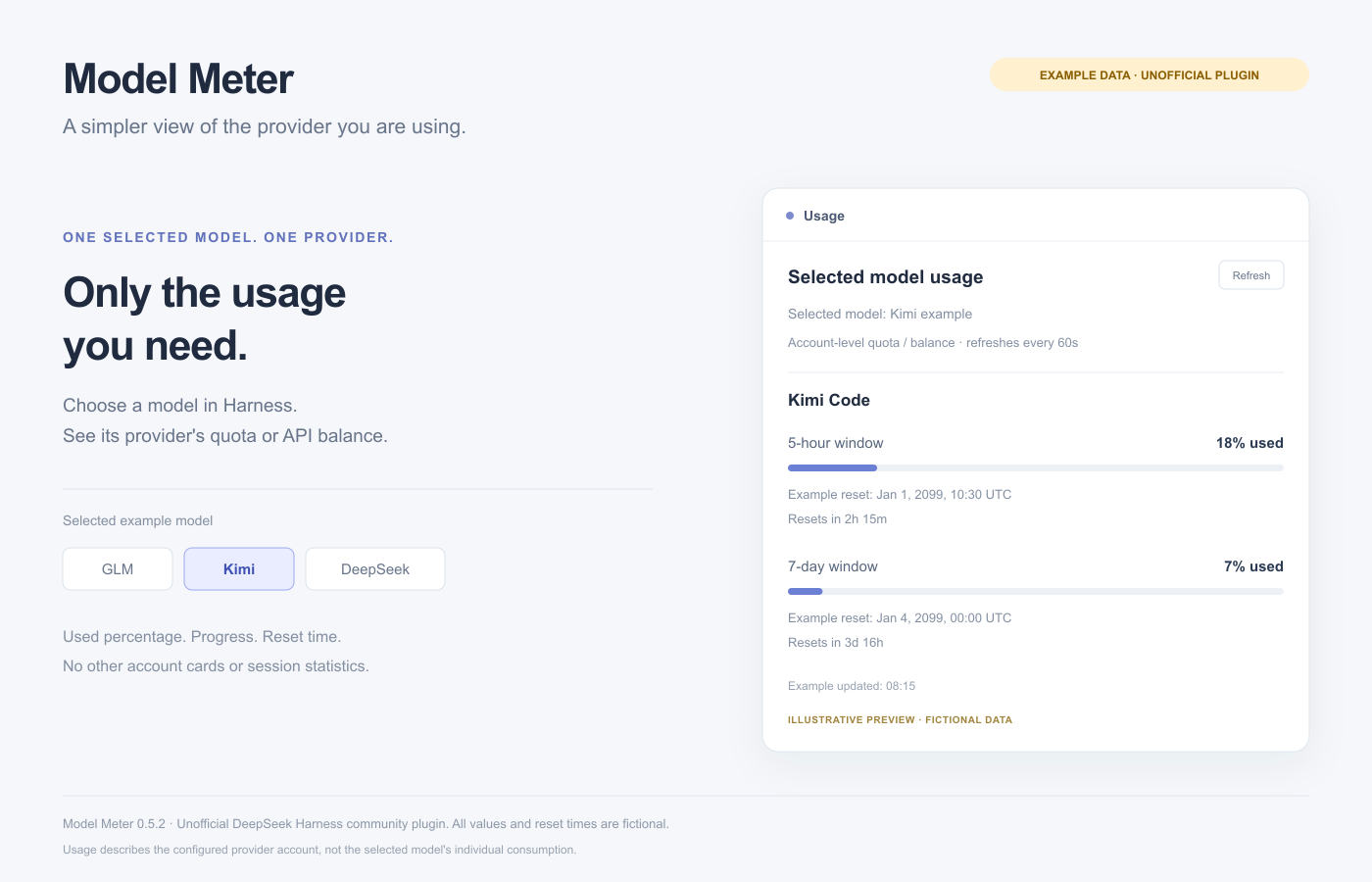
Install or update
Quit Harness, then run:
dsh plugin --profile desktop add github:Lirunhua/dsh-model-meter#v0.5.2Or download the attached prebuilt archive:
dsh plugin --profile desktop add ./dsh-model-meter-0.5.2.tgzReopen Harness, add Usage / 用量 from the right sidebar +, and select a model. Configure provider keys in Models settings.
Requires Harness 0.2.1-rc.3 plugin API. 37 tests pass, including UTC and Asia/Shanghai date checks. Provider queries are read-only and run on the host. No inference calls are used for usage checks. All preview values are fictional. Not affiliated with or endorsed by DeepSeek, Z.ai or Moonshot/Kimi.
Model Meter 0.4.0
Model Meter 0.4.0
Unofficial DeepSeek Harness community plugin.
Model Meter adds DeepSeek API balances, GLM/Kimi Coding Plan quotas, reset times and session token statistics to the Harness sidebar. DeepSeek balances are separated by currency. GLM and Kimi show provider-reported quota windows, remaining percentages and reset countdowns.
Read-only host-side queries, 60-second refresh, independent error states, English/Chinese UI, and no inference requests for usage checks. Preview uses fictional data. Not affiliated with or endorsed by DeepSeek, Z.ai or Moonshot.
Install
Quit Harness, then run:
dsh plugin --profile desktop add github:Lirunhua/dsh-model-meter#v0.4.0Or download the attached archive and install it locally:
dsh plugin --profile desktop add ./dsh-model-meter-0.4.0.tgzReopen Harness, add Model Meter from the right sidebar +, and configure provider keys in Models settings. Requires Harness 0.2.1-rc.3 plugin API. Source tests: 28 passing on Node 22 and 24. Missing data remains unknown.