Repository navigation
Releases: LukeVoidX/wallos-dial-theme
Release list
Wallos Dial 1.0.0

Wallos Dial 1.0.0
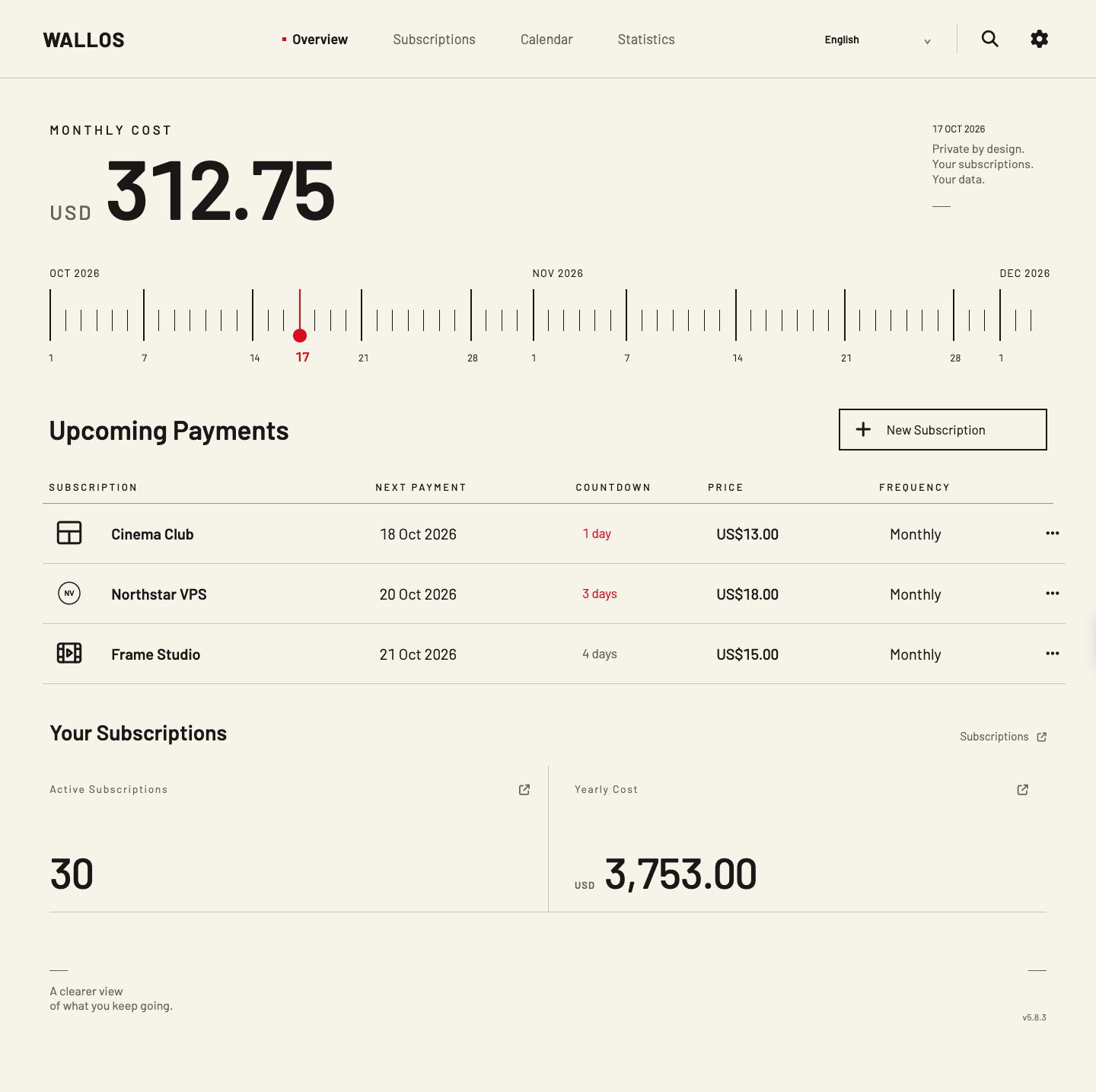
A desktop-first, warm ivory interface for Wallos 5.8.3. This is a source overlay distributed as a versioned Docker image, with the same Wallos subscription and notification functions underneath.
What is new
- Categories you control: add, rename, reorder, merge and remove empty categories. The optional AI / Infra / Domains / Media starter set applies only to an empty account; merge previews fail safely if a category changes in another tab.
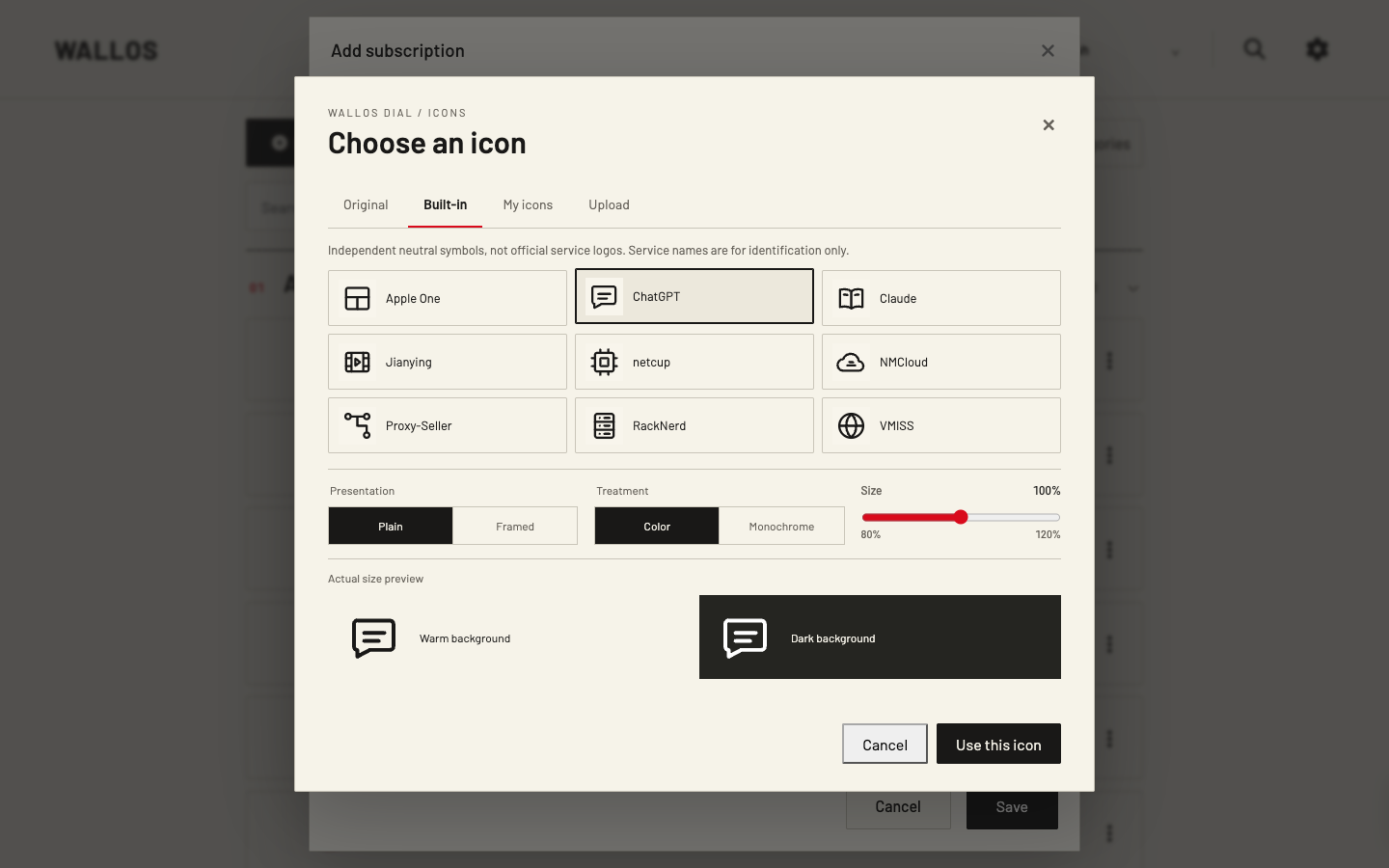
- One icon choice per subscription: keep the original Wallos Logo, choose one of nine neutral original pictograms, or upload a private image to My Icons. Plain/framed, color/monochrome and 80–120% size controls use the same renderer across the overview, list, calendar and details.
- Private library controls: account-scoped PNG/JPEG/WebP and constrained SVG uploads are normalized into SQLite, with a 100-image / 32 MiB quota, visible usage and removal of unused images. The public image contains no personal SVGs or Logo mappings.
- Consistent first run: registration, login, password reset, email verification and TOTP share Dial's light/dark styles. The container waits for database migrations and PHP-FPM before accepting HTTP traffic; readiness checks require the Dial schema. Optional read-only personal SVG mounts work during installation.
- Compatibility and reliability: pinned Wallos 5.8.3 base and upstream file hashes, account-safe icon/category endpoints, a service worker that does not cache private pages or uploaded Logos, and the existing English/简体中文/繁體中文 selector and warm HTML email templates.
Install or upgrade
Use ghcr.io/lukevoidx/wallos-dial:1.0.0 on linux/amd64 or linux/arm64. Start a new instance with the pull-only Compose file, or follow the English installation guide / 简体中文安装说明.
Before connecting an existing ledger, back up both the SQLite database and uploaded Logo volume, test the upgrade on disposable copies, and keep the previous 0.1.1 image and matching backups for rollback. Upgrade and rollback guide.
Published multi-platform image index: ghcr.io/lukevoidx/wallos-dial@sha256:0e147a3bed5e7392cc51e9f3b8459ba1a8964c92cde29d619d8d9a1c9d5644c6.
The live Demo now runs the pinned 1.0.0 image with 30 fictional subscriptions and read-only access; its scheduled reset and public routes passed independent checks. Explore the English product page or 简体中文产品页. The screenshots above are direct local 1.0 browser captures. Wallos versions after 5.8.3 need another reviewed Dial release. The neutral pictograms are independent drawings, not official service logos. Wallos Dial is an independent GPLv3 derivative of Wallos.
Wallos Dial 0.1.1
Wallos Dial 0.1.1
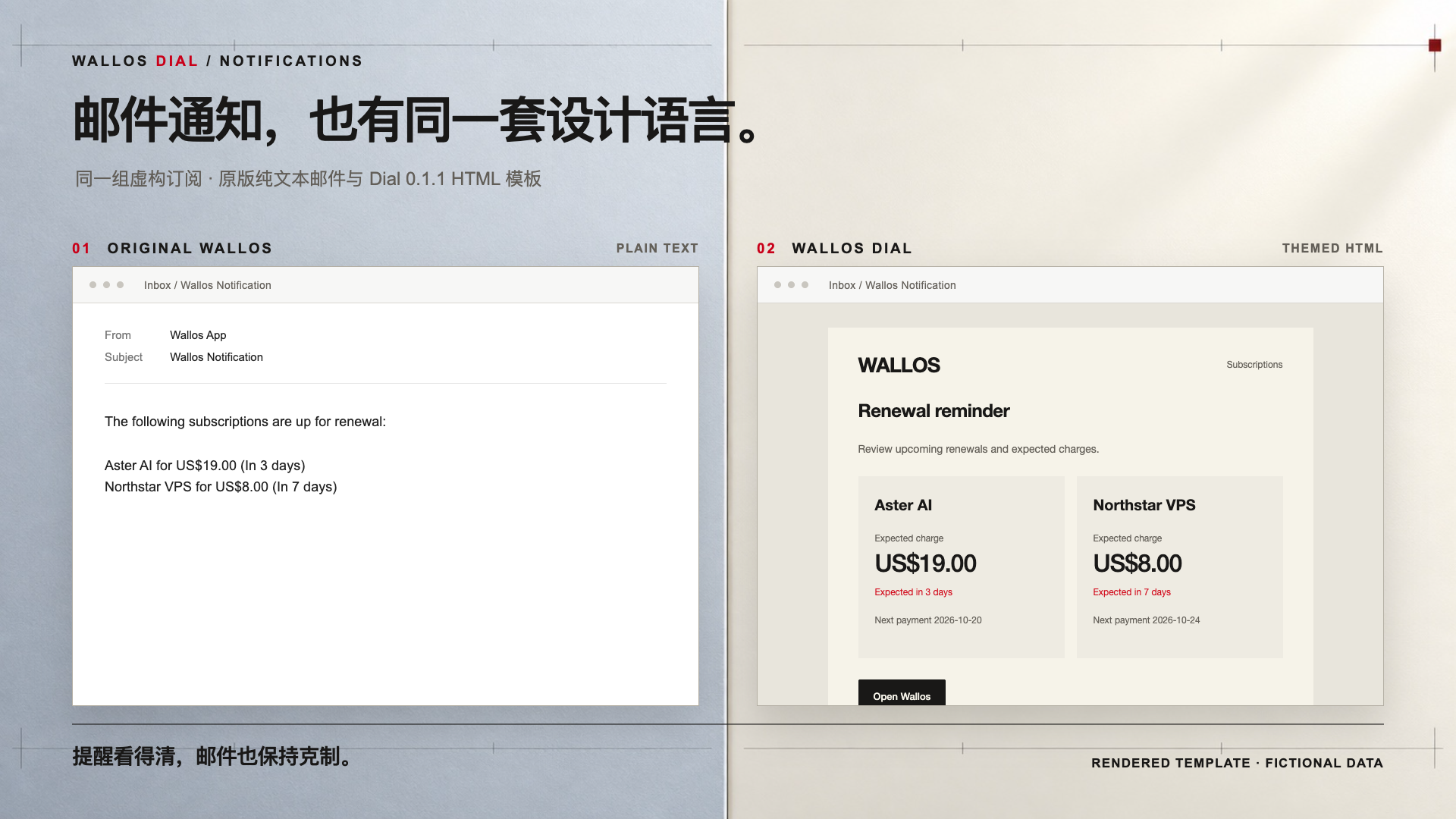
This release carries Dial's warm ivory visual system into Wallos email notifications. It remains pinned to Wallos 5.8.1.
What changed
- Renewal, cancellation, SMTP test, email verification, and password-reset emails use one HTML template, with a plain-text alternative.
- Template text follows English, Simplified Chinese, or Traditional Chinese account language; other locales use English. Subscription names and amounts remain unchanged.
- Optional notification buttons use the installation's configured Wallos Server URL. Account emails stay queued when that URL is invalid, so no unusable verification or reset link is sent.
- The original recipient, SMTP, and scheduling logic remains in Wallos. Five additional upstream files are now checked by exact hash before overlaying.
Install or upgrade
The versioned image is ghcr.io/lukevoidx/wallos-dial:0.1.1 for linux/amd64 and linux/arm64 after the release workflow passes. Follow the English README or 中文说明, back up your SQLite database and uploaded logos, update your Compose image tag, then check an SMTP test email. The public live demo is read-only; it cannot send email.
Wallos versions after 5.8.1 need a separate compatibility review. The comparison image uses the original plain-text body and the actual Dial HTML function with the same fictional subscriptions, placed in illustrative inbox frames. It does not depict a delivered inbox message.
Published multi-platform image index: ghcr.io/lukevoidx/wallos-dial@sha256:943374e75aaa71b5366b1620f54c35dcf1ca58d1a64c52eb71521599ba267c1f.
Wallos Dial 0.1.0
Wallos Dial 0.1.0
An open-source, desktop-focused presentation for Wallos 5.8.1: warm off-white surfaces, precise typography and lines, a date dial, payment countdown, grouped subscriptions, clearer statistics, and a quick language selector. Wallos's existing subscription and settings functions remain available.
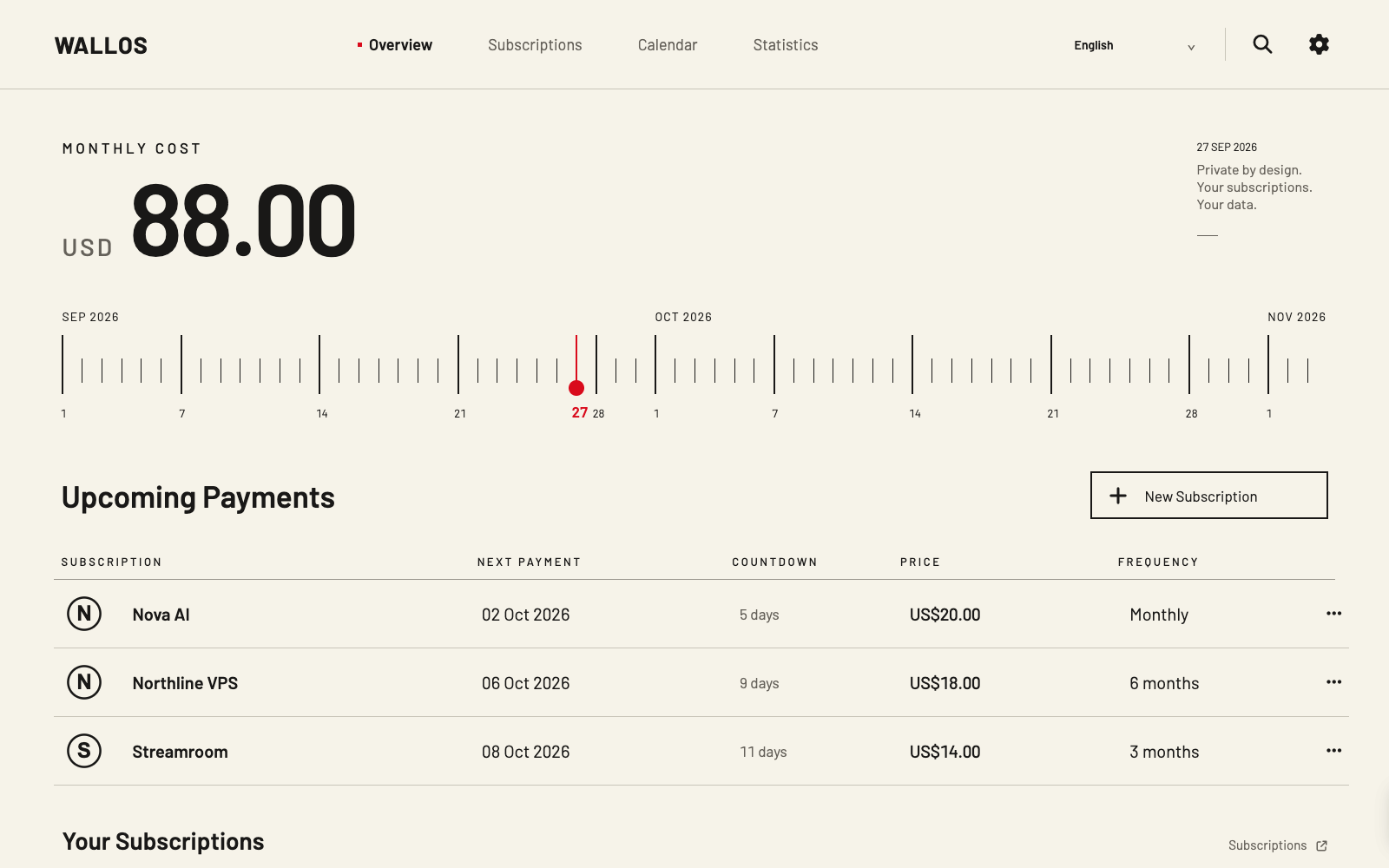
Read the English product page or 简体中文介绍, then try the real live demo. The demo runs the actual Wallos Dial application in an isolated, read-only environment with 30 fictional subscriptions.
Install
git clone https://github.com/LukeVoidX/wallos-dial-theme.git
cd wallos-dial-theme
docker compose up -d
Open http://127.0.0.1:8282 on the Docker host or forward the loopback port over SSH. The versioned image is ghcr.io/lukevoidx/wallos-dial:0.1.0 for linux/amd64 and linux/arm64. Follow the README before attaching an existing Wallos database.
Compatibility and limits
- Verified base: Wallos
5.8.1, pinned by image digest and checked upstream-file hashes. - Existing database and uploaded logos are persistent mounts; back them up before migrating an installation.
- A newer Wallos version needs a separate compatibility review and Dial image. There is no automatic major upgrade.
- Desktop is the primary design target; this release does not include a dedicated phone redesign.
- The UI examples use synthetic data. Poster backgrounds are generated; interface screenshots are direct browser captures.
Full screenshots, installation details, troubleshooting, and rollback guidance are in the repository. Wallos Dial is an independent GPLv3 overlay, not an official Wallos theme option.