Repository navigation
Releases: MahdiGraph/HetznerDock
Releases · MahdiGraph/HetznerDock
Release list
Hetzner Dock 2.0.0

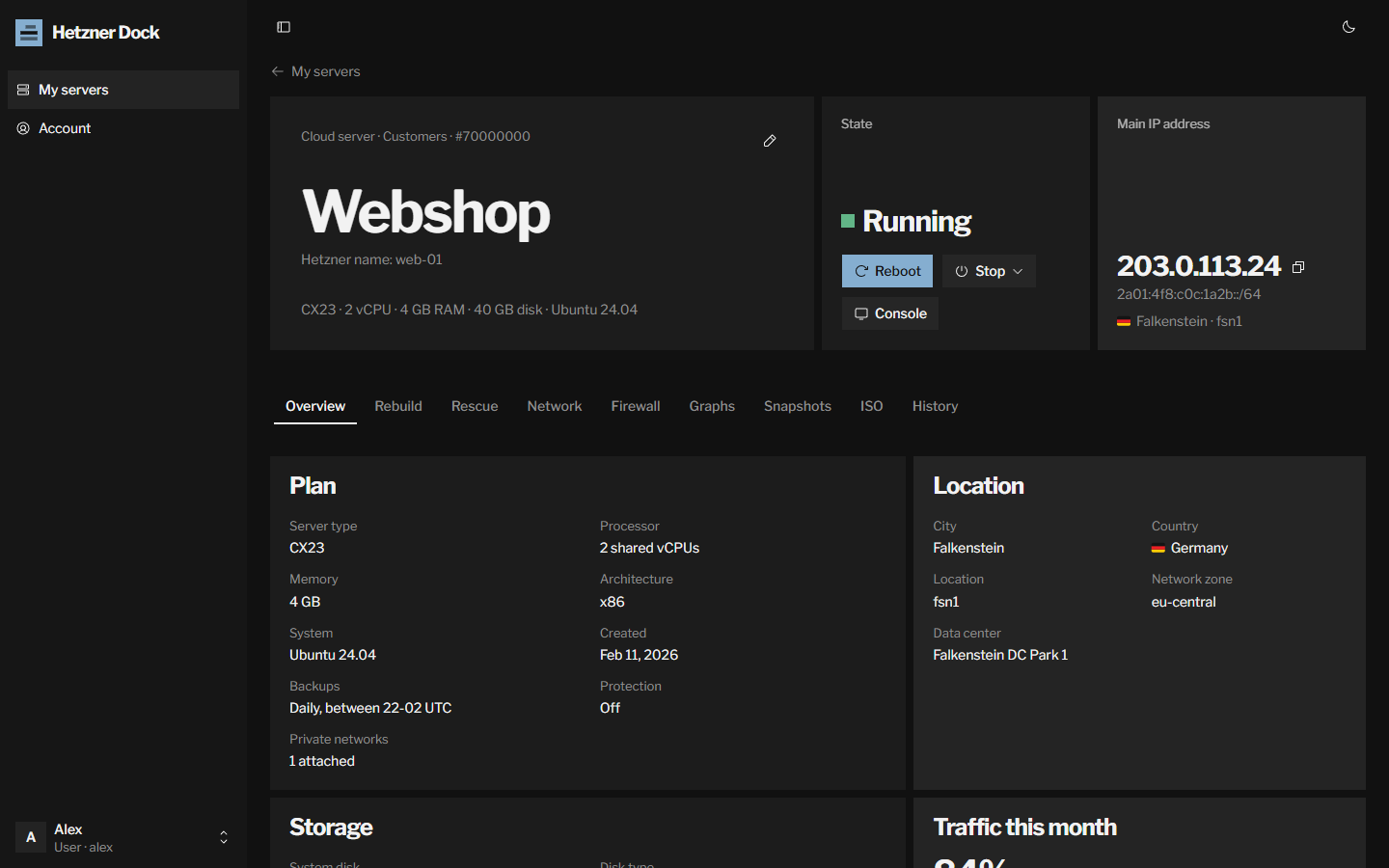
Hetzner Dock is a self-hosted control panel for sharing Hetzner Cloud servers, dedicated servers, Storage Boxes and DNS zones with your customers, friends and team. Each person gets a login for just their servers; your Hetzner account and API tokens stay with you.
Highlights
- Cloud servers: power, the console in the browser, rebuild from any image, app, snapshot or backup, rescue mode, root password resets, ISO images, reverse DNS, a firewall of the server's own, graphs, snapshots and the history of every action.
- Dedicated servers from Hetzner Robot: resets and Wake on LAN, the rescue system and vKVM, Linux installs, reverse DNS for the server's addresses and subnets, and traffic per hour, day or month.
- Storage Boxes: usage and connection details, access switches, new passwords, snapshots and their plan, and sub-accounts.
- DNS zones: A, AAAA, CNAME, MX, TXT, SRV, CAA and NS records, the zone's default TTL, and its name servers and delegation.
- Several Hetzner projects and Robot accounts: one API token or webservice user each, with all servers in one list and a country flag for each location.
- You decide what users can do: switches for the console, rebuild, rescue, password resets, ISOs, reverse DNS, firewalls, Storage Boxes and DNS zones, and a snapshot limit per server.
- Outbound proxy: send every request to Hetzner through an HTTP, HTTPS, SOCKS4, SOCKS5 or SOCKS5h proxy, with no silent direct fallback.
- Admin tools: users and assignments, an overview of costs, traffic and API requests left, an activity log of every change, and prices and labels hidden from users.
- Installer: installs Docker and the Compose plugin when missing, asks for the listen address and a free port, and updates in place when run again. Images for
linux/amd64andlinux/arm64.
Install or update
curl -fsSL https://raw.githubusercontent.com/MahdiGraph/HetznerDock/main/install.sh | sudo bashDocker image: ghcr.io/mahdigraph/hetznerdock:2.0.0 (also :latest).
Upgrading from HetznerDock 1.x
Version 2 is a rewrite with its own database; it does not read the data of 1.x. Install it with the installer above, add your Hetzner projects again under Settings, and create your users. When you no longer need the old panel, remove its container and volume:
docker rm -f hetznerdock && docker volume rm hetznerdock_data