Repository navigation

Replies: 2 comments 1 reply

|
I have moved your issue to the discussion section. Thanks for the question. Unfortunately, the answer is not a simple one. First, I'd like to explain why I used RPi Pico SDK and not Earl Philower's arduino-pico library. Had Earl's library been available when I initially wrote this code, I would have used it. Things would have been significantly simplified had Earl's library been available then. I am using Earl's library for the Pico W. Setting up a build environment for the Pico SDK is cumbersome. Before I share some guidance on how to do this, I would like to let you know that I use the CLion IDE on an Ubuntu Linux computer to develop software. The IDE is free for students and teachers and has a 30-day free trial. Now, the first complication. VSCode handles the CMake environment differently from CLion. I do not know if this is still the case, but as a result, my code could not be compiled using VSCode and the files generated by CLion. Please be sure to know this ahead of time if you plan to use VSCode. Now, here are the steps I used to set up my environment.
If you get this far, my code should compile and generate a .uf2 file. |
|
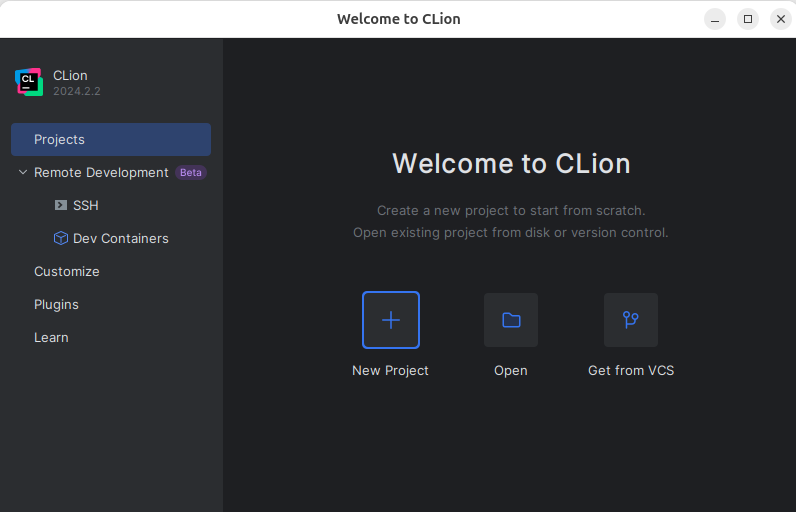
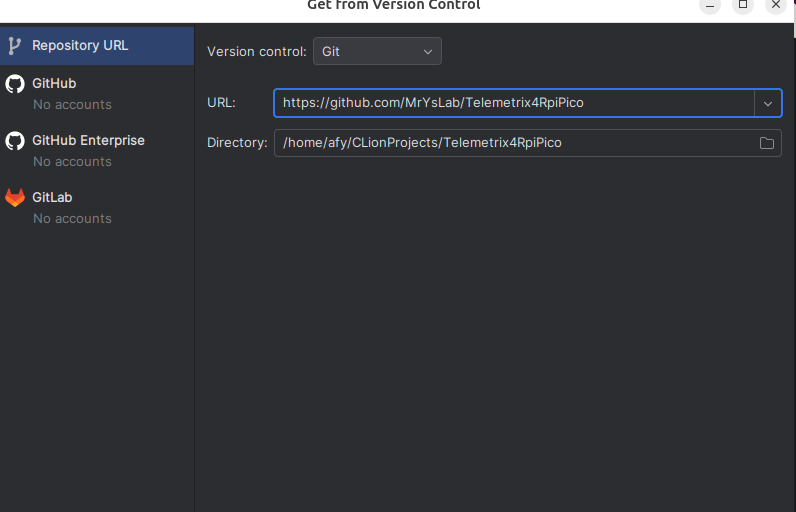
@RandoSY I do not know how to create a build environment for Windows, but I will provide general guidance on developing in Linux. If you are a Windows user, you can use VirtualBox to create a Linux virtual environment. Setting up the build environment in a virtual environment is not too difficult, but it may take some effort if you are unfamiliar with Linux and VirtualBox. The Linux version I tested with is Ubutnu 24.04 LTS. Step 1 Step 2 Step 3 Step 4 Click on Get From VCS and enter this URL: https://github.com/MrYsLab/Telemetrix4RpiPico. Click on the Clone button.
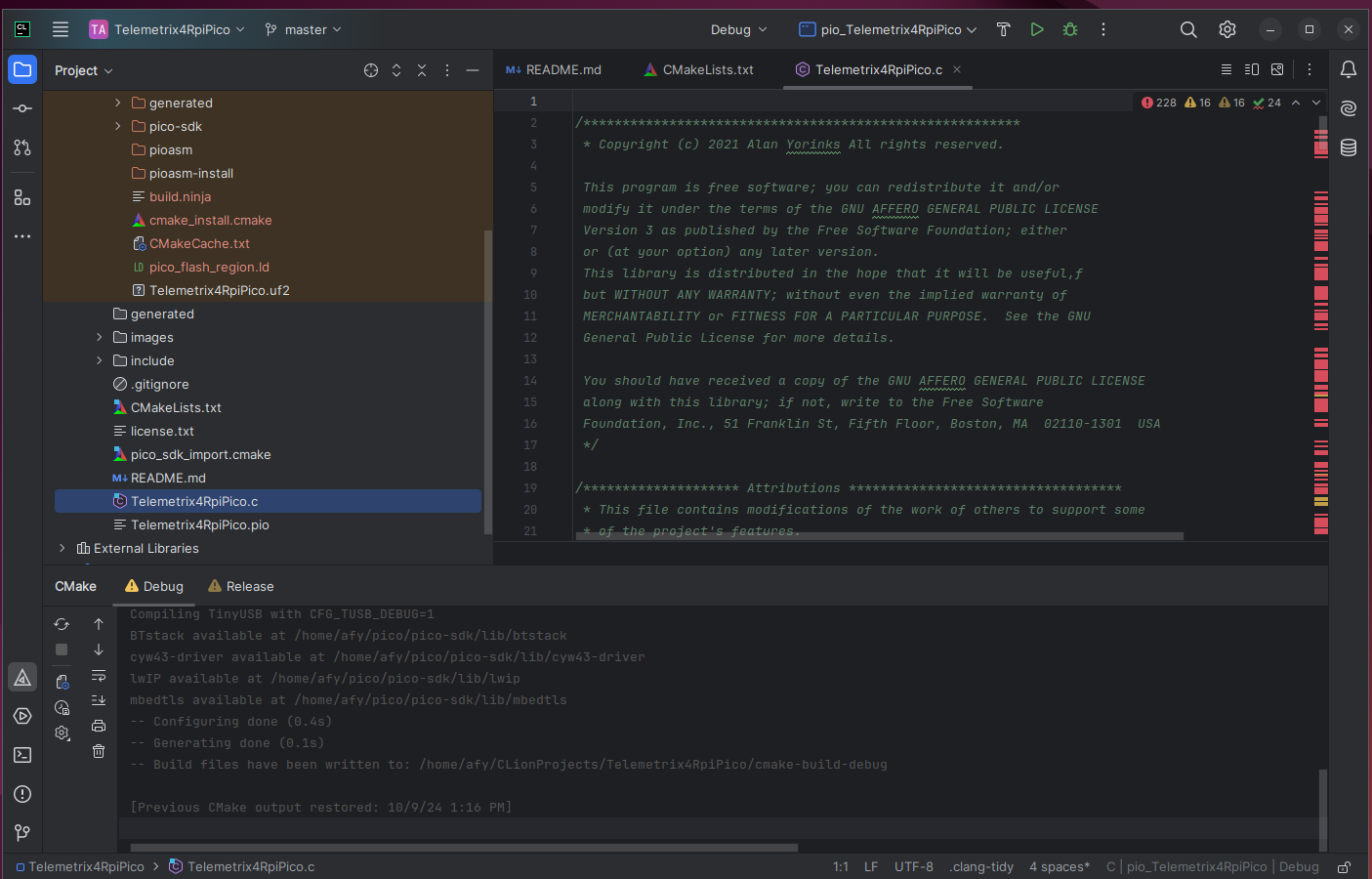
From the Project View in CLion, open Telemetrix4Pico.c
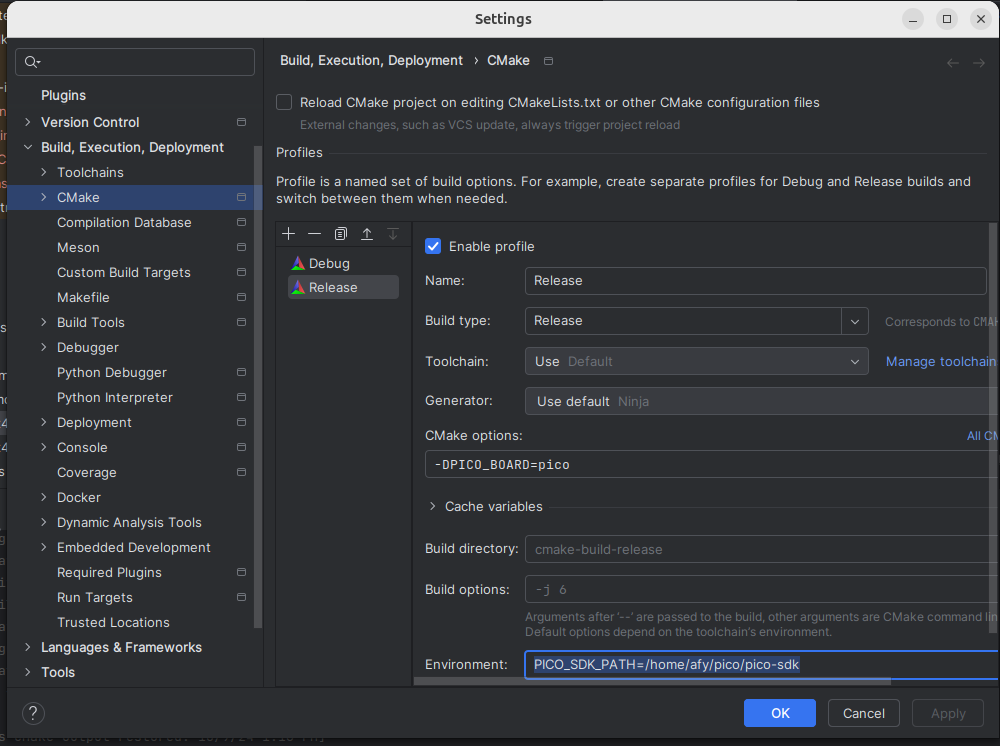
Step 5 In the CMake options box, enter -DPICO_BOARD=pico In the Environment box, enter the path to where the Pico SDK was installed. In my case, this was Note I added a release build; however, you can build a debug image using the same options. |

|
Thank you!!! |


Uh oh!
There was an error while loading. Please reload this page.
Uh oh!
There was an error while loading. Please reload this page.
First off, thanks so much for this amazing facility!
Can you point me to the best way to build the uf2 file. I got off on a tangent with cmake, and ended up with a bunch of project files for MSC (Microsoft Visual Studio Community 2022), interesting, but I bet not what I should be doing?
Thanks, again!
All reactions