Repository navigation
Code notes
Trilium supports creating "code" notes, i.e. notes which contain some sort of formal code - be it programming language (C++, JavaScript), structured data (JSON, XML) or other types of codes (CSS etc.).
This can be useful for few things:
- computer programmers can store code snippets as notes with syntax highlighting
- JavaScript code notes can be executed inside Trilium for some extra functionality
- we call such JavaScript code notes "scripts" - see Scripts
- JSON, XML etc. can be used as storage for structured data (typically used in conjunction with scripting)
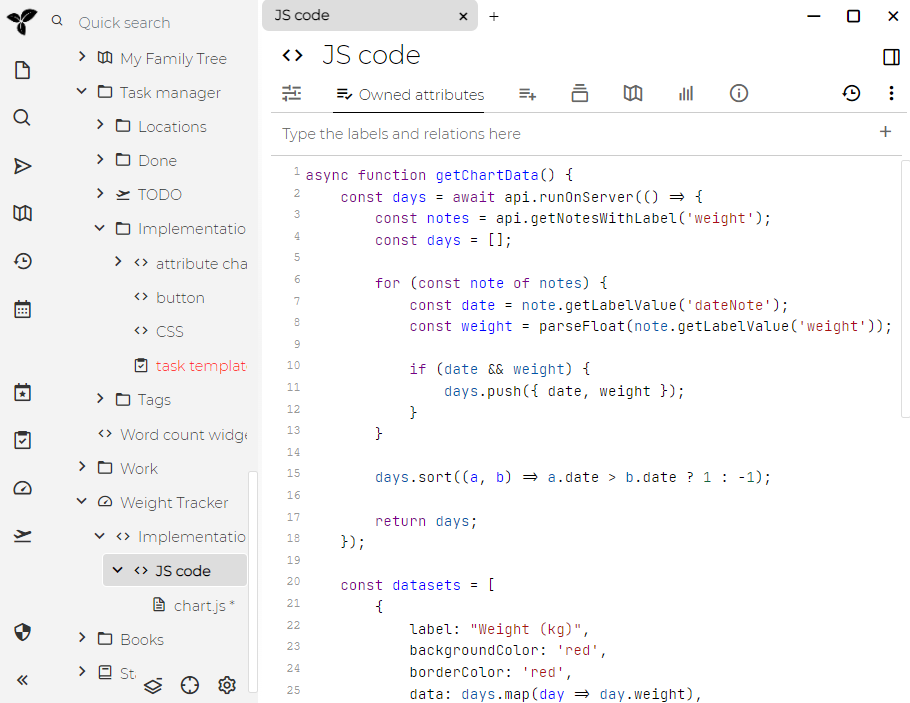
Trilium supports syntax highlighting for many languages, but by default displays only some of them (to reduce number of items). If you want to add some unlisted supported language, you can add them by creating new frontend JavaScript code note and using Script API:
const codeMimeTypes = api.getDefaultCodeMimeTypes();
codeMimeTypes.push({
    mime: "text/x-ocaml",
    title: "OCaml"
});

codeMimeTypes.push({
    mime: "text/x-rsrc",
    title: "R"
});

// sort alphabetically
codeMimeTypes.sort((a, b) => a.title > b.title ? 1 : -1);

api.setCodeMimeTypes(codeMimeTypes);
To get correct mime type for your language see list of language modes for CodeMirror (code editor component used in Trilium).
Add label run with value frontendStartup so that desired languages are added to the list on every startup. For changes to take effect, click on "run" button or reload Trilium's frontend with CTRL-R.