Repository navigation
Code notes
Trilium supports creating "code" notes, i.e. notes which contain some sort of formal code - be it programming language (C++, JavaScript), structured data (JSON, XML) or other types of codes (CSS etc.).
This can be useful for few things:
- computer programmers can store code snippets as notes with syntax highlighting
- JavaScript code notes can be executed inside Trilium for some extra functionality
- we call such JavaScript code notes "scripts" - see Scripts
- JSON, XML etc. can be used as storage for structured data (typically used in conjunction with scripting)
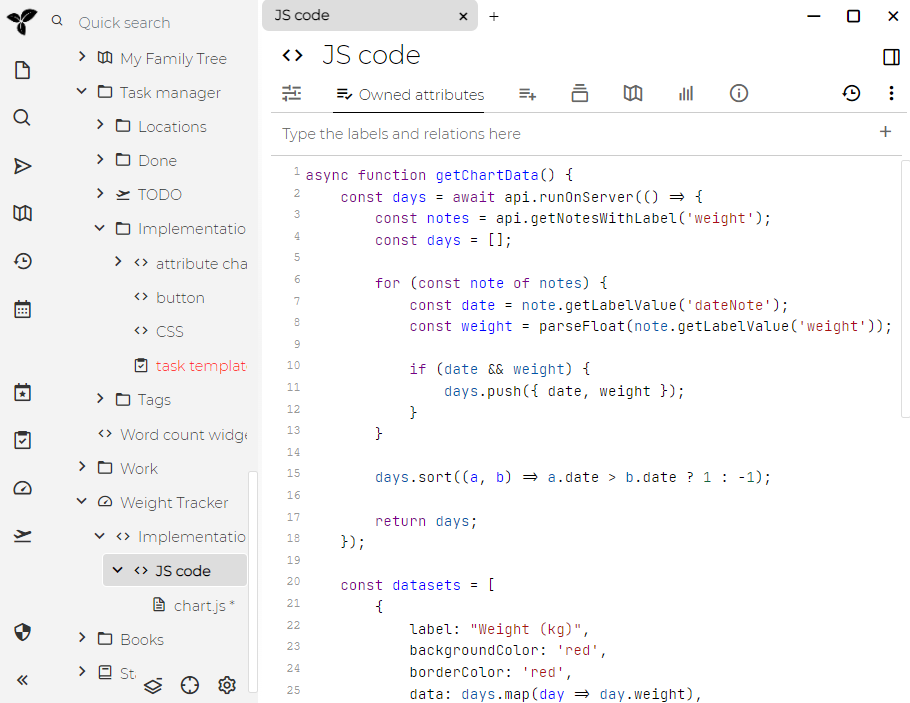
Trilium supports syntax highlighting for many languages, but by default displays only some of them (to reduce number of items). To add some extra languages create a JSON code note with label codeMimeTypes:
[
  { "mime": "text/x-ocaml", "title": "OCaml" },
  { "mime": "text/x-rsrc", "title": "R" }
]
To get correct mime type for your language see list of language modes for CodeMirror (code editor component used in Trilium).
Note that this functionality is provided since Trilium v0.35. For changes to take effect, click on "run" button or reload Trilium's frontend with CTRL-R.