Repository navigation
Text notes
Trilium uses awesome CKEditor 5 as its editing component.
Text notes are normally opened in edit mode, however there are two cases when they are open in read only mode:
- they are long and thus would take time to load so by default we open them as read only which is much quicker
- or the note has
readOnlylabel
In both cases it is possible to switch to editable mode again.
CKEditor supports markdown-like editing experience. It recognizes syntax and automatically converts it to rich text. See it in action:
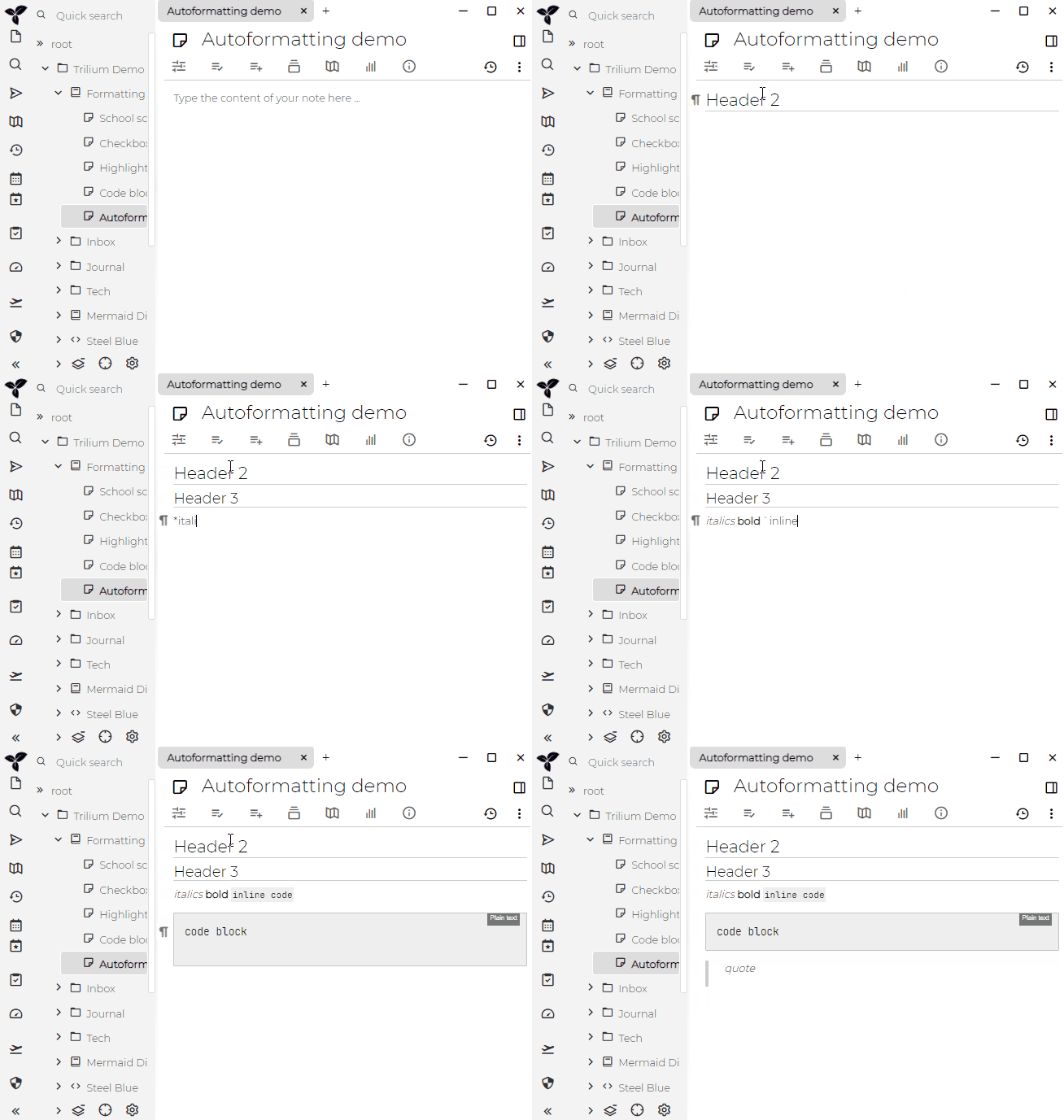 Complete documentation for this feature is available in CKEditor documentation.
If the autoformat is not desirable for what you just wrote, you can press CTRL-Z which will un-autoformat the text to its original form.
Note that the use of # for Heading1 style is not supported because the editor assumes that is used for the title, start with ## for Heading2. Explanation here.
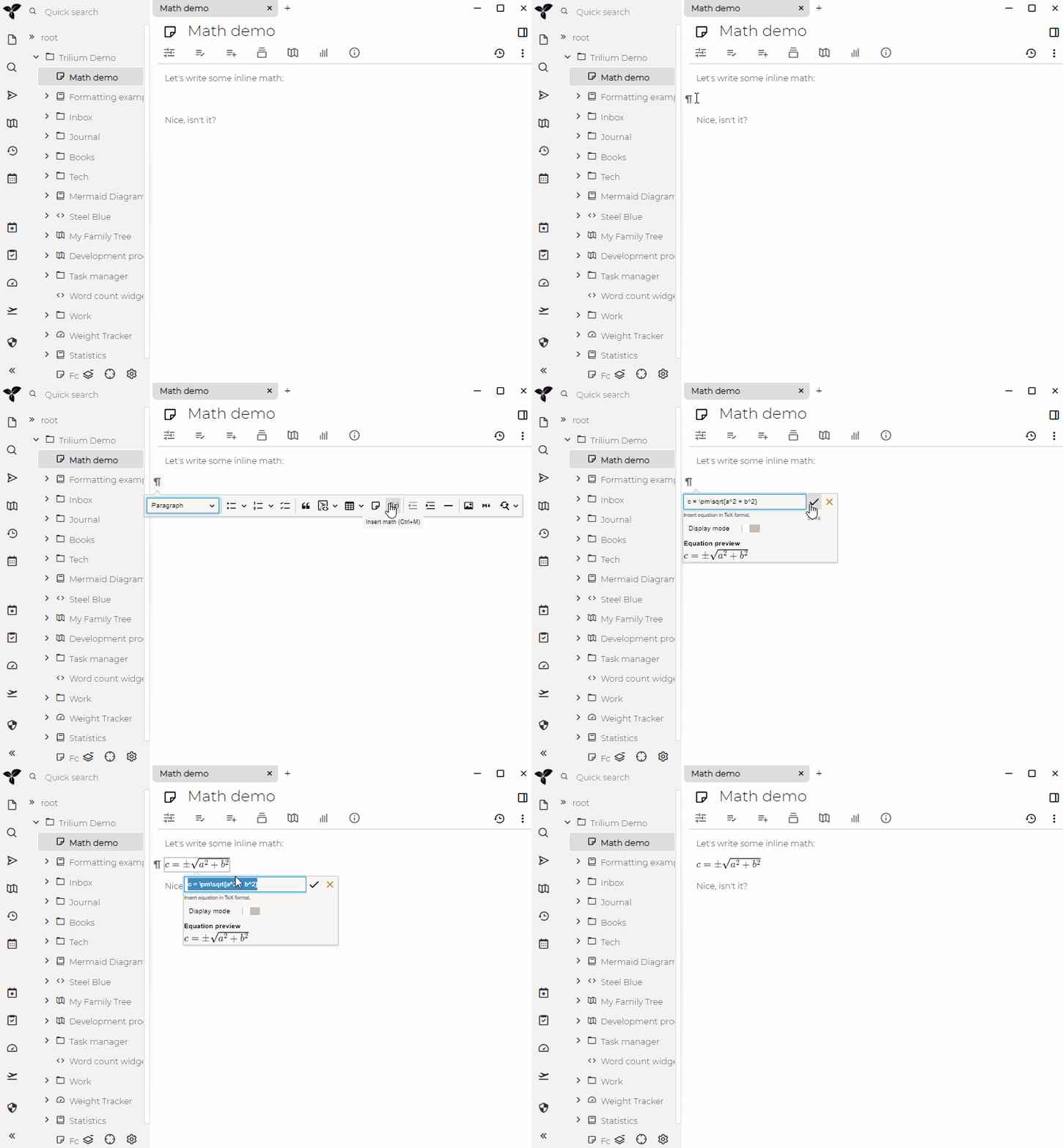
Trilium provides Math support with the help of KaTex:
One of the common situations in Trilium is when you're editing a document, and it gets somewhat large, so you start splitting it up into sub-notes - the process is essentially like this:
- select the desired piece of text and cut it into clipboard
- create new sub-note & give it name
- paste the content from clipboard into sub-note
Trilium provides a way to automate this:

You can notice how heading "Formatting" is automatically detected and new sub-note is named "Formatting".
It is also possible to assign a keyboard shortcut for this action.
Text notes can "include" another note as a read only widget. This can be useful for e.g. including a dynamically generated chart (from scripts & "render HTML" note) or other more advanced use cases.
This functionality is available in the block toolbar icon.