Repository navigation
Choose which entities are recorded, from the UI #114
erwindouna
started this conversation in
Ideation

Replies: 2 comments 1 reply

|
Thanks @erwindouna for kicking it off My personal view of this (trying to be a user) is that I would expect entity settings to be in the entity configuration page. I would not add it to the entity table as it was also in the frontend PR that was rejected. Unless UX guys want to do it themselves, I can mock out something how I would imagine this to look like. |
1 reply

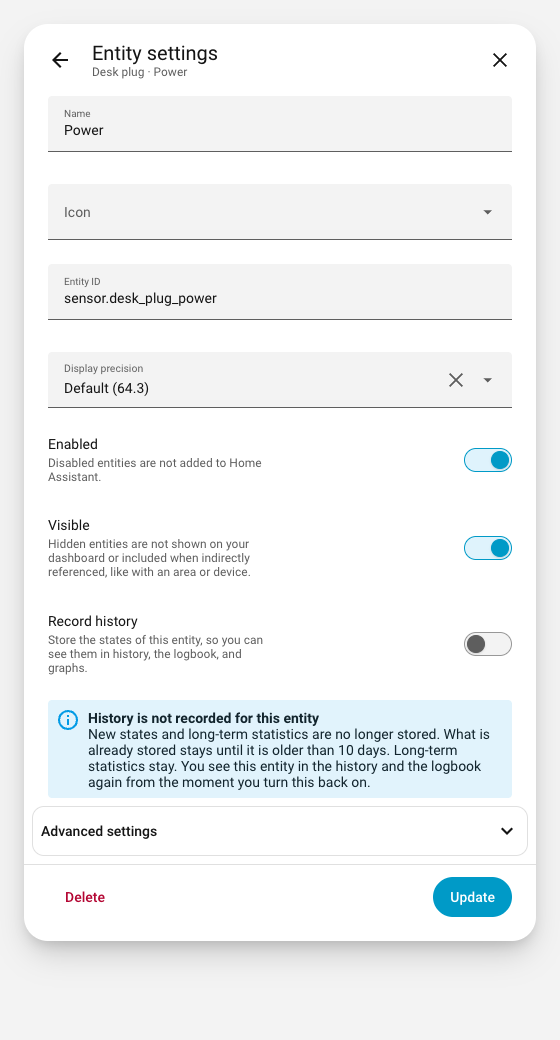
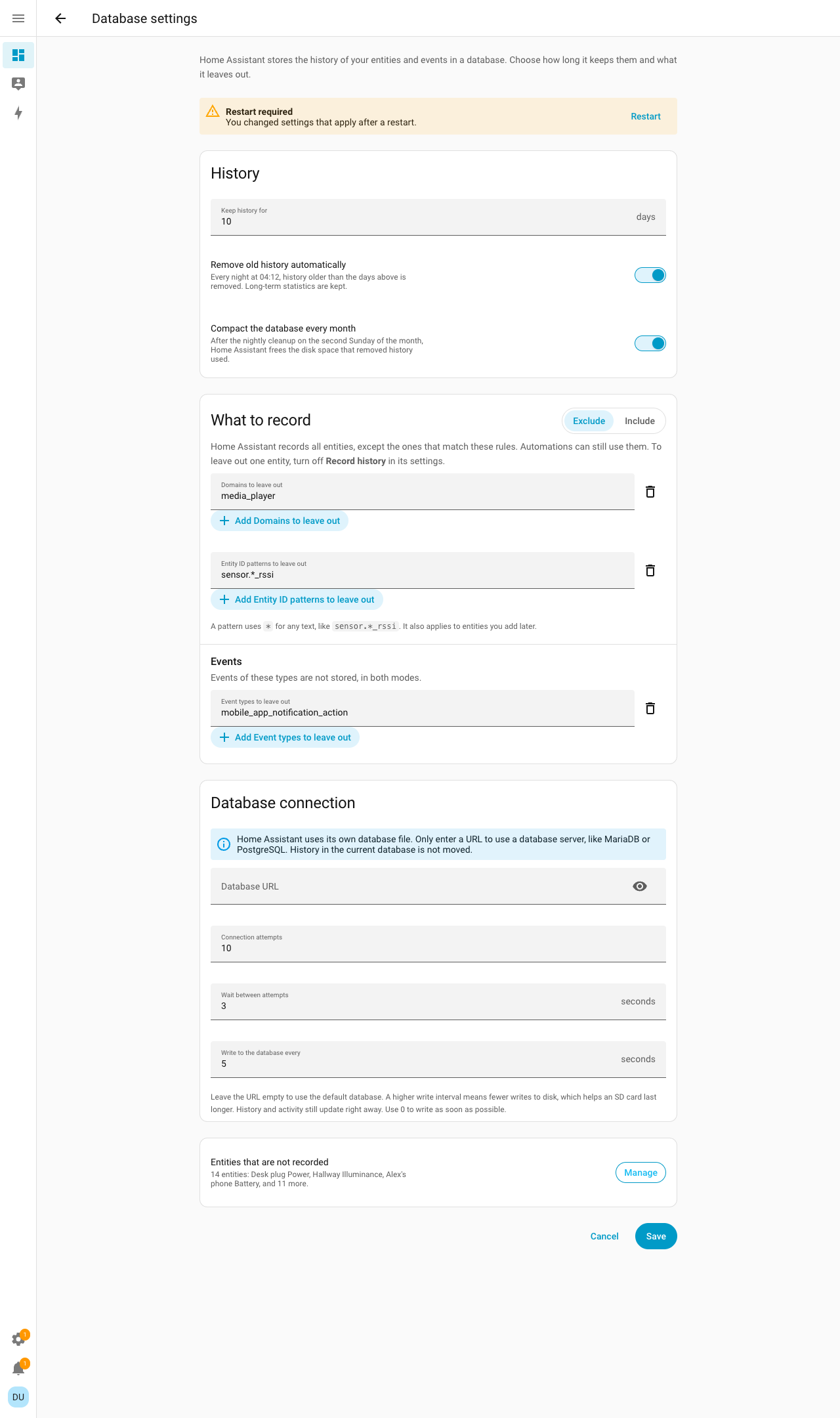
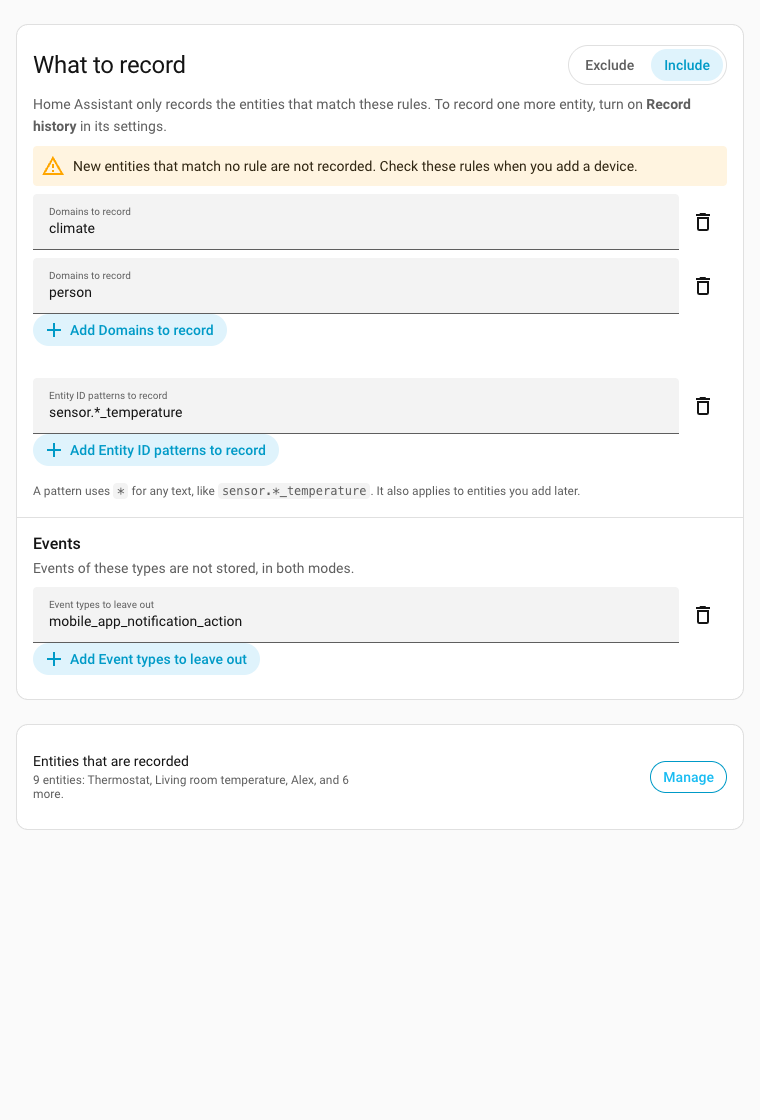
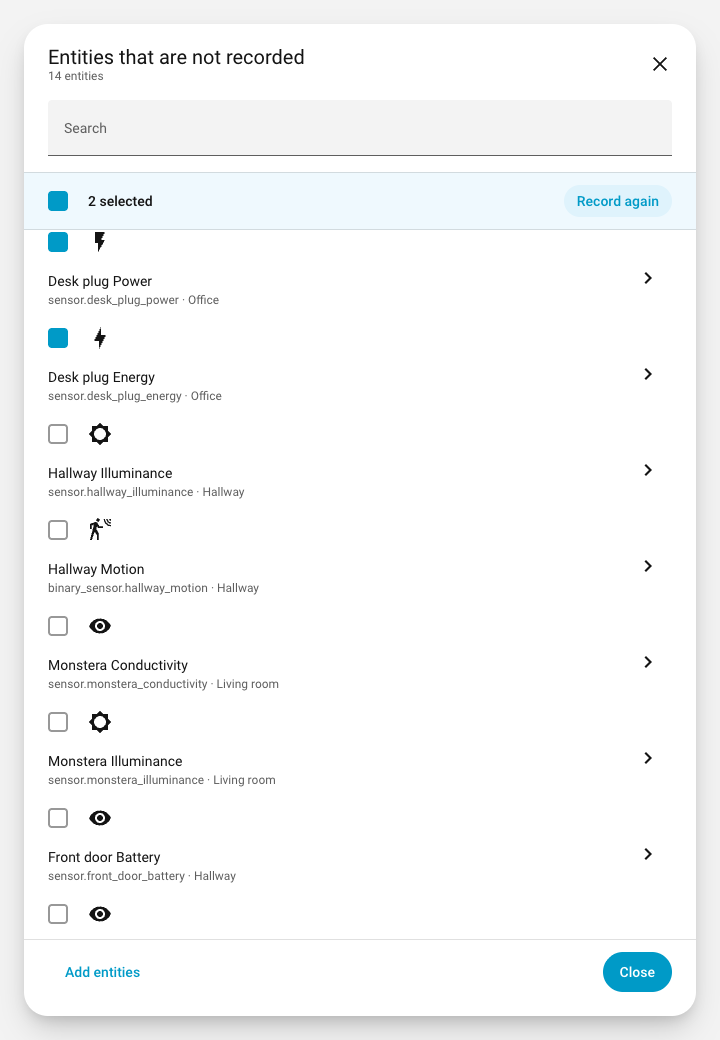
Not perfect but something to discuss it from. |

|
Note that https://github.com/martinandersen84/gui-recorder by @martinandersen84 already implements this. |
0 replies
Sign up for free
to join this conversation on GitHub.
Already have an account?
Sign in to comment


Uh oh!
There was an error while loading. Please reload this page.
Uh oh!
There was an error while loading. Please reload this page.
Problem statement
The database is often the biggest file in a Home Assistant setup, and a handful of chatty entities (power meters, mmWave sensors, signal strength) usually cause most of it. Since 2026.12 the storage page shows which entities use the most space, but there is nothing you can do about it from there.
Stopping an entity from being recorded still means editing
recorder: exclude:inconfiguration.yamland restarting. Asked for a lot: #380 and #2899.What it is
Decisions already made
Questions for UX
sensor.*_rssi) can't be shown per entity. After the import, new matching entities are recorded again. Do we explain that with a repair, or show it during the import?Later, not part of this
A retention period per entity (keep this sensor for 2 days, that one for a year). Same storage place, but it needs its own architecture discussion first.
Related
recorder/entity_options/get, already used to warn in conditions: core#174134All reactions