Repository navigation
Customization
Certain aspects of TF2BD can be customized either in the tool or by editing the configuration files. All config files are JSON and have schemas (allows autocomplete/validation). I personally recommend Visual Studio Code for editing JSON.
Third party player lists may have false positives. Since I do not maintain the lists, I cannot personally vouch for them. However, in my experience they are generally accurate.
In addition to the local playerlist.json and the official playerlist.official.json, some users maintain their own playerlists. These lists will automatically update every time the tool is started (assuming you have "Allow Internet Connectivity" enabled in the settings). You can "install" these lists by saving them under cfg/playerlist.<somename>.json. This folder can be opened by going to File → Open Config Folder
- wgetJane's biglist - List of bot accounts maintained by wget#0242 on discord.
- Moeb rules - Rule set maintained by moeb#9250 on discord.
- Milenko's cathook list - List of players who have broadcasted their usage of cathook to the rest of the server.
- TF2BD "Trusted" list - List of cheaters contributed to by those with the "Trusted" role in the TF2 Bot Detector discord.
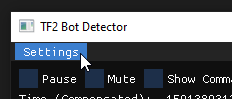
Settings such as your SteamID and tf directory are stored in cfg/settings.json. Most of these settings can be configured from within the tool by opening "Settings" from the top left.
Scoreboard colors can be modified by clicking on the squares above the scoreboard.

Inside the tool, you can right click on players on the scoreboard to manually (un)mark them with the various tags.
The list of cheaters is stored in cfg/playerlist.json. The tool also loads any files matching the wildcard cfg/playerlist.*.json. The official list of cheaters (aka the list maintained by me) is stored in cfg/playerlist.official.json. It is recommended that you do not modify the offcial list, since your changes will be overwritten when you next start the tool.
Most cheater bots are extremely low-effort and can be easily automatically detected. The rules for detection are in cfg/rules.json. Like cfg/playerlist.json, rules are also loaded from all files matching the wildcard cfg/rules.*.json. It is also not recommended to modify the official list in rules.official.json since your changes will be overwritten when you next start the tool.