Repository navigation
Releases: Phinsin666/CarLyricsForSpotify
Releases · Phinsin666/CarLyricsForSpotify
Release list
CarLyrics v2.3.0

CarLyrics v2.3.0
First public release.
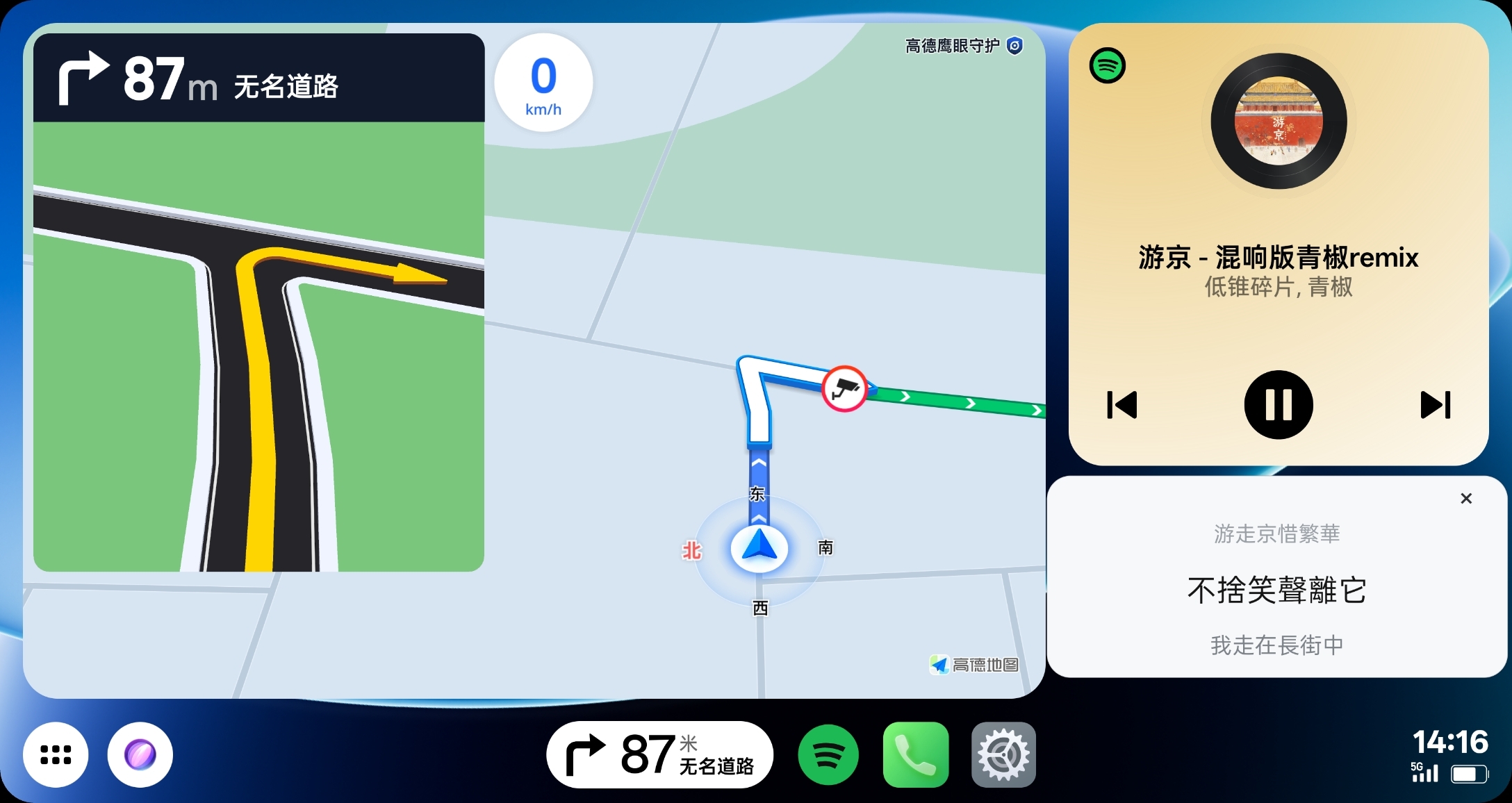
Features
- No Root required; displays synchronized Spotify lyrics in OPPO Car+
- Detects the Car+
OplusMiragevirtual display and prioritizes the car screen while connected - Reads Spotify media state without creating, taking over, or controlling a media session
- Compares NetEase Cloud Music and QQ Music and prefers more complete line-by-line translations, with LRCLIB as a fallback
- Supports real-time Simplified / Traditional Chinese switching
- Fixed-size draggable lyrics card with automatic light/dark appearance
- MediaSession fallback and background recovery when notification access is temporarily unavailable
Usage
- Install the APK and grant Notification access and Display over other apps permission on first use.
- Connect the phone to Car+ and play a track in Spotify.
- Open Spotify Floating Lyrics directly from the Car+ app list and tap Start floating lyrics.
- Return to the map and music-card screen. The lyrics card will appear on the car display.
After initial permission setup, you do not need to open the app on the phone during normal use. Launching it directly from Car+ is sufficient.
Notes
- Configure and troubleshoot only while safely parked; do not operate a phone while driving.
- Car-display behavior has only been verified with an OPPO phone and Car+.
- Other phones, vehicles, and projection systems are untested and are not guaranteed to work.
- Android 8.0 or later, Spotify media notifications, overlay permission, notification access, and network access are required.
- Translations depend on the selected lyrics provider and are not available for every song.
- This is an unofficial community project with no affiliation with Spotify, QQ Music, NetEase Cloud Music, OPPO, or Car+.
中文说明
首个公开版本。
主要功能
- 无需 Root,在 OPPO Car+ 中为 Spotify 显示同步悬浮歌词
- 自动识别 Car+ 的
OplusMirage虚拟屏幕,连接时优先显示到车机 - 只读取 Spotify 媒体状态,不创建、接管或控制媒体会话
- 比较网易云音乐与 QQ 音乐,优先采用逐行翻译较完整的歌词,LRCLIB 作为后备来源
- 支持简体中文 / 繁體中文即时切换、固定尺寸卡片及自动亮暗模式
使用方法
- 安装 APK;首次使用时授予“通知使用权”和“显示在其他应用上层”权限。
- 手机连接 Car+,并使用 Spotify 播放歌曲。
- 直接从车机应用列表打开“Spotify 悬浮歌词”,点击“启动悬浮歌词”。
- 返回地图与音乐卡片页面,歌词会直接显示在车机上。
完成首次授权后,日常使用无需再打开手机端应用,直接从 Car+ 车机端启动即可。
完整说明请阅读 English README 或 中文 README。
APK SHA-256:4033041299a8d096ef9fa95f7f342cc6f8b28081fe42634ddae648370ca4c18d