Repository navigation
Quick Start Guide
Steps to run API examples in Android Studio
-
Import the ShimmerAndroidAPI repository to Android Studio with the Project from Version Control as shown.
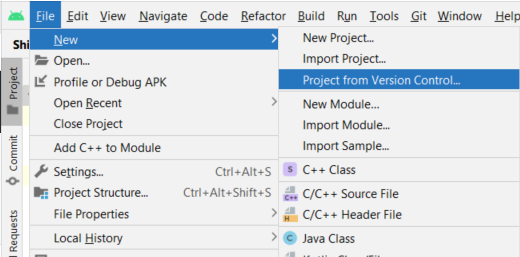
-
Clone the repository by copying the link and paste it into Android Studio.
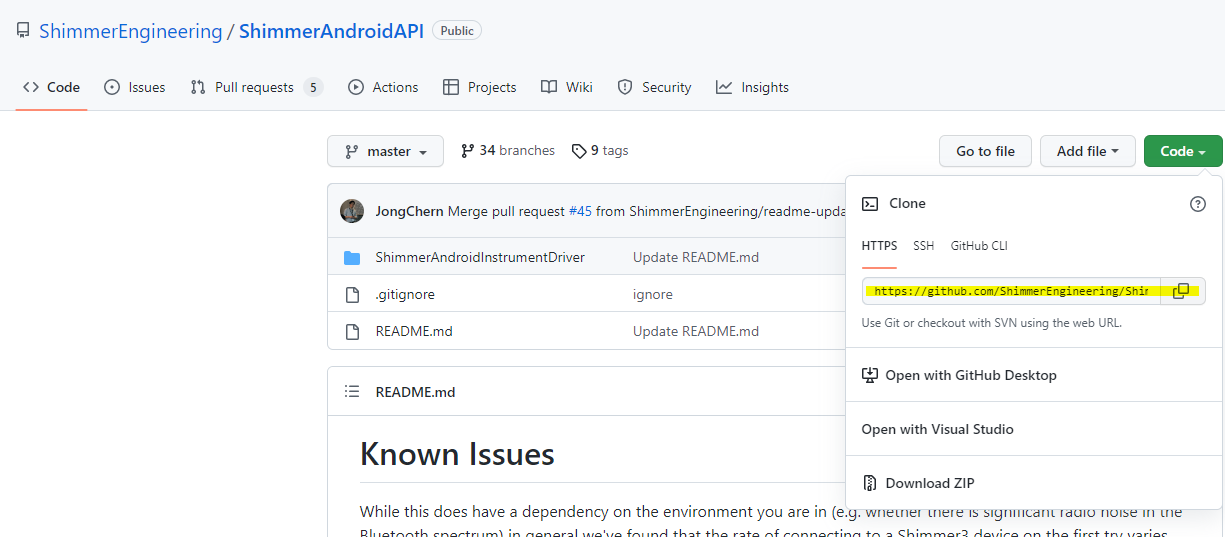
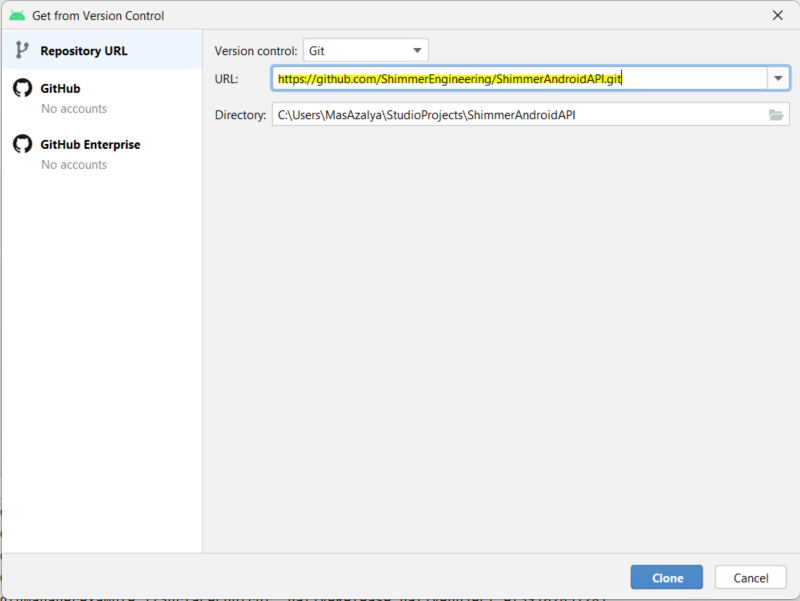
-
Once done, close Android Studio and open the folder where the repository is downloaded. Click the settings.gradle file and open with Android Studio.
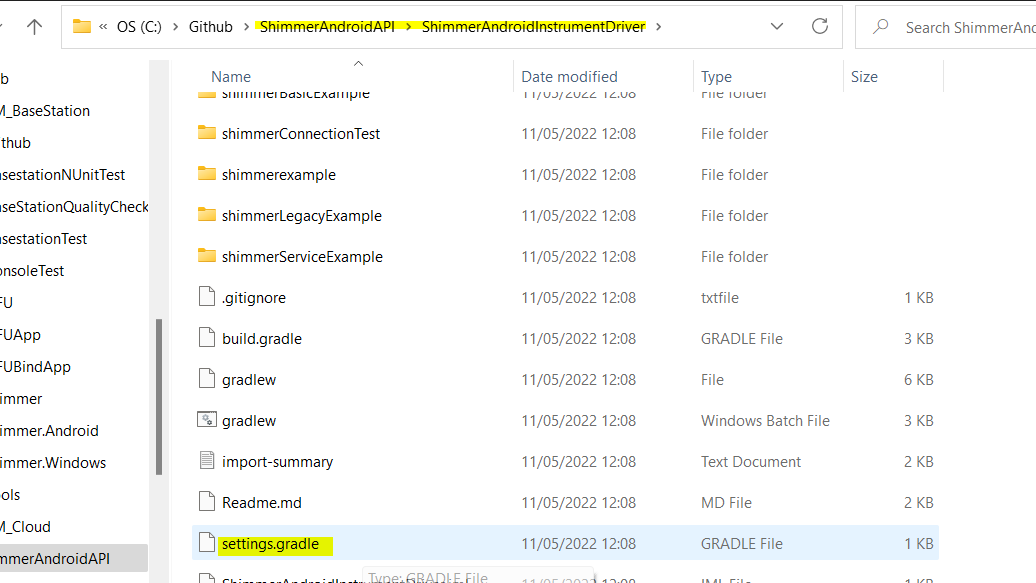
-
Gradle files will sync automatically, wait until all files are downloaded.
-
Now, the examples in the list as shown are ready to deploy to the plugged Android devices.

shimmerBasicExample
Example to Connect, Disconnect, Start and Stop streaming to Shimmer3 devices.


shimmerLegacyExample Similar example to shimmerBasicExample, but for Shimmer2 devices.
shimmerServiceExample
Example to Connect, setting device configuration, enable sensors and plot streaming data.


shimmer3DOrientationExample
Example to connect to Shimmer and visualize the orientation.

bluetoothManagerExample
Example to Connect, setting device configuration, enable sensors, start stop streaming and start stop SD logging.

efficientDataArrayExample
Example to Connect, Start and Stop Streaming, and list of data CSV files


shimmerConnectionTest
Example to run sensor connection test.
