Repository navigation
wiring
 HOME » HARDWARE » SKYMINER » WIRING
The following is a list of pictures that showcase the wiring of the official Skyminer. Each section entails the related pages of the assembly manual and can be used to verify your progress in the assembly.
The safety precautions of the assembly manual must be followed at all times! You can find these safety precautions in the Safety Precautions sections of this page as well.
There are two versions available of the assembly manual:
- [Hi-res version] (https://downloads.skycoin.net/skywire/Skywire_Miner_Assembly_Manual_2_2_Hi_Res.pdf)
- [Normal version] (https://downloads.skycoin.net/skywire/Skywire_Miner_Assembly_Manual_2_2.pdf)
Please refer to the following two articles for the software & network configuration:
In case you need a video to showcase the respective assembly check please click here.
You can contact the team by:
- Safety Precautions
- Power Switching Unit
- Inlet Power Module Fuse Switch
- PCB Power Distribution Boards
It’s important that you assemble and operate this product and all components in strict accordance with the instructions in this manual.
Exercise extreme caution while handling printed circuit boards (PCBs) to avoid mechanical or electrical damage. Only handle the PCBs by the edges, to mini-mize the risk of electrostatic discharge damage.
Before connecting the power cord, ensure that you switch to the correct input range on the power supply unit that corresponds to the voltage that your electrical outlet provides.
Before powering up the Skywire Miner, ensure that all connections are secure for all components, and conirm that there are no loose screws or loose components anywhere within the Skywire Miner unit. Do not connect any devices to the Skywire Miner that are not included in this package.
Take time to consider situations that may be dangerous or cause damage:
- During operation, do not expose Skywire Miner to water or moisture.
- Do not expose Skywire Miner to heat from any source. This appliance is designed for reliable operation at normal ambient room temperatures.
- Do not tug in the middle of the power supply cable to unplug the unit. Unplug the Skywire Miner from the end of the cable, where the plug inserts into the socket.
- Place Skywire Miner where the power cord has adequate slack to safely connect the Skywire Miner to the power supply socket.
- Place the power cord in such a way that people cannot step on it. Do not place anything over the power cord.
The power switching unit is also being called as 'PSU'.
- Page 27 in the assembly manual PDF (Page 28 search function)
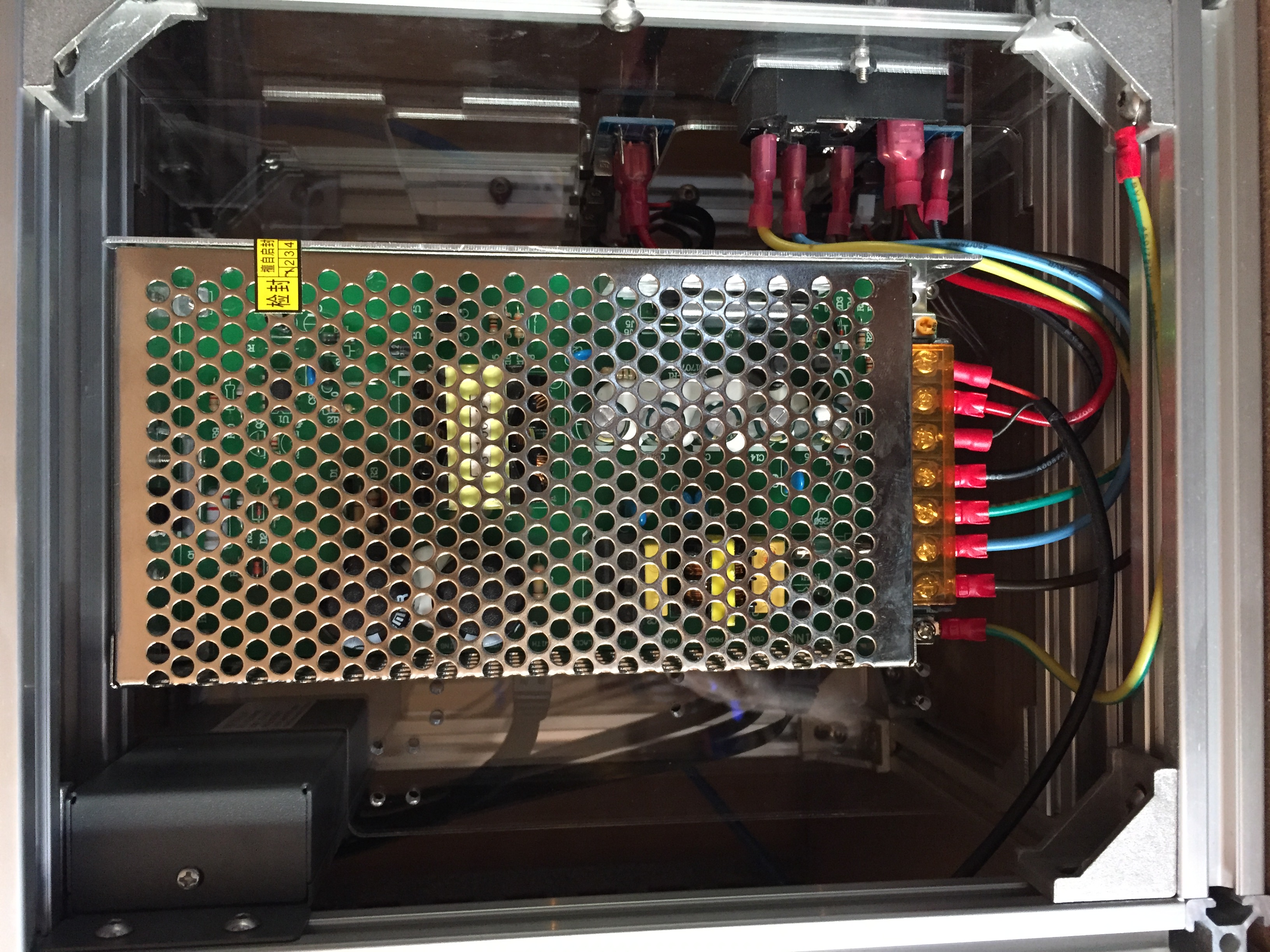
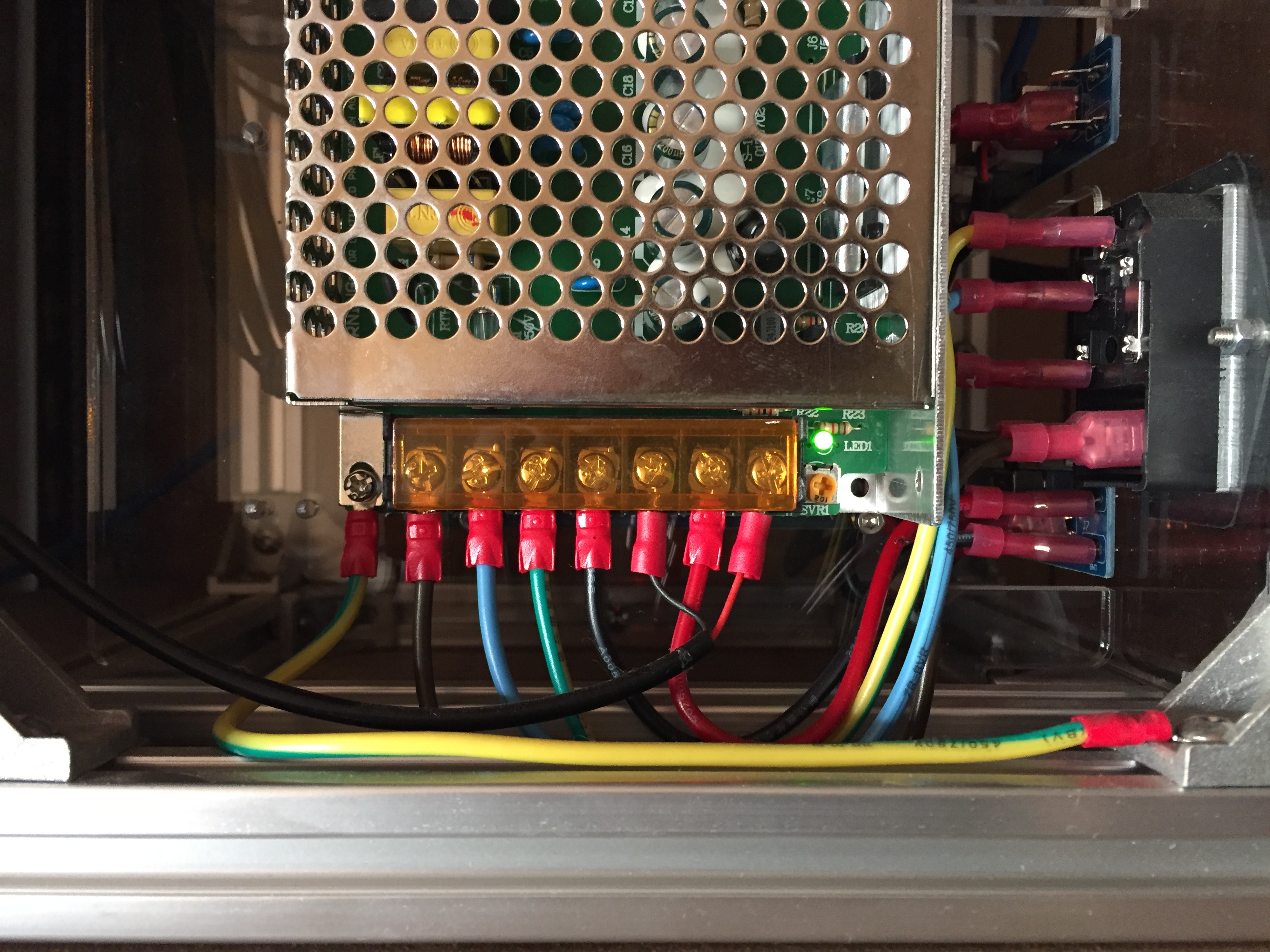
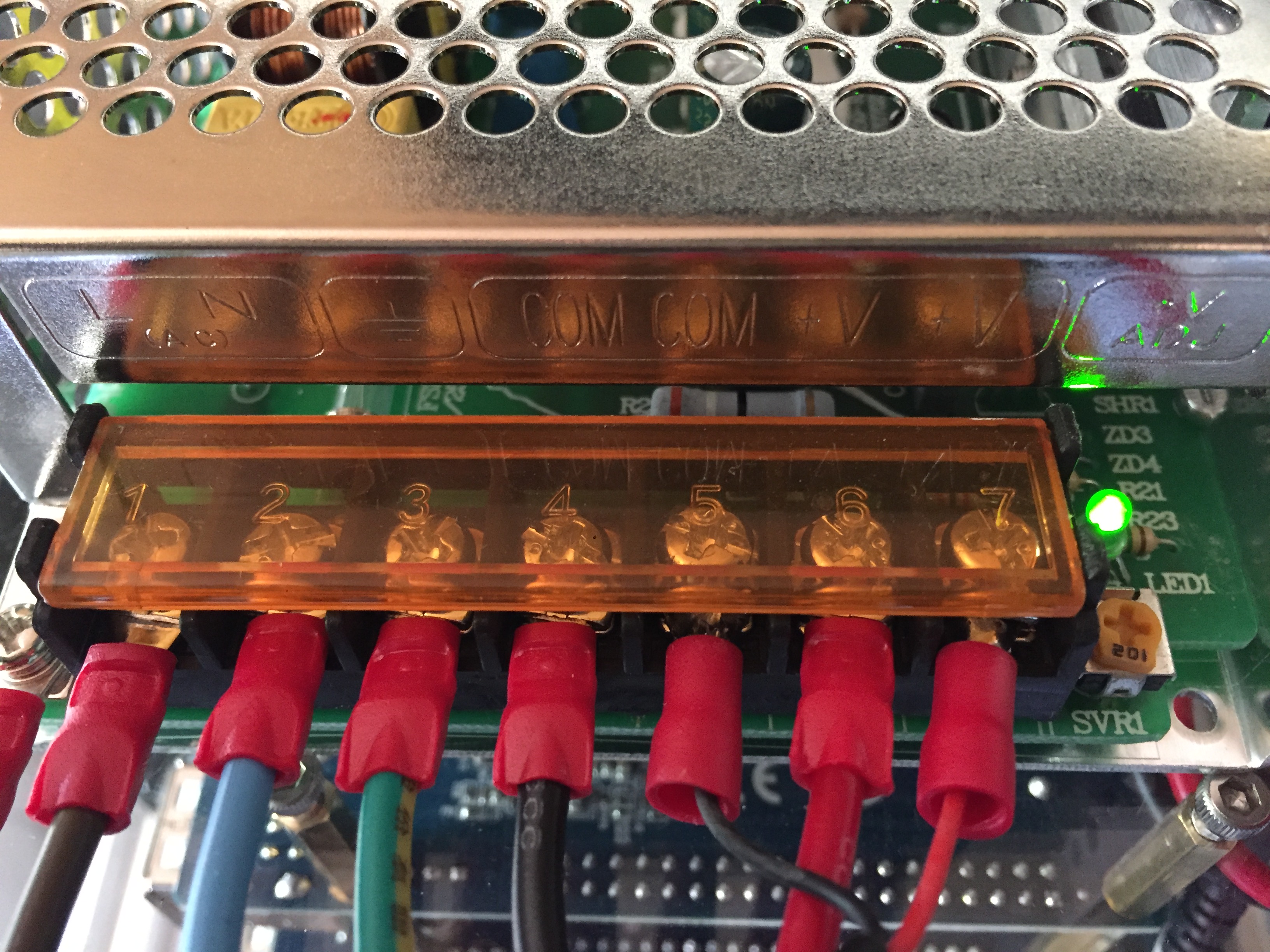
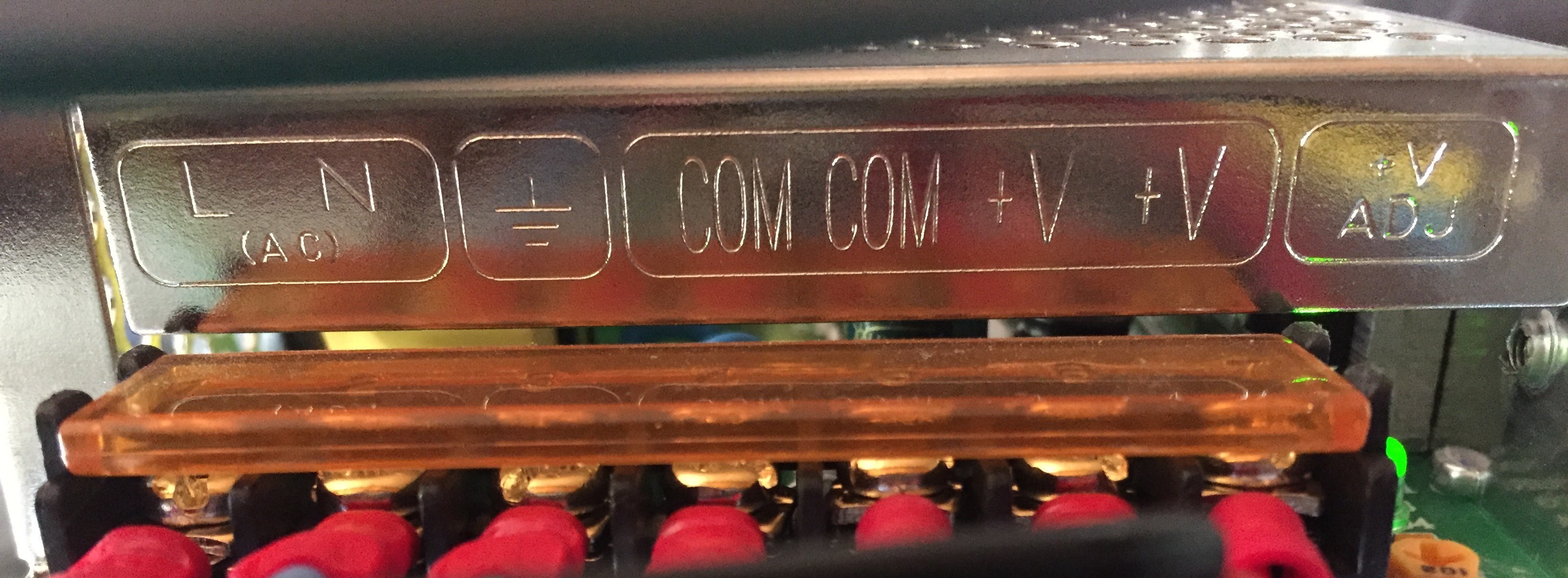
- Page 27 in the assembly manual PDF (Page 28 search function)
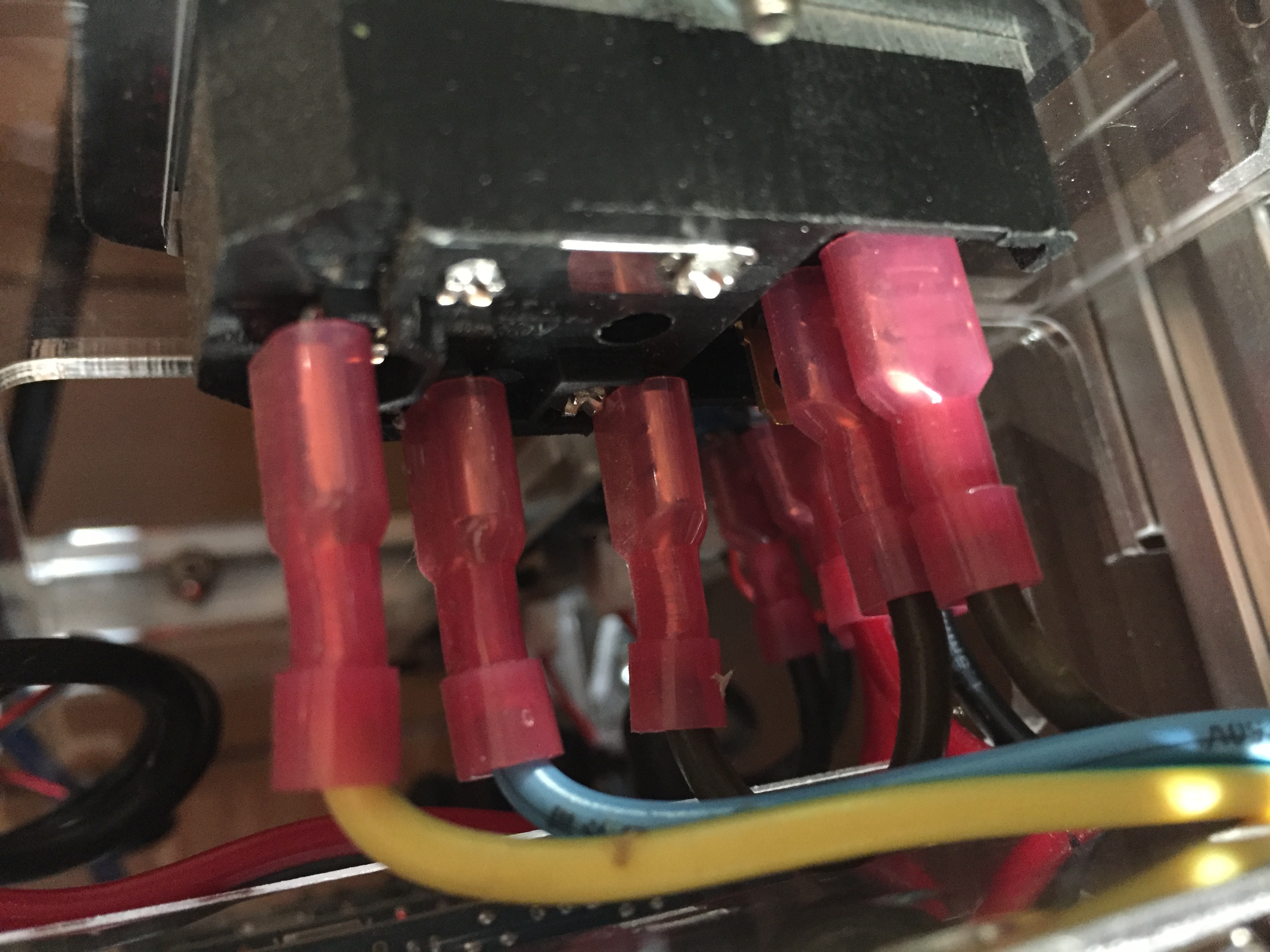
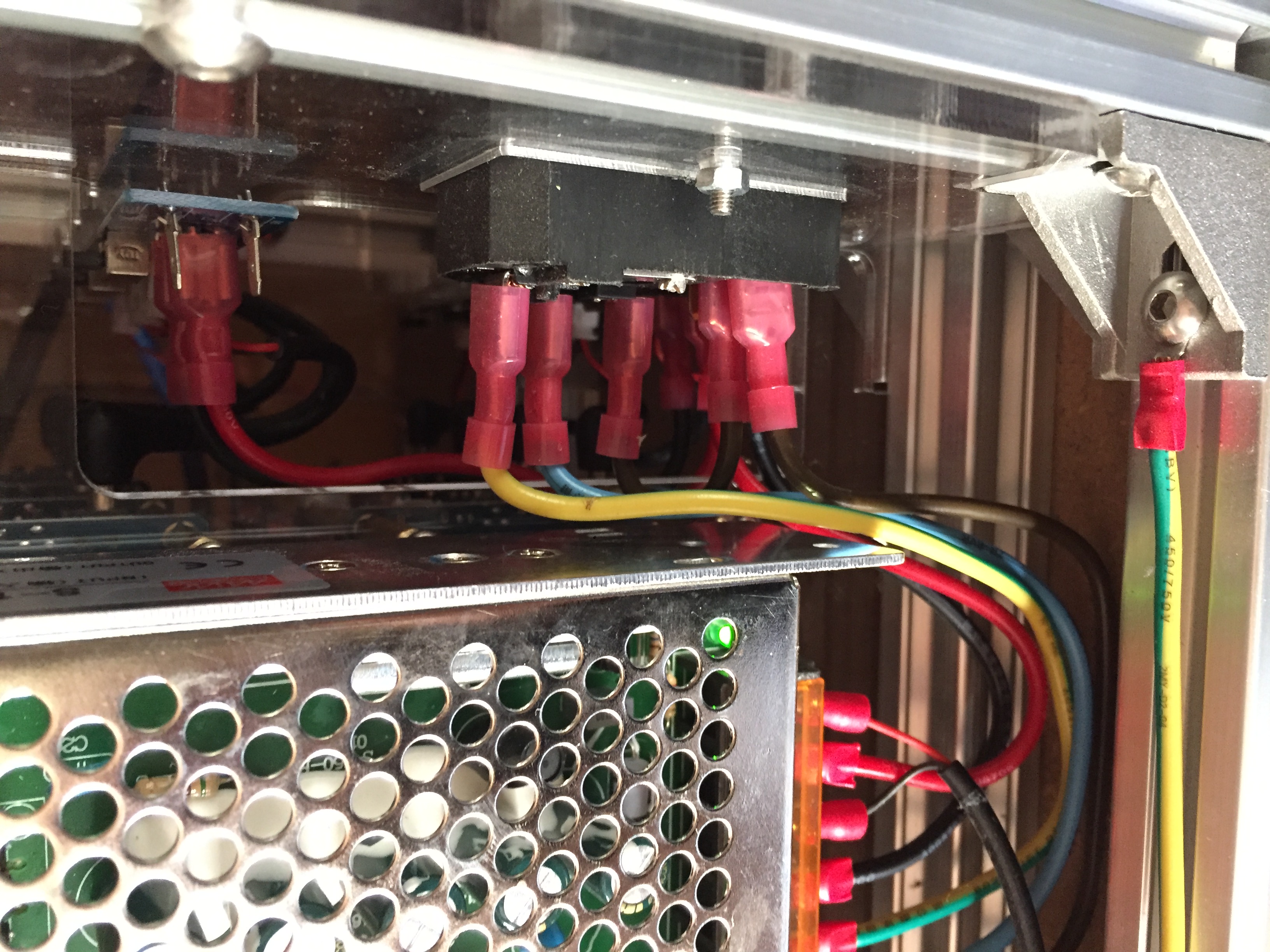
- Page 17 in the assembly manual PDF (Page 18 search function)
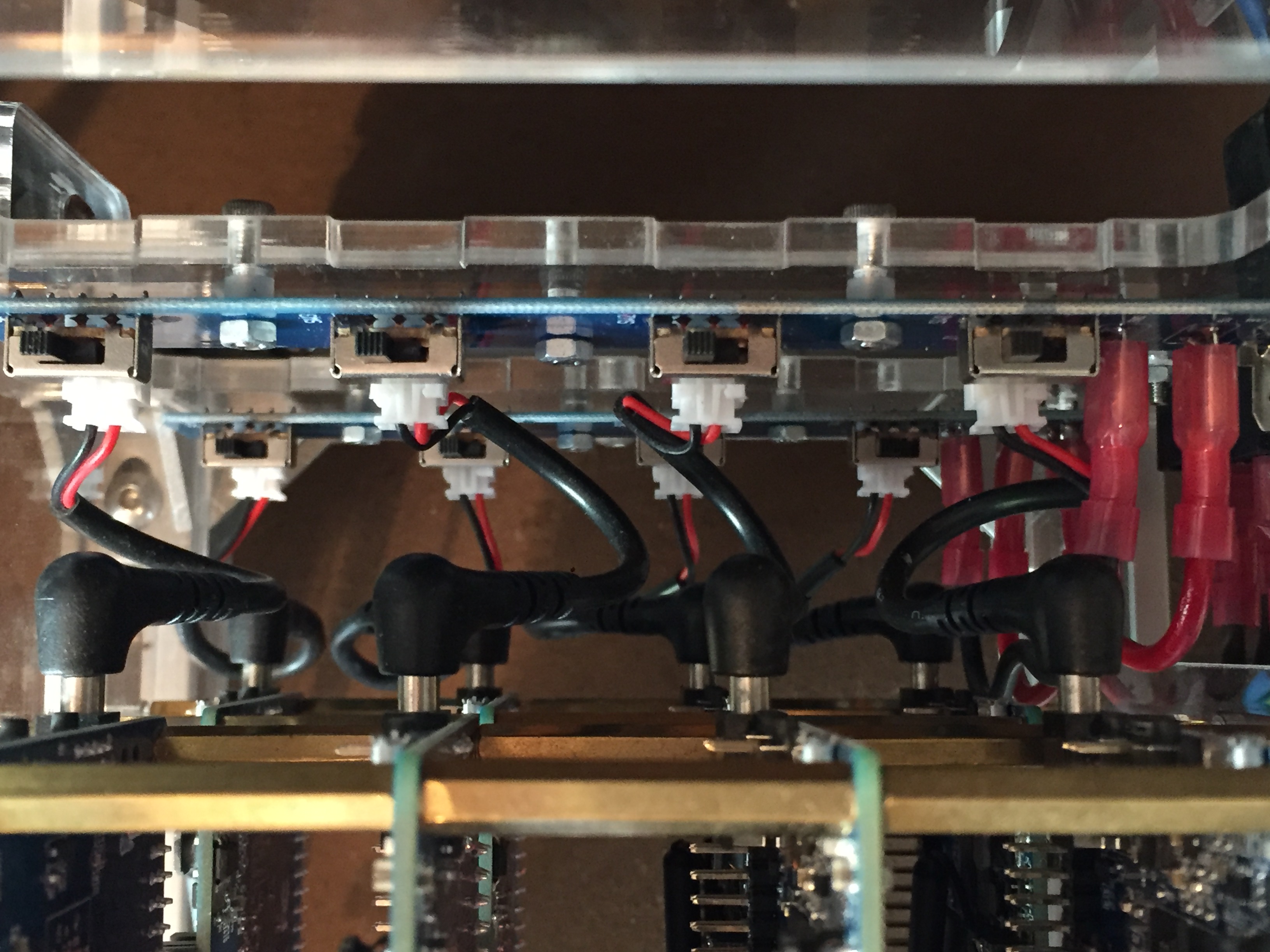
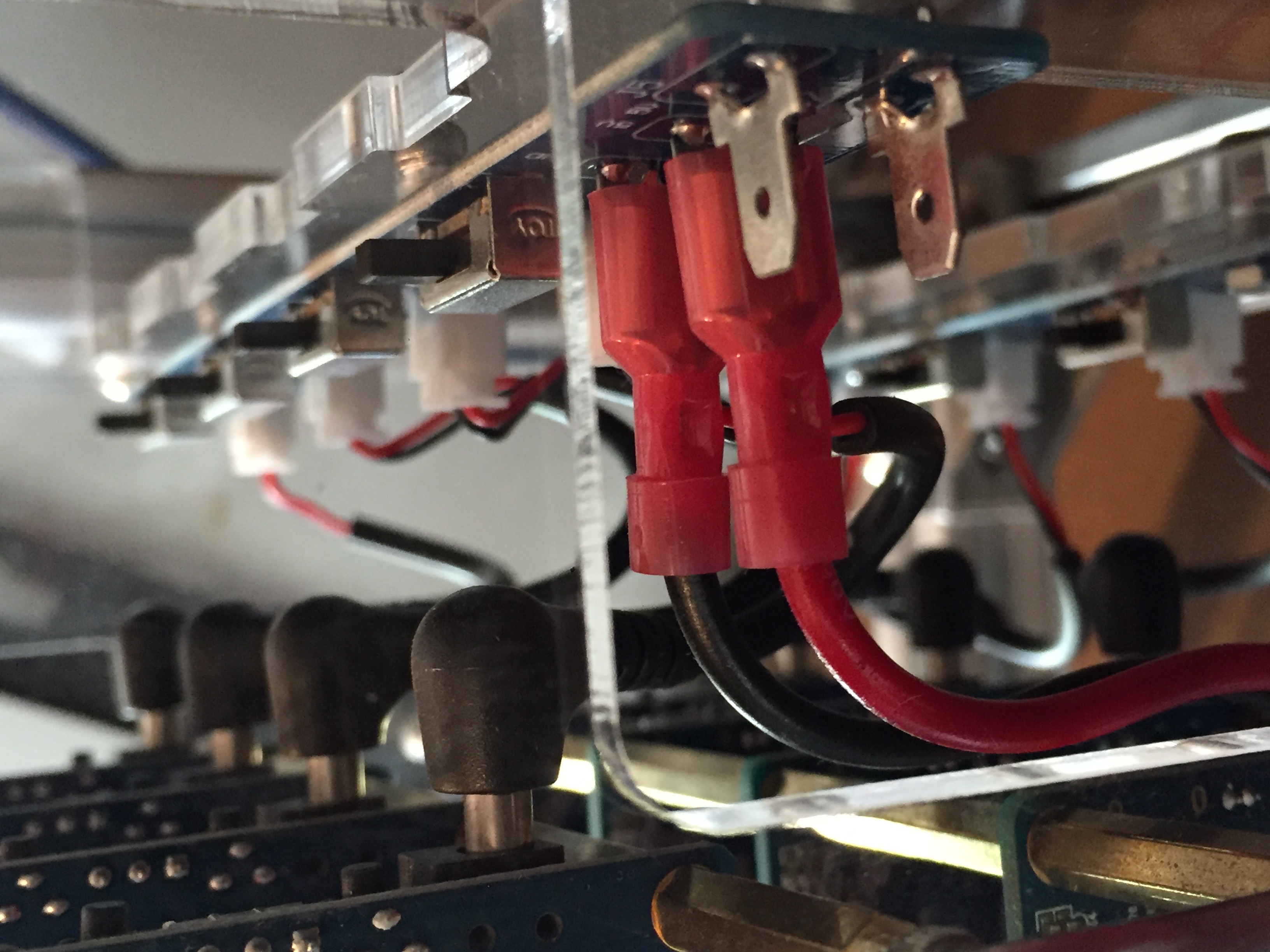

Official Skyminer
Setup Guide
Wiring
DIY Skyminer
Raspberry Pi
Windows
macOS
Linux
Installation, Setup & Backup
Skywire Installation
Networking Guide (official router)
Public Key Backup
Systemd Service
Infrastructure
Authentication
Whitelisting
Usage
Manager Web Interface
Online Status Verification
SSH
SOCKS5 Proxy
Scripts
Auto-Restart Node
Auto-Restart Node App
Auto-PowerOff
Change startup delay
Tutorials
SBC WiFi Hotspot
HTTP Proxy Service with Skywire VPN
Tunnel exit node traffic through VPN
Connecting Skynodes to your own OpenVPN Server
Change DNS of official images
Support
Telegram
Support Page
Email Support
