Repository navigation
Releases: StateAntigen/deadwax
Release list
Deadwax 0.2.4 - the phone's own key

Deadwax 0.2.4
Deadwax is a fork of lnbits/napstr, focused on the phone.
These files predate the name. This is the 0.2.4 build, made while the project was still
called Napstr, so the installers carry that name and the screenshots below show the old
wordmark. The first build made as Deadwax is the next release.
The phone is the part that has been used. The Android app is where all of this work
went, and it's what I've actually tested. The desktop app in this release works, but it
has had far less testing — treat it as a preview, and stick with the upstream build if
you want the safe option.
What's new on the phone
- The queue screen works again. Tapping the queue button used to do nothing at all.
- Artwork colours are real. The player picked its colour by hashing the file name,
so a black-and-white album came out pink. It now reads the colour out of the cover
image itself, and falls back to the app's own purple when a cover has no colour. - A proper waveform on the now-playing screen, worked out from the actual audio —
darker than before, and tinted with that cover colour instead of a plain progress bar. - "Discover" is now "Network Library", and it behaves. The two chips just switch the
list, a Play button starts it, and network tracks are added after what is already
queued instead of being shuffled in between your own records. It also says up front
that these tracks stop to buffer before they play. - Comments and playlists without full access. If a paired computer isn't allowed to
sign as you, the phone can still comment on tracks and publish playlists: it signs
them with the key in the app and hands them over to be posted. They appear under the
phone's own key, and only that phone can edit a playlist it published. - Smaller things: search results gained a Playlists row, the track count moved to the
top of the screen (as "N hosted tracks"), the seeder count sits inside a seed icon
instead of beside a dot with two arcs, and the pairing QR code actually scans.
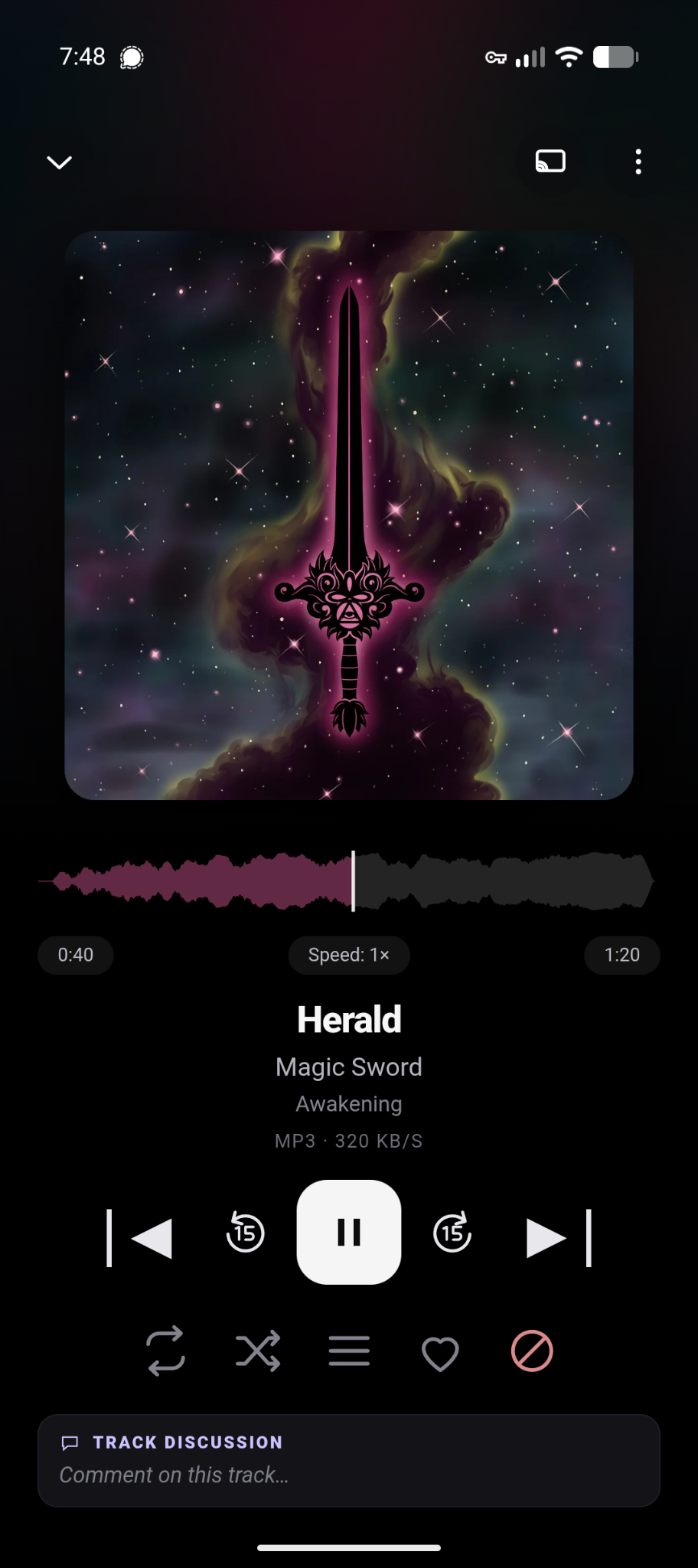
The 0.2.4 player: the waveform is drawn in the cover's own colour, and the played part stops where you are in the track.
What's in the app
Two apps ship in this release, and both are called Deadwax: one for the phone and one for
the computer. Here is everything they do today.
The phone app
Music Page
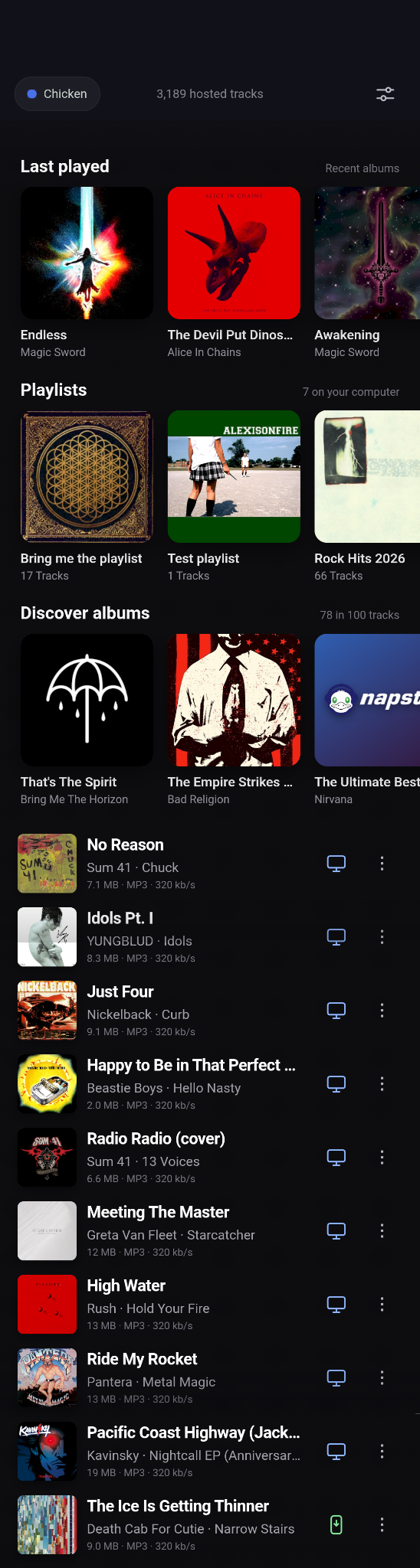
Last played, your playlists, Discover albums, then the shuffled hundred.
- Last played carousel
- Playlists carousel
- "Discover" albums carousel (just albums pulled from the 100 current pull of random
tracks from the hosts, the albums are pulled then the device asks the host to send the
rest of the tracks in those albums) - List of 100 tracks, a true shuffle of all tracks on all hosts connected to the device.
No network tracks here.
Track Rows
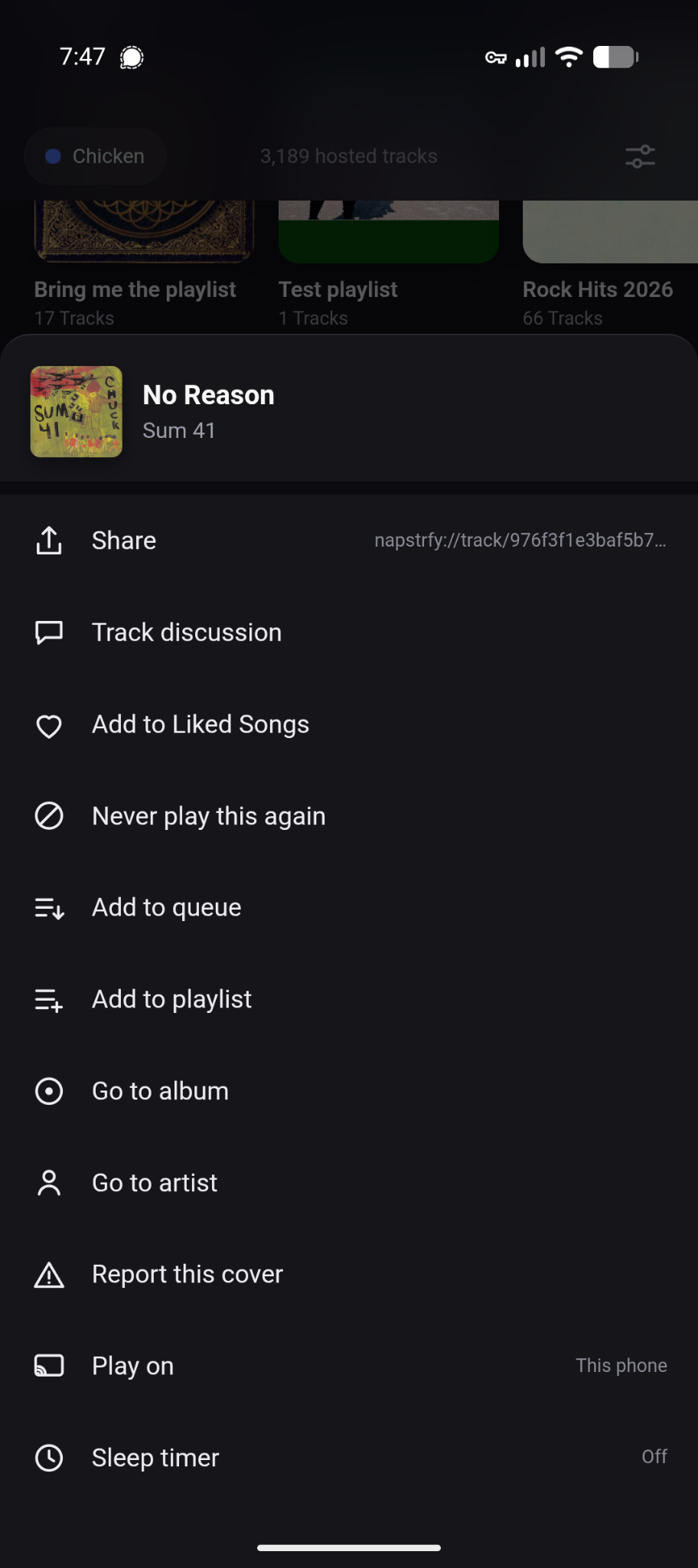
The row icons say where a track lives, and the menu behind "..." does all of this.
- Icons to indicate where the track is (Network, Host, Phone)
- "..." icon to open the track context menu
- Context menu: Art and track, Share, Track Discussion, Add to Liked, Dislike, Add to
Queue, Add to Playlist, Go to album, Go to artist, Report (1984), Play on (Host /
phone), Sleep timer. All functional.
Settings (top right corner)
| Computers | Playback | Access and language |
|---|---|---|
 |
 |
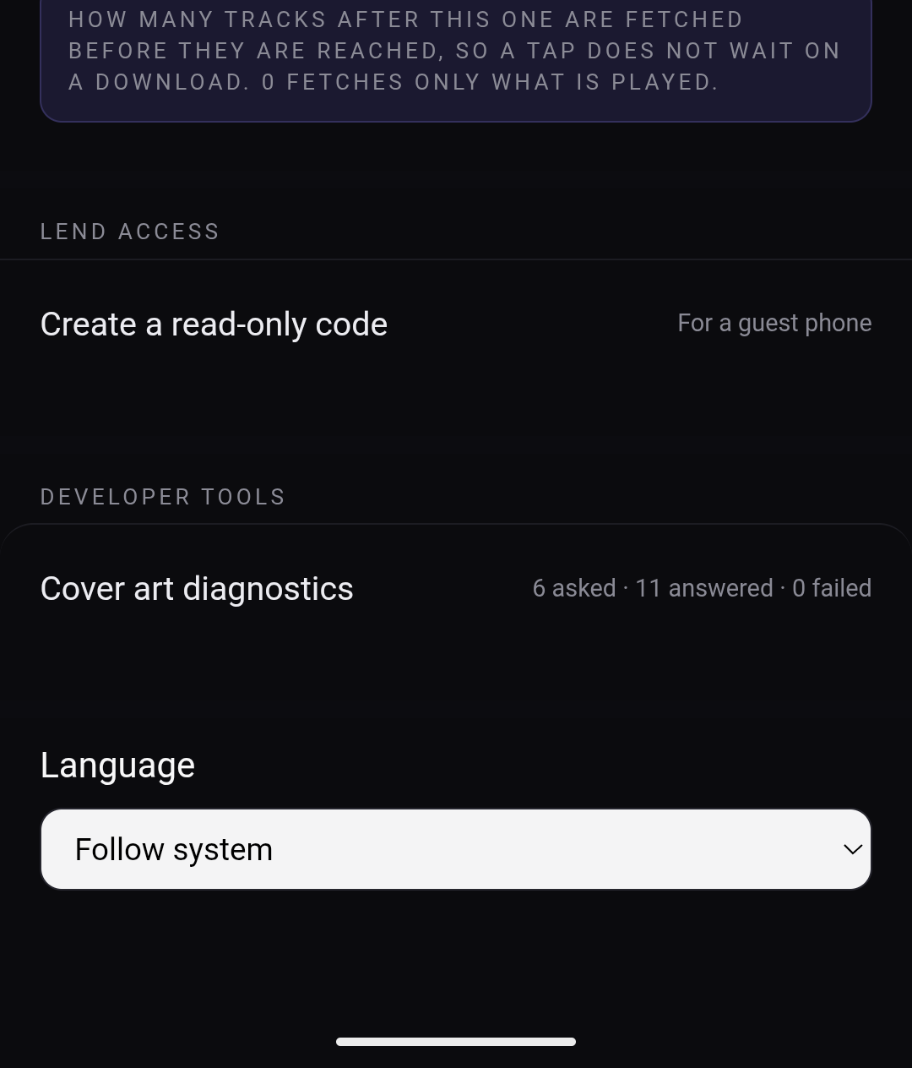 |
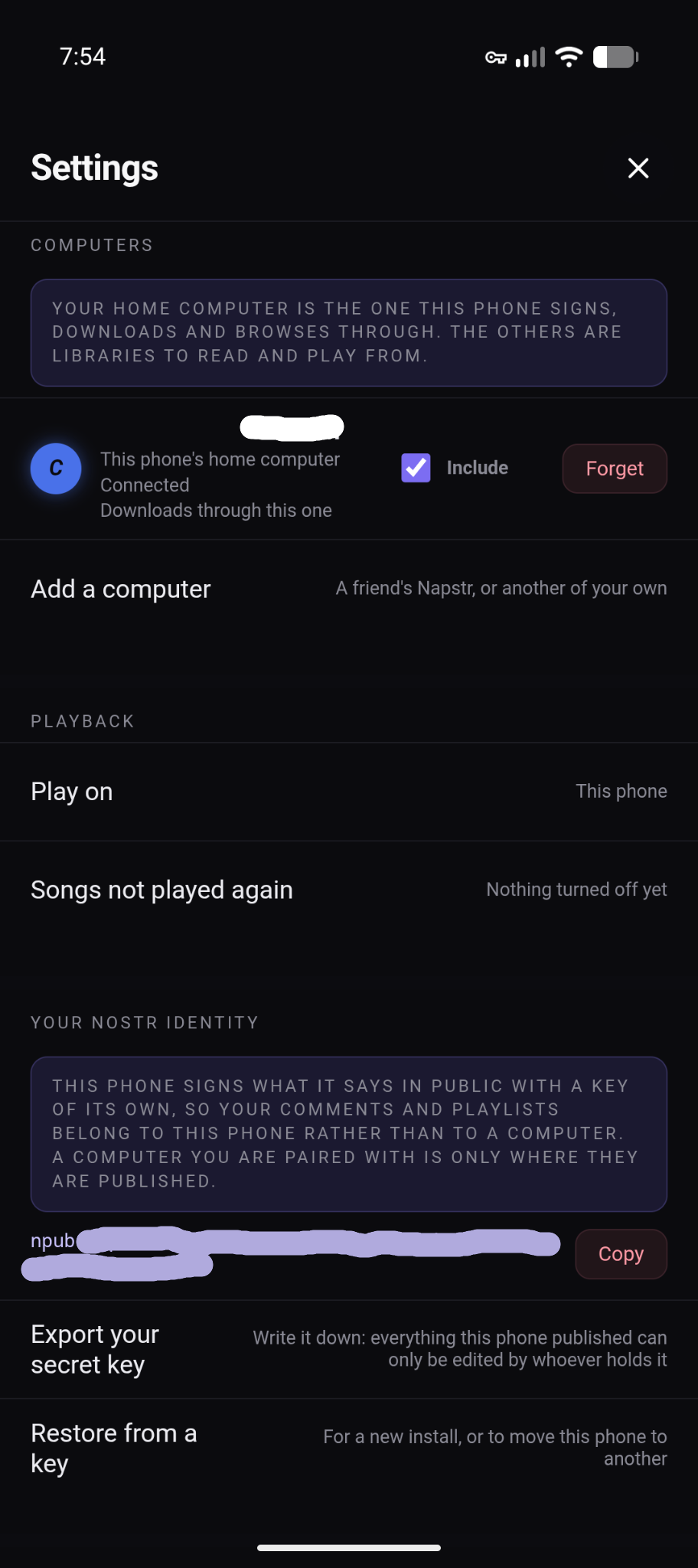
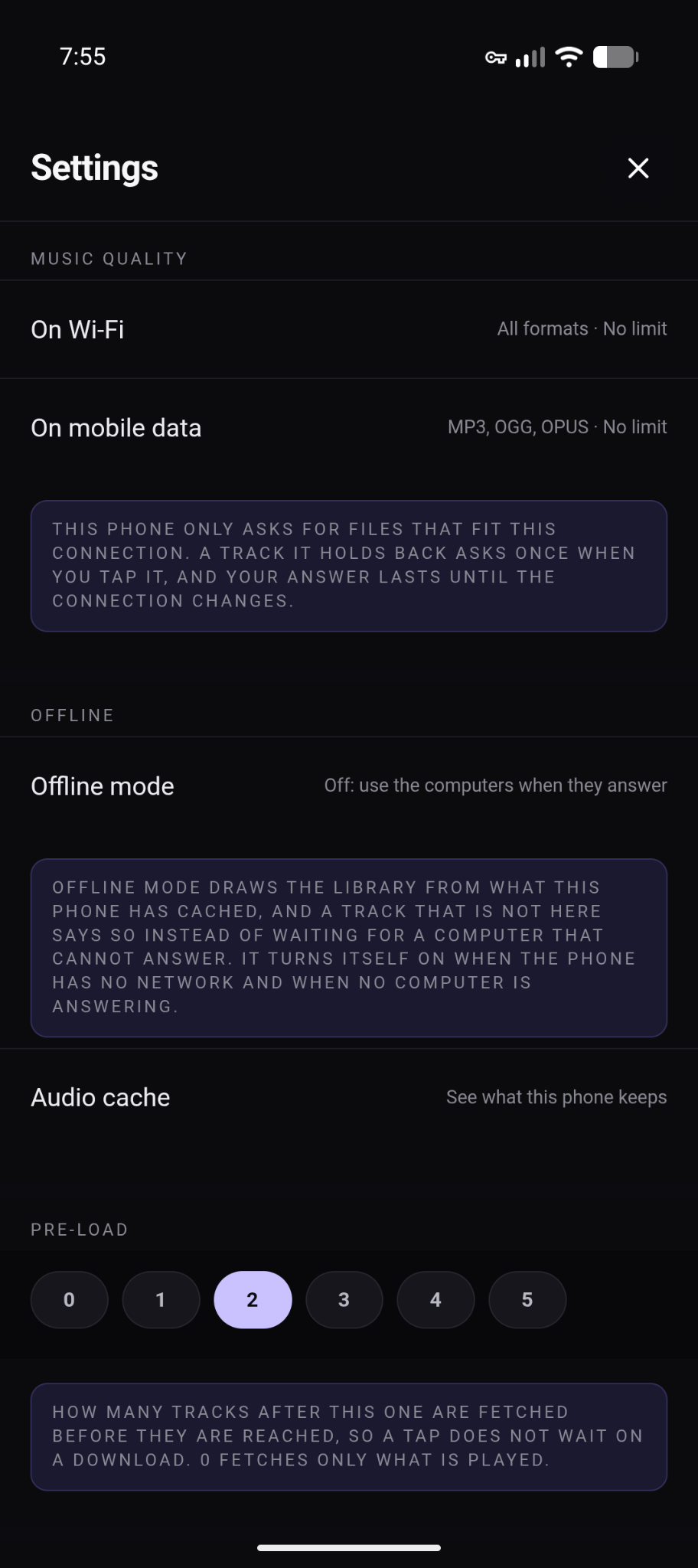
Which computer is home and the phone's own key, then music quality, offline mode and
pre-load, then access codes, the cover art diagnostic and language.
- Multiple host support
- Add a host
- Change which host is your "Home" host (the host that you have download rights to and
will broadcast your nostr events) - Nostr key (copy npub, export nsec, restore) — note: untested
- Music quality preferences on wifi / data
- Pre-load, how many tracks to download in advance (including tracks from the network)
- Create a read-only code (should be renamed) — creates new iroh access codes so you can
invite friends to use your host while you are in person. - A diagnostic for cover art (to be removed)
- Language select
Player Sheet
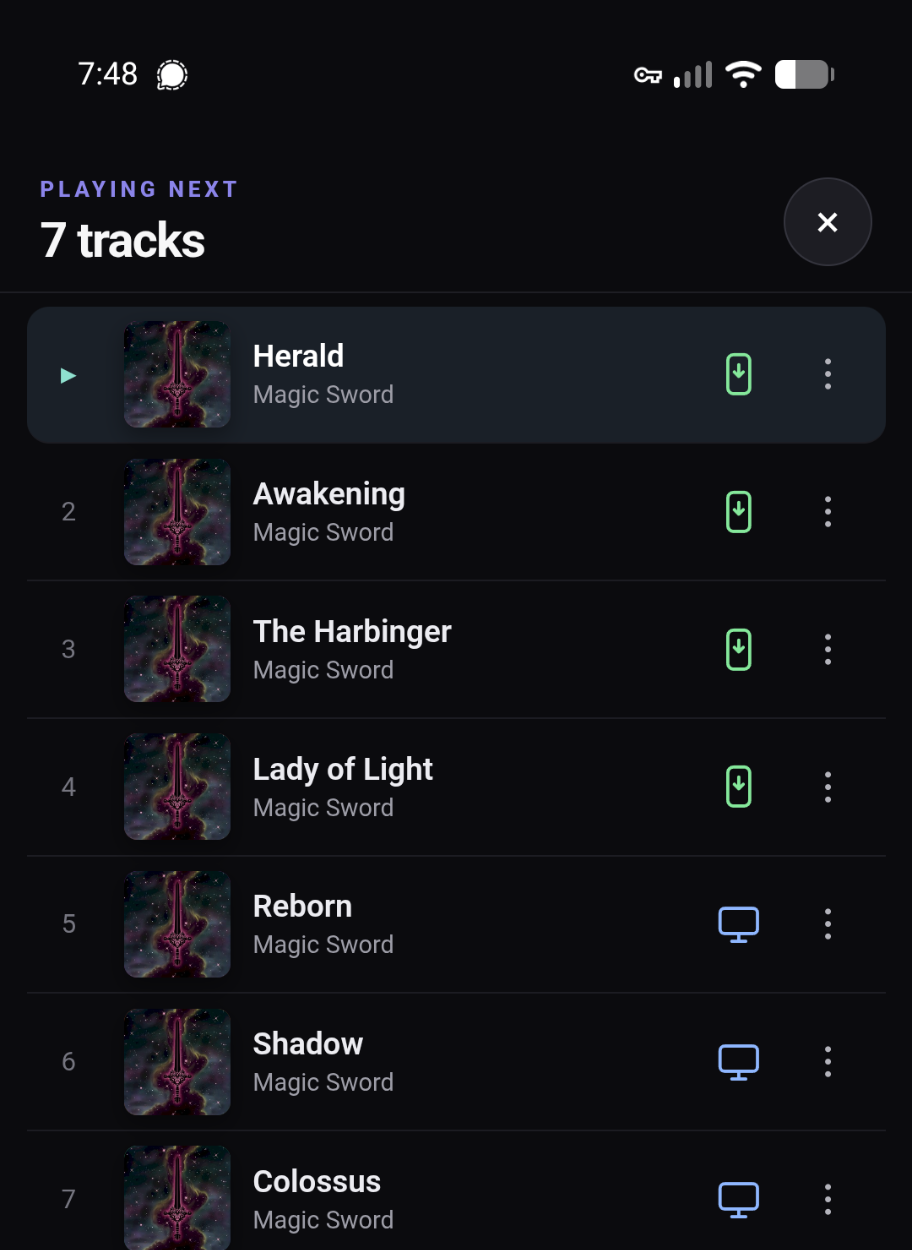
The queue drawer, with every row saying where that track lives.
- Styled player bar at the bottom of the app, with drag up or tap pop-up to open the
player sheet - Album art
- Album art, blurred, as the background
- Queue drawer
Search
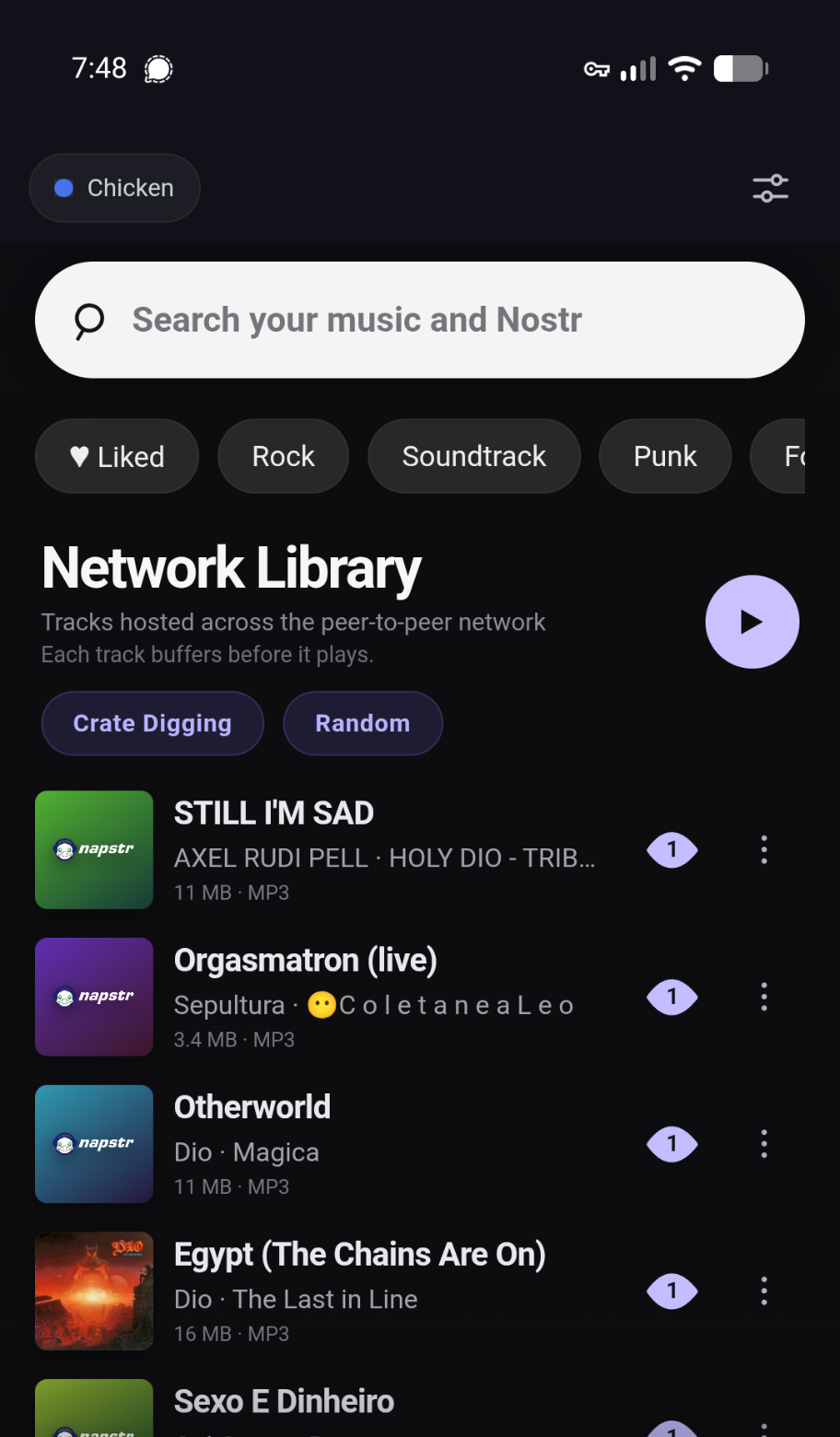
Network Library, with a genre chip picked and the network tracks marked as such.
- "Network Library"
- Chips to pull random or sorted track lists from the home host
- "Crate Digger" pulls random single seed tracks.
- "Random" is a totally random list of all network tracks known to be alive by the host.
- Search returns host tracks first, then network tracks.
Playlists (Kind 30425)
| Your playlists, and the network's | A playlist's own sheet |
|---|---|
 |
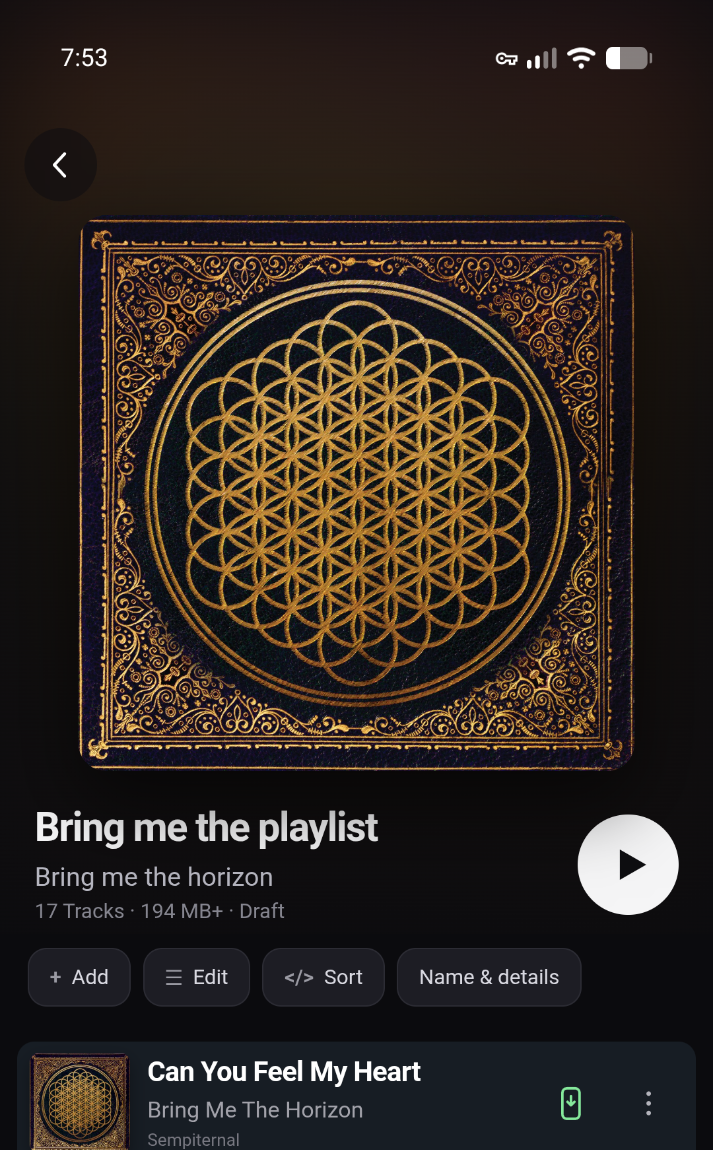 |
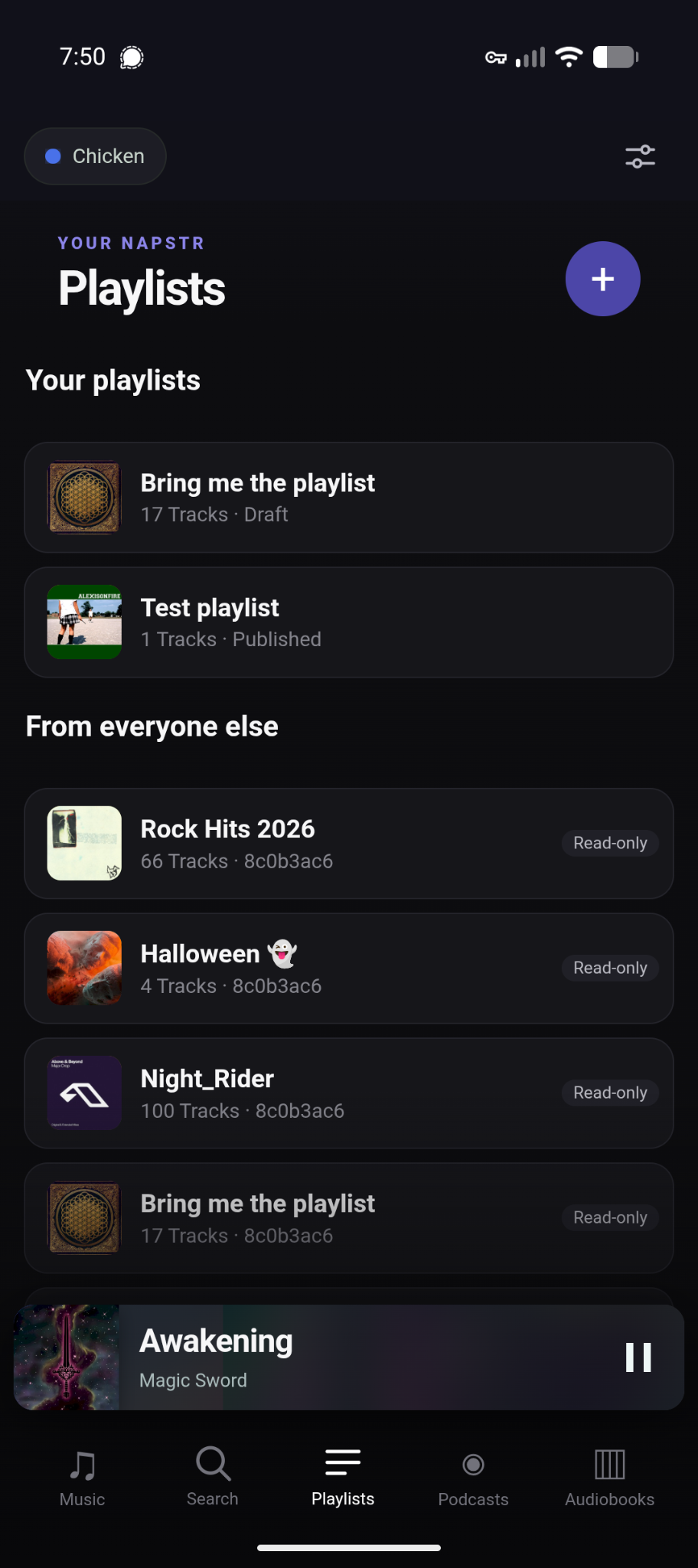
Your playlists first, then everyone else's — and a playlist's own sheet. Someone else's
playlist is read-only; yours comes with add, edit, sort, name and details.
- A "+" button to create a new playlist (title, album artist if applicable, a release
group if applicable, and tags) - Lists your playlists first, tapping opens the playlist's sheet, add, edit, sort, name
& details buttons. - Lists playlists on the network.
- Private unpublished playlists (including likes and dislikes) are kept on device and
backed up to your "home" host.
Podcasts & Audiobooks
- No change from 0.2.3
The computer app
The desktop app is the preview half of this release: these features are in it, but they
have had far less testing than the phone's.
Search
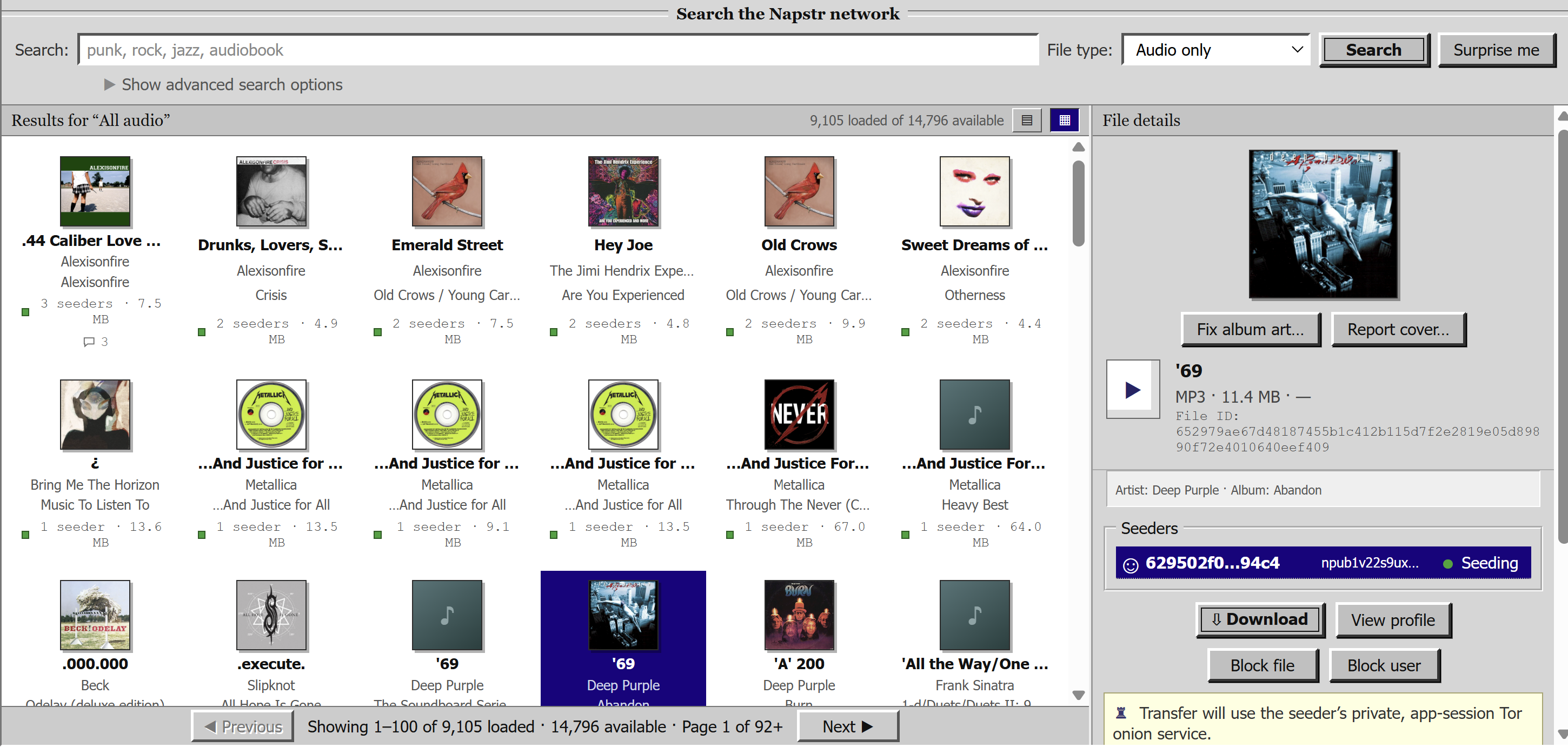
Covers in the results, and a file panel where the art can be fixed or reported.
- New cover art display (fix / report cover art)
Playlists (30425)
- Your own playlists and the network's are displayed here
- You can create and edit playlists, and they are published under your Deadwax keys.
Paired phones
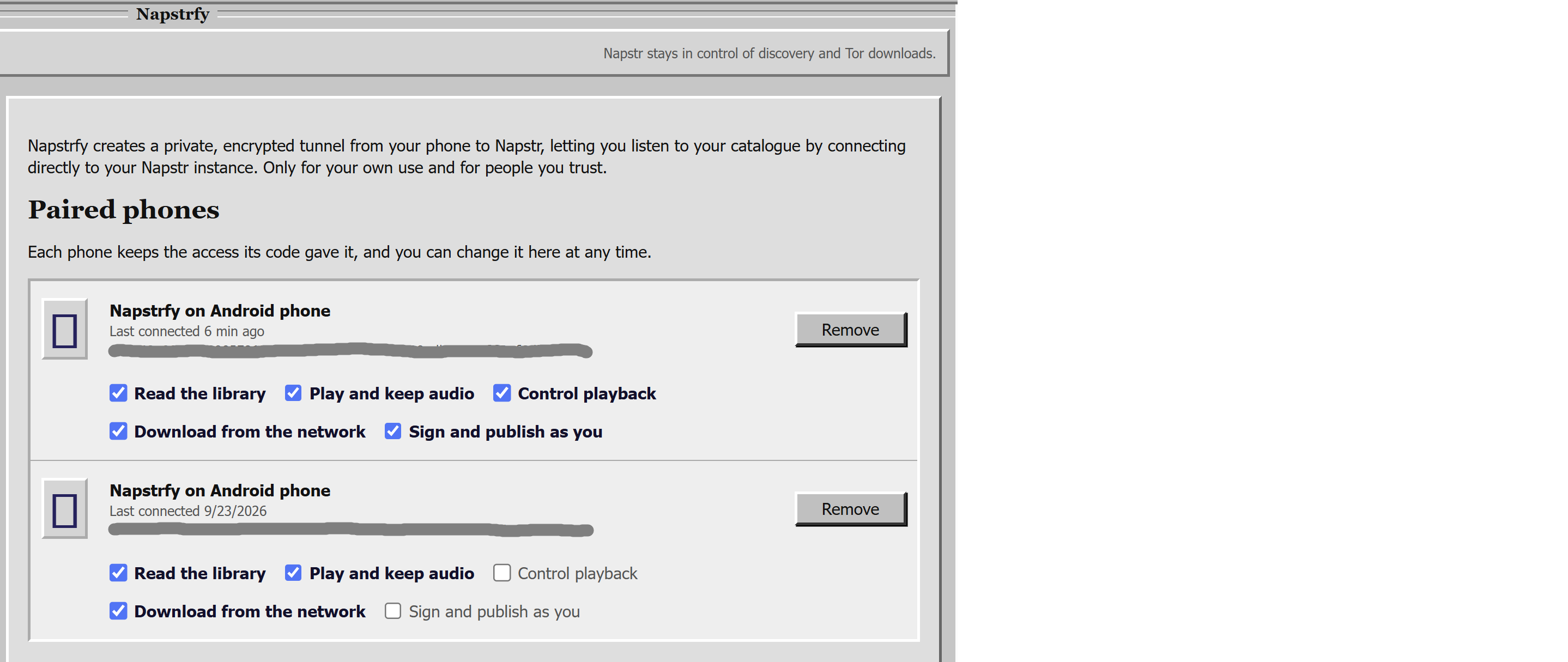
Every paired phone keeps the five rights its access code gave it, and you can change them here at any time.
- Paired phones have 5 bits of rights.
- "Read the library" can look at the files the host has, but not download them.
- "Play and keep audio" grants download rights.
- "Control playback" lets the device control the Deadwax player
- "Download from the network" allows the phone to search and download files from Deadwax
seeders - "Sign and publish as you" lets the device sign playlists and 1984s with the Deadwax
key, it also lets the device generate iroh access codes on device.
Covers (30427)
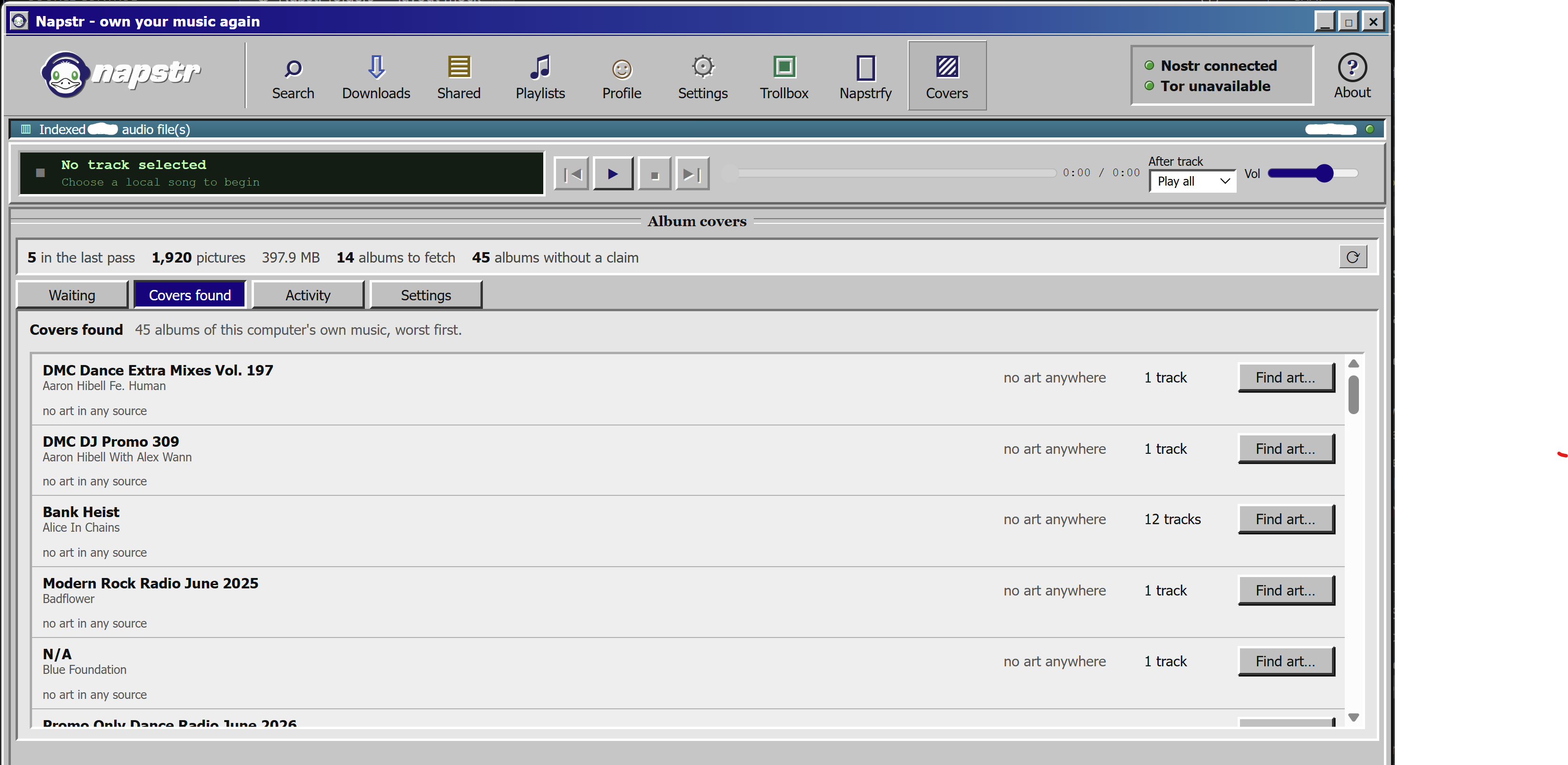
The covers page: what it holds, what it is still waiting for, and the albums with no art anywhere.
- Track album art is found in this order: local cache (both on phone and host), 30427,
then MusicBrainz / iTunes. - Cover art found from a MusicBrainz search is put into a 30427, signed, and published
(if you opt in, please opt in) - On the search page, cover art can be "Fixed" (manually searched for and accepted) or
reported (1984) - "Waiting" tab shows a queue of albums waiting to be sent to MusicBrainz
- "Covers found" tab is a list of covers that have been found, or not and need attention.
- "Activity" tab just shows recent searches and their results.
- "Settings" lets you restrict which domains you are willing to look at for art (keeps
things PG); art in 30427s from other domains will be ignored. - "Accept any host" removes this prohibition.
Downloads
| Platform | Fi...