Repository navigation
Releases
AnyAspectRatio Decky Plugin v1.7.0

Play at full-screen at any aspect ratio (16:10/4:3/3:2...), one tap per game.
AnyAspectRatio is a Decky Loader plugin (SteamOS) that finds the games you own, installs the right aspect-ratio fix, and sets the Steam launch options for you.
No file copying, no terminal.
Install
What's New in v1.7.0
- DroidDeck/Android Support: allow file editing on restricted filesystems.
- Several bug fixes.
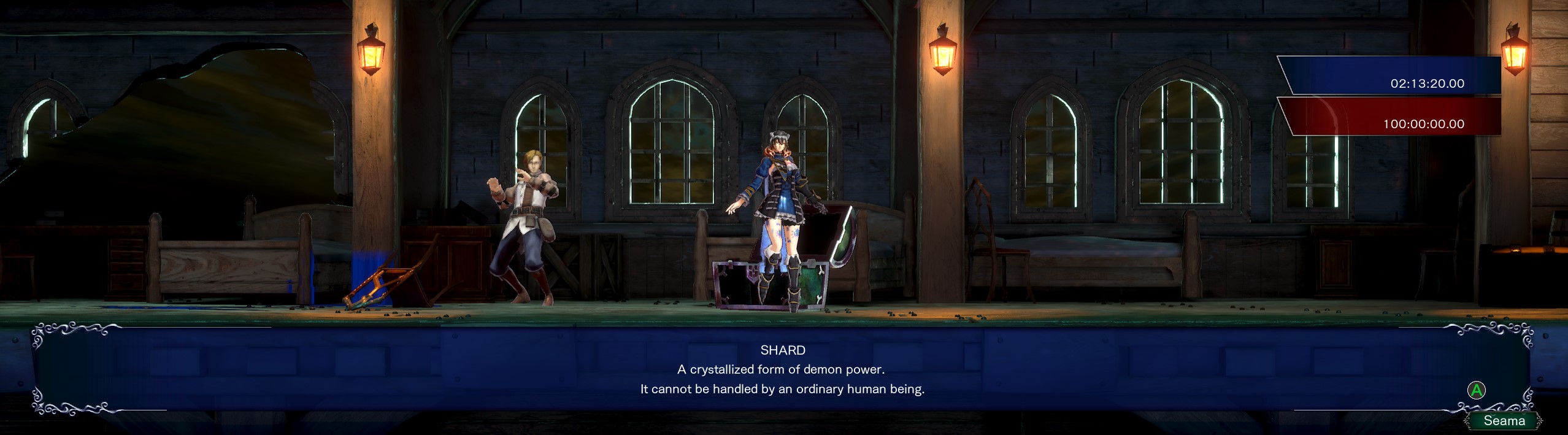
- New custom setting: automatically updates the .ini config to match your resolution:

Games added or updated since 1.6.0
- Bloodstained: Ritual of the Night,
- DAVE THE DIVER,
- Guacamelee! 2,
- Guacamelee! Super Turbo Championship Edition,
- Rayman Legends,
- SANABI,
- SONIC X SHADOW GENERATIONS,
- Ys VIII: Lacrimosa of DANA.

AnyAspectRatio Decky Plugin for Steam OS v1.6.0
What's New in v1.6.0
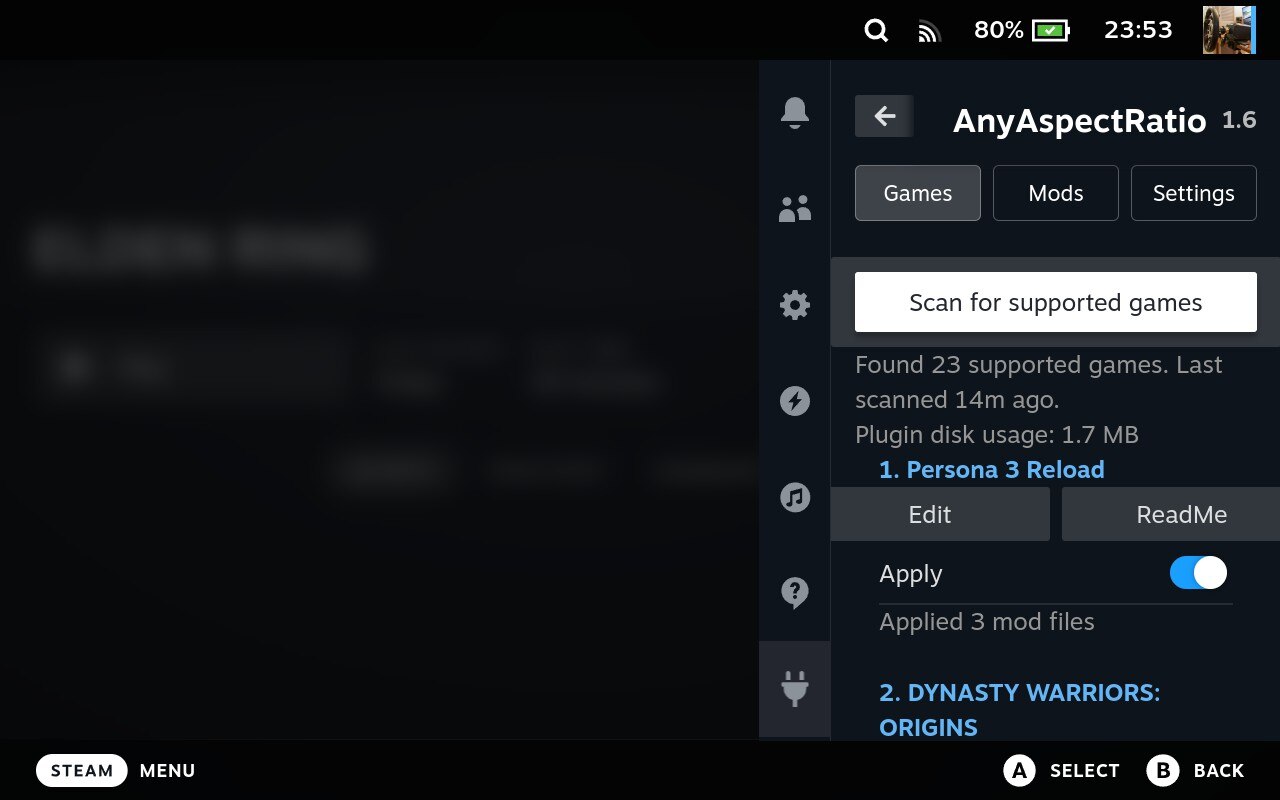
- Redesigned GUI
- Added a new Log button to easily check mod activity.
- Further enhanced the installation and backup logic to seamlessly support highly complex mods.
New Mods:
- Palworld
- Undertale
- Elden Ring
- Resident Evil 2 *now support DX11 or DX12
- Resident Evil 3 *now support DX11 or DX12
Play at full-screen at any aspect ratio (16:10/4:3/3:2...), one tap per game.
AnyAspectRatio is a Decky Loader plugin that finds the games you own, installs the right aspect-ratio fix, and sets the Steam launch options for you.
No desktop mode file copying, no terminal.
Install (about 2 minutes)
Requires a Steam Deck (or SteamOS) with Decky Loader.
- Download
AnyAspectRatio-1.6.0.zipfrom the latest release. - Put the zip on the Deck (for example in
Downloads). - In Game Mode, open Decky (
...button), then Settings → General and turn on Developer mode. - Open Settings → Developer → Install Plugin from ZIP, pick the zip, and confirm.
- Open AnyAspectRatio in the Decky menu and use Scan Steam libraries.
Good to know
- Fixes by Lyall are shipped as-is and haven't all been tested by me. If one misbehaves, press Remove and tell me which game.
- Some fixes are for specific game versions. If a game updates, a fix may need a new release.
- Anti-cheat or online games: use fixes at your own risk.
What it does
- 100+ games supported.
- Made for the SteamOS. My fixes default to 16:10 (1280x800), matching the SteamDeck screen.
- Finds your games everywhere. Scans every Steam library, including the microSD card.
- Non-Steam games work too. It is matched by its exe name.
- Edit settings in the plugin. Change resolution, aspect ratio or FOV right from Game Mode. Changes save automatically.
- Offline friendly. Import the repository zip once, or point it at a folder of your own mod zips.
Credits and support
Huge thanks to Lyall (Patreon | Ko-fi), ThirteenAG (Ultimate ASI Loader) and every mod author credited in each game's ReadMe.
If this helps you, you can support me on Ko-fi. Bug reports and game requests: open an issue on GitHub.
AnyAspectRatio Decky Plugin for Steam OS v1.5.0
What's New in v1.5.0
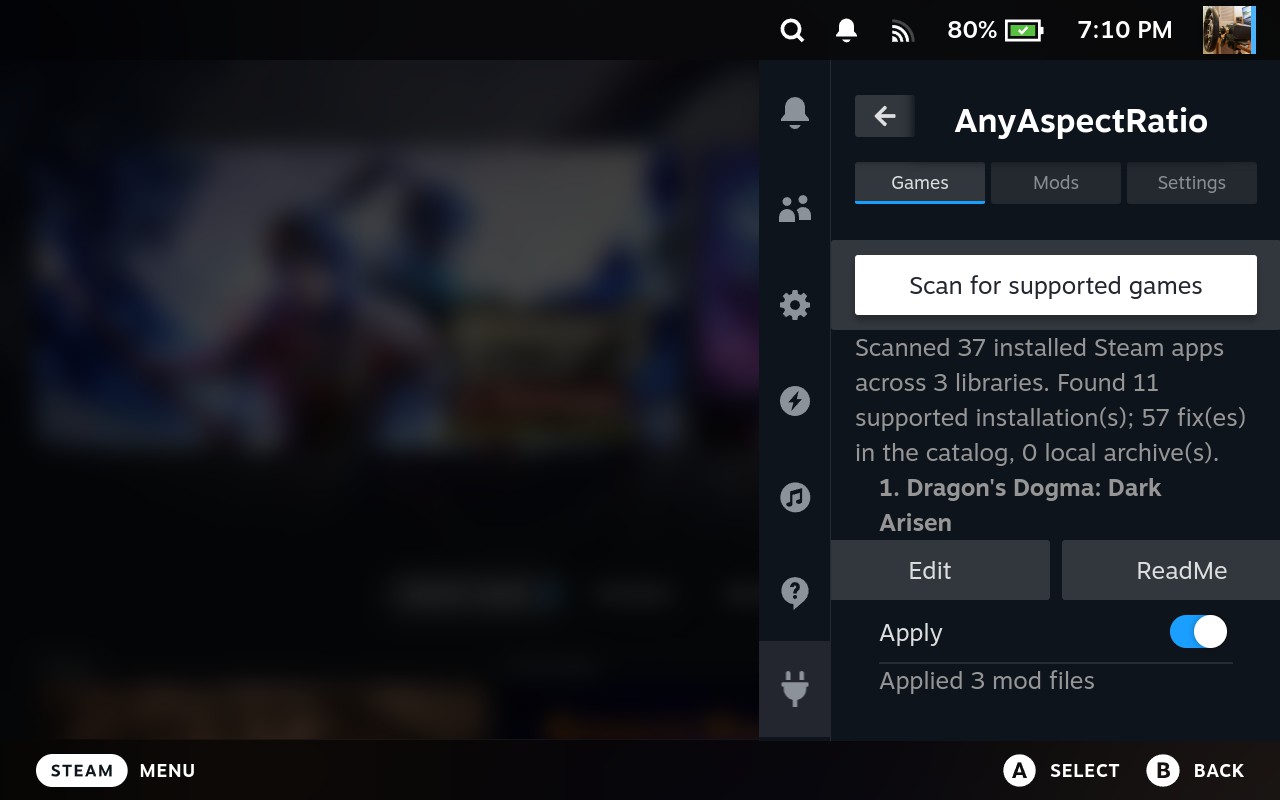
- Optimized the game scanner
- Improved the UX
- Added a button to fetch offline mod packs
Play at full-screen at any aspect ratio (16:10/4:3/3:2...), one tap per game.
AnyAspectRatio is a Decky Loader plugin that finds the games you own, installs the right aspect-ratio fix, and sets the Steam launch options for you.
No desktop mode file copying, no terminal.
Install (about 2 minutes)
Requires a Steam Deck (or SteamOS) with Decky Loader.
- Download
AnyAspectRatio-1.5.0.zipfrom the latest release. - Put the zip on the Deck (for example in
Downloads). - In Game Mode, open Decky (
...button), then Settings → General and turn on Developer mode. - Open Settings → Developer → Install Plugin from ZIP, pick the zip, and confirm.
- Open AnyAspectRatio in the Decky menu and use Scan Steam libraries.
Good to know
- Fixes by Lyall are shipped as-is and haven't all been tested by me. If one misbehaves, press Remove and tell me which game.
- Some fixes are for specific game versions. If a game updates, a fix may need a new release.
- Anti-cheat or online games: use fixes at your own risk.
What it does
- 100+ games supported.
- Made for the SteamOS. My fixes default to 16:10 (1280x800), matching the SteamDeck screen.
- Finds your games everywhere. Scans every Steam library, including the microSD card.
- Non-Steam games work too. It is matched by its exe name.
- Edit settings in the plugin. Change resolution, aspect ratio or FOV right from Game Mode. Changes save automatically.
- Offline friendly. Import the repository zip once, or point it at a folder of your own mod zips.
Credits and support
Huge thanks to Lyall (Patreon | Ko-fi), ThirteenAG (Ultimate ASI Loader) and every mod author credited in each game's ReadMe.
If this helps you, you can support me on Ko-fi. Bug reports and game requests: open an issue on GitHub.
AnyAspectRatio Decky Plugin for Steam OS v1.4.0
What's New in v1.4.0
- Safer catalog.json: sha256 hash checking.
- New games:
- Persona 5 Royal (WIP, full mod in https://www.patreon.com/cw/Wintermance),
- Final Fantasy XIII-2,
- Lightning Returns Final Fantasy XIII,
- Monster Hunter: World
- Samurai Warriors: Spirit of Sanada;
- Persona 3 Reload
Play at full-screen at any aspect ratio (16:10/4:3/3:2...), one tap per game.
AnyAspectRatio is a Decky Loader plugin that finds the games you own, installs the right aspect-ratio fix, and sets the Steam launch options for you.
No desktop mode file copying, no terminal.
Install (about 2 minutes)
You need a Steam Deck (or SteamOS) with Decky Loader.
- Download AnyAspectRatio-1.4.0.zip from the Assets below and put it on your Deck (for example in
Downloads). - In Game Mode open Decky (the
...button), go to Settings → General and turn on Developer mode. - Go to Settings → Developer → Install Plugin from ZIP, pick the zip and confirm.
- Open AnyAspectRatio in the Decky menu and press Scan Steam libraries.
To update, install the newer zip in Settings. To remove, uninstall it from the Decky plugin list.
Good to know
- This is the first public release. Fixes by Lyall are shipped as-is and haven't all been tested by me. If one misbehaves, press Remove and tell me which game.
- Some fixes are for specific game versions. If a game updates, a fix may need a new release.
- Anti-cheat or online games: use fixes at your own risk.
What it does
- 100+ games supported.
- Made for the SteamOS. My fixes default to 16:10 (1280x800), matching the SteamDeck screen.
- Finds your games everywhere. Scans every Steam library, including the microSD card.
- Non-Steam games work too. It is matched by its exe name.
- Edit settings in the plugin. Change resolution, aspect ratio or FOV right from Game Mode. Changes save automatically.
- Offline friendly. Import the repository zip once, or point it at a folder of your own mod zips.
Credits and support
Huge thanks to Lyall (Patreon | Ko-fi), ThirteenAG (Ultimate ASI Loader) and every mod author credited in each game's ReadMe.
If this helps you, you can support me on Ko-fi. Bug reports and game requests: open an issue on GitHub.
AnyAspectRatio Decky Plugin for Steam OS v1.3.0
What's New in v1.3.0
- Offline mode: Disables all network for this plugin.
- Log Viewer: Inspect plugin logs and debug activity directly within the UI.
Play at full-screen at any aspect ratio (16:10/4:3/3:2...), one tap per game.
AnyAspectRatio is a Decky Loader plugin that finds the games you own, installs the right aspect-ratio fix, and sets the Steam launch options for you. No desktop mode file copying, no terminal.
Install (about 2 minutes)
You need a Steam Deck (or SteamOS) with Decky Loader.
- Download AnyAspectRatio-1.3.0.zip from the Assets below and put it on your Deck (for example in
Downloads). - In Game Mode open Decky (the
...button), go to Settings → General and turn on Developer mode. - Go to Settings → Developer → Install Plugin from ZIP, pick the zip and confirm.
- Open AnyAspectRatio in the Decky menu and press Scan Steam libraries.
To update, install the newer zip the same way. To remove, uninstall it from the Decky plugin list.
Good to know
- This is the first public release. Fixes by Lyall are shipped as-is and haven't all been tested by me. If one misbehaves, press Remove and tell me which game.
- Some fixes are for specific game versions. If a game updates, a fix may need a new release.
- Anti-cheat or online games: use fixes at your own risk.
What it does
- 100+ games supported.
- Made for the SteamOS. My fixes default to 16:10 (1280x800), matching the SteamDeck screen.
- Finds your games everywhere. Scans every Steam library, including the microSD card.
- Non-Steam games work too. It is matched by its exe name.
- Edit settings in the plugin. Change resolution, aspect ratio or FOV right from Game Mode. Changes save automatically.
- Offline friendly. Import the repository zip once, or point it at a folder of your own mod zips.
Credits and support
Huge thanks to Lyall (Patreon | Ko-fi), ThirteenAG (Ultimate ASI Loader) and every mod author credited in each game's ReadMe.
If this helps you, you can support me on Ko-fi. Bug reports and game requests: open an issue on GitHub.
AnyAspectRatio Decky Plugin for Steam OS v1.2.0
Play at full-screen at any aspect ratio (16:10/4:3/3:2...), one tap per game.
AnyAspectRatio is a Decky Loader plugin that finds the games you own, installs the right aspect-ratio fix, and sets the Steam launch options for you. No desktop mode file copying, no terminal.
Install (about 2 minutes)
You need a Steam Deck (or SteamOS) with Decky Loader.
- Download AnyAspectRatio-1.2.0.zip from the Assets below and put it on your Deck (for example in
Downloads). - In Game Mode open Decky (the
...button), go to Settings → General and turn on Developer mode. - Go to Settings → Developer → Install Plugin from ZIP, pick the zip and confirm.
- Open AnyAspectRatio in the Decky menu and press Scan Steam libraries.
To update, install the newer zip the same way. To remove, uninstall it from the Decky plugin list.
Good to know
- This is the first public release. Fixes by Lyall are shipped as-is and haven't all been tested by me. If one misbehaves, press Remove and tell me which game.
- Some fixes are for specific game versions. If a game updates, a fix may need a new release.
- Anti-cheat or online games: use fixes at your own risk.
What it does
- 100+ games supported.
- Made for the SteamOS. My fixes default to 16:10 (1280x800), matching the SteamDeck screen.
- Finds your games everywhere. Scans every Steam library, including the microSD card.
- Non-Steam games work too. It is matched by its exe name.
- Edit settings in the plugin. Change resolution, aspect ratio or FOV right from Game Mode. Changes save automatically.
- Offline friendly. Import the repository zip once, or point it at a folder of your own mod zips.
Credits and support
Huge thanks to Lyall (Patreon | Ko-fi), ThirteenAG (Ultimate ASI Loader) and every mod author credited in each game's ReadMe.
If this helps you, you can support me on Ko-fi. Bug reports and game requests: open an issue on GitHub.
AnyAspectRatio Decky Plugin 1.1.0
AnyAspectRatio for Decky
Play your games at fullsceen 16:10 on Steam Deck and SteamOS.
This Decky Loader plugin finds your supported games and applies aspect-ratio fixes in one tap, with the Steam launch options set for you
Install
Requires a Steam Deck (or SteamOS) with Decky Loader.
- Download
AnyAspectRatio-1.1.0.zipfrom the latest release. - Put the zip on the Deck (for example in
Downloads). - In Game Mode, open Decky (
...button), then Settings → General and turn on Developer mode. - Open Settings → Developer → Install Plugin from ZIP, pick the zip, and confirm.
- Open AnyAspectRatio in the Decky menu and use Scan Steam libraries.
To update, install the newer zip the same way. To remove, uninstall from the Decky plugin list.
Tabs
- Games: lists your games that have a mod. Apply or remove a mod per game.
- Mods: shows who made the mods. Two buttons:
- Import repository zip...: use all of this repository's mods offline. On a PC or the Deck's browser, open this repository on GitHub, choose Code → Download ZIP, and save it in the Deck's
Downloadsfolder. Then pick it here. - Delete all local files and caches: frees the space used by imported or downloaded files. Your settings and already-applied mods are kept.
- Import repository zip...: use all of this repository's mods offline. On a PC or the Deck's browser, open this repository on GitHub, choose Code → Download ZIP, and save it in the Deck's
- Settings: where mods come from, an optional folder of your own mod zips, and Update to fetch the newest mod list.
Special thanks to Lyall
A large part of the game list comes from the work of Lyall, whose open aspect-ratio and UI fixes are mirrored in external/Lyall (full list with Steam IDs and release dates in its README) and installed unchanged by this plugin. If these fixes make your games better, please support him:
- Patreon: https://www.patreon.com/Wintermance
- Ko-fi: https://ko-fi.com/W7W01UAI9
Plugin author: Ko-fi
License
MIT. Third-party notices are included in the zip.
Visions of Mana v1.0.0
Initial release: custom resolution and FOV support. Default resolution: 1280x800. SteamOS / Proton launch option: WINEDLLOVERRIDES="dxgi=n,b" %command%
Dynasty Warriors 3: Remastered v1.0.0
Custom borderless-window resolutions, including narrow aspect ratios such as 1:1, 3:2, and 4:3.
Final Fantasy XIII v1.0.0
FINAL-FANTASY-XIII-Any-Aspect-Ratio
Why?
- The existing Final Fantasy XIII Ultrawide Fix crops the image to fill handheld screens. I made this patch to preserve the full image at narrower custom resolutions below 21:9, such as the Steam Deck's 16:10 display.
-
Install vibration fix, +7fps: https://github.com/rebtd7/FF13Fix
-
Install
Extract the contents ofFinal-Fantasy-XIII-v1.0.0.zipinto the game'sbinfolder:
steamapps\common\FINAL FANTASY XIII\white_data\prog\win\bin
The folder should contain FF13_ARFix.asi, FF13_ARFix.ini, and dinput8.dll. Keep them beside the game's ffxiii2img.exe. The README and license file are documentation; they do not need to stay in the game folder.
- For SteamOS / Winlator (Wine Users)
For SteamOS / Proton, open the game's Properties, then General > Launch Options, and use:
WINEDLLOVERRIDES="d3d9,dinput8=n,b" %command%
This enables both the game's d3d9 proxy and the mod's dinput8 ASI Loader. It can be used alongside other mods such as FF13Fix; keep both DLL names in the same WINEDLLOVERRIDES value rather than adding a second variable. On Windows, no launch option is needed.
- Configure the Aspect Ratio
The included FF13_ARFix.ini is preconfigured for the Steam Deck's 1280x800 display:
[Resolution]
ReplaceWidth=1280
ReplaceHeight=720
TargetWidth=1280
TargetHeight=800
Nova 4:3:
In launcher, select Window mode with 1920x1080, set Stretch mode
[Resolution]
ReplaceWidth=1920
ReplaceHeight=1080
TargetWidth=1280
TargetHeight=960
To use another display, edit only TargetWidth and TargetHeight to that display's resolution. For example, use 1280 and 800 for 16:10, or 1920 and 1080 for 16:9. Keep ReplaceWidth=1280 and ReplaceHeight=720 match your launcher setting: these are the original values the patch searches for in the game, not your display resolution. (Some SteamOS, like DroidDeck, only work at 1080p.)
- Known Issues
- The GUI may be misaligned at custom aspect ratios.
- At very narrow aspect ratios such as 4:3, subtitles may be obscured by the video.
The bundled dinput8.dll is the 32-bit Ultimate ASI Loader. Its MIT license is included in Final-Fantasy-XIII-v1.0.0.zip and in the repository root.