

Audio-Guided Facial Video Restoration





Demo · Results · Installation · Model Downloads · Inference · Citation · Technical Guide
Prefer ComfyUI? Use the dedicated ComfyUI branch for custom nodes, installation instructions, model setup and ready-to-import workflows: English guide · 中文安装与使用指南. It reuses the original TaoMate-FVSR weights; no converted checkpoint is required.
TaoMate-FVSR restores face videos with audio conditioning, sparse visual references, and generated-frame history. It supports restoration with the original audio and visual dubbing with replacement speech.
- Full-video inference: DWPose crop → face restoration → color/mask blend → paste-back.
- 1× / 2× inference: run the model at 512×512 or 1024×1024, then return to 512×512 before compositing. The output scene retains its original dimensions.
- Audio-guided generation: use the video's original audio or provide target speech.
- Flexible references: prepare the first frame with GPEN, use an externally edited first frame, or supply a finished reference image. Default enhancement uses one GPEN-BFR-512 pass for 1× and one GPEN-BFR-1024 pass for 2×.
The main branch contains the standalone inference runtime; the comfyui
branch provides the ComfyUI integration. Model weights are downloaded
separately, and input media is supplied locally.
- 2026-11-03: 🎉 Inference code released, including full-scene crop/paste-back, scale-matched GPEN references, and 1× / 2× inference through one entry point.
- 2026-11-02: Our paper is available on arXiv.
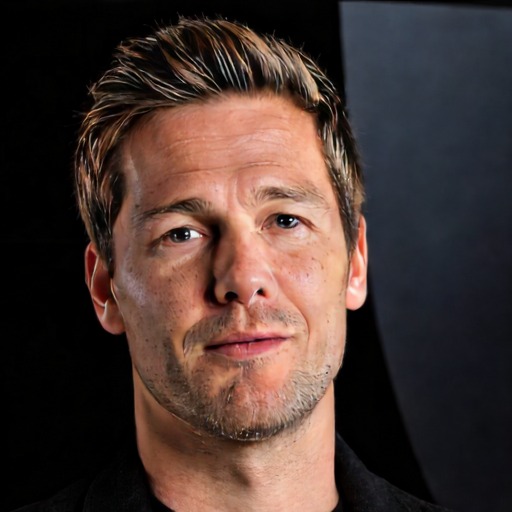
The Gallery — TaoMate-FVSR+ restoration example from the project page.
| Input | TaoMate-FVSR+ |
|---|---|
 |
 |
▶ Watch the synchronized comparison · Restored video (MP4) · More demos
The “+” variant uses a GPT-Image-enhanced reference frame. Click either preview to play the before/after comparison.
Results from our paper. ↑ indicates higher is better; ↓ indicates lower is better. Scores are video-wise means, and GT rows provide undegraded-source context rather than a competing method.
Bold marks the best method result; underline marks the second-best. GT is excluded from both rankings.
The 150-video benchmark includes MEAD, HDTF, TalkVid, and our internal talking-head dataset. All methods receive the same training-style degradation, including 4× downsampling followed by resizing back to 512×512. Scores are computed on complete prepared frames using native uncompressed RGB outputs, averaged equally over common valid clips.
| Method | PSNR ↑ | SSIM ↑ | LPIPS ↓ | DISTS ↓ | Sync-C ↑ | Sync-D ↓ | MUSIQ ↑ | CLIP-IQA ↑ | FasterVQA ↑ | DOVER ↑ |
|---|---|---|---|---|---|---|---|---|---|---|
| GT | — | — | — | — | 6.959 | 7.863 | 62.70 | 0.4525 | 0.7735 | 0.6148 |
| GPEN | 26.77 | 0.7970 | 0.2267 | 0.1825 | 6.309 | 8.288 | 76.47 | 0.7032 | 0.8931 | 0.8505 |
| CodeFormer | 27.38 | 0.8045 | 0.2195 | 0.1876 | 5.856 | 8.693 | 74.42 | 0.6649 | 0.8854 | 0.7954 |
| InstantRestore | 27.42 | 0.8283 | 0.1380 | 0.1421 | 6.209 | 8.403 | 68.11 | 0.5166 | 0.8562 | 0.7704 |
| SparkVSR | 30.62 | 0.8863 | 0.1755 | 0.1586 | 6.545 | 8.170 | 65.66 | 0.4417 | 0.8459 | 0.7467 |
| RG-FVR | 26.69 | 0.8308 | 0.1645 | 0.1461 | 5.685 | 9.024 | 70.51 | 0.5246 | 0.8688 | 0.7407 |
| SeedVR2-3B | 27.49 | 0.8456 | 0.2227 | 0.1630 | 6.377 | 8.339 | 57.36 | 0.4412 | 0.7548 | 0.5601 |
| SeedVR2-7B | 28.60 | 0.8584 | 0.2046 | 0.1525 | 6.359 | 8.319 | 54.30 | 0.3939 | 0.7433 | 0.5212 |
| FlashVSR-Tiny | 27.74 | 0.8497 | 0.1563 | 0.1428 | 6.490 | 8.275 | 70.19 | 0.5395 | 0.8810 | 0.7709 |
| FlashVSR-Full | 27.52 | 0.8435 | 0.1652 | 0.1458 | 6.468 | 8.316 | 71.23 | 0.5776 | 0.8820 | 0.7729 |
| FlashVSR+ | 26.68 | 0.8379 | 0.1652 | 0.1473 | 6.524 | 8.230 | 69.83 | 0.4947 | 0.8775 | 0.7851 |
| Ours | 28.67 | 0.8836 | 0.0793 | 0.0858 | 7.413 | 7.561 | 66.84 | 0.4908 | 0.8245 | 0.7178 |
| Ours+ | 23.52 | 0.7525 | 0.2402 | 0.1902 | 7.453 | 7.520 | 77.62 | 0.7081 | 0.8997 | 0.8823 |
Reference-capable baselines and Ours use the same undegraded GT first frame. Ours+ uses a GPT-Image-enhanced version of that frame, with the model and sampler unchanged. Methods without a reference interface retain their supported inputs.
This table uses the 30-clip subset selected post hoc from 44 valid clips by Ours+ Sync-C. All pipelines use those same clips and replacement-audio pairs, with the same degraded sources and no additional degradation between stages. Arrows indicate execution order: restoration first, then dubbing. Since there is no paired target-mouth video for replacement speech, this table reports synchronization and no-reference quality metrics only.
| Pipeline | Sync-C ↑ | Sync-D ↓ | MUSIQ ↑ | CLIP-IQA ↑ | FasterVQA ↑ | DOVER ↑ |
|---|---|---|---|---|---|---|
| FlashVSR Full → X-Dub | 6.137 | 9.332 | 73.25 | 0.6582 | 0.8750 | 0.7845 |
| FlashVSR Full → KeySync | 7.347 | 7.840 | 68.07 | 0.4908 | 0.8736 | 0.7647 |
| FlashVSR Full → TBDub Teacher | 7.736 | 7.543 | 70.18 | 0.6208 | 0.8650 | 0.7179 |
| FlashVSR Full → TBDub Student | 7.469 | 8.196 | 69.72 | 0.5834 | 0.8641 | 0.7309 |
| FlashVSR Full → LipForcing | 7.917 | 7.186 | 66.18 | 0.4973 | 0.8476 | 0.6958 |
| SparkVSR → X-Dub | 5.853 | 9.409 | 74.12 | 0.6335 | 0.8596 | 0.7822 |
| SparkVSR → KeySync | 7.175 | 7.964 | 62.17 | 0.4271 | 0.8318 | 0.7199 |
| SparkVSR → TBDub Teacher | 7.208 | 7.817 | 67.94 | 0.5383 | 0.8389 | 0.7030 |
| SparkVSR → TBDub Student | 7.090 | 8.401 | 67.25 | 0.4987 | 0.8412 | 0.7174 |
| SparkVSR → LipForcing | 7.858 | 7.224 | 60.70 | 0.4270 | 0.8079 | 0.6517 |
| Ours+ | 8.175 | 7.083 | 77.56 | 0.7070 | 0.8958 | 0.8709 |
SparkVSR and Ours+ share the same GPT-Image-enhanced GT first frame. The two comparisons above use fixed-reference motion conditioning, seed 42, source noise 0.8, ten Euler steps, shift 5, audio guidance 4.0, and reference guidance 1.5. These are the paper's evaluation settings; the default CLI uses GPEN reference preparation and reference guidance 1.7, as documented below.
Video-wise means on the same 30 videos: 15 from MEAD and 15 from HDTF. All variants use the unenhanced GT first frame. X-Dub (adapted) and DirectMotion compare alternative source-conditioning and reference-injection designs, respectively; w/o Audio removes audio conditioning.
| Metric | GT | Ours | w/o Audio | DirectMotion | X-Dub (adapted) |
|---|---|---|---|---|---|
| PSNR ↑ | — | 29.10 | 29.36 | 28.24 | 26.63 |
| SSIM ↑ | — | 0.8852 | 0.8889 | 0.8600 | 0.8415 |
| LPIPS ↓ | — | 0.0850 | 0.0856 | 0.1341 | 0.1523 |
| MUSIQ ↑ | 63.26 | 68.19 | 69.09 | 69.49 | 70.08 |
| CLIP-IQA ↑ | 0.4971 | 0.5591 | 0.5709 | 0.5807 | 0.6145 |
| FasterVQA ↑ | 0.7880 | 0.8352 | 0.8432 | 0.8595 | 0.8354 |
| DOVER ↑ | 0.6392 | 0.7367 | 0.7567 | 0.7602 | 0.7232 |
| Sync-C ↑ | 7.762 | 7.621 | 4.283 | 7.254 | 7.407 |
| Sync-D ↓ | 7.374 | 7.560 | 10.524 | 7.875 | 8.144 |
- Linux and Python 3.10+
- An NVIDIA CUDA GPU with BF16 support
- CUDA-compatible PyTorch 2.6+ and torchvision 0.21+
- FFmpeg / FFprobe and Git
- A C++ build toolchain and Ninja for GPEN's custom operators
The current runtime has been smoke-tested on H20. 2× inference needs more GPU
memory; --cpu-offload trades speed for lower model residency. See
validation details for tested configurations.
Clone this repository and install a CUDA-compatible PyTorch build for your GPU, then set up the inference package:
git clone https://github.com/TaoLiveAIGC/TaoMate-FVSR.git
cd TaoMate-FVSR

python3.10 -m venv .venv
source .venv/bin/activate
python -m pip install --upgrade pip

# Install PyTorch / torchvision for your CUDA version before this step.
pip install -e '.[reference]'
git clone https://github.com/yangxy/GPEN.git third_party/GPEN
Follow GPEN's installation instructions for its custom operators. Crop/compositing code and its Python dependencies are included in the package; prepare the DWPose models below for full-scene inputs.
Our checkpoint is hosted on Hugging Face. Third-party assets below link directly to their original publishers.
| Model | Purpose | Official download | Local path |
|---|---|---|---|
| TaoMate-FVSR | Audio-conditioned restoration model | TaoMate-FVSR.safetensors | models/TaoMate-FVSR.safetensors |
| TaoMate-FVSR configuration | Inference settings | config.json | models/config.json |
| Wan2.2 VAE | Video encoding and decoding | Wan-AI / Wan2.2 VAE | models/Wan2.2_VAE.pth |
| HuBERT Large | Audio features | facebook/hubert-large-ll60k | models/hubert/ |
| GPEN-BFR-512 | First-frame enhancement for 1× | GPEN-BFR-512.pth | models/GPEN-BFR-512.pth |
| GPEN-BFR-1024 | First-frame enhancement for 2× | pytorch_model.pt — official GPEN-1024 | models/GPEN-BFR-1024.pth |
| RetinaFace-R50 | GPEN face detection and alignment | RetinaFace-R50.pth | models/RetinaFace-R50.pth |
| ParseNet | GPEN face mask | ParseNet-latest.pth | models/ParseNet-latest.pth |
| YOLOX-L | DWPose person detection | OpenMMLab YOLOX-L | models/dwpose/ |
| RTMW-X | DWPose whole-body landmarks | OpenMMLab RTMW-X | models/dwpose/ |
Download commands — Wan VAE, HuBERT, GPEN and face components
mkdir -p models/hubert

hf download Wan-AI/Wan2.2-TI2V-5B Wan2.2_VAE.pth --local-dir models
hf download facebook/hubert-large-ll60k \
  config.json preprocessor_config.json pytorch_model.bin --local-dir models/hubert

curl -fL https://public-vigen-video.oss-cn-shanghai.aliyuncs.com/robin/models/RetinaFace-R50.pth \
  -o models/RetinaFace-R50.pth
curl -fL https://public-vigen-video.oss-cn-shanghai.aliyuncs.com/robin/models/ParseNet-latest.pth \
  -o models/ParseNet-latest.pth
Download the GPEN checkpoint matching --scale (download both if using both scales):
mkdir -p models

# --scale 1: GPEN-BFR-512
curl -fL https://public-vigen-video.oss-cn-shanghai.aliyuncs.com/robin/models/GPEN-BFR-512.pth \
  -o models/GPEN-BFR-512.pth

# --scale 2: GPEN-BFR-1024, published under the name pytorch_model.pt
curl -fL https://www.modelscope.cn/models/damo/cv_gpen_image-portrait-enhancement-hires/resolve/master/pytorch_model.pt \
  -o models/GPEN-BFR-1024.pth
For 2×, the runtime reads models/GPEN-BFR-1024.pth. Keep this local
filename even though the publisher's download URL ends in pytorch_model.pt.
The 1024 model is linked from the official GPEN repository
to its ModelScope release; no third-party weights are rehosted here.
The checkpoint is TaoMate-FVSR.safetensors
in the public TaoLiveAIGC/TaoMate-FVSR model repository. Download the checkpoint
and its inference configuration together for the local --model-dir models flow:
hf download TaoLiveAIGC/TaoMate-FVSR \
  TaoMate-FVSR.safetensors config.json --local-dir models
The Hub's download statistics
count requests to config.json; weight-only downloads are not counted under the
current configuration. Both the command above and the CLI's automatic online
checkpoint download fetch the weights and configuration. config.json documents
the inference settings; it does not override CLI arguments. Local checkpoints and
--offline reuse remain unchanged and do not require this configuration file.
Omit --model-dir and --checkpoint to download our model automatically using
livevsr/model_sources.json. Wan VAE and HuBERT
download from their official Hugging Face repositories; GPEN assets use the
official URLs above. Use --model-dir models for the fully local layout, or
--offline for existing local files and caches. A checkpoint with another local
filename can still be supplied with --checkpoint /path/to/model.safetensors.
The checkpoint includes the audio and reference-conditioning weights; a base
Wan checkpoint or a LoRA alone is not sufficient. No model weights are stored
in this Git repository.
The default path also needs YOLOX/RTMW; the compositing mask is bundled.
Required DWPose setup for full-scene inputs
Install MMDetection and MMPose following the
MMPose installation guide.
An independent pose environment is supported through --pose-python /path/to/pose-env/bin/python;
this keeps OpenMMLab's PyTorch/MMCV requirements separate from the restoration
environment. The pose environment used for validation has PyTorch 2.5.1+cu121,
MMCV 2.1.0, MMDetection 3.3.0 and MMPose 1.3.2.
In that environment, download the upstream weights and resolved configs:
mim download mmdet --config yolox_l_8xb8-300e_coco --dest models/dwpose
mim download mmpose --config rtmw-x_8xb320-270e_cocktail14-384x288 --dest models/dwpose
The original grayscale paste mask is included at
livevsr/assets/paste_face_mask.png and in
the installed wheel. It is selected automatically, including outside the
checkout: no separate mask download or private SDK is needed. Use
--blend-mask /path/to/custom.png only to override it. The runtime implements
histogram matching and blending directly and uses the bundled mask unchanged.
--pose-model-dir overrides the YOLOX/RTMW directory. DWPose configs and weights
must still be prepared locally even when restoration weights download automatically.

Pass the original full-scene video. The runtime extracts the head with
DWPose, restores it, and pastes it into the original scene at 25 fps, with
the selected audio. An ordered 25-fps PNG directory also works with --audio.
python infer.py --input inputs/video.mp4 --output outputs/restored.mp4 \
  --model-dir models --offline --gpen-repo third_party/GPEN --scale 1
This command uses only the local weights listed above. To download assets
automatically instead, omit --model-dir models --offline. After installation,
livevsr is equivalent to python infer.py and can run outside the checkout.
Use the same entry point with --scale 1 (512 inference) or --scale 2
(512→1024 inference→512). With --scale 2, the first crop is resized to 1024,
enhanced once by GPEN-BFR-1024, and retained at 1024 for reference encoding;
it is not a resized GPEN-BFR-512 result. Generated frames are reduced with area
resampling before histogram matching and mask blending. Neither option
enlarges the background or changes the final scene dimensions.
Separate pose environments and already-cropped inputs
Add --pose-python /path/to/pose-env/bin/python when using a separate pose
environment. DWPose uses CPU by default; --pose-device cuda:0 enables GPU
preprocessing, which finishes before the restoration model is loaded.
For an already-cropped 512×512 input, add --cropped. This skips DWPose and
scene paste-back and returns the restored 512×512 face video. It also reduces
2× model output back to 512; no scene models or paste mask are needed.
python infer.py --input inputs/video.mp4 --audio inputs/target.wav \
  --output outputs/dubbed.mp4 --model-dir models --gpen-repo third_party/GPEN
Without --audio, the original audio is used. Target audio is padded or trimmed
to the processed video duration.
| Input | Reference preparation |
|---|---|
| Default | Enhance the first input crop once: GPEN-BFR-512 for 1×; GPEN-BFR-1024 for 2× |
--edited-reference inputs/edited_first_crop.png |
Apply the scale-matched GPEN model to an externally edited first crop, such as a GPT-Image edit |
--reference inputs/reference.png |
Use the finished model-crop reference directly; skip GPEN, but retain DWPose for full-scene inputs |
For example, use a finished reference with replacement audio:
python infer.py --input inputs/face.mp4 --audio inputs/target.wav \
  --cropped --reference inputs/reference.png --output outputs/dubbed.mp4 --model-dir models
References should preserve the first crop's identity, pose, mouth shape, and
framing. --reference and --edited-reference are mutually exclusive. Image
editing is performed externally; this package does not call an image-editing API.
| Option | Default | Description |
|---|---|---|
--scale |
1 | Model scale: 1 or 2; selects GPEN-512 or GPEN-1024; return to 512 before paste |
--cropped |
off | Skip full-scene crop/paste for prepared 512×512 inputs |
--steps |
10 | Euler denoising steps |
--noise |
0.8 | Initial latent noise mixture |
--audio-cfg |
4.0 | Audio guidance |
--ref-cfg |
1.7 | Joint reference/history guidance |
--gpen-passes |
1 | GPEN generator passes; 2 is optional |
--seed |
42 | Random seed |
Run python infer.py --help for all options. Windowing, reference injection,
memory handling, and full-scene integration are documented in the
technical guide. Inputs are processed locally and are not uploaded.
infer.py                    Command-line entry point
livevsr/                    Inference runtime and model definitions
livevsr/pose.py              YOLOX/RTMW inference adapter
livevsr/scene.py             Native-frame crop and RGB512 paste orchestration
livevsr/models/audio_conditioning.py  Temporal audio projection and attention
livevsr/assets/              Bundled paste mask
livevsr/model_sources.json   Hugging Face checkpoint and official component URLs
docs/inference.md           Advanced settings and scene integration
tests/                      Unit tests
The Python package and installed command remain named livevsr.
If you find TaoMate-FVSR useful in your research, please cite:
@misc{li2026taomatefvsr,
  title={TaoMate-FVSR: Audio-Guided Facial Video Restoration},
  author={Xinyang Li and Zeran Xu and Qijun Gan and Chenwei Zhang and Meiguang Jin and Junfeng Ma},
  year={2026},
  eprint={2611.03393},
  archivePrefix={arXiv},
  url={https://arxiv.org/abs/2611.03393}
}We thank the authors and maintainers of Wan2.2, DiffSynth-Studio, and X-Dub for their video-model and audio-conditioning implementations; GPEN, RetinaFace, and ParseNet (distributed with GPEN) for reference-frame preparation; and HuBERT for audio representations. We thank DWPose, MMDetection, and MMPose for person detection and landmark estimation.