Repository navigation
6. Statistics
-
/docker-transcodeautomation/data/media.dbis a sqlite database containing media data and statistics -
/docker-transcodeautomation/data/MediaDB.sqliteis used before v5. - Any sqlite viewer of choice can be used to view this data
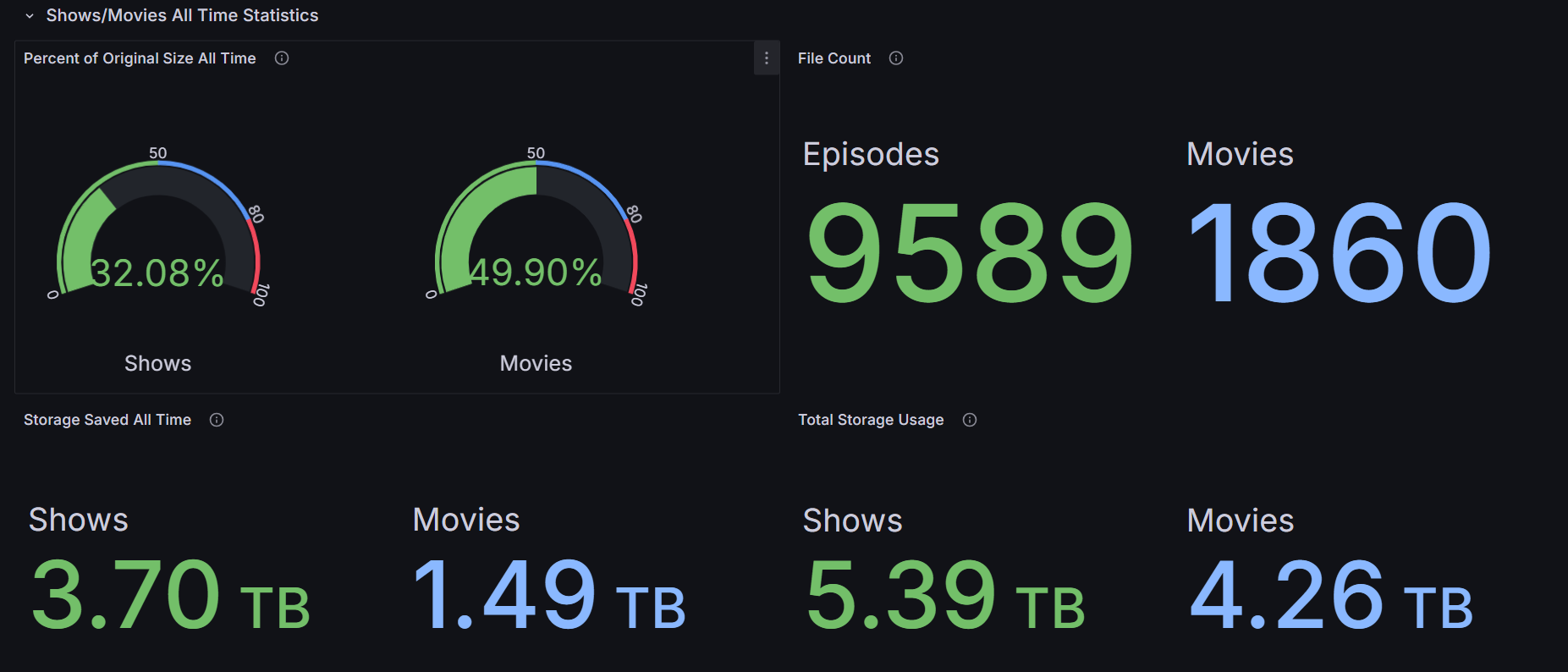
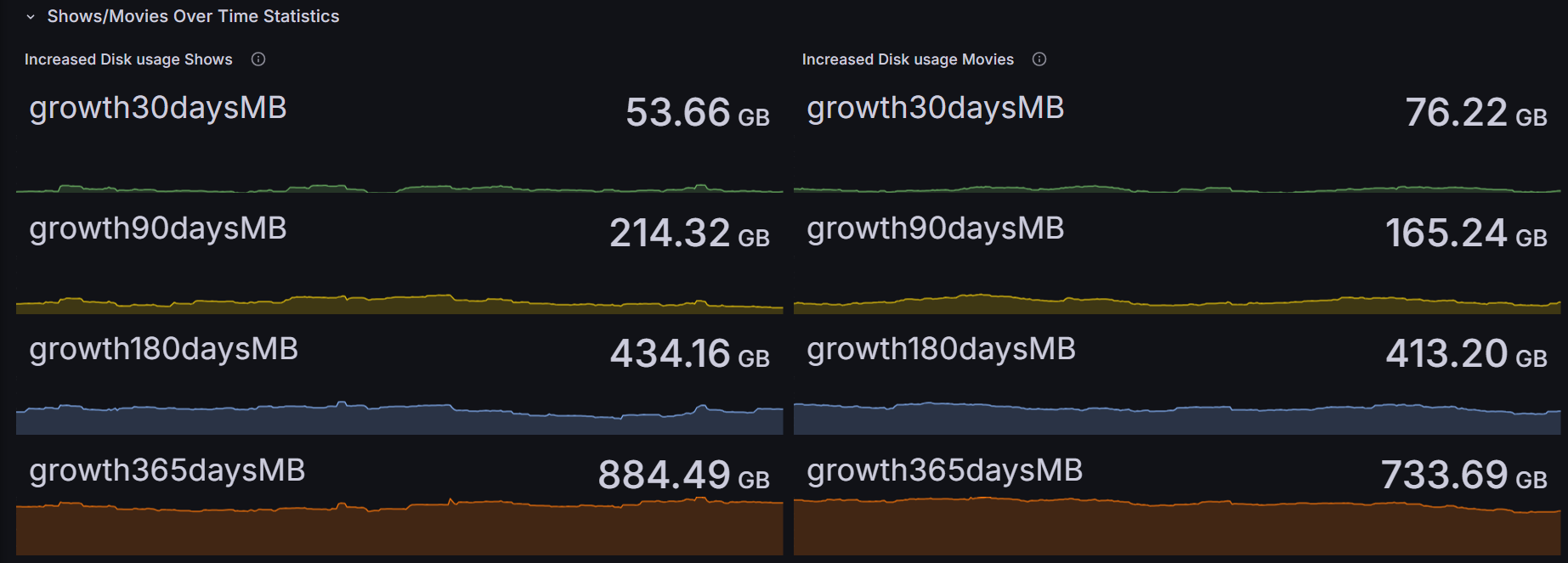
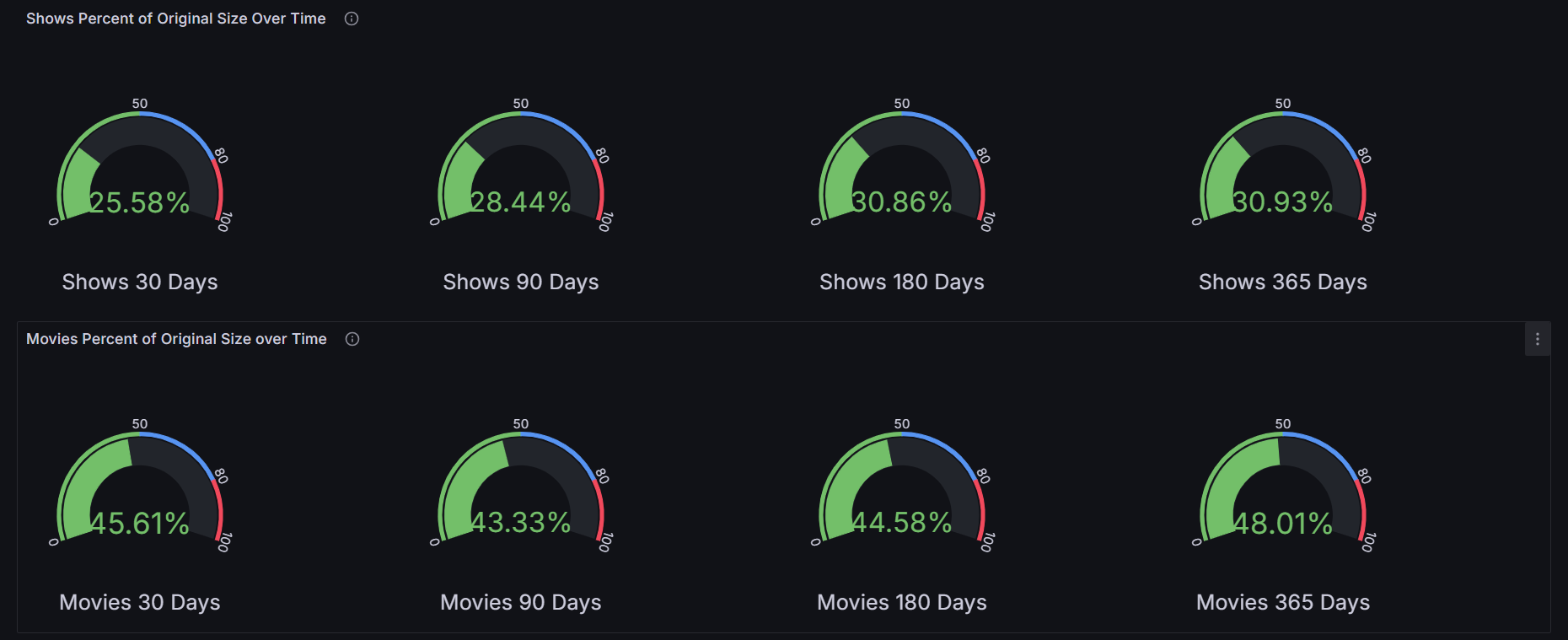
Grafana can be leveraged to build a statistics dashboard for transcoded media.
- Add Grafana to your docker-compose file.
version: "3.8"
services:
  Docker-TranscodeAutomation:
    image: ghcr.io/thetaylorlee/docker-transcodeautomation:alpine3.17-amd64-v4.8.1
    container_name: Docker-TranscodeAutomation
    environment:
      - BACKUPPROCESSED=true
      - BACKUPRETENTION=14
      - MEDIAMOVIEFOLDERS=/media/test/movies, /media/test/movies02
      - MEDIASHOWFOLDERS=/media/test/shows
      - MOVIESCRF=21
      - SHOWSCRF=23
    volumes:
      - /home/user/docker/appdata/docker-transcodeautomation/data:/docker-transcodeautomation/data
      - /home/user/docker/appdata/docker-transcodeautomation/transcoding:/docker-transcodeautomation/transcoding
      - /media:/media
   network_mode: none
   restart: unless-stopped
  grafana:
    image: grafana/grafana-oss:latest
    container_name: grafana
    privileged: true
    environment:
      - PUID=1000
      - PGID=1000
      - TZ=Chicago/Illinois
    ports:
      - "3000:3000"
    volumes:
      - /home/user/docker/appdata/grafana-data:/var/lib/grafana
- /home/user/docker/appdata/docker-transcodeautomation/data/media.db:/mydb/media.db # Pre version 5 map to /home/user/docker/appdata/docker-transcodeautomation/data/media.db:/mydb/media.db- Navigate to Grafana http://localhost:3000
- In Configuration > Data Sources > Plugins, install the SQLite plugin
- In Datasources add a new sqlite datasource with the path /mydb/media.db and a name of MediaDB (Leave the other options untouched)
- Go to Dashboards > Import, paste the json from here, and then click import
- You now have a dashboard for displaying statistics. If you haven't been running docker-transcodeautomation previously, no statistics will exist yet for the dashboard to display.