Repository navigation
Pages
This Students page:
- Loads a list of students from your backend (api/students) when the page opens.
- Shows them in a scrollable table with:
- Search by name and NetID
- Filter by major, year, and status
- Lets you upload students from a file using FileUploadButton (The upload parses the file and replaces the table with the uploaded students.)
- Lets you click a student (via selection) to open a modal card.
Inside the modal, you can:
- View the student’s details
- Click Edit to change them
- Click Save to send updates to api/students/:id (PUT) and update the table.
Overlay + main layout '' .overlay(v-if="selectedStudent" @click="closeModal") .centered-row.shaded-card.p-10.m-10.h-full .centered-col.relative.h-full.gap-4 ''
''.overlay''
Shows a dark background only when a student is selected ''(v-if="selectedStudent")''.
Clicking it calls closeModal(), which closes the student detail modal.
''.centered-row.shaded-card...'' and ''.centered-col...'' Layout and styling for the main Students page content.
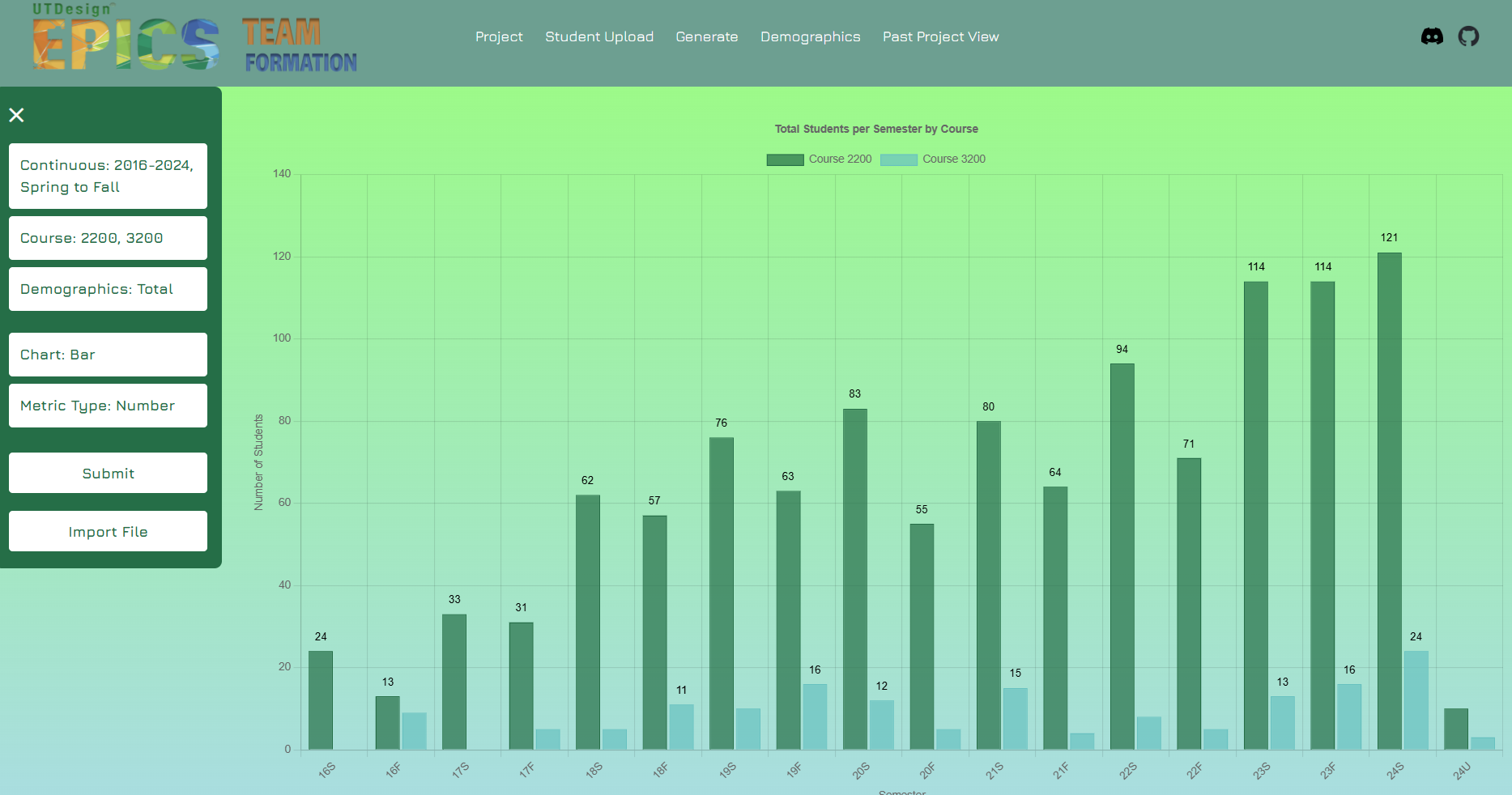
This page is where the EPICS team can generate and view charts regarding demographic data of students enrolled in EPICS, as well as upload Excel sheets to update the version of the demographic data stored in the database. Demographic data tracks gender, ethnicity, and total enrollment in all sections of EPCS since spring 2016.
Here is an example of what the Demographics page looks like after generating the graph:
You can read more about the Demographics page here.