Repository navigation
Using the HMG API app
Open HMG-API from the app menu (or put it on a ★ key).
No HMG-API tile in the app menu? The tile and the ★ choice are added by HMG-API's
hooks, so a car without a hook map yet doesn't get them. Open the app from NEMESIS
Manager → My Packages → HMG-API → Launch instead, or over adb:
adb shell hmgapid sh 'sh /data/hmgapi/open.sh'. Both install the app first if it's
missing.
- Status: whether HMG-API's hooks are on for your car, Changes not applied (switches or settings saved but not applied yet) and Restart needed (a mod with code was turned on or off, or a setting that takes effect at the next start).
- Apply changes: shows a plan of everything that will change, then applies it.
-
Check USB updates: HMG-API releases and mod packages in
HMGAPI/updates/on a USB stick. - Restart unit.
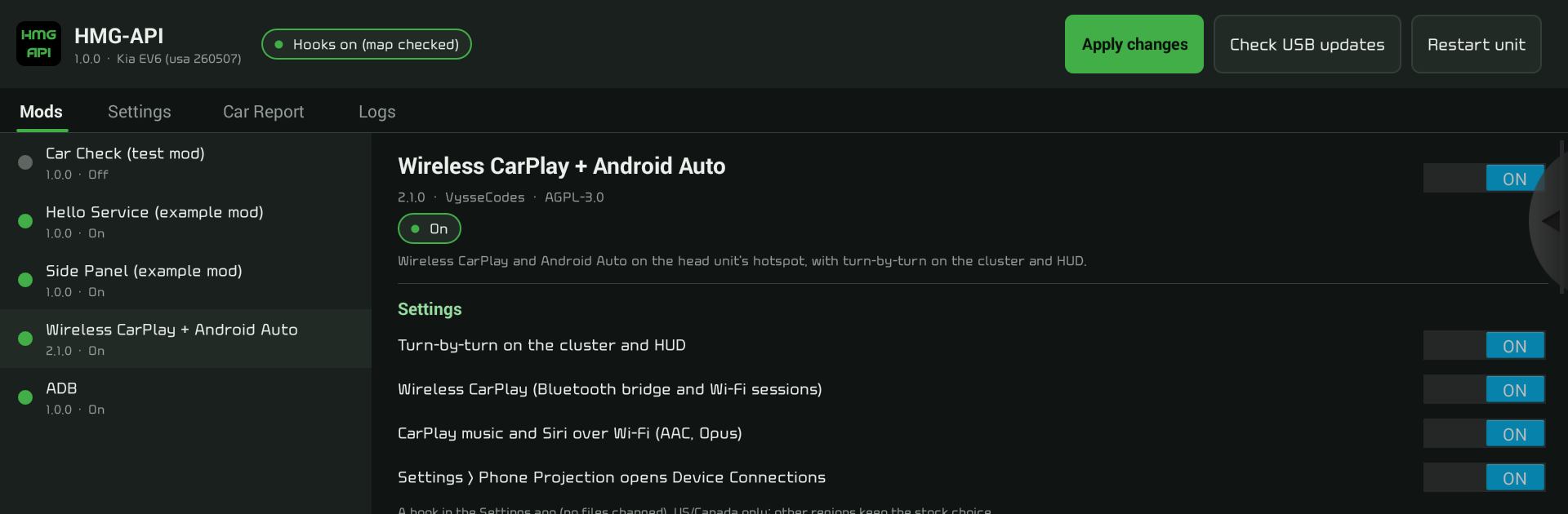
Every installed mod, with its state:
| Colour | Meaning |
|---|---|
| 🟢 green | on and running |
| 🟡 yellow | a conflict: two mods replace the same thing; turn one off |
| 🔴 red | not running on this car (it needs a hook point your car's map doesn't have yet), or an error. It says why; a Car Report helps get it added |
| ⚪ grey | off |
Pick a mod for its switch, its settings, its log (HMG-API's lines for it and its services' output) and Remove.
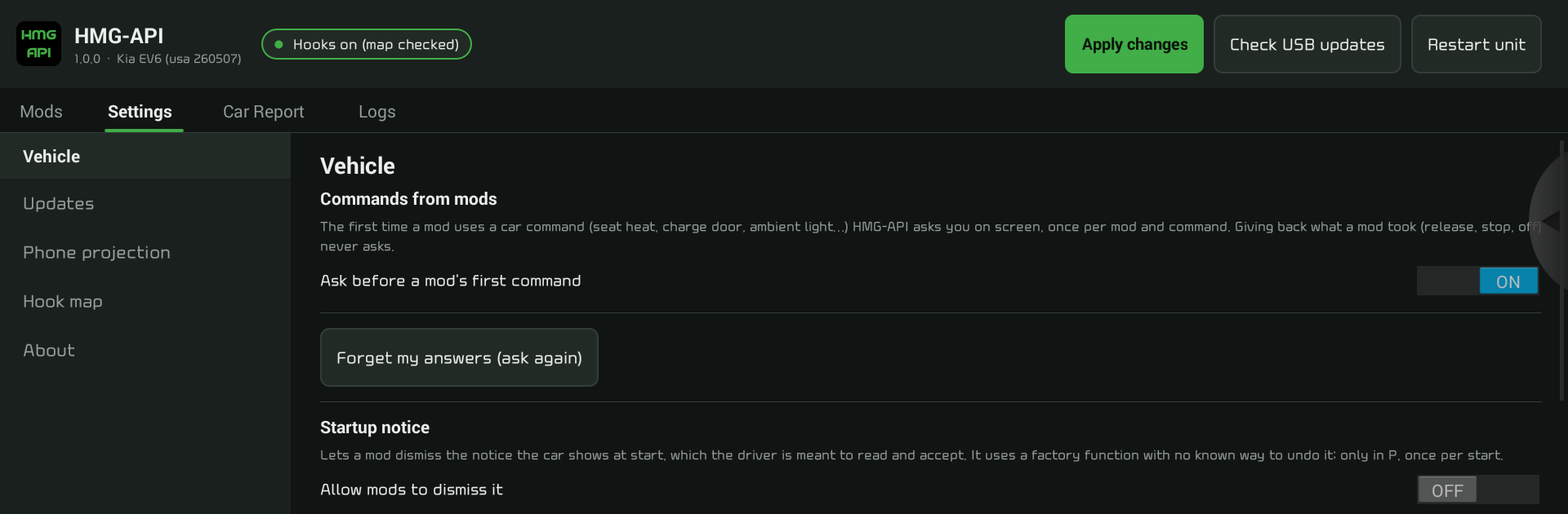
- Vehicle: HMG-API asks you before a mod's first use of a car command (seat heat, charge door, ambient light…), once per mod and command. Giving back what a mod took never asks. Also the startup notice and ambient light switches.
- Updates: over-the-air updates (blocked by default, so an update can't replace what HMG-API and your mods depend on; USB and dealer updates still work).
- Phone projection: what mods change in Android Auto and CarPlay.
- Hook map: your car's map, a check of it, mapping your car from its own software, and trying maps that haven't been checked on a car yet.
- About.
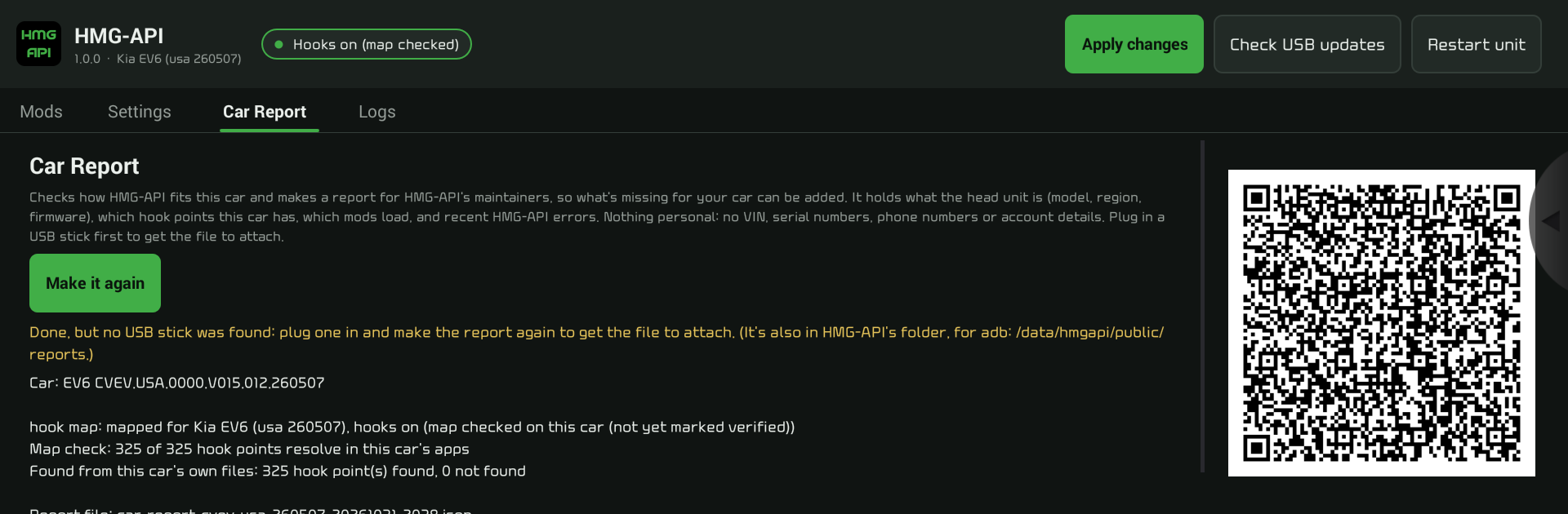
See Car Report.
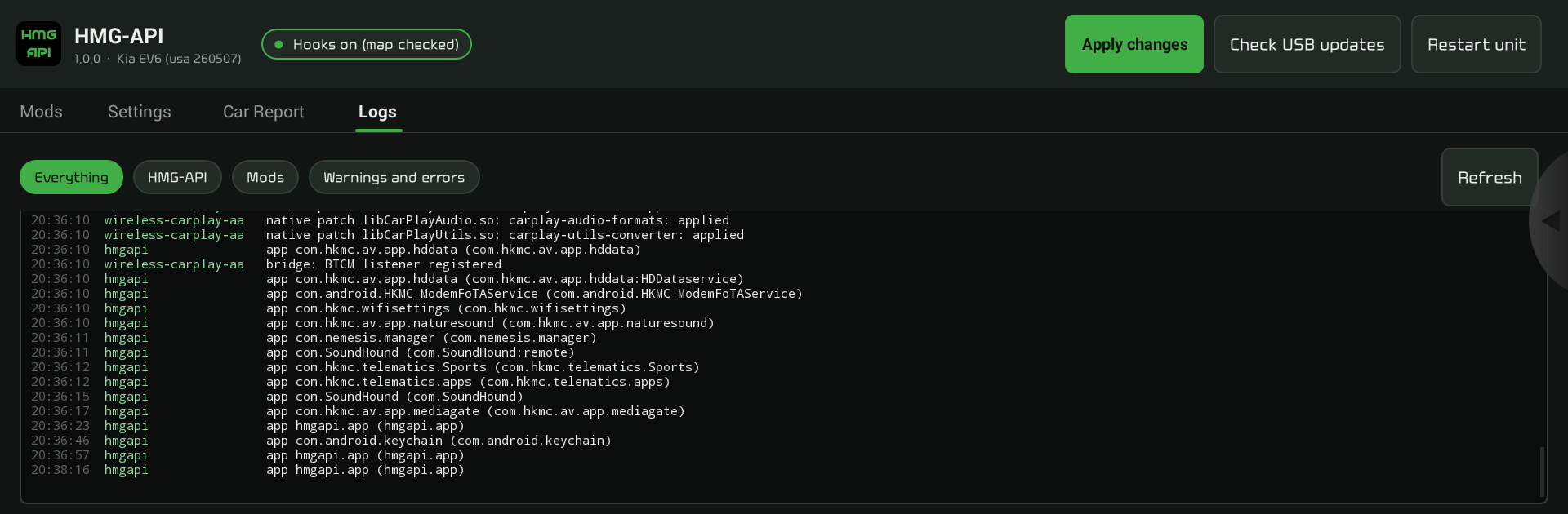
HMG-API's log since the head unit started: everything, HMG-API itself, mods, or only warnings and errors.
Switching a mod on or off and changing its settings are saved at once, and many mods pick the change up right away. Anything that changes files waits for Apply changes, which first shows the plan, for example:
app      dev.example.player (app/Player.apk) [player]
service  dashcam/recorder as root, at boot, restarted if it stops [dashcam]
vehicle  reads gear.park, speed [dashcam]
vehicle  may charge_door (gear in P; once every 5 s) [chargeport]
button   map hold (instead of the car's) -> tells its app dev.example.OPEN_DOOR [chargeport]
panel    "Battery" (dev.example/.BatteryWidget) in the side panel [battery]
projection Android Auto density 200 [aadpi]
problem lines are things HMG-API won't do, with the reason. Nothing else is
affected. If the plan says a restart is needed, the app offers it.