Repository navigation
Prism 1.7.8

Prism 1.7.8 is the seventh of the 1.7.x customization updates, sound and listening, your way: speed and pitch, crossfades your way, volume and EQ presets, a simpler Sing, Prism 1.6's look back as a choice, Last.fm scrobbling, and a long list of your requests from GitHub and Reddit. Every new option starts off, so nothing changes until you pick it.
⬇ Download Prism.apk · Already on Prism? Tap the update banner on Home.
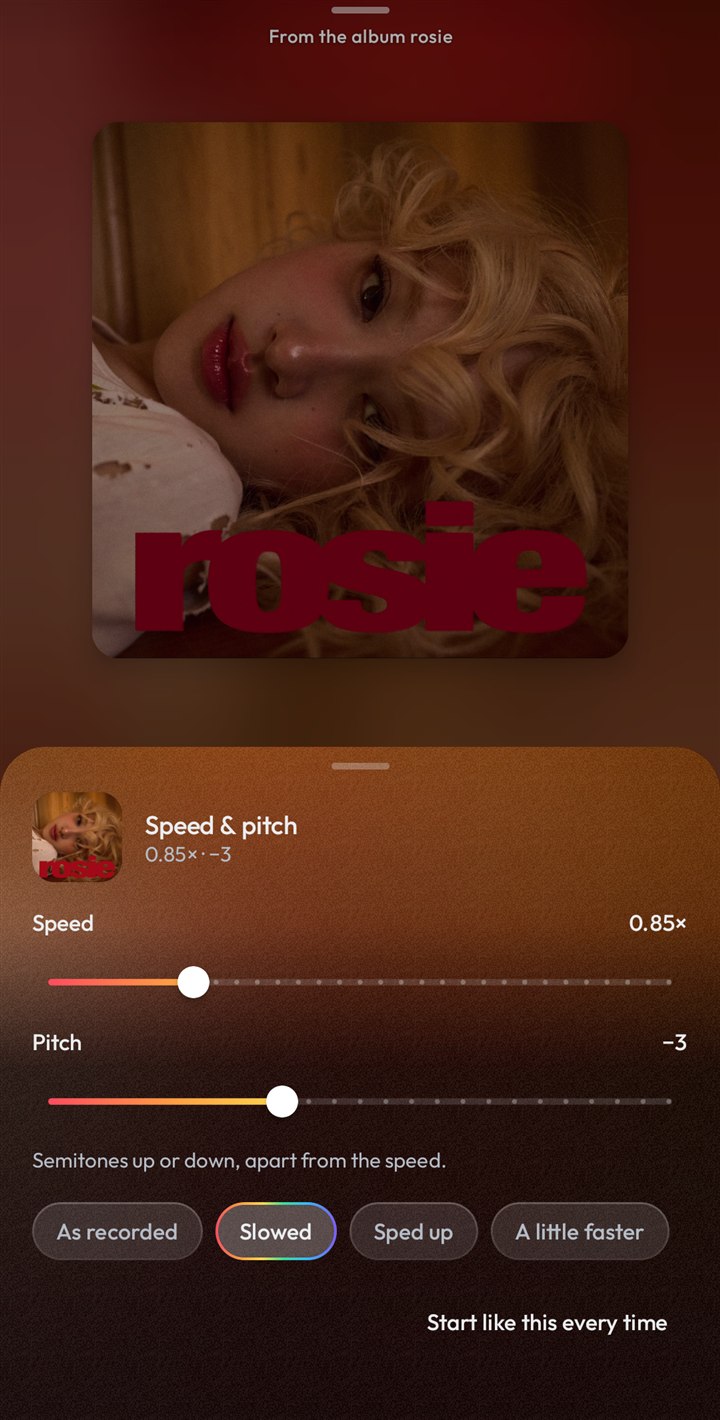
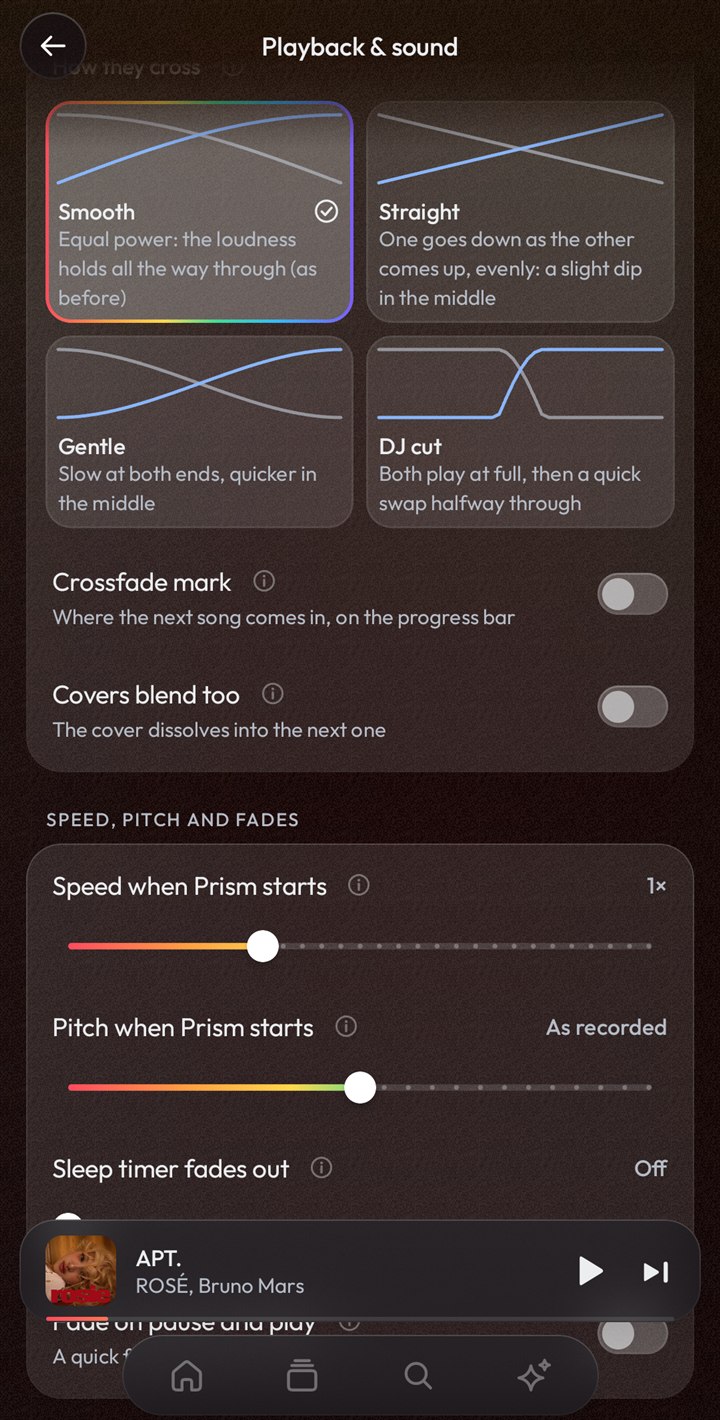
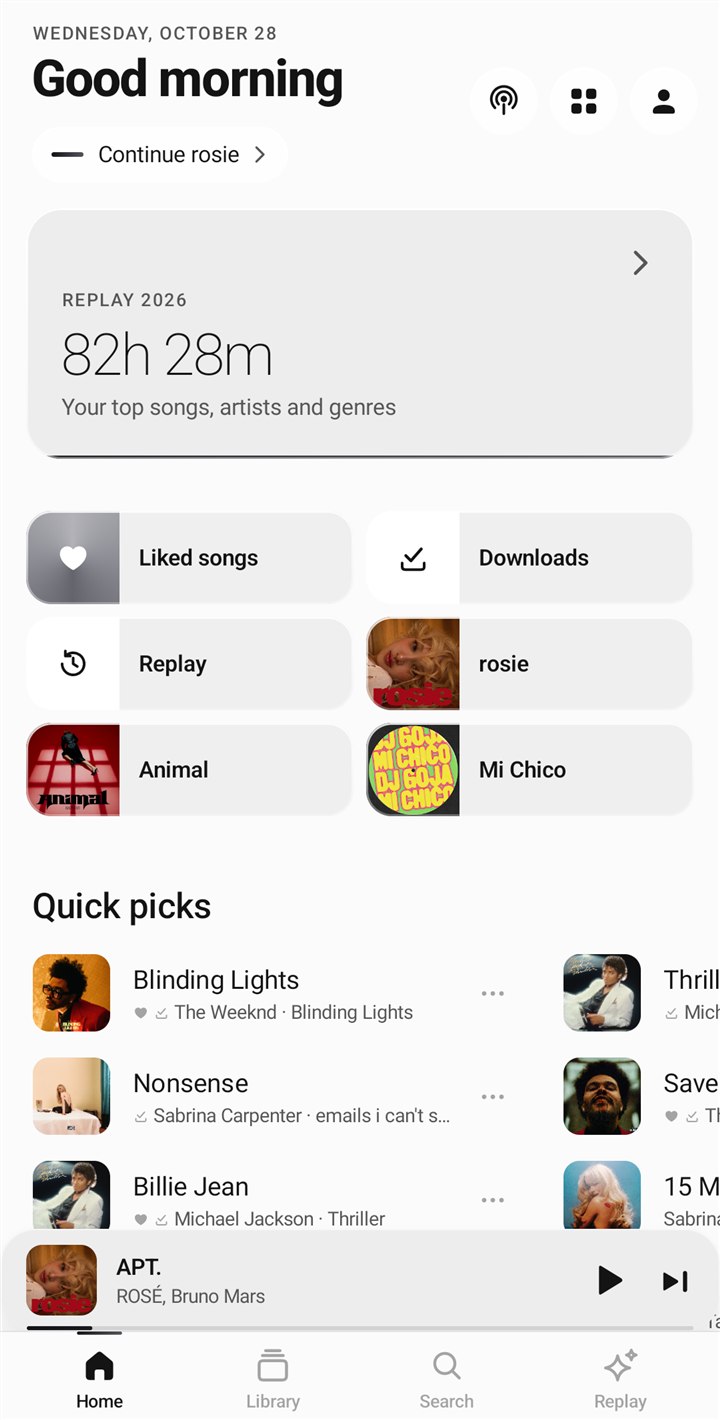
Settings → Playback & sound. Every default sounds as 1.7.7 did.
- Speed & pitch (Reddit): the Speed button under the player (and the player's ⋯) opens a sheet with speed from 0.5× to 2× and pitch up to 12 semitones up or down, each on its own, plus quick picks: Slowed, Sped up, A little faster. "Start like this every time" keeps them for when Prism opens (also in Settings). Podcasts keep their own speed; live streams and casting play as they are. Sing's key change comes on top.
- How songs cross in a crossfade: Smooth (equal power, as before), Straight, Gentle (an S-curve) or DJ cut (both at full, then a quick swap halfway), each drawn on its card.
- Crossfade mark and blending covers (Reddit): a mark on the progress bar where the next song will come in, and the player's cover dissolving into the next one's over the crossfade instead of switching at its start.
- Normalize volume's level: Loud (-8 LUFS), Louder (-11), Standard (-14, as before), Quieter (-16, like Apple Music) or Broadcast (-23). Albums as they are: an album playing through gets one volume change for all its songs, so a quiet interlude stays quiet next to the single.
- Your own equalizer presets: save the equalizer under a name, send one to a friend as a code and paste theirs in, and pick a preset for whatever plays the music now (the car, your earbuds): Prism switches to it whenever that output plays.
- Fades: the sleep timer can fade the music out over up to a minute, and pausing and playing can fade instead of cut.
- Skip silence for podcasts on its own: songs and episodes each have their switch (episodes start where the one switch was).
Sing, simpler
- One button (after Apple Music): with the lyrics open, a small glass button with the microphone at their lower right. Tap it for Sing on or off. Hold it (or slide straight away) and it grows into a tall slider for how much of the voice stays in, with a tick at none, half and full. A ring of light runs round it while the song is being got ready, and a word under the progress bar says what happened ("Sing", "Sing off", "Voice 62%").
- The glass bar under the lyrics is gone: where they come from is a line at their end (tap it to pick another source), and the key is in the player's ⋯ → Sing, with the voice level and the switch.
Classic Prism
For everyone who liked 1.6's look (#155). Nothing is taken away; each part is a choice of its own.
- The Classic Look (Customize Prism → Looks): Prism 1.6's icons, bold type, plain controls and color, no glass, docked tab bar, filled play button, on today's screens with everything 1.7 added.
- Classic icons (Icons & shapes → Pack): 1.6's hand-drawn icons with their heavier line; Weight and Rounded work on them as they did then. Icons that came after 1.6 keep today's drawing at Classic's line.
- Classic type (Text → Type): 1.6's bold, tight headings instead of today's light titles.
- Classic controls (Icons & shapes → Buttons): Android's own switches, sliders and buttons in your accent.
- Player buttons apart (Player → Buttons): the row under the controls as separate buttons, as in 1.6, instead of one glass capsule.
Your requests
Every one of these is a choice; nothing changes until you pick it.
- Lyrics and the queue, your way (#193, #197): Customize Prism → Player → Lyrics and the queue: the player's controls hide after a moment (as before), always stay, or start hidden so the lyrics and the queue get the whole screen. The queue's headings ("Played", "Now Playing", "Up next") can go, for one continuous list.
- A queue made for editing (Reddit, #159): hold a song to pick several, then move them up next, to the end, add them to a playlist or take them out together. Each song has a ⋯ with the same (and "Clear everything after this"). The lock at the top keeps the order still while you scroll (no drag handles, no swiping away), and the player's controls step aside while you drag a song.
- No duplicates in your YouTube playlists (#159): adding a song that's already there says so instead of adding it twice.
- Swipe up for the queue (#200, #197): Settings → Controls & gestures: swipe up on the player's controls for the queue (from their right half) or the lyrics (left half); swipe down there to close them. Made for one hand.
- Hide the controls over videos (#166): while a music video plays, the controls go after a few seconds; a tap on the video brings them back.
- Video in immersive mode (#170): a playing music video shows behind the lyrics instead of the cover.
- Full-bleed artwork, whole (#175): Fill the screen (as before) or Whole cover, the square cover uncropped on a blurred copy of itself.
- The cover flies into place (#199): opening the player, the mini player's cover grows into the player's while it fades in, instead of the whole player sliding up (Player → Show on the player).
- Picture-in-picture only with its button (#167), Lock to portrait (#190), Pause when muted (#157: the phone's media volume all the way down pauses, up again plays on).
- Replay for any dates (#149): Today, This week and This month beside the usual ones, and "Other dates…" for any month you listened in or any days on a calendar, each with its own story.
- Choose what goes in a backup (#149, Reddit): Settings & Looks, Library, Listening history & Replay, Accounts and Downloaded songs, each one ticked or not, so you can share your settings without your listening or your sign-in. Restoring replaces only what the file holds and says what that is first. (Backups from earlier versions restore as before; Prism before 1.7.8 asks to be updated before restoring a new one.)
- Last.fm scrobbling (#133, #160): Settings → Devices & connections → Last.fm, beside Discord (the Car & devices page, renamed). Connect your account on Last.fm's own page (Prism never sees your password); songs count once you've heard half of them or four minutes, "Now playing" shows as each starts, and scrobbles made offline are sent later. Options: send only a song's first artist (#160), and love songs on Last.fm when you like them here.
- ALAC (Apple Lossless) (#135): with the lossless add-on, your ALAC files (.m4a) play in place of songs as FLAC files do. A phone without an ALAC decoder says so on a file of your own rather than skipping it, and plays the song's stream instead of a matched ALAC file.
- Lyrics into M4A files (Reddit): "Save lyrics into your files" now also writes AAC and ALAC files (.m4a), beside FLAC and MP3, keeping everything else in them; the audio is checked to be exactly the same before the file is changed.
- Recently played as albums and playlists (#196): Customize Prism → Home & Library → Recently played shows.
- Library → Songs has search, Shuffle and Play, as the Liked songs page does (#184).
- Downloads take a music video's song (#186), with "Songs, not videos" on: the audio, not the video's sound (the video's sound when it has no song).
- Hide the cast mark after your phone's name under the player (#149).
- Downloads notification (#149): says how many songs are coming down, which one now and how far, and has a Cancel button (finished downloads stay).
- Download again in Premium quality (#149, #148): with Premium quality on, Downloads' ⋯ offers to fetch again the songs that came down below 256 kbps.
Fixes
- A song that stopped playing with "Element 134 must be in a TrackEntry" (Reddit): part of it was saved from an earlier play in another format (another quality, Premium, or another of YouTube's answers), and today's stream was joined onto it. Prism now remembers each saved song's format and drops what was saved when it changes; a song that still can't be read has its saved part cleared and plays afresh.
- Closing Prism from its notification (Reddit): swiping the paused song's notification away (or Hide on the media card) now closes Prism properly. The notification doesn't come back until something plays, and Prism no longer stays in Android's list of active apps.
- A "Prism" Quick Settings tile (Reddit): play or pause from the Quick Settings panel, with the song's name under it; with nothing lined up it opens Prism, and holding it opens Prism too.
- Premium quality on phones where it still failed (#179): on some phones the small sandbox Prism unlocks YouTube's links in ran out of memory reading YouTube's newest player, so every Premium song (and its download) failed and fell back to its music video's sound. It now gets the memory it needs, and if a Premium link still can't be unlocked, the song plays at once in normal quality instead.
- Other apps can pause and skip again (#178, #187): KDE Connect, "dynamic island" apps and launcher widgets showed the song but their play, pause and skip did nothing. The media library Prism uses (Media3 1.11) only lets apps it doesn't recognize read what's playing; Prism now lets every app that can reach its media session control it, as music players do. Playback diagnostics also list each command another app sends and where it went.
- Lyric translations stopping after a while (#198): Google stops answering a network that asks for many songs in a short time. Translations are now kept on the phone (a song is translated once per language); when Google's main service refuses, Prism asks its second one; and when both are resting, the lyrics say "Translation unavailable right now" and Prism tries again later instead of showing nothing.
- Wrong covers on local songs without an album tag (#143): Android names such a song's album after its folder ("Quick Share", "Download"), so Prism took the folder for an album and gave songs with no cover of their own another song's. A song whose album is only its folder's name is now checked against the file once: with no album tag, it's shown without an album and only ever with its own cover.
- The player's ⋯ menu jumping when flung up (#147): a fast fling past the end of the menu pushed the whole sheet up under the status bar and it bounced back. The menu now keeps that fling to itself.
- Centered lyrics (#158, #164): the instrumental "…" on the lyrics page follows the lyrics' alignment (it stayed on the left), and the lyric line on the player is centered on its words alone (the arrow after it pushed it left). New: Customize Prism → Lyrics → Instrumental breaks can show a music note instead of the dots.
- Local files' title at the top again (#156): as a tab, the page's title sits beside Shuffle and Play, as in 1.6.9.
- FLAC files missing from Local files (Reddit): files Android had no length for, or hadn't marked as music, are listed now (their length is read from the file once).
- Switching to a Look in another font no longer freezes the screen for a second: its font is made beforehand, off the screen's thread.
- App icon picker (#194): the icons fill the page in an even grid (with larger text there was an empty column at the side) and names like "Spectrum" are no longer cut short.
The full list is in the changelog.
Warning
Android Auto features, including car lyrics, are for passengers and for use while parked only. Do not read lyrics while driving. Keep your eyes on the road and follow local laws.
Prism is free and open source (GPL-3.0-or-later) and is not affiliated with Google or YouTube. If you enjoy it, you can support it on Ko-fi.
SHA-256 of Prism.apk: 7017b316f6de53bdec3842fbb07cae99bb97b1edeb70a44b8feec39822f41e38