
🇺🇸 English / 🇨🇳 简体中文 / 🇷🇺 Русский / 🇮🇷 فارسی

Unofficial project. Arman VPN is an independent project. It is not made, owned, sponsored, or endorsed by Mozilla, and is not affiliated with Mozilla in any way. See the disclaimer.




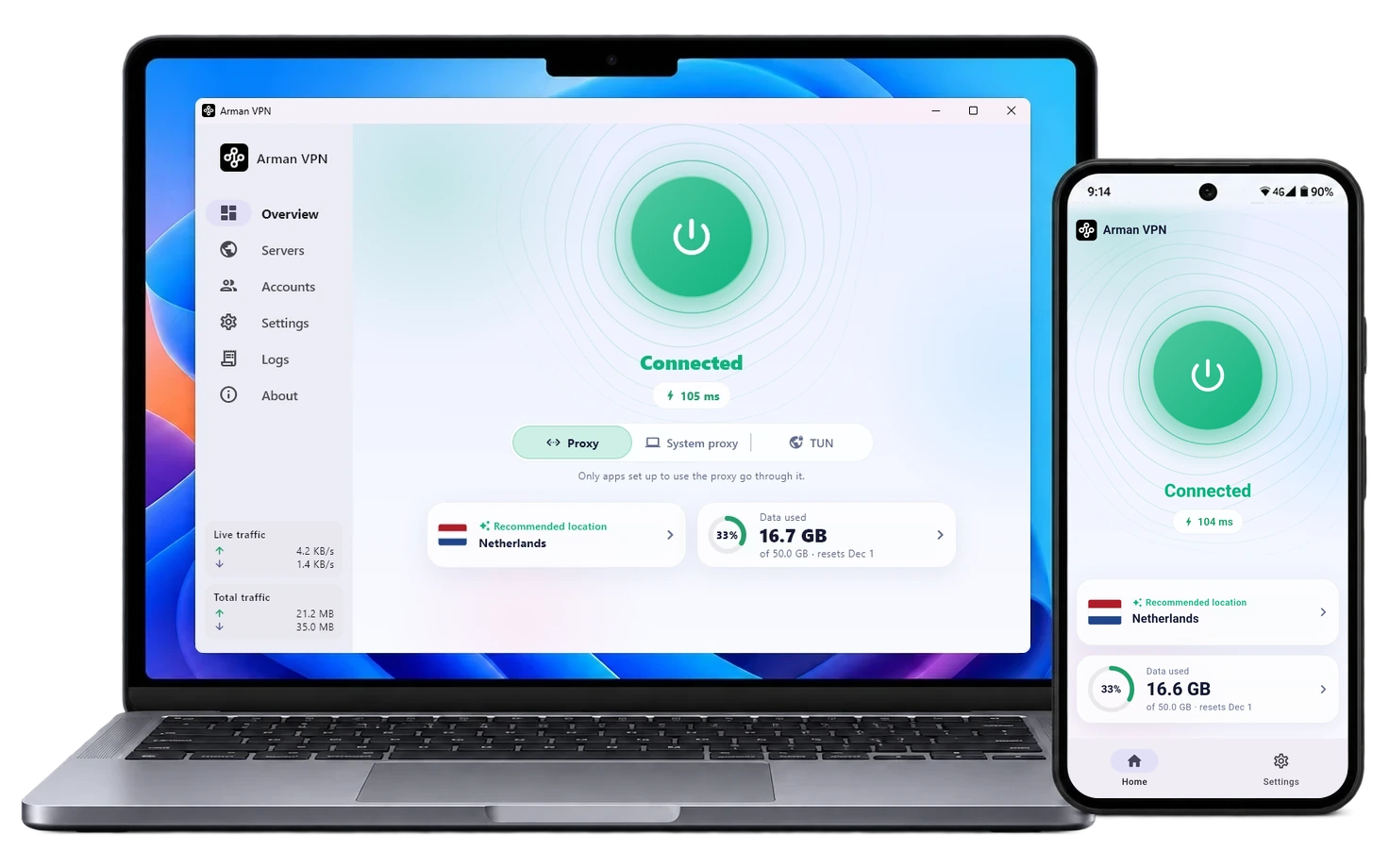
Arman VPN is a free, open-source VPN that works with a Firefox Account. It carries your internet traffic through Mozilla's servers, on Fastly's infrastructure, over secure HTTP/1.1, HTTP/2, and HTTP/3 tunnels.
For Android, Windows, macOS, and Linux; completely free, with no ads.
📺 Android TV: works with the remote control
⭐ Very easy to use, with a simple interface
🆓 Free: 50 GB a month for every Firefox Account
🌐 Mozilla's servers: choose a country with a ping test, or let the app pick the best server
⚡ Fast, stable connections over HTTP/1.1, HTTP/2, and HTTP/3
🦊 Looks like Firefox: connections to Mozilla start with Firefox's own TLS fingerprint (uTLS)
🔀 Smart routing (split tunneling): choose the sites and apps that skip the VPN
🧱 If your network blocks the connection: TLS fragmentation, upstream SOCKS5 proxy, and a relay server
💾 Backup and import: your accounts and settings in one file, for another device or a server
⚙️ Advanced connection options: IPv4, IPv6, or dual-stack, and a custom MTU
🔒 Encrypted DNS (DNS over HTTPS)
🌍 15 languages, including English, Persian, Chinese, and Russian
🌙 Light and dark themes
🛡 Open source, secure, and community-driven
🔄 Automatic updates


| System | Download |
|---|---|
| Android |     |
| Android TV | |
| Windows |   |
| macOS |  |
| Linux |   |
  |
Which file should I download?
- Android: if you are not sure, take Universal; it installs on every phone. ARMv8 is for most of today's phones and is smaller.
- Windows: Setup is a normal installer; Portable needs no install and runs from any folder.
- Linux: App for a Linux desktop (with a graphical environment); Core for a server (without a graphical environment, with a web panel).
- A server, in Docker: the core image from the same release tag. See Docker.
Windows and Android users don't need this section: take the installer from the "Download" table above.
curl -fsSL https://raw.githubusercontent.com/armanlife/arman-vpn-client/main/install.sh | bashFor Linux servers, Arman VPN has a web panel that opens in any browser and has everything the app has: managing accounts and data, choosing a server and testing delay, the connection test, the live log, and every setting.

- Panel address:
http://SERVER-IP:10820/app/, with a username and password. The exact address is shown at the end of the install. - Proxy: SOCKS5 and HTTP on port
10810, with a username and password of its own.
On the server, run sudo arman-vpn to open the management menu:
$ sudo arman-vpn

  Arman VPN
  ────────────────────────────────────────────────────────────────────────────
    Service     ● running
    Autostart   on
  ────────────────────────────────────────────────────────────────────────────
   0) Exit
  ────────────────────────────────────────────────────────────────────────────
   1) Update                                   arman-vpn update
   2) Uninstall                                arman-vpn uninstall
  ────────────────────────────────────────────────────────────────────────────
   3) Set panel login                          arman-vpn panel
   4) View panel info                          arman-vpn panel-info
  ────────────────────────────────────────────────────────────────────────────
   5) Status                                   arman-vpn status
   6) Start                                    arman-vpn start
   7) Stop                                     arman-vpn stop
   8) Restart                                  arman-vpn restart
   9) Show the log                             arman-vpn logs
  ────────────────────────────────────────────────────────────────────────────
  10) Enable autostart                         arman-vpn enable
  11) Disable autostart                        arman-vpn disable
  ────────────────────────────────────────────────────────────────────────────
  12) Add a Firefox Account                    arman-vpn add-account
  13) List the accounts                        arman-vpn list-accounts
  ────────────────────────────────────────────────────────────────────────────
  Enter a number [0-13]:
To install on an OpenWrt router, see the OpenWrt guide.
The Linux core (the proxy and the web panel) is also a container image. A release tag vX.Y.Z, the same tag as the downloads above, publishes ghcr.io/<owner>/<repository>:<version>, plus the v form, the major and minor, and latest. The owner and repository are the GitHub repository that runs the workflow. The example uses the upstream name.
docker run -d --name arman-vpn --restart unless-stopped \
  -p 10820:10820 -p 127.0.0.1:10810:10810 \
  -v arman-vpn:/var/lib/arman-vpn \
  ghcr.io/armanlife/arman-vpn-client:latest
The first start prints a panel login and a proxy login. Accounts and settings stay in the arman-vpn volume. See the Docker guide.
What Mozilla's servers do not carry
- TCP: ports 80, 443, 8080, and 8443 only. Other ports, such as mail (25, 465, 587, 993) and SSH (22), are refused. Git over SSH to GitHub is the exception: it goes through port 443 by itself.
- UDP: ports 80, 443, 3478, 8080, 8443, and 49152-65534 only. Calls and games on other ports do not go through. Browsers and most apps work normally.
This app is an independent, unofficial client, made and maintained by its own developer. It is not a Mozilla product: Mozilla did not make it, does not own, sponsor, or endorse it, and has no part in its development or support. Questions and problems about the app belong in this repository, not with Mozilla.
You sign in with your own Mozilla account. The account's terms, data limit, and availability are set by Mozilla. Your password and sign-in tokens stay on your device.