Repository navigation
Releases: developeranaz/MEGA-INDEX-CLOUDFLARE
Release list
MEGA.nz Cloudflare Index v4.0.1 (Recommended)

🚀 New Features
This release expands the project with public MEGA shared link support, allowing users to browse and download shared files without signing in to a MEGA account.
✨ Highlights
- Added MEGA Shared Link Only mode (no account required).
- Added one-click Cloudflare Workers deployment.
- Added a landing page to paste public MEGA links.
- Support for browsing public MEGA folders.
- Support for viewing public MEGA files with file details and download button.
- HTTP Range request support for resumable and multi-threaded downloads.
- Direct download streaming through Cloudflare Workers.
- Updated project documentation with separate deployment methods.
📦 Deployment Modes
You can now deploy the project in two ways:
-
MEGA Account + Shared Link Mode
- Index your personal MEGA account.
- Also supports public shared links.
-
Shared Link Only Mode
- No MEGA account required.
- Deploy instantly using the Cloudflare Workers one-click button or manually.
📖 Documentation
- Completely rewritten README.
- Improved deployment instructions.
- Added manual and one-click deployment guides.
- Added project structure and local development instructions.
⚠️ Notes
- This project is still experimental and may contain bugs.
- Disable ad blockers or browser extensions that block external scripts while generating custom Worker code.
- Use at your own risk.
Thank you for your continued support! Feedback, bug reports, feature requests, and pull requests are always appreciated.
What's Changed
- 3gb Quota Bypass by @developeranaz in #54
- Mega.nz-5gb-Quota-Bypass by @developeranaz in #57
- Restart If Rclone exit after memory exceeds. by @developeranaz in #58
- large-file streaming with chunked Mega downloads by @developeranaz in #62
- Shared or Public link indexing by @developeranaz in #63
Full Changelog: 3.01...v4.0.1
Contributors

Assets 2
MEGA.nz Cloudflare Index v4.0.0 Beta 1
🎉 MEGA.nz Cloudflare Index v4.0.0 Beta 1
🚀 Cloudflare Workers Migration
This release marks the transition from the previous Heroku-based implementation to Cloudflare Workers, bringing improved performance, reliability, and a simplified deployment process.
✨ What's New
- Migrated from Heroku to Cloudflare Workers.
- Faster and more stable file browsing.
- Improved download performance.
- Responsive and modern web interface.
- Multiple template/theme options.
- Custom
worker.jscode generation. - Simplified deployment with Cloudflare Workers.
- Serverless architecture with no dedicated server required.
📥 Getting Started
- Generate your custom
worker.jsusing the MEGA Index Code Generator. - Deploy the generated code to Cloudflare Workers.
- Visit your Worker URL to start browsing your MEGA files.
⚠️ Notes
- This release is currently in Beta and may contain bugs or incomplete features.
- Disable ad blockers or browser extensions that block external scripts while generating your Worker code.
- Use at your own risk.
Thank you for your continued support! Feedback, bug reports, and pull requests are greatly appreciated.
Will this version ban your Heroku account easily?
Added a tricky way to bypass the ban. Not sure if this will get your account banned or not.
heroku policy violation bypass
Policy violation set by heroku partially bypassed by embedding new rapid deployment button
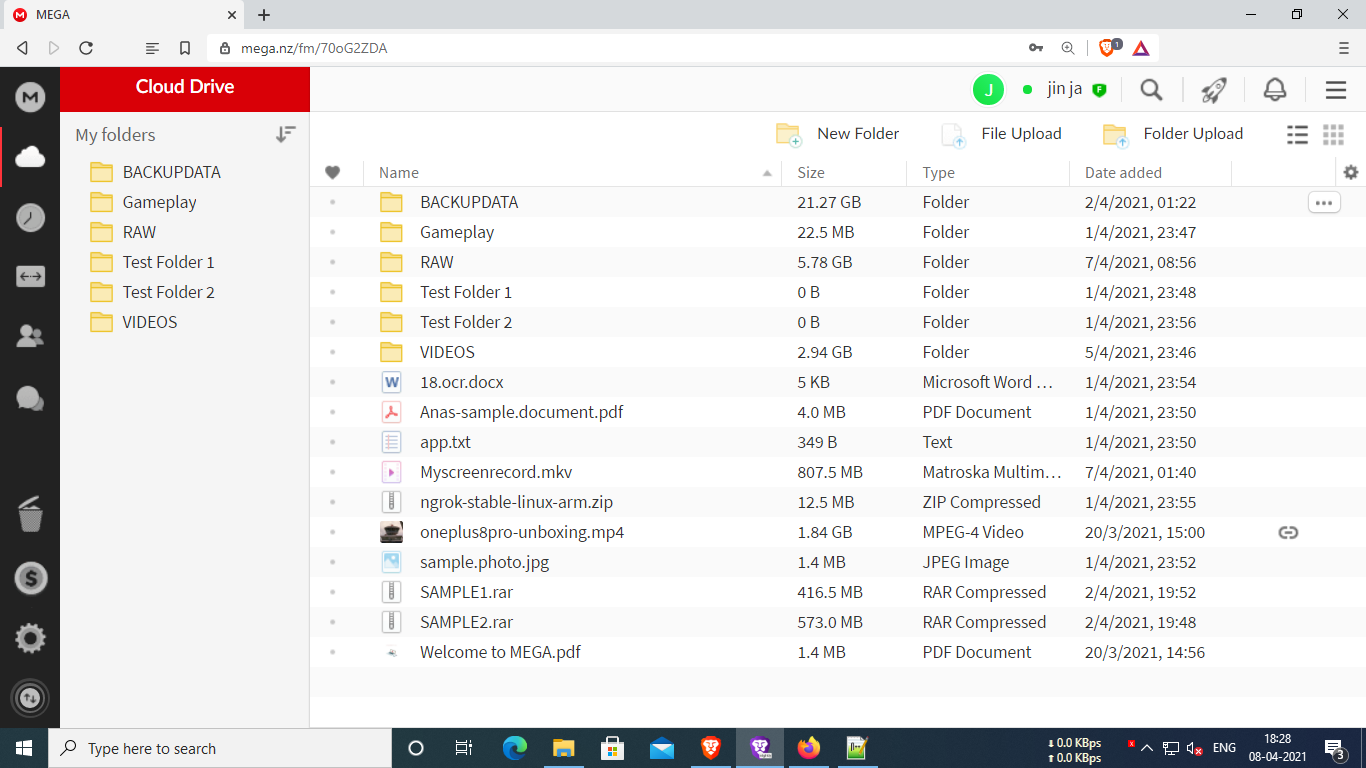
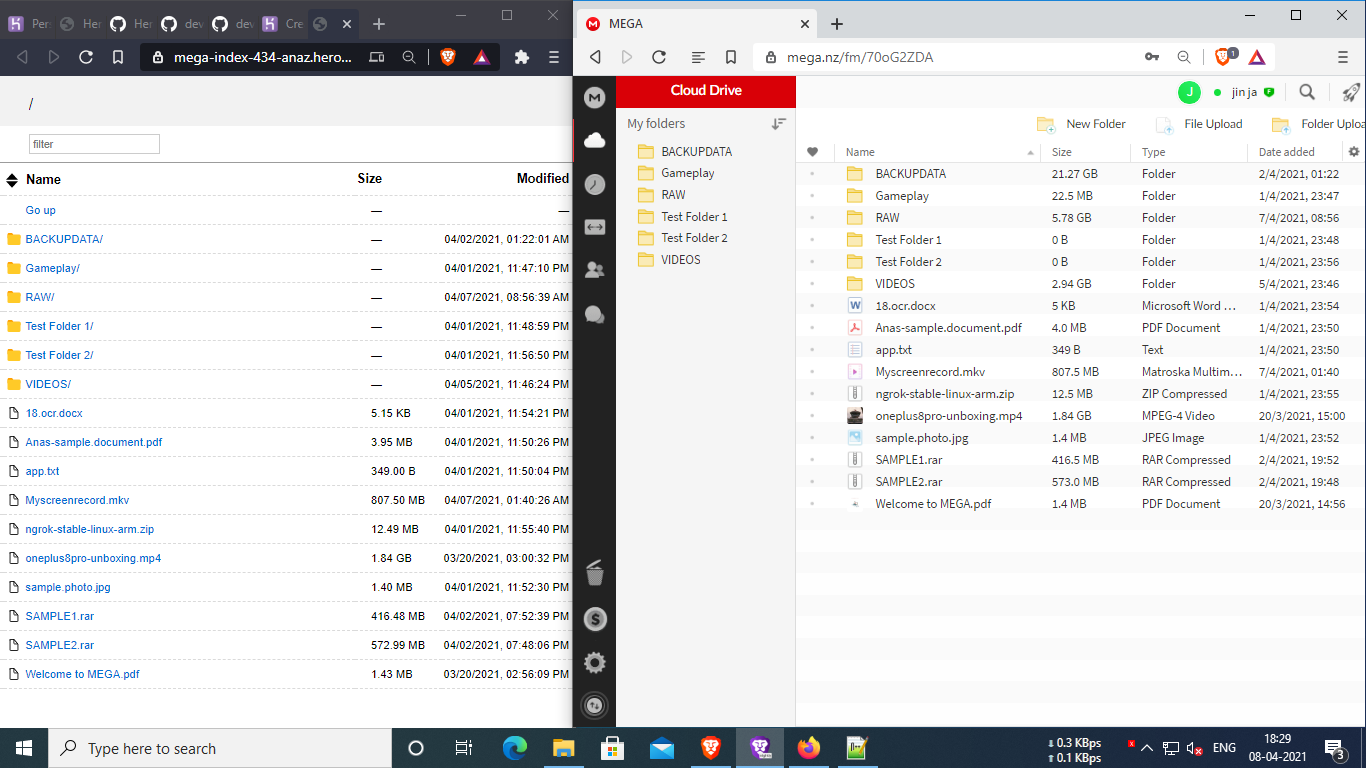
Mega.nz to heroku web index using rclone For downloading Mega.nz files in Download managers or browsers
Mega.nz to heroku web index using rclone For downloading Mega.nz files in Download managers or browsers
This alters your Mega.nz account to an index for downloading
Pause and resume downloads available
Mega downloadlink never expires or download error
No quota limit or download limit
8 Threat per download stable (free heroku user)
Single/personal use recommented
Mega Uploading still not available
README
Mega.nz-Rclone-Index-Heroku
heroku-rclone-serve V2
serve rclone drives to http via heroku
#project completed but still under development

#Help ! Contribute me in brave 😋
1.Frok my repository
2.Upload your own rclone.conf file in root of this project
3.For easy deployment without heroku-cli, USE RAPID deployment by adding your repository to the end of this url and deploy rapidly
example of mine https://dashboard.heroku.com/new?template=https://github.com/developeranaz/Mega.nz-Rclone-Index-Heroku
4.Set Config Vars in settings of deployed application
CLOUDNAME = YourDrive
here replace YourDrive to your own cloud name given in rclone.conf file


Config Variables in heroku
Go to settings of deployed application > reveal Config Vars > Edit Button
* You can change Config Var ‘CLOUDNAME‘ whenever you want and replaced to another cloud name that is available in rclone.conf file 'before and after' the app is deployed *
Features
Almost all clouds are available
MEGA support is available
No internet speed capping ,Enjoy Maximum download speed
24x7 permanent link
No download limit or quota limit
pause download available (Use download Managers like ADM ,XDM, Aria2 for more stability)
Multi-threat support upto 5x
please delete your config after deploying the application in github because config may be exposed to everyone
How to generate own config ,‘rclone.conf‘ file ?
By using Android RCX app ,this app is under beta stage, only beta testers would get this in playstore But you can download it from their offical github repository or from F-Droid
1.Install the RCX app
2.Select your cloud storage mega or any other
3.Type your Remote name user and password
4.Export your rclone.conf and upload here
Supported Storage
‘
1 . 1Fichier| "fichier"
2 . Alias for an existing remote | "alias"
3 . Amazon Drive | "amazon cloud drive"
4 . Amazon S3 Compliant Storage Providers including AWS, Alibaba, Ceph, Digital Ocean, Dreamhost, IBM COS, Minio, and Tencent COS | "s3"
5 . Backblaze B2 | "b2"
6 . Box | "box"
7 . Cache a remote | "cache"
8 . Citrix Sharefile | "sharefile"
9 . Compress a remote | "compress"
10 . Dropbox | "dropbox"
11 . Encrypt/Decrypt a remote | "crypt"
12 . Enterprise File Fabric | "filefabric"
13 . FTP Connection | "ftp"
14 . Google Cloud Storage (this is not Google Drive) | "google cloud storage"
15 . Google Drive | "drive"
16 . Google Photos | "google photos"
17 . Hadoop distributed file system | "hdfs"
18 . Hubic | "hubic"
19 . In memory object storage system. | "memory"
20 . Jottacloud | "jottacloud"
21 . Koofr | "koofr"
22 . Local Disk | "local"
23 . Mail.ru Cloud | "mailru"
24 . Mega | "mega"
25 . Microsoft Azure Blob Storage | "azureblob"
26 . Microsoft OneDrive | "onedrive"
27 . OpenDrive | "opendrive"
28 . OpenStack Swift (Rackspace Cloud Files, Memset Memstore, OVH) | "swift"
29 . Pcloud | "pcloud"
30 . Put.io | "putio"
31 . QingCloud Object Storage | "qingstor"
32 . SSH/SFTP Connection | "sftp"
33 . Sugarsync | "sugarsync"
34 . Tardigrade Decentralized Cloud Storage | "tardigrade"
35 . Transparently chunk/split large files | "chunker"
36 . Union merges the contents of several upstream fs | "union"
37 . Webdav | "webdav"
38 . Yandex Disk | "yandex"
39 . Zoho | "zoho"
40 . http Connection | "http"
41 . premiumize.me | "premiumizeme"
42 . seafile | "seafile"
‘
Create an issue if you have one
Please Try to re-deploy if any error occourred, this is common because some of the files are hosted on my free server at cloudflare