Repository navigation
Releases: devtalh/backdraw
Release list
Backdraw v2.1.0

Install with one command:
npx backdraw@latest setup
Setup installs Backdraw into %USERPROFILE%\.backdraw, registers your browsers, adds Backdraw to the MCP clients you pick, and then waits while you load the extension. Loading the extension is the only step left to you.
New
backdraw setupworks with Claude Code, the Claude desktop app, Codex, Cursor, VS Code and Gemini CLI. Before it changes any config file, it saves a timestamped.bakcopy. It only edits thebackdrawentry.- More browsers: the native host is registered for Chrome, Edge, Brave and Chromium. Only Chrome is tested.
backdraw doctor [--fix]checks your setup and prints one line per check: ✓, ⚠ or ✗, each with a fix. The output is safe to paste into an issue: your home folder appears as~, and project names, prompts and chat links are never printed.backdraw uninstall [--dry-run]removes every registration that setup made. Your images and settings are kept.
Update
- Quick install: run
npx backdraw@latest setupagain. - Manual install: run
git pull, thennode install.js. This still works as before.
Full list: CHANGELOG.md
Not affiliated with OpenAI or Anthropic. Automating the ChatGPT web page may conflict with OpenAI's terms. Use Backdraw for personal use, with your own account, at your own risk.
Backdraw v2.0.1
A small maintenance release: the project moved to github.com/devtalh/backdraw, and the README explains better what Backdraw is, how it compares and how to use it responsibly. No behaviour change.
Changed
- New repository address (the GitHub user was renamed). Old links redirect.
- The native host keeps its name
io.github.muhammedtalha04.backdraw, so existing installs keep working; updating is optional. - README (English and Turkish): "Why Backdraw?" with a comparison to similar projects, manual setup examples for Codex, Cursor, VS Code and Gemini CLI, and a longer disclaimer on personal use, OpenAI's terms and the risk to your account.
- The demo video's closing card shows the new address.
Update
git pull
node install.js
Full list: CHANGELOG.md
Not affiliated with OpenAI or Anthropic. Automating the ChatGPT web page may conflict with OpenAI's terms; personal use with your own account, at your own risk.
Backdraw v2.0.0
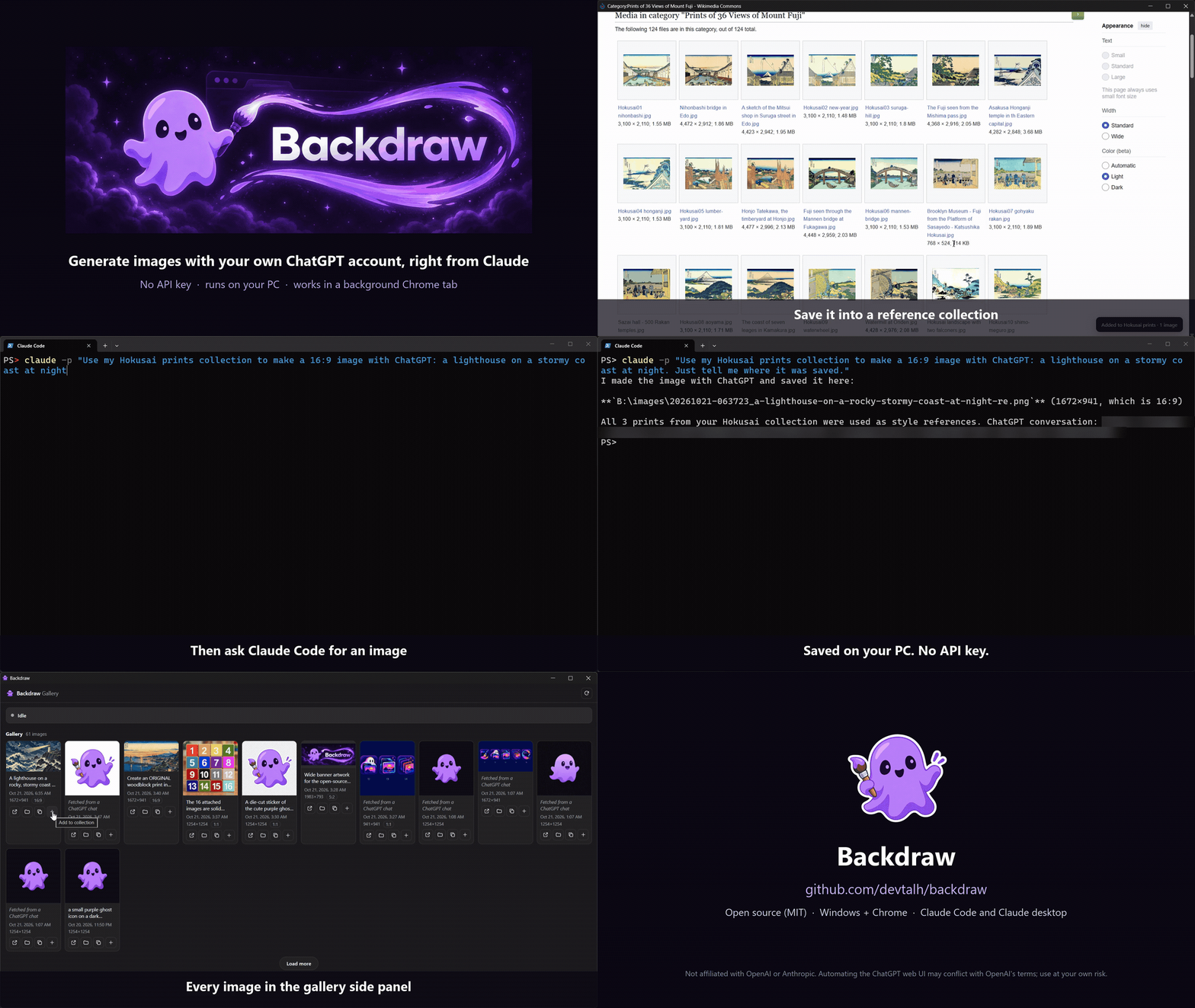
Backdraw lets Claude generate images with your own signed-in ChatGPT account, in a background Chrome tab. No API key, no extra cost.
Highlights
- Reference collections: right-click any image in Chrome → Add to Backdraw, then
generate_image(reference_collection=...). Up to 16 references per message. aspect_ratio(1:4 to 4:1) andtransparent_backgroundwith a check of the saved PNG.- Fast return: tool calls answer within 45 s; long jobs continue with
job_status. - MCP 2026-07-28 next to the legacy
initializehandshake. - Setup checklist popup with language (English / Türkçe) and theme settings, and a gallery side panel.
- Renamed to Backdraw;
node install.jsmigrates a 1.x install. The extension ID is unchanged.
Full list: CHANGELOG.md.
Downloads
backdraw-2.0.0.zip: everythingnode install.jsneeds (Windows, Node.js 20+, Chrome). Unzip, runnode install.js, then load theextensionfolder from%USERPROFILE%\.backdraw\extensionas described in the README.backdraw-extension-2.0.0.zip: the Chrome extension alone.backdraw-demo.mp4: the 50-second demo in full resolution.
Not affiliated with OpenAI or Anthropic. Automating the ChatGPT web UI may conflict with OpenAI's terms; use at your own risk.