Repository navigation
Releases
Windows test build windows-v3.1.0-shaders-test1

EN-US
Shader preparation test build. The first start prepares the shaders and pipelines (about 1 to 2 minutes, once), then the game runs with far fewer shader stutters.
How to help:
- Play normally, as far as you like (combat, magic, cutscenes help most)
- In the launcher, open Advanced and click Export recorded shaders
- Send the saved zip to the SpartanPort team
Not a final release.
PT-BR
Build de teste do preparo de shaders. A primeira abertura prepara os shaders e pipelines (cerca de 1 a 2 minutos, uma vez só), depois o jogo roda com muito menos travadas de shader.
Como ajudar:
- Jogue normalmente, até onde quiser (combate, magias e cutscenes ajudam mais)
- No launcher, abra Avançado e clique em Exportar shaders gravados
- Mande o zip salvo para a equipe do SpartanPort
Não é uma versão final.
Linux test build linux-v3.1.0-shaders-test1
EN-US
Shader preparation test build. The first start prepares the shaders and pipelines (about 1 to 2 minutes, once), then the game runs with far fewer shader stutters.
How to help:
- Play normally, as far as you like (combat, magic, cutscenes help most)
- In the launcher, open Advanced and click Export recorded shaders
- Send the saved zip to the SpartanPort team
Not a final release.
PT-BR
Build de teste do preparo de shaders. A primeira abertura prepara os shaders e pipelines (cerca de 1 a 2 minutos, uma vez só), depois o jogo roda com muito menos travadas de shader.
Como ajudar:
- Jogue normalmente, até onde quiser (combate, magias e cutscenes ajudam mais)
- No launcher, abra Avançado e clique em Exportar shaders gravados
- Mande o zip salvo para a equipe do SpartanPort
Não é uma versão final.
SpartanPort 3.1.0

SpartanPort 3.1.0: free camera, DualSense extras, anti-aliasing and a TAA made for the game, and a long list of fixes. Updating from 3.0.0 through the launcher keeps your saves and settings. These notes list every change since 3.0.0, the requests it closes and what is still open.
Updating from 3.0.0
- Windows: update through the launcher as usual, or download
spartanport-windows.zipfrom this release. - Linux: download
spartanport-x86_64.AppImagefrom this release and replace the old file. - Settings carried over: everything you set in 3.0.0 stays. The new options start off (free camera, anti-aliasing) or follow your controller (the DualSense extras only turn on with a DualSense).
- First start: the in-game menu patch is rebuilt once (version 26), and the first boot after updating takes a little longer while the game files are prepared.
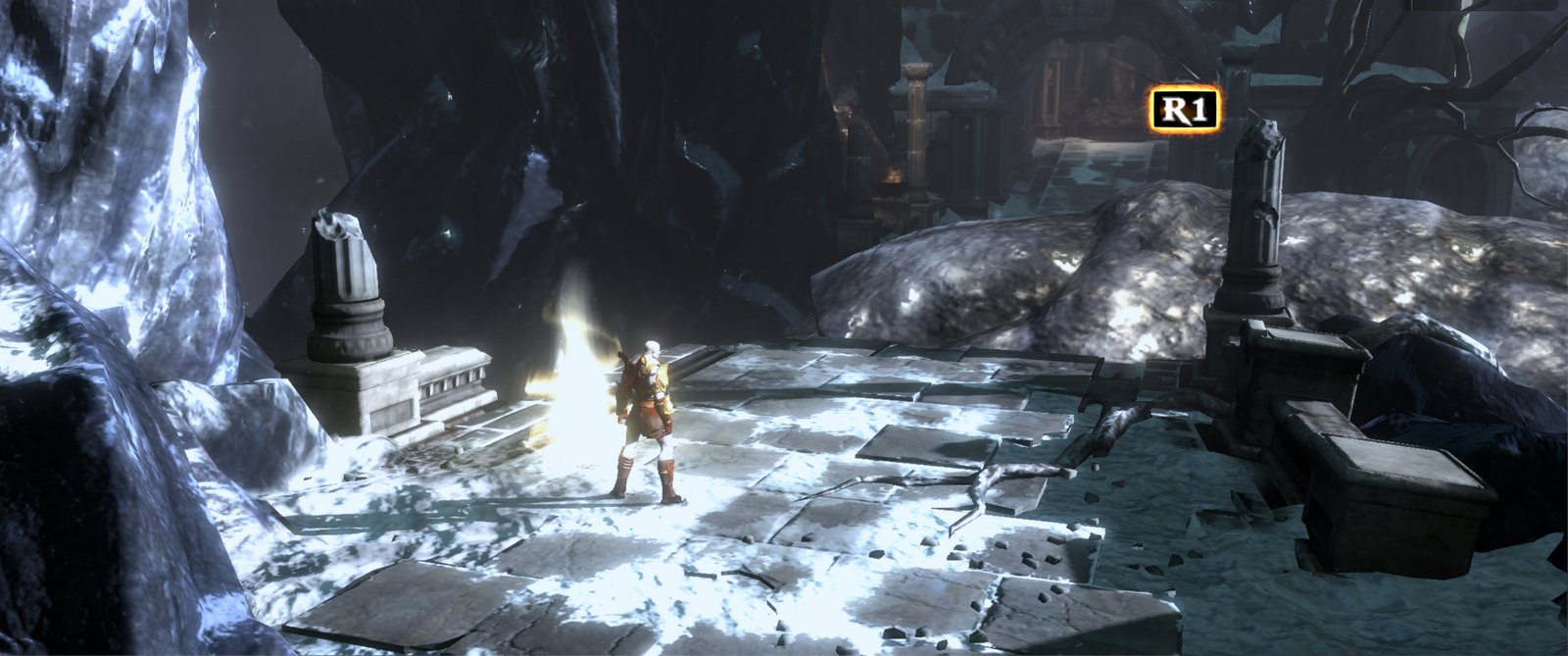
Free camera, experimental (#1136)
 |
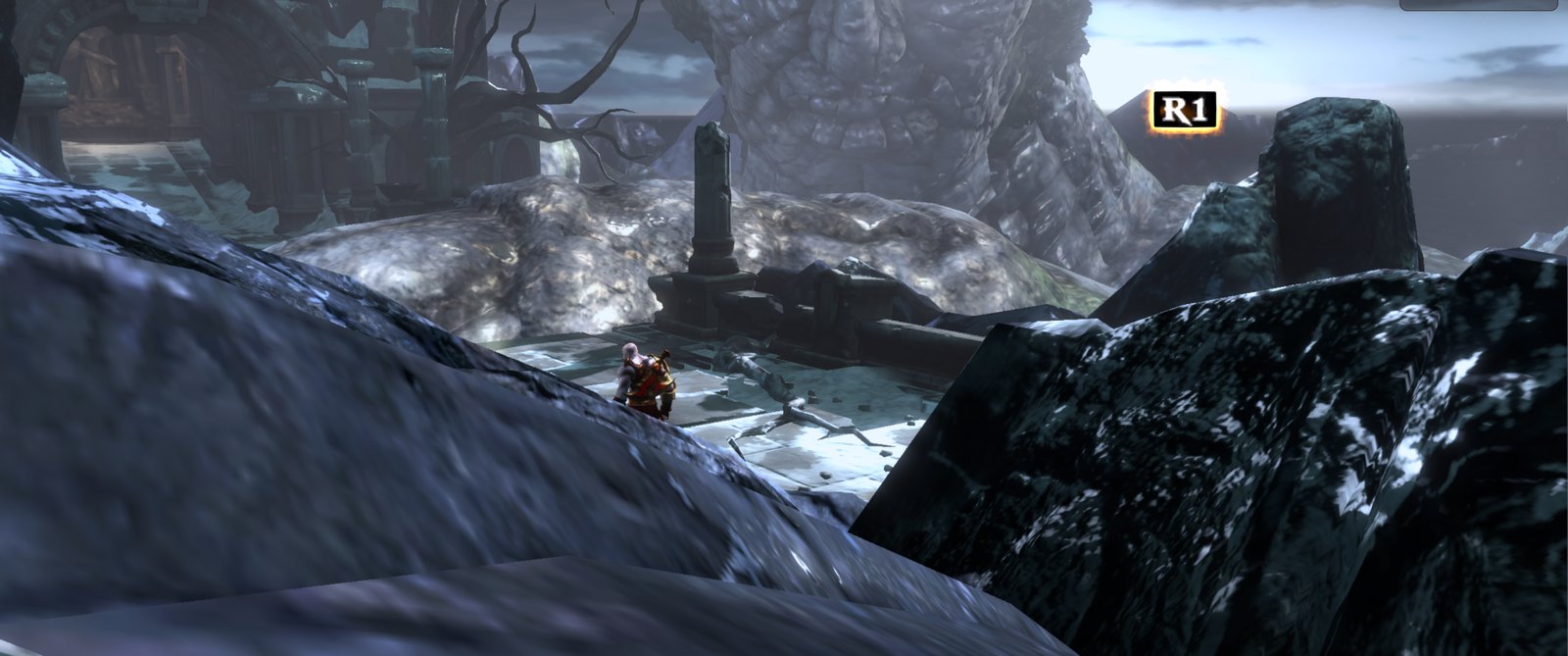 |
- Turn the camera all the way around Kratos with the right stick, or with the mouse while the game holds it, and Kratos runs the way the camera looks. L1 + right stick still dodges along the turned camera, and L2 still aims.
- Off by default. Turn it on in the launcher (Controls > Free camera (experimental)), in the port's menu (Insert > Controller) or in the game's own Options > Controls, seventh row.
- In play: G on the keyboard (remappable as the
cameraaction) or a quick tap of R3 alone switches it off and on, for boss fights and set pieces. - The game's camera comes back by itself on camera cuts, quick-time events, the title screen and the pause menu.
- Walls and cliffs: the camera uses the level's own collision, so it stops short of walls and rocks, rises over Kratos instead of sitting on his back and never goes below his feet. The invisible walls on cliff edges do not pull it in.
Controllers and the DualSense (#1139, #1216, #1224, #1225)
 |
 |
 |
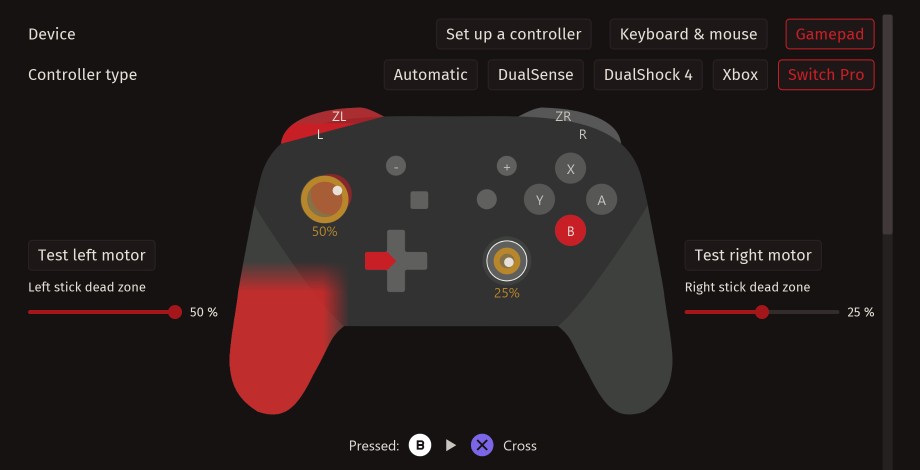 |
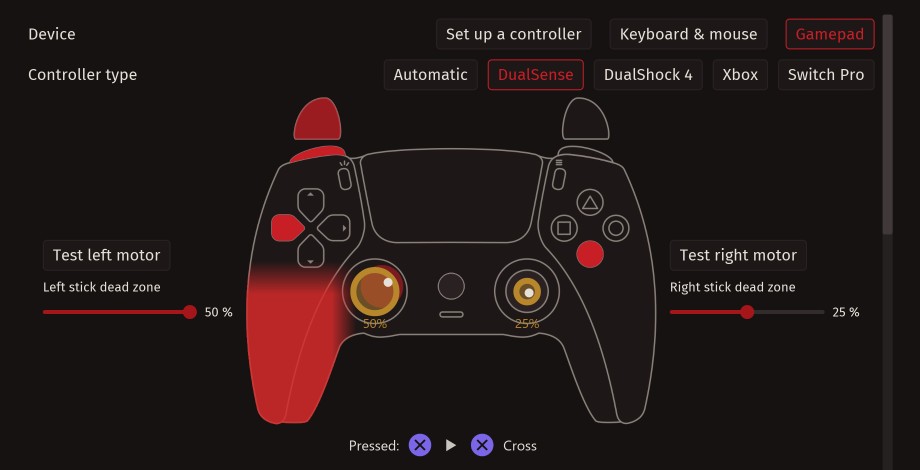
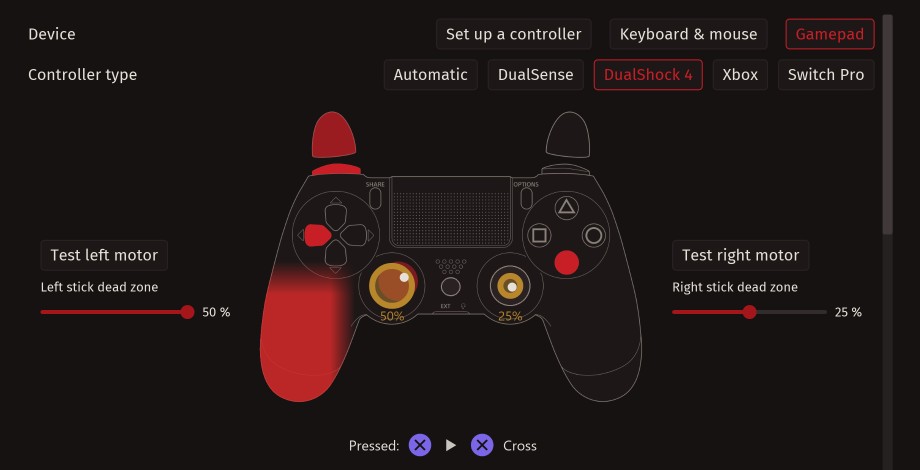
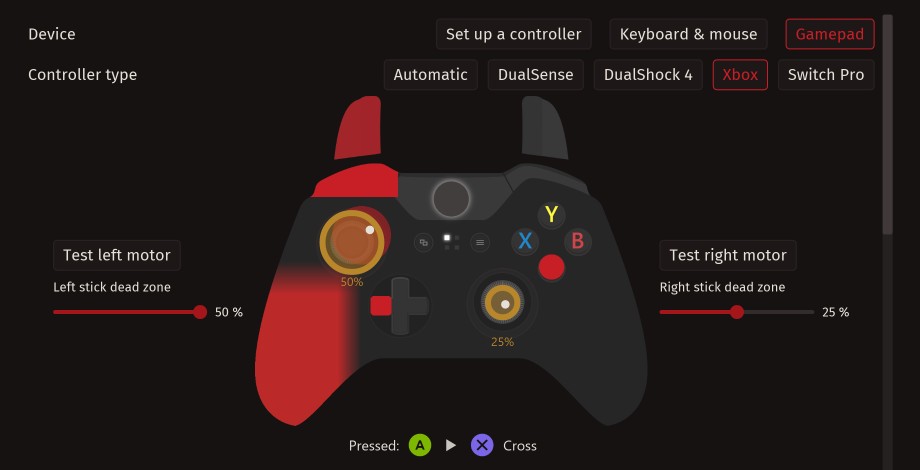
- Live control center (#1225): the Controls page shows the connected controller, the buttons as you press them, both motors to test and the stick dead zones, for DualSense, DualShock 4, Xbox and Switch Pro controllers, plus Set up a controller for generic pads.
- DualSense extras (#1139), on by default with a DualSense and each with its own switch in Insert > Controller > DualSense:
- Light bar in the game's own colour, as on a PS4.
- QTE light bar: during quick-time events the light bar blinks in the colour of the button to press, with a short rumble on each new prompt.
- R2 haptic feedback when casting magic: the DualSense adaptive trigger gives R2, the magic button, a click near the end of its travel, and magic fires once the click passes, so a light press does not cast it.
- Controller speaker (USB): the sounds the game made for the DualShock 4 speaker, such as the weapon upgrade chime, play on the DualSense speaker, with its own volume slider.
- Hit flash, motion sensors and gyro aim: with gyro aim on, tilting the controller moves the view while L2 is held.
- An alternative key per button (#1216), then a second alternative, lyre-only keys and key colours (#1224): every action can have up to three keys, and the lyre can use its own keys without touching the rest.
Graphics (#1217)
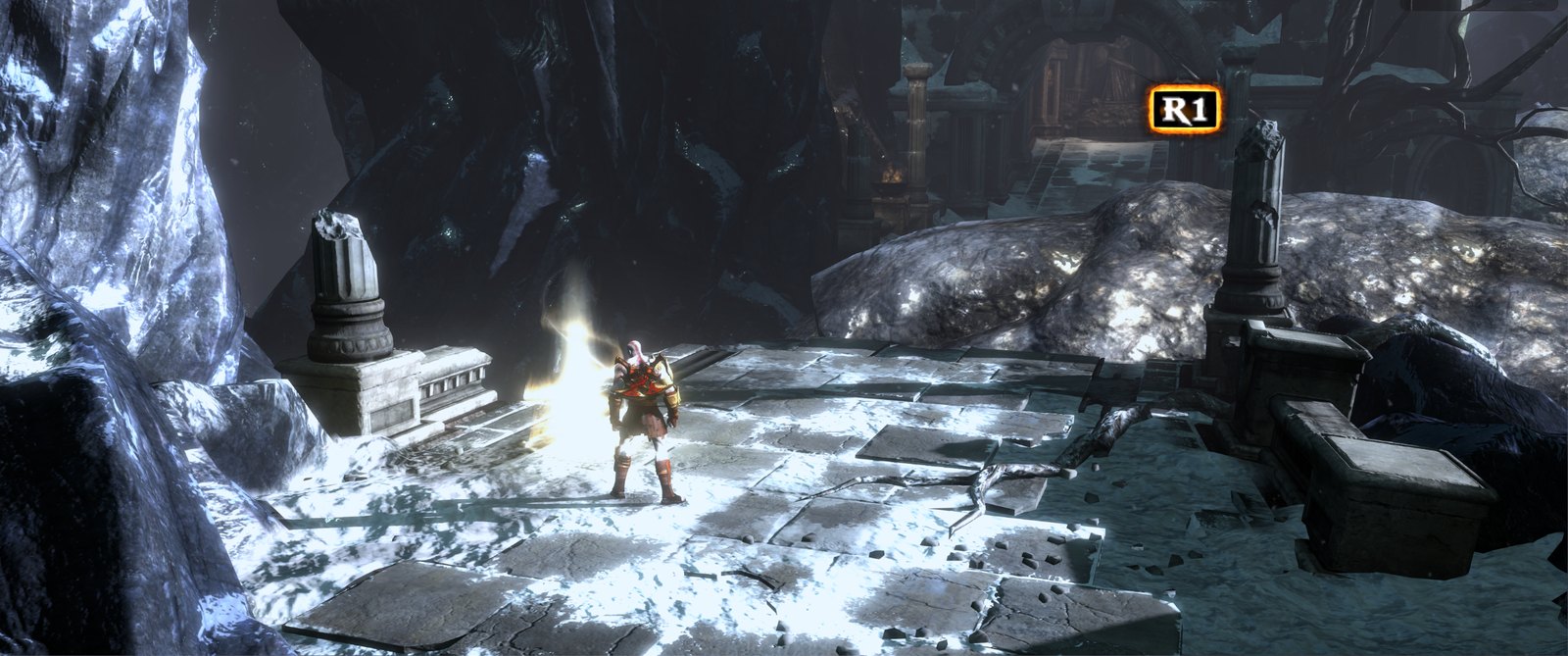
- Anti-aliasing: a new Anti-aliasing row (Off, FXAA, SMAA) on the launcher's Graphics page and in the port's menu. It runs on the finished image.
- A TAA made for the game (Upscaler: TAA, "Native AA"): built on an analysis of how the game draws a frame, with its own jitter, camera motion vectors and history rejection. Every setting is a slider in Insert > Image > TAA look.
- FSR 3.1 (native HUD and text): a second FSR 3.1 option that keeps the HUD, text and loading screens at the game's own size, with its own sharpening and an FSR 3.1 look section. It needs the game's 1920x1080 image: at any other render resolution, ultrawide above all, it runs as the regular FSR 3.1, so the aspect ratio stays right.
- Czech translation of the launcher and the port's menu.
Ultrawide and upscaler fixes
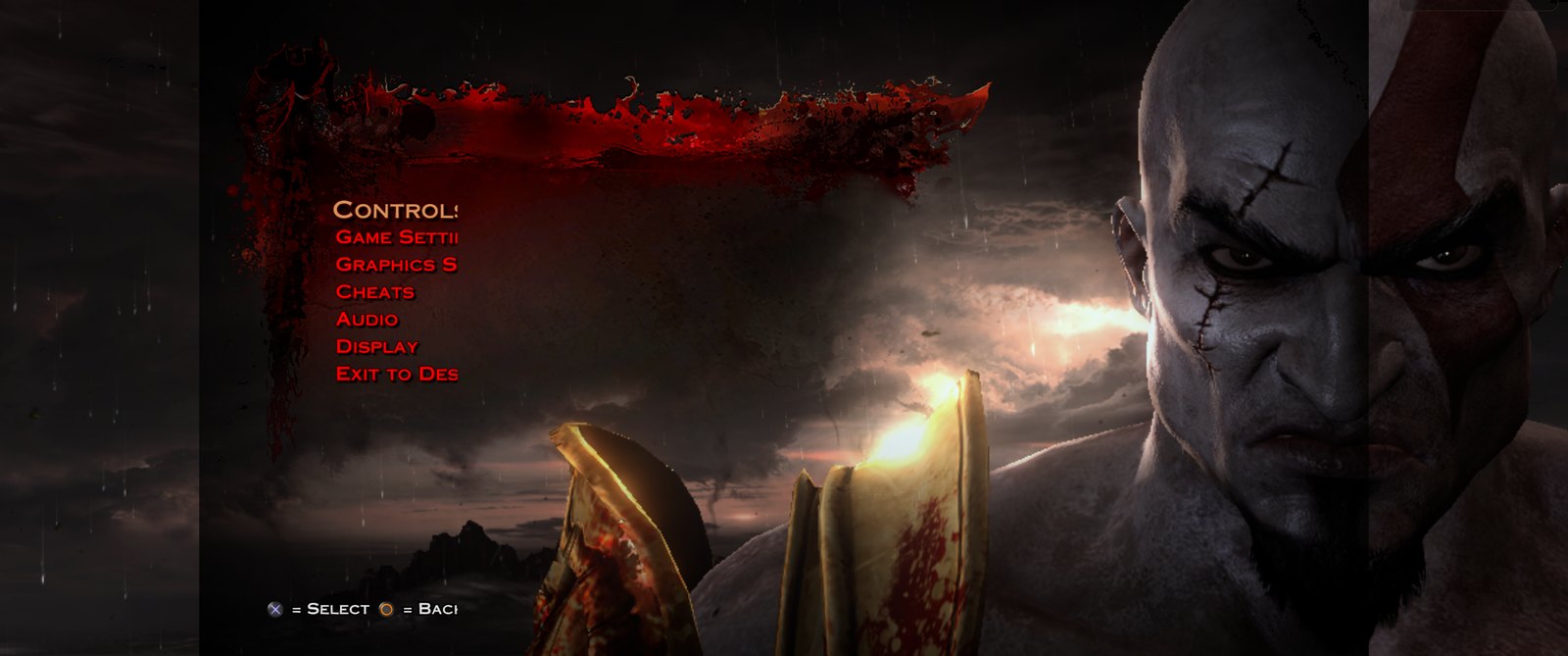
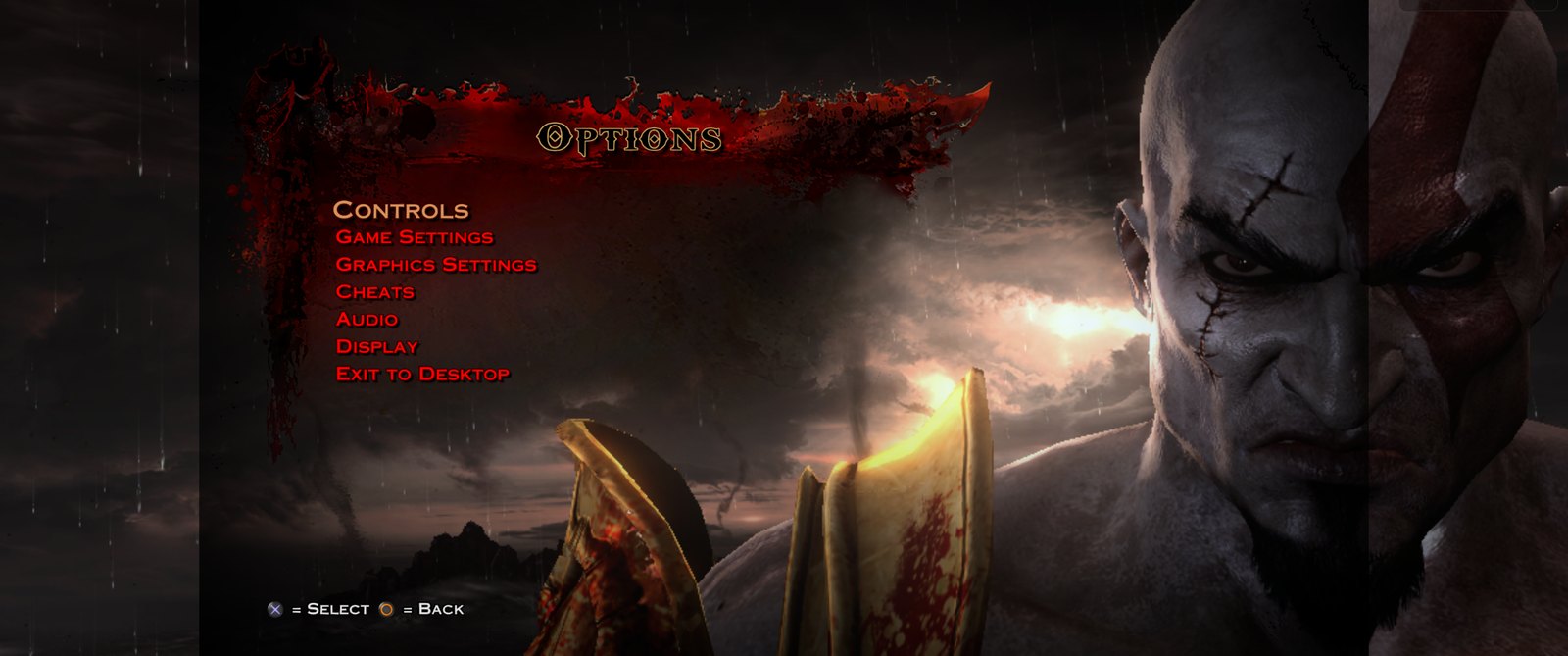
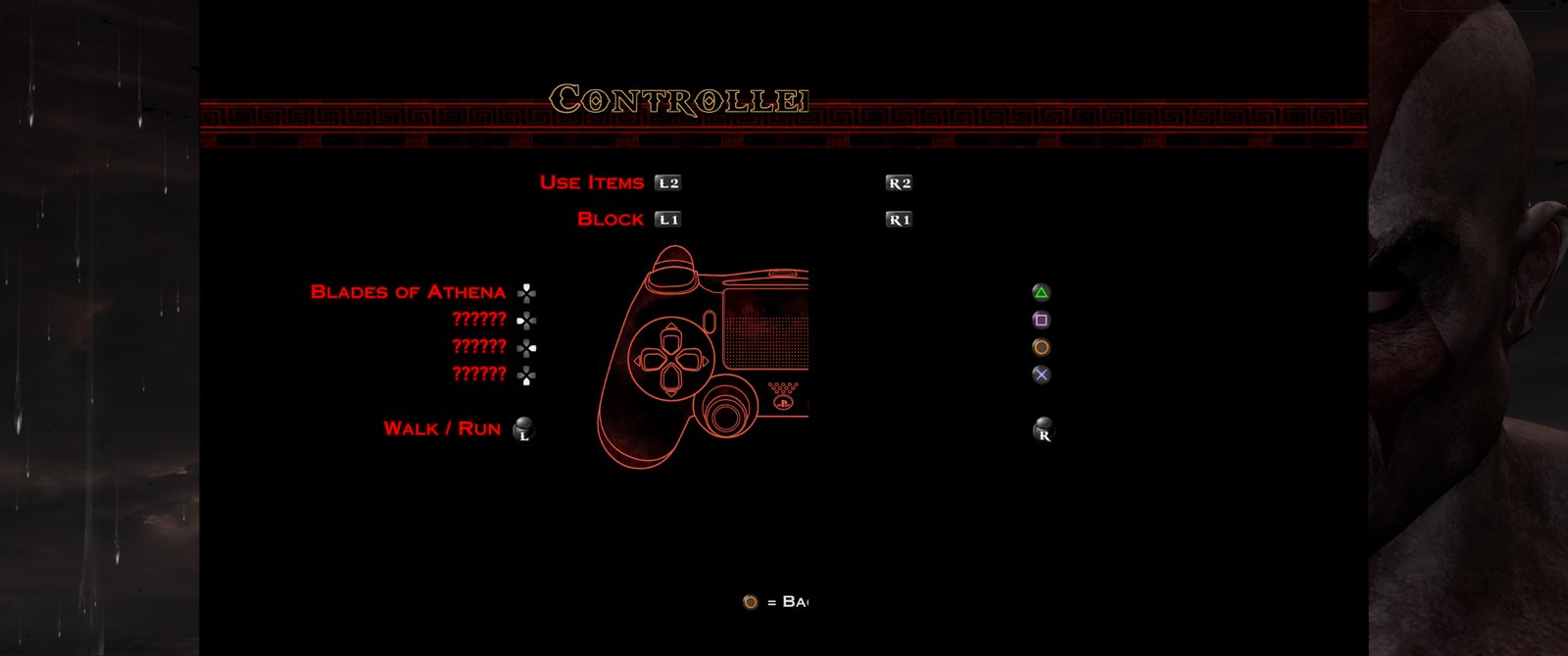
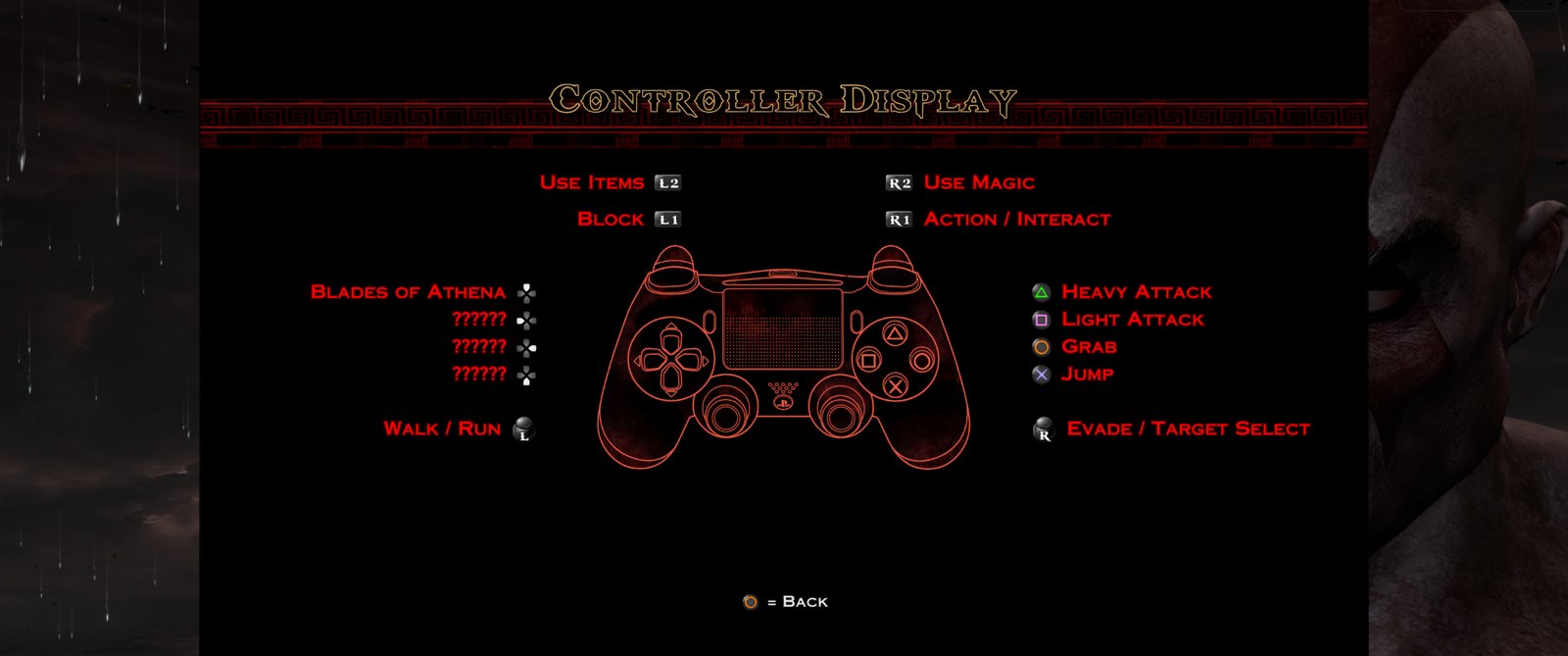
| Before | Now |
|---|---|
 |
 |
 |
 |
 |
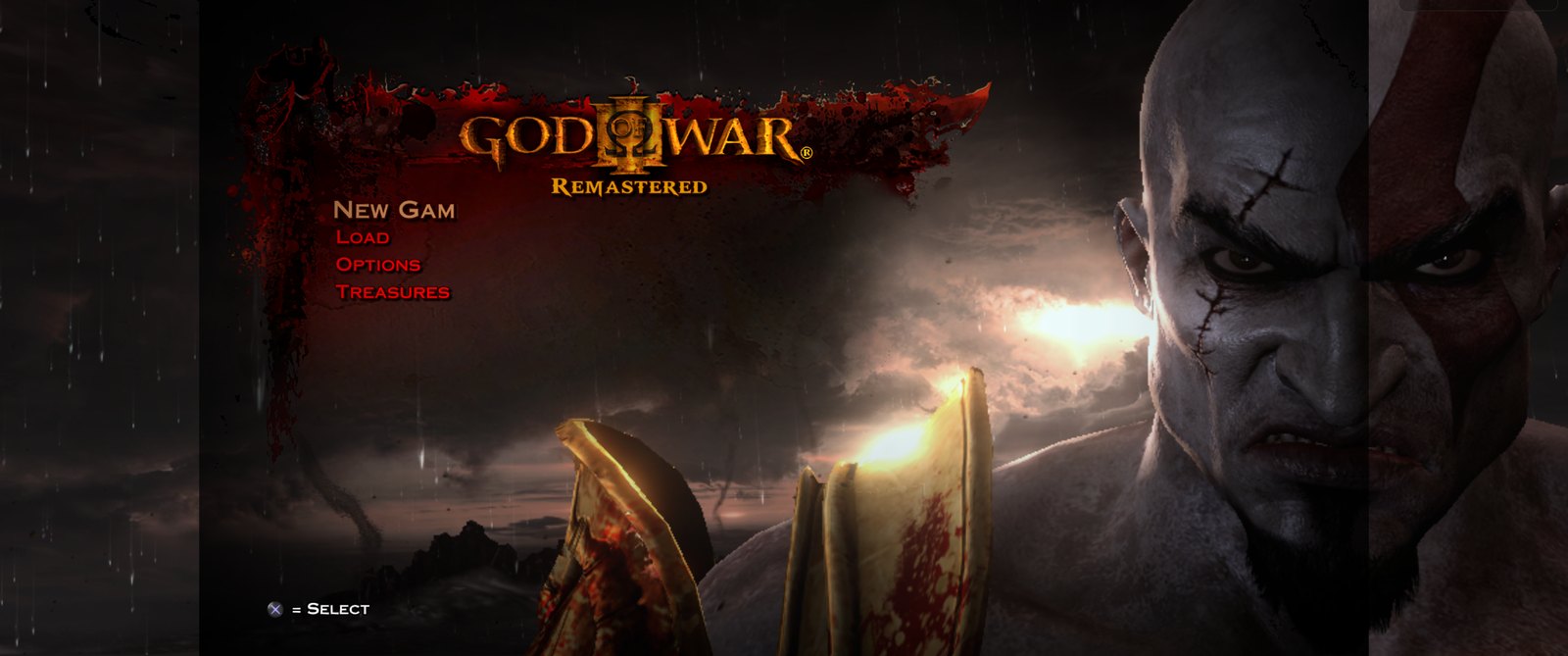 |
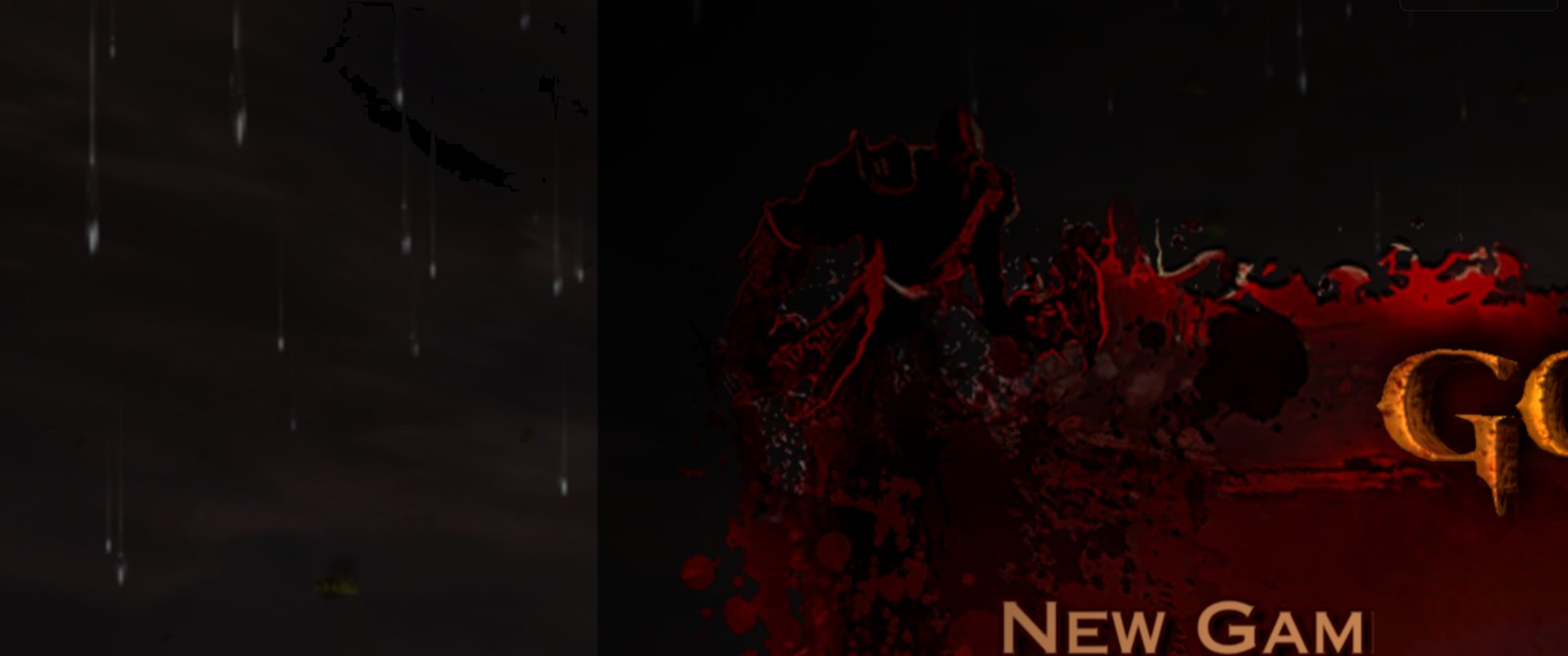
- Menus cut on ultrawide with an upscaler (#1264). Before: with FSR at Quality or below on a 21:9 or 32:9 screen, the text and pictures of the game's menus (Options, the controller layout, the title) stopped at a fixed column. Now: they are complete at every preset.
- A third of the picture at Ultra Performance (#1264, likely issue #1228). Before: at a render height of 480 the game showed only the top-left corner, zoomed in. Now: the render height is 478 and the whole picture shows.
- Boot crash at Performance (#1264). Before: at some render sizes, such as Performance at 3440x1440, the game closed at start because the in-game menu patch corrupted three entries of the menu script. Now: the patch leaves them alone.
- FSR on ultrawide and the 3440x1440 boot crash (#1203, issues #1175, #1182): FSR patches keep the display aspect and the Hor+ view, and 3440x1440 boots.
- Low FPS with powers at 21:9 (#1104, issue #822).
Stability, audio and fixes from sibling ports
- Crash, freeze and rendering fixes (#1218): ten fixes from shadPS4, the Bloodborne ports and a SpartanPort fork, each credited in its commit: memory calls no longer wait on a blocked GPU thread, stale descriptor tables no longer close the game, MSAA blit pipelines use the real sample count, compute clears no longer replace images of another format, and more.
- Texture, GPU and shader cache fixes (#1124) and region caches kept when the game reads the direct memory size (#1121).
- Oversized texture detiling split into batches (#1037, issue #334).
- Speech cut by MP3 stream resets (#1101, issue #1091) and audio init serialized with the trophy sound (#1169, issue #1165).
- Motion blur and bloom toggles (#1201, #1202, issue #1186; #1177, issue #1176): turning them off no longer crashes Chain of Balance or breaks the text of the game's menus.
- Taskbar over fullscreen (#1021, issue #1020).
- A window start that dies no longer keeps the GPU busy (#1213).
- Legacy save recovery with a verified rollback (#1162).
Launcher
- Live control center (#1225), see Controllers above.
- Timestamped JSON Lines run log (#1196) next to the plain one, for bug reports.
- Simplified Chinese completed in the launcher and the patch labels (#1161).
- Release identity compiled in and the pre-2.8.0 compatibility code removed (#1096).
Requests addressed
| Issue | Fixed by |
|---|---|
| #1020 Taskbar stays visible in fullscreen | #1021 |
| #334 Device lost on Intel UHD (oversized detiling) | #1037 |
| #1091 Intro speech cut with German voices | #1101 |
| #822 Ultrawide regression (low FPS with powers) | #1104 |
| #1165 No audio after updating | #1169 |
| #1176, #1229 Menu text missing with Bloom off | #1177 |
| #1186 Chain of Balance crash with motion blur off | #1201, #1202 |
| #1175 3440x1440 crashes at start | #1203 |
| #1182 Ultrawide reverts to 16:9 stretched on FSR 3.1 | #1203 |
| #1228 Only the top-left corner shows | #1264 |
| #162, #384 Controller dead zones and a proper input manager | #1225 (partly) |
#1228, #1229 and #162/#384 stay open until players confirm the result on 3.1.0. #1261 (3440x1440 closes one second after Play on 3.0.0...
Contributors


Assets 8
SpartanPort 3.0.0
SpartanPort 3.0.0: the launcher is now Rust, with no Python. Updating from 2.7.0 through the launcher keeps your saves and settings. These notes cover the 27 pull requests merged since 2.7.0, through
a2299cd(#1150), including the version bump to 3.0.0. 2.8.0 was never published: its launcher work ships here.
Updating from 2.7.0
- Windows: update through the launcher as usual. The 2.7.0 launcher downloads 3.0.0 and the new launcher installs itself over the old folder. Saves,
user/,spartanport.ini, launcher settings, mods, patches andlast_run.logare not touched. On its first start the new launcher removes the old Python files (_internal/,run.py,scripts/*.py);scripts/controller_diagrams/stays. - Linux: download
spartanport-x86_64.AppImagefrom this release and replace the old file. The launcher keeps offering updates from here on. - Settings carried over: the launcher imports your previous settings. Shader notes in the corner stay off, and the new High FPS Wall Seam Fix patch is ticked once in a saved patch list; untick it and it stays unticked.
- First start: the shader cache is rebuilt once and each area can stutter the first time you enter it.
The new launcher (#959)
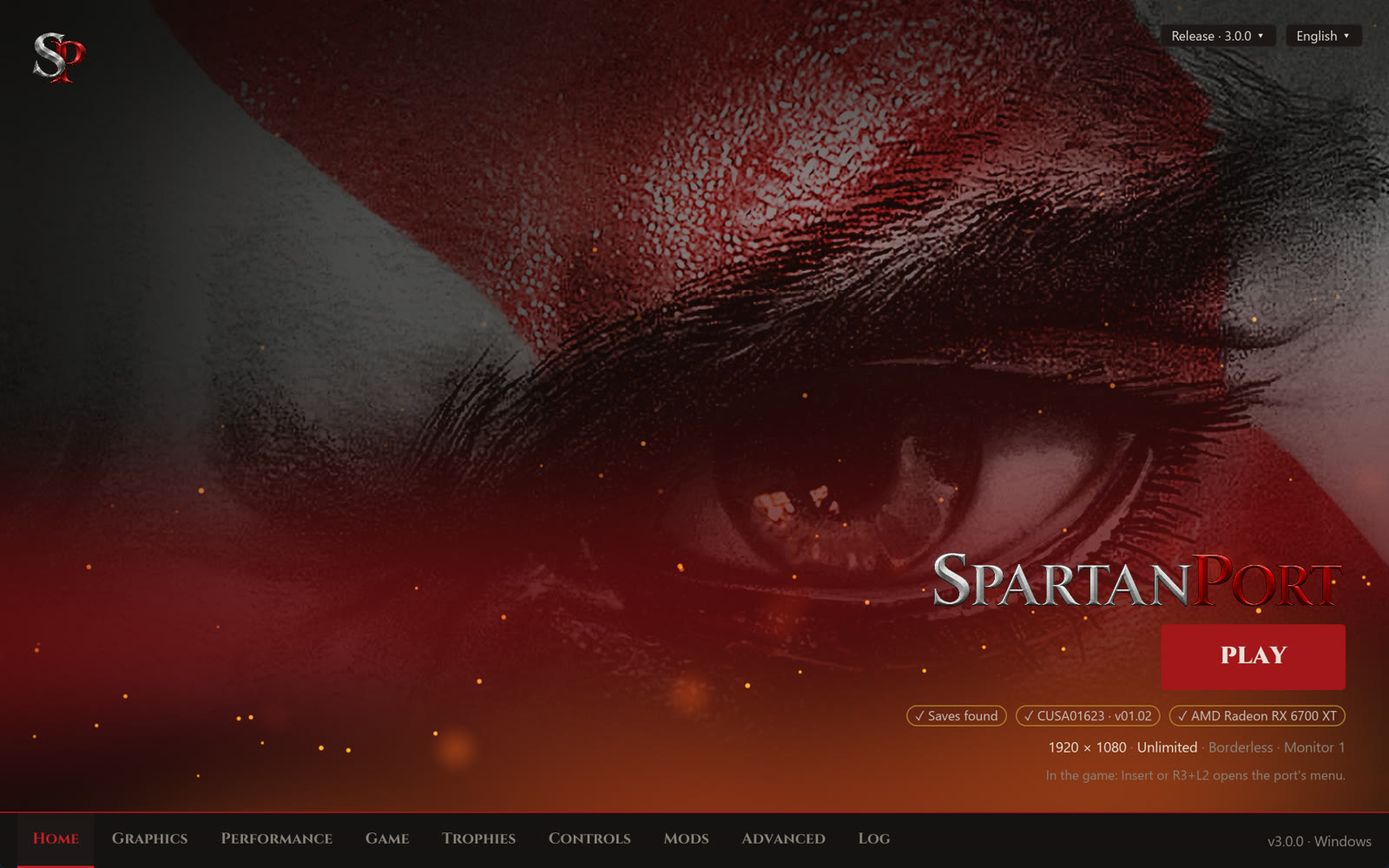
- One program, no Python (#959). Before:
SpartanPort.exewas a PyInstaller bundle with an_internal/folder, and Play ranrun.py. Now: a single Rust executable on Windows and Linux opens the window, prepares and starts the game, adds it to Steam, installs updates and swaps voices (--voice-swap). The packages carry no Python and no frozen interpreter. - Same files, same keys:
settings.json,spartanport.ini,mods.json,patches.jsonandmods_presets.jsonare read and written as before, in the same 14 languages, with the first-run setup, mods, patches, Discord presence, shortcuts and the version menu. - Auto GUI Scale (#1109): the new default fits the window to the screen, so text is readable on scaled desktops (Retina Macs at 2x, 4K at 150%). 1x and 1.5x behave as before.
- Dark title bar on Windows (#956, issue #914).
- Ko-fi link for anyone who wants to support the project (#1110).
 |
 |
 |
 |
High frame rates (#1144)
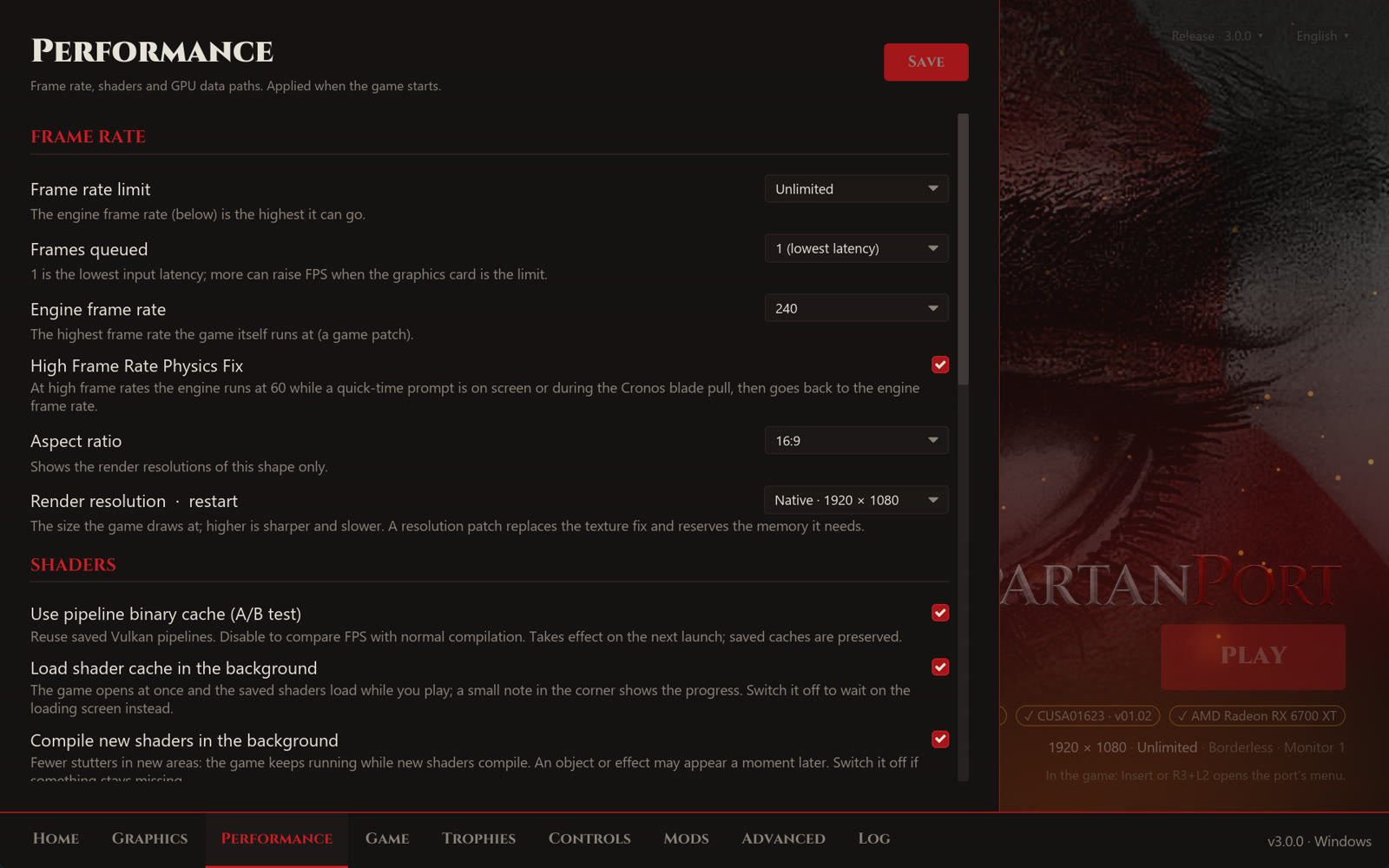
- High Frame Rate Physics Fix (on by default, Performance page and in-game menu). Before: at 120 to 240 FPS some quick-time sequences broke (Poseidon's horses, button-mash prompts), because their timing was tuned for 60. Now: while any QTE prompt is on screen the engine runs at 60 FPS, held 5 seconds after the last one, then returns to your rate. Your saved rate never changes. Chests and other hold-a-button prompts keep your rate.
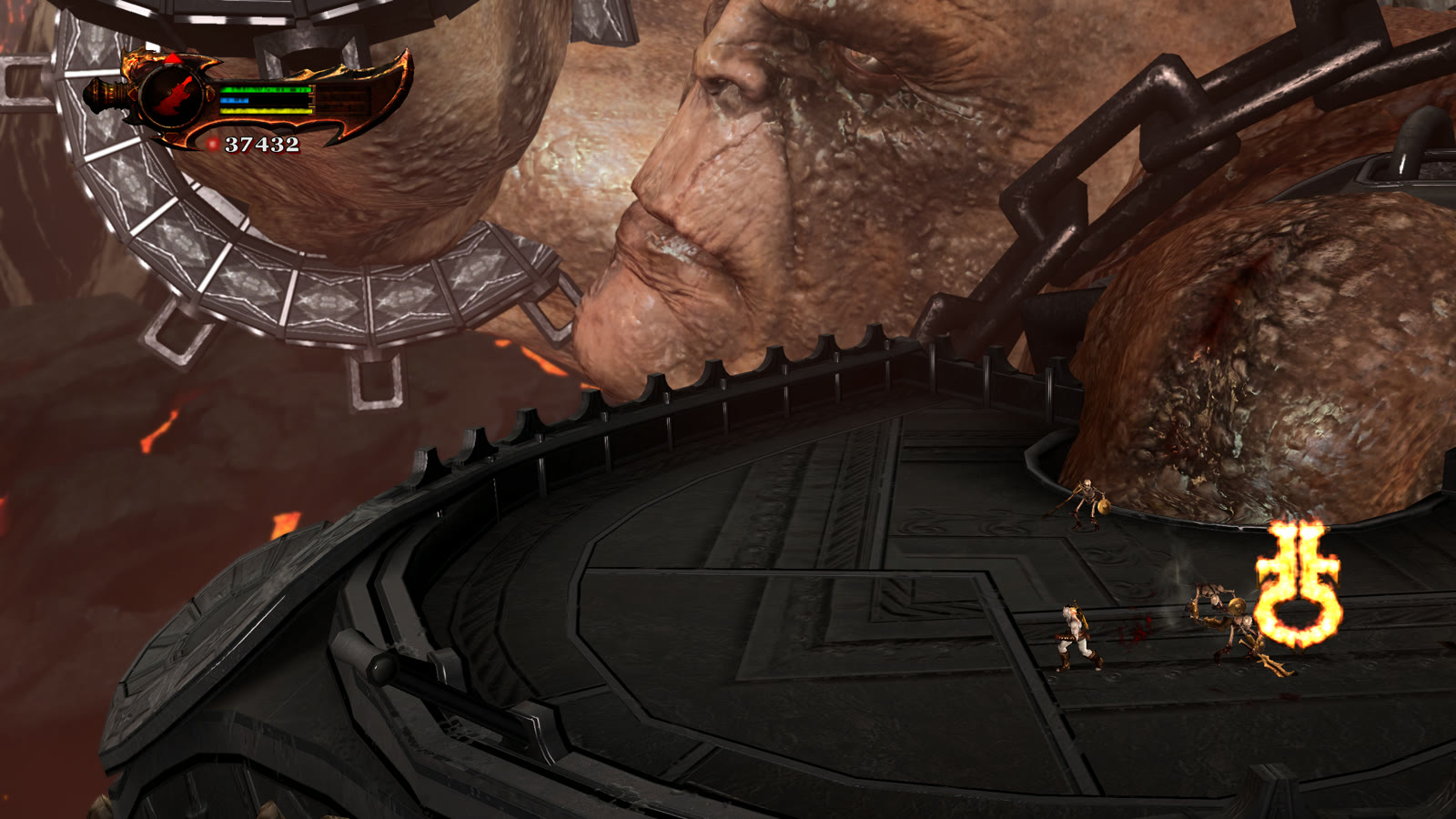
- Cronos blade pull. Before: at 240 FPS one specific R1 pull in Cronos threw Kratos out of the map, with no way forward. Now: an R1 near that pull runs the engine at 60 FPS for 4 seconds. Every other R1 is untouched, on any controller and on the keyboard.
- High FPS Wall Seam Fix (new patch, on by default). Before: at high frame rates Kratos often slipped off the Realm of Hades wall before the three judges, after Apollo's bow, because each frame's small step landed in a seam of the wall. Now: a miss right next to the last real hit reuses that hit, and Kratos holds the wall.
Graphics
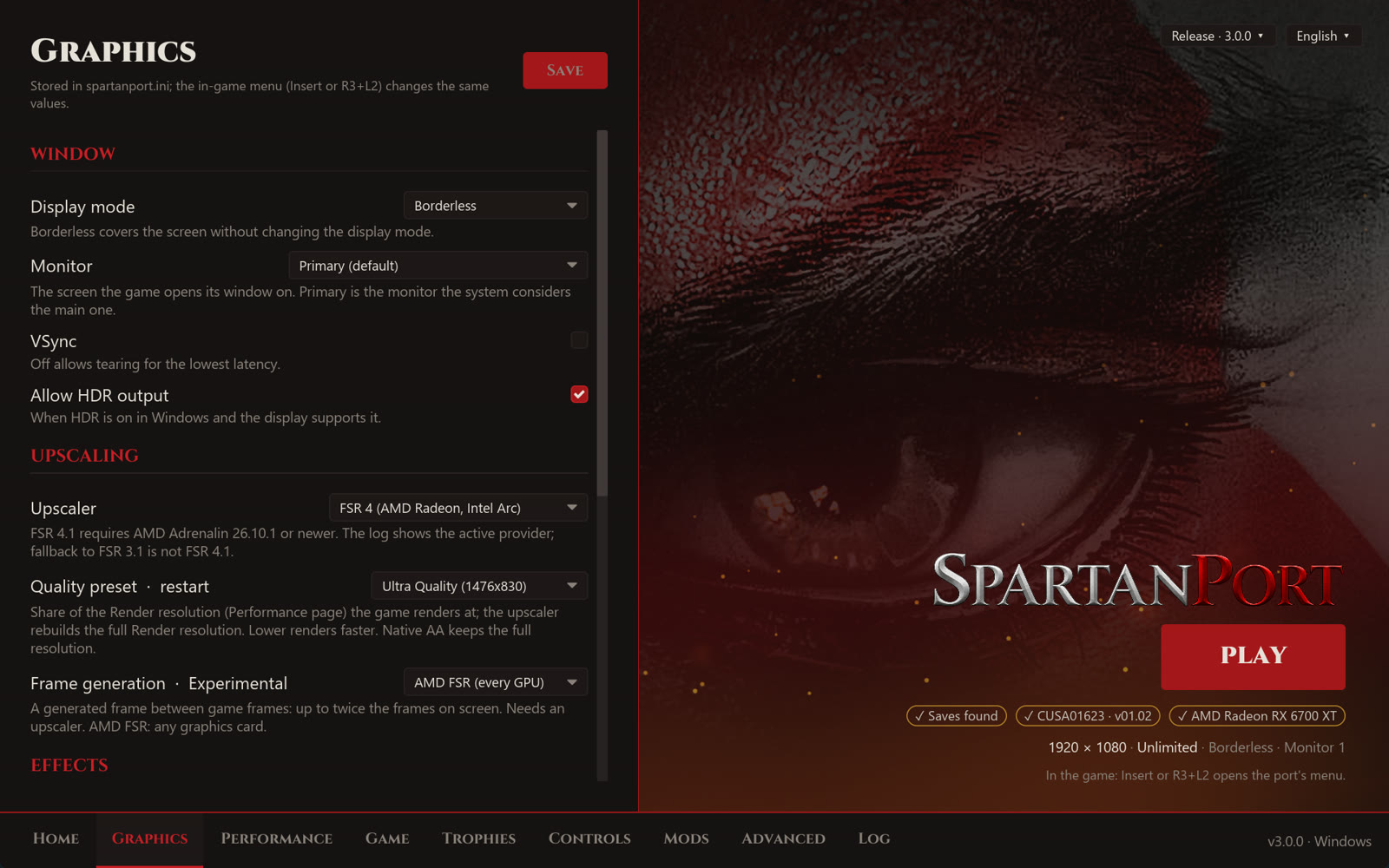
- AMD FSR upscaling and frame generation (#1123): FSR 3.1, FSR 4 and FSR 4.1 upscalers, and FSR 2x frame generation on any graphics card, from the launcher and the in-game menu. The Information block of the menu's Image tab shows the render size, the upscaler and the frame generation status.
- Frame generation is experimental. It needs an upscaler, and in some areas it stays inactive (see Known issues and #1149). The launcher labels it Experimental.
- FSR 4.1 on RX 6000: AMD's driver for these cards ships FSR 4.1 for DirectX 12 only, without the Vulkan runtime (
amdvkffx64.dll), so the game uses FSR 3.1 instead. - NVIDIA DLSS removed: it did not work as intended. Saved DLSS choices load as Off.
- Options > Graphics in the game's own pause menu (#957, issues #741 and #887): Texture Quality, Shadows, Motion Blur and Bloom apply at once, with no restart. Turning a pass off skips its GPU work.
- More native settings (#980): queued frames, asynchronous shaders, RCAS sharpening and anisotropic filtering under Graphics; resolution, aspect ratio, frame rate limit, monitor, display mode, VSync and HDR under Display; button icons, vibration and mouse settings under Controls.
- Motion blur and depth of field switches (#968), off removes them.
Trophies and menus
 |
 |
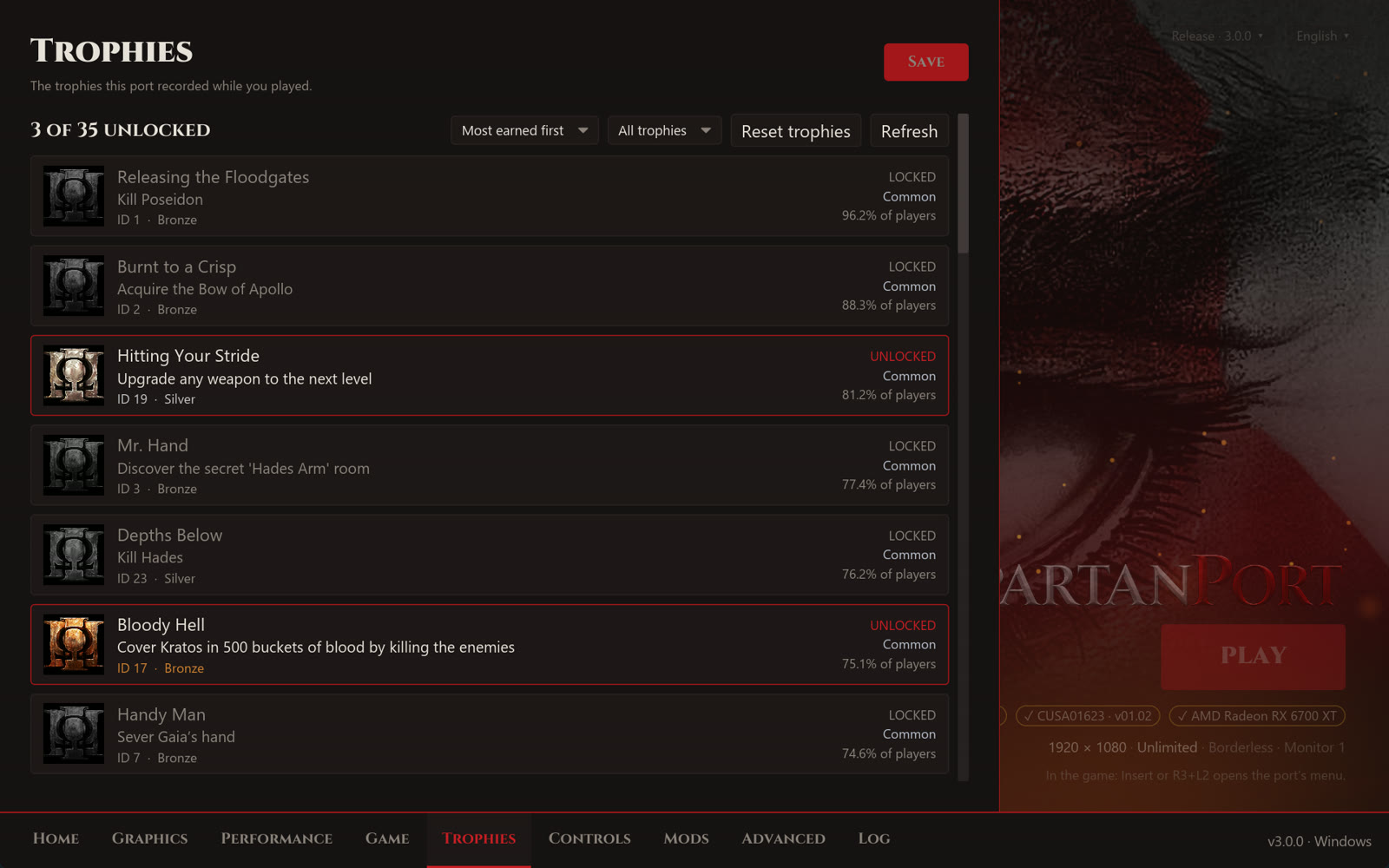
Pictures from #973: the trophies shown are made up for the demo.
- Trophy window (#973): F8 or R3 + R2 opens two pages. Trophies shows each trophy's grade as a cup, the share of players who earned it and its tier (Common to Ultra rare), with an order and grade and state filters. Notifications chooses the look and sound, with previews.
- New notification defaults: the Card, cinematic platinum theme, 7 seconds on screen, platinum light at 100% and the grade written. A
notifications.iniyou saved before keeps its choices. - Built-in unlock sound: a short run of rising bell notes, made for SpartanPort, two notes longer for the platinum. Your own sound files in
user/custom_trophystill win. - The game pauses while the Insert menu or the trophy list is open (#973). Game tab > Pause the game turns it off.
- Menu restyle of the save list and the enemy health bar (#973), and the Insert menu in 11 languages, switchable in the game.
- Cross or Circle to confirm in the save dialogs, the text keyboard, the Insert menu and the launcher (#1007, issue #934). Gameplay buttons do not change.
- Newest save first (#1009, issue #994): the save, load and delete lists are sorted by date.
- Trophies on Linux AppImage (#1070, issue #1062): trophy names and unlocks are kept again; they showed "Trophy ID" and were lost on restart.
Controls, audio and gameplay
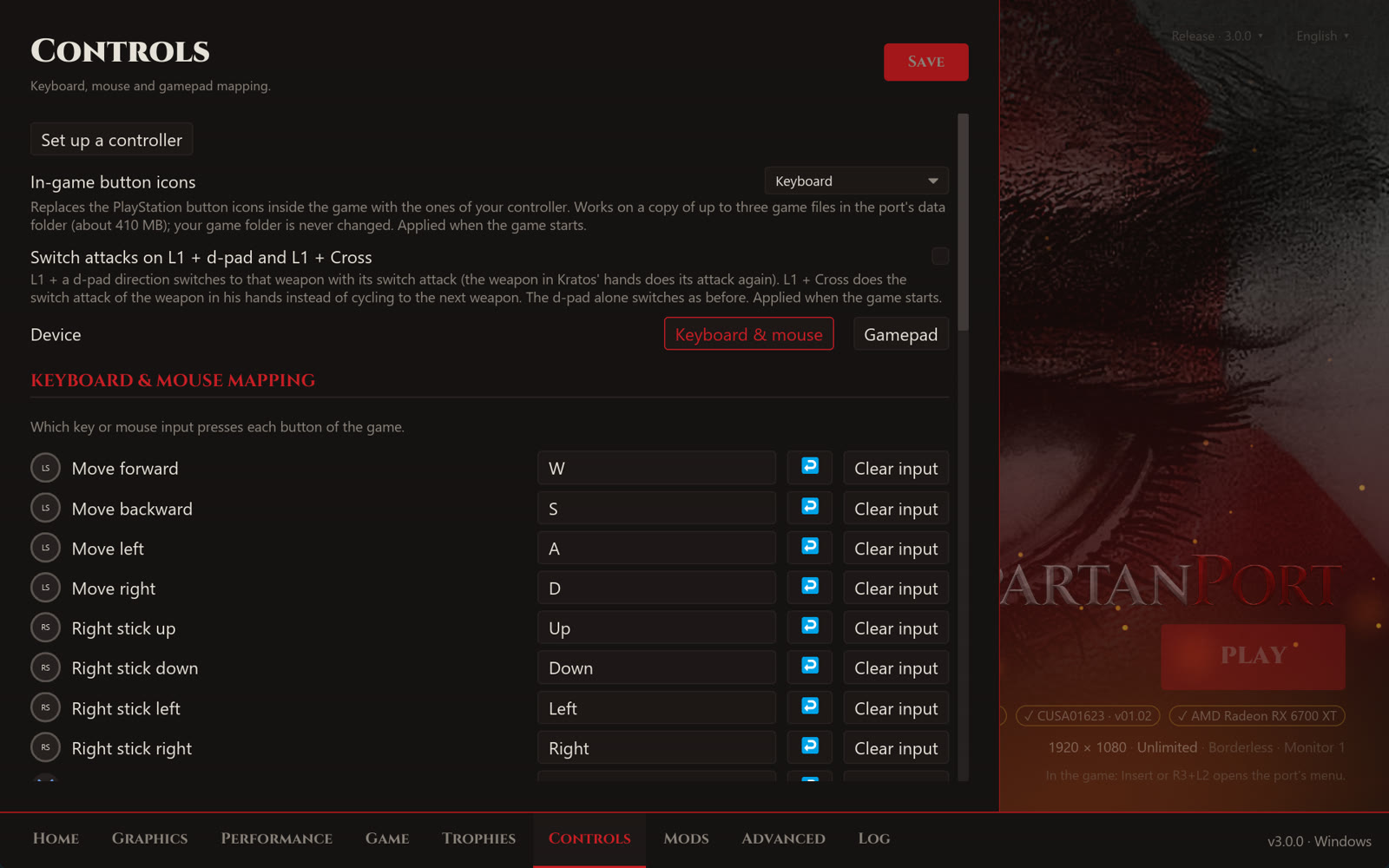
- Full keyboard stick remapping (#983): all eight stick directions in Keyboard & Mouse Mapping, with dodge, rotation QTEs and key icons following your keys.
- Weapon cycling on the mouse wheel (#614); in the game's menus the wheel moves the selection instead.
- Generic USB controllers (#694): a per-control mapper under Game > Controls for pads SDL does not know, tested with a DragonRise controller.
- Switch attacks on demand (#749): an opt-in Controls option. L1 + d-pad switches to that weapon with its switch attack, L1 + Cross repeats the attack of the weapon in hand.
- 5.1 and 7.1 audio (#968): the game now sees the real channel count, so a surround setup is no longer mixed as stereo. Master volume (0 to 200%) and a soft limiter.
- Weapon upgrade sound (#945, issues #916, #464 and #715). Before: it played about 14 dB above the loudest gameplay, since the game sends it to the controller speaker. Now: that port is turned down by 15 dB.
- Damage multiplier (#1140). Before: with a high multiplier some enemies never staggered, never offered the finisher and never died. Now: damage is multiplied before the game checks its health thresholds.
Stability and Linux
- Shared runtime fixes (#1005): 13 fixes from ports that share SpartanPort's C runtime, among them starting past the Windows commit limit (error 1450), guest handles below 1 TiB, the PS4 floating-point state and a lock that stalled the GPU thread.
- Exit code 21 at start (#1076, issue #1075). Before: when another program's DLL sat inside the PS4 address range, the game closed at once. Now: the game places its memory around it and the log names the module.
- AppImage without OpenCL (#792, issue #704): the AppImage starts on systems like Batocera that have no system OpenCL.
- Arch Linux PKGBUILD (#619).
- Issue forms with automatic labels (#1010).
Requests addressed
| Issue | Fixed by |
|---|---|
| #464, #715, #916 Weapon upgrade sound too loud | #945 |
| #704 AppImage does not start without OpenCL | #792 |
| #741, #887 Option to turn off motion blur | #957, #968 |
| #914 Dark title bar in the launcher | #956 |
| #934 Swap Cross and Circle in menus | #1007 |
| #994 Newest save at the top of the list | #1009 |
| #996 Graphics settings in the game | #957, #980 |
| #1062 Trophy names and unlocks lost in the AppImage | #1070 ... |
Contributors


Assets 8
Test build issue1131-test2 on 2.8.0: infinite loading screens
Test build 2 for infinite loading screens (#1131)
This build is for players stuck on a loading screen that never ends. It is not a final release: it tells us whether fixes that are not in 2.7.0 yet remove the hang, and if not, where the load stops.
What changes
- Memory fixes from #1005, already on
mainbut in no release yet. Among them, copy threads now read guest memory through a second view, so they no longer wait on a GPU thread that waits on them. - Texture cache, GPU and shader cache fixes from #1124. On graphics cards with less than 8 GB, texture pressure now starts at 60% of the budget instead of about 40%, the collector no longer gets stuck behind images it must keep, and an old "GPU idle" signal can no longer release newer work.
- Load diagnostics. With
SPARTAN_FILE_TRACE=1the log records every WAD file the game opens and reads. WithSPARTAN_LOAD_WATCHDOG=30the log reports a load with no progress for 30 seconds and what every thread is doing. Both are off unless you turn them on. - New in test 2: on Windows the watchdog now also records where in the game code each thread is stopped, and the functions it came from. This is what we need to find the cause.
- Everything else is the current
main, including the AMD FSR upscaling and frame generation from #1123.
How to test
- Copy your save folder first. The game may overwrite the autosave.
- Extract
spartanport-windows.zipinto a new folder, so your current install stays as it is. - Open PowerShell in the new folder and start the game with the diagnostics on:
$env:SPARTAN_FILE_TRACE="1"; $env:SPARTAN_LOAD_WATCHDOG="30"; & ".\SpartanPort.exe"
- Load the save before the area that never loads, and go through the transition.
- If it loads, play a few minutes past it. If it hangs, wait at least one minute on the loading screen before closing the game.
- Copy
user/last_run.logbefore starting the game again (it is overwritten), and reply on #1131 with it.
On Linux, use the AppImage attached here with the same two variables.
Validation
- Built on Windows 11 (MSYS2 CLANG64). A new test checks that the watchdog reads where a thread is and lets it run again; it passed 5 runs in a row. The GPU and launcher code did not change since test 1, where their tests passed.
- Built and opened on a clean Windows runner by the release workflow. The Linux AppImage started on Debian 13, Ubuntu 24.04, Arch, Fedora 42 and openSUSE Tumbleweed.
- Not checked: the areas that hang, because they load normally on our test install. That is what we need you for.
Test build collision-test1 on 2.8.0: missing areas and floors
Test build for missing areas and floors (#1133)
This build is for players stuck where the next area is not drawn, or where Kratos falls through the floor. It is not a final release: it tells us whether a memory fix removes the problem, and if not, what happens to the game's memory at that spot.
What changes
- Memory fix. When the game swaps one area's memory for another at the same address, a late GPU write for the old area could land on the new one. That write is now dropped and counted in the log. We do not know yet whether this causes the missing floor.
- Texture cache, GPU and shader cache fixes from #1124. On graphics cards with less than 8 GB, texture pressure now starts at 60% of the budget instead of about 40%, and the collector no longer gets stuck behind images it must keep.
- Memory diagnostics. With
SPARTAN_MEM_TRACE=1the log records how the game maps and frees its memory. It is off unless you turn it on. - Everything else is the current
main, including the memory fixes from #1005 and the AMD FSR upscaling and frame generation from #1123.
How to test
- Copy your save folder first. The game may overwrite the autosave.
- Extract
spartanport-windows.zipinto a new folder, so your current install stays as it is. - Open PowerShell in the new folder and start the game with the diagnostics on:
$env:SPARTAN_MEM_TRACE="1"; & ".\SpartanPort.exe"
- Load the save before the area that goes missing, and go through it with the FPS setting you used when it failed.
- Note whether the area is drawn, whether the floor holds Kratos, and whether you reach the next checkpoint.
- Copy
user/last_run.logbefore starting the game again (it is overwritten), and reply on #1133 with it.
On Linux, use the AppImage attached here with the same variable.
Validation
- Built on Windows 11 (MSYS2 CLANG64). The GPU tests and the Rust launcher tests pass. The memory tests, including the new ones for this fix and the trace, pass on Linux (Ubuntu 24.04).
- Built and opened on a clean Windows runner by the release workflow. The Linux AppImage started on Debian 13, Ubuntu 24.04, Arch, Fedora 42 and openSUSE Tumbleweed.
- Not checked: the areas that go missing, because they work on our test install. That is what we need you for.
Windows test build windows-v2.8.0-intel-test4
Windows test build from 4008738. Download spartanport-windows.zip, extract it and run SpartanPort.exe. Not a final release: please report in the linked issue whether it opens and runs.
SpartanPort 2.7.0
SpartanPort 2.7.0. These notes cover the 28 pull requests merged since 2.6.0, through
003e42b(#922), including the version bump to 2.7.0.
Updating from 2.6.0
- Windows: update through the launcher as usual. Saves, game settings and launcher settings carry over.
- Linux: the 2.6.0 AppImage cannot update itself. Download
spartanport-x86_64.AppImagefrom this release once and replace the old file; from 2.7.0 on, the launcher offers updates. - First start: the shader cache is rebuilt once and the game can stutter for a while. Later starts reuse it.
Performance and shader cache
- Low-thread CPUs (#813, issue #209). Before: on CPUs with 4 threads or fewer, the game's five job workers spun on a lock and took almost all the CPU; the GPU command thread got about 17% of one core and the sound thread starved. Now: the workers run below normal priority and the sound and file threads above it. A per-thread CPU report is written to the log on shutdown.
- Saved shaders reused (#386). Before: saved shaders were never loaded, so every start and save load compiled them again and objects popped in a few frames late. Now: they are read back, with a background prefetch so the GPU thread does not wait on the disk. New shaders and driver changes still compile.
- Smaller pipeline-binary cache (#386, issue #177). Before: the same driver binary was copied into almost every file, and the folder could pass 20 GB. Now: identical binaries are stored once; existing files are converted in the background at start.
- Readback waits (#386): image uploads and frees no longer wait for unrelated copies that only share a memory page. This targets streaming stalls, not FPS on every system.
- Delete the shader cache from the launcher (#386): Performance > Shaders has a button that shows the size and folder, asks first and refuses while the game runs. Shader notes in the corner are off by default.
| Measurement | Before | After |
|---|---|---|
| FPS, Ryzen 5 5600X limited to 4C/4T, same scene (#813) | 19-32 FPS | 97-120 FPS |
| FPS, Ryzen 5 5600X limited to 2C/2T (#813) | 14-16 FPS | 40-48 FPS |
| Average FPS, i5-7500 + GTX 1660 Ti, player test (#813) | 36.0 FPS | 59.0 FPS |
| Sound buffer underruns per minute, 4 threads (#813) | 113 | 0 |
| Shaders compiled on the second start, RTX 5070 (#386) | 623 | 6 |
| Pipeline-binary sample of 300 real files (#386) | 393 MB | 11.6 MB |
The 5600X figures come from limiting CPU affinity, not from real older CPUs, and other CPUs and scenes can gain less.
Game and native menus
- Cheats in the game's Options menu (#921): a Cheats entry below Game Settings has eight toggles, including Automatic QTE, and a Multipliers page with six sliders and Reset All to 1x, with native navigation and scrolling. Until now they were only in the Insert overlay menu.
- Enemy health bar (#921): also a toggle in the native Display menu.
- Overwrite confirmation (#918): picking an occupied save slot now asks first, with Cancel selected by default, and shows the new save image next to the existing save's location, date, difficulty and play time.
- Local trophies (#540): unlocks are saved and survive restarts, with a notice card, an in-game list (F8 or R3 + R2) and a Trophies page in the launcher. Icons come from the player's own game files; there is no PlayStation Network sync.
- Timed QTE crash on older CPUs (#884, issues #811 and #818). Before: the timed-QTE hook added in 2.6.0 used a BMI1 instruction, so every timed QTE crashed on CPUs without it (Sandy and Ivy Bridge, AMD FX), even with Automatic QTE off. Now: the hook uses base x86-64 instructions.
- Exit to Desktop in the game language (#779, issue #649): French, Spanish, German, Italian, Polish and Portuguese are translated. Russian, Japanese and Chinese stay in English because the menu font only covers the Latin alphabet. The translation may not work on every game version yet, and we are working to improve it.
Graphics, controls and audio
- 144 and 180 FPS (#705): new engine rates in the launcher, the overlay and the live switch. F9 or R3 + L1 + R1 now cycles 60, 100, 120, 144, 180 and 240 FPS.
- Monitor selection (#647): both launcher settings views pick the display the game opens on, falling back to the primary one.
- Steam Deck resolution (#877, issue #855): a first start on an LCD or OLED Steam Deck uses 1280 × 800 instead of leaving black bars. A saved resolution wins.
- Resolution labels (#696): 3440 × 1440, 3840 × 1600, 5120 × 1440, 5120 × 2160, 1920 × 1200, 2560 × 1600 and 1920 × 1440 are no longer marked beta, after player reports. 2560 × 1080, 1440 × 1080, 2048 × 1536, 2560 × 1920 and 8K keep the label.
- Fullscreen Alt+Tab (#695, issues #325 and #391). Before: Alt+Tab or the Windows key in fullscreen crashed the game while the swapchain was recreated on a minimized window. Now: recreation waits for the window to come back. Optimus laptops were not verified on hardware.
- Larger keyboard prompts (#617): key caps and labels such as
SPACE,SHIFTandCTRLare bigger in tutorials and QTEs. - Lyre prompts (#706): the Xbox and Nintendo styles also repaint the lyre puzzle after Hermes, through a generated copy of the level file; the game files are not changed.
- Windows audio (#665): when WASAPI fails on some outputs (optical S/PDIF, some USB DACs), the game falls back to DirectSound by itself instead of running silent, unless a driver was chosen by hand.
Launcher and localization
- Linux AppImage updates (#707, #900): the AppImage checks for updates, verifies the download against the release SHA-256 file and replaces itself. A bad checksum, a failed download or a read-only folder leave it unchanged.
- Languages (#615, #840, #869): Brazilian Portuguese in the game-language list, a complete Simplified Chinese interface and an Indonesian launcher. Choosing a language does not add missing language files to the game.
- Game-language note (#882, issue #842): the launcher explains that the game's own save keeps its text and speech languages, changed in the game's menus.
- Language change on Linux (#857, issue #697): saving a new launcher language no longer closes the AppImage on Fedora.
- Desktop shortcuts (#838, issue #824). Before: after 2.6.0 the old shortcut deleted itself at every start and a SpartanPort one appeared. Now: the migration runs once and never deletes a shortcut.
- Memory errors at start (#905, issue #878). Before: a failed memory reservation (error 1450) gave a black screen with the FPS counter running, and the reason was only in the log. Now: the game stops and the launcher shows advice and the log. Low-memory setups are still unsupported.
- Linux build with GCC 16 (#913): fixed a buffer size in the CPU report that stopped the build.
- Regional patches (#894, issue #817): the game is recognized by its own title again after the rename, which restores the built-in patches (including 3440 × 1440) on unlisted IDs. CUSA01740 is now listed.
Tools
- Voice replacement (#576):
xvag_voice_swap.pybuilds an Update folder from the player's own recordings, without writing to the dump. Only mono lines with the original length are handled.
Requests addressed
| Issue | Fixed by |
|---|---|
| #177 Pipeline-binary cache too big | #386 |
| #209 Performance on i3-9100F and similar CPUs | #813 |
| #325 Crash on Alt+Tab in fullscreen | #695 |
| #391 NVIDIA Optimus flickering and crash | #695 |
| #649 Exit to Desktop not following the language | #779 |
| #697 AppImage crash when changing the launcher language | #857 |
| #811 Crash on the QTE finisher near Helios | #884 |
| #817 3440 × 1440 broken and CUSA01740 missing | #894 |
| #824 Desktop shortcut deleting itself | #838 |
| #842 Choosing English voice with other text | #882 |
| #855 1280 × 800 for the Steam Deck | #877 |
| #878 Black screen on memory reservation failure | #905 |
#818 (crash when starting QTEs) has the same cause as #811 and stays open until players confirm the fix on 2.7.0.
Known issues
Same as 2.6.0: see the 2.6.0 release notes. This release is not a general fix for startup crashes, loading hangs, corrupted textures or integrated GPUs. Also:
- High frame rates can still block some traversal and QTE sequences. Switch to 60 FPS with F9 or R3 + L1 + R1 for that part.
- Do not share one shader cache with an older build: it writes the old numbering. If it happens, delete
user/cache/CUSA01623/disk_shaders.binto force a rebuild. - Autosave capacity is unchanged, and save previews are not verified on every region and update.
- Trophies are local: PlayStation unlocks are not imported, and an advanced save may not trigger earned trophies again.
- 8K and the other beta resolutions need more testing and more memory and VRAM.
- Native menus need a recognized game script; other regions or updates may need more work.
- AppImage self-update was tested against a local mock release only. Its first real run is the update after 2.7.0.
For a new or continuing problem, open an issue with the release version, operating system, CPU, GPU and driver, render resolution, game title ID and update version, reproduction steps and the relevant log.
Validation
- CPU scheduling (#813): live A/B on a Ryzen 5 5600X + RX 6700 XT with limited affinity, and a player check on an i5-7500 + GTX 1660 Ti with the test build.
- Shader cache (#386): cache tests, gameplay on AMD and on an RTX 5070.
- Save confirmation (#918): service tests on Windows and Linux with AddressSanitizer and UndefinedBehaviorSanitizer, 8 runtime tests, layout at 720p and 1080p, final layout confirmed in game.
- Native settings (#921): 28 Python...
Contributors


Assets 6
Test build apple-silicon-test2 on 2.6.0: macOS support (2.6.0-apple-silicon-test2)
Experimental Apple Silicon test build based on 2.6.0 and the consolidated macOS port from #798. This replaces test1 for package startup testing. Requires an M1 or newer Mac, macOS 26 or newer and Rosetta 2.
What changed
- Fixed the bundled KosmicKrisp ICD manifest to use
./libvulkan_kosmickrisp.dylib, relative to the manifest rather than a system library search. - Added the relative
libvulkan.dylibandlibvulkan.1.dylibaliases required by the renderer's dynamic Vulkan loader. Both point to the versioned loader included inside the app. - Made packaging stop if the required Vulkan loader or KosmicKrisp driver is missing.
- Added a regression test and a macOS smoke test against the final mounted DMG. The smoke test loads both loader names under Rosetta, creates a Vulkan instance with Metal surface extensions and checks loaded library origins with Vulkan and dyld overrides cleared.
- Preserved the experimental Apple Silicon port, runtime settings and credits to Fleurat (#798), nizwar (#510) and Incognito-Coder (#469). Thanks to Lucas-Kobayashi for the startup report and moamlmushtaq for investigating and testing the two packaging fixes.
How to test
- Close the launcher and game. Download
spartanport-macos.dmg, open it and replace the old application in Applications with the newSpartanPort.app. ReadREADME-macOS.txtinside the disk image. Please use the unmodified application for the first test; no manual driver-path edits, library links, Homebrew or system Vulkan installation should be needed. - Use your own compatible game files. Start at 720p, with engine frame rate and frame limit both set to 60 FPS.
- Check whether the game starts past the Vulkan window error from test1. Then test cinematics, gameplay, audio, keyboard/controller input, saving/loading and scene transitions.
- Export the log from the launcher. Report results in #798 with the
macos-v2.6.0-apple-silicon-test2tag, Mac model, RAM, macOS version, game title ID/update, FPS and scene tested, controller and any problems. Please report successful startup too.
Saves, settings and logs remain in ~/Library/Application Support/SpartanPort. Replacing the application preserves that folder; back up saves before testing.
Known issues
- Gameplay, FPS, scene transitions and physical controllers on this new package still need player testing. The earlier M4 report concerned test1 with local changes and does not validate this DMG.
- Apple Silicon and macOS 26 or newer only. Intel Macs, Sonoma and other older macOS versions, MetalFX and the alternate MoltenVK path are outside this package.
- The application is signed ad hoc and is not notarized with an Apple Developer ID. macOS may block its first launch; see the installation notes inside the DMG.
Validation so far
- Added the packaging regression before implementation and confirmed it failed without the fix.
- Passed the macOS 26 CI on the release source commit: runtime build, 12 native tests and the no-MSAA test.
- Python suite: 556 tests run, 50 skipped, no failures. Skipped tests are not counted as validated behavior.
- Generated the app and DMG. The existing packaging checks verified x86-64 runtime libraries, dependency relocation, redistribution boundaries and ad hoc code signatures.
- Mounted the final DMG read-only, verified the app signature again and passed all 8 package tests. Under Rosetta, both
libvulkan.dylibandlibvulkan.1.dylibloaded the bundled loader and KosmicKrisp driver and created a Vulkan 1.3 instance with Metal surface extensions. The test rejected non-system libraries outside the bundle, with Vulkan/dyld environment overrides cleared and an isolated temporary home. - Downloaded the CI artifact and independently checked the DMG SHA-256 and
source-commit.txtagainst the exact source commit. - Source:
eb5b29d565ef2e9facb668c8f00f9233b1a2b343onfix/macos-test2-vulkan, based on the test1 PR head76830ef10f99cf5ca26f0cd2e41a4ab83207ae5f. - Build and test evidence: macOS workflow, attempt 3. The first two attempts of this run could not acquire a hosted macOS ARM64 runner; the successful attempt rebuilt and tested this exact source.
- Not validated here: game startup through the full launcher/game flow, gameplay, FPS, scene transitions and physical controllers on this new package. The isolated Vulkan instance test does not validate those behaviors.
SHA-256 of spartanport-macos.dmg: 3fcaadd85b055b1db6068e4d3fe569e2e87942846466014cd06efd6145b39a80.
You need your own game files. None are included.
Test build apple-silicon-test1 on 2.6.0: macOS support (2.6.0-apple-silicon-test1)
Test build for Apple Silicon Macs (pull request #798, with selected contributions from #469 and #510). It is 2.6.0 plus the experimental macOS port. If you have an M1 or newer Mac running macOS 26 or newer, this build is for you. Intel Macs and older macOS versions are not supported by this package.
What changes from 2.6.0
- Apple Silicon support. The game runtime runs through Rosetta 2, with the bundled KosmicKrisp driver translating Vulkan to Metal. The macOS runtime includes low-address memory allocation, Cocoa window handling and audio queue adjustments.
- A Mac application in a DMG. Drag
SpartanPort.appinto Applications and select your game files in the launcher. Python and Homebrew are not needed. The package includes its runtime libraries and licenses. - Saves and settings outside the application. Saves, settings, logs and generated files live in
~/Library/Application Support/SpartanPort, so replacing the application preserves that folder. - One macOS integration in #798. Contributions from Fleurat (#798), nizwar (#510) and Incognito-Coder (#469) were consolidated there. MetalFX and the alternate MoltenVK/Intel path are not included in this first test.
How to test
- Download
spartanport-macos.dmg, open it and drag SpartanPort.app into Applications. ReadREADME-macOS.txtinside the disk image. Rosetta 2 is required. - Open the launcher and select your own compatible game dump. Start at 720p, with the engine frame rate and frame limit both set to 60 FPS, as a common test baseline.
- Check game startup, audio, keyboard/controller input, saving and loading, and transitions between scenes. The menu opens with Insert, the key left of 1 (`), or the controller shortcut.
- Export the log from the launcher after testing.
Reply on #798 with: your Mac model, RAM, macOS version, game title ID/update version, resolution, FPS and scene tested, whether the sound stuttered, whether your controller worked, and the exported log. If something looks wrong, include a screenshot or video.
Known issues
- Gameplay is not validated yet on this consolidated build. Clean installation and physical controller behavior also need player testing. Earlier reports from the contributors' own branches do not validate this package. No FPS target or full-game completion is claimed.
- Apple Silicon and macOS 26 or newer only. Intel Macs, older macOS versions, MetalFX and the alternate MoltenVK path are outside this first test.
- The application is signed ad hoc, not notarized with an Apple Developer ID. macOS may block its first launch. See the installation notes inside the DMG.
Validation so far
- Built on the macOS 26 CI runner: runtime, 12 native tests and the no-MSAA test passed.
- Python suite on macOS: 553 tests run, 49 skipped, no failures. Skipped tests are not counted as validated behavior.
- Generated the application and DMG. CI checked runtime library architectures, dependencies, package contents and code signatures.
- Downloaded the final DMG and independently verified its SHA-256 checksum.
- Windows integration: runtime built, nine focused native tests passed, Python suite passed (553 tests, 70 skipped). Follow-up runtime build and focused portability checks also passed.
- Package built from
cab359ebb750bd502c233ad0aa72a46af5514f5c, the CI merge commit for PR head76830ef10f99cf5ca26f0cd2e41a4ab83207ae5f. Their source trees match exactly. The source commit is recorded in the attachedsource-commit.txt. - Build and test evidence: macOS workflow.
- Not run in game here on a Mac. That is what this build is for.
SHA-256: see spartanport-macos.dmg.sha256.
You still need your own copy of the game files. No game files are included.