Repository navigation

Replies: 7 comments 11 replies

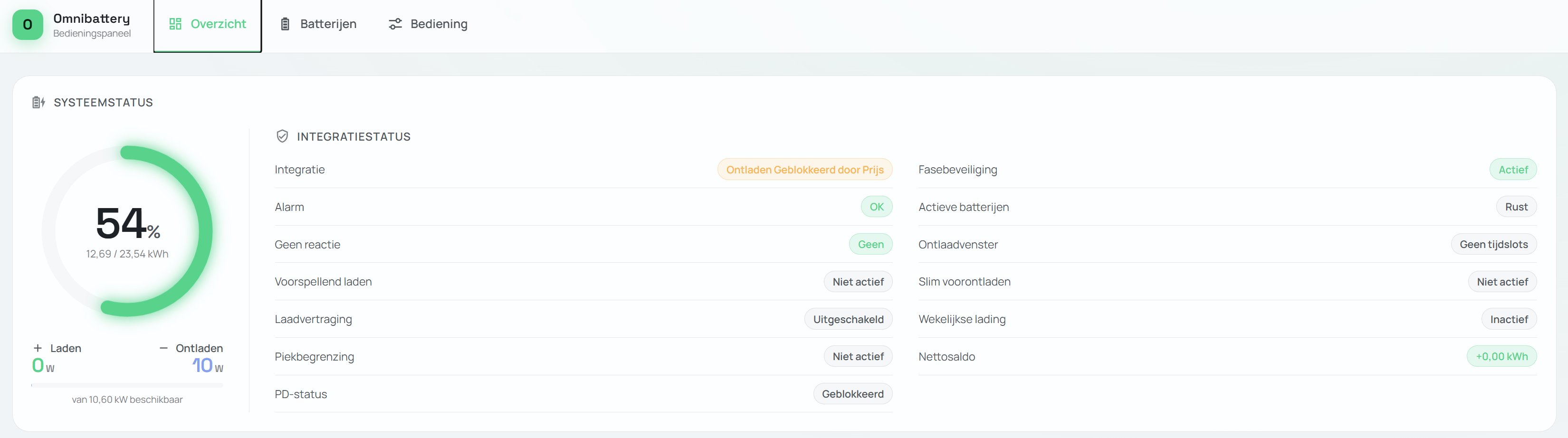

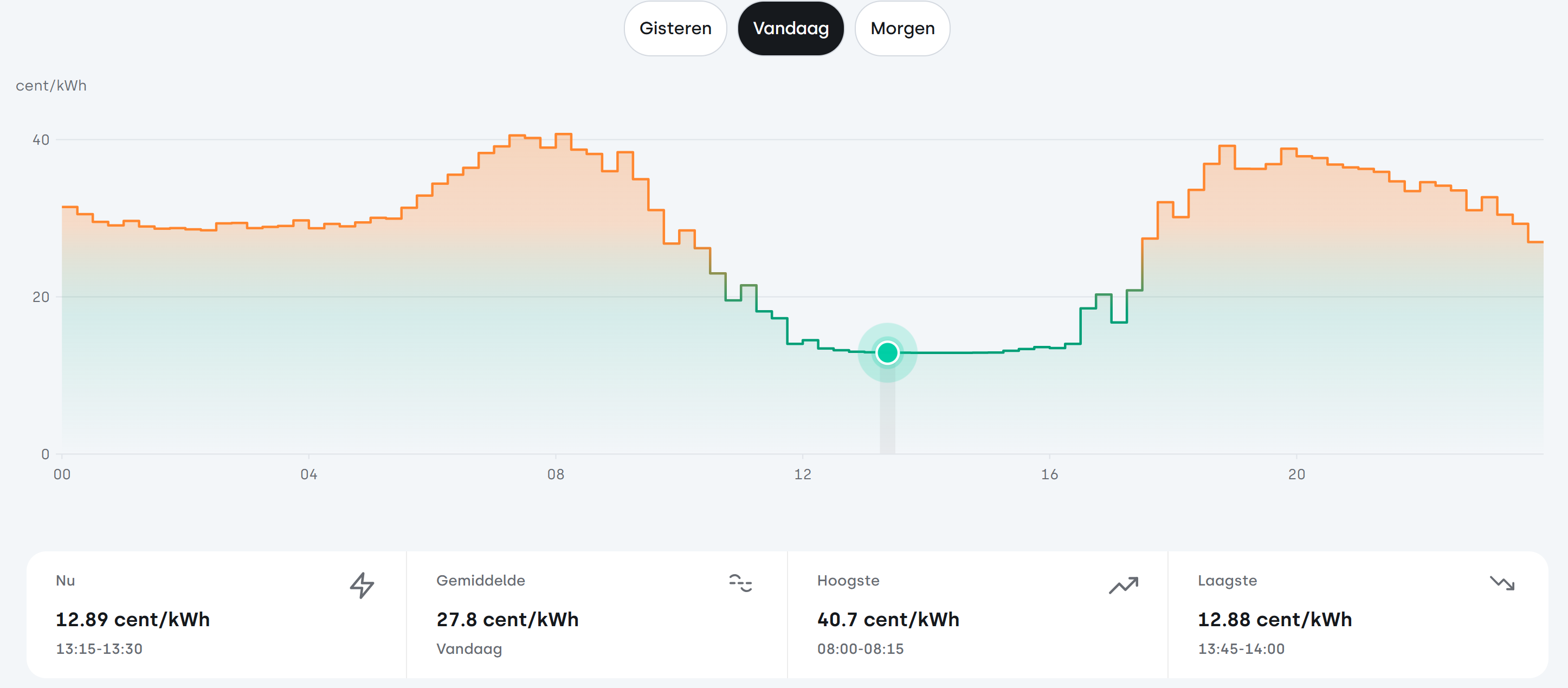
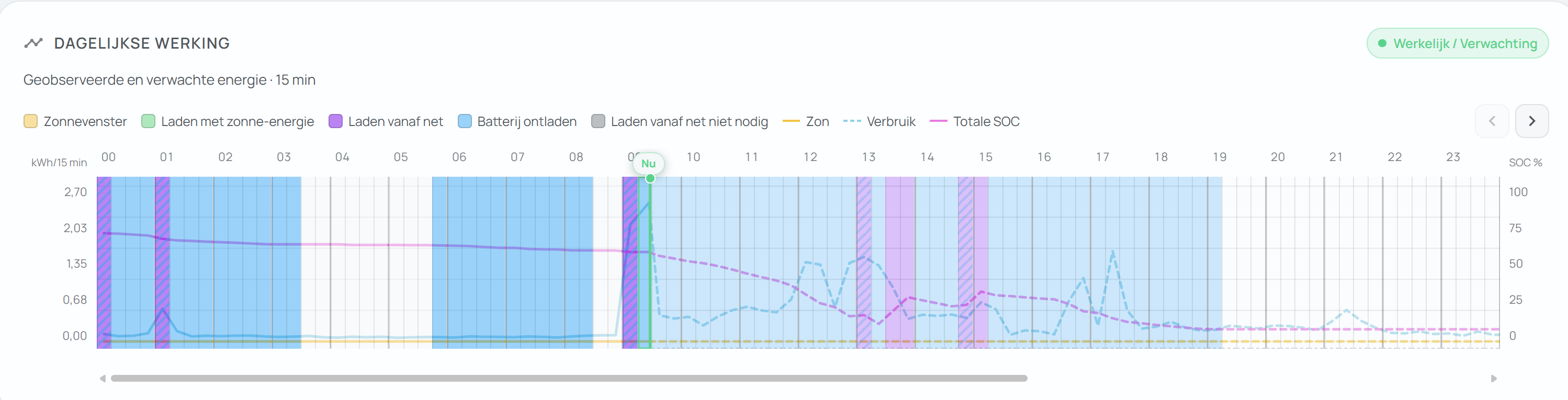
config_entry-omnibattery-01M0J55M1DMPY342P5NSMDTN1N (2).json Fixed that Omnibattery shows the correct kWh. Still only the charging period is very strange. It wants only to have 30min to charge 10kWh. (i have 9kW of charging power, but still not enough) :) I use Tibber as operatior / sensor ... the price trigger seems to be working fine (message avoiding discharge in at the rate i set). ... Am i the only one where Omnibattery charges at very strange moments? |

|
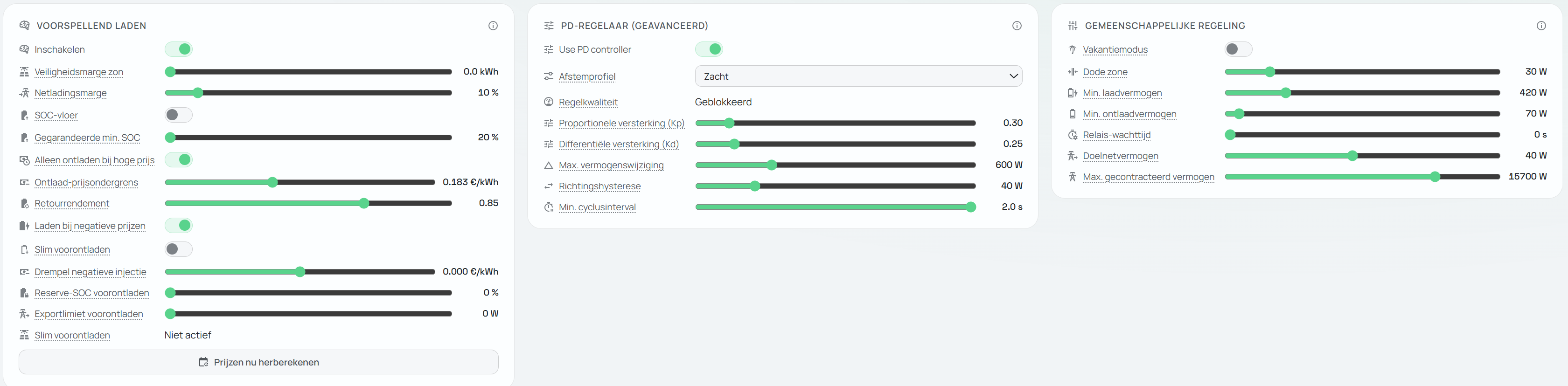
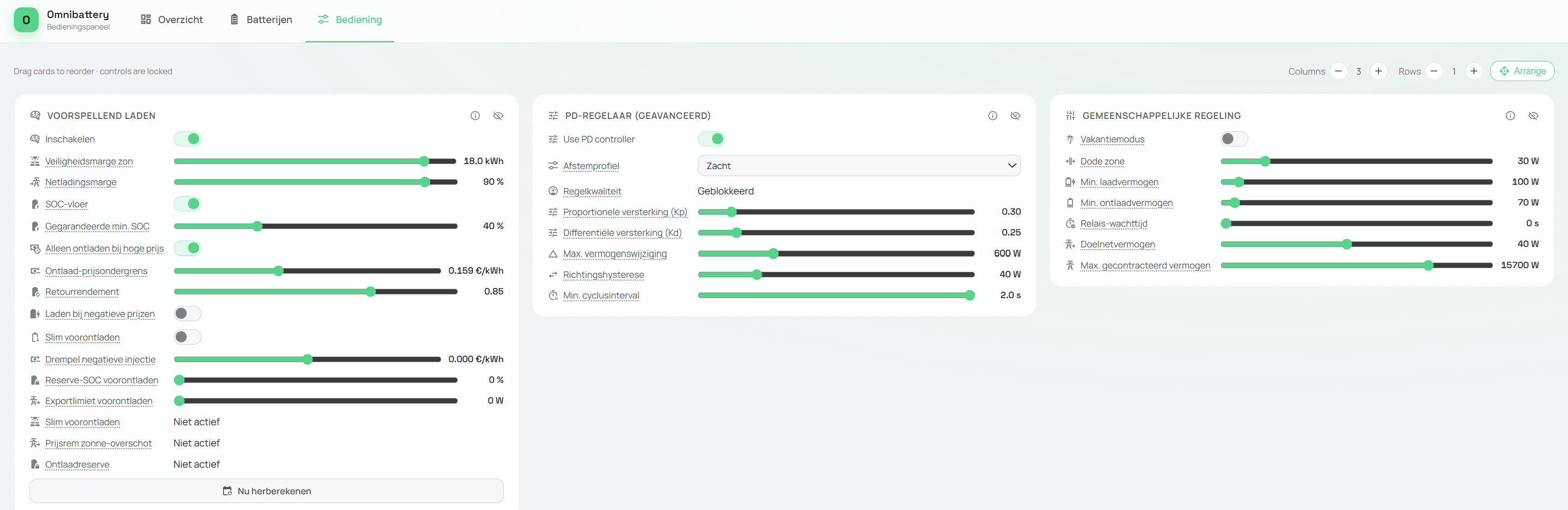
Hi @Maumau82, thanks for the detailed screenshots. Capacity: good catch. Since 1.5.0b1 the Zendure capacity field is mandatory in the setup flow. Your entry was created before that, which is why it stayed at 0. Why it doesn't charge at the cheapest hours: in Dynamic Pricing mode, predictive charging only buys the deficit, meaning the energy your batteries are missing to cover the forecast consumption. It is not an arbitrage optimizer. In your screenshot from the 18th you had 12.7 kWh stored and roughly 8 kWh of forecast consumption left. With no deficit, it doesn't charge, even at 12.9 ct. The only other grid charging it does is opportunistic charging at negative prices. "Fill up at the cheapest hours to cover the expensive ones" is a feature request, and it's already tracked in #435. Please add your 👍 there, because votes set the priority. If you want more grid charging in the meantime, raise Safety margin (it enlarges the deficit) or the predictive min SOC with the SOC floor switched on. That makes it buy more at the cheapest slots it picks, though it's still not real arbitrage. Two things to check:
|

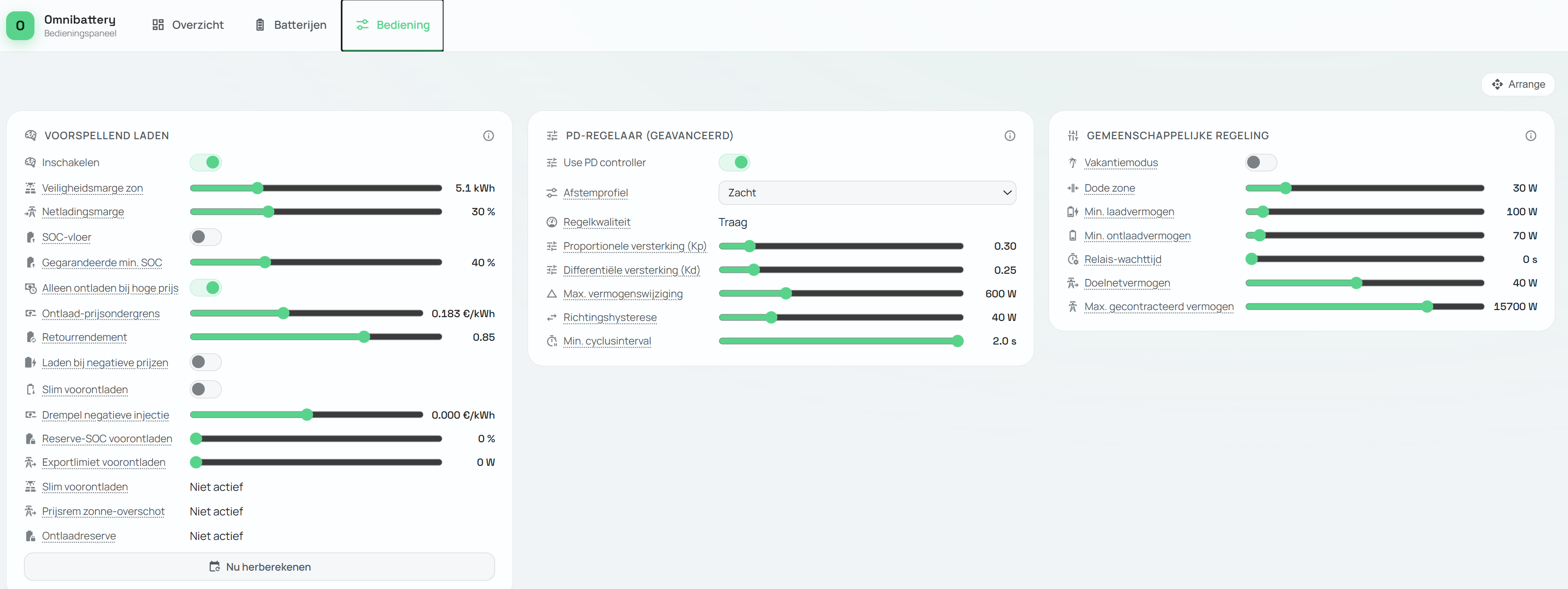
config_entry-omnibattery-01M0J55M1DMPY342P5NSMDTN1N (3).json Version 1.5.0b2 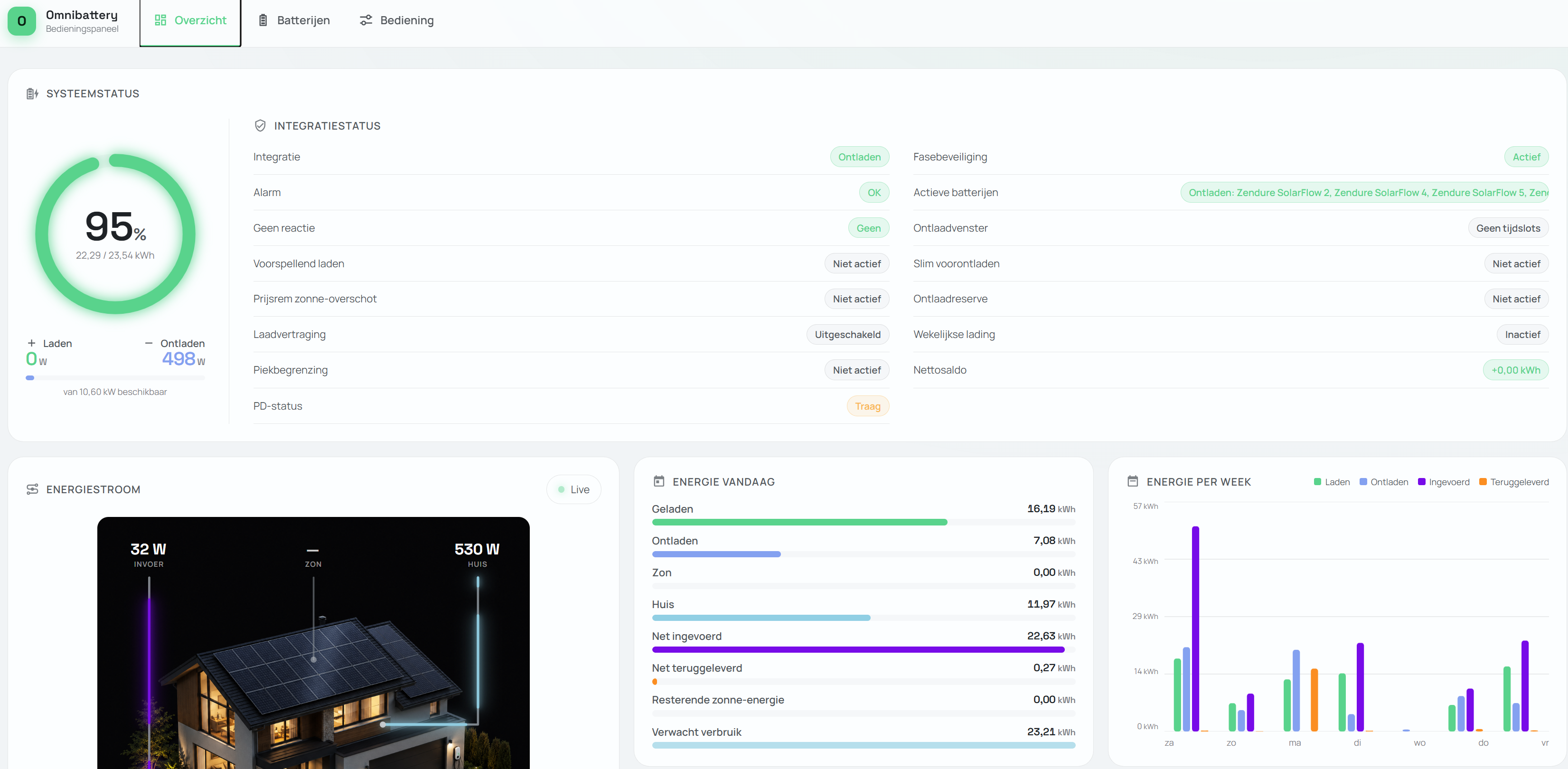
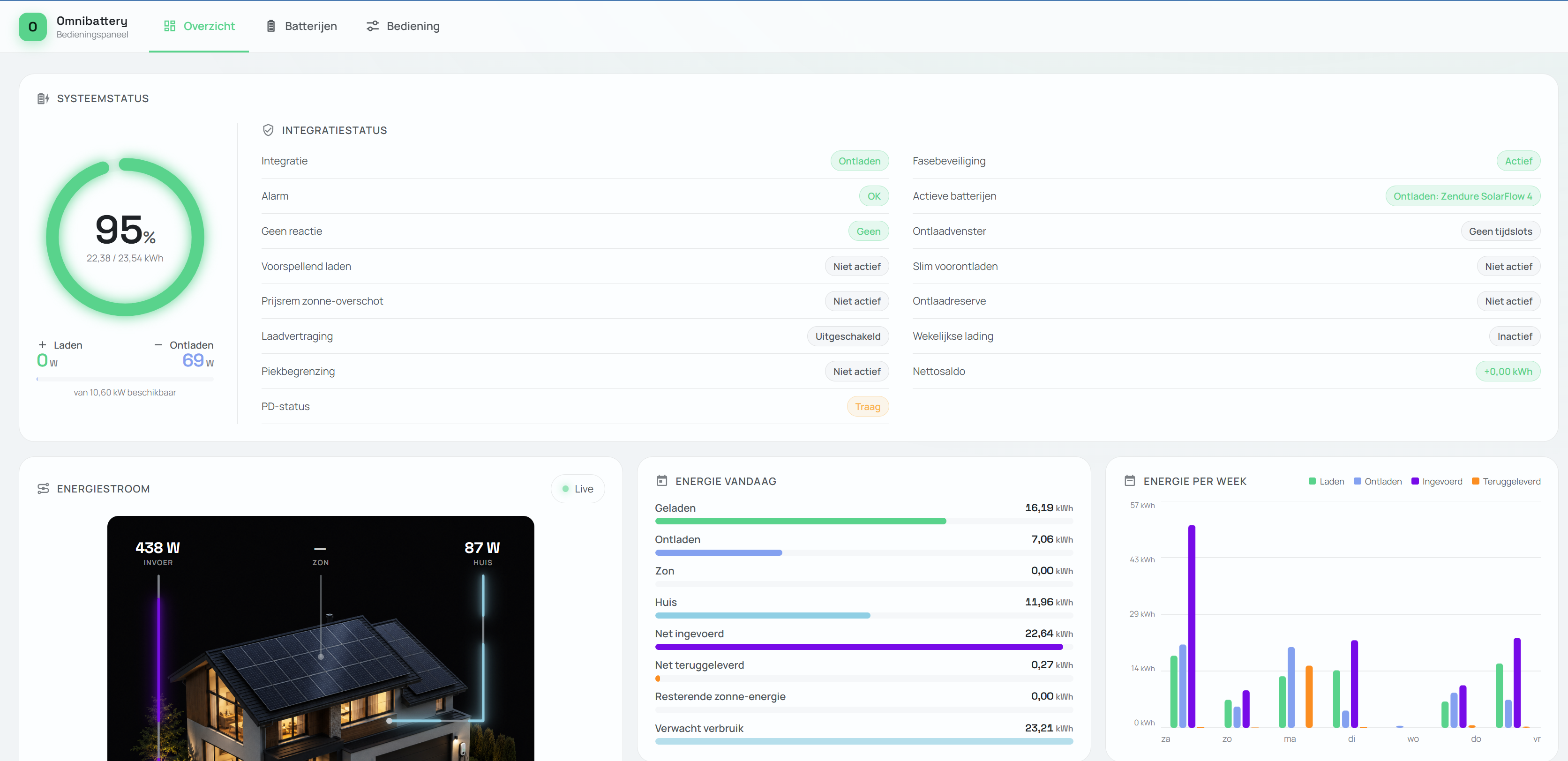
config_entry-omnibattery-01M0J55M1DMPY342P5NSMDTN1N (4).json Version 1.5.0b1 Thank you for the clear explanation—that helps a lot! Regarding the version, I reverted from 1.5.0b2 to 1.4.0. With the latest beta, Omnibattery no longer covers the usage and only allows for a very limited discharge capacity. I have attached both JSON files for your reference. Even though they only cover a few minutes of usage, I can immediately see the difference in behavior. |
|
Edit; also V 1.5.0b1 does show no discharge ... but when i look into my P1 meter on my phone, it does discharge. So probably also Omnibattery does not see the Sensor of the Zendure batteries how they are discharging. (thought it did in V1.4 ... but will check. |
|
But i was thinking ... If the energy rate is at €0,00 (excl taxes) on a day ... It would be perfect if the battery would full up to 100% (regular during weekends). Even though you would not need it all. ... Is it possible to have it setup, to fully charge (estimated) when prices are below a certain amount .(Including expected sun, if any ( not much in the winter at least). |
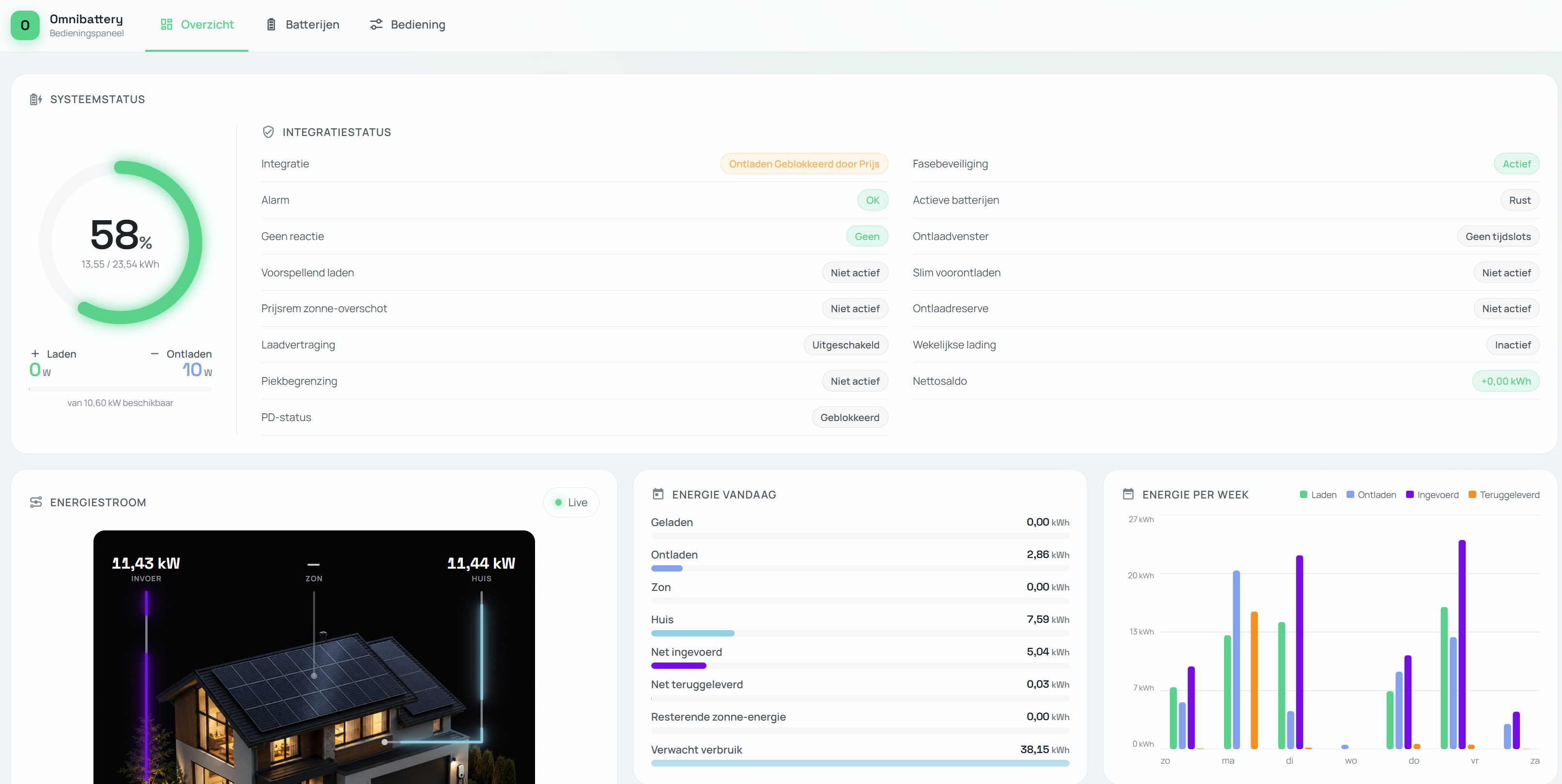
config_entry-omnibattery-01M0J55M1DMPY342P5NSMDTN1N (5).json Hmmm, it is not charging ... perhaps try a fresh re-install? Or clearing is cache or something? (I sometimes charge while the Anker Gen 2 CT kWh meter does not register data. |
|
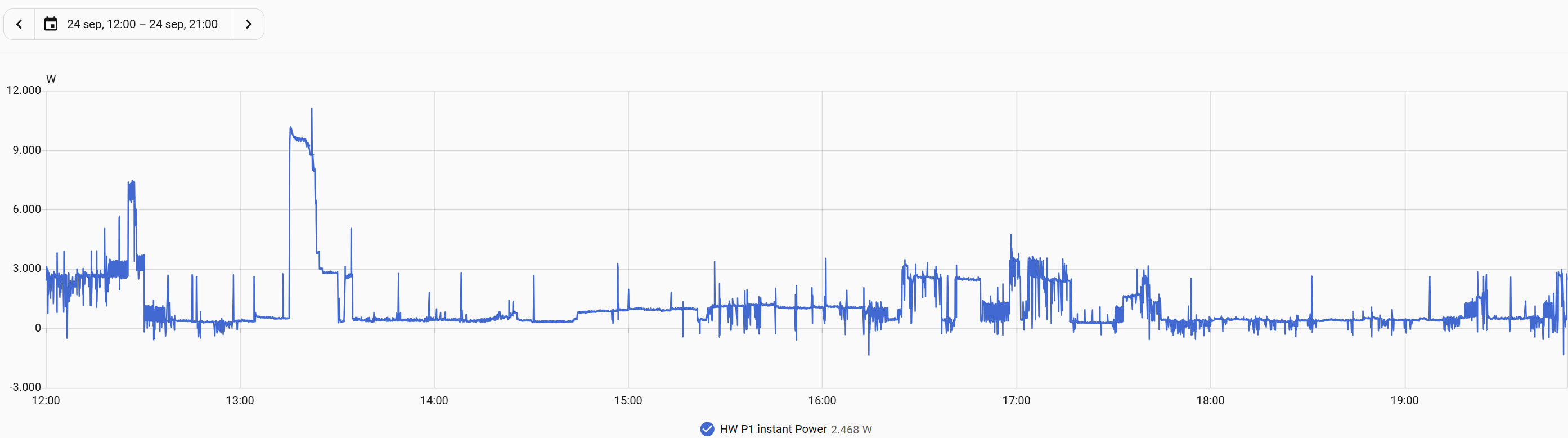
There are three separate things in this thread, so let me split them. 1. Charging to full when the price is very low / zero — this is by design, not a bug. The dynamic-pricing planner only buys the forecast deficit: the energy it predicts you'll need and that solar won't cover. When there's no deficit, it still builds a schedule, but only as an informational one — it won't charge. The one exception is the opt-in "Enable negative-price opportunistic charging", which does fill up to your max SOC regardless of forecast. But it requires a strictly negative import price ( So "charge to max whenever the price is under X, to use it tomorrow" is a feature request, not a malfunction. It's the arbitrage case tracked in #435 — I'd rather design it once there than bolt it on here. If you want to push it forward, the open questions are: is the threshold on the final taxed price or the raw one, what SOC do you target, and how should it back off when the solar forecast already covers tomorrow? 2. Zendure capacity showing 0 — already fixed, but your entry is from before the fix. The current setup flow requires Please reconfigure each Zendure and enter its nominal capacity, then confirm 3. Zendure discharge not showing on the main view — I need data. The underlying cause here was fixed in 1.5.0b2 (c144e7c, #453): the driver now derives the AC exchange from
With that I can compare |
config_entry-omnibattery-01M0J55M1DMPY342P5NSMDTN1N (7).json Hi find above the json with debug enabled. |
|
config_entry-omnibattery-01M3CJMQN6NWBP556QRP66ZWM5.json Hi! FYI; i did a complete uninstall and fresh re-instsall of the latest beta. But this does not matter. Also when i put off the PD controller, direct tracking. then the batteries do absolutly nothing. ... what has changed in b2? This seems to mess things up. |

|
Hi, I need you to provide the debug from 1.5.0b4, what you have shared is the configuration json, which is not what I was asking, based on the file, your batteries are not delivering power and are being excluded from the pool but I can't see what is excluding them from the pool. If it is really working for you in b1, I would need the debug and json file from this version too. Best regards |
config_entry-omnibattery-01M3CQKRYZTBE9B1A148F3ZEKQ.json Hi, super thanks for your good help! Ah sorry yes, i tought it was the JSON. I have a debug file for 1.5.0b1. It was 355mb large so uploaded it to my google drive! I will now update to 1.5.0b4, and will provide the file tomorrow again! |
|
config_entry-omnibattery-01M3CQKRYZTBE9B1A148F3ZEKQ (1).json Hi! I uploaded the 1.5.0b4 config and debug file to my google drive! I did not use the 1.5.0b4 that long as it as good as not decharges. If you need something more or test please let me know! |
|
Thanks for the b4 debug log, it shows the cause. Since b2 the integration reads the Anker's register 10012 as "power this battery is delivering or taking at its AC port". In your log it reads +1550 W while the E5000's pack and PV are both at 0. That's grid power passing through the Anker to loads behind it, not the battery charging. The integration took it as a 1550 W charge and decided most of the house load "wasn't the house's", so it capped the fleet discharge: That's why you saw low or bursty discharge from b2 onward. b1 didn't use that register. Fixed for the next beta: the Anker's AC contribution is now worked out from battery power minus PV, so grid passing through the unit is ignored. Quick question to confirm: do you have loads connected to the E5000's AC output / backup port? |
|
Hi, no i disabled the AC backup output. But super that you have found something, great!! |
|
Thanks, that narrows it down: with the backup output off, 10012 isn't passthrough. It's most likely your Anker CT meter's grid reading, which the integration took for the E5000's own AC power. Same fix either way: the Anker's contribution now comes from battery minus PV, so the CT reading no longer counts. |
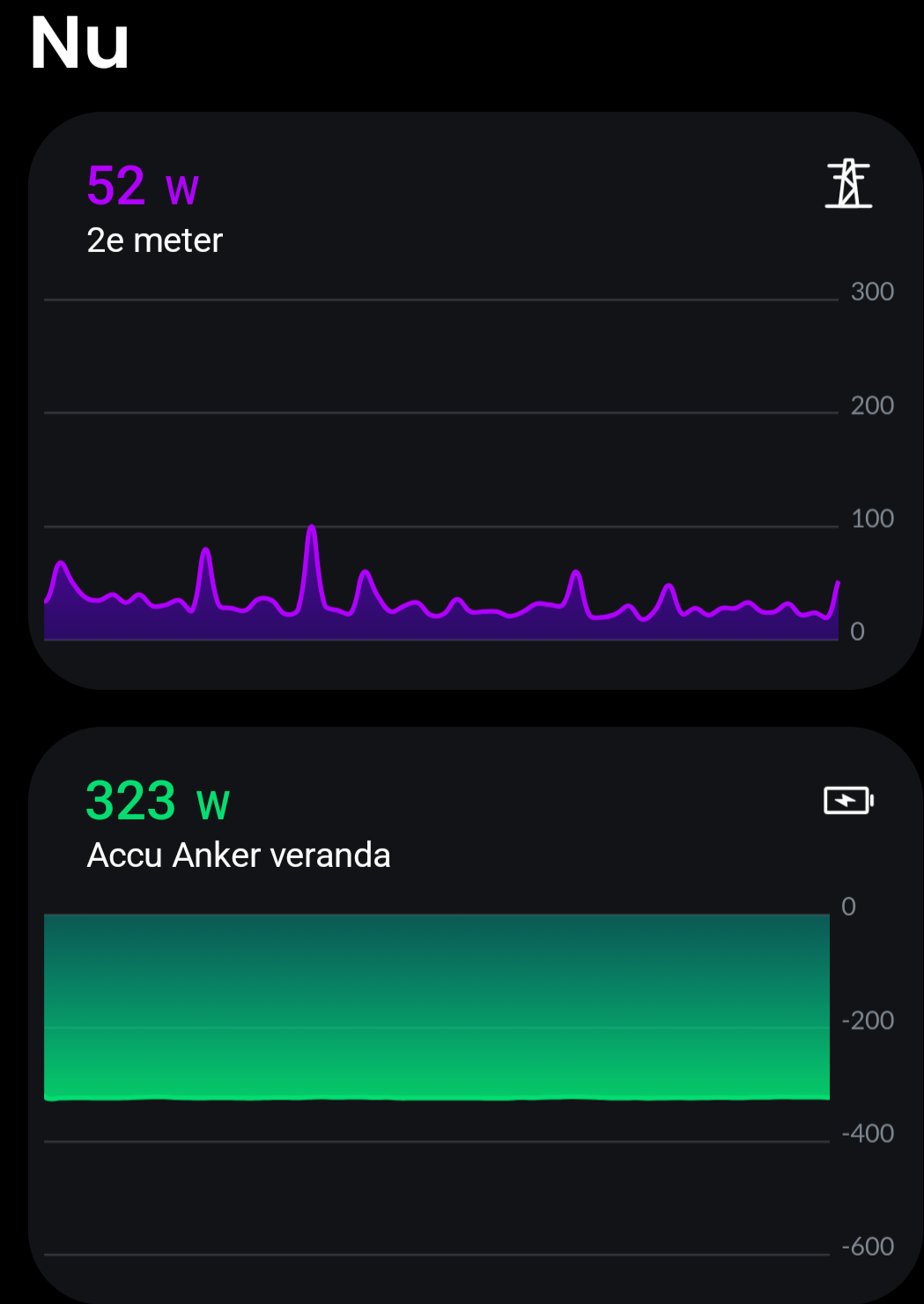
The new beta seems to be working very well! Thanks!! |


Uh oh!
There was an error while loading. Please reload this page.
Uh oh!
There was an error while loading. Please reload this page.
What do you need help with?
Automations or energy management
What are you trying to do?
Charge at lowest price
What is happening instead?
I charges in periods, starting at high prices. can charge to 100% before prices are low.
Your setup
Omnibattery version: 1.5.02b
Home Assistant version: 2026.9.0
Battery brand and exact model: Anker Solix E5000 4 pro + 7x Zendure Solar Flow 800 plus
Battery firmware version: na
Connection method or adapter: Anker Gen 2 CT meter, rest via wifi or LAN
What have you already tried?
... manually, pressing calculate many times.
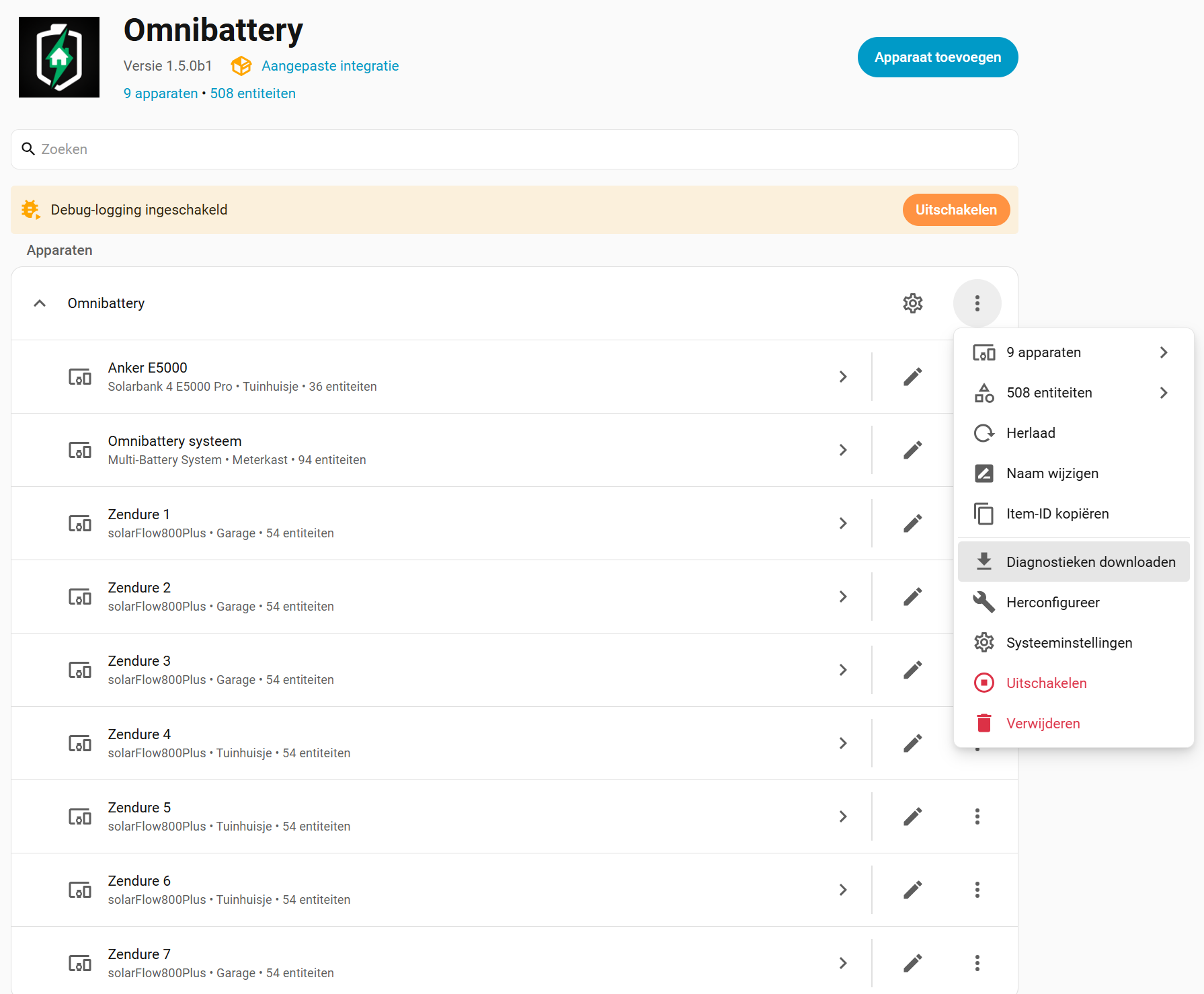
Perhaps it has something to do that Omnibattery only has the Anker 10kWh in the main overview, even though I have 22kWh?
Or would someone have another idea?
config_entry-omnibattery-01M0J55M1DMPY342P5NSMDTN1N (1).json
Relevant logs or screenshots
No response
Confirmations
All reactions