Repository navigation
Releases: foxi69/youtube-webos
Release list
YouTube AdFree 0.9.1

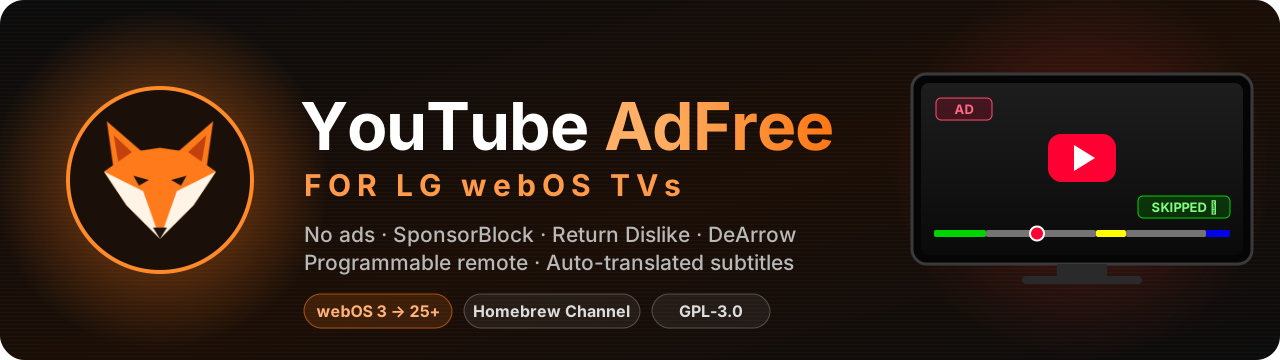


Ad-free YouTube for LG TVs, with SponsorBlock, Return YouTube Dislike, DeArrow and a programmable remote.
Built on NicholasBly/youtube-webos, plus the best of every other fork of the project.
⬇️ Download
| Package | For | |
|---|---|---|
| 🚀 | youtube.leanback.v4_0.9.1_all_webOS22+.ipk | webOS 22 and newer (2022+ TVs). Lighter and faster: pick this one when your TV supports it. |
| 📺 | youtube.leanback.v4_0.9.1_all.ipk | webOS 3-6 (2016-2021 TVs). Also runs on newer TVs. |
Tip
Installed through Homebrew Channel with this fork's repository? The update comes to you by itself.
✨ What's new in 0.9.1
✨ Added
- Show Most Replayed Graph Above the Seek Bar (Player, off by default): YouTube's "most replayed" curve, drawn just above the seek bar whenever the controls are on screen, so the popular parts of a video can be seen while seeking. The TV client is not sent the data, so it is asked from YouTube's web watch-page data, once per video (about 10 kB). Nothing is shown for a video YouTube has no graph for: new or little-watched videos and live streams. From NicholasBly#211 (fork watch #73).
- Preview Picture Fix and Show Preview Diagnostics (UI Tweaks, webOS 3-6 only), for tile previews that play over a black picture (#67). The fix has a new choice, Flatten Layers: while a preview plays, its
- A Support section and a Ko-fi badge in the README, and a Sponsor button on the repository page.
🔧 Changed
- Separate Settings for Each Account: guest mode keeps nothing. Each guest session starts from the shared settings, as a new account does, and what is changed in it lasts until it ends (the TV's own settings, such as Auto Login, are still kept). Guest settings a previous version stored are removed.
🐛 Fixes
- Tile previews on webOS 3-6: the Shorts page's fix for the webOS 4.x
- Playback speed works on videos with Dolby audio. A TV with surround is given AC-3 or E-AC-3 (Big Buck Bunny 4K60 is one), which the speed engine cannot decode, so the speed fell back to 1x with "Playback speed not available for this video". Off 1x the player is now offered only AAC and Opus audio when the video has them; at 1x the Dolby track comes back.
- Show Video Quality Next to the Title: the tag sits on its own line, lined up with the channel line above it. On webOS 25 it wrapped there anyway, pushed in by its left margin.
- DeArrow: the logo shows on every tile with a crowdsourced title or thumbnail, also on one YouTube drew before DeArrow answered. Its title and thumbnail were rewritten in place, but the logo only came the next time YouTube drew the tile; now it is drawn in front of the tile's last line until then, looking the same.
- Force Max Quality: it waits until the player has listed the video's quality levels. Before that it paused and resumed a playing video for nothing and could say "Video quality upgraded" without a change; the toast now only comes once the quality has moved. A request at the start that did not go through is tried again on the next buffering instead of the video counting as done. From voyagen's fork (fork watch #66).
📌 Docs
- The README's Filters table lists Remove AI Videos and Mark AI Videos. Remove AI Videos works on the home screen, browse tabs, search and the lists that continue them, from the second time a video is listed; like the other list filters it leaves playlist pages alone.
📌 Build
- A build from CI shows its commit in the settings heading ("YouTube Extended 0.9.1 (a1b2c3d)"), and its release notes end with the same "Build:" line. A refreshed pre-release keeps its version, so the commit is what tells one build of it from the next; a tester can quote it in a report.
📦 Install
Important
Uninstall the official YouTube app first.
-
🍺 Homebrew Channel (updates come by themselves): add one repository.
TVs Repository webOS 22 and newer https://raw.githubusercontent.com/foxi69/youtube-webos/main/repo-webos22.jsonwebOS 3-6 (or any TV) https://raw.githubusercontent.com/foxi69/youtube-webos/main/repo.json -
💻 Device Manager: install the downloaded
.ipk. -
⌨️ webOS TV CLI tools:
ares-install youtube.leanback.v4_0.9.1_all_webOS22+.ipk
Once it is up, press 🟩 Green (or the 🦊 button the Magic Remote pointer shows) to open the settings. Every
setting and its default is in the README.
Homebrew Channel offers "YouTube AdFree 0.5.3" as an update?
Ignore it: that is the older webosbrew build under the same app id, from the default webosbrew repository.
🙏 Credits
FriedChickenButt (the original project),
webosbrew (the community continuation),
NicholasBly (the rewrite this fork builds on), and the authors of
the forks whose work is ported here, credited per change above.
📜 Full changelog: CHANGELOG.md
Build: 27e7ddf (the settings panel heading shows it too: "YouTube Extended 0.9.1 (27e7ddf)")
YouTube AdFree 0.9.0


Ad-free YouTube for LG TVs, with SponsorBlock, Return YouTube Dislike, DeArrow and a programmable remote.
Built on NicholasBly/youtube-webos, plus the best of every other fork of the project.
⬇️ Download
| Package | For | |
|---|---|---|
| 🚀 | youtube.leanback.v4_0.9.0_all_webOS22+.ipk | webOS 22 and newer (2022+ TVs). Lighter and faster: pick this one when your TV supports it. |
| 📺 | youtube.leanback.v4_0.9.0_all.ipk | webOS 3-6 (2016-2021 TVs). Also runs on newer TVs. |
Tip
Installed through Homebrew Channel with this fork's repository? The update comes to you by itself.
✨ What's new in 0.9.0
Playback speed on webOS: 0.25× to 2× with the pitch kept, from YouTube's own Speed menu or the button mapping. From NicholasBly/youtube-webos PR NicholasBly#194, a port of webosbrew/youtube-webos PR webosbrew#484, with gorrdy's fixes (fork watch #32). Ships both packages:
_webOS22+.ipkfor webOS 22 and newer, and the legacy.ipkfor webOS 3-6.
✨ Added
- Playback Speed Control (Player, on by default): webOS ignores the video's playback rate, so the video decoder stays at 1×, the container timeline is rescaled and the audio is time-stretched (WebCodecs AudioDecoder + WSOLA), which keeps the pitch. YouTube's Settings > Speed menu is unlocked, and the button mapping gets Playback Speed +, Playback Speed − and Playback Speed Reset (1x). Needs WebCodecs (Chromium 94+): the legacy webOS 3-6 package and likely webOS 22 do not get it. At 1× playback is not touched, and every launch starts at 1×.
- A speed change keeps the position (YouTube's reload started up to 25 s early on webOS 25).
- Above 1.25× the video plays at 1080p at most: the TV cannot decode 2160p fast enough (at 1.5× it dropped 85% of the frames). Back at 1×, Force Max Quality applies again.
- Turning the option off goes back to 1× at once.
- Yellow is not taken: it keeps YouTube's search unless a speed action is mapped to it.
- Show Video Quality Next to the Title (Player, off by default): the quality the video plays in ("1080p60", "2160p60 HDR") as a small tag after the line under the title in the player. It follows the adaptive stream when it switches quality. From NicholasBly#204 (fork watch #51).
- Show Watch Time With the Clock (Interface, off by default, needs Clock in UI): after the time, how long videos have played since the app started ("14:05 · 1h 05m watched"). Only playback on the watch and Shorts pages counts, not pauses, buffering or previews. From NicholasBly#203 (fork watch #51).
- Remove AI Videos and Mark AI Videos (Filters, both off by default): videos YouTube itself labels "AI" (altered or synthetic content). Mark draws an "AI" badge on their tiles; Remove (needs Ad Blocking) drops them from lists once they are known. The label is not in the TV's list data, so each tile on screen is looked up once on YouTube's web API (two at a time, 5 s timeout, a minute's pause after a 429); a confirmed video is remembered for 30 days (
ytaf-ai-videos, up to 2000), so Remove takes effect the next time it would be listed. The two are mutually exclusive. From NicholasBly#209 by simonovAlexey (fork watch #60). - Hide Recommended Videos Under the Player (Filters, off by default, needs Ad Blocking): the rows of recommended videos under a playing video go, and no more of them are loaded. The row of the playlist the video plays from stays, and so does autoplay. Requested in NicholasBly#207 (fork watch #58).
- The settings heading shows the version: "YouTube Extended 0.9.0". From NicholasBly/youtube-webos 0.8.5 build 2 (fork watch #58).
- Search: Upload Date (Interface, Any Time by default): searches send YouTube's own upload date filter (last hour, today, this week, this month or this year). YouTube applies it loosely: the results lean to that window, but an older video can still turn up. A filter, not a sort: YouTube no longer sorts search results by upload date. A filter YouTube already sends (a channel's own search) is left alone. From NicholasBly#204 (fork watch #51).
🔧 Changed
- DeArrow (UI Tweaks, now a section of its own, still off by default) is the one from NicholasBly#200 by @magicsk (fork watch #58), with the extension's own rules and title formatter:
- Crowdsourced Titles and Crowdsourced Thumbnails switch on and off separately. A thumbnail is drawn as a 16:9 copy as wide as Max Thumbnail Quality makes the tiles around it.
- Without a Crowdsourced Thumbnail: a Random Frame (the extension's default; YouTube's start frame stands in until DeArrow's server has rendered it), YouTube's Start, Middle or End Frame, the Original, or Blank.
- Title Formatting (webOS 22+ package): Title Case, Sentence case, lower case, First letter uppercase or Capitalize Words, for every title, crowdsourced or YouTube's own; Title Case by default on an English TV. Remove Emojis and Fancy Text goes with it.
- Show the DeArrow Logo on Crowdsourced Titles/Thumbnails: the logo next to "4K" on a tile whose title or thumbnail the community submitted.
- Tiles already on screen are rewritten when an answer comes, not only the ones YouTube draws after it, and turning DeArrow off puts YouTube's own titles and thumbnails back at once.
- Branding is still asked by hash prefix, as SponsorBlock is (upstream asks by video id), and one request serves every video of the page under the same prefix. A video's id goes to DeArrow only with a frame of it: the thumbnail server, and the random frame's time of a video nobody submitted anything for.
- A TV that had DeArrow: Replace Clickbait Thumbnails off keeps YouTube's thumbnails (Crowdsourced Thumbnails off).
- Show Remaining Time / End Time (Player): the on/off switch is now a choice of Off, Remaining ("-41:58"), End Time ("ends 21:45") or Both ("-41:58 · ends 21:45"), so the end time can be shown alone, as Kodi does. Still only while the seek bar is on screen. A switch that was on becomes Both. From NicholasBly#195.
- The app no longer turns off the browser's cross-origin checks (
allowCrossDomainin appinfo.json). Every outside service it uses (SponsorBlock, DeArrow, Return YouTube Dislike, the thumbnail check) allows it anyway. From gorrdy's fork.
🐛 Fixes
- Ad Blocking, Shorts and the feed filters now also apply to the first home screen after a fresh start. YouTube's page fetches it before the userScript is injected, so its ad tiles ("Sponsored") and Shorts stayed until the next page. Max Thumbnail Quality applies to it too. From aktiwers' fork (webosbrew/youtube-webos PR webosbrew#488, fork watch #41).
- Playback speed: the audio of a whole video was kept in memory; now only the last 60 s behind the playhead are.
- Reduce Telemetry & Tracking: a channel tab on the Subscriptions page could show another channel's videos until a restart. The tab placeholders and the continuations that fill them keep their own
trackingParamsnow, which the TV matches them by; everything else is still blanked. From NicholasBly/youtube-webos PR NicholasBly#196 by anilkusaksiz (fork watch #51). - After a video screensaver (Aerial, for example) started on a paused video, the picture stayed frozen for about 20 s when playback resumed. A video that resumes after a pause of 30 s or more and does not move within 2 s is seeked in place, so YouTube rebuilds the player at once. From NicholasBly/youtube-webos PR NicholasBly#198 by magicsk (fork watch #51).
- Settings panel: a page longer than the panel (Interface, UI Tweaks) now scrolls with the remote. YouTube puts every element that scrolls back to its top, so the focus went below the panel's edge and the page stayed put.
- Settings panel: wrapped labels, the Separate Settings status line and the notes on UI Tweaks line up with the labels above them; Video shelf opacity, UI Brightness and Previews With Sound line up with the checkbox rows.
- Hide Recommended Videos Under the Player: the grey placeholder tiles YouTube kept under the player once the rows were gone are hidden (seen on a webOS 25 TV).
📌 Build
- CI actions are pinned to commits, and the checkout no longer keeps the token where nothing pushes. From gorrdy's fork.
- After a release, the next push to main starts a draft of the next version by itself (0.8.8 → 0.8.9).
- A tested draft can be published as a pre-release: testers can download it while the Homebrew repo stays on the latest full release. Later pushes to main refresh that pre-release in place (its tag, packages and notes) instead of starting another draft. "Immutable releases" is off for the repository, as it locks a published pre-release for good.
- The daily fork watch also lists issues opened on the upstream repositories since its last run.
bench/ai-label-test.cjsandbench/ai-filter-test.cjs(both packages) for Remove / Mark AI Videos;bench/chrome38-env.cjsalso removesObject.hasOwn.bench/dearrow-test.cjs: DeArrow on both packages (lookups, titles, thumbnails and their fallbacks, the badge, turning it...
Contributors

Assets 4
YouTube AdFree 0.8.8


Ad-free YouTube for LG TVs, with SponsorBlock, Return YouTube Dislike, DeArrow and a programmable remote.
Built on NicholasBly/youtube-webos, plus the best of every other fork of the project.
⬇️ Download
| Package | For | |
|---|---|---|
| 🚀 | youtube.leanback.v4_0.8.8_all_webOS22+.ipk | webOS 22 and newer (2022+ TVs). Lighter and faster: pick this one when your TV supports it. |
| 📺 | youtube.leanback.v4_0.8.8_all.ipk | webOS 3-6 (2016-2021 TVs). Also runs on newer TVs. |
Tip
Installed through Homebrew Channel with this fork's repository? The update comes to you by itself.
✨ What's new in 0.8.8
Feed filters, DeArrow, the original audio over dubbed tracks, separate settings for each account and a page that fits beside the open menu. Features from MickLesk's fork (fork watch #26) and Dazzyelv's fork (fork watch #29), and fixes from a security review of 0.8.7. Ships both packages:
_webOS22+.ipkfor webOS 22 and newer, and the legacy.ipkfor webOS 3-6.
✨ Added
- Fit Page Beside Open Menu (UI Tweaks, off by default): while the left menu is open, YouTube slides the whole page right without shrinking it, so its right part leaves the screen and the menu covers the first letters. The page is now shrunk to fit beside the open menu, and returns to full size when the menu closes. Works with both ways YouTube moves the page: a transform, or a left margin (webOS 25). From Dazzyelv's fork (fork watch #29).
- Separate Settings for Each Account (Interface, off by default). Each YouTube account on the TV keeps its own settings: ad and shelf filters, SponsorBlock, theme, button mapping and the rest. The settings that belong to the TV stay shared: Bypass Nag Screens, Auto Login, the codec, the emoji fix, the cast block, the pointer button, keyboard search, Load Rows Ahead, Disable Animations and the Start Page. An account seen for the first time starts from the shared settings, and picking another account on "Who's watching" switches the settings without a restart. The account is told from YouTube's own identity record; the profile is named by a hash of its id fields, so no account id is stored, and tokens are never read. If the account cannot be told, the shared settings stay in use and the panel lists the record's field names (not their values) for a bug report. Turning the option off makes the settings in use the shared ones.
- Prefer Original Audio over Dubbed (Player, off by default): on a video with dubbed audio tracks, uploaded or auto-dubbed, only the original track is offered to the player, so the video plays in its own language. The original is the track YouTube's format tags call original, otherwise the one it marks as default. From MickLesk's fork.
- Feed Filters (Filters, need Ad Blocking): Hide Watched Videos (90% or more of the red bar; the History, the Library and playlists keep them), Hide Videos Shorter Than (1 to 20 minutes), Blocked Channels and Hide Videos Whose Title Contains. They apply to Home, Subscriptions, search, channel pages and the videos beside the player. The two lists are edited in the panel, with a text box that takes the TV's keyboard or a USB/Bluetooth one; while a video plays, the panel also offers to block its channel. From MickLesk's fork.
- More Options in the Long-Press Menu (UI Tweaks, off by default): holding OK on a video offers "Block channel". Where YouTube opens its feedback panel instead of a menu, a menu takes its place with Play, Watch later, Save to playlist, "Not interested", "Don't recommend channel" and "Block channel"; the two feedback entries are sent to YouTube as its own panel would. From MickLesk's fork, after TizenTube.
- Start Page (UI Tweaks): the app can open on Subscriptions, the Library or the History instead of Home. A launch into a video, a cast or a voice search is left alone. From MickLesk's fork.
- Left/Right Seek Step (Player, YouTube's default): while the player controls are hidden, Left and Right seek by 5, 10, 15, 30 or 60 seconds, and quick presses add up to one seek. With the controls on screen the keys move along them as before. From MickLesk's fork.
- DeArrow (UI Tweaks, off by default): titles, and optionally thumbnails, submitted by the community in place of clickbait ones (dearrow.ajay.app). Like SponsorBlock, a request names only the first four characters of the SHA-256 of a video id, never the id. A video looked up for the first time gets its new title on the tiles YouTube draws after the answer comes, and on every later page. From MickLesk's fork.
- Waits for the network at launch: when the TV opens the app before it is online (autostart), the launcher shows a note and opens YouTube by itself once the network is back, instead of YouTube's error page. OK opens it at once. Idea from webosbrew/youtube-webos PR webosbrew#487 (webosbrew#326).
🔧 Changed
- Return YouTube Dislike is off by default. Every video opened sends its id to returnyoutubedislikeapi.com, a third party, so it is now switched on by choice. Applies to new installs; a TV that already has saved settings keeps the switch as it was.
- SponsorBlock asks the official server (sponsor.ajay.app) first, and the community mirror (sponsorblock.inf.re) only when the official one fails.
- The launch and relaunch log lines name the launch parameters without their values, which can hold a search, a voice query or a cast pairing code.
- The app is called YouTube on the TV (the home screen, the inputs list), instead of YouTube AdFree.
- Force Previews is renamed Previews With Sound: the YouTube setting it sets is the one for previews with sound, not previews on or off. Where YouTube shows no previews (webOS 25) it has no effect.
🐛 Fixes
- Force Max Quality: a 1440p60 video stayed in 720p, as any named level counted as the best; the video's own best level is the target now.
- Force Video Codec: with a codec pinned (e.g. AV1), the player's startup probes with
framerate=orwidth=were declined, so every 60 fps format was dropped and a 1440p60 video played in 480p30. The probes get the TV's true answer now. - Remove Shorts: Shorts in search results (sent as lockups in an ordinary row) stayed in; they are removed now. Remove Top Live Games and Remove Most Relevant also know the Hungarian row titles.
- Block the channel of this video (panel): the button never showed on webOS 25, where the player gives no author; the channel now comes from the title line.
- The History page is filtered too (channels, title words, Shorts), and DeArrow and the long-press entries reach it; it keeps watched videos as before.
- DeArrow: every answer names about 170 videos, and caching all of them pushed the videos on screen out of the cache, so their new titles never showed. Only the asked videos are cached now.
- SponsorBlock: Auto Skip to Highlight was undone on a partly watched video, as YouTube seeks to the saved position right after; the jump is repeated once.
- Toggle Comments (and the description and save shortcuts) said "Comments Unavailable" when YouTube is not in English (webOS 25); the buttons are found by what they do, not by their English label.
- Scroll Wheel Seeks did nothing on webOS 25, which marks the focused bar differently.
- Show Time Remaining: hidden on live streams, where webOS 25 gave a countdown to the live edge.
- YouTube Logo: the Premium logo went back to YouTube's own after "Who's watching"; it is applied again.
- Keyboard search: on webOS 25, Enter typed an extra letter instead of searching; it presses the on-screen search key now.
- Guest Mode: Hide Sign-in Buttons did nothing on webOS 25: the Home nudge is hidden on the page (focus moves on to the menu), and the Sign in button of the Subscriptions and Library promo is removed.
- Fox theme with OLED-Care: the notifications were brown, not black.
- Opening the app again while it runs (its icon,
ares-launch) no longer reloads it and jumps to Home: only a relaunch that brings a video, a search or a cast opens something new. - Blocked Channels and Hide Videos Whose Title Contains: adding a name that is already in the list says so ("Already blocked", "Already in the list") instead of doing nothing.
- Return YouTube Dislike: the label follows YouTube's language ("Diszlájkok" beside "Lájkok" in Hungarian, 15 languages, English otherwise), and on webOS 22+ the count is written the way YouTube writes its like count ("4,3 E").
- Return YouTube Dislike: the video id is URL-encoded in the API request.
- Settings panel: a page longer than the room under the tabs was cut off at the panel's bottom edge instead of scrolling, as ui.css counted 15vh for the heading and the tabs, which take more. The room is now measured when the panel opens, and moving with the arrows scrolls the focused row into full view; the first and the last control take the page to its top and its end, so a note or margin below the last control is reached without the Magic Remote wheel. The new Browsing rows went to the UI Tweaks tab, so the Interface tab is as long as in 0.8....
YouTube AdFree 0.8.7


Ad-free YouTube for LG TVs, with SponsorBlock, Return YouTube Dislike, DeArrow and a programmable remote.
Built on NicholasBly/youtube-webos, plus the best of every other fork of the project.
⬇️ Download
| Package | For | |
|---|---|---|
| 🚀 | youtube.leanback.v4_0.8.7_all_webOS22+.ipk | webOS 22 and newer (2022+ TVs). Lighter and faster: pick this one when your TV supports it. |
| 📺 | youtube.leanback.v4_0.8.7_all.ipk | webOS 3-6 (2016-2021 TVs). Also runs on newer TVs. |
Tip
Installed through Homebrew Channel with this fork's repository? The update comes to you by itself.
✨ What's new in 0.8.7
No more "Are you still watching?" pauses, a clock that can show the date and stay on during playback, remaining time and end time, muted previews, and about 5.6 KB smaller packages. Features from MickLesk's fork, mirijanristic's fork and the webosbrew/youtube-webos issue tracker, found in a review of the whole youtube-webos fork network (178 repositories). Ships both packages:
_webOS22+.ipkfor webOS 22 and newer, and the legacy.ipkfor webOS 3-6.
✨ Added
- Clock in UI (Interface) now has three choices: Off, Time, or Date and Time. The date is the TV language's short form ("Oct 12, 2:05 PM", "okt. 12. 7:15"). It replaces the Display Time in UI switch; a clock you had on stays on, showing the time (NicholasBly#126).
- "Are you still watching?" no longer pauses the video. The prompt is taken out of the player responses; it is one of the nag screens Bypass Nag Screens (on by default) skips. From MickLesk's fork (webosbrew#86, webosbrew#250).
- Ad Blocking also removes the "Includes paid promotion" banner at the start of a video. The shopping and merch QR codes were already removed. From MickLesk's fork (webosbrew#340, webosbrew#385).
- Don't Turn On Subtitles by Themselves (Player, off by default): videos that YouTube starts with subtitles on start without them. Turning them on by hand, and Turn On Translated Subtitles Automatically, still work. From MickLesk's fork (webosbrew#57).
- Show Remaining Time and End Time (Player, off by default): "-41:58 · ends 21:45" in front of the duration under the seek bar, refreshed once a second while the controls are on screen. Live streams show nothing. Idea from MickLesk's fork.
- Keep the Clock On During Playback (Interface, off by default, needs Clock in UI): the clock stays on over the video instead of hiding while it plays. The OLED black overlay and hidden controls still cover it. From DavidVodus's pull request webosbrew#481 (webosbrew#419).
- Mute Video Previews (UI Tweaks, off by default): the previews that play on a focused tile start muted; the sound comes back when the video is opened. From MickLesk's fork and webosbrew#25.
🐛 Fixes
- Reduce Telemetry & Tracking blanks
trackingParamsat every depth of a response, with one pass over the response text before it is parsed, instead of walking the parsed response down to depth 15 afterwards.clickTrackingParamsstays, so endcards still open. From mirijanristic's fork.
🔧 Changed
- Every stylesheet of the app goes into the page as one
<style>, written once, instead of one per file: about 5.6 KB smaller packages and less CSS parsing at startup. The CSS itself is unchanged. From mirijanristic's fork. - The JSON.parse and JSON.stringify hooks keep their
try/catchin a small function of its own, since webOS 3's engine does not optimise a function that contains one; the hooks run on every parse and stringify the app makes. From mirijanristic's fork. - The Noto Sans Arabic and Noto Sans Math fonts that the webOS 3 and 4 emoji fix falls back to come in through a link of their own, and only on those TVs; webOS 5 and 6 no longer download them.
⚠️ Known issues
- webOS 25: casting from a phone can still fail while the app is open: the TV does not show up as a cast target, or the cast keeps loading (webosbrew#401). If it does, turn off Block webOS Cast Service on the Interface tab. That can bring back the freezes the block prevents (webosbrew#343), so turn it back on if they return.
📦 Install
Important
Uninstall the official YouTube app first.
-
🍺 Homebrew Channel (updates come by themselves): add one repository.
TVs Repository webOS 22 and newer https://raw.githubusercontent.com/foxi69/youtube-webos/main/repo-webos22.jsonwebOS 3-6 (or any TV) https://raw.githubusercontent.com/foxi69/youtube-webos/main/repo.json -
💻 Device Manager: install the downloaded
.ipk. -
⌨️ webOS TV CLI tools:
ares-install youtube.leanback.v4_0.8.7_all_webOS22+.ipk
Once it is up, press 🟩 Green (or the 🦊 button the Magic Remote pointer shows) to open the settings. Every
setting and its default is in the README.
Homebrew Channel offers "YouTube AdFree 0.5.3" as an update?
Ignore it: that is the older webosbrew build under the same app id, from the default webosbrew repository.
🙏 Credits
FriedChickenButt (the original project),
webosbrew (the community continuation),
NicholasBly (the rewrite this fork builds on), and the authors of
the forks whose work is ported here, credited per change above.
📜 Full changelog: CHANGELOG.md
YouTube AdFree 0.8.6


Ad-free YouTube for LG TVs, with SponsorBlock, Return YouTube Dislike, DeArrow and a programmable remote.
Built on NicholasBly/youtube-webos, plus the best of every other fork of the project.
⬇️ Download
| Package | For | |
|---|---|---|
| 🚀 | youtube.leanback.v4_0.8.6_all_webOS22+.ipk | webOS 22 and newer (2022+ TVs). Lighter and faster: pick this one when your TV supports it. |
| 📺 | youtube.leanback.v4_0.8.6_all.ipk | webOS 3-6 (2016-2021 TVs). Also runs on newer TVs. |
Tip
Installed through Homebrew Channel with this fork's repository? The update comes to you by itself.
✨ What's new in 0.8.6
Bug fixes and features from mirijanristic's fork and from the NicholasBly/youtube-webos issue tracker, each checked against this codebase first. Ships both packages:
_webOS22+.ipkfor webOS 22 and newer, and the legacy.ipkfor webOS 3-6.
✨ Added
- Remove Upcoming Videos (Filters, off by default): hides upcoming streams and premieres (NicholasBly#155).
- Remove Members-Only Videos (Filters, off by default): hides videos only channel members can watch. Both filters read YouTube's badge type, not its text, so they work in every language (NicholasBly#115, NicholasBly#163).
- Load Rows Ahead (Interface, on by default): the next rows are requested four rows before the end of the home screen, a browse tab or search, so a fast scroll no longer reaches rows that have not loaded yet. From mirijanristic's fork.
- Smooth (SD) Thumbnail Strategy: 640x480 thumbnails from the first frame, with no low-to-high swap, and the quality checks pause while you move with the arrow keys. From mirijanristic's fork.
- Turn On Translated Subtitles Automatically (Player, off by default): when a video starts, subtitles switch to your Auto-Translate Subtitles language, the video's own track if it has one, otherwise the auto-translated one. One try per video plus one retry if YouTube resets it; turn subtitles off and they stay off for that video (NicholasBly#181).
- Type in Search with a Keyboard (Interface, on by default): on the search page a USB or Bluetooth keyboard types into the search: letters, space, punctuation, Backspace, and Enter to search. Digits count as typing only right after a letter, so the number-key shortcuts keep working (NicholasBly#82, NicholasBly#156).
- Jump to Live shortcut action: takes a live stream back to the live edge (NicholasBly#148).
- Show Video Quality on Start (Player, off by default): shows the quality a video plays in a few seconds after it starts (NicholasBly#72).
- Settings Button for the Pointer (Interface, on by default): moving the Magic Remote pointer shows a fox button in the top-right corner that opens and closes the settings, for remotes with no colour buttons (NicholasBly#189).
- Disable Animations (Interface, off by default): turns off YouTube's UI transitions and animations (NicholasBly#142).
- UI Brightness (UI Tweaks, 100% by default): dims YouTube's menus and thumbnails down to 40%, never the playing video or the settings panel (NicholasBly#83).
- The app asks the TV not to start its screensaver while a video (including a Short) is playing, for TVs that ignore the existing workaround (NicholasBly#46).
🐛 Fixes
SponsorBlock
- A server that stalled halfway through its answer blocked the fallback server, the retries and the periodic re-check for good. One 5-second deadline now covers the whole answer, and Return YouTube Dislike uses the same deadline. From mirijanristic's fork.
- Overlapping segments (for example a self-promotion inside a sponsor) could be missed after a seek, or show "Skipped" over and over without skipping. The outer segment is now skipped, and a manual segment inside it is offered first. From mirijanristic's fork.
- A short video length reported before the real one cut segments off for the rest of the video. They get their full length back once the real length is known. From mirijanristic's fork.
- At the start of a video, a manual segment could be skipped along with the automatic ones before it, a very short opening segment could make the player seek again and again, and "Skip Segments Once" was ignored there. The chain now stops at the manual segment, never loops, and respects the setting. From mirijanristic's fork.
- When the player loaded slowly, segments were not skipped and the highlight jump was lost. SponsorBlock now waits for the player and catches up as soon as it appears. From mirijanristic's fork.
- Segments sometimes did not show on the progress bar, and the watchers looking for the bar could pile up. Both progress bar layouts are found now, and only one watcher runs. From mirijanristic's fork.
- The "Exclusive Access" full-video badge could never appear because the category was never requested. It is requested now (it is only a badge, nothing is skipped). From mirijanristic's fork.
- Videos with no segments, or only a full-video badge, still ran the progress bar machinery. It now starts only once there is something to draw.
Ad Blocking
- Ads and Shorts in a continuation or action list sent along with a page's main content got through. They are filtered too now. From mirijanristic's fork.
- When a response carried both received actions and received endpoints, only the first list was filtered. Both are filtered now. From mirijanristic's fork.
- Bare Shorts tiles, live videos and grids directly in search results were not filtered, and items in expanded shelves were never filtered. They now go through the same rules as shelf items. From mirijanristic's fork.
- A shelf that arrived empty (to be filled later) was removed. Only shelves the filter emptied are removed now. From mirijanristic's fork.
- Reduce Telemetry & Tracking and the other filters the panel greys out while Ad Blocking is off still ran. They now do nothing until Ad Blocking is on, and the telemetry check looks only at the request path. From mirijanristic's fork.
- The Top Live Games / "Most Relevant" title match ignores case and spaces now. Titles in other UI languages are still not matched (NicholasBly#101).
Thumbnails (Max Thumbnail Quality)
- A slow or failed thumbnail check was saved as "no HD thumbnail", so the video stayed at low quality in every later session, and in Fast mode a sharp thumbnail was even swapped for a blurry one. A failed check is retried in the next session now, and Fast keeps the thumbnail it drew. The thumbnail cache is cleared once after the update. From mirijanristic's fork.
- Some videos were dropped from the cache too early and then never checked again that session, and sharper thumbnails could take a long time to appear. The cache keeps them now, checks start right away, and the newest thumbnails on screen go first. From mirijanristic's fork.
- Some responses only had part of their thumbnails upgraded, and live chat and comment updates were scanned every few seconds during streams. All thumbnails are upgraded, and chat and comments are skipped. From mirijanristic's fork.
Remote, playback and settings panel
- The settings panel moves between options by where they sit on screen, without the spatial-navigation polyfill, so both packages are about 16 KiB lighter. The SponsorBlock on/off switch can be reached with Up/Down again, and Down from the Player tab no longer skips "Force Max Quality". From mirijanristic's fork.
- Settings panel: moving along the tabs with Left/Right only moved a frame, and the page changed only on OK, so two tabs looked selected and Down led into the old page. The tab under the focus now opens right away.
- Holding a key that has a shortcut passed the key on to YouTube (a held digit jumped the video to a percentage). It no longer does, and holding Fast Forward or Rewind keeps seeking. From mirijanristic's fork.
- A burst of seek presses that changed direction (for example +5, +5, -5) dropped the presses not yet applied. It moves by the right total now. From mirijanristic's fork.
- Holding Back to close the settings also took YouTube back a page, and a digit key bound to Open/Close Settings did nothing while a checkbox was selected. Both are fixed. From mirijanristic's fork.
- If no key opens the settings any more after you change the shortcuts, Green is bound to it again when the panel closes, with a notification, and the startup hint names the key actually bound. From mirijanristic's fork.
- Pausing a Short left the player controls and the clock hidden. They come back now. From mirijanristic's fork.
- The screensaver fix lost the video when YouTube swapped the player between videos or loaded it late. It follows the new one now. From mirijanristic's fork.
- Force Max Quality: turning it off from the home screen kept the forced quality, and a slowly loading player was never found. Both are fixed. From mirijanristic's fork.
- Return YouTube Dislike: Ent...
YouTube AdFree 0.8.5


Ad-free YouTube for LG TVs, with SponsorBlock, Return YouTube Dislike, DeArrow and a programmable remote.
Built on NicholasBly/youtube-webos, plus the best of every other fork of the project.
⬇️ Download
| Package | For | |
|---|---|---|
| 🚀 | youtube.leanback.v4_0.8.5_all_webOS22+.ipk | webOS 22 and newer (2022+ TVs). Lighter and faster: pick this one when your TV supports it. |
| 📺 | youtube.leanback.v4_0.8.5_all.ipk | webOS 3-6 (2016-2021 TVs). Also runs on newer TVs. |
Tip
Installed through Homebrew Channel with this fork's repository? The update comes to you by itself.
✨ What's new in 0.8.5
Fixes and features collected from the other forks of youtube-webos (webosbrew upstream and the NicholasBly fork network), ported onto this codebase. Ships both packages:
_webOS22+.ipkfor webOS 22 and newer, and the legacy.ipkfor webOS 3-6.
✨ Added
- Auto-Translate Subtitles (Video Player): pick a language (Hungarian, English, German, Serbian, Turkish and about 30 more). It is pinned to the top of the TV's Auto-translate menu, and on videos with no track in that language a ready-made track named after the language, such as "Magyar (auto-translated)", is added. The TV client only gets about 16 translation languages where the web client gets about 125; the server translates any of them. Based on the forks of DavidVodus, relianceai and ZUI-WebOS.
- Yellow button can be bound on the Shortcuts page. It defaults to None, so YouTube's own search binding keeps working until you claim it. The key listener moved to window capture so it runs before YouTube's handler. From garbsclassic's fork.
- Sleep Timer shortcut action: each press steps through 15/30/60/90/120 min and then off; when it runs out the video is paused. Idea from MickLesk's fork.
- Magic Remote: Scroll Wheel Seeks on Progress Bar (Video Player, off by default): while the progress bar is focused, each wheel notch seeks 10s. From jesvijonathan's fork.
- Block webOS Cast Service toggle (webOS 25 only). From trigrab's fork.
- Auto Login: always ask who is watching: turn off "Auto Login" to get the account picker on every launch while the other nag-screen bypasses stay on. From foxi69's pull request NicholasBly#191.
- Toggle Audio-Only Mode shortcut action: hides the picture and keeps the sound, which suits music on OLED panels. It switches off when you leave the watch page. From jesvijonathan's fork via anikettuli's pull request NicholasBly#146.
- Fox theme and fox logo: the settings panel has a new orange Fox theme, which is now the default, and a fox-head logo in place of the upstream one. The logo is recoloured for the Blue, Red and OLED looks. Pick a theme with UI Theme on the Interface tab, or click the logo to cycle Fox, Blue and Red. Installs that had the old blue default switch to Fox once.
- SponsorBlock: Periodically Check for New Segments (on by default). Segments are often submitted after a video is uploaded. While a video plays, it is checked again every 15 minutes, or with a 5/10/20/30 minute back-off while it has no segments or the servers fail. A check that comes due during a pause runs on resume. New segments show up on the bar and are skipped without reopening the video, and "Skip Segments Once" remembers what it already skipped. From Yasich217's fork.
🐛 Fixes
- AdBlock:
isInlinePlaybackNoAdis now set on a copy of the request instead of in place. YouTube's "property locker" and frozen request bodies made the old write fail silently, which brought back the SABR backoff that stalls playback a few seconds in. From webosbrew upstream and marceldenzer's fork. - Cast: the webOS Cast service is no longer blocked when the app was started by a cast (DIAL / Cast Connect) launch, so casting to the TV works again. From trigrab's fork.
- SponsorBlock: "Non-Music Section" segments were never fetched because the request used the wrong category name (
musicofftopicinstead ofmusic_offtopic). From mirijanristic's fork. - SponsorBlock: "Allow segments that mute audio" did nothing. Segments marked
mutenow mute the audio while you are inside them, and your own mute state comes back afterwards. - SponsorBlock: when both servers fail, the request is retried after 2s and 4s. A 404 counts as "no segments" and is not retried, and malformed API entries are dropped.
- Settings panel: the old Main tab grew taller than a 1080p screen and its bottom rows could not be reached. It is now split into Filters, Player and Interface tabs, six tabs in all. A page that is still too tall scrolls instead of being cut off.
- Settings panel: a setting whose name wraps to two lines in the two-column Filters section ("Remove "Most Relevant" Shelf") no longer hangs its second line to the left of the first.
- The "Press [GREEN] to open the settings" hint at startup showed a fixed 2s after launch for 3s, so on a TV still showing the splash or the account picker it was never seen. It now waits until YouTube shows a real page, and stays up for 6s.
- Settings panel: the remote's Back button closes it.
- Shortcuts: a seek bound to a colour button no longer jumps twice. Keys the mod synthesises (the screensaver keep-alive and the play/pause Back) can no longer trigger a binding.
- OLED black overlay: notifications show above it again, and the clock is hidden under it.
- Return YouTube Dislike: a count just under a million showed as "1000k".
- Force Video Codec: an unknown stored value no longer refuses every video codec.
- Force Max Quality: the stored 4320p record is renewed 30 days before it expires, so the option no longer stops working after a year. Turning the option off removes the record, so YouTube picks the quality itself again.
- webOS 2026+ TVs were detected as a simulator, which also switched off the webOS 25 fixes. From garbsclassic's and mirijanristic's forks.
- Turning off Ad Blocking at runtime also removed the JSON.parse hooks installed after it, such as Force Video Codec.
- Legacy (webOS 3-6): the fetch hook (Tracking Block) failed because
EventTargetcannot be constructed before Chrome 64. Polyfills now load before whatwg-fetch, so a URLSearchParams body is no longer sent as "[object Object]".
📦 Install
Important
Uninstall the official YouTube app first.
-
🍺 Homebrew Channel (updates come by themselves): add one repository.
TVs Repository webOS 22 and newer https://raw.githubusercontent.com/foxi69/youtube-webos/main/repo-webos22.jsonwebOS 3-6 (or any TV) https://raw.githubusercontent.com/foxi69/youtube-webos/main/repo.json -
💻 Device Manager: install the downloaded
.ipk. -
⌨️ webOS TV CLI tools:
ares-install youtube.leanback.v4_0.8.5_all_webOS22+.ipk
Once it is up, press 🟩 Green (or the 🦊 button the Magic Remote pointer shows) to open the settings. Every
setting and its default is in the README.
Homebrew Channel offers "YouTube AdFree 0.5.3" as an update?
Ignore it: that is the older webosbrew build under the same app id, from the default webosbrew repository.
🙏 Credits
FriedChickenButt (the original project),
webosbrew (the community continuation),
NicholasBly (the rewrite this fork builds on), and the authors of
the forks whose work is ported here, credited per change above.
📜 Full changelog: CHANGELOG.md