Repository navigation
Releases: hanranCode/dsh-loopscope
Releases · hanranCode/dsh-loopscope
Release list
LOOPScope v0.1.0 — agent loop trajectory visualizer

LOOPScope v0.1.0
The first public release of LOOPScope — an agent-loop trajectory visualizer for
DeepSeek Harness (DSH).
Highlights
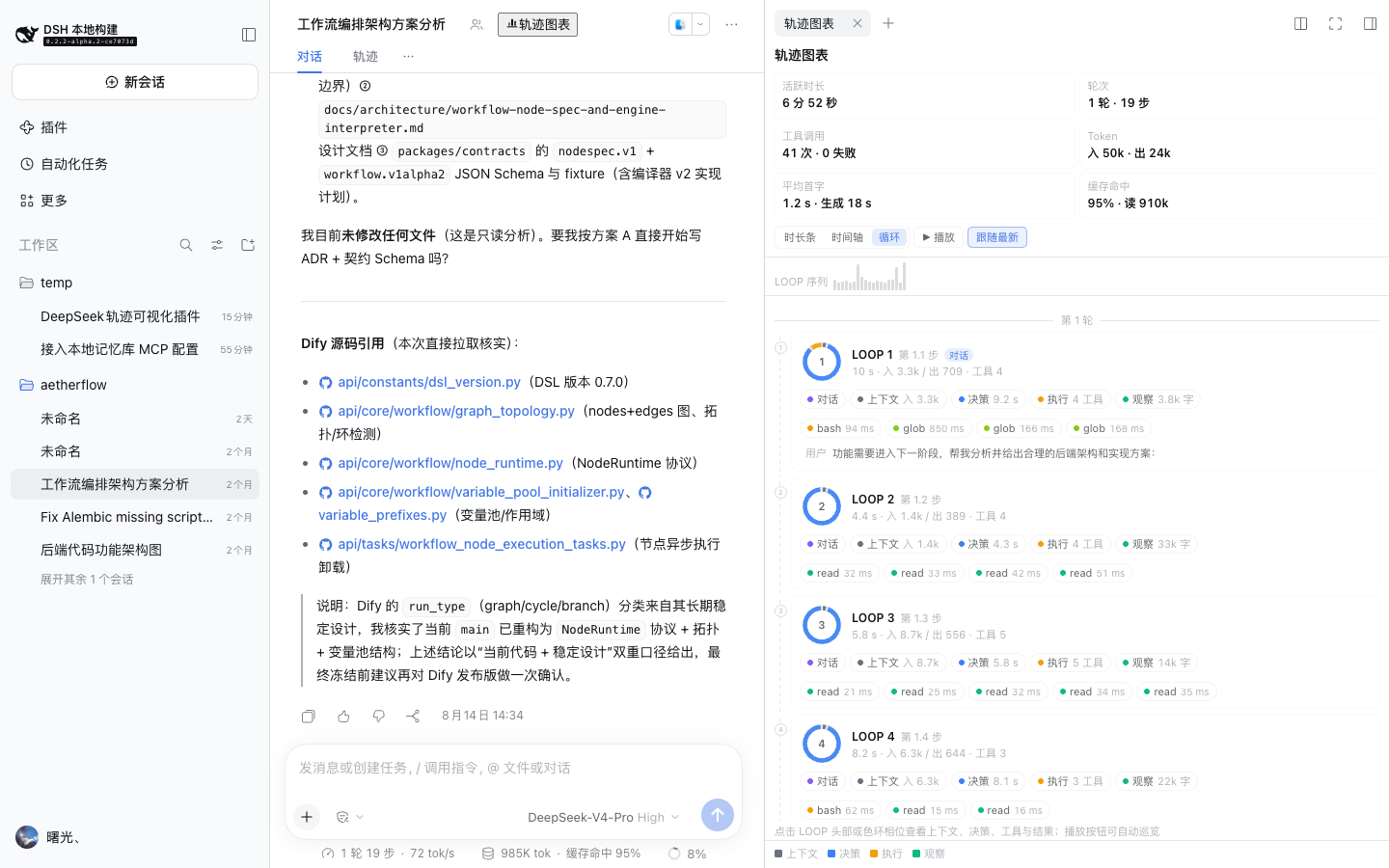
- LOOP view — one card per agent-loop iteration with an interactive four-phase
ring (context → decision → act → observe), conversation/context/decision/act/
observe chips, tool chips, developer-signal badges, a sticky LOOP sequence ribbon
and a▶ Playwalkthrough. - Duration bars — P90-normalized per-row durations so 100+ loop sessions stay
readable in a narrow sidebar. - Timeline — real wall-clock waterfall with idle compression, zoom and
follow-latest. - Developer details — route and header reason, context-window usage, tool
roster, first-token latency, tok/s, retries/failed attempts, tool arguments,
results and errors. - Developer signals — approvals, workspace changes, deliverables, team tasks
and subagents attached to the loop that produced them. - zh/en locales and light/dark theme support; no runtime dependencies beyond React
platform modules; no Host RPC and no network access.

Install
dsh plugin --profile web add github:hanranCode/dsh-loopscope
dsh --profile web
or via the DSH plugin manager (install_bundle target github:hanranCode/dsh-loopscope).
Open any session and click “轨迹图表” in the session header, then switch the
toolbar to 循环.
Verification
- Offline checks:
npm test(artifact boundary + parser replay + zh/en server
render of both views), CI on Node 20/22. - End-to-end before release: validated in a separate
dsh webinstance against a
live session — plugin loaded from the boot graph, 48/48 checks passed, LOOP view
rendered with loops/rings/chips, inspectors and playback verified, zero console
or page errors attributable to the plugin.
Notes
- Requires DSH
>=0.2.0 <0.3.0. - The plugin reads only the current session's durable event window; no file
access, no network requests, no storage writes.
Full changelog: CHANGELOG.md