Repository navigation
Energy, music and security cards in the Origami style #27

Replies: 6 comments 7 replies

|
Thanks so much for sharing this! Seeing someone make their own things in the Origami style honestly means a lot :) Here’s how I think they’d fit perfectly, totally up to you of course. Origami is mostly Bubble cards with Bubble modules on top. After years of fighting things like cardmod and multiple different cards, I just think fewer parts is better overall, and in Origami 3 even the paper-buttons-row cards will become Bubble cards. Looking at yours, I think they’d work really well as bubble modules. The energy or security tiles, for example, are basically the tiles module with a few extras. Music would be a perfect use case too, since my own music setup already does everything with Bubble alone and even looks quite similar. Doing them as modules would reduce the needed code immensely, and nobody would need to install (or, for you, manage) separate cards. If Bubble can’t do something on its own, an HA script can often fill the gap, that’s basically how my speaker setup works. And if even that isn’t enough, a separate card makes total sense, that’s how the other Origami cards started too. The module reference explains how the modules work, and the repo has some notes for working on it with AI (I just updated them a bit). The Origami modules will also go into the Bubble Module Store at some point, so yours could go there too. Just fyi, Origami 3 will come with my own music and speaker setup, so that’s where your music ideas would fit best. It’s by far the most complex part though, so it’ll take a while until it’s ready for others. Since you seem to run multiroom too, would you like a preview as a kind of beta test? That way your ideas could go right into it. |

|
Thank you, that means a lot, and thanks for the detailed advice. You're right, and I'll follow it: I'll turn the energy, music and security cards into Bubble modules. The tiles and banners should fit the modules well, and I'll use Home Assistant scripts for the rest. I'll keep a separate card only where Bubble really can't do it, and I'll share the modules in the Bubble Module Store once they work. And yes, I'd love to test the music and speaker preview. I run multiroom with Music Assistant 2.10 on Google Cast speakers (Nest Hub, Home Mini, Lenovo smart displays and a Harman Kardon Omni 10+). One thing I learned this week, in case it helps: Music Assistant now groups Cast speakers with its Sendspin Cast app, and the Omni 10+ (Cast firmware 1.28, no longer updated) can't start that app, so it can't join a group and only plays alone. How would you like to share the preview? |
|
A quick update, now that the cards are Bubble cards. Energy and security on the home view are now Tiles cards, with template sensors and utility meters behind them. The security pop-up uses Tiles, the Button module and Home Assistant's own camera and logbook cards, so the security card is gone. Only the energy details view is still a card, because of the comparisons and charts. For music, the speaker rows and the small player on the home view are Bubble cards with your Media and Speaker Select modules, and an HA script groups the speakers. My setup is Music Assistant on Cast speakers, without LinkPlay sensors, so I added a fallback to both modules. The modules take the groups from the speaker's The queue, the library and the big player wait for your music preview. |
|
So… I hit my weekly limit after just two days, because getting my music setup ready to share turned out to be even more complicated than I expected 😅 It'll still be a while before a preview version is ready, but here are some screenshots of the final design and UI I've settled on. 


|
|
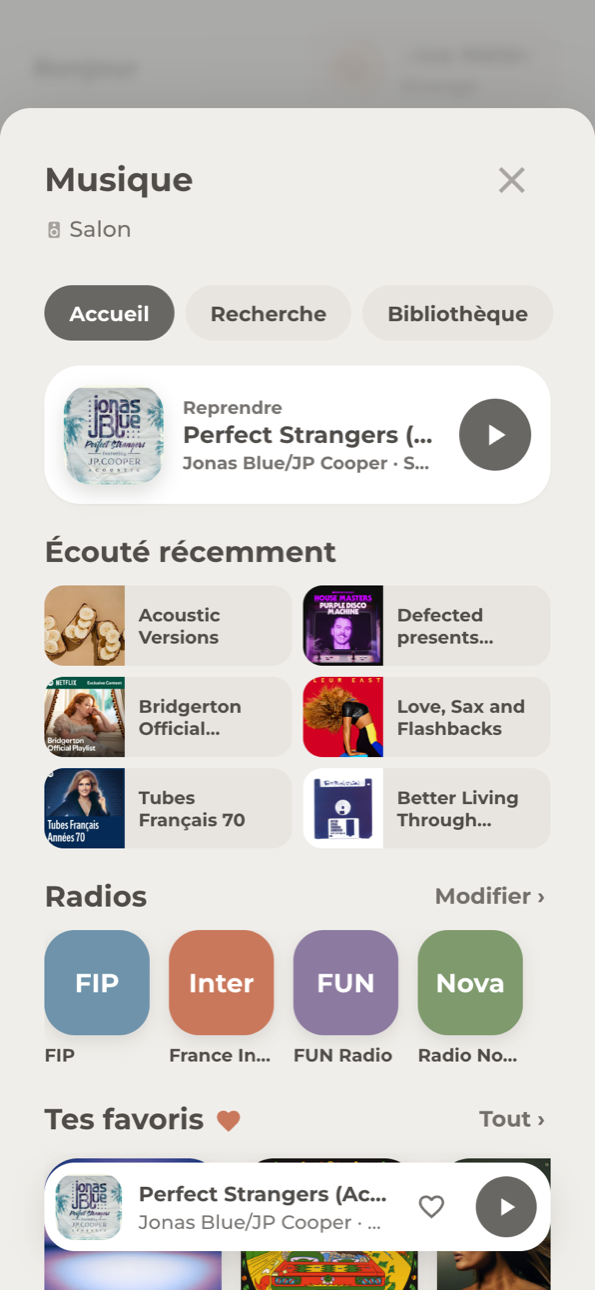
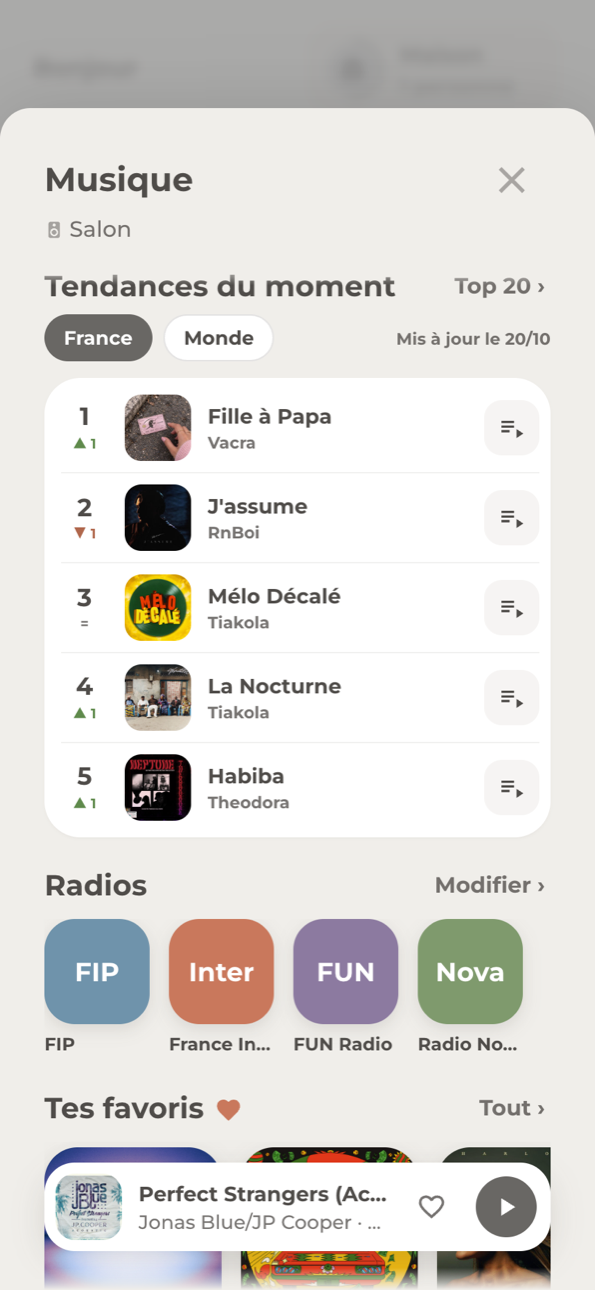
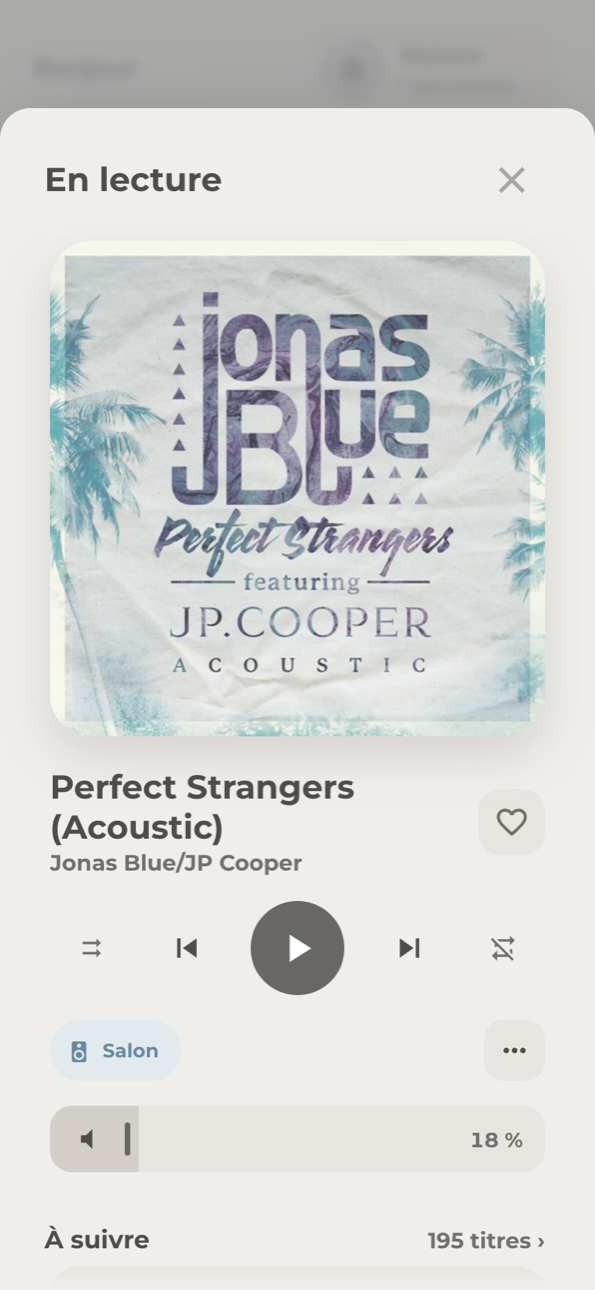
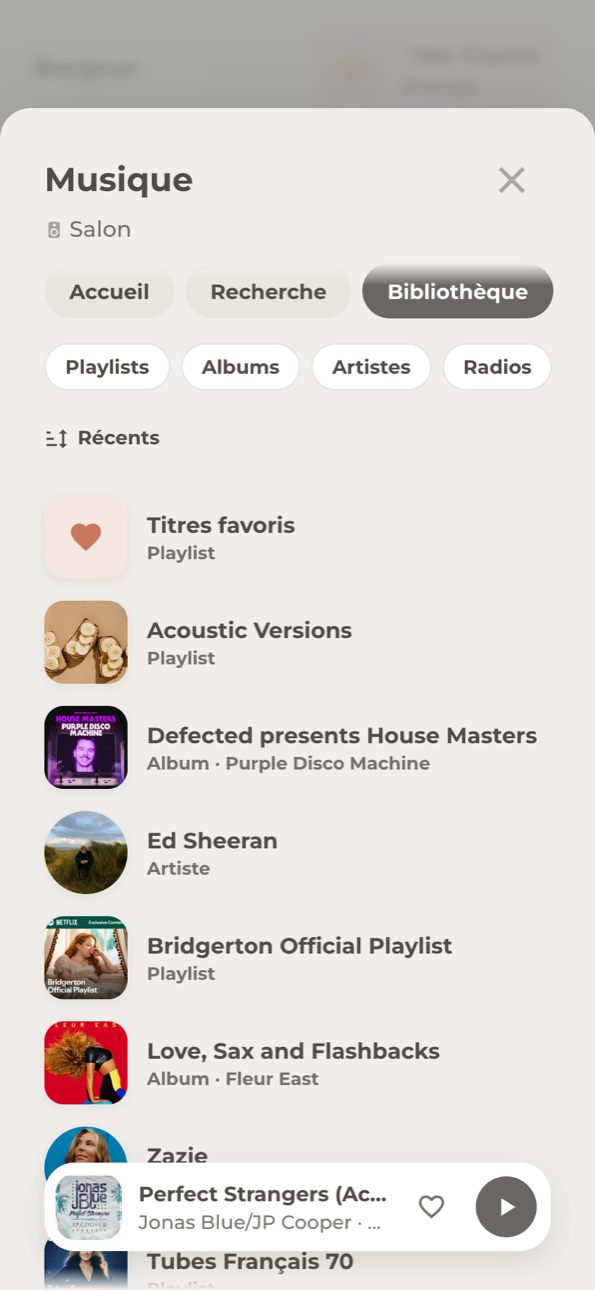
No worries at all, take your time, and thanks for the screenshots! It's funny how close we ended up: the crown on the leader, the link badge and "→ leader" on the other speakers, the group volume. Your "Auch abspielen auf" grid and the per-speaker volumes with the Leise / Mittel / Laut presets are nicer than what I have, I'll probably borrow them. Here's where my music popup is this week (French UI, Music Assistant on Cast speakers). I went towards Spotify's navigation:
The ❤ uses Bubble Card Tools ( To be honest, Home, Search and Library are still one custom card: browsing, search and the charts need async calls that I couldn't fit in a module. Will your preview cover browsing and search, or do you leave that to Music Assistant ("Music Assistant öffnen")? That would tell me what to move to modules.
PS: we both drew our house on the weather tile 😄 Mine lights the windows from the lights and the shutters. |
|
Nice, thanks for the update! This looks great. It's basically a full on media player... damn. I don't actually want to take it that far, though. I've tried that a few times and it always fell apart on convenience, because the other people in the house give me pretty direct feedback when something doesn't work or isn't intuitive. So I leave the searching and browsing to the music apps. Building all that into a dashboard gets complicated fast (as you've probably noticed). I only use mine on mobile though, if I had a stationary tablet setup I'd probably try again 😂 I mostly control music through the apps, so I see the dashboard as the central control for the speakers, but more of a secondary control for the music itself. It gives quick access to everything important, plus a home for the less important stuff, like amp specific settings or a subview of buttons for weird TTS announcements. The problem is there are just so many possibilities. I think I've tried every layout, every card and every approach there is, which is kind of ridiculous. Your now playing screen even had me wondering whether I should go back to the big cover image, even though I've had pretty much your exact setup about twenty times already. I got into multiroom audio with Chromecasts something like eight years ago, and the amount of time I've spent since then chasing a good HA dashboard for it and covering all the edge cases is... insane. Yeah, it's not easy 😅 |
|
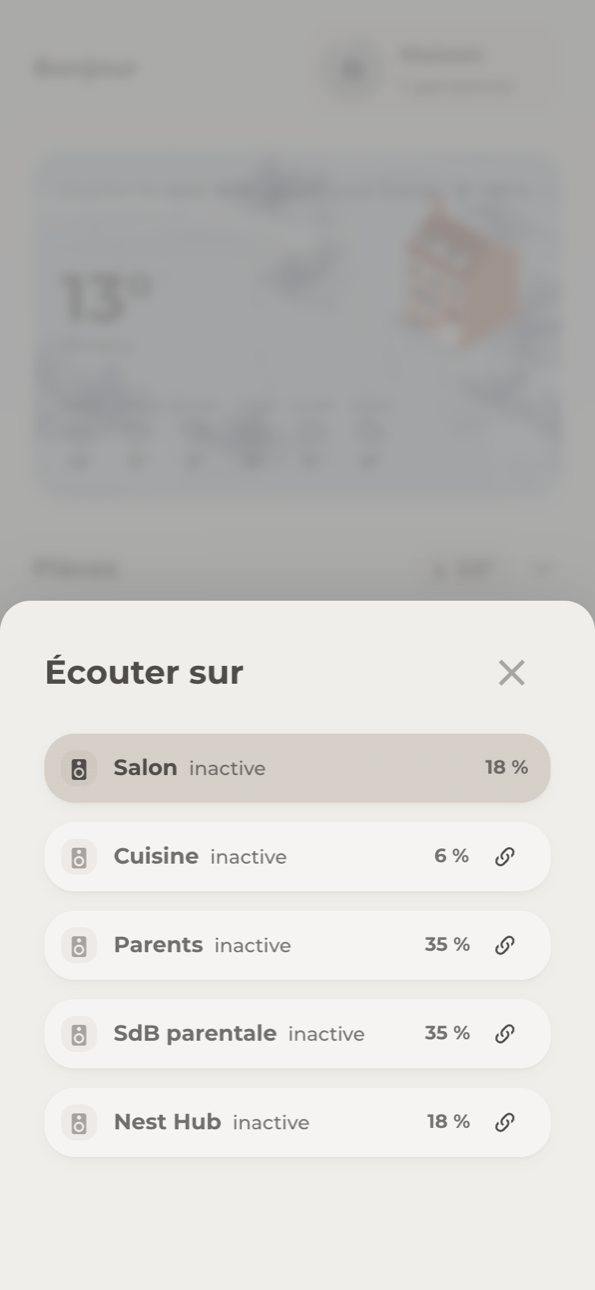
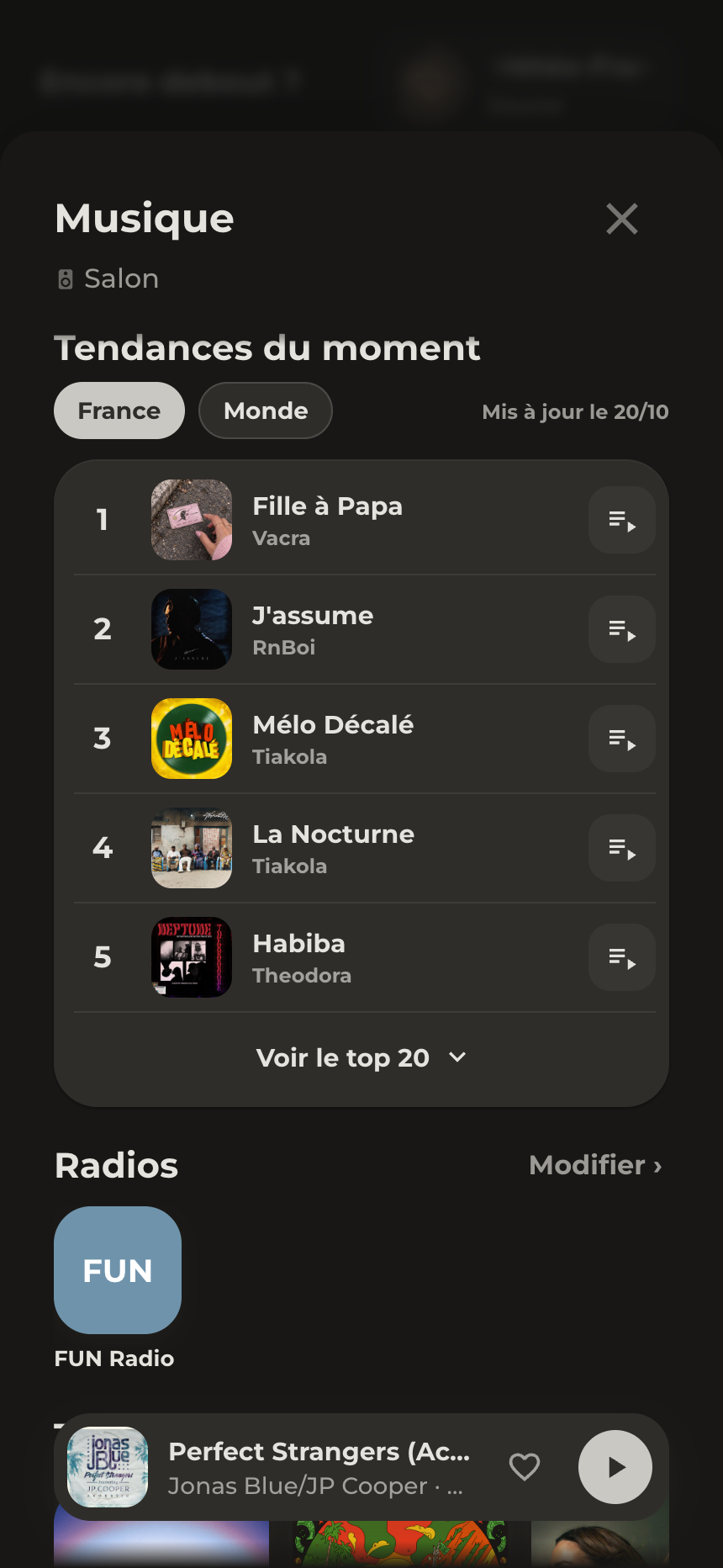
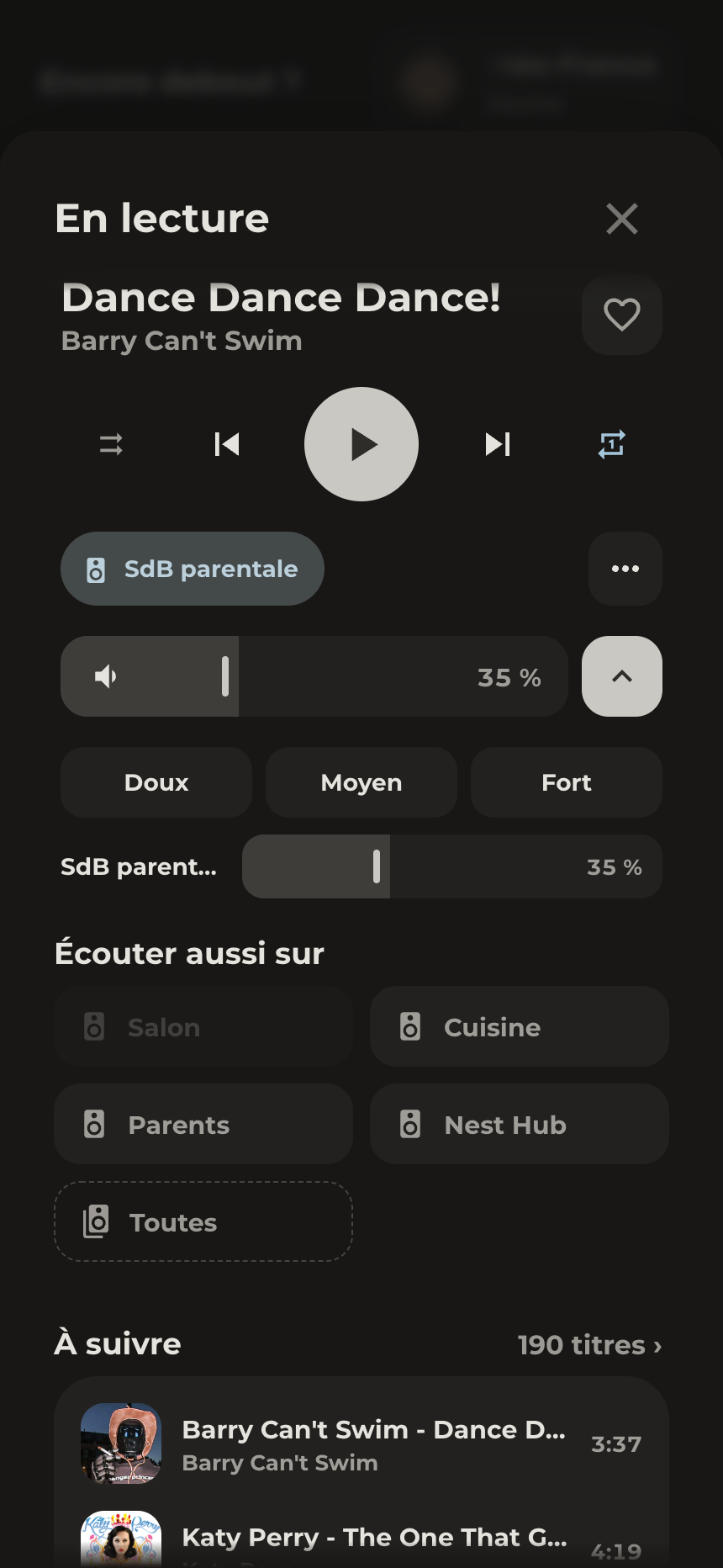
That makes a lot of sense, and your speaker side is exactly what my pop-up was missing. So I took two of your ideas, they're now in the 0.8.0 pull request of Origami Music (BaQs/origami_music#1):
I also turned the switch between the top 5 and the whole chart into a button under the list, it was too easy to miss. Screenshots from my dashboard, in French and in dark mode tonight. No group is playing right now, so the volume panel shows one speaker, and the Salon speaker is greyed out in Also play on because it's the Omni 10+:
And I know what you mean about the edge cases and the direct feedback at home. We'll see how the family takes the big cover 😄 |
|
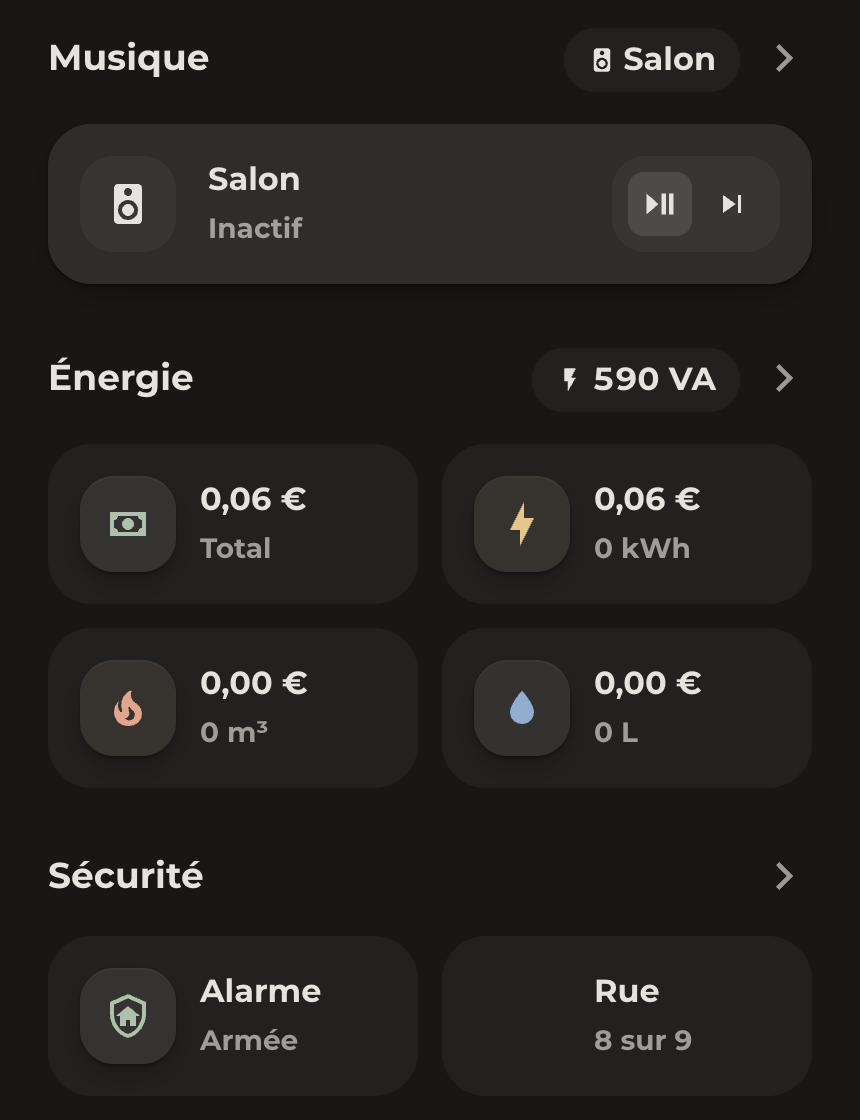
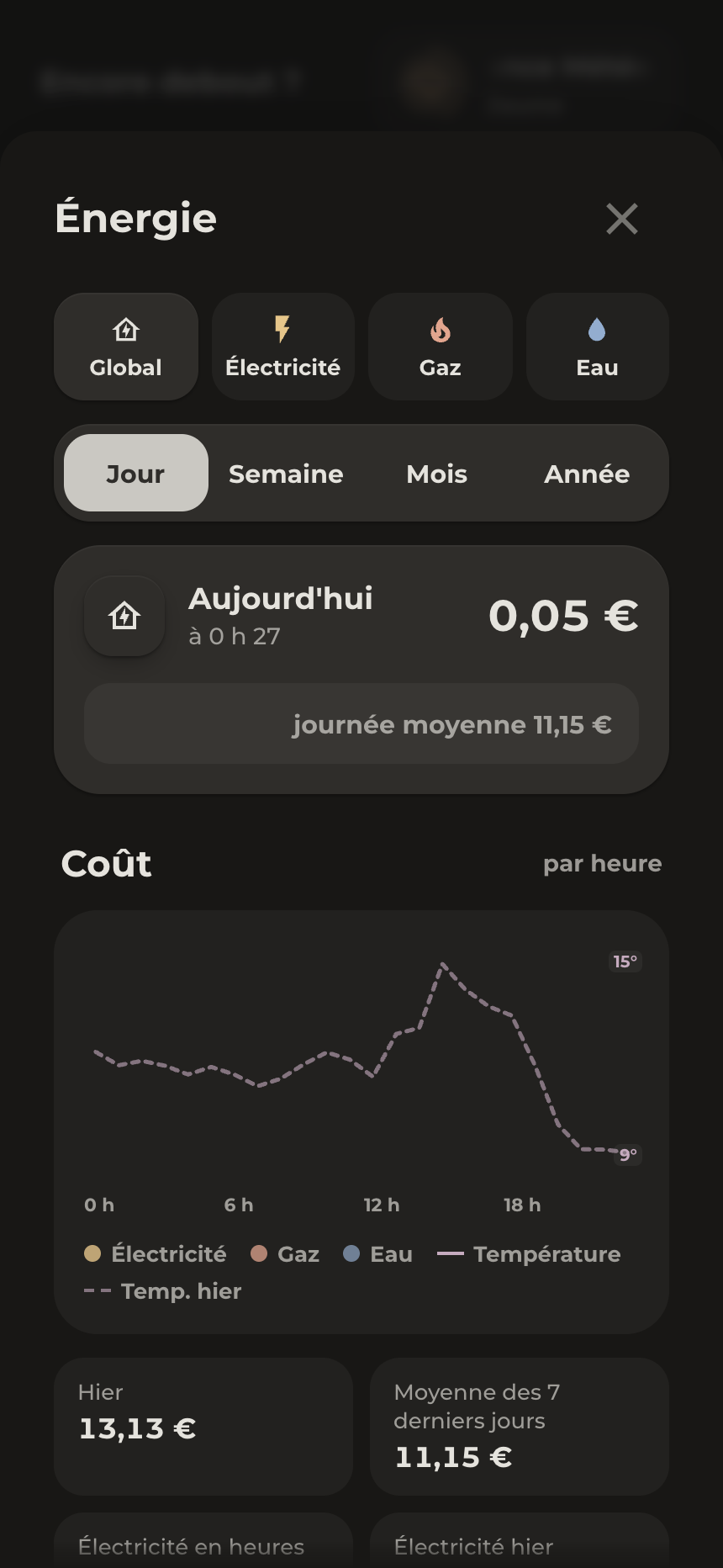
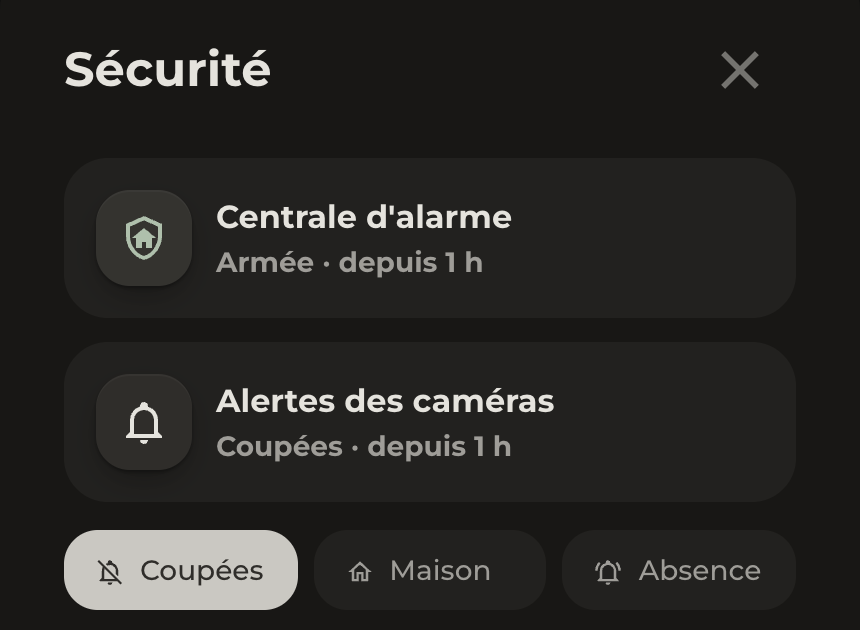
And since the energy and security cards were part of this thread too, here is where they are now, also with Bubble cards and your modules. Energy. On the home view, the Energy header has a chip with the live power, and below it a Tiles grid with what today cost so far: total, electricity (kWh), gas (m³) and water (L). Template sensors and daily utility meters feed the tiles, one for the off-peak and one for the peak hours of electricity. Only the details pop-up is still the energy card: Global / Electricity / Gas / Water, Day / Week / Month / Year, the cost of the day against an average day, the cost per hour with the outside temperature of today and yesterday, and the comparisons. The charts and comparisons are what keep it a card. Security. On the home view, two tiles: the alarm and the cameras (how many are online). The pop-up starts with Tiles for the alarm panel and the camera alerts, each with how long it has been in that state, then the alert modes (Off / Home / Away) with your Button module, which ask for a confirmation. Below that come Home Assistant's own camera cards with buttons for the floodlight and the siren, the doors and the gas detector, the logbook, and a "to watch" group that only shows when something needs a look. So the security card is gone. It's just after midnight here, so the day's numbers are still close to zero, and I left the camera images out.
|
|
Quick update on the preview: the music and speaker setup is in the next branch now, so feel free to try it :) Small catch though: I can’t take feedback into it before 3.0 is out. I’m testing it my own setup every day and that’s already a ton of work, so extra issues on top would honestly kill me lol. Fixes will come after the release, probably as smaller updates. Also: Speaker select module is gone in 3. The music popup picks the speaker with a dropdown and the media module does the rest. Grouping and the volumes are now “mini pop-ups”, which are faster and nicer than the old conditional cards with helpers. Most layouts are possible with it, but the README will show a classic player layout, roughly like this: 

|

|
Ok these are so exactly what I need. Keen to see how Security and Energy cards end up as part of the Origami set up natively :) |
|
I love the images you are using for your rooms. Did you create those or did you download them from somewhere? |
|
Thanks, glad you like them! One thing on the room images: those aren't mine. My screenshots here are the music pop-up and the home view, which uses plain icon tiles with no room photos. The rooms with images are hazymorning's own Origami screenshots earlier in the thread, so that one is really a question for hazymorning. The HACS repos, origami_security and origami_energy, are custom cards, not modules. On my own dashboard I've since moved most of it to Bubble: the home view is Tiles, and the security pop-up is Tiles plus the Button module with Home Assistant's own camera and logbook cards, so the security card is gone there. Only the energy details pop-up is still a card, for the charts and the day-against-average comparison. |

Oh nice. Did you write them as modules or just managed to do a native set up? Mind sharing? |


Uh oh!
There was an error while loading. Please reload this page.
Three cards follow the Origami theme and its tokens. Each one has its own repository and installs from HACS.
A short README section that links the three cards is ready too, in case it fits the project.
All reactions