Repository navigation

Replies: 3 comments 11 replies

|
@Mserago that works already: add a layer with Layer next to the first tab and set its pattern to Text (stuck on) too. Picking faces stops then, because a text needs no faces. It goes where Around (°) and Height (%) put it. Set Around to 90 for the right side, 180 for the back, and so on. Each layer has its own text, font and size, so every face can get its own words. More in the guide. |

|
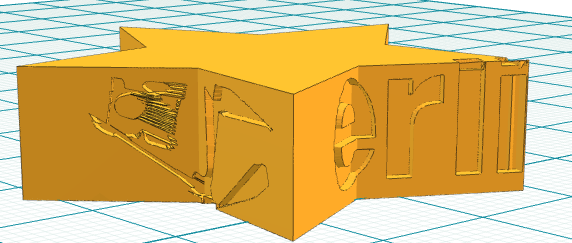
So, I pulled out a star shape and kept the defaults "Layerling" and applied the texture.. most of it looks good, but this is not... :) |

|
@mlugo-apx makinglayerschannel's star shows a limit of Text (stuck on): the text is rolled out over the surface like a label, so on a sharp star tip the letters get folded and cut off ("Lay" is unreadable in the screenshot). Could you have a look at how the text can run over a tip like that? @makinglayerschannel thanks for the screenshot, that shows it well. For now, a smaller size or moving the text with Around onto a flat side keeps it readable. |

|
@henmedia yes, I'll look at it. It goes after the Swallowtail key fit and the flush hinge, unless you would rather have it sooner. |
|
@henmedia I looked at it. Past the star's point the letters are not folded but turned: the text is rolled out from where it starts by the shortest way over the surface, and on a narrow point the shortest way to the next side runs over the star's top face, which turns the label in its plane; the letters arrive rotated and scattered. A fix that keeps the rest as it is: with a text that starts on a side, a point on a side takes its place from a side face, never from the top or bottom, while the letters still bend over onto a top as they do now (the "tears over a real corner, as a sticker would" test still passes). Tried on a copy: the star reads upright round the point, it tears at half as many points (249 against 485), and a box corner, the sticker case over a box's top, a cylinder and a dome come out as before; all 174 texture tests pass. 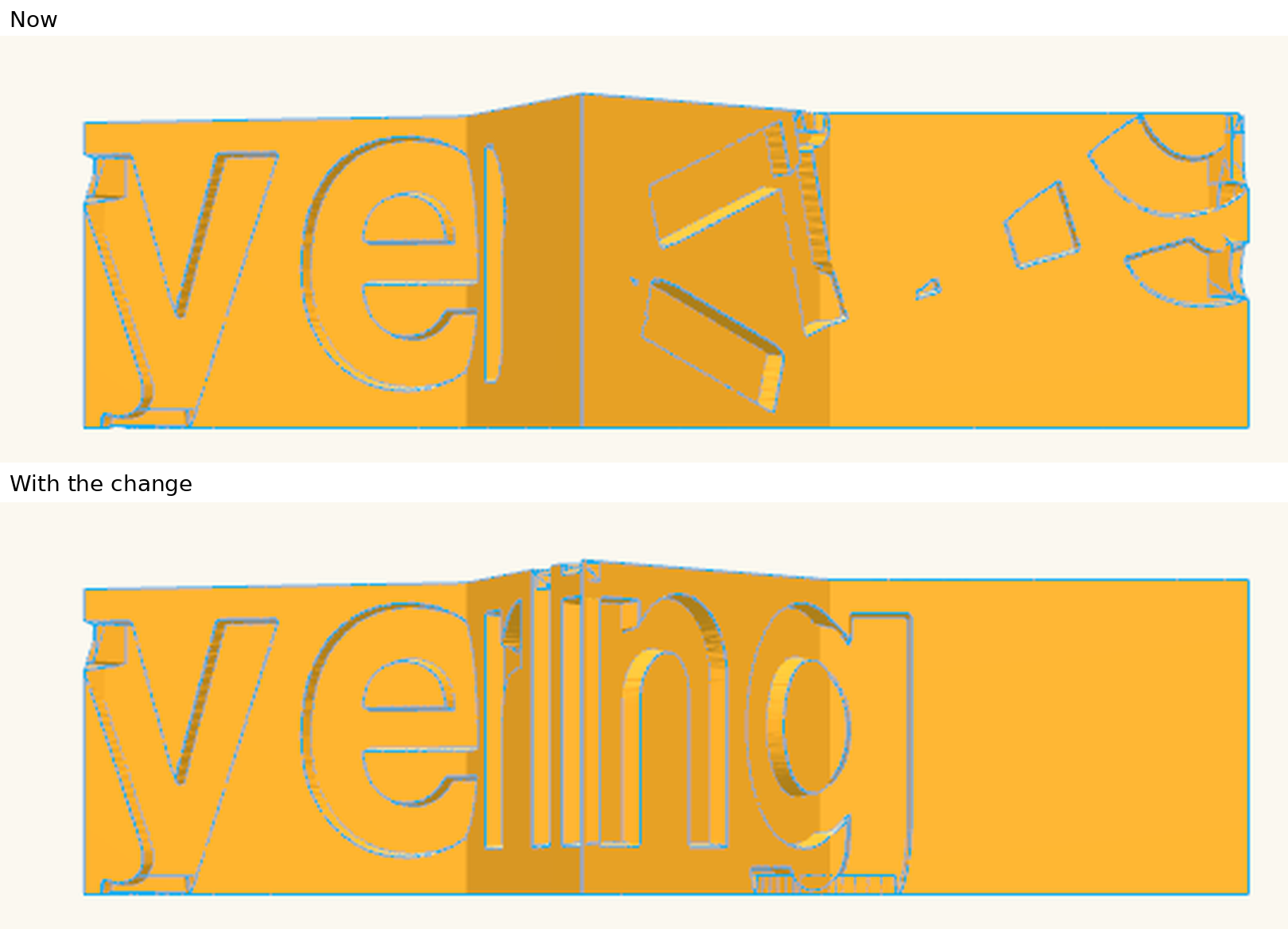
Would you like it as a pull request? @marcus040473, as it is your unrolling, your view would help too. |
|
@mlugo-apx thank you, that explains the scattered letters well, and the picture shows it: the star reads upright round the point now. Yes, please send it as a pull request. Marcus can look at it there, it is his unrolling. |

|
I understand, thank you again.
|
|
@Mserago, you might want to look at whatever you're doing to send these emails because your phone number is visible. I tried calling it, but some Jamaican lady calling herself "Miss Cleo" answered. LOL |
|
@mlugo-apx That order is fine, thank you! @Mserago I've removed the phone number and signature from your email reply above, since email replies get posted here as they are. |

|
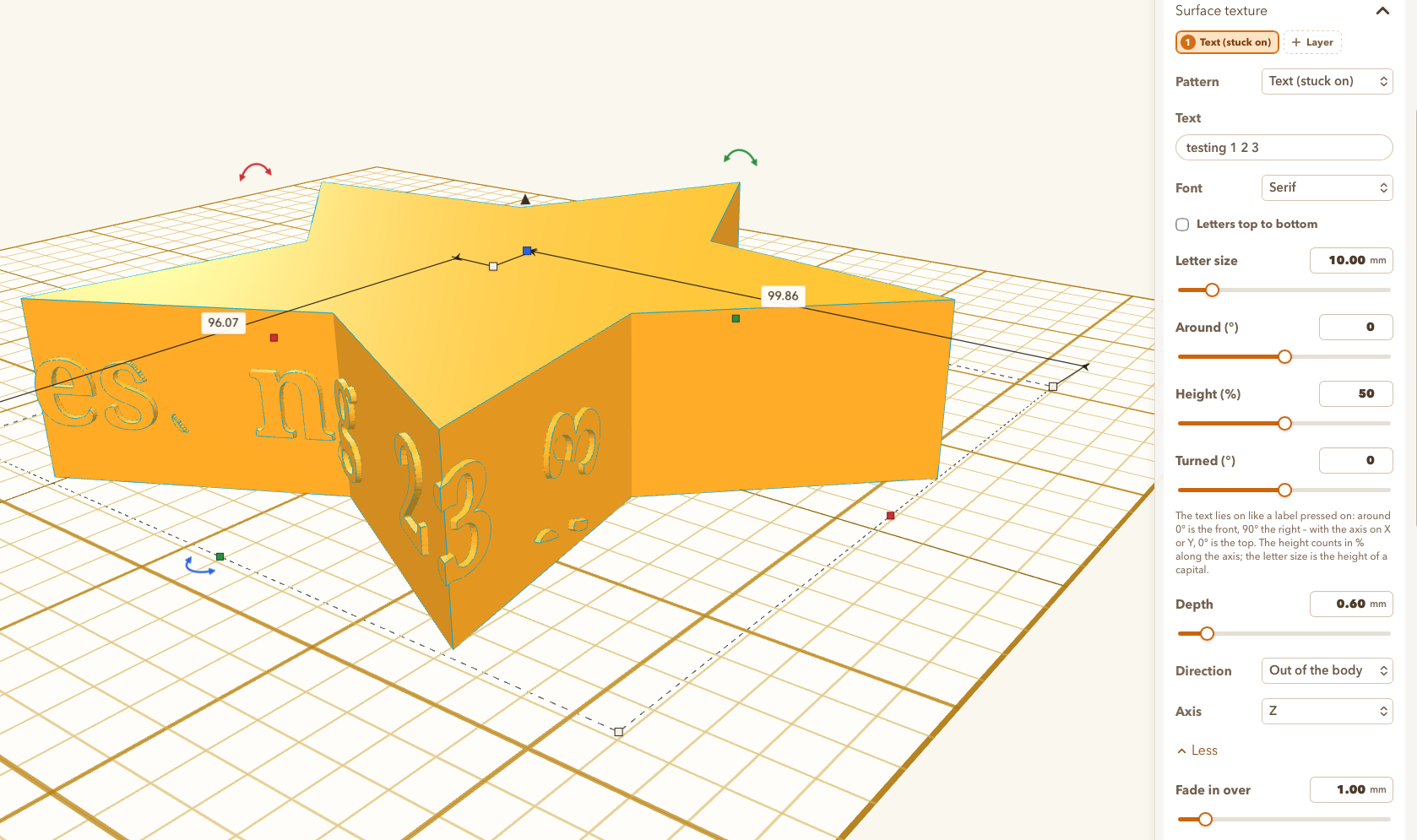
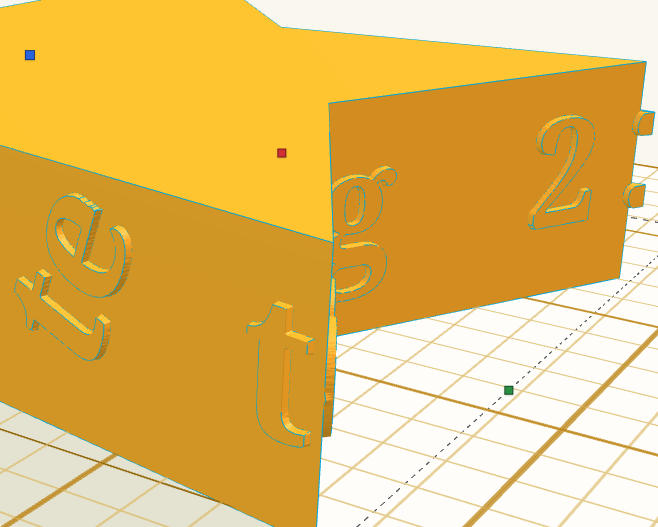
We still aren't there. :( This is on 1.141.0 |
|
@makinglayerschannel thanks for trying it. The change isn't in 1.141.0: it is still with me, being tested before it goes to henmedia as a pull request. The picture above came from a test build. While testing I found that the first version cut off text running over the top and down the far side of a round body, so I have reworked it. I'll post here when the pull request is open. |
|
Thanks for the update. |
|
@makinglayerschannel the pull request is open now: #1324. On the default star "Layerling" now runs round the point, and your "testing 1 2 3" in Serif on a 100 mm star comes out whole; pictures are in the pull request. Where the text's box reaches over the star's top or bottom edge it still tears there, and the message still says so. Marcus wrote the unrolling, so it waits for his review. |
|
@makinglayerschannel "Text (stuck on)" on a star is in layerling 1.144.0 now, thanks to @mlugo-apx: the text no longer folds back over the edges of the points, so "Layerling" reads upright and whole round them. |


Uh oh!
There was an error while loading. Please reload this page.
The new Text (Stuck on) feature is cool, however I noticed that it only lets you put it on one face. If I add a layer and select another texture like Knurling it then gives me the button to pick another face for that layer. Maybe that is by design, but it would be nice to have the Text (Stuck on) on multiple faces.
All reactions