Repository navigation
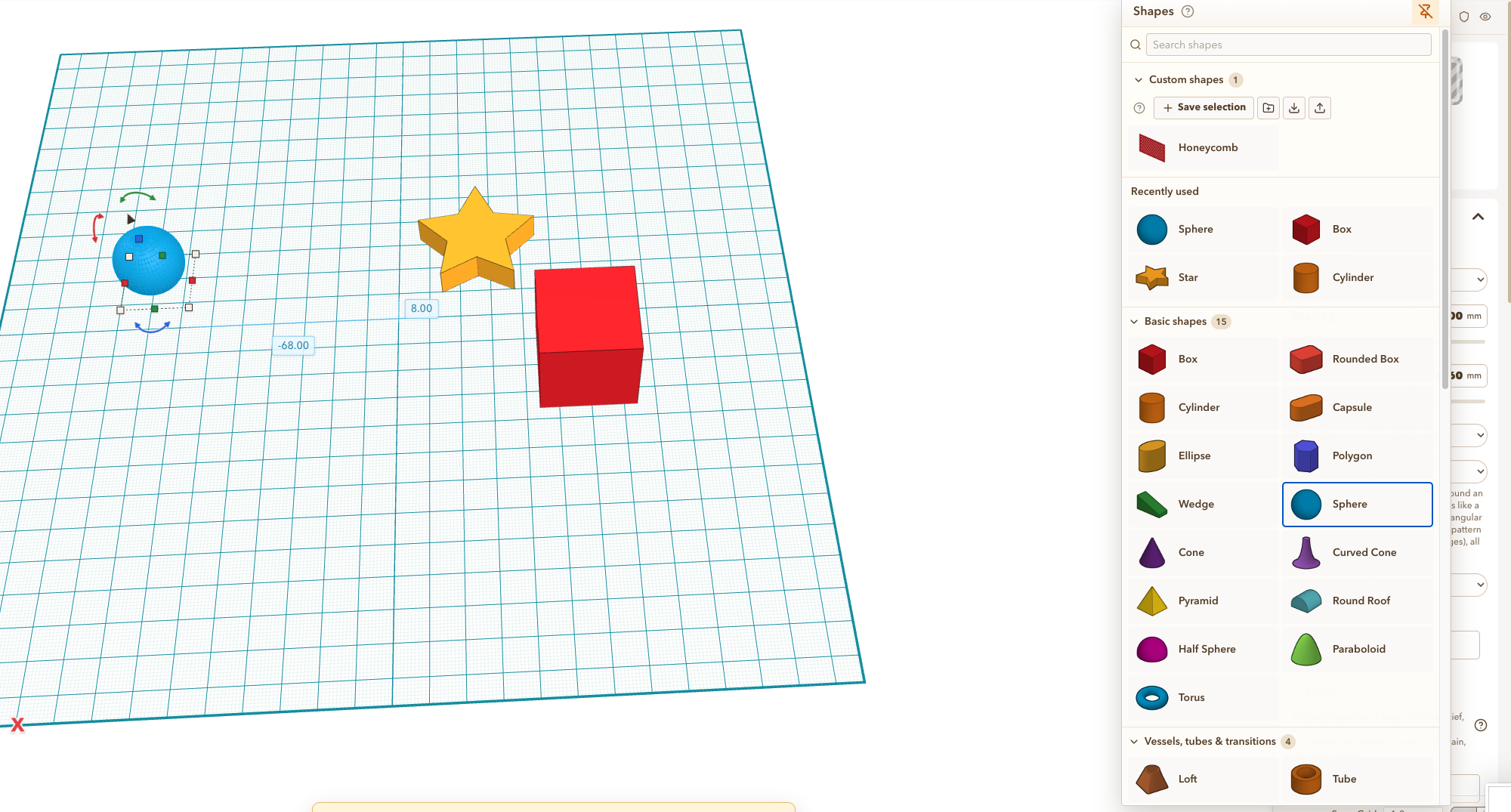
Pinned shapes panel on right of screen blocks object properties. #1283

Replies: 2 comments 2 replies

|
@makinglayerschannel Agreed, a pinned shapes panel shouldn't cover the properties of the selected object. I've changed it so the properties now stay in front of a pinned shapes panel. If you open the shapes panel with a click without pinning it, it still opens on top as before. This comes with the next update. Mike, could you please check the inbox of the email address on your YouTube channel? I wrote to you there and haven't heard back yet. Maybe it slipped through or ended up in spam. |

|
Thanks for letting me know about the email. I had missed it. Also, "next update"? What kind of nonsense is that? You're supposed to fix it before I ever post that it's an issue :). It's been ELEVEN minutes and still not pushed out. That's it, I'm going back to TinkerCAD! LOL |

|
@makinglayerschannel Glad the email found you! And fair point, eleven minutes is a disgrace. 😄 The fix is already done and waiting for the next release; I'll try to have the next one finished before you even notice it. Please don't leave, Tinkercad can't lock a shape anyway. 😉 |
|
@makinglayerschannel out now in 1.140.0, a little more than eleven minutes, I admit 😄 A pinned shapes panel now lies under the properties of the selected object, also when you move it to the right edge. |


Uh oh!
There was an error while loading. Please reload this page.
I have my shapes panel pinned to the right (I moved it over a little bit so you can see the object properties hiding behind it.
Even with the shapes panel pinned there, I feel like the object properties (when an object is selected) should be "in front of" the shapes panel.
Untitled design 120-bug-report (1).zip
All reactions