Repository navigation
Workplanes and resizing shapes #1351

Replies: 1 comment 4 replies

|
@anderdamin you're not missing anything, it works this way on purpose. The handles always change the box's own width, depth and height. When the workplane stands on a side of the box, its directions don't match those sizes, and the handles used to put the new size into the wrong one (#933). So on such a workplane they keep the box's own directions. For exact sizes there are two ways:
If layerling is useful to you, a small donation helps me keep improving it. Thank you! |

|
Thanks for your response! I understand the reasoning behind this decision, but Tinkercad handles it differently: when I place a workplane on a part, the repositioning points align with that plane. It might seem like a minor detail, but I find that it makes working in an orthographic view much easier. Even after two days, I’m still really struggling with this Layerling approach. Is there a channel where I can suggest this improvement? 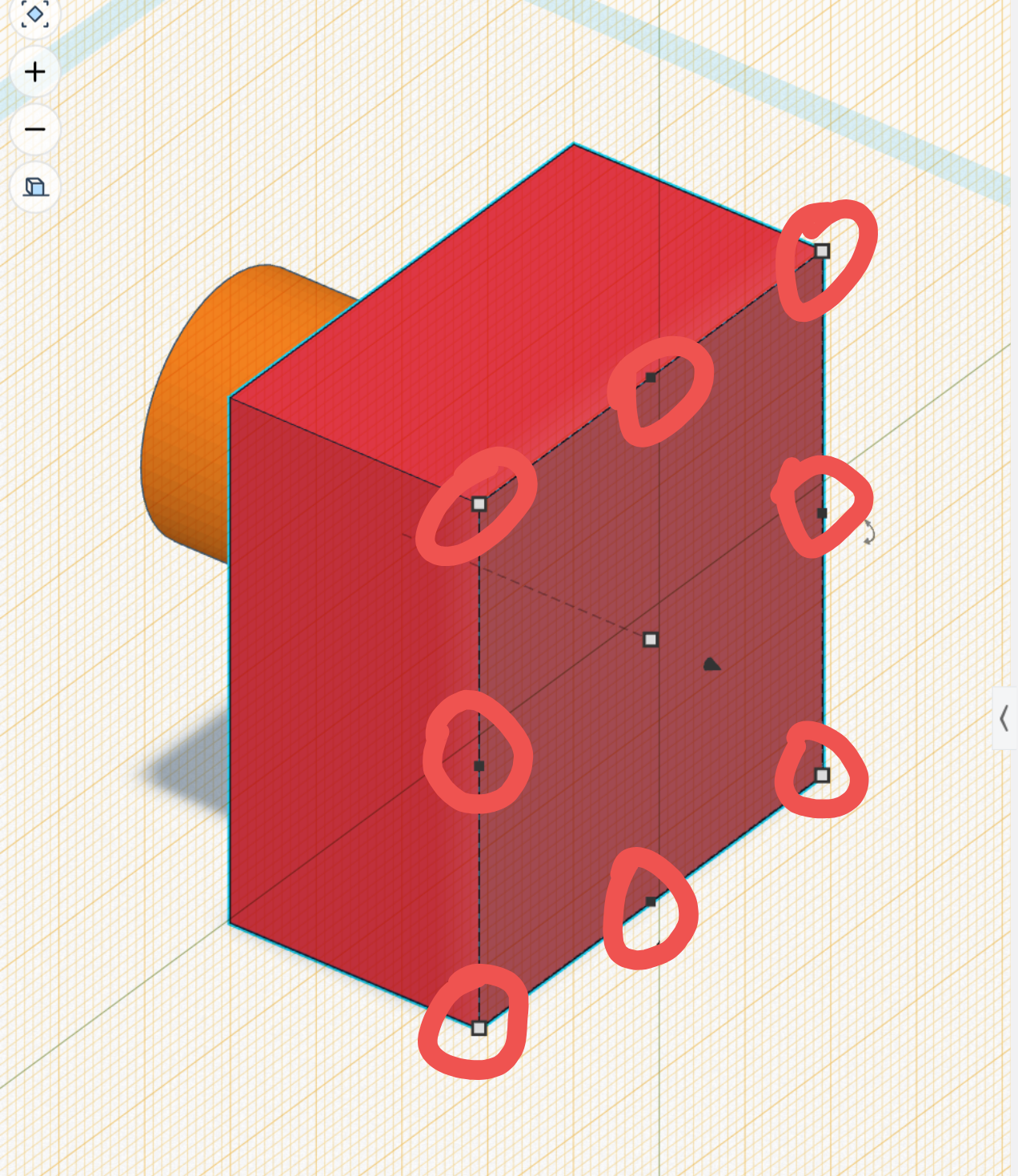
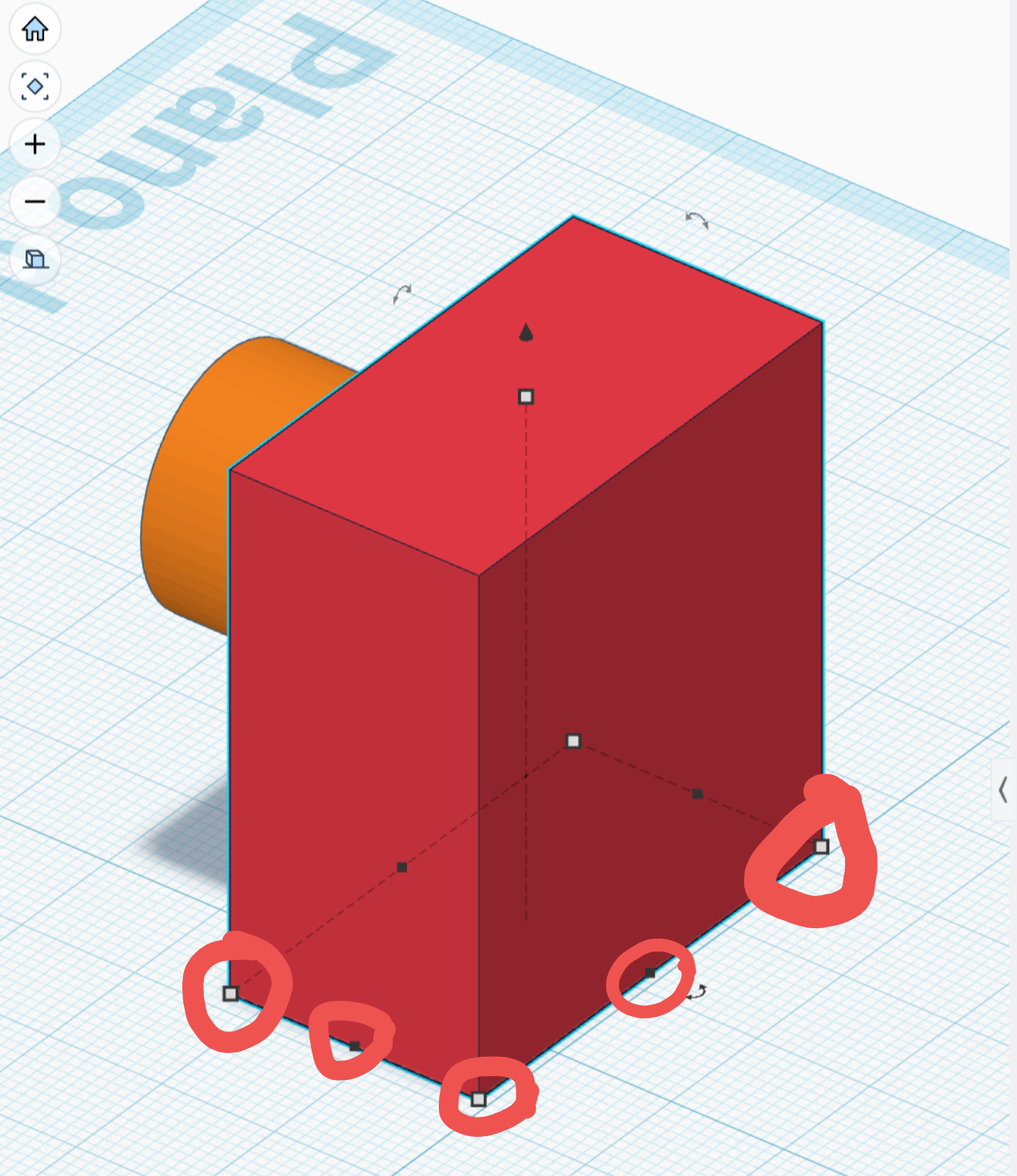
|

|
Thanks for the pictures and for sticking with it. I have changed it: with the workplane on a side of a box, the corner and edge handles now lie on that face, as in Tinkercad, and each one changes the size that runs along it. It comes with the next release. For now it works for a plain box standing upright; other shapes still keep their own axes. |
|
@anderdamin this is out now in layerling 1.146.0: with the workplane on a side of a box, the corner and edge handles lie on that face, as in Tinkercad, and each one changes the size that runs along it. For now this works for a plain box standing upright. |
|
WOW!! ITS AMAZING! |


Uh oh!
There was an error while loading. Please reload this page.
Uh oh!
There was an error while loading. Please reload this page.
When I position a shape, for example a box, the manual resizing points appear aligned with the initial plane where the block was positioned. But if I position a new plane on the part, the resizing points don't align with the new plane. This way I can't precisely adjust the size of the shape on planes different from the initial one. Is there some command or setting I'm missing?
1- resizing points aligned to initial workplane:
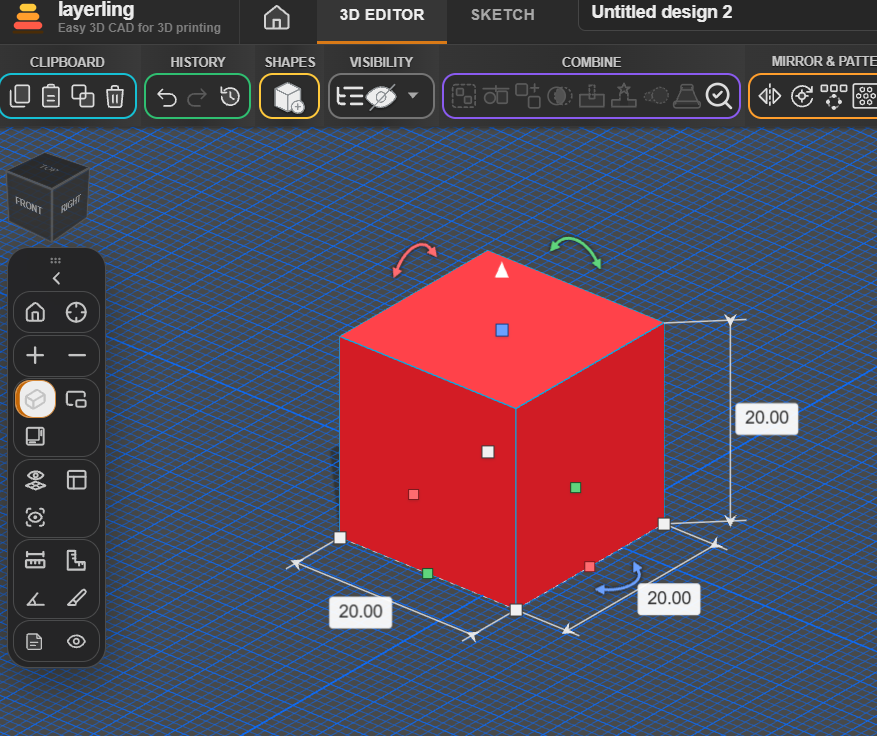
2- resizing points does not folow the new placed workplane
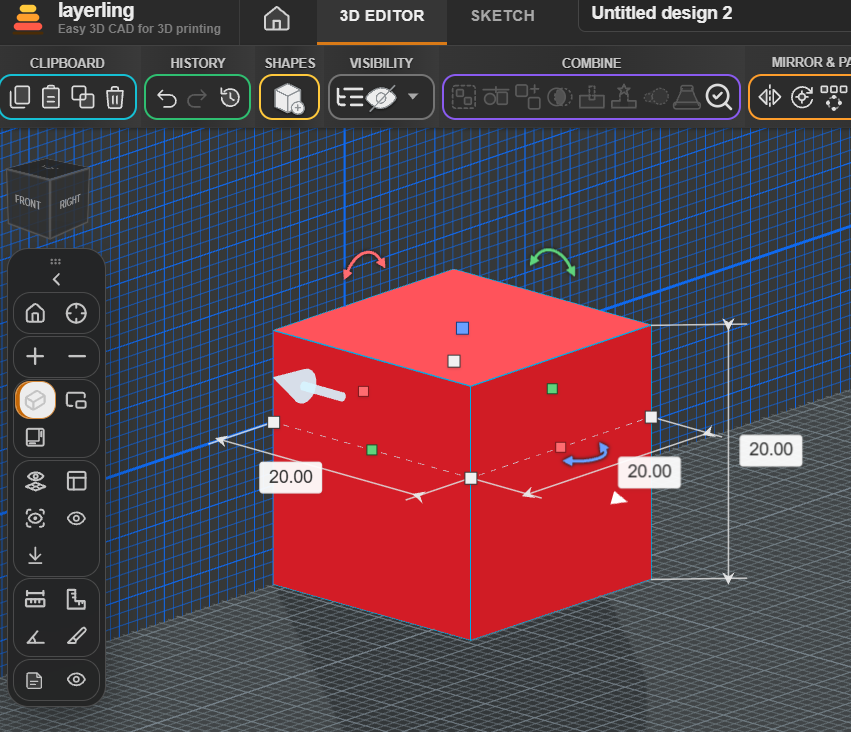
All reactions