Repository navigation
Outline should not fill holes optional #1440

Replies: 1 comment 3 replies

|
@uninteressant2026 Hull already keeps holes, as long as they are separate shapes in the selection: it wraps the solids and cuts the selected holes out again afterwards. The holes are filled when they sit inside a group (or are part of the shape itself, like a tube), because then Hull only sees the outside of that group. So for now: ungroup the cylinders (or use a solid cylinder plus a hole cylinder instead of a tube), select the cylinders and their holes together and click Hull. The holes stay open, and Edit group lets you change them later. More in the guide: https://layerling.com/guide/solids-and-holes.html#intersection Does that work for your parts? If you would rather keep your groups as they are, I can look at an option for Hull to keep the holes inside grouped parts. |

|
I understand your point and it works, I just took a different way with the hollow-funktion and I didn't mention it in my description. |

|
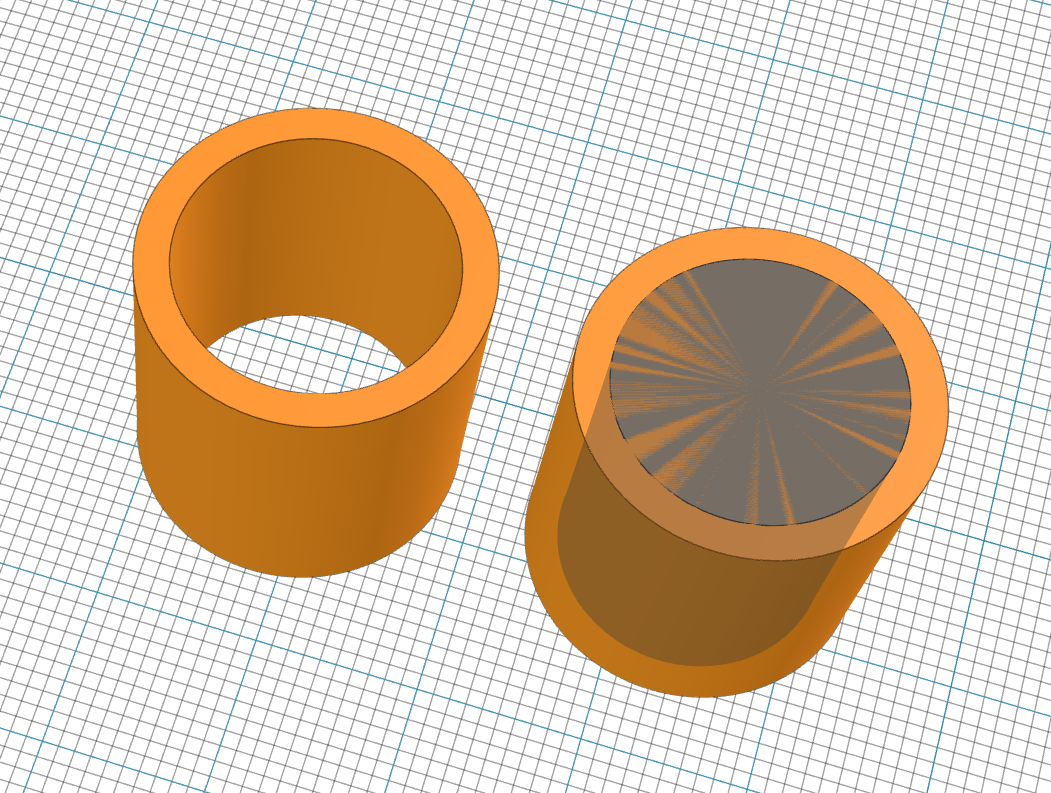
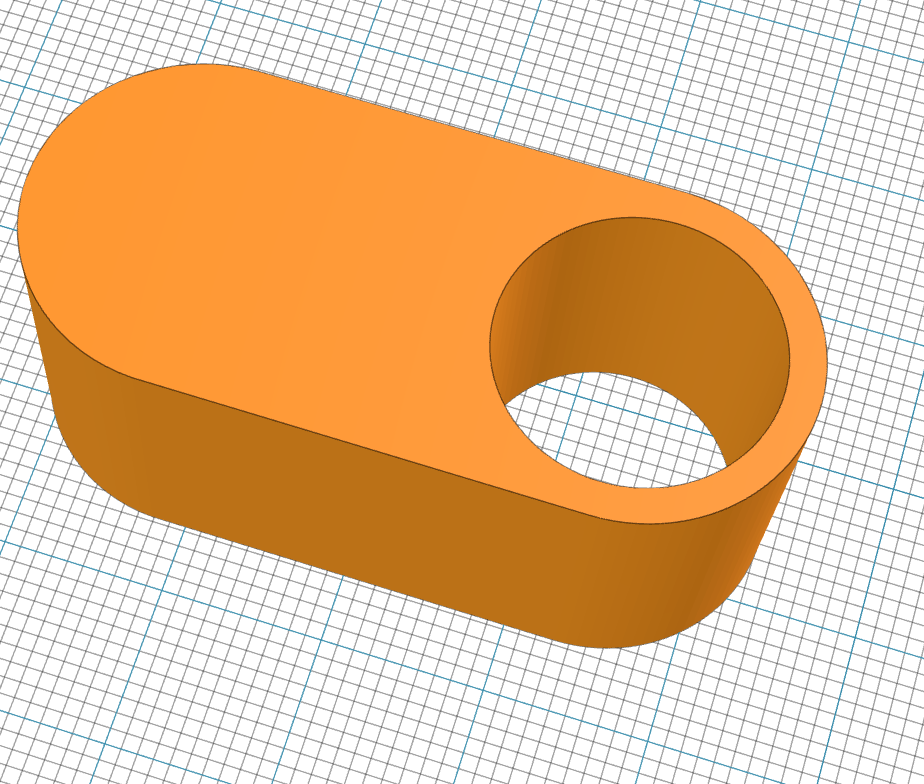
@uninteressant2026 Thanks for the example, now I see what you mean. A hull only cuts out holes that are shapes of their own in the selection. Whatever is hollow inside a part itself, like your cylinder hollowed with the Hollow tool, it wraps and fills. So there is now a switch for it: select the hull and turn on "Keep the parts' holes" under Properties. The hull is built again, and the holes and hollows of each part stay open; it only fills the space between the parts. Your two cylinders then keep both holes. A hull still opens like a group, so you can change the parts later, and the switch stays on. One thing to know: a recess at the side of a part stays open too, because the hull no longer fills anything inside a part. It comes with the next version. |
|
@uninteressant2026 Keep the parts' holes for the hull is in layerling 1.151.0. Switch it on under Properties of the hull. |


Uh oh!
There was an error while loading. Please reload this page.
Uh oh!
There was an error while loading. Please reload this page.
I have a couple of cylinders with holes in it and want do use the hull-tool to get smooth transitions between them.
Unfortunately the hull also fills the holes.
I had another case, when it was very usefull that it fills the holes, but in this case I'd like it the other way.
In this special case i was able to put the holes afterwards, but if you use the hollow-tool first, you have to start allover again.
All reactions