Repository navigation

Replies: 6 comments 12 replies

|
|
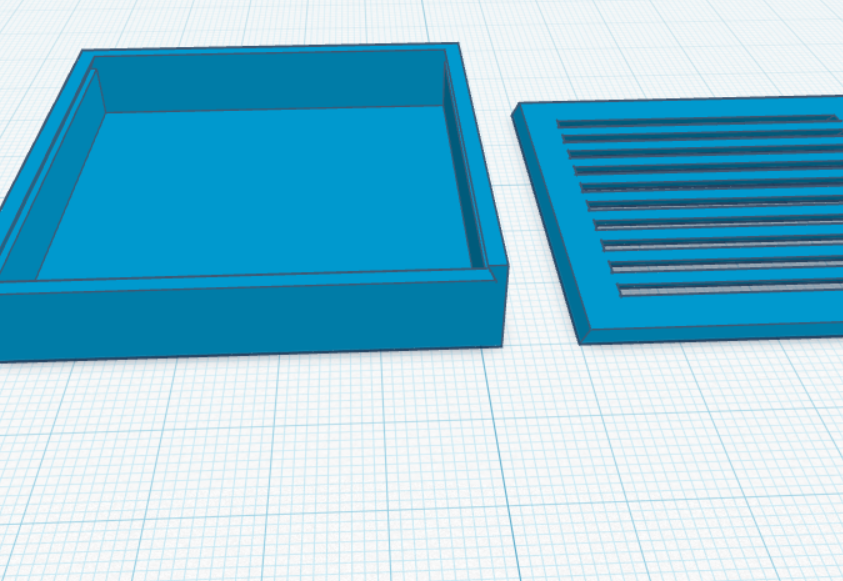
If the lid could pass through one wall of the object.. |

|
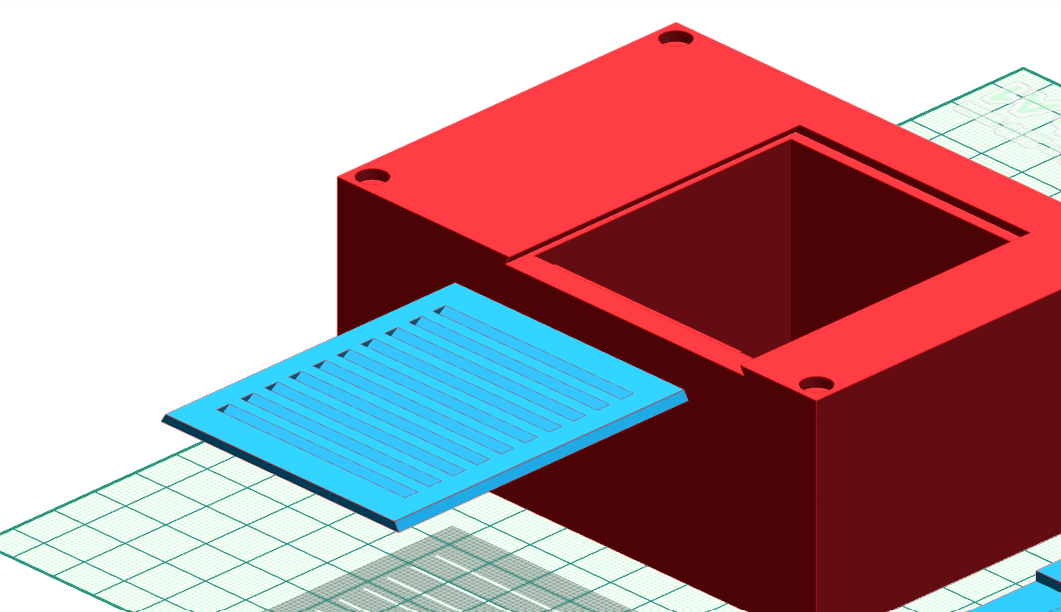
@mysskyn29 thanks for the idea and the pictures. The Lid tool comes from @marcus040473, Marcus, would a sliding lid fit in there? |

|
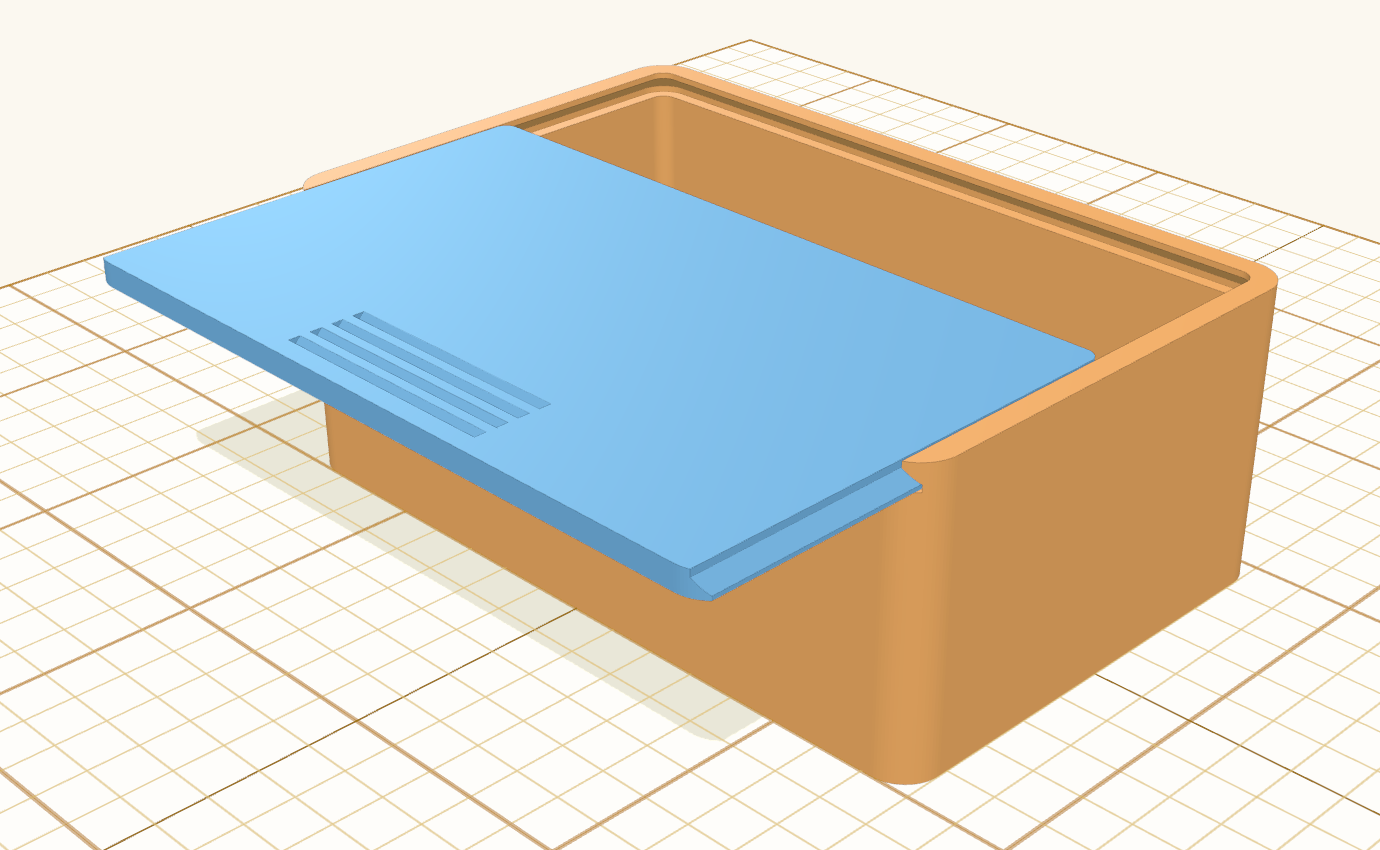
@henmedia yes, I think a sliding lid fits the Lid tool well, so I built it. Thanks for the idea! I've built it as a new kind of lid, Slide-in, like the lid of a wooden pencil box: its edges run in grooves in three walls of the box, and the fourth wall is cut down so the lid slides in over it. Closed, the lid sits flush with the rim and its end fills the cut in that wall. The grooves slope at 45°, so box and lid print without support; a small click bump keeps the lid from sliding out by itself, and thumb grooves on its top help to push it out. To try it: hollow a box with the top open → select it → Lid → Kind Slide-in → pick the wall under Slides in from → if you like, tick Click bumps and pick Finger notch under Handle → Make lid.
It's in my test version: https://marcus040473.github.io/?editor=1 – a pull request is on its way. I couldn't see your pictures, though: is this the style you meant? If yours looks different, just tell me how. |

|
Yes, that's exactly it. Absolutely perfect, thank you. |
|
Maybe if it would still be possible to somehow figure out a way for the lid to slide into the body from one side. But that's probably going to be quite a problem, right? |
|
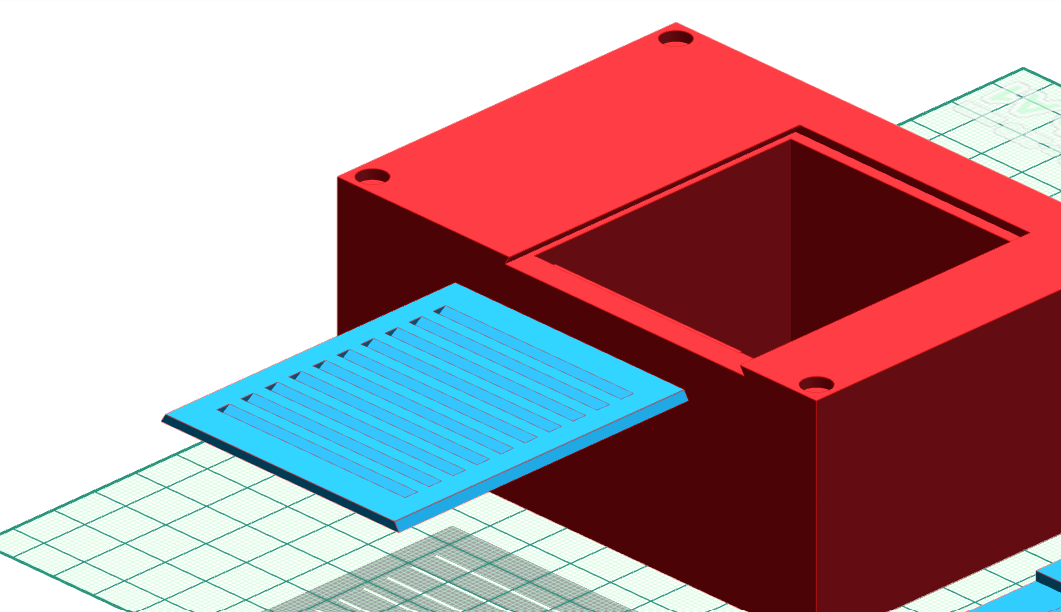
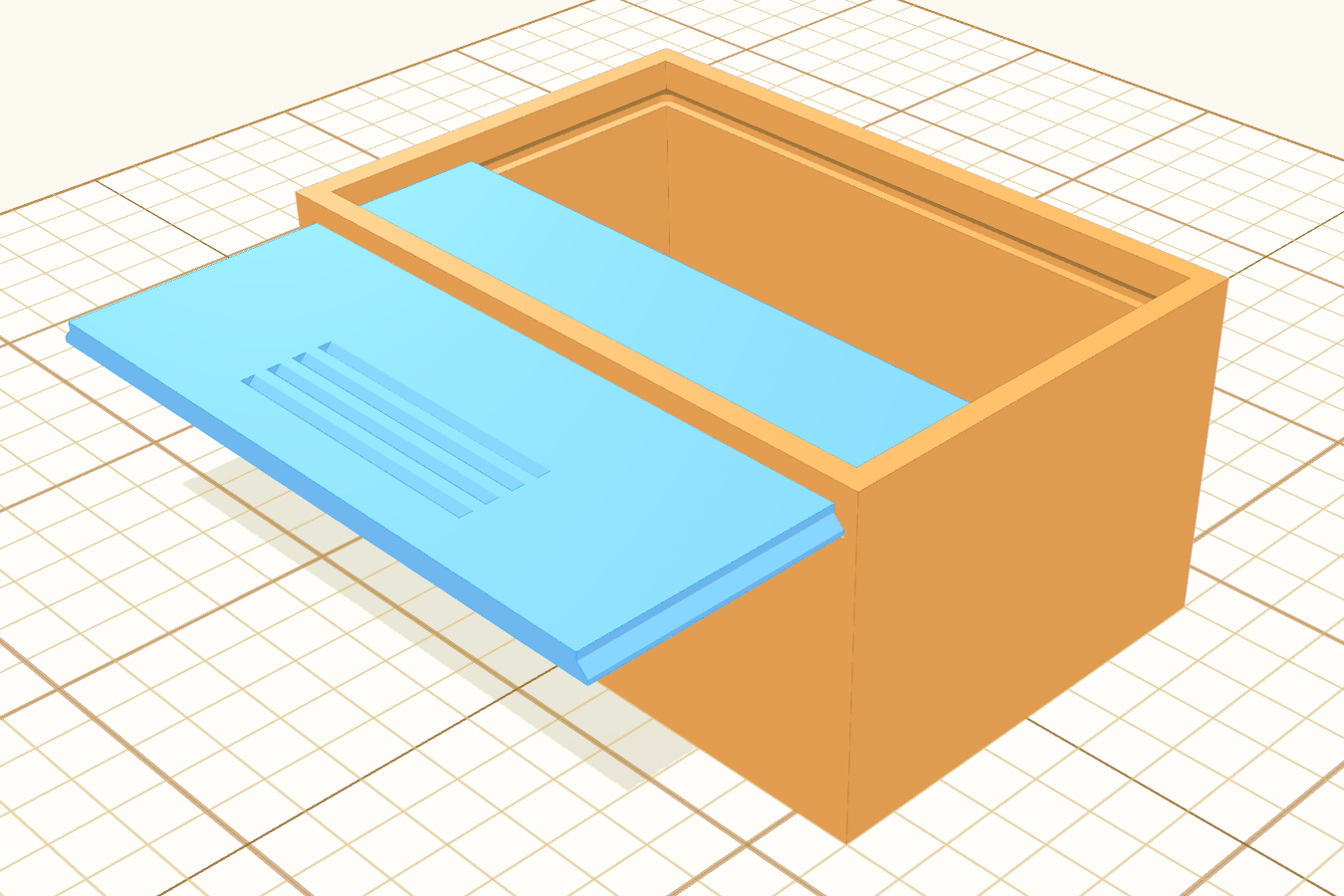
@marcus040473 the new picture shows a variant of your Slide-in lid: the lid sits a little below the top, under a frame left round the opening, and goes in through a slot in the side wall. That wall keeps its full height above the slot instead of being cut down. Could Slide-in take that as an option? @mysskyn29 that's what you mean, right? |
|
yes |
|
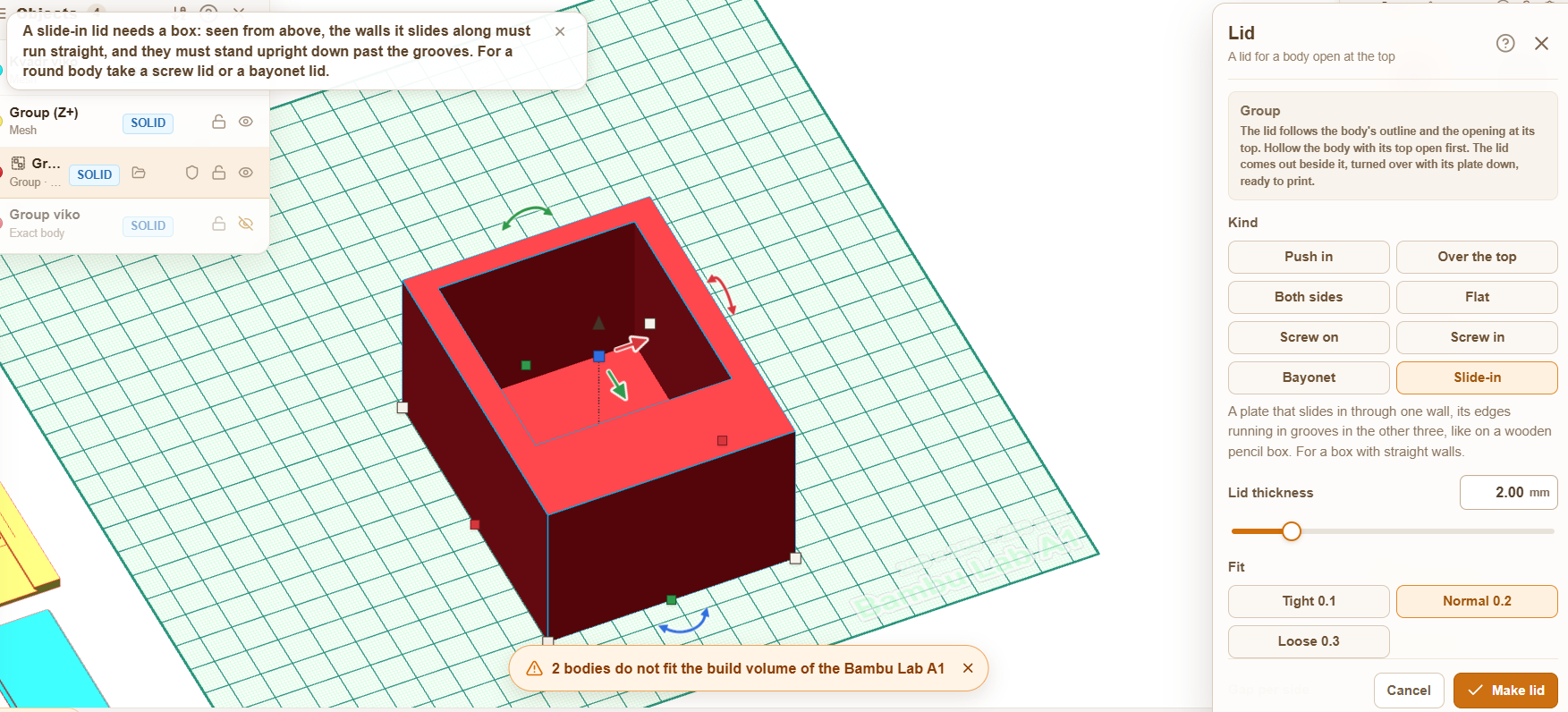
Why can't it create a cap on this shape? |
|
@mysskyn29 thanks for trying it. Could you send a bug report from the editor (the Bug report link) with this box in it, or the .lyl file? @marcus040473 could you please have a look? The box looks straight and upright, but the Slide-in lid refuses it as not a box. |
|
@mysskyn29 thanks for the bug report. @marcus040473 here is the box from the bug report that the Slide-in lid refuses, could you please have a look? |
|
@henmedia @mysskyn29 Thanks for the picture! I found a likely cause: the slide-in lid only took a box whose opening stands exactly square to the grid. If the box, or just the hole cut into it, was turned even a fraction of a degree – too little to see – it was refused as "not a box". Now the lid follows the box's own walls, so it works there too. "Slides in from" then picks the wall that faces most nearly that way. Uneven walls and a hole that is not in the middle were never a problem; I checked those too. It's in my test version now: https://marcus040473.github.io/?editor=1 – and in a PR for Stefan. @mysskyn29 could you try your box again there? If it still says "not a box", please send the .lyl file through the Bug report link, as Stefan asked. Then it's something else, and I'll look at it. |
|
Hi! Sure, here is the .lyl file for the box. Hopefully, this helps you figure out why the Slide-in lid feature is rejecting it. Let me know if you need anything else. |
|
@mysskyn29 thanks for the file. @marcus040473 here is the .lyl of the box that the Slide-in lid refuses, could you please have a look? Marcus, it still refuses with #1489: the grouped mesh has outline points level with the opening's front, which give a zero-length edge in |
|
@henmedia @mysskyn29 Thanks for the new picture, and thanks Stefan for the question. Slide-in can take it as an option now. What it does: the Lid panel has a new field for Slide-in, Frame above the lid. At 0 (the default) the lid is exactly as before. Set it to, say, 2 mm and:
The box still prints upright: the top of the slot is a short, level bridge across the lid's width, the only spot printed over air; the lid prints on its top without support. The frame must leave at least 1 mm of wall above the slot (so at least 1.2 mm with the normal fit); the panel tells you if it is too low. To try it: select a box hollowed with its top open, click Lid, pick Slide-in, set Frame above the lid (e.g. 2 mm), click Make lid. It is in my test version, https://marcus040473.github.io/?editor=1, and in a pull request for Stefan.
|
|
@marcus040473 thanks, merged. @mysskyn29 the slide-in lid with a frame above it comes with the next version. |
|
@mysskyn29 the slide-in lid with a frame above it is out in layerling 1.152.1: in the Lid panel pick Slide-in and set Frame above the lid, for example to 2 mm. Thanks again, @marcus040473. |


Uh oh!
There was an error while loading. Please reload this page.
Uh oh!
There was an error while loading. Please reload this page.
Would it be possible to create a lid in this style?
All reactions