Repository navigation
Mold & die: casting molds and punch-and-die sets made from a part (in my fork, demo ready) #1806

Replies: 7 comments 5 replies

|
Hi Marcus, This looks great, and the pictures of the heart, the ball and the pour box show it well. Yes, please open a PR for it. Waiting for the first test prints is a good idea, so the parting height and the keys are proven on a real print before it goes in. One note: the Punch & die part sits next to the existing "Punch" tool, which cuts one body's outline through another. They do different things, so the names just need to stay clearly apart in the interface and the guide. |

|
Dang, that looks way cool. For someone that does a lot of casting, like me, that would be great. |

|
Print analysis with a layer view, and more for the mold tool Hi everyone, I've kept working on two things people asked for here and in the Facebook group. Thanks for the ideas. Print analysis (next to Print check)
Mold & die
It's on the branch Cheers, |
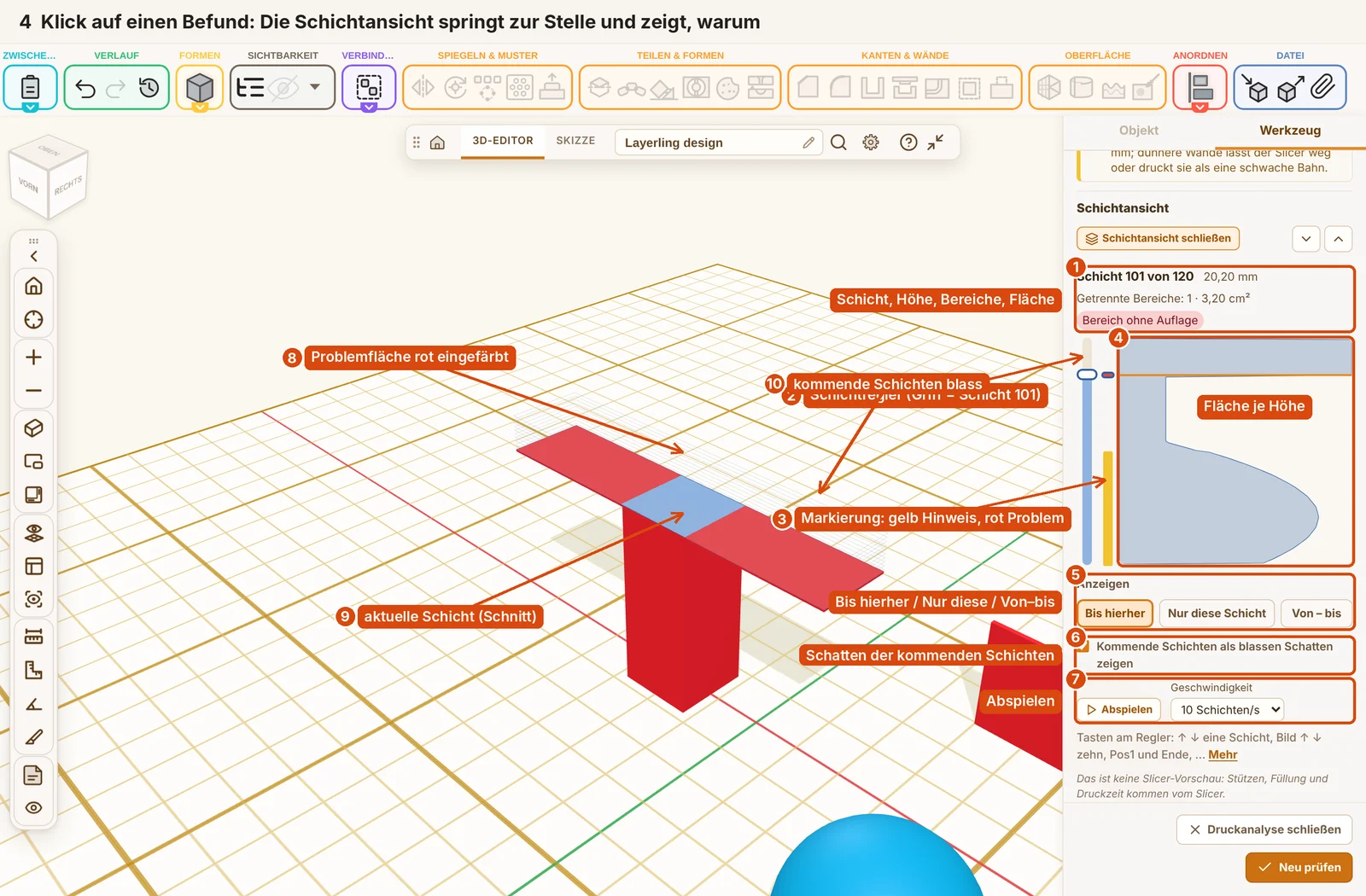
|
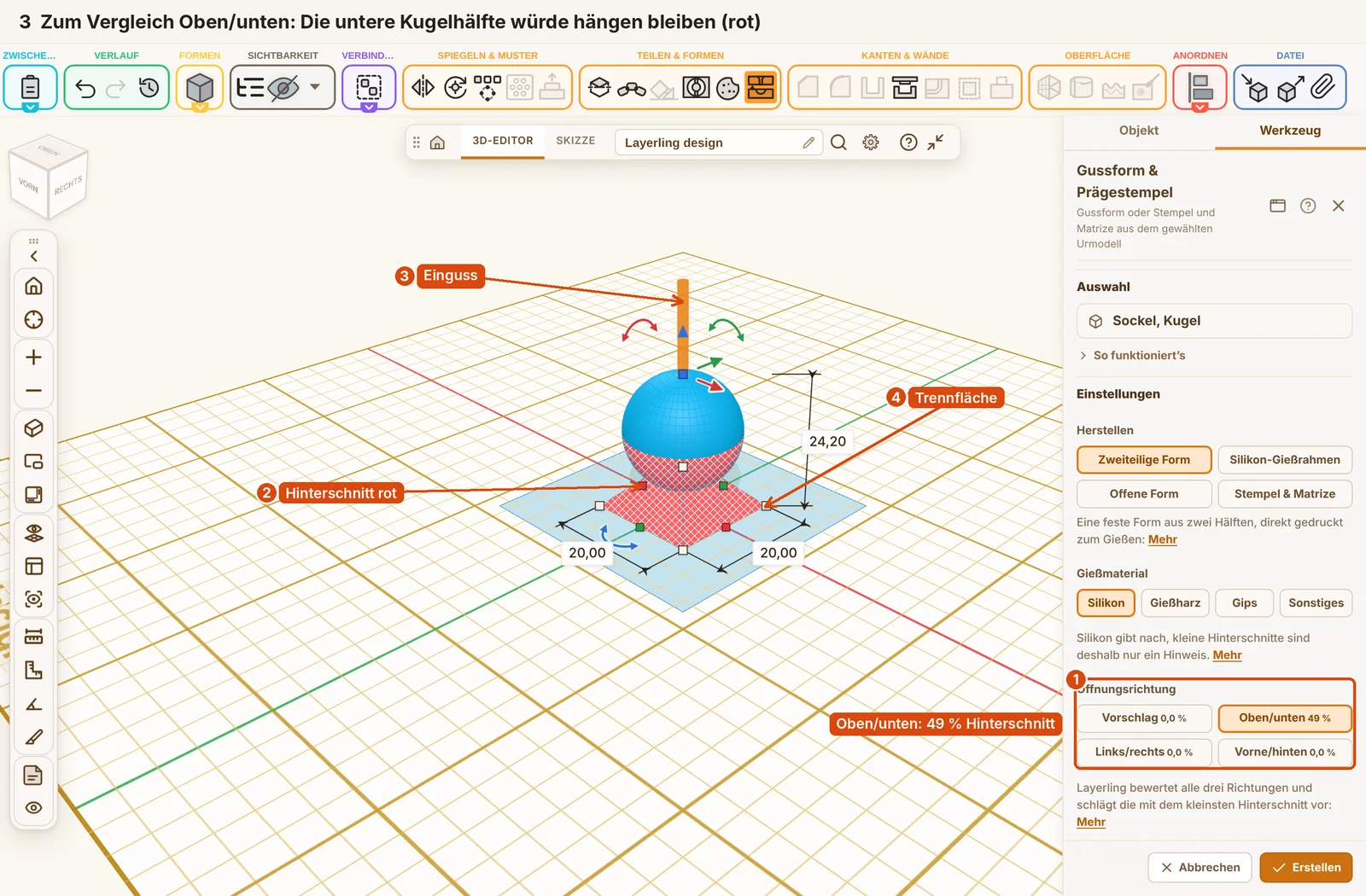
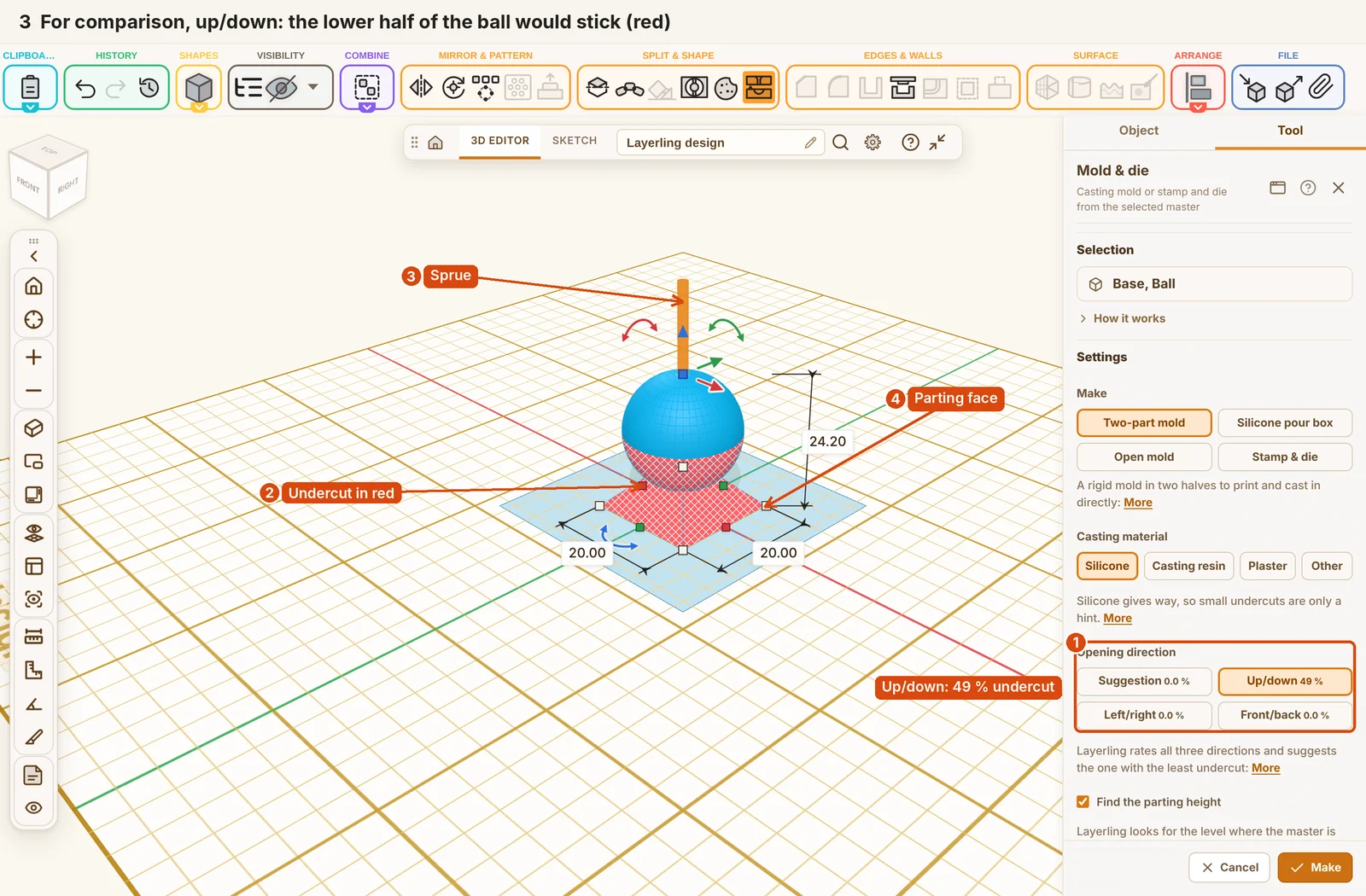
A short update on the mold tool, in case it helps with the test prints:
It's on the branch |

|
@marcus040473 @grmonsey The mold follow-up is out in 1.166.0, with the suggested opening direction, the casting material, the air traps, a sprue for every part and the contour shell, and the print analysis next to Print check. |

|
Cool Beans, but you should have left the laptop at home.....:) |

|
I have not direct need for mold tool, but tested a bit into the last release, and it looks a very cool feature.. Thank's @marcus040473 👍 I may better consider project that could involve molds now with that feature 👍 |

|
Hi Marcus, I found out about this yesterday after the latest update, and i like it, it has many great features, and i will use at least a few of them ... but i wish is could also be made where a user can have full control to where the opening and air vent if required , by maybe putting your own hole in or a option where you can choose .... i have uploaded a picture, which may help you understand my problem i had with it .. Thanks , and good evening. |

|
Thanks @PabloJonesUK, that's a great idea, and the photo helps a lot! I've added a switch "Set openings myself" to the mold tool: you click on the part where the pour hole and the air vents should go, and the mold is made with exactly those. I've just sent it to Stefan, so it should come to Layerling soon. Generated by Claude Code |

|
Good Morning, Marcus, Thats Great News to hear, every little tweek helps make it better, looking forward to it coming out, havea great day .. |
|
@PabloJonesUK your wish is in 1.168.0, built by @marcus040473: the mold tool has a new switch Set the openings myself. With it on, a click on your part sets a sprue or a vent there, whichever you chose in the panel, and a click on an opening's post takes it away again. The panel lists the openings, and you can start from the suggested ones or remove them all. You can also leave the sprue out and make your own hole, the notes then only remind you that the mold has no way to fill it. Every small donation helps keep layerling free for everybody, in case you'd like to chip in. 🙂 |
|
Just Tried it now and its fantastic , iam sure many more people will find it as useful as i will , thanks again .. all ... de Pablo . |


Uh oh!
There was an error while loading. Please reload this page.
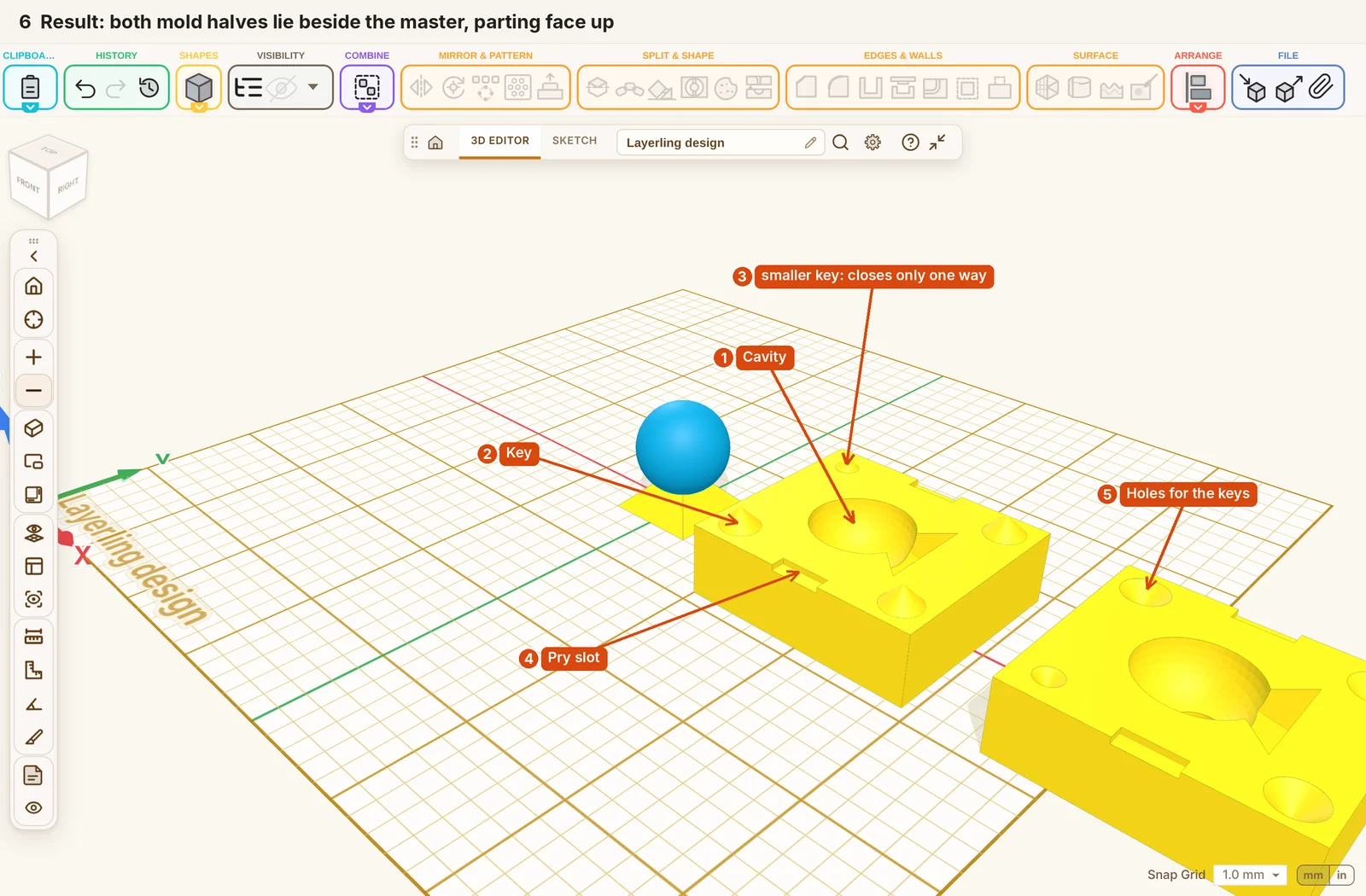
@henmedia, I built a new tool in my fork and would like to know what you think: Mold & die. It turns the selected body (the master) into what you need to copy it. The parts are laid out next to it and print without supports.
You can try it in the browser: https://marcus040473.github.io/?editor=1 (button in "Split & shape", or search for "mold").
Code: https://github.com/marcus040473/layerling/tree/marcus
Why: Before building it I looked at what people struggle with when they print molds. The most common problems are casts that stick (undercuts, a wrong parting line), air bubbles, halves that do not line up, molds that are hard to open, and PLA that goes soft with hot wax or resin. Most mold generators make a box with the part subtracted and leave the rest to you.
What it makes:
Open mold: one piece, the master turned over so its flat side is the open top.
Punch & die for leather, card, foil or thin metal: the master's outline seen from above stands on a plate as the punch, the die is a plate with the outline as a cavity, mirrored so it fits turned over. Form uses the material's thickness as clearance per side and rounds the punch's edge. Cut uses 7 % of it (at least 0.05 mm) and makes the cavity go through, so the slug falls out. Four guide pins go into holes 0.25 mm larger in the die.
Warnings: an undercut (the cast would stick: choose another height, turn the master, or use the pour box), a wall under 3 mm, and a tip in the window to seal the print and use PETG/ASA for hot pours.
Checked: All four kinds made in the real editor, and the print check finds 0 mm² overhang and no thin walls on every part. 7 new geometry tests (the halves close round the master without touching, keys sit in their holes, the die closes over the sheet with the clearance all round, undercuts are found). Texts in all 20 languages, a guide section in chapter 6, and
layerling_make_moldfor MCP.Nothing is printed yet. I have asked the Facebook group to test it.
Would you like this in Layerling? If yes, I can open a PR after the first test prints.
All reactions