Repository navigation
Releases: kirtanbhatt10/undertone-desktop
Release list
Undertone v0.1.0

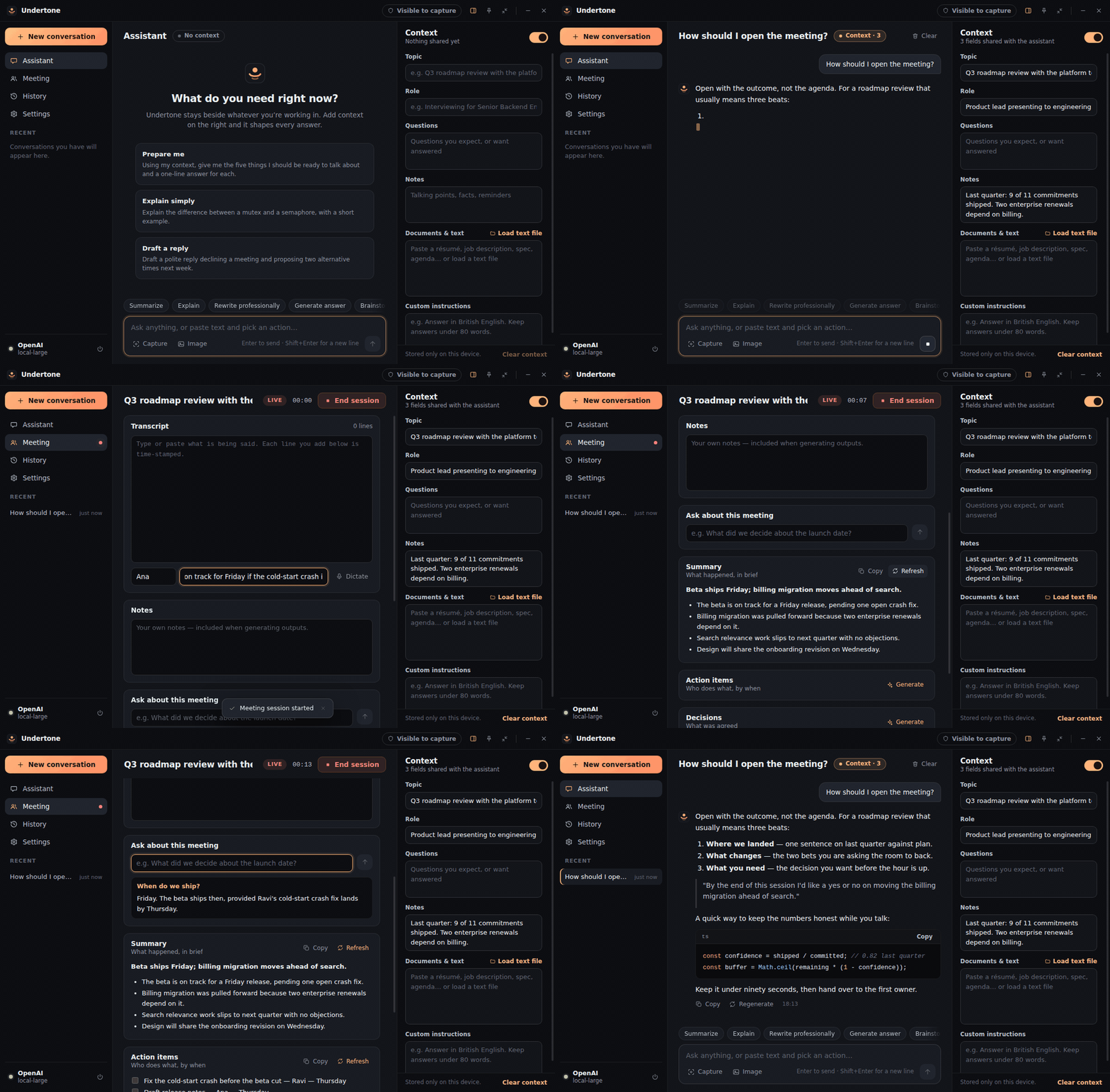
First public release of Undertone: a quiet, floating desktop AI assistant for meetings, interviews, presentations and deep work.
Download
| Platform | File |
|---|---|
| Windows 10 / 11 (x64), installer | Undertone-Setup-0.1.0-x64.exe |
| Windows (x64), portable | Undertone-0.1.0-win32-x64.zip |
| Debian / Ubuntu (x64) | undertone_0.1.0_amd64.deb |
| Linux (x64), portable | Undertone-0.1.0-linux-x64.zip |
- Windows installer: installs for the current user only (no administrator prompt), adds Start menu and desktop shortcuts, and can be removed from Settings → Apps → Installed apps.
- Debian / Ubuntu:
sudo apt install ./undertone_0.1.0_amd64.deb, then start Undertone from the launcher or runundertone. - Portable: unzip and run
Undertone.exe(Windows) or./undertone(Linux).
The builds are not code-signed. Windows SmartScreen will show "Windows protected your PC" on first run; choose More info → Run anyway if you trust the download. You can check a file against SHA256SUMS.txt first:
Get-FileHash .\Undertone-Setup-0.1.0-x64.exe -Algorithm SHA256sha256sum -c SHA256SUMS.txt --ignore-missingUndertone opens in Mock mode with simulated replies, so you can try everything without an account. For real answers, add a key under Settings → AI provider.
What is in 0.1.0
- Context-aware chat. Set the topic, your role, expected questions, notes and documents once; they shape every answer. Streaming replies with Markdown, tables and highlighted code.
- Quick actions. Ten one-click actions such as Summarize, Explain, Rewrite professionally and Extract action items.
- Screen and image input. Capture a region of the screen with a shortcut, or attach, paste or drop an image.
- Meeting mode. A timed session with a time-stamped transcript and notes, and one click each for summary, decisions, action items, follow-ups and questions to ask. Optional microphone dictation behind a consent prompt.
- Privacy Mode. Leaves the assistant window out of supported screen capture on Windows, shows the true state in the title bar, and includes a self-test.
- Compact floating mode, configurable global shortcuts, tray icon, and dark, light or system theme.
- Providers. Anthropic, OpenAI and any OpenAI-compatible server (Ollama, LM Studio), plus the offline Mock mode.
- Local-first. History stays on your machine. API keys are encrypted with the operating system's secure store and never reach the renderer.
How this release was checked
- The full unit and end-to-end suites, including the Privacy Mode capture test, pass on
windows-latestandubuntu-latest. - Every file attached here was built by the Release workflow. Before publishing, that workflow checked the SHA-256 sums on clean runners, installed the Windows setup program silently, confirmed its files, shortcut and "Installed apps" entry, started the app, uninstalled it and confirmed user data was left in place. It did the same for the
.debon Ubuntu, and started the Windows portable build.
Known limitations
- Early release. It has been exercised on CI virtual machines, not yet day to day on a physical Windows desktop, and nobody has clicked through the setup wizard by hand. macOS is not supported yet.
- Not code-signed and no auto-update: new versions are installed by hand. Close Undertone (tray → Quit) before installing over an existing copy.
- Privacy Mode protects the window from supported screen-capture APIs only. It cannot hide it from cameras, capture cards, remote-desktop tools or virtual machine hosts, and it is unavailable on Linux.
- Dictation is microphone-only and needs an OpenAI-compatible transcription endpoint. Context documents are plain text.
- Uninstalling removes the program only. Your conversations and settings stay in
%APPDATA%\Undertone(Windows) or~/.config/Undertone(Linux); delete that folder for a clean slate.
Full detail: verification status · Privacy Mode scope · security policy
Undertone is not designed for, and should not be used for, getting undisclosed help where that is against the rules, such as an exam, a proctored assessment, or an interview whose terms prohibit assistance.