Repository navigation
Home
LunarAtlas puts the official (IAU) names of craters, seas and mountains on your own photo of the Moon. Think of LROC QuickMap, but with your picture instead of a spacecraft mosaic.
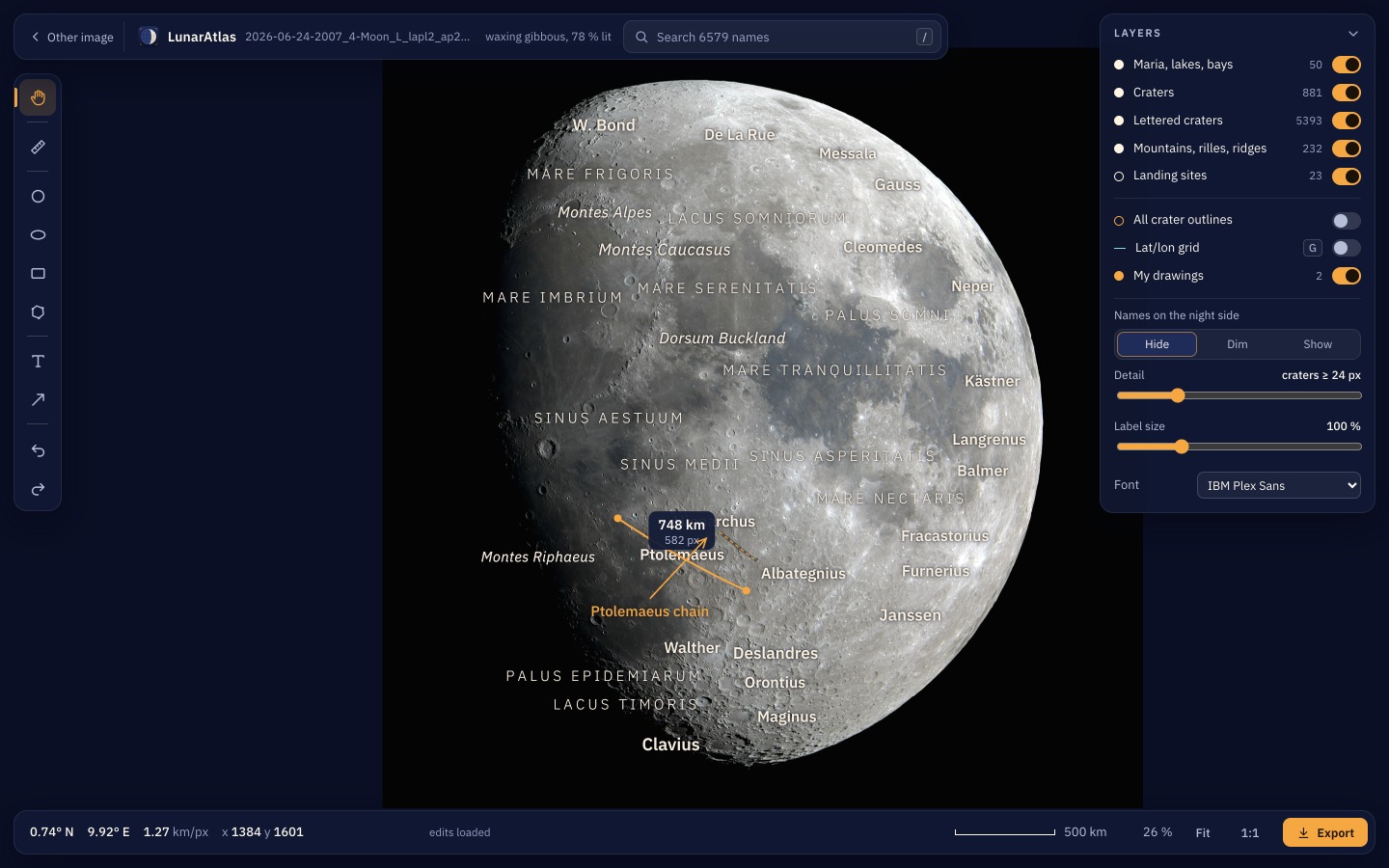
You drop in a photo. LunarAtlas works out, by itself, where on the Moon it points, which way round it is, whether it is mirrored, and how the Moon was tilted that night. Then it names what it sees, and you can look around, measure, draw, and export a labelled picture.
It handles full disks, any phase, mosaics, and close-ups that do not show the edge of the Moon at all.
| Installing | Download the app for macOS, Windows or Linux, and get past the first-start warning. |
| Your first photo | Drop a photo in, and understand what it tells you while it works. |
| The viewer | Look around, search, measure, draw, and change which names you see. |
| Exporting | Turn what you see into a labelled image to keep or share. |
| Close-ups and your equipment | Photos without the Moon's edge in them, and why LunarAtlas asks what took them. |
| The quality check | Why a photo can be refused, what each reason means, and how to override it. |
| Troubleshooting | It will not start, it cannot find the Moon, the download fails. |
| Testing | 1.0.1 is a first release. What to try, and what is most useful to report. |
| Limits | What LunarAtlas does not do, honestly. |
| The command line | Every command and option, for batches and scripting. |
| How it works | Limb fit, orientation search, terrain matching, and how accurate it is. |
| Settings reference | Every setting, where it lives and what it does. |
| Files and folders | Where your photos, exports, downloads and caches are kept. |
| Credits and licences | The data and fonts LunarAtlas uses, and who made them. |
| Release notes | What is in each release. |
A photo of the Moon, as a TIFF, PNG or JPEG. Nothing else: no coordinates, no plate solving, no calibration. A capture time helps, and is required for close-ups — see Close-ups and your equipment.
The first photo downloads about 145 MB of Moon maps, once. The first close-up downloads about 530 MB more, also once. After that LunarAtlas works offline.
It is not a stacker, a sharpener or a mosaic builder. Feed it a finished picture. If you build gigapixel mosaics, LunarMosaic is the companion project that makes them; LunarAtlas annotates them.